
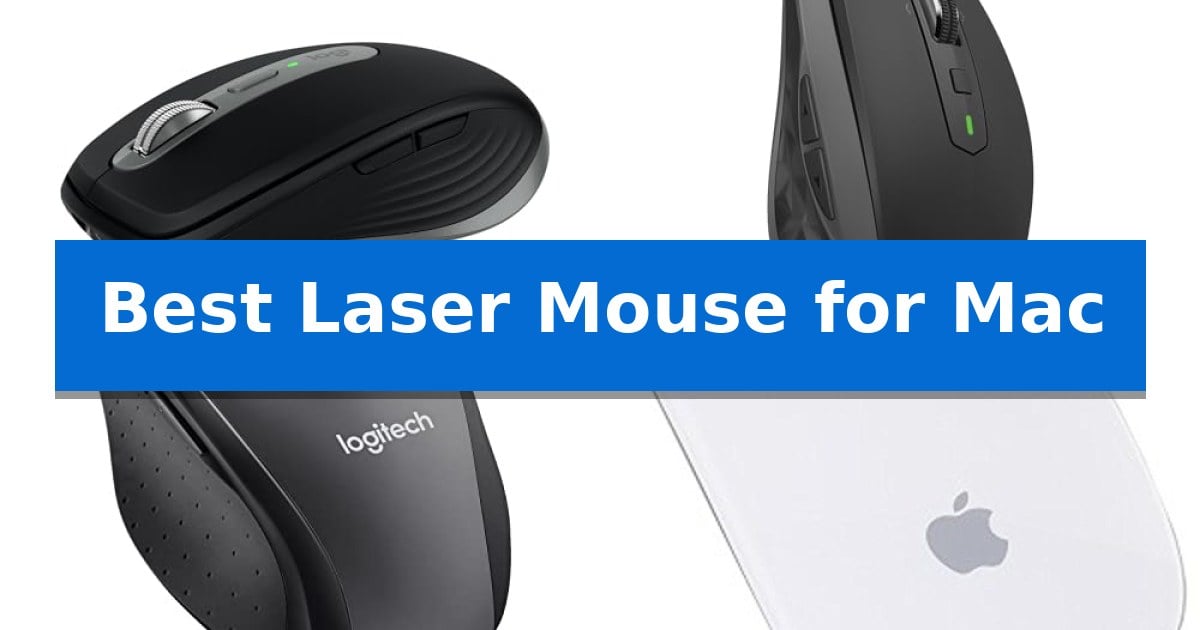
Finding the right peripheral for your Apple setup requires balancing specific hardware compatibility with the precision needed for detailed tasks. Whether you are navigating complex design software or managing daily administrative workflows, the Best Laser Mouse for Mac must offer reliable tracking and seamless integration with the macOS ecosystem.
We have evaluated several options that prioritize high-resolution sensors and multi-device connectivity to ensure your workspace remains efficient. By focusing on how these devices interface with your MacBook or iMac, we aim to simplify your selection process and highlight models that provide consistent performance across various surfaces.
Best Laser Mouse for Mac in 2026: Optimizing Precision for macOS
Quick Comparison
| Product | Best For | Key Strength | Score |
|---|---|---|---|
| Logitech MX Anywhere 3S Mac Wireless Mouse | Best Overall | 8K DPI sensor provides high-precision tracking on almost any surface including glass. | 4.9 |
| Logitech MX Anywhere 2S Wireless Mouse | Multi-Device Tracking on Any Surface | Darkfield sensor tracks accurately on almost any surface including glass. | 4.9 |
| Logitech M705 Marathon Wireless Mouse | Extended Battery Life for Productivity | Three-year battery life significantly reduces maintenance frequency. | 4.7 |
| Apple Magic Bluetooth Laser Mouse | Seamless Integration with macOS | Laser tracking provides 20 times the performance of standard optical sensors. | 4.8 |
How We Chose
- Sensor Precision: Evaluating DPI settings and tracking capabilities on diverse surfaces.
- macOS Compatibility: Ensuring native support for system-specific features and software customization.
- Connectivity Options: Prioritizing stable Bluetooth and wireless receiver integration for multi-device setups.
- Ergonomics and Build: Assessing the physical design for long-term comfort and button accessibility.
- Battery Efficiency: Reviewing power management features to minimize charging frequency.
1 Logitech MX Anywhere 3S Mac Wireless Mouse — Premium Precision for Apple Users
Maintaining a seamless workflow across Apple devices requires hardware that understands the macOS ecosystem, and the Logitech MX Anywhere 3S Mac Wireless Mouse is engineered specifically for this purpose. With its matching aesthetic and specialized integration, this compact peripheral offers a refined experience for those who prioritize portability without sacrificing functionality.
The mouse features an 8K DPI sensor that enables precise tracking on virtually any surface, including glass, allowing for consistent performance whether you are working from a desk or on the move. To support focused environments, it incorporates Quiet Clicks, which provide a tactile, satisfying response while significantly reducing noise distraction compared to standard switches.
Navigation is handled by the MagSpeed scroll wheel, capable of scrolling through 1,000 lines per second while maintaining the precision to stop on a single pixel. Users can further customize their experience using Logi Options+, which allows for button programming and app-specific configurations to streamline repetitive tasks across macOS and iPadOS.
Designed for multi-device users, the mouse supports Bluetooth Low Energy connectivity, enabling quick pairing with up to three devices. The inclusion of USB-C charging ensures compatibility with modern Apple hardware, while the construction utilizes certified post-consumer recycled plastic to balance performance with material sustainability.
Best for: Mobile professionals and creative users who need a compact, high-precision mouse that integrates seamlessly with multiple Apple devices.
Skip if: Users who prefer a full-sized ergonomic mouse with a dedicated palm rest or those who require a wired-only connection for specific latency-sensitive tasks.
PROS
- 8K DPI sensor provides high-precision tracking on almost any surface including glass.
- MagSpeed scrolling allows for rapid navigation of long documents and precise control.
- Quiet Clicks design minimizes noise for improved focus in shared workspaces.
- Multi-device connectivity via Bluetooth allows for seamless switching between up to three Apple devices.
CONS
- Compact form factor may not provide sufficient palm support for users with larger hands during extended use.
2 Logitech MX Anywhere 2S Wireless Mouse — Multi-Device Tracking on Any Surface
The Logitech MX Anywhere 2S Wireless Mouse offers a highly versatile tracking solution for Mac users, utilizing Darkfield movement detection technology that enables precise cursor control on virtually any surface, including glass. This compact device is engineered for portability and multi-device workflows, allowing users to seamlessly manage up to three different Apple Mac or Windows laptops.
Connectivity is handled via Bluetooth or a radio frequency connection, providing a reliable wireless operating distance of 33 ft. The mouse features a 4000 DPI movement resolution, which can be adjusted to suit different screen sizes and precision requirements. Its design prioritizes a small footprint, making it a practical choice for users who frequently transition between different workspaces.
Equipped with MagSpeed Scrolling, the mouse facilitates efficient navigation through long documents or web pages. The integration of multi-device control ensures that switching between connected computers is straightforward, supporting a streamlined setup for those who balance multiple workstations simultaneously.
While the mouse is built for high-performance tracking and multi-device flexibility, its compact dimensions are specifically tailored for portability. Users seeking a larger, ergonomic form factor for extended desktop sessions may find the smaller profile less suitable for their specific hand-resting preferences.
Best for: Users who require a portable, multi-device mouse capable of tracking on challenging surfaces like glass.
Skip if: Users who prefer a full-sized, ergonomic mouse designed for long-duration, stationary desktop use.
PROS
- Darkfield sensor tracks accurately on almost any surface including glass.
- Multi-device connectivity allows switching between three computers.
- Compact design is ideal for travel and mobile setups.
- MagSpeed scrolling enables fast navigation through content.
CONS
- Small form factor may not be comfortable for users with larger hands during long sessions.
3 Logitech M705 Marathon Wireless Mouse — Extended Battery Life for Productivity
The Logitech M705 Marathon Wireless Mouse is engineered for extended productivity, featuring a power-efficient design that allows for up to three years of use between battery changes. This longevity makes it a practical choice for Mac users who prefer to minimize maintenance and battery replacements.
Navigation is enhanced by a hyper-fast scroll wheel, which utilizes a nearly frictionless metal design to allow users to fly through long documents or web pages with a single spin. The mouse is built with a sculpted, right-hand shape intended to guide the hand into a naturally comfortable position during prolonged work sessions.
For connectivity, the device utilizes the Logitech Unifying receiver, a compact USB-A nano receiver that remains plugged into a laptop port, reducing the risk of loss. This receiver also supports the addition of other compatible Logitech wireless peripherals, helping to keep workspace connections streamlined.
The laser-grade tracking sensor provides responsive cursor control across a variety of surfaces, including wood-grain or polished tables that often challenge standard optical mice. Additionally, the mouse includes five customizable buttons, including two thumb-operated buttons designed to facilitate quick navigation between web pages.
Best for: Users seeking a long-lasting, ergonomic wireless mouse for extended office productivity and document navigation.
Skip if: Users who require a mouse with Bluetooth connectivity or those who prefer a symmetrical, ambidextrous design.
PROS
- Three-year battery life significantly reduces maintenance frequency.
- Hyper-fast scroll wheel enables rapid navigation of long documents.
- Laser-grade tracking provides precision on difficult surfaces like polished wood.
- Customizable buttons allow for personalized control over navigation tasks.
CONS
- USB-A receiver requires an adapter for Mac models lacking legacy ports.
- Right-handed ergonomic shape is not suitable for left-handed users.
4 Apple Magic Bluetooth Laser Mouse — Seamless Integration with macOS
The Apple Magic Bluetooth Wireless Laser Mouse – A1296 (Renewed) integrates directly into the macOS ecosystem, utilizing advanced laser technology that provides 20 times the tracking performance of standard optical sensors. This precision allows the device to detect even the slightest movements, making it a responsive tool for users who require consistent accuracy on various surfaces.
Designed with a sleek, low-profile top-shell that matches the aesthetic of other Apple hardware, this mouse prioritizes a minimalist workspace. It features Bluetooth technology for a cable-free connection, eliminating the need for external receivers and keeping your desk clean. The surface incorporates touch-sensitive technology, allowing for intuitive navigation without the clutter of traditional mechanical buttons.
As a renewed product, this mouse has undergone a diagnostic inspection and testing process by Amazon-qualified suppliers to ensure it functions like new. It is backed by a 90-day supplier warranty, providing coverage for the hardware. The compact dimensions of 6 inches by 3.5 inches by 2.5 inches make it a portable option for those who travel with their MacBook or iMac.
While this device offers a streamlined interface, users should note that the touch-sensitive design requires a specific interaction style compared to traditional click-heavy mice. It is best suited for those who prefer a low-profile, gesture-friendly input device that maintains a cohesive look with their existing Apple setup.
Best for: Users seeking a compact, touch-sensitive mouse that maintains a seamless aesthetic and functional integration with macOS environments.
Skip if: Users who prefer the tactile feedback of physical mechanical buttons or those who require a larger, ergonomic mouse for extended, high-intensity gaming sessions.
PROS
- Laser tracking provides 20 times the performance of standard optical sensors.
- Touch-sensitive surface enables intuitive, button-free navigation.
- Bluetooth connectivity allows for a clutter-free, wireless workspace.
- Renewed status ensures the device has been inspected and tested for functionality.
CONS
- Touch-sensitive interface may require an adjustment period for users accustomed to physical buttons.
- Compact, low-profile design may not provide the palm support needed for long-duration use.
Best Laser Mouse for Mac Buying Guide
Understanding Sensor Technology
The primary advantage of a laser mouse lies in its ability to track accurately on a wide variety of surfaces, including glass and polished wood. Unlike traditional optical sensors, laser technology uses a focused beam that detects microscopic surface details, providing higher sensitivity and consistent cursor movement.
For Mac users working in environments where a dedicated mousepad is not always available, this surface versatility is a critical factor. Choosing a model with a high DPI sensor allows for greater control, which is essential for tasks requiring pixel-perfect precision.
Connectivity and Multi-Device Support
Modern workflows often involve switching between multiple devices, such as a MacBook, an iPad, and a secondary desktop. Mice that offer multi-device pairing via Bluetooth allow you to transition between these platforms with a single click, significantly streamlining your daily operations.
When selecting a wireless mouse, consider whether it utilizes a dedicated USB receiver or relies solely on Bluetooth. While Bluetooth is convenient for modern Macs lacking legacy ports, a dedicated receiver can provide a more stable connection in environments with heavy wireless interference.
Ergonomics for Daily Use
The physical shape of your mouse dictates how your hand rests during extended periods of use. A sculpted design can help reduce wrist strain, while a compact form factor is often preferred by professionals who frequently travel with their equipment.
Evaluate the button placement and the tactile feel of the scroll wheel. Features like hyper-fast scrolling can significantly improve navigation speed through long documents, while programmable buttons allow you to map common macOS shortcuts directly to your mouse.
Software Integration and Customization
The ability to customize your mouse settings through dedicated software is a major benefit for power users. Advanced configuration tools allow you to adjust pointer speed, button assignments, and gesture controls to match your specific workflow requirements.
Ensure that the mouse you choose offers robust support for the latest versions of macOS. Software that is regularly updated ensures that your device remains compatible with system changes and continues to provide a smooth, integrated experience.
Battery Life and Charging
Wireless freedom is only beneficial if it does not come with the constant need for charging. Look for mice that offer long-lasting battery performance or quick-charging capabilities, which can save you from downtime during critical projects.
Some models feature rechargeable internal batteries that can be topped up via USB-C, aligning perfectly with the charging standards of modern Apple hardware. Others may rely on replaceable batteries, which can be advantageous if you prefer a 'swap-and-go' approach.
Frequently Asked Questions
Do I need a special mouse for my Mac?
While any standard USB or Bluetooth mouse will work with a Mac, choosing a model designed for macOS ensures better integration, such as support for custom button mapping and system-wide gesture controls.
What is the advantage of a laser mouse over an optical mouse?
A laser mouse generally offers better tracking performance on challenging surfaces like glass or glossy tabletops, making it a more versatile choice for mobile professionals.
Can I use a multi-device mouse with both Mac and iPad?
Yes, many modern wireless mice support pairing with multiple devices simultaneously. You can typically switch between your Mac and iPad using a dedicated button on the underside of the mouse.
How do I customize the buttons on my mouse for macOS?
Manufacturers typically provide companion software, such as Logi Options+, which allows you to assign specific macOS functions or app-specific commands to the programmable buttons on your mouse.
Is a wired or wireless mouse better for Mac users?
Wireless mice are generally preferred for their portability and clean desk aesthetic. Modern wireless technology provides latency-free performance that is indistinguishable from wired connections for most users.
Conclusion: Our Top Pick
Selecting the right peripheral depends on your specific balance of portability and functionality. For users who prioritize a compact design without sacrificing advanced features like high-resolution tracking and multi-device connectivity, the Logitech MX Anywhere 3S Mac Wireless Mouse stands out as a highly capable solution that integrates well with the Apple ecosystem.
While other options offer benefits like extended battery life or a full-size form factor, the combination of its 8K DPI sensor and quiet-click technology makes it a versatile choice for a wide range of professional tasks. We recommend this model for its consistent performance and its ability to adapt to various work environments.