
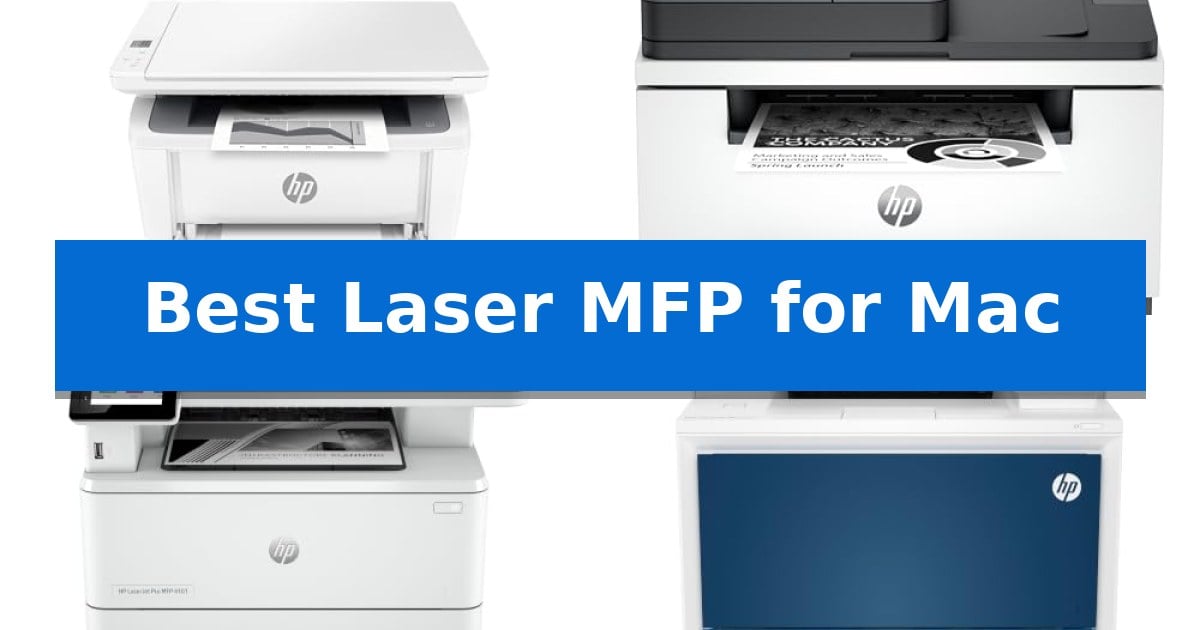
Finding a reliable printer that plays nicely with macOS can be a challenge, especially when you need consistent performance for scanning, copying, and printing. Many office machines struggle with driver support or connectivity, but the right hardware ensures your workflow remains uninterrupted.
We have evaluated the Best Laser MFP for Mac options to help you identify a device that balances speed, compact design, and native support for Apple’s ecosystem. Whether you are managing a small home office or a busy team, these selections prioritize ease of use and long-term reliability.
Best Laser MFP for Mac in 2026: Seamless macOS Integration
Quick Comparison
| Product | Best For | Key Strength | Score |
|---|---|---|---|
| HP LaserJet MFP M140w Printer | Best Overall | Compact footprint that fits in small spaces. | 4.9 |
| HP LaserJet MFP M235sdw Printer | Fastest Two-Sided Printing | Fastest two-sided printing in its class for increased office productivity. | 4.9 |
| HP LaserJet Pro MFP 4101fdw Printer | High-Volume Office Productivity | High-speed output of up to 42 pages per minute. | 4.7 |
| HP Color LaserJet Pro MFP 4301fdw Printer | Blazing Fast Color Output | High-speed output of up to 35 color pages per minute. | 4.4 |
| HP LaserJet Pro MFP M428fdw Printer | Workflow Automating Powerhouse | HP Wolf Pro Security for integrated hardware and firmware protection. | 4.4 |
How We Chose
- Native macOS compatibility and AirPrint support for driverless printing.
- Wireless connectivity reliability, including dual-band Wi-Fi and self-reset capabilities.
- Multifunction efficiency, evaluating scan, copy, and fax speeds for small teams.
- Physical footprint and design, ensuring the device fits into various workspace constraints.
- Security features, specifically hardware-level protection for sensitive documents.
1 HP LaserJet MFP M140w Printer — Compact Pick for Tight Spaces
Maximizing desk space while maintaining full document functionality is a common challenge for home offices. The HP LaserJet MFP M140w Printer addresses this by offering a compact, all-in-one design that functions as the world's smallest laser in its class, making it a practical solution for tight workspaces.
Designed for small teams of one to three people, this device handles printing, scanning, and copying with professional-quality output. It delivers fast print speeds of up to 21 black-and-white pages per minute, ensuring that reports and documents are ready without significant wait times.
Connectivity is streamlined through wireless with self-reset capabilities, which helps maintain a stable link to your network. The printer supports a wide range of platforms, including Mac, AirPrint, Microsoft, Android, and Chromebook, allowing for versatile printing from virtually any mobile device, PC, or tablet.
The HP Smart App further enhances usability by allowing users to scan directly to the cloud and manage print or copy tasks from a smartphone. Additionally, the unit includes a specialized feature for copying ID cards, which allows users to capture both sides of small documents onto a single sheet of paper, simplifying administrative tasks.
It is important to note that this printer is designed to work exclusively with original HP chips or circuitry. The system will block cartridges that utilize non-HP components, and periodic firmware updates are deployed to maintain these operational standards.
Best for: Small teams of 1-3 people who need a compact, reliable laser printer for basic document tasks in a limited workspace.
Skip if: Users who require color printing, high-volume production, or the flexibility to use third-party toner cartridges.
PROS
- Compact footprint that fits in small spaces.
- Fast print speeds of up to 21 pages per minute.
- Wireless connectivity with broad mobile and Mac support.
- Integrated ID card copy function for professional document handling.
CONS
- Proprietary cartridge requirement limits third-party toner options.
- Monochrome only, lacking color printing capabilities.
2 HP LaserJet MFP M235sdw Printer — Fastest Two-Sided Printing
The HP LaserJet MFP M235sdw Printer is engineered for small office environments, specifically catering to teams of 1-5 people who require efficient monochrome document handling. Its standout feature is the fastest two-sided printing in its class, which allows users to manage multipage projects with significant time savings compared to standard single-sided alternatives.
Designed with a focus on connectivity and security, this all-in-one device supports dual-band Wi-Fi with self-reset technology, which actively monitors and resolves network interruptions. It integrates seamlessly into diverse digital ecosystems, offering wireless printing capabilities across Mac, PC, Android, and Chromebook platforms, alongside standard Ethernet connectivity for wired setups.
Beyond its core printing functions, the unit provides robust copy and scan capabilities, making it a versatile tool for digitizing business documents, brochures, and presentations. The inclusion of built-in security features ensures that the device remains protected against potential external threats, providing peace of mind for office environments handling sensitive data.
Measuring approximately 16.46 inches in width and 11.59 inches in height, the printer maintains a compact footprint suitable for shared workspaces. Its automatic two-sided printing feature reduces paper waste, while the overall build is optimized for the consistent, high-volume demands of a professional setting.
Best for: Small offices of 1-5 people needing a reliable, fast monochrome laser printer with robust wireless connectivity and duplex printing.
Skip if: Users who require high-quality color printing for graphics or photography will find this monochrome-only laser device unsuitable for their needs.
PROS
- Fastest two-sided printing in its class for increased office productivity.
- Dual-band Wi-Fi with self-reset ensures stable wireless connections.
- Versatile all-in-one functionality covering print, copy, and scan needs.
- Built-in security features to protect against unauthorized access.
CONS
- Monochrome-only output limits use for color-dependent documents.
- Single-purpose laser technology is not designed for photo-quality printing.
3 HP LaserJet Pro MFP 4101fdw Printer — High-Volume Office Productivity
Maintaining a high-volume workflow in a macOS environment requires hardware that integrates seamlessly with existing network protocols and mobile ecosystems. The HP LaserJet Pro MFP 4101fdw Printer is engineered for small teams of up to 10 people, providing a robust all-in-one solution that handles printing, scanning, copying, and faxing within a single, compact footprint.
This device is built for speed, offering blazing fast print speeds of up to 42 pages per minute for single-sided black and white documents. To support efficient document handling, it includes automatic two-sided printing and an automatic document feeder, which streamlines the process of digitizing multi-page reports or creating professional-quality physical copies.
Connectivity is a core strength of this model, featuring intelligent Wi-Fi that actively monitors for the most stable connection. It supports a wide range of platforms, including macOS, AirPrint, and mobile devices, ensuring that users can initiate print jobs from tablets, laptops, or smartphones without complex configuration. For added security, the unit comes equipped with HP Wolf Pro Security, allowing administrators to customize settings to protect sensitive data.
Users should note that this printer is designed to operate exclusively with original HP chips or circuitry. The system will block cartridges utilizing non-HP components, and the device will periodically perform firmware updates to maintain these security and operational measures. With its 19-inch height and 33-pound build, it provides a stable, professional-grade foundation for any office workspace.
Best for: Small teams of up to 10 people requiring high-speed, secure black and white document processing with seamless macOS and mobile integration.
Skip if: Users who require color printing or those who prefer the flexibility of using third-party or non-original ink cartridges.
PROS
- High-speed output of up to 42 pages per minute.
- Comprehensive connectivity including AirPrint, Wi-Fi, and Ethernet.
- Integrated security features via HP Wolf Pro Security.
- Efficient document management with automatic two-sided printing and a built-in document feeder.
CONS
- Strict cartridge compatibility requiring original HP chips.
- Monochrome-only printing limits output to black and white documents.
4 HP Color LaserJet Pro MFP 4301fdw Printer — Blazing Fast Color Output
The HP Color LaserJet Pro MFP 4301fdw Printer streamlines office workflows by combining high-speed color output with robust, integrated security features. Designed to support teams of up to 10 people, this all-in-one device handles printing, scanning, copying, and faxing, making it a versatile hub for professional document management.
Performance is anchored by a print speed of up to 35 color pages per minute, ensuring that high-volume reports and color documents are produced without significant downtime. The inclusion of an auto document feeder and auto 2-sided printing further enhances efficiency, allowing for rapid processing of multi-page materials while reducing paper consumption.
Connectivity is a primary focus, featuring intelligent Wi-Fi that actively monitors for the most stable connection. The unit is compatible with a wide range of operating systems, including macOS, and supports mobile printing via AirPrint and other wireless protocols, ensuring seamless integration into existing Apple-centric environments.
Security is managed through HP Wolf Pro Security, which provides customizable settings to protect sensitive data and the printer itself from unauthorized access. The device requires original HP chips and circuitry for operation, ensuring consistent performance and security through periodic firmware updates.
Best for: Small teams of up to 10 people requiring a high-speed, secure, and wirelessly connected all-in-one laser printer for professional color documents.
Skip if: Users who require the ability to use third-party or non-HP ink cartridges, as this device is strictly designed to function only with original HP chips and circuitry.
PROS
- High-speed output of up to 35 color pages per minute.
- Comprehensive all-in-one functionality including print, scan, copy, and fax.
- Advanced security via HP Wolf Pro Security integration.
- Robust wireless connectivity with intelligent Wi-Fi and mobile device support.
CONS
- Proprietary cartridge requirement that blocks non-HP chips or circuitry.
- Large physical footprint measuring 16.6 x 17.1 x 15.1 inches.
5 HP LaserJet Pro MFP M428fdw Printer — Workflow Automating Powerhouse
Streamlining document management in a macOS environment requires hardware that balances high-speed output with robust security features. The HP LaserJet Pro MFP M428fdw Printer addresses this by integrating HP Wolf Pro Security, which embeds protection directly into the device hardware, firmware, and OS to defend against potential cyberattacks.
Designed for high-volume office environments, this multifunction laser printer delivers print speeds of up to 40 pages per minute. It supports efficient multitasking through single-pass, 2-sided scanning and a 50-sheet auto document feeder, allowing users to digitize or duplicate multi-page documents without manual intervention.
Connectivity is a primary focus for modern workflows, and this model includes built-in Wi-Fi Direct, enabling direct printing from smartphones without requiring a local network. The customizable control panel further enhances usability by allowing users to automate complex, repetitive tasks and apply saved settings with a single touch.
Energy efficiency remains a key consideration, with this unit designed to save up to 22% more energy compared to previous generations. The printer is strictly optimized for use with original HP 58a/58x toner cartridges containing authentic chips, ensuring consistent print quality while preventing the use of non-HP circuitry.
Best for: Small to medium-sized business environments requiring high-speed monochrome printing, secure document handling, and automated workflow management.
Skip if: Users who require color printing or those who prefer the flexibility of using third-party, non-HP branded toner cartridges.
PROS
- HP Wolf Pro Security for integrated hardware and firmware protection.
- Fast 40 ppm print speeds with single-pass, 2-sided scanning capabilities.
- Customizable control panel for automating complex document workflows.
- Built-in Wi-Fi Direct for network-independent mobile printing.
CONS
- Strict cartridge compatibility requiring original HP chips.
- Monochrome-only output limits utility for color-dependent tasks.
Best Laser MFP for Mac Buying Guide
Connectivity and macOS Compatibility
The most critical factor for any Mac user is AirPrint support. This technology allows your printer to work immediately without the need for complex driver installations or third-party software. Always check if the device supports wireless printing directly from your Mac, iPhone, or iPad.
Look for printers that offer dual-band Wi-Fi with self-reset features. These help maintain a stable connection to your network, preventing the common frustration of a printer appearing offline when you need to print a document quickly.
Multifunction Capabilities
A true all-in-one printer should handle more than just text documents. Consider the auto document feeder (ADF) capacity if you frequently scan multi-page reports. This feature allows you to process stacks of paper without manual intervention.
For those handling sensitive business documents, look for duplex printing and duplex scanning. These features save paper and time by automatically processing both sides of a page, which is essential for high-volume office productivity.
Print Speed and Volume
Print speed, measured in pages per minute (PPM), dictates how quickly you can finish large projects. If you are printing simple text documents, a standard speed is sufficient, but teams of five or more people will benefit from high-speed laser engines.
Assess your monthly print volume to avoid over-spending on hardware. A compact printer designed for 1-3 people is often more efficient for home offices, while high-volume models are built to handle the demands of larger teams without frequent maintenance.
Security and Data Protection
Modern office printers are network-connected devices, making them potential targets for security breaches. Features like HP Wolf Pro Security provide built-in protection for the printer's hardware, firmware, and operating system.
Customizable security settings allow you to control who can access the printer and how data is handled. This is particularly important for businesses that deal with confidential client information or internal reports.
Physical Footprint
Space is often at a premium in home offices. Laser printers vary significantly in size, from ultra-compact models that fit on a shelf to larger floor-standing or heavy-duty desktop units.
Measure your available desk or cabinet space before purchasing. Consider the clearance needed for the input tray and the output bin, as well as the space required to open the scanner lid or access the toner cartridges.
Frequently Asked Questions
Do I need special drivers to use these printers with a Mac?
Most modern laser MFPs support AirPrint, which allows your Mac to detect and use the printer immediately without installing traditional drivers.
Can I print from my iPhone or iPad?
Yes, all the printers listed support wireless printing from mobile devices, including iPhones and iPads, via AirPrint or the manufacturer's dedicated app.
What is the benefit of a laser printer over an inkjet?
Laser printers typically offer faster print speeds, sharper text quality, and lower cost-per-page for black-and-white documents, making them ideal for office environments.
Are these printers compatible with non-HP toner cartridges?
Many HP printers are designed to work only with original HP chips or circuitry. Using non-HP cartridges may result in the printer blocking the supply.
How do I scan documents to my Mac?
You can use the native 'Image Capture' app on macOS or the manufacturer's smart app to scan documents directly to your computer or cloud storage.
Conclusion: Our Top Pick
Selecting the right printer for your Mac setup depends on your specific volume and space requirements. For those prioritizing a compact footprint without sacrificing essential multifunction features, the HP LaserJet MFP M140w Printer is an excellent choice. It fits into the tightest workspaces while providing reliable, high-quality laser printing.
While it is perfect for small teams of 1-3 people, keep in mind that it is a monochrome-only device. If your workflow requires high-volume color output or heavy-duty faxing, you may want to consider one of the more robust models in our list, but for most home office tasks, this unit offers the best balance of simplicity and performance.