
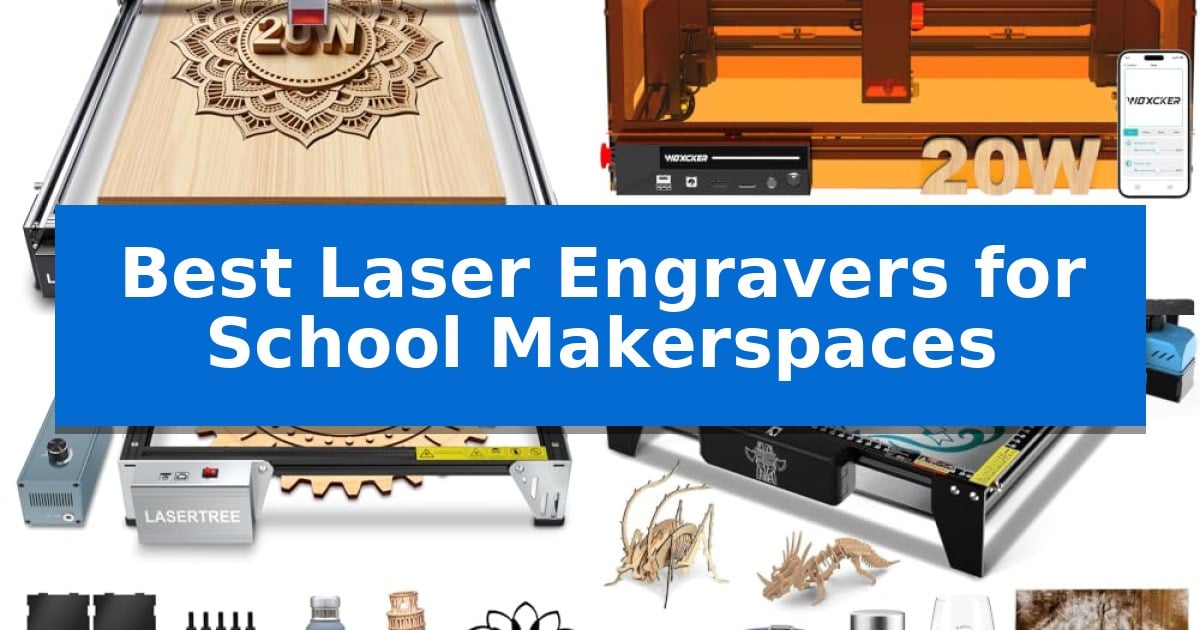
Equipping an educational environment with the right tools requires balancing advanced functionality with strict safety standards. The Best Laser Engravers for School Makerspaces must provide students with the ability to bring digital designs to life while ensuring the equipment remains intuitive and secure for classroom use.
Selecting the right machine involves considering factors like material versatility, software compatibility, and safety features. Whether you are looking to support large-scale student projects or provide a reliable starting point for beginners, these laser engravers offer distinct capabilities tailored to the unique demands of a modern makerspace.
Best Laser Engravers for School Makerspaces in 2026
Quick Comparison
| Product | Best For | Key Strength | Score |
|---|---|---|---|
| LASER TREE 20W Laser Engraver | Best Overall | Large 400x800mm working area for oversized projects. | 4.9 |
| Woxcker 20W Laser Engraver | Enclosed Design for Classroom Safety | 360° fully enclosed design enhances classroom safety by containing fumes and noise. | 4.5 |
| LASER TREE 10W Laser Engraver | Includes Air Assist for Cleaner Cuts | Integrated air-assist pump for cleaner material surfaces and stable energy. | 4.8 |
| Twotrees TTS-10 Pro Laser Engraver | Reliable Choice for Beginners | 32-bit dual-core MCU for fast processing and offline operation via TF card. | 4.6 |
| LASER TREE 4W Laser Module | Budget Upgrade for Existing CNC | 4000mW optical power allows for efficient engraving and light cutting. | 4.5 |
How We Chose
- Safety features, including enclosed designs and emergency stop functionality.
- Software compatibility with standard tools like LightBurn and LaserGRBL.
- Material versatility for wood, acrylic, and metal engraving.
- Ease of setup and focus for students with varying skill levels.
- Working area dimensions to accommodate different project scales.
1 LASER TREE 20W Laser Engraver — Best for Large-Scale Student Projects
Equipped with an expansive 400x800mm working area, the LASER TREE 20W Laser Engraver provides the necessary surface space for students to tackle large-scale projects like custom murals and oversized wooden signs. This machine utilizes advanced 3-beam combined compression technology to deliver 20W of real optical power, enabling efficient, single-pass cutting through 10mm plywood and 8mm acrylic.
Designed for high-output environments, this CNC laser machine supports engraving speeds up to 10,000mm/min. The integration of an air assist system ensures cleaner, burr-free edges, which is essential for maintaining professional quality in student-led craft and design work. Its fixed focal length design simplifies setup, allowing users to begin projects quickly without the need for complex manual calibration.
Compatibility is a core strength of this unit, as it functions seamlessly with industry-standard software such as LightBurn and LaserGRBL on both Windows and Mac platforms. This flexibility allows educators to integrate the machine into existing digital workflows, supporting a wide range of file formats including SVG, DXF, and PNG for diverse creative assignments.
The versatility of the LASER TREE 20W Laser Engraver extends to its material compatibility, handling everything from wood and leather to coated metals and fabric. While its large footprint is a significant advantage for batch production and oversized art, it requires a dedicated, stable workspace to accommodate its 31.5-inch length, making it a robust choice for permanent makerspace installations.
Best for: This laser engraver is best for school makerspaces requiring a large work area for oversized student projects and batch production.
Skip if: Skip this model if your makerspace has limited table space, as its 31.5-inch length requires a substantial, dedicated footprint.
PROS
- Large 400x800mm working area for oversized projects.
- 20W optical power enables single-pass cutting of thick materials.
- High engraving speeds up to 10,000mm/min for efficient production.
- Wide software compatibility with LightBurn and LaserGRBL.
CONS
- Large physical footprint requires significant dedicated workspace.
2 Woxcker 20W Laser Engraver — Enclosed Design for Classroom Safety
Safety and precision are paramount when introducing fabrication tools to a classroom environment. The Woxcker 20W Laser Engraver addresses these needs with a 360° fully enclosed design that shields students from direct laser exposure while effectively containing fumes, dust, and operating noise.
Beyond its protective housing, this machine provides robust capabilities for diverse makerspace projects. Its 20W laser power allows for efficient cutting of thicker materials like oak and plywood, while the 0.01mm square focus achieved through advanced point-compression technology ensures that logos, fine patterns, and intricate text are rendered with sharp, professional detail.
Efficiency is a key consideration for high-traffic educational settings. The unit supports high-speed operation up to 20,000mm/min, which helps reduce project turnaround times. With a 300×300mm work area, it accommodates larger student designs or batch production of personalized items, making it a versatile asset for school-based small business simulations.
Integration into existing workflows is straightforward thanks to broad software compatibility, including LightBurn, LaserGRBL, and CutLabX. Students and instructors can manage projects via Wi-Fi, USB, APP, or TF card, providing flexible control options. Integrated safety features such as flame detection, 15° tilt protection, automatic shutdown, and an emergency stop provide essential safeguards for a shared learning environment.
Best for: Educational makerspaces requiring a safe, enclosed laser system for cutting and detailed engraving projects.
Skip if: Users needing a larger work area than 300x300mm or those requiring an open-frame design for oversized materials.
PROS
- 360° fully enclosed design enhances classroom safety by containing fumes and noise.
- High-speed performance up to 20,000mm/min improves project efficiency.
- Advanced point-compression technology enables precise 0.01mm engraving detail.
- Comprehensive safety suite including flame detection and emergency stop.
CONS
- Fixed 300x300mm work area limits the size of materials that can be processed.
- Enclosed chassis adds weight and bulk compared to open-frame alternatives.
3 LASER TREE 10W Laser Engraver — Includes Air Assist for Cleaner Cuts
Integrating laser cutting technology into a school makerspace requires equipment that balances safety, ease of use, and versatility. The LASER TREE 10W Laser Engraver stands out for educational environments due to its all-in-one air-assist system, which actively reduces material surface temperature and clears smoke, ensuring cleaner cuts and more stable laser performance during student projects.
This unit utilizes LD+FAC+C-Lens compression spot technology to achieve a precise focal length of 45mm, allowing for detailed engraving on materials like wood, leather, and even mirror stainless steel without the need for pre-treatment. With a 300x300mm working area, it provides sufficient space for common classroom projects such as custom desk organizers, greeting cards, and model components.
Designed with the beginner in mind, the system emphasizes straightforward assembly. The kit arrives with all components pre-packed and includes a Desktop Protection Magnetic Plate to safeguard work surfaces. The inclusion of a detailed user manual with illustrations helps facilitate a quick setup process, making it a practical choice for instructors who need to get the machine operational with minimal downtime.
While the LASER TREE 10W Laser Engraver offers robust capabilities for various materials, it is important to note its limitations regarding material compatibility. It cannot process transparent, white, blue, or purple materials, nor can it engrave aluminum that lacks an oxide layer. Teachers should plan their curriculum around these material constraints to ensure successful project outcomes.
Best for: The LASER TREE 10W Laser Engraver is best for school makerspaces and beginners requiring a reliable, air-assisted system for wood and metal engraving projects.
Skip if: Skip this model if your curriculum requires engraving transparent, white, or non-oxidized aluminum materials, as these are not supported.
PROS
- Integrated air-assist pump for cleaner material surfaces and stable energy.
- High-performance 10W output capable of cutting 8mm plywood in a single pass.
- Fast engraving speeds up to 25,000mm/m to support project efficiency.
- Simplified installation with pre-packed components and detailed manual.
CONS
- Limited material compatibility (cannot engrave transparent, white, or blue materials).
- Requires oxide layer for aluminum engraving.
4 Twotrees TTS-10 Pro Laser Engraver — Reliable Choice for Beginners
The Twotrees TTS-10 Pro Laser Engraver serves as a capable entry point for educational environments, featuring a 10000mW optical power blue light diode laser that enables precise work on materials like wood, bamboo, acrylic, and leather. Its 300x300mm engraving area provides sufficient space for students to produce custom projects such as keychains, coasters, and small signage without requiring a massive footprint on a makerspace workbench.
Built with a full metal frame and a reliable motion system utilizing dual Y-axis motors and GT2-6mm synchronous belts, this machine is engineered for consistent operation. The integration of a 32-bit dual-core MCU mainboard allows for efficient processing, supporting both online connectivity and TF card offline engraving. This offline capability is particularly useful in school settings, as it allows students to run projects directly from the control board without needing a dedicated computer tethered to the device at all times.
Compatibility is a primary focus, with the unit supporting industry-standard software like LightBurn and LaserGRBL. Users can export files in .lbrn or .nc formats for straightforward workflows. The manufacturer also provides a dedicated online wiki with video tutorials and FAQs to assist with setup and troubleshooting, which helps lower the barrier to entry for educators and students alike.
Safety and reliability are addressed through CE, FCC, ROHS, FDA, and UL62368 certifications. The package includes all necessary assembly tools and a 4GB TF card, ensuring that the system is ready to deploy shortly after unboxing. While it performs well on various surfaces, users should note that it is not intended for bare stainless steel or uncoated metal without the use of specialized marking sprays.
Best for: Educational makerspaces and hobbyists seeking a reliable, offline-capable laser engraver for small-scale creative projects.
Skip if: Users requiring the ability to engrave bare, uncoated stainless steel or those needing a work area larger than 12 inches should consider alternative equipment.
PROS
- 32-bit dual-core MCU for fast processing and offline operation via TF card.
- 10000mW optical power laser suitable for a variety of common makerspace materials.
- Full metal frame construction with dual Y-axis motors for structural stability.
- Wide software compatibility including LightBurn and LaserGRBL.
CONS
- Not suitable for bare stainless steel or uncoated metal without additional surface preparation.
- 300x300mm work area may be restrictive for larger-scale signage or projects.
5 LASER TREE 4W Laser Module — Budget Upgrade for Existing CNC
Integrating a laser module into an existing CNC or 3D printer setup offers a cost-effective path to precision fabrication in educational environments. The LASER TREE 4W Laser Module provides a dedicated 4000mW optical power output, enabling students to engrave materials like wood, leather, and paper while maintaining the flexibility to cut through 1-2mm plywood in a single pass.
Designed for versatility, this module features an adjustable focus head ranging from 20mm to 50mm, which allows for consistent line width and high-quality results across various project types. The inclusion of an original diode with FAC (Fast Axis Collimation) technology ensures high stability and efficiency, producing a bright blue-violet light that simplifies alignment during the setup process.
Installation is straightforward for those familiar with DIY machinery, as the unit is compact at 353599.6mm and utilizes a standard XH2.54-3P input port. It supports 5V PWM modulation, making it compatible with a wide array of existing CNC machines and 3D printers that utilize PWM signal control. The module is built for durability, though users must ensure their specific machine hardware supports the required 12V 1.6A input.
Safety and material compatibility are primary considerations for school makerspaces. While the module excels on MDF, bamboo, and even alumina or stainless steel, it cannot process transparent, white, or blue materials. Educators should emphasize the mandatory use of appropriate safety glasses to protect against reflected laser light, ensuring a secure environment for student experimentation.
Best for: This module is ideal for schools looking to upgrade existing CNC machines or 3D printers with laser engraving and light cutting capabilities on a budget.
Skip if: Skip this product if you require a standalone, fully enclosed laser engraver or need to process transparent, white, or blue materials that are incompatible with this diode wavelength.
PROS
- 4000mW optical power allows for efficient engraving and light cutting.
- Adjustable focus (20mm-50mm) ensures high-quality precision on diverse surfaces.
- Compact, pluggable design simplifies installation on existing CNC or 3D printer frames.
- Wide material compatibility including wood, leather, and stainless steel.
CONS
- Incompatible with specific materials such as transparent, white, or blue surfaces.
- Not plug-and-play for all machines, requiring potential configuration for non-standard setups.
Best Laser Engravers for School Makerspaces Buying Guide
Safety and Enclosure Standards
In a school setting, safety is the primary concern. Machines with fully enclosed designs help contain fumes, dust, and noise, while also preventing direct exposure to the laser beam. Features like flame detection and automatic shutdown are essential for protecting both the equipment and the students during operation.
When selecting a model, look for certifications such as Class 1 or Class 4 safety ratings. An enclosed workspace not only shields users but also keeps the immediate environment cleaner, which is vital in shared classroom spaces.
Software and Workflow Integration
The Best Laser Engravers for School Makerspaces should integrate seamlessly with common design software. Compatibility with LightBurn and LaserGRBL allows students to transition from design to production without complex debugging. This ensures that the focus remains on the creative process rather than technical troubleshooting.
Support for multiple file formats like SVG, DXF, and PNG is also critical. A machine that supports offline work via TF card can be a significant advantage, as it reduces the need for a dedicated computer to be connected to the laser at all times.
Material Versatility
A makerspace requires a machine that can handle a wide range of materials. Look for lasers capable of cutting and engraving wood, acrylic, leather, and coated metals. The ability to work with different thicknesses—such as 10mm plywood—expands the types of projects students can undertake.
Consider the optical power output, as higher power generally allows for deeper cutting and faster processing. A 20W laser is often a sweet spot for balancing performance with the ability to handle both detailed engraving and structural cutting.
Working Area and Scalability
The size of the working area dictates the scale of projects students can create. A larger workspace, such as 400x800mm, is ideal for batch production or oversized art pieces, while a 300x300mm area is often sufficient for individual student assignments and smaller prototypes.
Assess whether the machine allows for future upgrades, such as adding air assist systems or modular components. This scalability ensures that the makerspace can grow alongside the students' evolving needs and project complexity.
Ease of Use and Maintenance
For classroom environments, fixed focal length designs are highly beneficial as they simplify the focusing process. This reduces the time spent on manual adjustments and allows students to start their projects quickly and accurately.
Regular maintenance is necessary for optimal performance. Machines with removable components and clear, accessible manuals make it easier for instructors to perform routine cleaning, such as clearing debris from the air assist system or the lens.
Frequently Asked Questions
What is the benefit of an air assist system?
An air assist system blows away smoke and debris during the engraving process, which keeps the material surface clean and prevents discoloration. It also helps maintain laser energy stability for more precise cuts.
Can these lasers engrave on metal?
Many of these laser engravers can engrave on anodized aluminum and coated metal. However, they are generally not suitable for engraving on bare, uncoated stainless steel without specific surface preparation.
Are these machines suitable for beginners?
Yes, many of the models listed feature user-friendly interfaces and compatibility with standard software like LightBurn, making them accessible for students and beginners with minimal training.
What safety gear is required?
Even with enclosed machines, it is recommended that users wear appropriate safety glasses to protect against any reflected laser light. Always follow the specific safety guidelines provided by the manufacturer.
Do I need a dedicated computer for these engravers?
While many models connect via USB or Wi-Fi to a computer, several support offline operation using a TF card, which allows you to load files directly onto the machine.
Conclusion: Our Top Pick
For schools looking to balance performance with a large working area, the LASER TREE 20W Laser Engraver stands out as the most capable option. Its 400x800mm workspace and 20W optical power provide the necessary capacity for both individual student projects and larger batch production tasks.
While this model offers significant power and versatility, ensure your makerspace has adequate ventilation and space to accommodate its larger footprint. By prioritizing safety and ease of use, this machine serves as a robust foundation for any educational creative environment.