
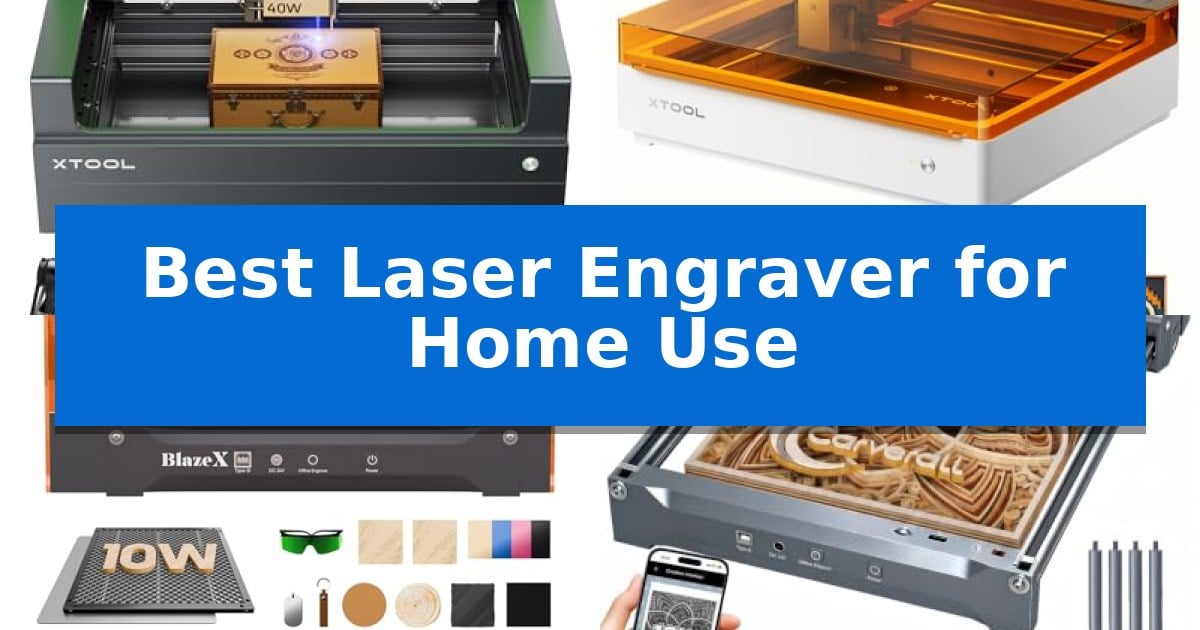
Finding the right machine for your workshop can be overwhelming, especially with the wide range of power levels and software ecosystems available today. Whether you are looking to personalize gifts or start a small business, choosing the Best Laser Engraver for Home Use requires balancing your specific material needs with the available workspace and safety features.
Our guide focuses on machines that prioritize ease of use, safety, and consistent results for home environments. We have analyzed the latest models to help you identify which features—such as integrated cameras, passthrough capabilities, or software compatibility—will best support your creative goals without complicating your workflow.
Best Laser Engraver for Home Use in 2026
Quick Comparison
| Product | Best For | Key Strength | Score |
|---|---|---|---|
| xTool S1 Laser Engraver | Best Overall | Powerful 40W laser capable of cutting thick materials in a single pass. | 4.9 |
| xTool M2 Laser Engraver | Seamless Print-to-Cut Workflow | Built-in dual cameras enable real-time workspace preview and accurate design alignment. | 4.9 |
| BlazeX M3 Laser Engraver | Smart Camera for Precise Placement | Ultra-fine 0.01mm precision for detailed engraving. | 4.8 |
| Carverall K15 Pro Laser Engraver | Versatile A4 Workspace for Crafters | One-touch smart focus eliminates manual calibration guesswork. | 4.7 |
| ELIDOR Laser Engraver | Compact Portable Design | High-precision 0.01 mm accuracy for detailed graphics and text. | 4.4 |
How We Chose
- Material Versatility: Assessing the machine's capability to cut and engrave wood, acrylic, leather, and coated metals.
- Safety and Enclosure: Prioritizing models with Class 1 safety ratings and integrated smoke management for indoor use.
- Software and Ease of Use: Evaluating the intuitiveness of the design software and the availability of pre-tested material parameters.
- Workspace and Capacity: Considering the physical footprint versus the effective engraving area for various project sizes.
- Precision and Control: Examining the accuracy of laser placement and the availability of advanced features like auto-focus.
1 xTool S1 Laser Engraver — Best for Large-Scale Home Projects
The xTool S1 40W Laser Cutter and Laser Engraver distinguishes itself with a robust 40W laser module capable of slicing through 18mm cherry wood in a single pass. Designed for versatility, this machine features a spacious 23.93" x 15.16" bed that accommodates large-scale projects, while its 600mm/s engraving speed ensures high productivity for batch tasks like creating multiple dog tags.
Precision and ease of use are central to the S1 experience. The unit incorporates patented Pin-point Positioning technology to ensure accuracy, while AutoPassthrough functionality allows users to work on materials up to 118 inches long. For those new to laser engraving, the xTool Creative Space (XCS) software provides an intuitive interface with over 400 pre-tested material settings and AI-powered design tools to simplify the creative process.
Safety is prioritized through a Class 1 enclosed design that filters 99% of laser light, eliminating the need for protective goggles during operation. The machine includes integrated flame sensors, an emergency stop button, and a lid-open detection system to ensure a secure environment. Built with a 3mm aerospace-grade aluminum frame, the device is engineered for long-term stability and durability.
This system offers a comprehensive solution for home users looking to move beyond basic engraving. By combining high-power performance with automated safety and software features, it balances professional-grade capabilities with a user-friendly setup that minimizes the learning curve for complex projects.
Best for: Home users who require a high-powered, enclosed laser system for large-scale projects and batch production.
Skip if: Users seeking a highly portable or ultra-compact desktop laser may find the robust, enclosed footprint of this unit too large for their workspace.
PROS
- Powerful 40W laser capable of cutting thick materials in a single pass.
- Class 1 safety enclosure with built-in flame sensors and lid-open protection.
- Spacious 23.93" x 15.16" bed suitable for large projects.
- Intuitive software with AI design tools and pre-tested material parameters.
CONS
- Large physical footprint requires significant dedicated workspace.
2 xTool M2 Laser Engraver — Seamless Print-to-Cut Workflow
Achieving precise, repeatable results in home crafting requires a machine that bridges the gap between digital design and physical output. The xTool M2 Laser Engraver simplifies this process by integrating built-in dual cameras that provide a real-time workspace preview, allowing users to align designs directly on their materials with minimal setup time.
This device features an innovative dual-mode architecture that supports a seamless print-to-cut workflow. While it comes standard with a 10W diode laser capable of engraving and cutting materials like wood, leather, and fabric, the system is designed to accommodate optional add-ons, such as a CMYK Inkjet module for full-color printing or a 3W IR laser for specialized metal and plastic work.
Usability is a core focus, supported by the xTool Studio software. This platform includes a library of ready-to-use templates and an integrated AI image generator, which helps reduce the learning curve for beginners looking to create personalized gifts or home decor. The fully enclosed design ensures the unit meets Class 1 safety standards, providing a secure environment for home operation.
By combining motion control with visual feedback, the machine aims to eliminate the guesswork often associated with manual material placement. The xTool M2 Laser Engraver offers a versatile foundation for DIY makers, providing the necessary hardware to scale from simple text-based projects to complex, multi-material crafts.
Best for: Home crafters and DIY makers seeking a safe, enclosed laser system with integrated camera-based alignment for precise material placement.
Skip if: Users requiring high-power industrial cutting capabilities or those who do not intend to utilize the specific software-driven workflow and modular expansion features.
PROS
- Built-in dual cameras enable real-time workspace preview and accurate design alignment.
- Class 1 safety enclosure provides a secure environment for home use.
- Modular design allows for future upgrades like full-color printing or IR laser modules.
- Beginner-friendly software includes AI image generation and pre-made templates.
CONS
- CMYK Inkjet and rotary modules are sold separately, increasing the total cost for full functionality.
- 10W diode laser may be limited compared to higher-wattage industrial alternatives for thick material cutting.
3 BlazeX M3 Laser Engraver — Smart Camera for Precise Placement
Achieving professional-grade results from a desktop setup requires precision, and the BlazeX M3 Laser Engraver provides this through an ultra-fine 0.01mm laser precision capability. This machine is engineered as a versatile 2-in-1 tool, allowing users to transition between intricate engraving on materials like metal and glass to clean, efficient cutting on wood and acrylic.
The integration of a high-definition smart camera serves as the centerpiece for usability, enabling users to preview designs directly on the material via a PC. This feature ensures accurate placement before the laser activates, effectively minimizing material waste. The system maintains broad software compatibility, supporting LightBurn, LaserGRBL, and CutLabX across Windows, macOS, iOS, and Android platforms.
Safety and environmental control are prioritized through a Class 1 Safety rating, which includes an enclosure to filter harmful radiation. The unit features an integrated fan system designed to exhaust smoke and odors while maintaining a lower noise profile for home environments. Furthermore, intelligent sensors provide an automatic stop function if the lid is opened or the machine tilts during operation.
For those looking to expand their capabilities, the BlazeX M3 Laser Engraver supports an ecosystem of professional accessories. Users can incorporate a Rotary Roller and Risers for cylindrical engraving or add an Air Assist and Purifier to enhance cutting edge clarity. The included bundle provides a comprehensive start, featuring a honeycomb laser bed and 13 sample materials to facilitate immediate use.
Best for: Home hobbyists and beginners seeking a safe, all-in-one laser engraving solution with camera-assisted precision.
Skip if: Users requiring large-format industrial cutting or those who do not have a PC setup to utilize the smart camera guidance software.
PROS
- Ultra-fine 0.01mm precision for detailed engraving.
- Smart camera guidance for accurate design placement.
- Class 1 Safety rating with integrated smoke exhaust and tilt sensors.
- Wide software compatibility including LightBurn and LaserGRBL.
CONS
- Requires PC connection for optimal use of the smart camera features.
- Additional accessories like the rotary roller are needed for advanced cylindrical projects.
4 Carverall K15 Pro Laser Engraver — Versatile A4 Workspace for Crafters
Achieving professional-grade detail in home projects requires a machine that balances precision with ease of use. The Carverall K15 Pro Laser Engraver simplifies the creative process with its one-touch smart focus and 4K precision capabilities, allowing users to execute intricate designs on materials ranging from wood and acrylic to coated metal and stone.
Designed for versatility, this 2-in-1 laser engraver and cutter features a compact 11.8×7.9-inch A4 workbed that fits easily into home studios while providing enough space for 98% of daily crafting projects. The unit is built for consistent performance, utilizing a dual-fan diode module to manage heat during long batch jobs, ensuring reliability for small business owners and hobbyists alike.
Usability is a core focus, as the system offers offline engraving via TF card and wireless control through the CutLabX app. Beginners can get started quickly with a 3-minute assembly process using only six screws. The machine is also upgradeable, supporting an optional 1W IR laser head for those looking to expand their capabilities to bare metal engraving in the future.
The Carverall K15 Pro Laser Engraver serves as a long-term partner for creators, backed by a 1-year warranty and lifetime technical support. With its ability to handle multi-pass cutting on 12mm plywood and 8mm acrylic, it provides a robust solution for those seeking a reliable, high-speed tool for branded merchandise, jewelry, and personalized gifts.
Best for: Home-based creators and small business owners who need a compact, upgradeable machine for engraving and cutting a wide variety of materials.
Skip if: Users who require a large-format workspace exceeding A4 dimensions or those who need to engrave bare metal immediately without purchasing an optional IR laser head.
PROS
- One-touch smart focus eliminates manual calibration guesswork.
- Compact A4 workspace is ideal for home desks and small studios.
- Highly upgradeable with support for optional IR laser heads and accessories.
- Offline engraving capability allows for batch jobs without a constant PC connection.
CONS
- Requires an optional IR laser head upgrade to engrave bare stainless steel or aluminum.
- A4 workspace size may limit projects requiring larger material dimensions.
5 ELIDOR Laser Engraver — Compact Portable Design
Achieving professional-grade detail in custom projects requires a tool that balances fine-tuned control with a manageable footprint. The ELIDOR Laser Engraver distinguishes itself with a high-precision 0.04 × 0.14 mm laser spot, enabling an impressive engraving accuracy of 0.01 mm. This level of detail allows makers to produce crisp text, intricate graphics, and detailed portraits across a wide variety of materials including wood, leather, acrylic, and even metal.
Designed for versatility and ease of use, this machine features a 300 × 300 mm working area, providing ample space for diverse DIY tasks while remaining compact enough for home workshops or classrooms. Weighing only 2.13 kg, it is highly portable, making it a practical choice for those who need to move their setup between spaces. The system supports speeds up to 10,000 mm/min, ensuring that projects move from design to completion efficiently.
Software integration is a core strength, as the unit works seamlessly with popular platforms like LaserGRBL and LightBurn. It supports common file formats such as NC, DXF, and various image files, ensuring that importing designs is a straightforward process for both beginners and experienced creators. For those prioritizing safety, the machine can be paired with a compatible protective enclosure to establish a Class 1 laser system.
Whether you are personalizing keychains, tumblers, or creating custom home décor, this engraver offers the flexibility needed for various creative endeavors. Its combination of high-speed performance, broad material compatibility, and user-friendly software support makes it a reliable addition to any maker's workspace.
Best for: This engraver is best for hobbyists and small business creators who need a portable, high-precision tool for personalizing a wide range of materials in a home or mobile workshop.
Skip if: Skip this model if you require a large-format industrial engraver or if you are not prepared to source a separate enclosure to achieve a Class 1 safety rating for your specific workspace.
PROS
- High-precision 0.01 mm accuracy for detailed graphics and text.
- Broad material compatibility including wood, metal, acrylic, and leather.
- Lightweight and portable design weighing only 2.13 kg.
- Seamless software integration with LightBurn and LaserGRBL.
CONS
- Class 1 safety rating requires a separate enclosure purchase.
- Limited to a 300 × 300 mm working area, which may restrict larger projects.
Best Laser Engraver for Home Use Buying Guide
Understanding Laser Power and Material Compatibility
The laser power, measured in watts, is the primary factor determining what materials you can cut and how quickly you can engrave. A 10W laser is generally sufficient for detailed engraving on wood, leather, and acrylic, while a 40W laser provides the power needed to slice through thicker materials in fewer passes.
Consider your primary projects when selecting a power level. If your work involves mostly thin materials or surface marking, a lower-wattage diode laser is often more cost-effective. For those planning to cut through thicker wood or batch-produce items, investing in higher power will significantly improve your production efficiency.
The Importance of Safety and Ventilation
Operating a laser engraver at home requires strict attention to safety. Look for machines with a Class 1 safety rating, which means the laser is fully enclosed, protecting your eyes from harmful radiation. These enclosures also play a vital role in containing smoke and debris.
Proper ventilation is essential for any home setup. Even with an enclosed machine, you should ensure your workspace has adequate airflow or use an external exhaust system to vent smoke and odors outside. Some models include built-in fans or offer compatible air purifiers to keep your environment clean.
Software and Design Workflow
The software experience can make or break your project. Many modern engravers come with proprietary software that simplifies the process with pre-tested material parameters, allowing you to start creating without manual trial and error. These programs often include AI-powered design tools that are helpful for beginners.
For more advanced users, compatibility with third-party software like LightBurn is a significant advantage. This allows for greater control over the engraving process and integration with a wider range of design files. Check if your chosen machine supports the software you are already comfortable using.
Workspace Footprint and Project Size
Before purchasing, measure your available desk or table space. While a larger engraving area allows for bigger projects, it also requires a larger footprint. Some machines offer features like passthrough technology, which lets you feed longer materials through the machine, effectively increasing your working capacity without needing a massive bed.
Consider the height of the items you plan to engrave. If you intend to work on tumblers, plates, or thick boxes, look for machines that support rotary attachments or have adjustable height columns. These accessories expand the versatility of your engraver beyond flat surfaces.
Precision and Positioning Features
Achieving perfect placement is often the most challenging part of laser engraving. Features like built-in cameras allow you to preview your design directly on the material, eliminating the need for manual alignment. This is particularly useful for batch jobs or when working with irregular shapes.
Auto-focus is another critical feature that ensures the laser beam is perfectly calibrated to the surface of your material. This reduces the risk of blurry engravings and ensures consistent depth, which is vital for professional-looking results on every piece you create.
Frequently Asked Questions
Do I need a separate ventilation system for my laser engraver?
While many enclosed machines feature built-in fans, a dedicated exhaust system or air purifier is highly recommended to effectively remove smoke and odors from your home workspace.
Can I engrave metal with a standard diode laser?
Most diode lasers can mark coated metals, such as anodized aluminum or painted tumblers. To engrave bare or stainless steel, you typically need a higher-power laser or an infrared (IR) laser module.
Is it difficult to learn how to use a laser engraver?
Modern machines are designed for accessibility. Many include intuitive software with AI design tools and pre-set material parameters that allow beginners to start creating within minutes of setup.
What is the benefit of a Class 1 safety enclosure?
A Class 1 enclosure prevents laser light from escaping, which protects your eyes and those of your family or pets. It also helps contain smoke and reduces noise during operation.
Can I use my laser engraver for small business projects?
Yes, many home-use laser engravers are capable of batch production. Features like smart cameras for alignment and high-speed engraving settings make them suitable for creating custom merchandise.
Conclusion: Our Top Pick
For those seeking the most robust and versatile machine for home projects, the xTool S1 Laser Engraver stands out as the top choice. Its 40W power allows for efficient cutting and engraving across a wide range of materials, while the patented pin-point positioning and passthrough technology provide the precision and capacity needed for complex, large-scale designs.
While other models offer excellent portability or specialized camera features, the xTool S1 delivers the best balance of power, safety, and ease of use for serious home crafters. Its enclosed design and intuitive software ensure that you can focus on your creativity with confidence, making it a reliable partner for both hobbyist projects and small business ventures.