
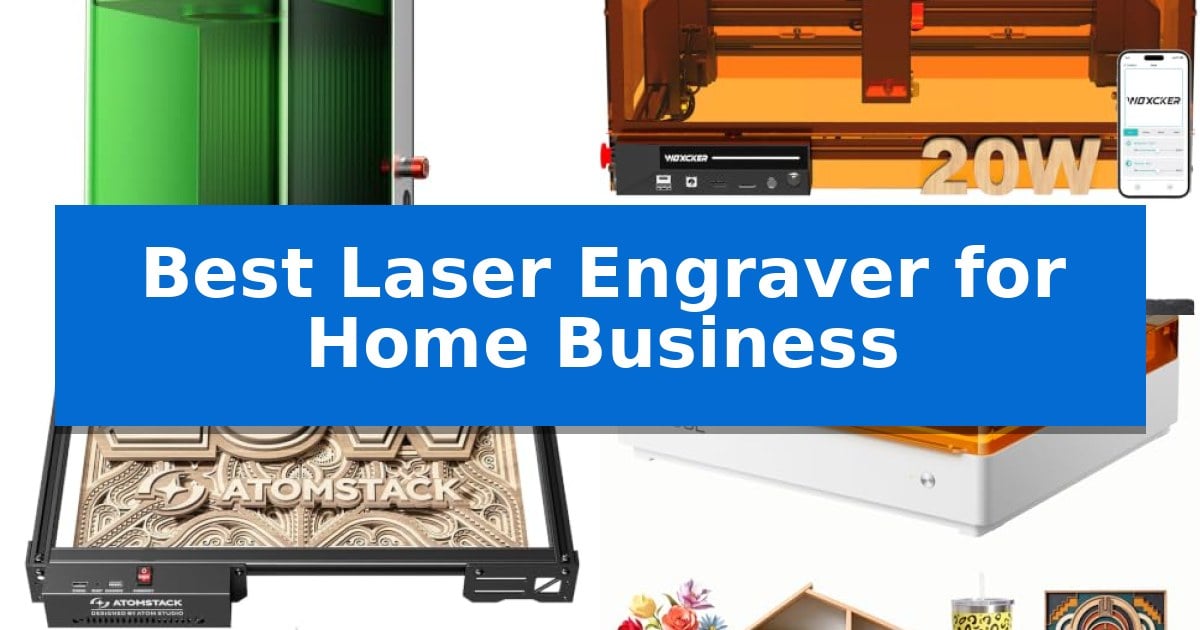
Starting a custom goods venture requires equipment that balances speed, precision, and material versatility. Finding the Best Laser Engraver for Home Business means identifying a machine capable of handling consistent batch work while maintaining the detail necessary for high-value personalized items.
Whether you are focusing on metal jewelry, wood signage, or mixed-media crafts, the right laser system acts as the backbone of your production workflow. We have analyzed the latest desktop laser engravers to help you select a reliable tool that fits your specific business model and operational scale.
Best Laser Engraver for Home Business in 2026
Quick Comparison
| Product | Best For | Key Strength | Score |
|---|---|---|---|
| xTool F1 Ultra Laser Engraver | Best Overall | Dual laser system (20W fiber and 20W diode) handles almost all material types. | 4.9 |
| Woxcker L2 Max 20W Laser Engraver | Powerful Cutting for Batch Production | High-speed performance reaching 20,000mm/min for faster project turnaround. | 4.5 |
| ATOMSTACK A20 Pro V2 Laser Engraver | High-Speed Precision for Small Business | High-power 20000mW laser for efficient cutting and engraving. | 4.9 |
| xTool M2 10W Laser Engraver | Versatile Crafting with Smart Preview | Dual-camera system for precise real-time workspace alignment. | 4.5 |
| Twotrees TTS-10 Pro Laser Engraver | Reliable Entry-Level Business Solution | 32-bit dual-core MCU for faster processing and reliable offline engraving via TF card. | 4.8 |
How We Chose
- Laser Power and Material Compatibility: Evaluating the ability to cut and engrave diverse substrates like wood, acrylic, and various metals.
- Production Speed and Throughput: Assessing engraving speeds and batch-processing features that minimize downtime between projects.
- Work Area and Scalability: Considering the physical engraving dimensions and the potential for expansion through accessories like conveyors.
- Safety and Enclosure Standards: Prioritizing machines with integrated smoke extraction and enclosed designs for safe indoor operation.
- Software and Workflow Integration: Checking for compatibility with industry-standard control software and ease of design-to-production transitions.
1 xTool F1 Ultra Laser Engraver — Fastest for High-Volume Metal Customization
Achieving professional-grade customization for a home business requires hardware that balances speed with material versatility. The xTool F1 Ultra 20W Fiber & Diode Dual Laser Engraver distinguishes itself by integrating two distinct laser sources into a single desktop unit, allowing for the rapid processing of both metallic and non-metallic substrates.
This machine features a 20W fiber laser capable of engraving gold, silver, copper, and stainless steel, alongside a 20W diode laser optimized for wood, acrylic, leather, and fabric. With a maximum engraving speed of 10,000mm/s, it is engineered for high-volume production environments where time-to-market is critical. The inclusion of a 16MP smart camera facilitates precise alignment, while the Auto Streamline Production feature allows the machine to recognize shapes and manage batch processing efficiently.
Designed for a professional workflow, the xTool F1 Ultra Laser Engraver provides a generous 220mm x 220mm working area, which can be expanded for larger projects. Safety is addressed through a fully enclosed cover that filters light and an integrated smoke extraction system. The unit also supports 3D embossing and deep engraving, enabling the creation of textured, high-value items that standard flat-surface engravers cannot replicate.
For businesses looking to integrate AI-assisted design, the system works with Artimind AI to generate graphics and embossing patterns. While the machine is a robust standalone tool, its full potential for factory-level throughput is unlocked when paired with the optional Auto Conveyor, which enables nonstop production cycles.
Best for: Home businesses requiring high-speed, batch-processing capabilities for both metallic jewelry and organic materials like wood or leather.
Skip if: Users who only require a basic, low-cost diode laser for simple hobbyist wood projects may find the advanced dual-laser system and industrial-grade speed unnecessary for their needs.
PROS
- Dual laser system (20W fiber and 20W diode) handles almost all material types.
- 10,000mm/s ultra-fast engraving speed significantly boosts production efficiency.
- 16MP smart camera enables intelligent batch processing and precise pattern alignment.
- 3D embossing capability allows for high-value, textured product creation.
CONS
- Auto Conveyor required for full automation is sold separately.
- Class 4 laser classification necessitates strict adherence to safety protocols.
2 Woxcker L2 Max 20W Laser Engraver — Powerful Cutting for Batch Production
The Woxcker L2 Max 20W Laser Engraver streamlines small-batch production for home businesses by combining a robust 20W output with a spacious 300x300mm work area. This setup allows for efficient handling of larger designs or multiple personalized items, such as signs, ornaments, and custom wood products, in a single session.
Engineered for high-output workflows, this device reaches engraving speeds of up to 20,000mm/min, significantly reducing turnaround times for demanding projects. Its advanced point-compression technology produces a fine 0.01mm square focus, ensuring that logos, fine patterns, and intricate text remain sharp and crisp across materials like wood, coated metal, leather, acrylic, glass, and stone.
Safety and workspace management are prioritized through a 360° fully enclosed design that shields users from direct laser exposure while containing fumes, dust, and operational noise. Integrated protective features include flame detection, 15° tilt protection, automatic shutdown, and an emergency stop, providing a controlled environment for home workshops.
Compatibility is flexible, supporting LightBurn, LaserGRBL, and CutLabX software. Users can manage projects via Wi-Fi, USB, APP, or TF card, allowing for versatile control options depending on the existing workshop setup. This combination of speed, precision, and safety features makes it a practical tool for businesses focused on consistent, high-quality customization.
Best for: Small business owners requiring a high-speed, enclosed laser system for batch production of personalized wood, metal, and acrylic items.
Skip if: Users who require a larger work area than 300x300mm or those who prefer an open-frame design for specific material handling needs.
PROS
- High-speed performance reaching 20,000mm/min for faster project turnaround.
- 360° fully enclosed design for enhanced safety and fume containment.
- Advanced point-compression achieving 0.01mm precision for detailed engraving.
- Multiple connectivity options including Wi-Fi, USB, and TF card support.
CONS
- Fixed 300x300mm work area may limit the size of larger custom projects.
- Enclosed chassis adds to the overall footprint compared to open-frame alternatives.
3 ATOMSTACK A20 Pro V2 Laser Engraver — High-Speed Precision for Small Business
The ATOMSTACK A20 Pro V2 Laser Engraver utilizes a powerful 20000mW output laser to facilitate high-energy cutting and precise engraving, making it a capable tool for small business owners producing personalized gifts, business cards, or custom wood and metal items. Its design prioritizes efficiency, with engraving speeds reaching up to 400mm/s to help streamline production workflows.
Built for durability and ease of use, the machine features an integrated linear guide motion structure and an aluminum alloy frame that supports consistent movement. Accuracy is maintained at 0.01mm through the inclusion of built-in limit switches and a cross-line light, which assists in precise alignment before starting a project.
The system offers flexible connectivity, supporting Type-C and USB stick inputs, and is compatible with industry-standard software like Lightburn and LaserGRBL, as well as the dedicated ATOMSTACK app. Safety is addressed through a removable magnetic protective cover, included safety glasses, and a tilt angle safety beep that triggers if the machine is tilted beyond 15 degrees.
Designed for long-term operation, the laser module has a lifespan of up to 10000 hours. The modular construction is intended to simplify maintenance, and the manufacturer provides 24/7 technical support to assist with operational questions or part replacements.
Best for: Small business owners who require high-speed cutting and precise engraving capabilities for a variety of materials like wood, acrylic, and metal.
Skip if: Users who need a larger workspace or those who are not comfortable with software-based laser control interfaces.
PROS
- High-power 20000mW laser for efficient cutting and engraving.
- Fast processing speeds up to 400mm/s.
- Integrated linear guide for improved precision and durability.
- Broad software compatibility including Lightburn and LaserGRBL.
CONS
- Requires assembly upon arrival.
- Safety features like the tilt sensor may require specific workspace leveling.
4 xTool M2 10W Laser Engraver — Versatile Crafting with Smart Preview
The xTool M2 10W Laser Engraver streamlines home-based production through its integrated dual-camera system, which provides a real-time workspace preview. This "Place & Go" functionality allows users to align designs directly on materials, significantly reducing the potential for alignment errors and material waste during batch projects.
Designed for versatility, the machine features a 10W diode laser capable of cutting and engraving over 300 materials, including wood, leather, felt, and cardstock. The fully enclosed, Class 1 safety design ensures the unit is suitable for home environments, providing necessary protection while operating.
The xTool M2 10W Laser Engraver utilizes the beginner-friendly xTool Studio software, which includes an AI image generator and a library of customizable templates. This software ecosystem minimizes the technical barrier for new makers, allowing for rapid transition from digital design to physical product.
While the base unit offers robust performance, it also supports modular expansion. Users can integrate a CMYK Inkjet module or a 3W IR laser—both sold separately—to unlock full-color printing or specialized engraving on metal and plastic surfaces, allowing the machine to grow alongside a business's evolving creative needs.
Best for: Home-based makers and small business owners who require a safe, enclosed, and versatile machine for precision cutting and engraving across a wide variety of materials.
Skip if: Users who require high-speed industrial production or those who do not need the safety and convenience of an enclosed, camera-assisted desktop system.
PROS
- Dual-camera system for precise real-time workspace alignment.
- Class 1 enclosed design for enhanced safety in home environments.
- Modular architecture allows for optional full-color printing and IR laser upgrades.
- Beginner-friendly software with AI-assisted design tools and templates.
CONS
- CMYK Inkjet and IR laser modules must be purchased separately.
- 10W diode laser may be slower for high-volume industrial batch cutting compared to higher-wattage CO2 systems.
5 Twotrees TTS-10 Pro Laser Engraver — Reliable Entry-Level Business Solution
The Twotrees TTS-10 Pro Laser Engraver provides a robust foundation for small-scale production by utilizing a 10000mW optical power diode laser capable of deep, precise marking on materials like wood, bamboo, acrylic, and anodized metal. This machine is engineered for versatility, allowing business owners to create custom items such as jewelry, keychains, and signage within a 300x300mm work area.
Performance and reliability are supported by a 32-bit dual-core MCU mainboard that facilitates both online and offline operation via a TF card. The hardware architecture features a full metal frame constructed from aluminum alloy and injection-molded parts, paired with dual Y-axis motors and GT2-6mm synchronous belts to maintain consistent motion accuracy during complex engraving tasks.
Usability is streamlined through broad software compatibility, including support for LightBurn and LaserGRBL, which allows for straightforward file exports. For those preferring a standalone workflow, files can be saved directly to the included 4GB TF card and executed through the control board without requiring a constant computer connection.
While the unit is highly capable, users should note that it is not designed for bare stainless steel or uncoated metal unless specific surface preparation or marking sprays are applied. The manufacturer includes a 12-month warranty and various safety certifications, such as FDA and UL62368, to assist in integrating the device into a professional home environment.
Best for: Small business owners and hobbyists requiring a reliable, offline-capable laser engraver for custom wood, acrylic, and leather goods.
Skip if: Users who primarily need to engrave bare stainless steel or uncoated metals without the use of additional marking sprays.
PROS
- 32-bit dual-core MCU for faster processing and reliable offline engraving via TF card.
- Full metal frame construction with dual Y-axis motors ensures structural stability.
- Wide material compatibility including wood, bamboo, acrylic, and anodized metal.
- Broad software support for industry-standard tools like LightBurn and LaserGRBL.
CONS
- Not suitable for bare metal or uncoated stainless steel without surface preparation.
Best Laser Engraver for Home Business Buying Guide
Laser Power and Material Versatility
The optical power of your laser is the primary factor determining which materials you can process. A 20W laser is generally considered the baseline for a serious home business, as it provides enough energy to cut through thicker wood and acrylic while performing deep engravings on coated metals.
If your business model relies heavily on bare metals like gold, silver, or stainless steel, you must look for fiber laser technology. Some advanced systems offer dual-laser architectures, combining fiber and diode sources to handle both metallic and organic materials in a single machine.
Batch Production Efficiency
For a home business, time is money. Features like Auto Streamline Production or the inclusion of a 16MP smart camera allow for automated batching, where the machine recognizes multiple items on a workspace and processes them without manual repositioning.
Look for machines that support offline engraving via TF cards or dedicated control software. This allows you to keep the machine running independently of your computer, freeing up your workstation for design tasks while the laser handles the production queue.
Work Area and Expansion
The engraving area dictates the maximum size of the products you can offer. While a 300x300mm area is standard for many desktop units, some specialized engravers offer expandable workspaces through modular conveyor systems.
Consider whether your business will eventually require larger signage or long-format items. A machine with a modular frame or conveyor support provides a clear path for business growth without requiring a complete hardware replacement.
Safety and Environmental Controls
Operating a laser in a home environment requires strict adherence to safety protocols. A fully enclosed design is essential to filter out harmful laser light and contain smoke, dust, and odors produced during the cutting process.
Additional safety features like flame detection, emergency stop buttons, and tilt protection are critical for unattended or high-speed operation. These features not only protect the operator but also safeguard your workspace from potential fire hazards.
Software and Design Workflow
The software ecosystem is often the most overlooked aspect of a laser business. Compatibility with LightBurn or LaserGRBL is vital for professional control, as these programs offer advanced features like layer management, power scaling, and complex path optimization.
Some manufacturers provide proprietary software with built-in AI design tools or template libraries. These can significantly reduce the time spent on graphic design, allowing you to move from a customer's idea to a finished product in minutes.
Frequently Asked Questions
Can I engrave bare stainless steel with a diode laser?
Most standard diode lasers struggle with bare, reflective metal. You typically need a fiber laser or a specialized marking spray to achieve a permanent, high-contrast mark on uncoated stainless steel.
What is the difference between a diode and a fiber laser?
Diode lasers are excellent for organic materials like wood, leather, and acrylic. Fiber lasers are specifically designed for high-speed, high-precision engraving on metals and some hard plastics.
Do I need a separate ventilation system?
While many enclosed machines feature built-in smoke extraction, you should always ensure your workspace has adequate airflow or an external exhaust hose to vent fumes outside, especially when cutting materials like acrylic.
Is a 10W laser enough for a business?
A 10W laser is suitable for light engraving and thin cutting. However, for a business focused on batch production or cutting thicker materials, a 20W or higher system is recommended for better efficiency.
How do I maintain my laser engraver?
Regular maintenance involves cleaning the laser lens to ensure maximum power output, checking belt tension, and clearing debris from the work area to prevent fire hazards and ensure consistent precision.
Conclusion: Our Top Pick
For most home business owners, the xTool F1 Ultra Laser Engraver stands out as the most capable investment due to its dual-laser architecture and high-speed batch processing capabilities. By combining a 20W fiber laser for metals with a 20W diode laser for organic materials, it eliminates the need for two separate machines, significantly reducing your initial equipment footprint.
While the initial cost is higher than entry-level diode models, the ability to handle high-volume metal customization and 3D embossing provides a distinct competitive advantage. If your business plan involves scaling production and offering a wide variety of personalized products, this machine provides the necessary speed and versatility to support long-term growth.