
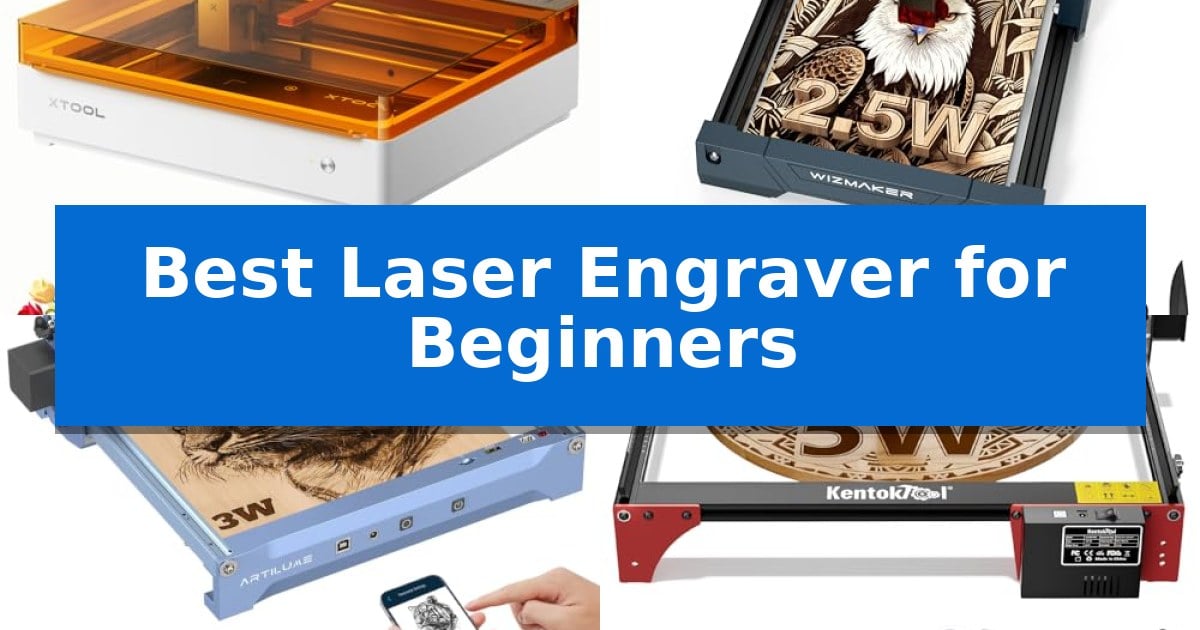
Stepping into the world of laser crafting can feel overwhelming, but finding the right machine makes all the difference. The Best Laser Engraver for Beginners should prioritize a straightforward setup, intuitive software, and reliable safety features that allow you to focus on your designs rather than technical troubleshooting.
Whether you are looking to personalize gifts, start a small home business, or explore new artistic mediums, selecting a machine that matches your skill level is essential. We have analyzed five popular models to help you identify which engraver provides the most accessible workflow for your specific creative goals.
Best Laser Engraver for Beginners in 2026
Quick Comparison
| Product | Best For | Key Strength | Score |
|---|---|---|---|
| xTool M2 Laser Engraver | Best Overall | Dual-camera system for accurate, real-time workspace preview and alignment. | 4.9 |
| WIZMAKER Wand MINI Laser Engraver | Zero-Assembly Desktop Setup | Zero-assembly design allows for immediate use out of the box. | 4.7 |
| Artilume U1 Laser Engraver | Best for Small Business Starters | Pre-assembled and calibrated design for immediate setup. | 4.4 |
| KENTOKTOOL LE400PRO Laser Engraver | Large Area for Growing Projects | Point compression technology for ultra-fine, high-precision engraving. | 4.9 |
| Carverall K15 Pro Laser Engraver | One-Touch Focus for Beginners | One-touch focus pin eliminates manual calibration guesswork. | 4.3 |
How We Chose
- Ease of Assembly: Prioritizing machines that arrive pre-assembled or require minimal tool-based setup.
- Software Accessibility: Evaluating the availability of beginner-friendly design tools and mobile app compatibility.
- Safety Standards: Focusing on enclosed designs, emergency stop functions, and eye protection features.
- Material Versatility: Assessing the range of substrates each machine can reliably engrave or cut.
- Support and Resources: Considering the availability of tutorials, community groups, and manufacturer warranty coverage.
1 xTool M2 Laser Engraver — Easiest Place-and-Go Workflow
Precision crafting at home begins with the xTool M2 Laser Engraver, which simplifies complex projects through an integrated dual-camera system. This feature provides a real-time workspace preview, allowing users to align designs directly on their materials to eliminate guesswork and minimize wasted stock.
Designed for versatility, the xTool M2 Laser Engraver utilizes a 10W diode laser capable of cutting and engraving over 300 materials, including wood, leather, and fabric. Its fully enclosed Class 1 safety design ensures the machine is suitable for home environments, providing protection during operation while maintaining a clean, professional aesthetic.
The software experience is tailored for those new to the craft. xTool Studio offers a library of ready-to-use templates and an AI image generator, enabling users to transition from initial concept to a finished personalized gift or home decor item in minutes. The interface is built to bypass steep learning curves, focusing on a straightforward design-and-click workflow.
For users looking to expand their capabilities, the machine supports modular upgrades. While the base unit handles standard laser tasks, it is engineered to accept a CMYK Inkjet module or a 3W IR laser (sold separately) to unlock full-color printing or fine metal engraving, ensuring the hardware adapts as your creative goals evolve.
Best for: Beginners seeking a safe, enclosed laser engraver with intuitive software and visual alignment tools for home-based DIY projects.
Skip if: Users who require high-speed industrial batch production or those who need immediate out-of-the-box metal engraving capabilities without purchasing additional modules.
PROS
- Dual-camera system for accurate, real-time workspace preview and alignment.
- Class 1 enclosed design provides enhanced safety for home use.
- Beginner-friendly software with AI image generation and templates.
- Modular architecture allows for future upgrades like full-color printing.
CONS
- CMYK Inkjet and IR laser modules are sold separately.
- 10W diode laser may require multiple passes for thicker materials compared to higher-wattage industrial units.
2 WIZMAKER Wand MINI Laser Engraver — Zero-Assembly Desktop Setup
The WIZMAKER Wand MINI 2.5W Laser Engraver eliminates the typical setup frustration for new makers by arriving as a fully preassembled unit with a rigid, one-piece frame. This design choice removes the need for belt tensioning, screw adjustments, or fine-tuning, allowing users to unbox the device and begin their first project in minutes.
Engineered for versatility, the machine features a 2500mW diode module capable of producing a high-precision 0.04×0.04 mm spot. This fine resolution enables detailed work across more than 300 materials, including wood, leather, felt, cardboard, and dark acrylic. With a 135×145 mm working area, it provides a substantial canvas for custom coasters, holiday ornaments, and personalized gifts within a compact 297×319×128 mm footprint.
The system supports a flexible workflow through multi-device control, offering connectivity via Wi-Fi, hotspot, or USB. It is compatible with Windows, Mac, iOS, and Android platforms, and integrates with software like LaserGRBL and LightBurn. To support skill progression, the hardware is modular, allowing for future upgrades such as rotary rollers for tumblers or a chuck for cylindrical items.
Safety and reliability are addressed through integrated Class 4 safety features, including tilt protection and auto-stop safeguards. The manufacturer provides a 365-day warranty and a library of tutorials to assist with setup and firmware management. While capable of handling a wide range of organic materials, the 2.5W module is not intended for bare metal or highly reflective surfaces, which require higher-power series models.
Best for: Beginners and hobbyists who prioritize a quick, zero-assembly setup for wood, leather, and craft material projects.
Skip if: Users who specifically need to engrave bare metal or highly reflective surfaces, as this 2.5W model is not designed for those materials.
PROS
- Zero-assembly design allows for immediate use out of the box.
- High-precision 0.04mm spot ensures detailed engraving results.
- Broad material compatibility across 300+ types including wood and leather.
- Expandable modular system supports future add-ons like rotary rollers.
CONS
- Limited power prevents engraving on bare metal or highly reflective surfaces.
- Smaller working area compared to industrial-grade laser cutters.
3 Artilume U1 Laser Engraver — Best for Small Business Starters
The Artilume U1 Laser Engraver streamlines the entry into custom fabrication by arriving almost fully assembled and calibrated, allowing users to begin projects immediately. Designed with a 6×8 inch (150x200mm) working area, this device provides a compact footprint suitable for desktop use while maintaining the versatility to handle materials including wood, leather, acrylic, ceramics, and stone.
Precision is managed through an ultra-fine 0.04*0.04mm compressed spot laser, which enables an engraving precision of up to 0.01mm. This level of detail is supported by a laser module with a lifespan exceeding 10,000 hours. For users requiring specific material capabilities, the system offers modular laser options, including a 3W diode for detailed work, 7W or 12W diodes for cutting, and a 1W infrared laser specifically engineered for marking metals like aluminum, stainless steel, and copper.
Connectivity is a core strength, as the Artilume U1 Laser Engraver supports USB, TF card, and WiFi connections, alongside a dedicated app for offline operation. It integrates with industry-standard software such as LaserGRBL and LightBurn, ensuring compatibility with common file formats like NC, DXF, BMP, and SVG. This flexibility allows for a range of workflows from simple business card customization to complex design reproduction.
Safety remains a priority in the design, incorporating emergency shutdown and motion protection features. The unit also includes sensors to detect and prevent overheating, complemented by protective covers and goggles to assist in safe operation. These integrated safeguards help mitigate common risks associated with laser engraving for those new to the craft.
Best for: Beginners and small business owners looking for a pre-assembled, versatile laser engraver that supports multiple material types and connectivity options.
Skip if: Users who require a significantly larger working area than 6×8 inches or those who need high-speed industrial-grade cutting capabilities beyond the output of a 12W diode laser.
PROS
- Pre-assembled and calibrated design for immediate setup.
- High-precision 0.01mm engraving capability for intricate designs.
- Flexible connectivity including WiFi, App, and offline support.
- Integrated safety features like emergency shutdown and motion protection.
CONS
- Limited working area of 150x200mm may restrict large-scale projects.
- Modular laser power requires choosing the correct module for specific cutting versus engraving needs.
4 KENTOKTOOL LE400PRO Laser Engraver — Large Area for Growing Projects
Precision and versatility define the KENTOKTOOL LE400PRO Laser Engraver, which utilizes point compression technology to achieve an 0.08mm square ultra-fine focus. This engineering choice allows for high-precision detailing that is twice as thin as standard models, enabling the machine to engrave materials ranging from wood and leather to more challenging surfaces like stainless steel, ceramics, and glass.
Designed with the user in mind, the unit features an innovative magnetic protective cover that filters 97% of UV rays, ensuring eye safety during operation. The tool-free knob design simplifies the focusing process, providing a more stable and efficient setup compared to non-fixed focus alternatives. Its all-metal structure is built for durability and stability, with precise tick marks on both the X and Y axes to assist with accurate material placement.
The KENTOKTOOL LE400PRO Laser Engraver offers a generous 400x400mm working area, accommodating a wide variety of project sizes. It supports engraving speeds up to 6000mm/min and is compatible with industry-standard software like LightBurn and GRBL, running across Windows and Mac systems. For safety, the machine includes an integrated power switch for emergency shutdowns.
Installation is straightforward, typically requiring only 10 to 20 minutes to assemble. With a rated service life of 15,000 hours, this engraver is a capable entry point for those looking to explore creative projects on wood, acrylic, or bamboo, while offering the flexibility to cut through 8mm wood or 5mm black acrylic.
Best for: Beginners who need a large, stable workspace and high-precision focus for diverse material engraving.
Skip if: Users requiring a pre-assembled unit or those who need a rotary attachment for round objects, which must be purchased separately.
PROS
- Point compression technology for ultra-fine, high-precision engraving.
- Tool-free focus adjustment via an intuitive knob design.
- Large 400x400mm working area for versatile project sizes.
- Magnetic eye protection that is easily removable.
CONS
- Requires manual assembly upon arrival.
- Extra roller attachment needed for engraving round objects.
5 Carverall K15 Pro Laser Engraver — One-Touch Focus for Beginners
Achieving precise results in DIY projects often requires removing the guesswork from the focusing process, which is exactly why the Carverall K15 Pro Laser Engraver incorporates a one-touch focus pin. This desktop machine is designed to streamline the transition from design to execution, allowing creators to achieve 4K clarity at 0.01mm precision without manual calibration.
The Carverall K15 Pro Laser Engraver functions as a versatile 2-in-1 tool, capable of handling 8mm plywood and 5mm black acrylic through multiple passes. It supports a wide range of materials, including wood, leather, glass, slate, and paper. For users needing to mark bare metal, the system supports an optional IR head, ensuring the machine can adapt to different project requirements without needing a secondary device.
Software complexity is minimized through the use of CutLabX, which is available for computers, tablets, and phones. The platform supports AI-generated designs, allowing users to create projects from prompts or photos. For those who prefer to work without a constant PC connection, the machine includes an offline mode that loads files directly from a TF card.
Safety and ease of assembly are prioritized in the design, featuring a 5-minute setup process that requires only six screws. The unit includes built-in tilt protection that automatically shuts down the laser if the device is disturbed, and it comes with safety goggles to ensure proper eye protection during operation.
Best for: Beginners and small business owners who need a versatile, easy-to-assemble laser engraver that supports both wood cutting and metal marking.
Skip if: Users who require a high-power industrial laser for thick material cutting in a single pass or those who do not intend to use optional add-ons for expanded functionality.
PROS
- One-touch focus pin eliminates manual calibration guesswork.
- Versatile 2-in-1 design supports wood, acrylic, and bare metal marking.
- Simple 5-minute assembly with no complex wiring or belts.
- Offline operation via TF card removes the need for a dedicated PC.
CONS
- Requires multiple passes for thicker materials like 8mm plywood.
- Optional IR head is required for bare metal marking capabilities.
Best Laser Engraver for Beginners Buying Guide
Understanding Laser Power and Material Compatibility
The power rating of a laser, typically measured in watts, dictates what materials you can cut or engrave. Entry-level diode lasers are often sufficient for marking wood, leather, and paper, but they may struggle with thicker materials or specific metals.
Always verify the laser's compatibility with your intended projects. While some machines support add-ons like infrared modules for metal marking, others are strictly limited to organic materials. Understanding these limitations prevents frustration and ensures you choose a tool that grows with your needs.
The Importance of Software and Connectivity
A laser engraver is only as good as the software driving it. Look for machines that offer a balance between simple, template-based apps for quick projects and more robust, industry-standard software like LightBurn for when you are ready to advance your skills.
Connectivity options also play a significant role in your workflow. Wi-Fi and mobile app support allow for greater flexibility, while USB or TF card slots provide reliable, offline operation that keeps your computer free during long engraving sessions.
Safety Features for Home and Classroom Use
Safety is non-negotiable, especially in home workshops or educational settings. Features such as fully enclosed designs, protective viewing windows, and automatic tilt-detection sensors are critical for preventing accidental exposure to laser radiation.
Always ensure your workspace is well-ventilated or equipped with an air purifier. Even with safe, enclosed machines, the process of burning materials can produce smoke and fumes that require proper management to maintain a healthy environment.
Workspace Requirements and Footprint
Before purchasing, measure your available workspace. While compact machines are excellent for small desks, they may limit the size of the projects you can undertake. Consider whether you need a large working area for batch production or if a smaller, portable unit fits your lifestyle better.
Remember that some machines require additional space for accessories like rotary rollers or air pumps. Planning your layout in advance ensures you have enough room for both the machine and its necessary support equipment.
Evaluating Long-Term Support and Expandability
A good beginner machine should offer a path for growth. Check if the manufacturer provides modular upgrades, such as rotary attachments for tumblers or different laser modules for specialized tasks. This allows you to expand your capabilities without needing to replace the entire unit.
Customer support is equally important. Access to clear tutorials, active user communities, and responsive technical help can be the difference between a successful project and a machine that sits unused on a shelf.
Frequently Asked Questions
Can beginners safely use laser engravers at home?
Yes, provided you choose a machine with appropriate safety features such as a fully enclosed design, protective shields, and tilt-detection sensors. Always follow the manufacturer's safety guidelines.
What materials can I engrave with these machines?
Most beginner-friendly diode lasers work well on wood, leather, paper, felt, and cardboard. Some can also mark coated metals or acrylic, but always check the specific machine's material compatibility list.
Do I need design experience to use these engravers?
Not necessarily. Many beginner machines come with software that includes ready-to-use templates and AI-powered design tools, allowing you to create projects without advanced graphic design skills.
What is the difference between engraving and cutting?
Engraving involves marking the surface of a material to create a design, while cutting involves passing the laser through the material to separate it into pieces. Cutting typically requires higher power and multiple passes.
How do I know which laser power I need?
If your primary goal is detailed engraving on wood or leather, a lower-wattage laser is sufficient. If you plan to cut through materials like plywood or acrylic, you will need a higher-wattage laser.
Conclusion: Our Top Pick
Choosing the right tool is the first step toward mastering laser crafting. For those seeking a balance of safety, ease of use, and versatility, the xTool M2 Laser Engraver stands out as a top choice. Its dual-camera system and enclosed design remove much of the guesswork, making it an excellent starting point for home DIY projects.
While other models offer specific advantages like portability or larger working areas, the xTool M2 Laser Engraver provides a cohesive, beginner-friendly ecosystem that helps you achieve professional-looking results with minimal frustration. Always consider your specific project needs and workspace constraints before making your final selection.