
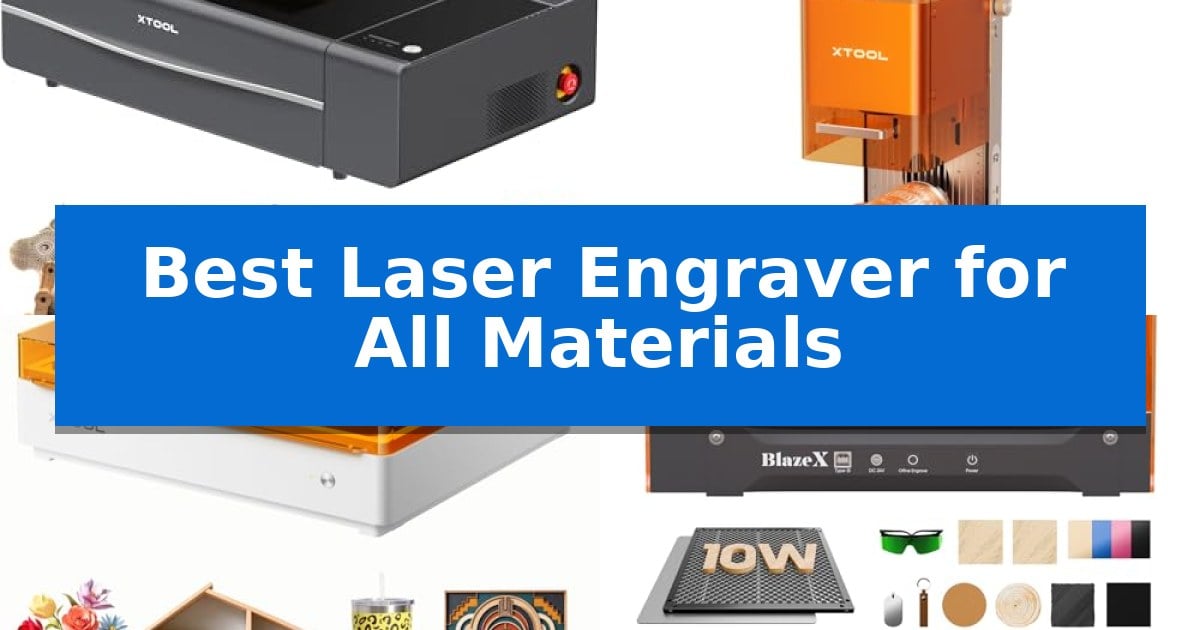
Finding the Best Laser Engraver for All Materials requires balancing laser source technology with the specific physical requirements of your projects. Whether you are working with thick wood, delicate glass, or coated metals, the right machine must provide the necessary power and precision to handle diverse substrates without compromising on safety or ease of use.
Our evaluation focuses on how these machines manage different material densities and surface types. We examine essential factors such as laser output, camera-guided alignment, and workspace flexibility to help you identify a tool that matches your specific creative or professional workflow.
Best Laser Engraver for All Materials in 2026
Quick Comparison
| Product | Best For | Key Strength | Score |
|---|---|---|---|
| xTool P2S CO2 Laser Engraver | Best Overall | 55W CO2 laser power capable of cutting thick materials like 20mm acrylic. | 4.9 |
| xTool F2 Dual Laser Engraver | Fastest for Metal and Embossing | Dual-laser system combining 15W diode and 5W IR for versatility across 300+ materials. | 4.9 |
| xTool M2 Laser Engraver | Smart Camera for Easy Alignment | Dual-camera system for real-time workspace preview and accurate alignment. | 4.7 |
| BlazeX M3 Laser Engraver | All-in-One Vision Kit | Smart camera guidance for precise design alignment and waste reduction. | 4.8 |
| Woxcker L2 Max Laser Engraver | Enclosed Design for Safer Crafting | 360° fully enclosed design for improved safety and noise reduction. | 4.6 |
How We Chose
- Laser Source and Power Output: Assessing the wattage and type of laser to ensure compatibility with both organic and inorganic materials.
- Material Versatility: Analyzing the machine's capability to cut, engrave, or mark various substrates including acrylic, metal, wood, and glass.
- Precision and Alignment: Reviewing the accuracy of camera systems and autofocus mechanisms for consistent results.
- Workspace and Scalability: Considering the bed size, passthrough options, and compatibility with rotary accessories for cylindrical objects.
- Safety and Environmental Control: Evaluating enclosed designs and smoke management systems for safe indoor operation.
1 xTool P2S CO2 Laser Engraver — High-Power CO2 for Thick Materials
Achieving precise cuts across a wide variety of materials requires a machine capable of handling both high-power output and complex geometry. The xTool P2S 55W CO2 Laser Cutter distinguishes itself with an industry-leading 55W CO2 laser tube, providing the necessary energy to slice through 20mm thick acrylic and 18mm black walnut in a single pass.
Beyond raw power, this engraver integrates advanced smart hardware to streamline production. Dual 16MP cameras enable real-time visual previews of the workspace, while the LiDAR Ranging System facilitates 0.001-inch autofocus accuracy. These features, combined with engraving speeds reaching 600mm/s, allow for efficient batch processing of custom designs and serial numbers.
Versatility is a core design choice, supported by an expandable working area. The machine features a 26" x 14" bed, with an Auto-Passthrough function for materials up to 118 inches long. For three-dimensional projects, the 3D Curve Engraving system automatically maps surfaces, ensuring consistent results on curved objects like tumblers or mugs when paired with the RA2 Pro Rotary accessory.
Operational safety and maintenance are addressed through an enclosed design equipped with AI fire detection, an emergency stop, and an automated lock. The upgraded exhaust system, featuring a 233.3 CFM fan and a dual-cylinder air pump, ensures cleaner cuts by maintaining stronger airflow, while optical path indicators simplify the daily maintenance routine for the user.
Best for: Professional makers and small businesses requiring high-power cutting and engraving across diverse materials including wood, acrylic, metal, and glass.
Skip if: Users seeking a highly portable or entry-level desktop laser may find the physical footprint and advanced feature set of this 55W CO2 system more than is necessary for basic hobbyist projects.
PROS
- 55W CO2 laser power capable of cutting thick materials like 20mm acrylic.
- Dual 16MP cameras for high-resolution, real-time workspace previews.
- Expandable workspace with Auto-Passthrough for extra-long materials.
- 3D Curve Engraving technology for precise work on cylindrical objects.
CONS
- Large physical footprint requires significant dedicated workspace.
- Class 4 laser classification necessitates strict adherence to safety protocols.
2 xTool F2 Dual Laser Engraver — Fastest for Metal and Embossing
Precision and versatility define the xTool F2 Dual Laser Engraver, a desktop machine engineered for high-speed customization and intricate detailing. By combining a 15W diode laser for cutting and 3D embossing with a 5W infrared (IR) laser for vivid color marking on metal, this device provides a comprehensive solution for diverse material processing.
Efficiency is central to the design, with the system capable of reaching speeds up to 6000mm/s. This performance allows for rapid batch processing, which can be further scaled using the optional Slide Extension for larger items like phone cases and coasters. The integrated 50MP camera provides a clear visualization of the workspace, ensuring 0.1 mm alignment accuracy to minimize material waste during operation.
Designed for both professional workshops and portable service, the xTool F2 Dual Laser Engraver features a fully enclosed, leak-proof chassis. This construction, paired with a built-in fan and compatibility with an optional purifier, helps maintain a clean environment. Weighing only 4.6 kg, the unit is built to be moved easily between locations for on-site personalization needs.
The machine arrives fully assembled, allowing for immediate setup. Users can utilize built-in material presets to streamline workflows, while the Class 4 laser system supports over 300 different materials. Whether for small-batch commercial production or personal projects, this engraver balances high-resolution output with a compact, user-friendly footprint.
Best for: Small-batch commercial creators and on-site service providers requiring high-speed metal marking and 3D embossing capabilities.
Skip if: Users who need to engrave or cut materials exceeding the dimensions of a compact desktop workspace or those requiring industrial-grade high-wattage cutting power.
PROS
- Dual-laser system combining 15W diode and 5W IR for versatility across 300+ materials.
- High-speed operation reaching up to 6000mm/s for efficient batch processing.
- Integrated 50MP camera for precise workspace visualization and 0.1 mm alignment accuracy.
- Portable, fully enclosed design weighing only 4.6 kg for safe and easy transport.
CONS
- Limited work area inherent to the compact, portable desktop form factor.
- Requires additional accessories like the Slide Extension to scale for larger batch projects.
3 xTool M2 Laser Engraver — Smart Camera for Easy Alignment
Achieving precise results across diverse materials requires a machine that bridges the gap between digital design and physical output. The xTool M2 Laser Engraver simplifies this process with its dual-camera system, which provides a real-time workspace preview to ensure accurate placement before the laser ever fires.
This 10W diode laser system is built for versatility, handling materials ranging from wood and leather to felt and paper. Its fully enclosed Class 1 design prioritizes safety, making it a practical addition to a home workshop or craft space. The machine integrates with xTool Studio software, which includes an AI image generator and a library of templates to streamline the transition from concept to finished product.
For users looking to expand their capabilities, the xTool M2 features an innovative dual-mode architecture. While it functions as a standalone laser engraver, it is compatible with a separately sold CMYK Inkjet module for full-color printing or a 3W IR laser for specialized work on metal and plastic. This modular approach allows the system to adapt as your crafting needs evolve.
The Place & Go functionality, powered by the built-in cameras and motion control, removes the guesswork often associated with manual alignment. By combining high-precision cutting and engraving in one setup, the machine reduces material waste and simplifies the workflow for both beginners and experienced makers.
Best for: Home crafters and DIY makers who need a safe, enclosed, and versatile machine for engraving and cutting a wide variety of materials.
Skip if: Users who require an all-in-one solution that includes full-color printing or metal-specific engraving out of the box, as these functions require separately purchased modules.
PROS
- Dual-camera system for real-time workspace preview and accurate alignment.
- Class 1 enclosed design ensures safety for home environments.
- Modular architecture supports optional CMYK and IR laser add-ons.
- Beginner-friendly software with integrated AI image generation.
CONS
- CMYK Inkjet and IR laser modules are sold separately.
- 10W diode laser may require additional accessories for specific advanced metal or plastic applications.
4 BlazeX M3 Laser Engraver — All-in-One Vision Kit
Achieving precise detail across diverse materials requires a machine that balances power with intelligent guidance. The BlazeX M3 Laser Engraver distinguishes itself by integrating a high-definition smart camera that syncs with software to provide a real-time preview of designs directly on your material. This feature eliminates guesswork, ensuring accurate placement and reducing the risk of wasted stock before the laser even fires.
The system is built as a 2-in-1 laser cutter and engraver, capable of handling tasks ranging from intricate engraving on metal and glass to clean cutting on wood and acrylic. It maintains an ultra-fine precision of 0.01mm, supported by a high-density laser beam. To ensure a safe environment, the unit carries a Class 1 Safety rating, featuring an integrated enclosure that filters harmful radiation and a built-in fan system to exhaust smoke and odors while maintaining low noise levels.
Usability is enhanced through broad software compatibility, including LightBurn, LaserGRBL, and CutLabX, which function across Windows, macOS, iOS, and Android. The included All-in-One Vision Kit provides a comprehensive starting point, bundling the smart camera, protective enclosure, honeycomb laser bed, and a selection of 13 engraving materials. This setup is designed to be accessible for beginners while offering a path for growth through an accessory ecosystem that supports rotary rollers, risers, and air assist modules.
The BlazeX M3 Laser Engraver represents a versatile solution for hobbyists and creative studios looking for a compact, safety-conscious, and highly visual approach to laser fabrication. By combining automated safety sensors—which stop the machine if the lid opens or the unit tilts—with professional-grade software support, it provides a stable platform for both precision engraving and material cutting.
Best for: Beginners and hobbyists who prioritize visual design placement and a safe, enclosed workspace for multi-material projects.
Skip if: Users requiring high-volume industrial production speeds or those who need a larger cutting area than the compact dimensions allow.
PROS
- Smart camera guidance for precise design alignment and waste reduction.
- Class 1 Safety rating with integrated smoke exhaust and automatic tilt/lid sensors.
- Wide software compatibility including industry-standard LightBurn and LaserGRBL.
- Comprehensive starter bundle including honeycomb bed and materials.
CONS
- Compact footprint may limit the size of projects compared to open-frame industrial machines.
- Professional accessories like rotary rollers and air assist are sold separately.
5 Woxcker L2 Max Laser Engraver — Enclosed Design for Safer Crafting
The Woxcker L2 Max Laser Engraver simplifies the transition from hobbyist projects to small business production with its 360° fully enclosed design. By containing fumes, dust, and operating noise, this unit provides a controlled environment suitable for home or workshop use, while the five-part modular assembly allows for a streamlined setup that saves approximately 30–40 minutes compared to traditional belt-adjustment systems.
Engineered for versatility, the machine features a 10W laser capable of detailed work on wood, coated metal, glass, leather, and stone. It utilizes advanced point-compression technology to achieve a fine 0.01mm square focus, ensuring that text, logos, and intricate patterns are rendered with sharp, crisp lines. For batch production, the device supports high-speed operation up to 20,000mm/min, effectively reducing the time required to complete multiple custom pieces within its 300×300mm work area.
Safety is integrated through a comprehensive suite of features, including lid-open auto-stop, flame detection, an emergency stop button, a safety lock, and 15° tilt-stop protection. The Woxcker L2 Max Laser Engraver offers flexible control options, supporting LightBurn, LaserGRBL, and CutLabX software. Users can manage projects via Wi-Fi, USB, a dedicated app, or offline TF-card storage, with additional compatibility for optional accessories like an Air Assist or Rotary Roller.
This system balances ease of use with professional-grade precision, making it a practical choice for those who prioritize safety and modular convenience. While it provides a robust feature set for diverse materials, users should ensure their workspace accommodates the 21.57-inch length and 18.78-inch width footprint to fully utilize the large engraving area.
Best for: Makers and small business owners who require a safe, enclosed, and easy-to-assemble laser engraver for batch production on various materials.
Skip if: Users who need a portable or open-frame design for engraving items larger than 300x300mm or those who do not require fume and noise containment.
PROS
- 360° fully enclosed design for improved safety and noise reduction.
- Modular assembly reduces setup time by 30–40 minutes.
- High-speed engraving up to 20,000mm/min for increased productivity.
- Advanced point-compression provides a precise 0.01mm focus for fine detail.
CONS
- Fixed 300×300mm work area limits the size of individual projects.
- Enclosed form factor occupies a larger footprint on the workbench.
Best Laser Engraver for All Materials Buying Guide
Understanding Laser Types
The Best Laser Engraver for All Materials often depends on whether the machine uses a CO2 or diode laser. CO2 lasers are typically more effective for cutting through thick acrylic and wood, as they have a wavelength that is highly absorbed by these materials. They are the standard for heavy-duty cutting tasks.
Diode lasers are generally more compact and offer excellent precision for engraving and marking. Some advanced models now feature dual-laser systems, combining diode and infrared sources to handle both deep embossing and high-contrast marking on metals, offering a broader range of material compatibility in a single unit.
The Importance of Vision Systems
Modern laser engravers utilize high-resolution cameras to visualize the workspace. This technology is critical for ensuring that your design is perfectly positioned on the material before the laser fires, which significantly reduces material waste.
Advanced vision systems often integrate with motion control software to provide a 'Place & Go' experience. This allows users to map their designs directly onto irregular shapes or multiple items in a single batch, streamlining the workflow for small business owners and hobbyists alike.
Workspace Flexibility and Rotary Support
If you plan to work on objects beyond flat sheets, look for machines with expandable working areas or riser bases. These features allow you to accommodate taller items like tumblers or mugs that would not fit in a standard desktop laser engraver.
Rotary accessories are essential for 360-degree engraving on cylindrical objects. Ensure that the machine you choose is compatible with these tools if you intend to personalize drinkware, rings, or other curved surfaces.
Safety and Fume Management
Operating a laser engraver indoors requires effective smoke removal and fume extraction. Machines with fully enclosed designs and integrated exhaust fans are safer and cleaner, as they contain debris and prevent harmful smoke from entering your workspace.
Look for Class 1 safety ratings and intelligent features like AI fire detection or lid-open auto-stop. These safety protocols are vital for home environments, providing peace of mind during long engraving sessions.
Software Compatibility
The software ecosystem is just as important as the hardware. Many of the best machines support industry-standard software like LightBurn, which offers advanced control over power, speed, and pathing for complex projects.
Beginner-friendly platforms, such as xTool Studio, provide ready-to-use templates and AI image generation. Choosing a machine that supports both professional-grade software and intuitive design tools ensures that you can grow your skills as your projects become more complex.
Frequently Asked Questions
Can these laser engravers cut through metal?
While most desktop laser engravers are designed to mark or engrave coated metals, they generally cannot cut through thick metal sheets. High-power CO2 lasers are better suited for engraving metal, while specialized fiber lasers are typically required for deep metal cutting.
What is the difference between a Class 1 and Class 4 laser?
A Class 1 laser is fully enclosed and safe for use without additional protective eyewear. A Class 4 laser is more powerful and requires strict safety protocols, including protective glasses and a controlled environment, to prevent eye and skin damage.
Do I need an air assist for my laser engraver?
An air assist is highly recommended for cutting tasks. It blows a constant stream of air at the cutting point, which clears away smoke and debris, prevents charring, and allows the laser to cut deeper and cleaner.
How do I know if a material is safe to laser?
Always check the material's safety data sheet. Materials like PVC or certain plastics can release toxic chlorine gas when vaporized by a laser, which is dangerous to both the user and the machine's internal components.
Can I use these machines for batch production?
Yes, many modern laser engravers feature smart batch processing. By using cameras to detect multiple items on the bed, the software can automatically align and engrave each one, significantly increasing productivity for small business tasks.
Conclusion: Our Top Pick
When selecting the Best Laser Engraver for All Materials, the xTool P2S CO2 Laser Engraver stands out for its robust 55W CO2 laser and versatile material handling capabilities. Its ability to cut through thick acrylic and wood in a single pass, combined with its dual 16MP cameras and LiDAR autofocus, makes it a highly efficient tool for both intricate engraving and demanding cutting projects.
While other models offer portability or specialized dual-laser configurations, the P2S provides the power and workspace flexibility required for a wide range of professional and creative applications. It is an excellent choice for those who need a reliable, high-performance machine that can handle diverse materials with precision and safety.