
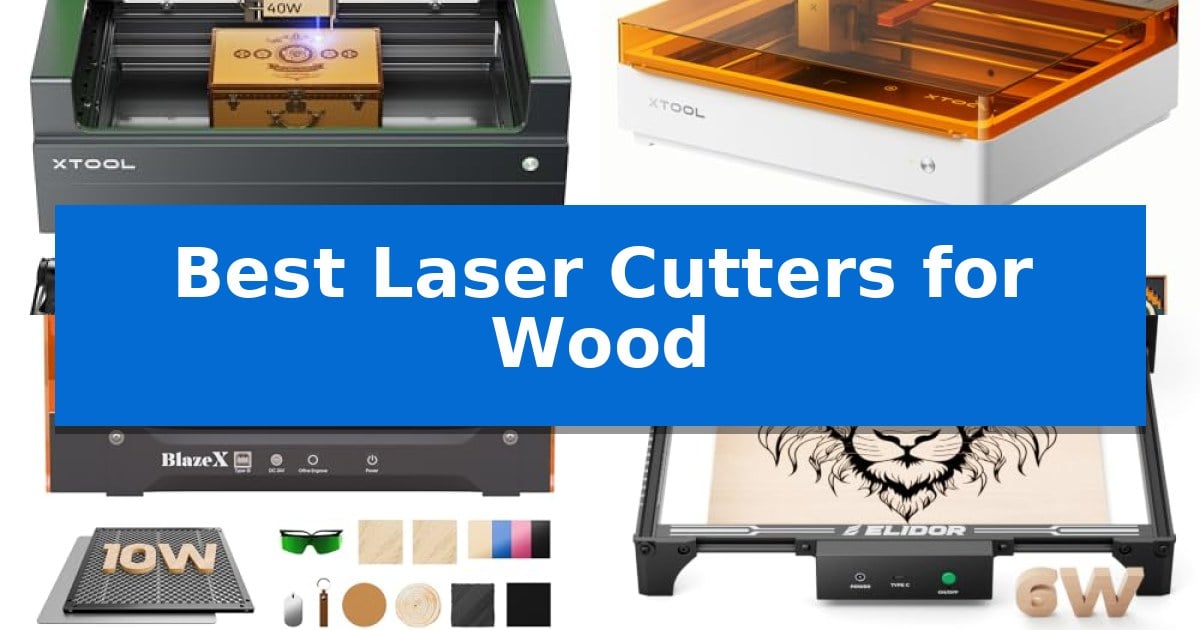
Finding the right equipment for your workshop can be a challenge, especially when you need consistent results on organic materials. Whether you are crafting intricate home decor or working on larger signage, selecting from the Best Laser Cutters for Wood requires balancing power, workspace dimensions, and safety standards.
Our guide evaluates current market options to help you identify which machine aligns with your specific project requirements. By focusing on essential technical specifications and design capabilities, we aim to simplify your decision-making process and ensure you invest in a tool that supports your creative workflow.
Best Laser Cutters for Wood in 2026
Quick Comparison
| Product | Best For | Key Strength | Score |
|---|---|---|---|
| xTool S1 Laser Cutter | Best Overall | 40W laser power enables single-pass cutting of thick materials like 18mm cherry wood. | 4.9 |
| xTool M2 Laser Engraver | Smart Camera for Precise Placement | Built-in dual cameras for accurate, real-time workspace preview. | 4.8 |
| BlazeX M3 Laser Engraver | Complete Bundle for Beginners | Smart Camera Guidance for accurate design preview and placement. | 4.9 |
| ELIDOR Laser Engraver | Portable Design for Home Workshops | High-precision 0.01 mm accuracy for detailed designs. | 4.9 |
| ACMER S1 Laser Engraver | Compact Desktop Precision | 99% preassembled design enables near-instant setup. | 4.7 |
How We Chose
- Laser power and cutting depth capacity for various wood thicknesses.
- Work area dimensions to accommodate different project scales.
- Safety certifications and enclosure design for home or studio use.
- Software compatibility and ease of material parameter setup.
- Precision and positioning technology for consistent engraving results.
1 xTool S1 Laser Cutter — High-Speed Cutting for Large Projects
The xTool S1 Laser Cutter distinguishes itself with a powerful 40W laser capable of slicing through 18mm cherry wood in a single pass, providing a significant boost to production efficiency. Designed for both precision and versatility, this machine features a spacious 23.93" x 15.16" bed that accommodates large-scale projects like custom signage or batch engraving tasks.
Equipped with xTool’s patented Pin-point Positioning technology, the S1 ensures accuracy even on curved surfaces such as plates or spoons. The integration of AutoPassthrough technology allows users to handle materials up to 118 inches in length, effectively removing common size constraints found in desktop laser cutters. The unit is constructed with a 3mm aerospace-grade aluminum frame, ensuring long-term stability during high-speed operations of up to 600mm/s.
Usability is a core focus, supported by the xTool Creative Space (XCS) software which includes pre-tested settings for over 400 materials. For those new to laser cutting, the AI-powered design tools and an extensive library of over 1,000 tutorials simplify the learning curve. The system also features auto-focus capabilities to streamline the setup process before each job.
Safety is integrated into the hardware through a Class 1 protective cover that filters 99% of laser light, eliminating the need for external goggles. The enclosed design also manages smoke and noise, while five built-in flame sensors provide automated protection by halting operations if a hazard is detected. The inclusion of an emergency stop button and a lid-open safety switch ensures a controlled environment for all users.
Best for: Creators and small business owners who require high-speed cutting for large wood projects and complex, multi-surface engraving.
Skip if: Users who require a portable or ultra-compact laser cutter, as the robust aluminum frame and large bed size necessitate a dedicated, stationary workspace.
PROS
- 40W laser power enables single-pass cutting of thick materials like 18mm cherry wood.
- AutoPassthrough technology supports exceptionally long projects up to 118 inches.
- Class 1 safety features include a protective cover and flame sensors for a secure workspace.
- Intuitive software integration with pre-tested parameters for over 400 materials.
CONS
- Large physical footprint requires significant dedicated desk or workshop space.
2 xTool M2 Laser Engraver — Smart Camera for Precise Placement
Achieving precise, repeatable results in home crafting often hinges on eliminating the guesswork of material placement. The xTool M2 Laser Engraver addresses this by integrating built-in dual cameras that provide a real-time preview of your workspace, allowing you to align designs directly on your material with ease.
This machine features a 10W diode laser capable of cutting and engraving a wide variety of materials, including wood, leather, felt, and cardstock. Its fully enclosed design meets Class 1 safety standards, ensuring that the laser operation is contained and safe for home environments.
The xTool M2 Laser Engraver utilizes a dual-mode architecture that supports an optional CMYK Inkjet module for full-color printing, expanding its utility beyond standard laser work. Users can manage projects through the xTool Studio software, which includes an integrated AI image generator and a library of ready-to-use templates to streamline the design process.
For those looking to expand their capabilities, the system is compatible with additional hardware like a 3W IR laser for metal and plastic engraving. While the base unit is a powerful standalone tool, its modular design allows makers to scale their setup as their creative goals evolve.
Best for: Home crafters and DIY makers who prioritize safety and visual alignment for wood, leather, and fabric projects.
Skip if: Users requiring high-speed industrial production or those who need to engrave thick metal or plastic without purchasing additional IR laser modules.
PROS
- Built-in dual cameras for accurate, real-time workspace preview.
- Class 1 enclosed design provides enhanced safety for home use.
- Modular architecture supports optional full-color printing and IR laser upgrades.
- Beginner-friendly software with AI-assisted design tools.
CONS
- CMYK Inkjet and IR laser modules are sold separately.
- 10W laser power may be limiting for heavy-duty industrial cutting tasks.
3 BlazeX M3 Laser Engraver — Complete Bundle for Beginners
Achieving precise detail in woodworking projects often requires moving beyond manual tools toward automated solutions. The BlazeX M3 Laser Engraver simplifies this transition by integrating a high-density laser beam capable of 0.01mm ultra-precision, allowing for both intricate engraving on materials like metal and glass and clean cutting on wood and acrylic.
A standout feature is the Smart Camera Guidance system, which syncs with software like LightBurn and CutlabX. By providing a real-time preview of your design directly on the material, it helps ensure accurate placement and reduces the risk of material waste. This setup is supported by an All-in-One Vision Kit, which includes the necessary honeycomb laser bed, a protective enclosure, and various engraving materials to get started immediately.
Safety and usability are prioritized through a Class 1 Safety rating, which filters harmful radiation and includes sensors that automatically stop the machine if the lid is opened or the unit tilts. The integrated fan system manages smoke and odors while maintaining low noise levels, making it suitable for home studios or educational environments.
For those looking to expand their capabilities, the device supports an ecosystem of upgrades, including a Rotary Roller for cylindrical items and an Air Assist module to improve cutting clarity. With broad compatibility across Windows, macOS, iOS, and Android, this system offers a flexible platform for hobbyists to tackle increasingly complex projects.
Best for: Beginners and hobbyists who need a comprehensive, ready-to-use laser cutting and engraving system with integrated camera guidance for precise material placement.
Skip if: Users requiring high-volume industrial production or those who need a larger cutting area than the provided dimensions allow may find this compact unit limiting.
PROS
- Smart Camera Guidance for accurate design preview and placement.
- Class 1 Safety rating with automatic shut-off sensors for enhanced protection.
- Broad software compatibility including LightBurn and LaserGRBL.
- All-in-one bundle includes essential accessories like the honeycomb bed and enclosure.
CONS
- Compact dimensions may limit the size of projects compared to larger industrial machines.
4 ELIDOR Laser Engraver — Portable Design for Home Workshops
Achieving precise detail in DIY projects requires a tool capable of fine-tuned control, and the ELIDOR Laser Engraver addresses this with a specialized 0.04 × 0.14 mm laser spot. This focused beam allows for an engraving accuracy of 0.01 mm, making it suitable for intricate graphics, portraits, and crisp text on a variety of materials including wood, leather, and acrylic.
Designed for versatility and mobility, this machine features a 300 × 300 mm working area while maintaining a lightweight profile of 2.13 kg. This portability makes it a practical choice for home workshops or mobile craft projects, while the inclusion of a Class 1 enclosed setup option provides a controlled environment for users prioritizing workspace safety.
The system integrates with standard industry software such as LaserGRBL and LightBurn, supporting common file formats like NC, DXF, and BMP. This compatibility allows creators to import designs across Windows, macOS, and Linux platforms, offering a straightforward workflow for both hobbyists and small business creators looking to personalize items like tumblers or custom keepsakes.
With speeds reaching up to 10,000 mm/min, the unit balances rapid output with the precision needed for detailed work. While it serves as a capable tool for diverse DIY applications, users should ensure their workspace can accommodate the specific footprint of the 300 × 300 mm engraving area to maximize the utility of the device.
Best for: DIY makers and hobbyists who need a portable, high-precision tool for engraving wood, leather, and acrylic in a home workshop setting.
Skip if: Users requiring a larger working area than 300 × 300 mm or those who do not intend to use external software like LightBurn or LaserGRBL.
PROS
- High-precision 0.01 mm accuracy for detailed designs.
- Portable and lightweight design at 2.13 kg.
- Wide software compatibility including LightBurn and LaserGRBL.
- Versatile material support covering wood, metal, glass, and acrylic.
CONS
- Fixed 300 × 300 mm working area may limit larger projects.
- Requires separate enclosure to achieve Class 1 laser system status.
5 ACMER S1 Laser Engraver — Compact Desktop Precision
Precision crafting requires a tool that balances fine detail with accessible operation, and the ACMER S1 Laser Engraver addresses this by arriving 99% preassembled. This compact desktop unit allows users to begin projects within minutes, featuring a 130 x 130mm working area that fits easily into home workshops or small studio spaces.
Engineered for versatility, the device utilizes a 2500mW diode laser to achieve high-precision results on diverse materials including wood, bamboo, leather, and acrylic. With a 0.01mm repeatable positioning accuracy and an engraving speed reaching 10,000mm/min, it is built to handle intricate DIY crafts and professional small-scale projects with consistent output.
The system is designed for broad compatibility, integrating seamlessly with macOS, Windows, and Linux. It supports industry-standard software like LightBurn and LaserGRBL, while also including the proprietary Acmerstudio software for immediate use. Its industrial-grade aluminum alloy construction ensures durability while maintaining a lightweight 2kg profile for portability.
Equipped with a high-performance multi-core processor, the machine is optimized for reliable operation across various file formats such as NC, DXF, and PNG. It adheres to Class 4 laser certification and IEC 60825-1 compliance standards, providing a structured approach to desktop laser cutting.
Best for: Beginners and hobbyists seeking a compact, preassembled laser engraver for detailed wood and acrylic craft projects.
Skip if: Users requiring a large-format working area or high-power industrial cutting capabilities for thick materials will find the 130 x 130mm workspace and 2500mW power output limiting.
PROS
- 99% preassembled design enables near-instant setup.
- High-precision 0.01mm positioning for detailed engraving.
- Broad software compatibility including LightBurn and LaserGRBL.
- Portable, industrial-grade aluminum construction.
CONS
- Limited 130 x 130mm working area restricts project size.
- 2500mW laser power is optimized for thin materials rather than heavy-duty cutting.
Best Laser Cutters for Wood Buying Guide
Understanding Laser Power and Material Compatibility
The laser power rating, typically measured in watts, is the primary indicator of a machine's ability to cut through wood. Higher wattage allows for deeper cuts in a single pass, which is essential for thicker materials like plywood or cherry wood. For those primarily focused on engraving, lower power settings may suffice, but a versatile machine often provides a balance that allows for both detailed marking and efficient cutting.
Always verify the material compatibility of the laser module. While most diode lasers handle wood, leather, and acrylic well, some specialized projects may require specific wavelengths. Ensure the machine's software provides pre-tested parameters for your chosen materials to minimize trial and error during your initial projects.
Workspace Dimensions and Project Scale
The bed size determines the maximum dimensions of the material you can process at one time. If your goals include creating large door signs or batch-producing small items like dog tags, a larger bed is a significant advantage. Consider whether the machine supports passthrough technology, which allows you to feed longer materials through the device for projects that exceed the standard bed length.
For smaller home workshops, a compact desktop design might be more practical. These units save space but may limit your ability to work on larger boards. Evaluate your typical project size before committing to a specific footprint to ensure the machine fits your available workspace without hindering your workflow.
Safety Standards and Workspace Environment
Operating a laser cutter involves heat and smoke, making enclosed design and ventilation critical. A Class 1 safety rating indicates that the machine is fully enclosed, which filters harmful laser light and protects your eyes. This is particularly important if you are working in a shared space or near family members and pets.
Look for built-in safety sensors, such as flame detection or lid-open shut-off mechanisms. These features provide an extra layer of protection by automatically halting operation if an anomaly is detected. Proper smoke extraction is also vital for maintaining a clean, odor-free environment, so consider if the unit includes or supports an external exhaust system.
Software Integration and Ease of Use
Modern laser cutters rely heavily on intuitive software to manage designs and laser parameters. Look for platforms that offer a "Place & Go" experience, often supported by integrated cameras that allow you to preview your design directly on the material. This reduces material waste by ensuring perfect alignment before the laser starts.
Compatibility with industry-standard software like LightBurn or LaserGRBL is a major benefit for users who want flexibility. These programs offer advanced control over cutting and engraving settings, allowing you to refine your output as your skills grow. Check if the manufacturer provides a dedicated, beginner-friendly interface alongside support for these professional tools.
Precision and Positioning Technology
Achieving high-quality results depends on the machine's positioning accuracy. Technologies such as pin-point positioning or dual-camera systems help ensure that your designs are placed exactly where intended. This is crucial for multi-step projects or when working on pre-cut shapes where alignment errors are not easily corrected.
The laser spot size also dictates the level of detail you can achieve. A finer laser spot allows for sharper text and more detailed graphics. If your work involves intricate portraits or fine-line art, prioritize machines that emphasize high-precision optics and consistent beam stability.
Frequently Asked Questions
Do I need a separate exhaust system for these laser cutters?
Most enclosed laser cutters include built-in fans to manage smoke, but for heavy cutting, an external air purifier or exhaust hose directed outside is recommended to keep your workspace clean.
Can these machines cut through metal?
Most diode laser cutters are designed primarily for wood, acrylic, and leather. While some can mark metal, cutting through metal typically requires high-powered industrial fiber lasers not covered in this consumer-focused list.
Is it difficult to learn how to use laser engraving software?
Many modern machines come with beginner-friendly software that includes pre-set parameters for common materials. Most users find they can start creating simple projects within their first few hours of setup.
What is the difference between a laser cutter and an engraver?
A laser engraver marks the surface of the material, while a laser cutter uses higher power to penetrate and separate the material. Many modern desktop units are 2-in-1 devices capable of both functions.
Are these machines safe to use in a classroom or home?
Class 1 enclosed machines are designed with safety in mind, featuring protective covers that filter laser light and sensors that stop the laser if the lid is opened, making them suitable for home and educational environments.
Conclusion: Our Top Pick
For makers seeking a balance of power and precision, the xTool S1 Laser Cutter stands out as a versatile choice. Its 40W laser provides the necessary strength to cut through thicker wood efficiently, while its patented positioning technology ensures that your designs are placed with high accuracy on every project.
While this unit offers significant capabilities for large projects, its enclosed design and safety features also make it a practical addition to a home workshop. It is an ideal investment for those who want a reliable, high-speed machine that can handle a wide variety of materials without requiring complex manual setups.