
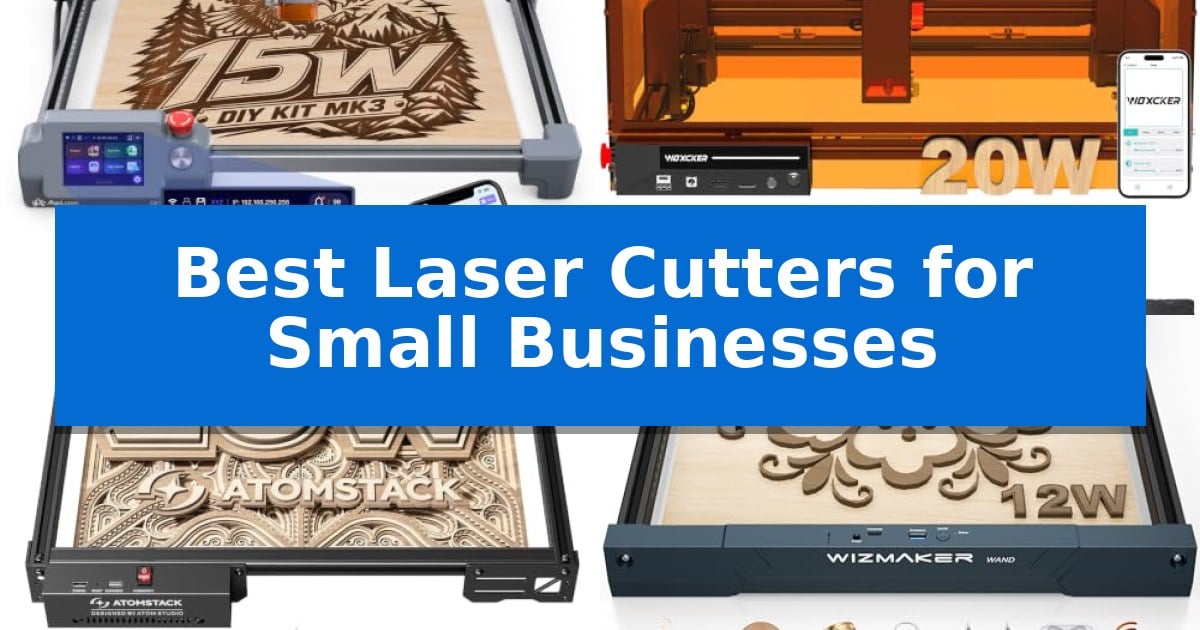
Finding the right equipment is essential when you are ready to scale your craft projects into a professional operation. The Best Laser Cutters for Small Businesses offer the precision and versatility needed to turn raw materials like wood, leather, and acrylic into high-quality, sellable goods.
Whether you are focusing on custom signage, personalized gifts, or batch production, selecting a machine that balances ease of use with robust performance is key. We have analyzed five laser systems to help you identify which tool aligns with your specific production needs and workshop constraints.
Best Laser Cutters for Small Businesses in 2026
Quick Comparison
| Product | Best For | Key Strength | Score |
|---|---|---|---|
| Ophiner AlgoLaser MK3 Laser Engraver | Best Overall | Dual-functionality allows for both precise engraving and cutting in one machine. | 4.9 |
| Woxcker L2 MAX Laser Cutter | Enclosed Design for Safer Workshops | 360° fully enclosed design enhances safety and noise containment. | 4.3 |
| ATOMSTACK A20 Pro V2 Laser Engraver | High-Speed Performance for Batch Work | High-speed engraving up to 400mm/s for increased productivity. | 4.8 |
| WIZMAKER Wand 12W Laser Engraver | Flexible Multi-Device Connectivity | 10-minute modular assembly for quick deployment. | 4.9 |
| Twotrees TTS-10 Pro Laser Engraver | Reliable Motion for Custom Signage | 10000mW optical power for deep and fast engraving. | 4.4 |
How We Chose
- Material compatibility and cutting depth for diverse product lines.
- Work area dimensions to accommodate various project sizes and batch quantities.
- Connectivity options and software support for efficient design-to-production workflows.
- Safety features and enclosure designs suitable for shared or home-based workspaces.
- Assembly requirements and initial setup time for immediate operational readiness.
1 Ophiner AlgoLaser MK3 Laser Engraver — Built-in Creative Tools for Beginners
For small businesses looking to streamline the production of custom signs, gifts, and craft-market collections, the Ophiner AlgoLaser MK3 Laser Engraver offers a versatile solution by combining 15W diode laser cutting and engraving capabilities in a single unit. This machine is designed to handle a wide range of materials, including wood, leather, acrylic, and metal, making it a flexible asset for makers who need to transition quickly between detailed personalization and structural cutting.
Efficiency in the workspace is supported by the 95% pre-assembled design, which reduces setup time, and a manual focus stick integrated directly into the laser module for consistent accuracy. The device features a spacious 400 x 400 mm work area, providing ample room to arrange multiple components for batch processing or to layout larger projects like custom signage.
A standout feature for independent creators is the ability to operate without a computer. The built-in 3.5-inch touchscreen and AlgoOS interface allow users to access 400+ built-in projects and presets, or create custom text and sketches using AlgoType and AlgoSketch. For more complex design requirements, the machine remains compatible with professional software like LightBurn and LaserGRBL via a standard computer connection.
This system is balanced for those who need a reliable tool for small-scale production without the complexity of industrial-grade equipment. By integrating design tools directly into the hardware, it enables users to develop coordinated product lines and personalized items efficiently, helping small business owners expand their creative offerings.
Best for: Small business owners and makers who require a versatile, semi-assembled laser system capable of both cutting and engraving with offline design capabilities.
Skip if: Users who require industrial-grade production speeds or a larger cutting area than 400 x 400 mm for high-volume manufacturing.
PROS
- Dual-functionality allows for both precise engraving and cutting in one machine.
- Offline operation via a 3.5-inch touchscreen and built-in design tools.
- 95% pre-assembled construction minimizes setup time for new users.
- Spacious 400 x 400 mm work area suitable for batch production.
CONS
- 15W diode laser may be limited compared to higher-wattage industrial CO2 lasers for thick material cutting.
- Manual focus stick requires user intervention compared to fully automated autofocus systems.
2 Woxcker L2 MAX Laser Cutter — Enclosed Design for Safer Workshops
The Woxcker L2 MAX Laser Cutter distinguishes itself in the small business landscape through its 360° fully enclosed design, which prioritizes workspace safety by containing fumes, dust, and operating noise while shielding users from direct laser exposure. This machine is engineered for versatility, offering a 300×300mm work area that accommodates batch production of custom signs, ornaments, and personalized wood products.
Performance is driven by a 20W laser module capable of reaching speeds up to 20,000mm/min, facilitating efficient project turnaround for demanding tasks. The integration of advanced point-compression technology allows for a fine 0.01mm square focus, ensuring that intricate logos, names, and fine patterns are rendered with sharp, crisp detail on materials ranging from oak and plywood to coated metal, leather, and acrylic.
Operational safety is bolstered by built-in protective features, including flame detection, 15° tilt protection, automatic shutdown, and an emergency stop mechanism. These safeguards provide a controlled environment for creative workshops, ensuring that the machine remains stable and secure during operation.
For workflow flexibility, the unit supports multiple control interfaces, including Wi-Fi, USB, APP, and TF card connectivity. It is compatible with industry-standard software like LightBurn, LaserGRBL, and CutLabX, allowing users to integrate the cutter into existing design pipelines with minimal friction.
Best for: Small business owners and hobbyists requiring a safe, enclosed laser cutter for batch production and detailed engraving on wood, metal, and acrylic.
Skip if: Users who need a significantly larger work area than 300×300mm or those who prefer an open-frame design for easier access to oversized materials.
PROS
- 360° fully enclosed design enhances safety and noise containment.
- 20W laser power enables efficient cutting of thicker materials like oak.
- 0.01mm precision focus allows for highly detailed engraving work.
- High-speed operation up to 20,000mm/min improves production efficiency.
CONS
- Fixed 300×300mm work area may limit the size of larger custom projects.
3 ATOMSTACK A20 Pro V2 Laser Engraver — High-Speed Performance for Batch Work
For small businesses requiring high-volume production, the ATOMSTACK A20 Pro V2 Laser Engraver provides a robust solution with its powerful 20000mW output laser. This machine is engineered for efficiency, capable of reaching engraving speeds up to 400mm/s, which helps streamline workflows when processing materials like wood, acrylic, and metal for personalized products.
The device is built around an integrated linear guide motion structure that promotes high-precision movement and long-term durability. To ensure consistent results, it includes built-in limit switches and a cross-line light that facilitate an engraving accuracy of 0.01mm. The modular design of the aluminum alloy frame simplifies assembly, allowing businesses to set up their workspace quickly.
Usability is a core focus, with the unit supporting Type-C and USB stick connectivity for flexible file management. It integrates seamlessly with industry-standard software such as Lightburn and LaserGRBL, as well as the proprietary ATOMSTACK App/PC software. Safety features are also integrated, including a removable magnetic protective cover, safety glasses, and a tilt angle safety beep that triggers if the machine is tilted beyond 15 degrees.
With a laser lifespan rated at up to 10000 hours, the ATOMSTACK A20 Pro V2 Laser Engraver is designed for low-maintenance operation. The manufacturer supports the unit with 24/7 customer service and lifetime technical support, offering free replacements for faulty parts to minimize potential downtime for business owners.
Best for: Small businesses that need a high-speed, high-accuracy laser cutter for batch processing of wood, metal, and acrylic.
Skip if: Users who require a larger work area or specific industrial-grade power beyond the 20W output capacity should look for alternative, larger-format laser systems.
PROS
- High-speed engraving up to 400mm/s for increased productivity.
- High-precision linear guide structure for consistent accuracy.
- Comprehensive safety suite including limit switches and tilt alerts.
- Broad software compatibility with Lightburn and LaserGRBL.
CONS
- Fixed 20W power output may limit the thickness of materials that can be cut in a single pass compared to higher-wattage industrial lasers.
4 WIZMAKER Wand 12W Laser Engraver — Flexible Multi-Device Connectivity
The WIZMAKER Wand 12W Laser Engraver serves as a versatile desktop solution for small businesses and makers, offering a generous 300x300mm work area that accommodates a wide range of custom signage, models, and personalized goods. Its modular design is engineered for efficiency, allowing for a straightforward assembly process that takes approximately 10 minutes, making it an accessible choice for those who need to transition quickly from unboxing to production.
Engineered for precision, the device achieves 0.1mm repeatable positioning accuracy, ensuring that intricate text and detailed artwork remain sharp. With engraving speeds reaching up to 10,000 mm/min, it supports rapid prototyping needs. The system is compatible with a variety of materials, including wood, bamboo, leather, MDF, fabric, coated metals, and specific dark opaque acrylics, with the capacity to cut through wood up to 8mm thick, providing a balance of flexibility for diverse creative projects.
Connectivity is designed for modern workflows, supporting operation via Wi-Fi, hotspot, or USB across Windows, macOS, Android, and iOS platforms. This flexibility allows users to integrate the machine with established software like LightBurn, LaserGRBL, or AtomStack. To assist with the learning curve, the package includes a beginner guide, helping users navigate initial project setups and software integration effectively.
Safety remains a priority with the inclusion of a Class 4 laser system that features tilt detection and flame monitoring to assist during operation. The unit is backed by a 12-month quality warranty, offering a reliable foundation for small-scale manufacturing. These integrated protections provide peace of mind for creators working in home or studio environments, ensuring the device remains a stable part of their production workflow.
Best for: Small business owners and DIY creators who need a versatile, mid-power laser for engraving and light cutting tasks on wood, leather, and acrylic.
Skip if: Users requiring industrial-grade production speeds or the ability to cut through thick materials beyond 8mm wood will need a more powerful laser system.
PROS
- 10-minute modular assembly for quick deployment.
- High-speed engraving up to 10,000 mm/min.
- Multi-device connectivity including Wi-Fi and USB.
- Integrated safety features like tilt and flame detection.
CONS
- 8mm wood cutting limit restricts heavy-duty fabrication.
- Class 4 laser requires strict adherence to safety protocols during operation.
5 Twotrees TTS-10 Pro Laser Engraver — Reliable Motion for Custom Signage
The Twotrees TTS-10 Pro Laser Engraver streamlines small-scale production with its 10000mW optical power blue light diode laser, capable of deep and precise marking on materials like wood, bamboo, acrylic, and anodized metal. Designed for versatility, this machine provides a 300x300mm engraving area, making it a practical choice for businesses creating custom jewelry, keychains, signage, or personalized phone cases.
Built for reliability, the unit features a full metal frame constructed from aluminum alloy and injection-molded parts. It utilizes dual Y-axis motors and a GT2-6mm synchronous belt system to ensure consistent motion during operation. The 32-bit dual-core MCU mainboard supports faster processing, allowing users to choose between online engraving or TF card offline operation for improved workflow efficiency.
Compatibility is a core strength, as the device supports industry-standard software like LightBurn and LaserGRBL. Users can export files in .lbrn or .nc formats, or utilize the mobile app and web interface for remote control. The system includes a 4GB TF card and reader, facilitating a straightforward transition from design to production without complex network configurations.
To support long-term use, the Twotrees TTS-10 Pro Laser Engraver comes with a 12-month warranty and is backed by CE, FCC, ROHS, FDA, and UL62368 certifications. For those new to laser cutting, the manufacturer provides an online wiki with video tutorials and FAQs to assist with setup and maintenance.
Best for: Small business owners and hobbyists needing a reliable, mid-sized laser for custom signage, jewelry, and personalized merchandise.
Skip if: Users requiring the ability to engrave bare, uncoated stainless steel or those needing a workspace larger than 12 inches.
PROS
- 10000mW optical power for deep and fast engraving.
- 32-bit dual-core MCU for efficient processing and offline capability.
- Full metal frame construction for enhanced structural stability.
- Broad software support including LightBurn and LaserGRBL.
CONS
- Not suitable for bare stainless steel or uncoated metal without surface preparation.
- 300x300mm workspace may limit projects larger than 12 inches.
Best Laser Cutters for Small Businesses Buying Guide
Understanding Laser Power and Material Capability
The power rating of a laser, typically measured in watts, directly influences what materials you can cut and how quickly you can process them. A 10W to 20W diode laser is generally sufficient for engraving wood, leather, and coated metals, while higher power levels allow for cleaner cuts through thicker materials like plywood or acrylic.
Consider the specific materials you plan to use most frequently. If your business model relies on cutting dense wood or thick acrylic, prioritize machines with higher wattage and advanced point-compression technology to ensure clean, precise edges without excessive charring.
Work Area and Project Scalability
The physical dimensions of the work area dictate the maximum size of the items you can produce. A 300x300mm or 400x400mm workspace is standard for most small business needs, allowing for a mix of small custom gifts and medium-sized signage.
Think about your batch production requirements. A larger work area not only allows for bigger individual pieces but also enables you to arrange multiple items on the bed simultaneously, significantly reducing the time spent resetting the machine between runs.
Connectivity and Software Integration
Efficient production relies on seamless communication between your design software and the laser cutter. Look for machines that support industry-standard software like LightBurn or LaserGRBL, which provide advanced control over power, speed, and pathing.
Multi-device connectivity, including Wi-Fi, USB, and offline processing via TF cards, adds flexibility to your workspace. Being able to operate the machine without a dedicated PC connection can save valuable desk space and simplify your setup.
Safety and Workshop Environment
Laser cutters generate fumes, dust, and intense light, making safety features a critical consideration for any small business. Enclosed designs are highly recommended as they help contain smoke and shield users from direct laser exposure.
Look for integrated safety sensors such as flame detection, tilt protection, and automatic emergency stops. These features provide peace of mind, especially in home-based workshops or environments where others might be present.
Ease of Assembly and Maintenance
Time spent assembling or calibrating a machine is time away from production. Many modern laser cutters arrive partially pre-assembled, allowing you to get up and running in minutes rather than hours.
Consider the long-term maintenance requirements of the machine. Modular designs, accessible focus sticks, and reliable motion systems with quality belts and motors ensure that your equipment remains operational with minimal downtime.
Frequently Asked Questions
Can these laser cutters engrave on bare metal?
Most diode laser cutters are designed for coated or anodized metals. Engraving on bare stainless steel or raw metal typically requires a marking spray or specific surface preparation to achieve a visible result.
Do I need a computer to operate these machines?
Many models offer offline capabilities, such as using a TF card or a built-in touchscreen interface to run pre-loaded projects or files, reducing the need for a dedicated computer connection.
What software is compatible with these laser cutters?
Most of the featured machines are compatible with popular third-party software like LightBurn and LaserGRBL, which are standard tools for laser design and control.
Are these machines safe for home use?
While these machines include safety features like enclosures and tilt sensors, it is essential to operate them in a well-ventilated area and always wear appropriate laser safety glasses.
How thick can these lasers cut?
Cutting capacity varies by wattage and material density. Generally, 10W to 20W lasers can cut through wood up to 8mm or more depending on the settings and material type.
Conclusion: Our Top Pick
For small business owners seeking a balance of versatility and ease of use, the Ophiner AlgoLaser MK3 Laser Engraver stands out as a top choice. Its 15W power and 400x400mm work area provide a solid foundation for both detailed engraving and cutting tasks.
The inclusion of built-in creative tools and the ability to operate offline via the touchscreen make it particularly accessible for beginners or those looking to streamline their production workflow without needing a complex PC setup.