
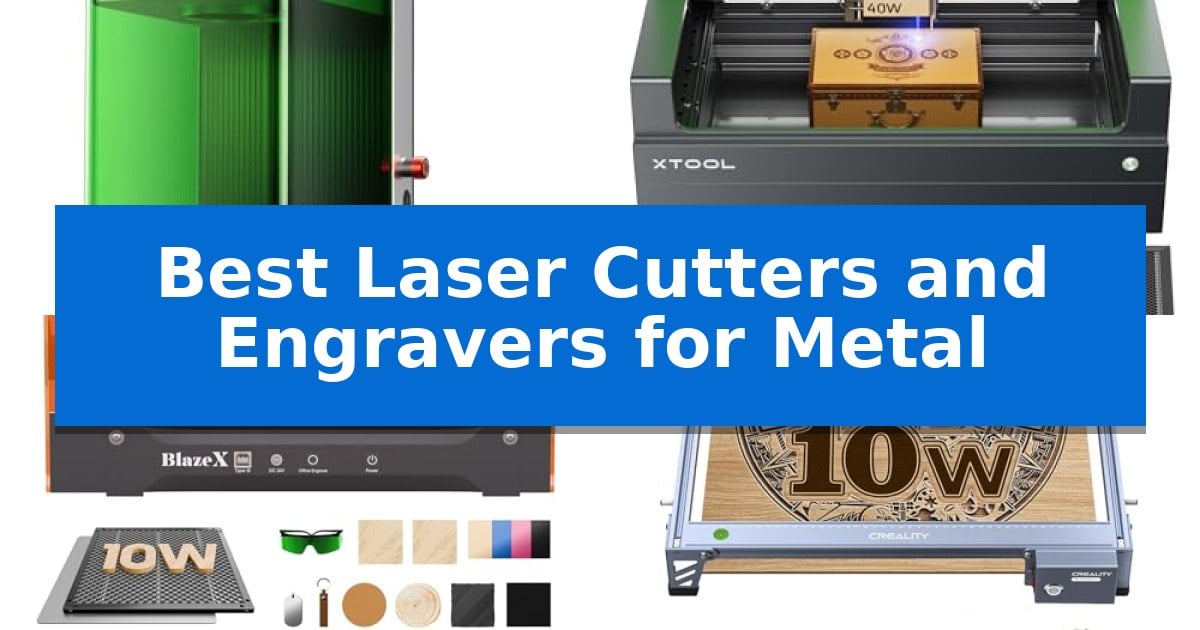
Finding the right equipment for metal marking requires balancing laser power with the specific metallurgical properties of your materials. Whether you are engraving jewelry, customizing stainless steel components, or batch-processing industrial tags, selecting the Best Laser Cutters and Engravers for Metal depends heavily on your workflow requirements and the types of metal you intend to process.
Our guide evaluates current market options based on their ability to handle diverse metals, from soft brass and aluminum to hardened stainless steel. We focus on machines that offer reliable beam quality and software integration, ensuring that your projects achieve professional-grade results without unnecessary complexity.
Best Laser Cutters and Engravers for Metal in 2026
Quick Comparison
| Product | Best For | Key Strength | Score |
|---|---|---|---|
| xTool F1 Ultra Laser Engraver | Best Overall | Dual-laser system combining 20W fiber and 20W diode lasers for maximum material versatility. | 4.9 |
| xTool S1 Laser Engraver | High-Power Precision for Metal | 40W high-power laser for efficient metal engraving and cutting. | 4.5 |
| BlazeX M3 Laser Engraver | Smart Camera for Metal Projects | Smart camera guidance for precise design placement. | 4.8 |
| Creality Falcon 10W Laser Engraver | Reliable Entry-Level Metal Engraving | High-precision focus of 0.06mm x 0.06mm for detailed work. | 4.4 |
| AlgoLaser MK3 Laser Engraver | PC-Free Workflow for Metal | PC-free operation via integrated touchscreen and AlgoOS. | 4.7 |
How We Chose
- Laser Source Compatibility: Evaluating whether the system utilizes fiber or diode technology to match specific metal types.
- Operational Speed and Throughput: Assessing how quickly each unit can mark or cut through various metal thicknesses.
- Software and Workflow Integration: Checking for compatibility with industry-standard design tools and ease of file preparation.
- Safety and Enclosure Standards: Reviewing built-in safety features like protective filtering and smoke extraction systems.
- Precision and Resolution: Measuring the machine's ability to maintain fine detail during intricate engraving tasks.
1 xTool F1 Ultra Laser Engraver — Fastest Dual-Laser Metal Marking
Achieving precise, high-speed material marking requires a system capable of handling diverse substrates without sacrificing detail. The xTool F1 Ultra Laser Engraver distinguishes itself by integrating both a 20W fiber laser and a 20W diode laser into a single desktop unit, providing the versatility to process everything from precious metals like gold and silver to organic materials such as wood and leather.
Engineered for high-volume environments, this machine reaches engraving speeds of up to 10,000mm/s. The inclusion of a 16MP smart camera allows for automated shape recognition, which, when paired with an optional auto conveyor, enables continuous batch production. This combination of speed and intelligent software management makes it a robust solution for professional customization workflows.
The device offers a generous 220mm x 220mm working area, which remains consistent across the entire surface to maintain HD resolution. Beyond standard marking, the 20W power output supports 3D embossing and deep engraving on metal and rock, allowing for the creation of high-value, textured items that standard marking tools cannot replicate.
Safety and efficiency are prioritized through a fully enclosed design that filters intense light and features an integrated smoke extraction system. With additional hardware safeguards like a fire safety alarm and emergency stop button, the xTool F1 Ultra Laser Engraver is built for safe operation in retail or workshop settings where immediate, high-quality results are required.
Best for: Professional creators and small business owners needing high-speed, batch-capable metal marking and deep engraving on a variety of materials.
Skip if: Users who require a large-format industrial cutter for thick metal sheets will find the cutting depth limitations of this desktop unit restrictive.
PROS
- Dual-laser system combining 20W fiber and 20W diode lasers for maximum material versatility.
- 10,000mm/s engraving speed significantly reduces production time for batch projects.
- 16MP smart camera enables automated shape recognition and streamlined batch processing.
- 3D embossing capability allows for deep, textured engraving on metal and stone surfaces.
CONS
- Auto conveyor system required for maximum productivity is sold separately.
- Cutting capacity is limited to thin metal gauges (0.2mm to 0.4mm) and specific wood thicknesses.
2 xTool S1 Laser Engraver — High-Power Precision for Metal
Achieving precise detail on metal surfaces requires a machine capable of both high-intensity output and fine-tuned control. The xTool S1 40W Laser Cutter and Laser Engraver distinguishes itself with a robust 40W laser module, allowing it to handle demanding tasks like engraving multiple metal dog tags or intricate designs on curved surfaces with high efficiency.
Engineered for both productivity and safety, this machine features a spacious 23.93" x 15.16" bed that accommodates large-scale projects. Its aerospace-grade aluminum frame provides the structural stability necessary for high-speed operation, supporting engraving speeds up to 600mm/s. The enclosed design is a significant safety upgrade, as the protective cover filters 99% of laser light, eliminating the need for external goggles while containing smoke and noise.
Usability is central to the xTool S1 Laser Engraver experience, particularly for those new to laser work. The system includes Auto-focus capabilities and integrates with xTool Creative Space (XCS) software, which comes pre-loaded with parameter settings for over 400 materials. For complex or non-flat items, the patented Pin-point Positioning technology ensures accuracy, while the AutoPassthrough feature allows for the processing of materials up to 118 inches in length.
Safety and longevity are prioritized through rigorous testing, including 71,830 hours of laser tube aging and power stability checks. The unit is equipped with 5 built-in flame sensors, an emergency stop button, and a lid-open sensor to ensure operation halts immediately if conditions become unsafe. This combination of high-power performance and integrated safety features makes it a reliable choice for professional-grade metal engraving tasks.
Best for: Users requiring a high-power, enclosed laser system for precise metal engraving and large-format projects.
Skip if: Users who require a portable, open-frame laser or those with limited workspace who cannot accommodate the machine's substantial footprint.
PROS
- 40W high-power laser for efficient metal engraving and cutting.
- Class 1 safety enclosure with integrated flame sensors and smoke containment.
- Patented Pin-point Positioning for high-accuracy alignment on complex surfaces.
- AutoPassthrough technology supports extra-long material processing.
CONS
- Large physical footprint may limit placement options in smaller workshops.
- Enclosed design restricts the ability to engrave on oversized items that do not fit within the chamber or through the passthrough.
3 BlazeX M3 Laser Engraver — Smart Camera for Metal Projects
Achieving precise detail on metallic surfaces requires a system that bridges the gap between raw power and visual accuracy. The BlazeX M3 Laser Engraver addresses this by integrating a high-definition smart camera that allows users to preview designs directly on the material via PC software, effectively eliminating guesswork and material waste before the laser even fires.
This 2-in-1 laser cutter and engraver utilizes a high-density beam capable of 0.01mm ultra-precision, making it suitable for intricate patterns on metal, glass, and leather. The unit is built for a controlled environment, featuring a protective enclosure that meets Class 1 Safety standards to filter harmful radiation, while an integrated fan system manages smoke and noise levels.
Usability is a core focus, with the machine offering broad compatibility across LightBurn, LaserGRBL, and CutLabX on Windows, macOS, iOS, and Android. For those looking to expand their capabilities, the professional accessory ecosystem includes options like a Rotary Roller for cylindrical items and an Air Assist system to improve cutting edge clarity and detail.
The BlazeX M3 Laser Engraver ships as an all-in-one vision kit, including a honeycomb laser bed and 13 sample materials to facilitate immediate setup. Its automated safety sensors provide peace of mind by triggering an automatic stop if the lid is opened or the machine is tilted during operation.
Best for: Beginners and hobbyists who require high-precision metal engraving with visual alignment assistance.
Skip if: Users seeking industrial-grade, high-wattage cutting power for thick metal plates will find the 10W output limiting.
PROS
- Smart camera guidance for precise design placement.
- Class 1 Safety rating with integrated smoke and noise management.
- 0.01mm ultra-precision for detailed engraving.
- Wide software compatibility including LightBurn and CutLabX.
CONS
- 10W laser power is optimized for engraving and light cutting rather than heavy-duty metal fabrication.
4 Creality Falcon 10W Laser Engraver — Reliable Entry-Level Metal Engraving
Achieving precise metal marking and cutting requires a machine capable of maintaining high accuracy over extended operation. The Creality Falcon 10W Laser Engraver distinguishes itself with an all-aluminum alloy structure and a steel shaft wheel guide rail design, providing the mechanical stability necessary for consistent results. By utilizing a 0.06mm x 0.06mm super fine spot focus, this unit enables users to maintain engraving and cutting precision within 0.004 inches.
Performance is driven by a 10W output power module, which allows for cutting through 5mm basswood or 3mm black acrylic in a single pass at speeds reaching 10,000mm/m. This versatility extends beyond wood and acrylic, as the system is engineered to handle engraving on various consumables, including metal and glass. To support different user skill levels, the machine is compatible with LightBurn for advanced workflows and LaserGRBL for those requiring a more straightforward interface.
Usability is a core focus of the design, featuring a tool-free focusing plate that simplifies setup and adjustment. The unit offers flexible data transfer options, including Wi-Fi, USB cable, and SD card connectivity, allowing for remote management. Safety is addressed through an anti-UV filter acrylic shield on the laser module, which is rated to filter 97% of UV rays during operation.
Assembly is designed to be efficient, typically requiring only 10 to 20 minutes to complete. The system includes a strong belt tension adjustment device to ensure long-term mechanical reliability, and the manufacturer provides a 1-year free parts replacement policy to support the hardware. This combination of structural rigidity and software flexibility makes it a practical choice for those integrating laser work into their creative or professional projects.
Best for: Makers and hobbyists who need a reliable, entry-level laser system for precise engraving on metal, wood, and acrylic.
Skip if: Users requiring high-volume industrial production or those who need to cut through thick metal plates will find this 10W diode laser insufficient for their needs.
PROS
- High-precision focus of 0.06mm x 0.06mm for detailed work.
- Robust aluminum alloy construction with steel shaft guide rails.
- Versatile connectivity including Wi-Fi, USB, and SD card support.
- Tool-free focusing mechanism for quick setup.
CONS
- Limited power for deep cutting of dense materials.
- Diode laser technology is primarily suited for surface marking rather than deep metal engraving.
5 AlgoLaser MK3 Laser Engraver — PC-Free Workflow for Metal
Achieving precise customization for small-scale production often requires a tool that balances accessibility with versatile material handling. The AlgoLaser MK3 Laser Engraver distinguishes itself by integrating a 3.5-inch touchscreen that enables users to execute designs, manipulate text with AlgoType, and utilize drawing tools via AlgoSketch entirely without a computer connection.
Designed for makers and small business owners, this 15W diode laser system supports a 400 x 400mm work area, providing sufficient space for batch engraving or larger signage projects. The machine arrives 95% pre-assembled, significantly reducing setup time, and includes a manual focus stick to ensure consistent distance between the laser module and the material surface during operation.
For those requiring more complex design capabilities, the unit integrates with professional software like LightBurn or LaserGRBL via a computer connection. The onboard interface also grants access to over 400 built-in projects and parameter presets, which assist in streamlining the workflow for those new to laser processing on wood, leather, acrylic, and metal.
The AlgoLaser MK3 Laser Engraver is a practical solution for creators who need to transition from hobbyist projects to professional-grade personalized goods. Its combination of offline processing and expanded software compatibility allows for a flexible workflow, whether you are engraving individual gifts or developing coordinated collections for a craft market.
Best for: Small business owners and beginners who require a versatile, semi-autonomous laser system for batch engraving and cutting projects.
Skip if: Users who require high-power industrial fiber lasers for deep metal cutting or those who strictly prefer a fully PC-tethered professional workflow.
PROS
- PC-free operation via integrated touchscreen and AlgoOS.
- 95% pre-assembled design for rapid deployment.
- Spacious 400 x 400mm work area suitable for batch processing.
- Built-in project library and parameter presets for beginners.
CONS
- 15W diode laser is optimized for engraving and light cutting rather than heavy-duty industrial metal fabrication.
Best Laser Cutters and Engravers for Metal Buying Guide
Understanding Laser Types for Metal
The most critical factor when choosing a laser for metal is the laser source. Fiber lasers are the gold standard for metal because their wavelength is highly absorbed by most metals, allowing for deep, permanent marks on gold, silver, copper, and stainless steel. They are generally faster and more durable for high-volume production.
Diode lasers are more accessible and versatile for hobbyists. While they can mark some metals, they often require a coating or specific surface preparation to achieve high-contrast results. If your primary focus is metal, prioritize a machine that offers fiber capabilities or high-power diode output with advanced focusing optics.
Work Area and Material Handling
The working area determines the size of projects you can tackle. Desktop units offer a compact footprint, which is ideal for small studios or retail environments where space is at a premium. However, if you plan to engrave large signs or long batches of parts, look for machines that support passthrough technology or modular conveyors.
Consider the Z-axis adjustability of the machine. Engraving on flat sheets is straightforward, but if you intend to work on tumblers, jewelry, or curved surfaces, you will need a machine that supports rotary attachments or has sufficient clearance to accommodate irregular shapes.
Software and Connectivity
Your laser is only as good as the software driving it. Look for compatibility with LightBurn or LaserGRBL, as these programs provide the granular control needed for complex metal engraving. Some modern machines include proprietary software that simplifies the process with built-in presets for common materials.
Connectivity options like Wi-Fi, USB, and SD card slots allow for flexible workflows. For small businesses, features like offline operation or touchscreen controls can be a significant advantage, allowing you to run repetitive jobs without keeping a computer tethered to the machine.
Safety and Environmental Control
Laser engraving metal generates smoke, fumes, and potentially harmful light reflections. A fully enclosed design is essential to filter out UV radiation, protecting your eyes without the need for cumbersome safety goggles. Always ensure your workspace is well-ventilated or equipped with an efficient smoke extraction system.
Look for machines with built-in safety sensors, such as flame detectors, tilt alarms, and emergency stop buttons. These features are particularly important if you are operating in a home studio, classroom, or retail space where others may be nearby.
Productivity and Batch Processing
If you are running a business, productivity features are paramount. Features like smart cameras for visual positioning allow you to align designs precisely on your material, reducing waste. Auto-streamline production systems can automatically recognize multiple items on a bed or conveyor, making batch engraving significantly faster.
Evaluate the setup time required for each project. Machines that offer auto-focusing and pre-tested material parameters save considerable time during the trial-and-error phase, allowing you to move from design to finished product in minutes.
Frequently Asked Questions
Can all laser engravers mark metal?
No. While many diode lasers can mark metal, they often require a marking spray or coating to create a visible, permanent bond. Fiber lasers are specifically designed to interact directly with metal surfaces for clean, deep engraving.
What is the difference between engraving and cutting metal?
Engraving removes a small amount of material from the surface to create a design. Cutting requires enough power to penetrate the entire thickness of the metal, which is typically only possible with high-power fiber lasers or industrial-grade systems.
Do I need special software for these machines?
Most professional-grade machines are compatible with standard software like LightBurn. Some manufacturers provide their own user-friendly software that is optimized for their specific hardware, which can be easier for beginners to master.
Are these machines safe for home use?
Yes, provided they are Class 1 safety rated or used within a fully enclosed, ventilated system. Always follow the manufacturer's safety guidelines regarding eye protection and ventilation.
How do I know which laser power I need?
Higher wattage generally allows for faster engraving speeds and the ability to cut thicker materials. For simple surface marking, lower power may suffice, but for deep engraving or cutting, you should look for higher power specifications.
Conclusion: Our Top Pick
Selecting the right laser engraver requires a clear understanding of your material needs and production volume. For those requiring the highest level of versatility and speed, the xTool F1 Ultra Laser Engraver stands out as a comprehensive solution. Its dual-laser system provides the unique ability to handle both metal and non-metal materials with high precision, making it an excellent choice for creators and small business owners alike.
While the initial investment is higher than entry-level diode models, the productivity gains from its 10,000mm/s speed and smart camera integration offer significant long-term value. Ensure your workspace is prepared for the specific ventilation and power requirements of your chosen model to get the most out of your investment.