
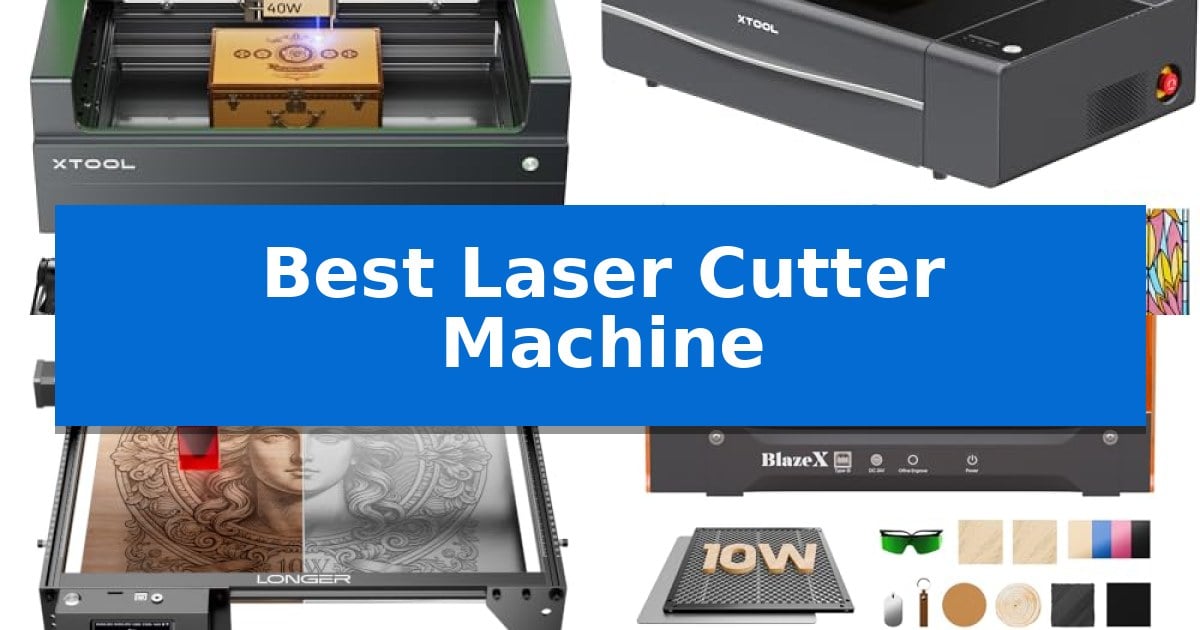
Finding the right equipment for your creative projects can feel overwhelming, especially with the wide range of desktop tools available today. Whether you are looking to engrave intricate designs on wood or cut through acrylic for custom signage, selecting the Best Laser Cutter Machine requires a balance of power, software compatibility, and safety features.
This guide examines five distinct models to help you understand which machine aligns with your specific workspace needs and project goals. By focusing on technical specifications and practical design elements, we aim to simplify your decision-making process.
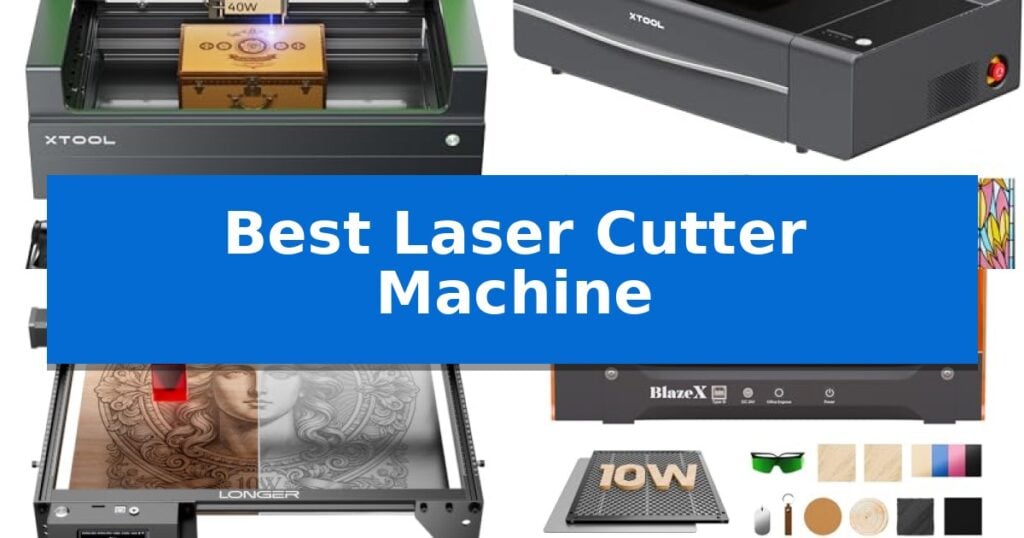
Best Laser Cutter Machine in 2026
Quick Comparison
| Product | Best For | Key Strength | Score |
|---|---|---|---|
| xTool S1 Laser Cutter | Best Overall | 40W high-power laser capable of cutting 18mm wood in a single pass. | 4.9 |
| xTool P2S CO2 Laser Cutter | Advanced Desktop CO2 Performance | High-power 55W CO2 laser capable of cutting thick acrylic and hardwoods in a single pass. | 4.8 |
| LONGER Ray5 Laser Cutter | Large Area Smart Control | Large 400 × 400 mm active working area for diverse project sizes. | 4.8 |
| BlazeX M3 Laser Cutter | Easy Setup With Camera | High-definition smart camera for precise design alignment. | 4.6 |
| ELIDOR Laser Cutter | Compact Portable Design | High-precision engraving with 0.01 mm accuracy. | 4.7 |
How We Chose
- Laser Power and Cutting Depth: Assessing the wattage and its impact on material thickness and pass-through capability.
- Working Area and Dimensions: Evaluating the bed size to determine the scale of projects the machine can accommodate.
- Software and Connectivity: Reviewing the ease of design integration and available control interfaces.
- Safety and Enclosure: Checking for integrated ventilation, flame detection, and protective shielding for safe operation.
- Precision and Speed: Analyzing the reported engraving accuracy and operational velocity for batch production.
1 xTool S1 Laser Cutter — High-Power Desktop Precision
Precision and power define the xTool S1 Laser Cutter, a desktop machine engineered for high-volume projects and intricate detailing. Its 40W laser module provides the intensity required to slice through 18mm cherry wood in a single pass, while the expansive 23.93" x 15.16" bed accommodates large-scale designs or batch production of smaller items like dog tags.
The machine integrates xTool’s patented Pin-point Positioning technology, which simplifies alignment for complex engravings. For those working with non-flat materials, the system supports 3D engraving on curved surfaces, such as spoons or plates. The AutoPassthrough functionality further extends the machine's utility, allowing users to process materials up to 118 inches in length.
Usability is centered around the xTool Creative Space (XCS) software, which includes pre-tested parameter settings for over 400 materials. The system is designed for immediate operation, featuring auto-focus capabilities and AI-driven design tools that assist users who may not have professional CAD experience. Over 1,000 tutorials are available to guide the creation process.
Safety is managed through a Class 1 enclosed design that filters 99% of laser light, eliminating the need for external goggles. The unit is equipped with 5 flame sensors, an emergency stop button, and a lid-open detection system to ensure operation halts if hazards occur. The chassis is constructed from 3mm aerospace-grade aluminum for structural stability during high-speed engraving at up to 600mm/s.
Best for: Creators and small businesses requiring high-power cutting and engraving with advanced safety features and large-format material support.
Skip if: Users who require a portable, lightweight machine or those who do not have the desk space to accommodate a large-format 23.93" x 15.16" bed.
PROS
- 40W high-power laser capable of cutting 18mm wood in a single pass.
- Class 1 safety enclosure with built-in flame sensors and lid-open protection.
- AutoPassthrough technology for processing materials up to 118 inches long.
- Patented Pin-point Positioning for high-precision alignment.
CONS
- Large physical footprint may be restrictive for smaller workspaces.
- Heavy-duty aluminum frame makes the unit less portable than compact diode engravers.
2 xTool P2S CO2 Laser Cutter — Advanced Desktop CO2 Performance
Precision fabrication requires a machine capable of handling diverse materials and complex geometries without sacrificing output quality. The xTool P2S 55W CO2 Laser Cutter distinguishes itself through an industry-leading 55W output and a dual-camera system that enables high-resolution, real-time workspace previews for accurate alignment.
Designed for both high-speed production and intricate detail, this machine achieves engraving speeds up to 600mm/s. The integration of a LiDAR Ranging System ensures 0.001'' autofocus accuracy, while the 26" x 14" bed provides ample space for large-scale projects. For those working with non-standard shapes, the 3D Curve Engraving feature automatically generates 3D models to maintain focus on curved surfaces like tumblers or cylinders.
Versatility is a core component of the system, featuring an Auto-Passthrough that accommodates materials up to 118 inches in length. The machine is compatible with the RA2 Pro Rotary for cylindrical objects and includes a Riser Base to support items up to 8.4 inches tall. Whether cutting through 20mm thick acrylic or engraving delicate slate and coated metals, the machine utilizes high absorption efficiency to ensure clean, consistent results.
Safety and maintenance are addressed through an enclosed design equipped with AI fire detection and an emergency stop. The system features a 233.3 CFM exhaust fan and an adjustable air assist to manage smoke and debris effectively. With upgraded hardware including a dual-cylinder air pump and optical path indicators, the unit is engineered for reliable, long-term operation in a desktop footprint.
Best for: Professional creators and small-batch manufacturers who require high-power cutting, precise 3D engraving on curved surfaces, and the ability to process oversized materials.
Skip if: Users with limited workspace or those who do not require the advanced 55W power or pass-through capabilities for large-format projects may find a smaller, lower-wattage laser more suitable.
PROS
- High-power 55W CO2 laser capable of cutting thick acrylic and hardwoods in a single pass.
- Dual 16MP camera system for precise, real-time material alignment and workspace monitoring.
- Advanced material handling including Auto-Passthrough for long items and Riser Base for tall objects.
- Integrated safety suite featuring AI fire detection and high-capacity exhaust ventilation.
CONS
- Large physical footprint may require significant dedicated desk or workshop space.
- Complex feature set may have a steeper learning curve for beginners compared to basic diode lasers.
3 LONGER Ray5 Laser Cutter — Large Area Smart Control
Precision fabrication requires a reliable foundation, and the LONGER Ray5 Laser Cutter provides this through its expansive 400 × 400 mm working area. This machine is built to handle diverse projects ranging from intricate wood engravings to personalized metal signage, offering makers and small business owners a versatile platform for creative output.
At the core of its performance is a 10W dual-beam laser paired with a 240MHz ESP32 processor. This combination supports engraving speeds reaching 24,000 mm/min while maintaining an ultra-fine 0.06 × 0.06 mm laser spot. Such technical specifications ensure that users can achieve high-detail results with an engraving accuracy of 0.01 mm across materials like leather, acrylic, and anodized metal.
Usability is centered around a 3.5-inch touchscreen that allows for direct parameter adjustments and real-time progress monitoring. For those who prefer a tethered workflow, the machine is compatible with industry-standard software such as LightBurn and LaserGRBL. Connectivity is flexible, supporting USB, TF card, and Wi-Fi, which facilitates both online and offline operation.
Safety remains a primary design focus, with the unit incorporating an emergency stop button, motion protection, and overheat detection. These features, combined with the provided protective covers and safety goggles, offer a structured approach to operational security. The system is designed for straightforward assembly, supported by a full set of installation tools and documentation.
Best for: Small business owners and makers requiring a large, high-speed, and versatile laser engraving platform with offline control capabilities.
Skip if: Users who require a fully enclosed laser system for high-volume industrial cutting or those with limited workspace for a 400x400mm footprint.
PROS
- Large 400 × 400 mm active working area for diverse project sizes.
- High-speed performance up to 24,000 mm/min with precise dual-beam technology.
- Smart 3.5-inch touchscreen for convenient offline operation and monitoring.
- Advanced ESP32 architecture allows for multi-machine control from a single controller.
CONS
- Open-frame design requires additional safety considerations compared to fully enclosed units.
- Physical footprint may be too large for compact hobbyist workstations.
4 BlazeX M3 Laser Cutter — Easy Setup With Camera
The BlazeX M3 Laser Cutter simplifies precision projects with its integrated high-definition smart camera, which allows users to preview designs directly on materials via PC software. This feature enables accurate placement before the laser engages, helping to minimize material waste for both beginners and experienced makers.
This 2-in-1 laser cutter and engraver utilizes a high-density beam to achieve 0.01mm ultra-precision, making it suitable for intricate patterns on materials like wood, metal, glass, and leather. The system is designed for versatility, supporting a wide range of creative tasks through a bundled kit that includes a honeycomb laser bed, a protective enclosure, and 13 engraving materials.
Safety and workspace management are central to the design, featuring a Class 1 Safety rating that filters harmful radiation. An integrated fan system exhausts smoke and odors while maintaining low noise levels, and built-in sensors provide automatic protection by stopping the machine if the lid is opened or the unit tilts during operation.
Compatibility is broad, with the machine working seamlessly with LightBurn, LaserGRBL, and CutLabX across Windows, macOS, iOS, and Android platforms. Users can further expand the machine's capabilities through an optional accessory ecosystem, which includes a Rotary Roller for cylindrical items and an Air Assist system to improve cutting edge detail and clarity.
Best for: Beginners and hobbyists seeking an all-in-one laser cutting solution with integrated camera guidance and safety features.
Skip if: Users requiring large-format cutting capabilities or those who do not need the included smart camera and enclosure bundle.
PROS
- High-definition smart camera for precise design alignment.
- Class 1 Safety rating with integrated smoke exhaust and tilt sensors.
- Wide software compatibility including LightBurn and LaserGRBL.
- Comprehensive bundle including honeycomb bed and materials.
CONS
- Requires additional accessories like the Rotary Roller for advanced cylindrical projects.
5 ELIDOR Laser Cutter — Compact Portable Design
The ELIDOR Laser Engraver and Cutter Machine provides a specialized solution for makers needing high-precision output within a compact footprint. Featuring a fine 0.04 × 0.14 mm laser spot, this device achieves engraving accuracy up to 0.01 mm, making it suitable for detailed graphics, portraits, and crisp text on materials ranging from wood and leather to acrylic and metal.
Designed for versatility and mobility, the unit weighs only 2.13 kg (4.7 lbs) and offers a 300 × 300 mm working area. This lightweight construction allows for easy transport between home workshops, classrooms, or craft fairs. The system supports a wide range of file formats, including NC, DXF, BMP, JPG, and PNG, and maintains compatibility with popular engraving software like LaserGRBL and LightBurn across Windows, macOS, and Linux platforms.
For users prioritizing safety, the machine can be paired with a compatible protective enclosure to establish a Class 1 laser system. This integration helps manage the workspace environment while maintaining the machine's operational flexibility for DIY projects, custom gifts, and small business production needs.
The ELIDOR Laser Cutter balances professional-grade precision with a beginner-friendly interface. While it offers robust software support and high-speed operation up to 10,000 mm/min, users should note that achieving a Class 1 safety rating requires the purchase of the additional protective enclosure, which is sold separately.
Best for: DIY makers and hobbyists who require a portable, high-precision laser engraver for small-scale projects and personalized crafts.
Skip if: Users who require a fully enclosed, out-of-the-box Class 1 laser system without the need to source an additional protective enclosure.
PROS
- High-precision engraving with 0.01 mm accuracy.
- Wide software compatibility including LightBurn and LaserGRBL.
- Compact and portable design weighing only 2.13 kg.
- Versatile material support for wood, metal, acrylic, and more.
CONS
- Class 1 safety requires an additional protective enclosure purchase.
- Limited working area of 300 x 300 mm may restrict larger projects.
Best Laser Cutter Machine Buying Guide
Understanding Laser Power and Material Compatibility
The power of a laser, measured in watts, is the primary factor determining what materials you can cut and how quickly. Higher wattage units, such as those with 40W or 55W outputs, are generally required for cutting thicker materials like wood or acrylic in a single pass.
Conversely, lower-power modules are often sufficient for surface engraving on materials like leather, glass, or coated metals. Always verify the manufacturer's compatibility list to ensure the machine can handle your intended substrates without damaging the laser module.
Evaluating Workspace and Bed Size
Your available workshop space dictates the maximum size of the machine you can accommodate. Desktop models vary significantly, with some offering compact footprints for small studios and others providing larger beds for professional-scale projects.
Consider whether the machine supports pass-through features, which allow you to feed longer materials through the unit. This functionality can effectively expand your working area without requiring a larger machine footprint.
Software Integration and Ease of Use
A laser cutter is only as effective as the software driving it. Look for machines that offer intuitive design interfaces or compatibility with industry-standard software like LightBurn, which provides advanced control over cutting paths and engraving settings.
Features like auto-focus and smart camera previews significantly reduce the learning curve for beginners. These tools help ensure your design is perfectly positioned on the material before the laser fires, minimizing waste.
Prioritizing Safety in the Workshop
Operating a laser involves high temperatures and light radiation, making safety features non-negotiable. An enclosed design is essential for filtering harmful laser light and containing smoke or fumes produced during the cutting process.
Look for built-in sensors, such as flame detection and lid-open safety switches, which automatically halt operation if an issue arises. These features provide peace of mind, especially when working in shared spaces or homes with pets and children.
Maintenance and Long-Term Reliability
Regular maintenance is required to keep your laser cutter performing at its peak. This includes cleaning the lens, checking exhaust fans, and ensuring the air assist system is free of debris to maintain clean cutting edges.
Opting for machines with robust frame construction, such as aerospace-grade aluminum, can improve long-term stability. A well-built chassis ensures that the laser head moves with consistent precision over thousands of hours of operation.
Frequently Asked Questions
What is the difference between a diode and a CO2 laser?
Diode lasers are typically more compact and suitable for engraving and cutting thinner materials, while CO2 lasers offer higher power and are generally more efficient at cutting thicker acrylics and wood.
Do I need an exhaust system for my laser cutter?
Yes, an effective exhaust system is critical to remove smoke, dust, and potentially toxic fumes generated during the cutting and engraving process.
Can I use a laser cutter to engrave metal?
Many desktop laser cutters can engrave coated metals or anodized aluminum. However, cutting bare, reflective metals usually requires specialized, high-power industrial equipment.
What is the benefit of a honeycomb bed?
A honeycomb bed provides airflow beneath your material, which reduces charring on the underside of your cuts and helps hold the material flat during operation.
Is it difficult to learn how to use a laser cutter?
Most modern desktop laser cutters come with user-friendly software and pre-tested material parameters, making them accessible even for beginners who have no prior design experience.
Conclusion: Our Top Pick
When selecting the xTool S1 Laser Cutter, you are investing in a machine that balances high-power performance with user-friendly safety features. Its 40W laser provides the versatility needed for both deep cutting and detailed engraving, while the enclosed design ensures a secure environment for home use.
The integration of patented positioning technology and intuitive software makes it a standout choice for creators who want professional results without a steep learning curve. For those prioritizing productivity and precision in a desktop form factor, this model offers a comprehensive solution for a wide variety of materials.