
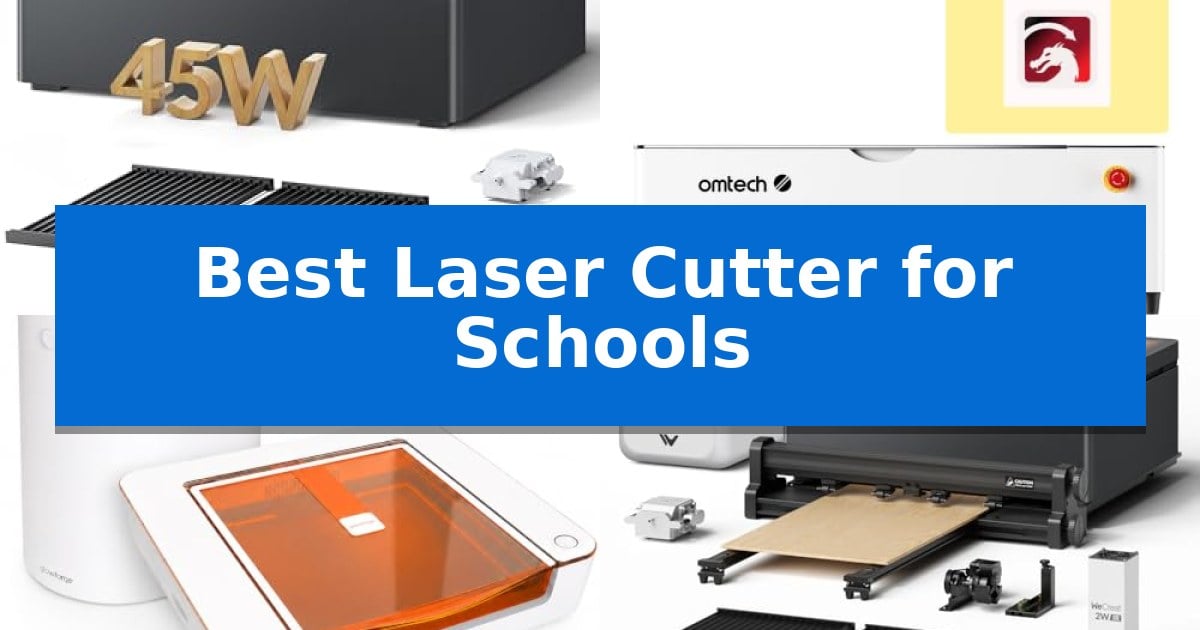
Integrating modern fabrication tools into the classroom requires a careful balance between performance and student safety. Educators need equipment that is intuitive enough for beginners while robust enough to handle diverse educational projects, from STEM prototypes to personalized art pieces.
Finding the Best Laser Cutter for Schools involves prioritizing enclosed designs, reliable fume extraction, and user-friendly software that minimizes technical barriers. We have analyzed current market options to help you select a machine that supports your curriculum while maintaining a secure learning environment.
Best Laser Cutter for Schools in 2026: Safe, Reliable Classroom Crafting
Quick Comparison
| Product | Best For | Key Strength | Score |
|---|---|---|---|
| WECREAT Vision Pro Laser Engraver | Best Overall | Class 1 safety certification with automatic lid-opening shut-off. | 4.9 |
| OMTech Polar2 CO2 Laser Engraver | Professional Performance for Schools | 70W CO2 laser provides strong cutting and engraving performance on various materials. | 4.5 |
| Glowforge Aura Laser Engraver | Compact Desktop Crafting Solution | Integrated Craft Laser Filter allows for safe indoor use without external venting. | 4.9 |
| WECREAT Vision Pro Laser Bundle | Expanded Workspace for Batch Projects | Class-leading 19.7" x 12.6" work area for high-volume batch projects. | 4.8 |
| WIZMAKER Wand Laser Engraver | Beginner Friendly Portable Design | Fully pre-assembled design for immediate classroom use. | 4.5 |
How We Chose
- Safety Certification: We prioritize machines with fully enclosed designs and automatic lid-stop mechanisms to ensure student protection.
- Software Accessibility: We evaluate the provided design software for intuitive interfaces and resource accessibility to support student learning.
- Material Versatility: We assess the ability of each laser to handle common classroom materials like wood, acrylic, and paper.
- Maintenance Requirements: We look for features like auto-focus and efficient fume extraction that reduce the burden on instructors.
- Workspace Capacity: We consider the bed size and pass-through capabilities to accommodate both small crafts and larger collaborative projects.
1 WECREAT Vision Pro Laser Engraver — Safe Enclosed Design for Classrooms
The WECREAT Vision Pro Laser Engraver prioritizes safety and versatility, featuring a fully metal enclosed structure and a Class 1 certification that makes it a suitable choice for educational environments. By integrating an eyes-protective cover that filters harmful blue light and an automatic shut-off mechanism that triggers when the lid is opened, it provides a controlled environment for students and instructors alike.
Performance is driven by BeamFocus Tech, which allows the 45W diode laser to achieve cutting capabilities comparable to a 60W machine. This enables the unit to cut through 25mm wood and 20mm black acrylic in a single pass. The system is further enhanced by LiDAR-powered auto-focus, which maintains 0.001" accuracy across a wide variety of materials, eliminating the need for manual height adjustments.
For classroom projects, the machine offers significant utility through its auto-lifting system, which accommodates materials ranging from 1mm to 140mm in thickness without requiring additional riser bases. The inclusion of a Smart HD camera assists with precise material positioning, while the AirGuard Ultra fume extractor maintains a high odor removal rate, ensuring the workspace remains comfortable during extended use.
Workflow efficiency is supported by the QuickView Matrix software, which provides one-click material settings and 3D previews for complex projects. The 22.83" x 15.75" laser bed provides ample space for batch processing, and the Rotary Pro accessory expands functionality to include full-wrap engraving on cylindrical items like tumblers.
Best for: Educational settings requiring a safe, enclosed laser cutter capable of handling diverse materials and thicknesses.
Skip if: Users who require a portable or open-frame laser system for extremely large-format projects beyond the machine's internal bed dimensions.
PROS
- Class 1 safety certification with automatic lid-opening shut-off.
- Auto-lifting system supports materials up to 140mm thick.
- Integrated AirGuard Ultra fume extraction for improved air quality.
- LiDAR-powered auto-focus for consistent precision.
CONS
- Heavy physical footprint at over 77 pounds.
- 2W IR laser module is sold separately.
2 OMTech Polar2 CO2 Laser Engraver — Professional Performance for Schools
The OMTech Polar2 70W Desktop CO2 Laser Engraver & Cutter with LightBurn provides a versatile solution for educational environments, featuring a 70W glass CO2 laser tube capable of handling materials ranging from wood and acrylic to leather and rubber. This machine is engineered for high-output tasks, supporting production speeds of up to 1200 mm/s to maintain efficiency during classroom projects.
Designed with a 28" x 14" working area and 125 mm (4.92") of material height capacity, this unit accommodates a wide variety of student projects, including thicker items. The inclusion of a 16MP smart camera allows for precise material alignment with ±0.04" accuracy, simplifying the setup process for users who need to place designs accurately on irregular surfaces.
For schools requiring diverse functionality, the system comes with a rotary attachment for cylindrical engraving, expanding the range of possible applications. Connectivity is handled through USB, U-disk, Ethernet, and Wi-Fi, ensuring compatibility with various school network setups. The device is fully integrated with LightBurn and RDWorks V8 software for professional-grade workflow management.
Safety and reliability are prioritized through integrated water cooling and Class I safety protection, making it suitable for supervised workshop settings. With its robust build and comprehensive feature set, this laser cutter serves as a capable tool for both introductory and advanced fabrication tasks in an academic setting.
Best for: Schools and workshops requiring a versatile, high-speed desktop laser cutter for diverse material processing and professional-grade software integration.
Skip if: Users with limited floor space or those who do not require a 70W high-output laser for their specific project volume may find smaller, lower-wattage desktop units more appropriate.
PROS
- 70W CO2 laser provides strong cutting and engraving performance on various materials.
- 16MP smart camera ensures high-precision material alignment.
- High production speed of up to 1200 mm/s increases project throughput.
- Rotary attachment included for expanded cylindrical engraving capabilities.
CONS
- Large footprint may require significant dedicated workspace.
- Heavy unit weight of 220.5 pounds limits portability once installed.
3 Glowforge Aura Laser Engraver — Compact Desktop Crafting Solution
Integrating a laser cutter into a classroom environment requires a balance of safety, ease of use, and compact design. The Glowforge Aura Laser Engraver & Cutter addresses these needs by including a dedicated Craft Laser Filter, which enables indoor operation without the requirement for external window venting. This setup utilizes activated carbon filtration to capture smoke and odors, making it a practical choice for shared educational spaces.
The machine features a 12 x 12 inch work area housed within a durable molded case, supported by glass-filled rails and steel slides for consistent movement. Its Aura Vision live camera preview allows students to see their materials on screen, simplifying the alignment process before engraving or cutting. The system includes autofocus capabilities, which helps maintain precision across various craft materials.
Designed for a wide range of makers, the device operates via a web-based app compatible with Mac, PC, Chromebook, tablets, and phones. It supports common file formats such as JPEG, PNG, SVG, and PDF, allowing for flexible project integration. The 6W diode laser is specifically tuned for scoring, engraving, and cutting materials suitable for jewelry, labels, and classroom décor projects.
While the Glowforge Aura Laser Engraver provides a streamlined workflow, it is important to note the hardware limitations. The system relies on a 12-month limited manufacturer warranty for the main unit and a 6-month limited warranty for the filter. Educators should ensure their project materials are compatible with the diode laser technology to achieve the desired results.
Best for: Classrooms and makerspaces requiring a compact, vented laser cutting solution for small-scale craft and design projects.
Skip if: Users who need to cut thick materials or require a high-power laser for industrial-grade production will find the 6W diode system insufficient.
PROS
- Integrated Craft Laser Filter allows for safe indoor use without external venting.
- Aura Vision live camera preview simplifies design placement and alignment.
- Broad software compatibility via web-based app supports Chromebooks and tablets.
- Compact footprint fits easily on standard classroom worktables.
CONS
- Limited laser power of 6W restricts the thickness and type of materials that can be cut.
- Filter maintenance requires periodic replacement of the carbon cartridge.
4 WECREAT Vision Pro Laser Bundle — Expanded Workspace for Batch Projects
Managing large-scale student projects requires a machine that balances precision with an expansive workspace, which is exactly what the WECREAT Vision Pro Laser Bundle provides through its class-leading 19.7" x 12.6" work area. Designed to handle high-volume output, this system allows for batch processing of over 200 items in a single pass, making it a robust solution for school makerspaces or technical labs.
At the core of its performance is the BeamFocus Tech, which utilizes a 45000mW power output to achieve cutting capabilities comparable to 60W systems. This optical system is engineered for thicker cuts and faster speeds, ensuring that students can move from design to finished project with minimal wait times. The inclusion of the Auto PassThrough Conveyor further extends the utility of the machine, accommodating materials up to 137 inches long for larger-format creative work.
Safety and workflow efficiency are integrated into the design through the SGS Class 1 full metal enclosure and the dedicated AirGuard Ultra Fume Extractor. These features ensure that the classroom environment remains free from odors and particulate matter when working with materials like acrylic or leather. Additionally, the WeCreat MakeIt software simplifies the learning curve with smart features like QuickView settings and enhanced algorithms that streamline the preparation of complex files.
Versatility is a key advantage for educational settings, as the system supports a wide range of materials. With the ability to swap between the 45W Diode module and an optional 2W Infrared module, users can work with over 300 different substrates. The Rotary Pro accessory adds further functionality, enabling the engraving of cylindrical objects like tumblers, which helps students explore diverse manufacturing techniques.
Best for: Educational makerspaces and technical labs requiring high-volume batch production and the ability to process a wide variety of materials.
Skip if: Users who require a highly portable, compact desktop unit or those who do not need the advanced conveyor and fume extraction capabilities for large-scale projects.
PROS
- Class-leading 19.7" x 12.6" work area for high-volume batch projects.
- BeamFocus Tech provides high power density for efficient cutting of thick materials.
- Integrated AirGuard Ultra Fume Extractor ensures a safer, odor-free classroom environment.
- Auto PassThrough Conveyor allows for processing of oversized materials up to 137 inches.
CONS
- Large physical footprint may require significant dedicated table space in a classroom.
- Infrared laser module is sold separately, requiring an additional purchase for specific material compatibility.
5 WIZMAKER Wand Laser Engraver — Beginner Friendly Portable Design
Integrating digital fabrication into a classroom environment requires a machine that balances safety with ease of use, and the WIZMAKER Wand Laser Engraver is engineered specifically for this purpose. As a fully pre-assembled unit, it eliminates the complex setup process often associated with DIY laser cutters, allowing educators to focus on project execution rather than hardware assembly.
The device offers multi-material compatibility, enabling students to engrave and cut wood, bamboo, leather, felt, paper, and cardboard. This versatility supports a wide range of STEM education applications, from creating personalized gifts to developing prototypes for craft fairs. With a 0.1mm repeatable positioning accuracy and engraving speeds reaching 10,000 mm/min, it provides the precision necessary for detailed artwork and text-based projects.
Safety is a primary consideration for school settings, and this model includes tilt detection and flame monitoring to ensure secure operation. The system is designed for flexibility, supporting multi-device connectivity via Wi-Fi, hotspot, or USB, and is compatible with industry-standard software like LightBurn and LaserGRBL. This allows students to transition smoothly from design software to physical output.
For long-term utility, the WIZMAKER Wand Laser Engraver supports expandable accessories, including rotary modules for tumblers, honeycomb boards, and air assist. These additions allow the machine to adapt to more complex projects as student skills progress, ensuring the hardware remains relevant as the curriculum evolves.
Best for: The WIZMAKER Wand Laser Engraver is best for educators and homeschool families seeking a pre-assembled, safe, and versatile laser cutter for STEM projects and classroom crafts.
Skip if: Skip this model if you require a large-format laser cutter for industrial-sized materials, as its compact desktop design is optimized for smaller, portable projects.
PROS
- Fully pre-assembled design for immediate classroom use.
- Integrated safety features including tilt detection and flame monitoring.
- Broad material compatibility for diverse STEM and art projects.
- Expandable ecosystem supports rotary tools and air assist for advanced tasks.
CONS
- Compact footprint limits the maximum size of cuttable materials.
- Class 4 laser requires strict adherence to safety protocols in a school setting.
Best Laser Cutter for Schools Buying Guide
Safety Features for Educational Environments
In a school setting, safety is the primary concern. Look for machines that are Class 1 certified, which means the laser is fully contained within a metal enclosure. This prevents accidental exposure to the laser beam and keeps smoke and debris contained.
An automatic lid-stop sensor is another essential feature. This mechanism immediately halts the laser operation if the lid is opened, preventing potential injuries. Additionally, integrated fume extraction systems are vital for maintaining good air quality in classrooms where ventilation might be limited.
Understanding Laser Power and Cutting Capabilities
The power rating of a laser, measured in watts, determines its ability to cut through thicker materials. For most school projects involving thin wood, paper, or acrylic, a diode or CO2 laser with sufficient power output is necessary.
Higher wattage allows for faster cutting speeds and the ability to work with thicker materials. However, educators should balance this with the complexity of the machine. BeamFocus technology or similar optical systems can help achieve cleaner cuts even at lower power settings, which is often more than enough for standard classroom crafts.
Software and Workflow Integration
The software interface is often the biggest hurdle for students. A machine that supports web-based apps or user-friendly design software allows students to move from concept to creation without needing advanced engineering skills.
Look for features like Smart Fill or QuickView settings that automate material parameters. These tools reduce the time spent on manual adjustments, allowing students to focus on their design and creativity rather than troubleshooting machine settings.
Workspace and Material Versatility
The size of the laser bed dictates the scale of projects students can undertake. A larger workspace is beneficial for batch projects, such as engraving multiple items simultaneously, which is ideal for school fundraisers or class-wide assignments.
Consider machines that offer auto-pass-through feeders or rotary attachments. These accessories significantly expand the machine's utility, allowing students to work on long pieces of wood or cylindrical objects like tumblers, which adds a new dimension to design projects.
Maintenance and Reliability
Schools often have limited time for maintenance. Machines with LiDAR-powered auto-focus or self-calibrating systems save valuable instructional time by ensuring the laser is always at the correct distance from the material.
Reliability is also tied to the build quality. A machine with a durable metal frame and high-quality rails will withstand the rigors of a busy classroom better than lighter, plastic-heavy alternatives. Always check for available warranty support to ensure long-term usability.
Frequently Asked Questions
Are these laser cutters safe for students to operate?
Yes, the models selected feature fully enclosed designs and safety sensors that meet Class 1 standards, making them suitable for supervised classroom use.
Do I need a dedicated ventilation system for these lasers?
Most of these units include or support integrated fume extraction systems that filter smoke and odors, allowing for indoor use without requiring external window venting.
Can students use these machines with Chromebooks?
Many modern laser cutters use web-based software that is compatible with various devices, including Chromebooks, Mac, and PC, making them highly accessible for school IT environments.
What materials can students engrave or cut?
These machines are typically compatible with a wide range of materials including wood, acrylic, leather, paper, cardboard, and coated metals, depending on the specific laser module used.
How much maintenance does a classroom laser cutter require?
Maintenance is generally minimal, involving periodic cleaning of the lens and camera, and replacing fume extractor filters based on usage frequency.
Conclusion: Our Top Pick
Selecting the right equipment for a school requires prioritizing safety, ease of use, and long-term reliability. The WECREAT Vision Pro Laser Engraver stands out as an excellent choice for educational environments due to its fully enclosed, Class 1 certified design and intuitive software that simplifies the learning curve for students.
By choosing a machine that balances professional-grade cutting power with student-focused safety features, you can provide a versatile tool that enhances STEM curricula and creative projects. The WECREAT Vision Pro Laser Engraver offers the necessary precision and safety to ensure that your classroom remains a productive and secure space for innovation.