
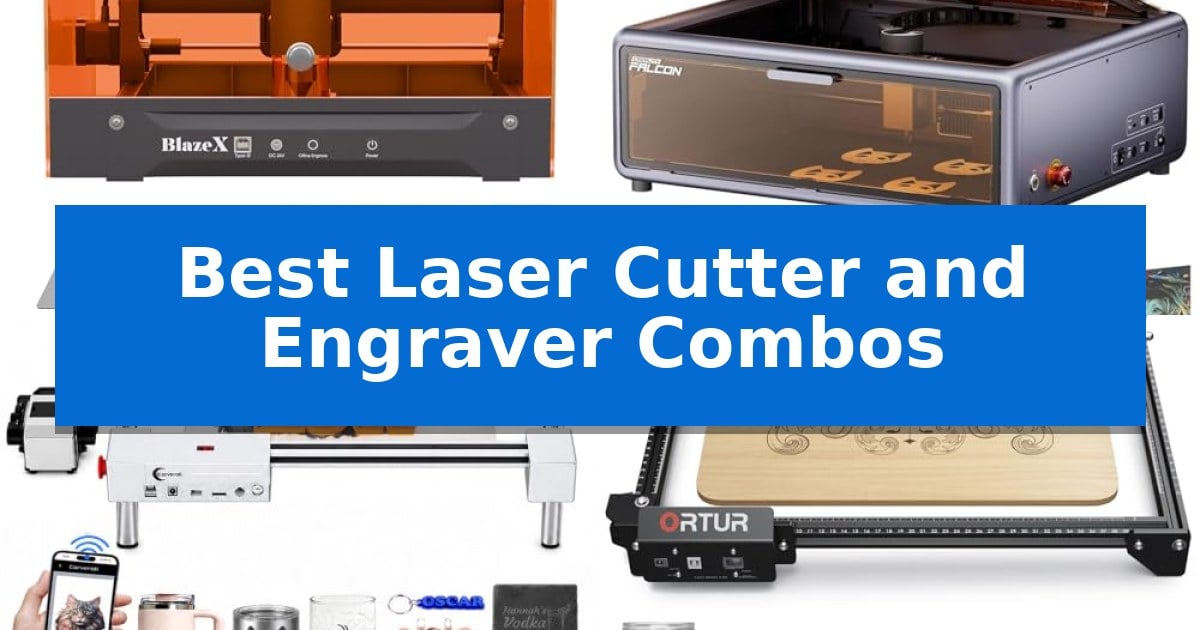
Finding the right equipment for your creative workshop can be a daunting task, especially when you need a machine that balances precision with versatility. Whether you are looking to personalize wood, mark metal, or cut intricate acrylic shapes, the Best Laser Cutter and Engraver Combos offer a streamlined solution for hobbyists and small-scale creators alike.
These machines combine powerful laser diodes with user-friendly software, allowing you to transition from design to finished product with minimal friction. In this guide, we examine five distinct models to help you understand which features—such as smart camera positioning, air assist, or workspace size—best align with your specific crafting goals and material requirements.
Best Laser Cutter and Engraver Combos in 2026
Quick Comparison
| Product | Best For | Key Strength | Score |
|---|---|---|---|
| BlazeX M3 Laser Engraver | Best Overall | Smart camera guidance for real-time design preview and precise material alignment. | 4.9 |
| CREALITY FALCON A1 Laser Engraver | High-Speed Enclosed Design | High-speed operation reaching 600mm/s via CoreXY motion system. | 4.3 |
| Carverall JL9 Laser Engraver | Fast Focus for Thick Materials | Built-in focus pin for quick, accurate focal length adjustments. | 4.5 |
| ORTUR Laser Master 2 S2 | Large Area for Batch Projects | Large 390*410mm engraving area for batch production. | 4.4 |
| Twotrees TTS-10 Pro Laser Engraver | Reliable Dual-Motor Motion | Dual-core 32-bit MCU for faster processing and offline capability. | 4.3 |
How We Chose
- Laser power and optical output consistency for reliable cutting and engraving.
- Software compatibility and ease of integration with common design tools like LightBurn.
- Safety features, specifically focusing on Class 1 enclosures and integrated ventilation systems.
- Work area dimensions and the availability of modular upgrades like rotary attachments.
- Ease of setup, including focus mechanisms and assembly requirements for immediate use.
1 BlazeX M3 Laser Engraver — Smart Camera for Precision
Precision positioning is often the most significant hurdle for DIY enthusiasts, but the BlazeX M3 Laser Engraver addresses this with an integrated high-definition smart camera. This system syncs directly with your PC software, allowing you to preview designs on your material before the laser fires, effectively eliminating material waste and ensuring accurate alignment for every project.
Designed as a versatile 2-in-1 tool, this machine combines a high-density laser beam capable of 0.01mm ultra-fine precision with robust cutting power. Whether you are engraving complex patterns onto metal and glass or executing clean cuts through wood and acrylic, the device provides the necessary detail for professional-grade results. It is fully compatible with industry-standard software like LightBurn, LaserGRBL, and CutLabX, ensuring a flexible workflow across Windows, macOS, iOS, and Android platforms.
Safety and usability are central to its design, featuring a Class 1 Safety rating that filters harmful radiation and includes an integrated fan system to exhaust smoke and odors. The unit is equipped with intelligent sensors that automatically halt operation if the lid is opened or the machine tilts, making it a suitable choice for home studios and educational environments. The included all-in-one vision kit provides everything needed to start immediately, including a protective enclosure, honeycomb laser bed, and a variety of engraving materials.
For those looking to expand their capabilities, the BlazeX M3 Laser Engraver supports a professional accessory ecosystem. Users can integrate a Rotary Roller and Risers for 360-degree engraving on cylindrical objects, or add an Air Assist and Purifier to enhance cutting edge clarity and maintain a clean workspace. With step-by-step tutorial support and reliable technical assistance, this machine offers a scalable path for hobbyists to master more complex creative scenarios.
Best for: Beginners and hobbyists who prioritize precise design placement via camera guidance and require a safe, enclosed workspace.
Skip if: Users who require high-volume industrial production speeds or a larger cutting area than the compact desktop footprint provides.
PROS
- Smart camera guidance for real-time design preview and precise material alignment.
- Class 1 safety rating with integrated smoke exhaust and automatic tilt/lid sensors.
- High-density laser capable of 0.01mm precision on diverse materials like metal, glass, and wood.
- Broad software compatibility including LightBurn and LaserGRBL.
CONS
- Requires additional accessory purchases like the Rotary Roller or Air Assist for advanced project types.
- Compact dimensions may limit the scale of larger DIY projects.
2 CREALITY FALCON A1 Laser Engraver — High-Speed Enclosed Design
Achieving precise cuts and detailed engravings requires a system that minimizes setup time and maximizes workflow efficiency. The CREALITY FALCON A1 10W Laser Engraver distinguishes itself with a pre-calibrated HD camera that provides a full-frame view of the workspace, allowing users to lock onto objects for engraving without the need for manual alignment.
Engineered for speed, the machine utilizes a CoreXY Motion System combined with a Dual Motor Power System. This configuration enables cutting and engraving speeds of up to 600mm/s, significantly reducing wait times compared to traditional models. The inclusion of smart material recognition and pre-set optimal parameters further streamlines the process, helping users move from design to execution with fewer trial runs.
Safety and environmental control are central to the design of this unit. It features a dual-door enclosed structure with a transparent cover that filters 99% of laser radiation while simultaneously containing smoke and noise. The system is equipped with an emergency stop, auto-lock, and integrated smoke control, ensuring a secure environment during operation.
Versatility is supported through the proprietary Falcon Design Space Software, which handles vector design and device control. For those who prefer established workflows, the machine is also compatible with LightBurn, LaserGRBL, and Cutlabx. The graphic outline extraction tool allows for the conversion of artistic patterns into precise engraving paths, offering a straightforward path for personalized projects.
Best for: Makers and small-scale creators who prioritize a fast, enclosed, and user-friendly workflow for wood and metal engraving.
Skip if: Users who need to engrave highly reflective materials like mirror-finished metals or mirrored acrylic, or those who require the ability to cut through acrylic.
PROS
- High-speed operation reaching 600mm/s via CoreXY motion system.
- Integrated HD camera for precise, easy object positioning.
- Class 1 safety enclosure that filters radiation and contains smoke.
- Ready-to-use functionality with pre-set parameter settings.
CONS
- Prohibited from engraving highly reflective materials like mirrors.
- Does not support the cutting of acrylic materials.
3 Carverall JL9 Laser Engraver — Fast Focus for Thick Materials
Achieving precise cuts across a variety of materials often requires constant manual adjustment, but the Carverall JL9 Laser Engraver simplifies this with a built-in focus pin. Users can rotate this pin to select between three preset focal lengths—3mm, 5mm, and 7mm—allowing for rapid transitions between thick cutting, thin cutting, and fine engraving tasks without the need for guesswork.
Engineered for consistent performance, this machine delivers a verified 20.2–20.6W power output, capable of slicing through 15mm plywood or 18–20mm pine in a single pass. To ensure clean results, the unit includes a built-in air pump that effectively prevents charring and burning, eliminating the need for secondary edge polishing. Its dual-motor system provides the stability required for detailed work across an 11.8 x 11.8-inch workspace.
The Carverall JL9 Laser Engraver is designed for accessibility, featuring a 90-second assembly process that requires only six screws and no specialized tools. For software, it includes CutLabX, which supports mobile app control and AI-driven design prompts, while remaining compatible with advanced tools like LightBurn and LaserGRBL. The system is rated as Class 1 and incorporates safety features such as an emergency stop button, child safety lock, and tilt protection.
Durability is addressed through a dual-fan cooling system that protects the laser module during extended operations, supporting a lifespan of over 15,000 hours. The modular design allows for future upgrades, such as a 40W diode or 1064nm IR module, ensuring the hardware can adapt as project requirements evolve. With a compact footprint, the unit fits easily into home studios or workshops while providing the power needed for over 300 different materials.
Best for: Makers and hobbyists who require a versatile, high-power laser cutter that balances ease of use with the ability to handle various material thicknesses.
Skip if: Users who require a significantly larger work area than 11.8 x 11.8 inches or those who need an industrial-grade machine for high-volume, continuous manufacturing.
PROS
- Built-in focus pin for quick, accurate focal length adjustments.
- Integrated air pump ensures clean, char-free cutting edges.
- Verified 20W power allows for single-pass cutting of thick materials.
- Modular design supports future laser module upgrades without replacing the unit.
CONS
- Fixed 11.8 x 11.8-inch work area may limit the size of larger projects.
- Requires optional accessories like a honeycomb plate for specific cutting applications.
4 ORTUR Laser Master 2 S2 — Large Area for Batch Projects
Precision and versatility define the ORTUR Laser Master 2 S2, a machine engineered for makers who require a substantial workspace for batch projects. Featuring a generous 390*410mm engraving area, this unit provides the necessary room to handle larger materials or multiple small components in a single pass, supported by an industrial-grade full metal structure that prioritizes stability during high-speed operation.
At the heart of this system is a 10000mW laser module capable of achieving a compressed point of 0.05mm x 0.1mm. This high-density beam allows for cutting through 30mm acrylic and 20mm wood, while the integrated air-assist interface optimizes the cutting process by clearing debris. The module itself is lightweight at only 235g, utilizing a dual fan cooling system to maintain thermal efficiency during extended use.
Safety and compatibility are integrated into the core design. The ORTUR Laser Master 2 S2 includes a G-sensor that halts the laser if the machine is tilted or displaced, alongside automatic shut-off features if the USB connection is lost or the machine remains idle. It is compatible with industry-standard software like LightBurn and LaserGRBL, supporting a wide array of file formats including SVG, DXF, and PNG across Windows and Mac platforms.
Assembly is designed for efficiency, typically requiring only 10-15 minutes to complete thanks to its modular architecture. This design choice also simplifies future maintenance and part updates. To ensure user safety, the unit comes equipped with a laser protective cover designed to filter 98% of UV light, supplemented by a pair of protective goggles included in the package.
Best for: Makers and creators who need a large 390*410mm work area for batch engraving or cutting projects.
Skip if: Users who require a fully enclosed laser system for maximum smoke containment or those seeking a pre-assembled, plug-and-play solution.
PROS
- Large 390*410mm engraving area for batch production.
- 10000mW laser module with air-assist interface for cutting.
- Modular design for easy assembly and maintenance.
- Comprehensive safety features including G-sensor and UV-filtering cover.
CONS
- Open-frame design requires external ventilation or smoke management.
- Requires assembly before initial operation.
5 Twotrees TTS-10 Pro Laser Engraver — Reliable Dual-Motor Motion
Precision and versatility define the Twotrees TTS-10 Pro Laser Engraver, a machine built with a robust full metal frame and a dual Y-axis motor system for consistent motion. This unit utilizes a 10000mW optical power blue light diode laser to achieve deep and rapid engraving across materials like wood, bamboo, acrylic, leather, and anodized metal.
Designed for creators who value workflow flexibility, the device features a 32-bit dual-core MCU mainboard that supports both online operation and TF card offline engraving. Users can manage projects via a mobile app, computer web interface, or by loading files directly onto the included 4GB TF card, eliminating the need for a constant tethered connection.
The 300x300mm work area provides a practical canvas for producing custom coasters, jewelry, and signage. With a fine 0.069mm laser spot, it balances detail with speed, reaching up to 30000mm/min. Compatibility with standard software like LightBurn and LaserGRBL ensures that integrating this engraver into an existing design setup remains straightforward.
Engineered for reliability, the Twotrees TTS-10 Pro Laser Engraver undergoes testing before shipping and includes essential safety certifications such as CE, FCC, and FDA. It is a capable tool for hobbyists and small business owners who require a dedicated, high-precision engraving solution for small-to-medium scale projects.
Best for: Hobbyists and small business owners needing a reliable, offline-capable laser engraver for materials like wood, acrylic, and anodized metal.
Skip if: Users who require a larger than 12-inch work area or those planning to engrave bare, uncoated stainless steel without surface preparation.
PROS
- Dual-core 32-bit MCU for faster processing and offline capability.
- Robust full metal frame with dual Y-axis motors for stable operation.
- Broad software compatibility including LightBurn and LaserGRBL.
- High-precision 0.069mm laser spot for detailed work.
CONS
- Limited 300x300mm work area may not suit larger projects.
- Not suitable for bare stainless steel without additional surface treatment.
Best Laser Cutter and Engraver Combos Buying Guide
Understanding Laser Power and Material Compatibility
The optical power of a laser module is the primary factor determining what materials you can cut and how quickly you can engrave. Most entry-level to mid-range combos utilize 10W to 20W diode lasers, which are highly effective for wood, leather, and acrylic. It is essential to verify if your chosen machine supports the specific thickness of material you intend to cut, as higher power ratings generally allow for cleaner, single-pass cuts on thicker stock.
Always check if the laser wavelength is compatible with your target materials. While blue light diode lasers are excellent for organic materials and coated metals, they often struggle with bare, reflective metals or transparent acrylics without specific surface preparations. Understanding these limitations prevents wasted material and ensures you select a machine that matches your project scope.
The Importance of Air Assist and Cooling
An integrated air assist system is a critical feature for anyone serious about cutting. By blowing a steady stream of air directly at the focal point, the system clears away smoke and debris, preventing charring on the edges of your cuts. This results in much cleaner, more professional finishes that require little to no secondary sanding or polishing.
Equally important is the cooling mechanism. High-speed engraving generates significant heat, and machines equipped with dual-fan cooling systems or robust heat sinks are better suited for extended project runs. Proper thermal management not only protects the longevity of the laser diode but also maintains consistent beam quality throughout long engraving sessions.
Workspace and Enclosure Safety
The physical footprint of your laser cutter must accommodate your largest planned projects. While compact machines are ideal for small studios, they may limit your ability to work on larger signs or batch-produced items. Consider whether the frame design allows for open-bottom operation or if it includes risers to accommodate taller objects like tumblers or boxes.
Safety should never be an afterthought. Class 1 enclosures are highly recommended, as they provide a physical barrier that filters harmful laser radiation and helps contain smoke and odors. Features like automatic tilt sensors and emergency stop buttons add a necessary layer of protection, especially in shared spaces or environments where children and pets are present.
Software Integration and Workflow
A laser cutter is only as good as the software driving it. Look for machines that offer broad compatibility with industry-standard software like LightBurn or LaserGRBL. These programs provide advanced control over power settings, speed, and pathing, which are essential for achieving high-detail results.
Modern machines often include smart features like integrated HD cameras for workspace previewing. This technology allows you to see exactly where your design will be placed on the material, significantly reducing the risk of misalignment and material waste. For beginners, software that supports mobile app control or offline TF card operation can also simplify the transition from design to execution.
Modular Upgrades and Long-Term Value
The best machines are those that can grow with your skills. Many manufacturers offer an ecosystem of accessories, such as rotary rollers for cylindrical items, air purifiers for indoor use, and specialized laser modules for different materials. Choosing a platform with a wide range of available upgrades ensures you won't need to replace the entire machine when your project needs evolve.
Reliability is also tied to the availability of replacement parts. Before purchasing, consider the manufacturer's support network and the ease of replacing common wear items like belts, lenses, or fans. A modular design that allows for simple repairs and part updates is a significant advantage for long-term ownership.
Frequently Asked Questions
Can these laser cutters work on bare stainless steel?
Most diode-based laser cutters are not designed to engrave bare, reflective stainless steel directly. You typically need to use a specialized marking spray or surface preparation to create a bondable surface for the laser to interact with.
What is the benefit of a Class 1 safety rating?
A Class 1 safety rating indicates that the machine is fully enclosed, preventing harmful laser radiation from escaping. This design also helps contain smoke and fumes, making it safer for use in home or office environments.
Do I need design experience to use these machines?
While design software like LightBurn has a learning curve, many modern machines include simplified software or mobile apps that allow you to import images or use AI-generated prompts to create designs quickly, even if you are a beginner.
How often do I need to clean the laser lens?
Regular maintenance is essential for performance. You should inspect and clean the laser lens periodically, especially after cutting materials that produce significant smoke or resin, to ensure the beam remains focused and powerful.
Can I expand the work area of these machines later?
Some models feature modular designs that allow for frame extensions, but this is not universal. It is best to choose a machine with a work area that meets your maximum project size requirements from the start.
Conclusion: Our Top Pick
Selecting the right equipment depends heavily on your specific project needs, such as the material thickness you intend to cut and the level of precision required for your engravings. For those seeking a comprehensive, beginner-friendly solution that includes essential safety features and smart positioning, the BlazeX M3 Laser Engraver stands out as a versatile choice for a wide range of DIY applications.
While other models offer higher speed or larger work areas, the BlazeX M3 provides a balanced ecosystem of software compatibility and integrated safety that simplifies the creative process. By focusing on machines that offer reliable support and modular upgrade paths, you can ensure your workshop remains productive and capable of tackling increasingly complex projects over time.