
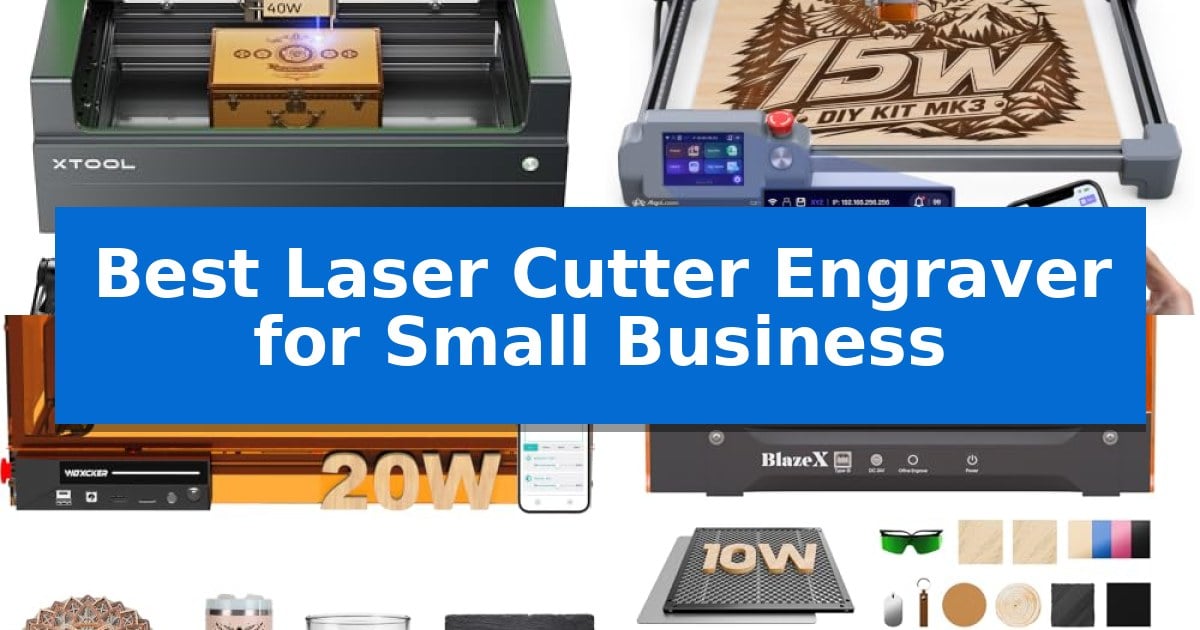
Scaling a craft business requires tools that balance precision with consistent output. Whether you are creating custom signage, personalized gifts, or batch-producing intricate components, finding the Best Laser Cutter Engraver for Small Business is essential for maintaining quality while increasing your workflow efficiency.
Selecting the right machine involves evaluating your specific production volume, the materials you frequently use, and the workspace you have available. This guide examines five distinct laser systems to help you identify which features—such as high-speed cutting, smart camera guidance, or intuitive software integration—will best support your business growth.
Best Laser Cutter Engraver for Small Business in 2026
Quick Comparison
| Product | Best For | Key Strength | Score |
|---|---|---|---|
| xTool S1 Laser Cutter | Best Overall | 40W laser power for efficient single-pass cutting on thick materials. | 4.9 |
| AlgoLaser MK3 Laser Engraver | Built-In Creative Tools | Offline operation via built-in touchscreen and creative software. | 4.4 |
| Woxcker L2 Max Laser Cutter | Fast Batch Processing | High-speed production reaching 20,000mm/min for faster project turnaround. | 4.3 |
| BlazeX M3 Laser Engraver | Smart Camera Precision | Smart Camera Guidance for precise design alignment and reduced material waste. | 4.7 |
| Twotrees TTS-10 Pro Laser Engraver | Reliable Entry-Level Choice | 10000mW optical power for deep and fast engraving. | 4.3 |
How We Chose
- Cutting and Engraving Power: Assessing the laser output wattage and its impact on material thickness and processing speed.
- Work Area Capacity: Evaluating the bed dimensions to ensure compatibility with your standard project sizes and batch production needs.
- Software and Connectivity: Reviewing the ease of design file management, offline capabilities, and compatibility with standard industry software.
- Safety and Enclosure: Checking for integrated safety features like flame sensors, protective filtering, and fume management systems.
- Precision and Positioning: Analyzing the accuracy of the laser spot and the availability of alignment tools like smart cameras or pin-point positioning.
1 xTool S1 Laser Cutter — High-Power Professional Production
For small businesses requiring high-volume production, the xTool S1 40W Laser Cutter offers a robust solution centered on its 40W laser power, capable of slicing through 18mm cherry wood in a single pass. This machine is engineered for efficiency, featuring a spacious 23.93" x 15.16" bed that supports large-scale projects like signage or batch-processing up to 119 dog tags simultaneously.
Precision is managed through xTool’s patented Pin-point Positioning technology, which allows for accurate engraving on both flat and curved surfaces like plates or spoons. The system also integrates AutoPassthrough Technology, enabling users to handle materials up to 118 inches in length, significantly expanding the range of compatible project sizes beyond the standard bed dimensions.
Usability is a core focus, with the unit arriving ready to use and supported by xTool Creative Space (XCS) software. This platform includes AI-powered design tools and access to over 1,000 tutorials, alongside pre-tested parameters for more than 400 materials. The setup is designed to minimize the learning curve for new operators while maintaining professional-grade output.
Safety and durability are prioritized through a Class 1 enclosed design that filters 99% of laser light, eliminating the need for external goggles. The machine is built with a 3mm aerospace-grade aluminum frame and includes integrated flame sensors and an emergency stop button. Every unit undergoes rigorous testing, including 71,830 hours of laser tube aging, to ensure operational stability in a commercial environment.
Best for: Small businesses needing a high-powered, enclosed laser system for batch production and large-format material processing.
Skip if: Users who require a portable, open-frame laser system or those with extremely limited workspace, as the enclosed design and sturdy aluminum frame result in a larger footprint.
PROS
- 40W laser power for efficient single-pass cutting on thick materials.
- AutoPassthrough Technology for handling oversized projects up to 118 inches.
- Class 1 safety enclosure with built-in flame sensors for a secure workspace.
- AI-powered software with pre-tested parameters for over 400 materials.
CONS
- Large physical footprint due to the enclosed design and aluminum frame.
2 AlgoLaser MK3 Laser Engraver — Built-In Creative Tools
The AlgoLaser MK3 Laser Engraver streamlines small business production by integrating a 3.5-inch touchscreen that allows for offline operation, removing the immediate need for a dedicated PC during batch processing. This design choice enables makers to utilize built-in creative tools like AlgoType and AlgoSketch directly at the workstation, facilitating faster setup for custom signage and personalized gift production.
Equipped with a 15W diode laser, this machine provides the versatility to both engrave and cut, supporting a range of materials including wood, leather, acrylic, and metal. The 400 x 400 mm work area accommodates larger projects or multiple items for batch engraving, while the included visual preview tool helps ensure accurate alignment before processing begins.
Efficiency is further supported by the 95% pre-assembled frame, which reduces initial setup time for new users. The inclusion of a manual focus stick attached to the laser module provides a consistent reference for material thickness, ensuring that the transition between different project types remains straightforward and repeatable.
For those requiring more complex design capabilities, the unit maintains compatibility with professional software such as LightBurn and LaserGRBL via a computer connection. This dual-mode approach allows the AlgoLaser MK3 Laser Engraver to serve as both a standalone station for quick tasks and a robust tool for detailed, software-driven design work.
Best for: Small business owners and hobbyists who need a versatile, semi-autonomous machine for batch engraving and cutting projects.
Skip if: Users who require high-speed industrial production or specialized laser power beyond the capabilities of a 15W diode module.
PROS
- Offline operation via built-in touchscreen and creative software.
- 95% pre-assembled design for rapid deployment.
- Versatile 15W diode laser capable of both engraving and cutting.
- Spacious 400 x 400 mm work area for batch processing.
CONS
- 15W laser power may be limited for thick material cutting compared to higher-wattage industrial systems.
3 Woxcker L2 Max Laser Cutter — Fast Batch Processing
Scaling a custom-order business requires equipment that balances precision with production volume, and the Woxcker L2 Max Laser Cutter addresses this by integrating a powerful 20W laser module capable of reaching speeds up to 20,000mm/min. This high-speed capability is designed to reduce turnaround times for batch production, allowing small business owners to process multiple items or larger designs within its 300×300mm work area.
The machine utilizes advanced point-compression technology to achieve a fine 0.01mm square focus, which is essential for creating intricate logos, text, and fine patterns on materials like wood, stainless steel, leather, and acrylic. This level of detail ensures that personalized products maintain a professional, sharp finish suitable for commercial sale.
Safety and workspace management are prioritized through a 360° fully enclosed design that shields users from direct laser exposure while containing fumes, dust, and operating noise. Integrated safety features, including flame detection, 15° tilt protection, automatic shutdown, and an emergency stop, provide necessary safeguards for home-based or small workshop environments.
Compatibility is handled through support for industry-standard software like LightBurn and LaserGRBL, alongside CutLabX. Users can manage projects via Wi-Fi, USB, APP, or TF card, offering flexible control options that fit into various digital workflows and existing design setups.
Best for: Small business owners needing a safe, enclosed, and high-speed laser system for batch production of personalized wood, metal, and leather items.
Skip if: Users requiring a larger work area than 300×300mm or those who do not need the safety benefits of an enclosed chassis.
PROS
- High-speed production reaching 20,000mm/min for faster project turnaround.
- Advanced point-compression technology for 0.01mm precision engraving.
- 360° fully enclosed design with integrated flame and tilt safety sensors.
- Flexible connectivity via Wi-Fi, USB, APP, and TF card support.
CONS
- Fixed 300×300mm work area may limit the size of larger custom projects.
4 BlazeX M3 Laser Engraver — Smart Camera Precision
Precision positioning is often the biggest hurdle for small business owners transitioning to laser production, but the BlazeX M3 Laser Engraver simplifies this with an integrated high-definition smart camera. By syncing directly with your PC, the system allows for real-time design previews on your material, ensuring accurate placement and reducing costly waste before the laser ever fires.
This 2-in-1 laser cutter and engraver is built for versatility, utilizing a high-density laser beam to achieve 0.01mm ultra-precision. Whether you are engraving complex patterns on metal and glass or executing clean cuts on wood and acrylic, the machine provides the technical capability required for professional-grade DIY projects.
Safety and workspace management are prioritized through a Class 1 Safety rating, which filters harmful radiation and includes an integrated fan to exhaust smoke and odors while maintaining low noise levels. The unit also features smart sensors that trigger an automatic stop if the lid is opened or the machine tilts, making it suitable for studio or home-based operations.
The system supports a wide range of creative expansion through a professional accessory ecosystem, including a Rotary Roller and Risers for cylindrical items, as well as optional Air Assist and Purifier units to improve edge clarity. With broad software compatibility including LightBurn, LaserGRBL, and CutLabX, the platform is designed to scale with your business needs.
Best for: Small business owners and hobbyists requiring high-precision engraving and cutting with visual guidance for material placement.
Skip if: Users who require a high-wattage industrial laser for heavy-duty, high-volume production runs, as this unit is optimized for precision and small-scale creative projects.
PROS
- Smart Camera Guidance for precise design alignment and reduced material waste.
- 0.01mm ultra-precision laser beam for detailed engraving and cutting.
- Class 1 Safety rating with integrated smoke extraction and automatic safety sensors.
- Broad software compatibility including LightBurn and LaserGRBL.
CONS
- Requires additional accessories like Air Assist or Rotary Rollers to unlock full professional-grade capabilities.
5 Twotrees TTS-10 Pro Laser Engraver — Reliable Entry-Level Choice
Precision and versatility define the Twotrees TTS-10 Pro Laser Engraver, a machine engineered for detailed work on wood, bamboo, acrylic, leather, and coated metals. Its 10000mW optical power and 0.069mm laser spot allow for intricate engraving tasks, making it a viable tool for small businesses producing custom coasters, jewelry, and signage within its 300x300mm work area.
The hardware is built for stability, featuring a full metal frame supported by dual Y-axis motors and GT2-6mm synchronous belts. This robust motion system is designed to maintain accuracy during operation. The unit is powered by a 32-bit dual-core MCU, which facilitates faster processing and supports both online and offline engraving via a TF card.
Usability is a core focus, with the device supporting industry-standard software like LightBurn and LaserGRBL. Users can manage projects through a computer or mobile app, and the inclusion of a 4GB TF card enables offline operation, removing the need for a constant computer connection during production runs.
Safety and reliability are addressed through CE, FCC, ROHS, FDA, and UL62368 certifications. The manufacturer includes a 12-month warranty and 30-day return policy, providing a structured support framework for educators and small business owners integrating this tool into their workflows.
Best for: Small business owners and hobbyists requiring a reliable, compact laser engraver for custom signage, jewelry, and personalized gifts.
Skip if: Users needing to engrave bare stainless steel or uncoated metals, as this machine requires surface preparation or marking sprays for those materials.
PROS
- 10000mW optical power for deep and fast engraving.
- 32-bit dual-core MCU for efficient processing and offline capability.
- Full metal frame construction for structural stability.
- Wide software compatibility with LightBurn and LaserGRBL.
CONS
- Not suitable for bare stainless steel or uncoated metals without additional surface treatment.
- 300x300mm work area may limit projects larger than 12 inches.
Best Laser Cutter Engraver for Small Business Buying Guide
Understanding Laser Power and Material Compatibility
The laser wattage is the most critical factor for determining what your machine can cut and how fast it can engrave. Higher wattage systems, such as 40W models, allow for deeper cuts in thicker materials like wood and acrylic in fewer passes, which is vital for maintaining a high output in a business setting.
Lower wattage systems, typically around 10W to 15W, are often sufficient for detailed engraving and light cutting. When choosing, consider the density of the materials you plan to use most often, as attempting to cut thick hardwoods with an underpowered laser can lead to charred edges and slow production times.
Work Area and Batch Processing
For small businesses, the work area dimensions dictate the maximum size of your products. A larger bed allows you to arrange multiple items for batch processing, significantly reducing the time spent loading and unloading materials between jobs.
Look for machines that offer passthrough technology if you intend to work on items larger than the standard bed size. This feature allows you to feed longer materials through the machine, effectively removing the physical constraints of the workspace for projects like long signs or furniture components.
Software Integration and Ease of Use
The software ecosystem is where you will spend most of your time. Systems that support industry-standard software like LightBurn provide greater control over cutting parameters and design complexity, which is often necessary for professional-grade results.
Some machines also offer proprietary software with AI-powered design tools or built-in project libraries. These can be highly beneficial for beginners or those who need to quickly generate custom text and logos without extensive experience in graphic design software.
Safety Features for Commercial Environments
Operating a laser in a business environment requires robust safety measures. Enclosed designs are highly recommended as they contain smoke, dust, and noise, while also filtering harmful laser light to protect your eyes and those of your employees or customers.
Look for machines equipped with flame sensors and automatic shutdown features. These sensors can detect potential fires during the cutting process and halt the machine immediately, providing essential peace of mind when running long, unattended jobs.
Precision Positioning and Alignment
Achieving consistent results across multiple items requires precise alignment. Smart cameras or pin-point positioning systems allow you to preview your design directly on the material, ensuring that your engraving is perfectly centered and aligned every time.
This level of precision is particularly important when working with pre-made items like tumblers, spoons, or leather goods, where a slight misalignment can result in wasted material and lost profit.
Frequently Asked Questions
Do I need a separate ventilation system for my laser cutter?
While many enclosed laser cutters include built-in fans to exhaust smoke, it is often necessary to vent the exhaust outside or use a dedicated air purifier to maintain air quality in a small business workshop.
Can I use these laser engravers on metal?
Most diode laser engravers can mark coated or anodized metal. However, they generally cannot cut through bare stainless steel or other raw metals without specialized marking sprays or significantly higher-powered industrial fiber lasers.
What is the benefit of a honeycomb bed?
A honeycomb bed provides essential airflow beneath the material during the cutting process. This reduces back-reflection, minimizes charring on the underside of your project, and helps hold the material flat.
Is it difficult to learn how to operate a laser cutter?
Modern laser systems have become much more user-friendly. Many include auto-focus features and intuitive software that guides you through the process, though mastering advanced design and material settings takes practice.
How often do I need to maintain the laser module?
Regular maintenance typically involves cleaning the laser lens to ensure the beam remains focused and clear of debris, as well as checking the motion system for dust buildup to maintain smooth movement.
Conclusion: Our Top Pick
For businesses prioritizing high-volume production and professional-grade results, the xTool S1 Laser Cutter stands out as the most capable option. Its 40W laser power and spacious bed allow for efficient batch processing, while the patented pin-point positioning and auto-passthrough technology provide the versatility needed for complex, large-scale projects.
While other models offer excellent features for beginners or smaller craft needs, the xTool S1 provides the robust build quality and advanced safety features necessary for a growing business. Its combination of high-speed performance and precise control makes it a reliable investment for those looking to scale their production capabilities.