
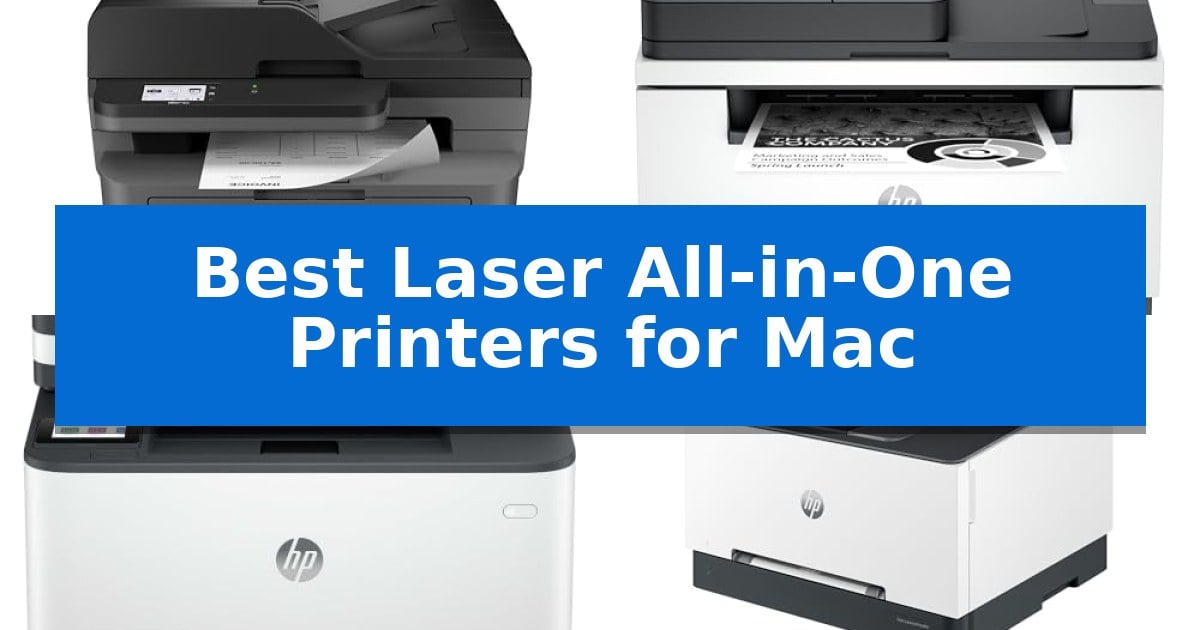
Finding the right hardware for a macOS environment requires prioritizing native driver support and seamless connectivity. When you need to print, scan, and fax without constant troubleshooting, choosing the Best Laser All-in-One Printers for Mac ensures your office workflow remains productive and frustration-free.
We have evaluated several laser all-in-one models to identify which units offer the most reliable performance for Mac users. From compact designs for home offices to high-speed machines for small teams, these selections focus on essential features like wireless stability, duplex printing, and intuitive interface navigation.
Best Laser All-in-One Printers for Mac in 2026
Quick Comparison
| Product | Best For | Key Strength | Score |
|---|---|---|---|
| Brother MFC-L2820DW Laser All-in-One Printer | Best Overall | Compact footprint ideal for small office spaces. | 4.9 |
| HP LaserJet MFP M235sdw Laser Printer | Fastest Two-Sided Printing | Fastest two-sided printing in its class for efficient document handling. | 4.7 |
| HP LaserJet Pro 3101sdw Laser Printer | Reliable for Small Teams | Fast print speeds up to 35 ppm for efficient document handling. | 4.9 |
| HP Color LaserJet Pro MFP 3301sdw | Vivid Color for Business | Fast print speeds of up to 26 ppm for both color and black documents. | 4.4 |
| HP LaserJet Pro 3101fdw Laser Printer | Secure Choice for Workgroups | Fast 35 ppm print speeds for efficient document handling. | 4.7 |
How We Chose
- Native macOS compatibility and AirPrint support for driverless printing.
- Wireless connectivity stability, including dual-band Wi-Fi and Ethernet options.
- Efficiency of multi-function features such as auto document feeders and duplex printing speeds.
- Physical footprint and design suitability for different workspace constraints.
- Security features and administrative controls for small workgroups.
1 Brother MFC-L2820DW Laser All-in-One Printer — Compact Pick for Small Offices
Maintaining a streamlined workspace often requires hardware that balances multiple functions without consuming excessive desk space. The Brother MFC-L2820DW Laser All-in-One Printer addresses this by integrating monochrome printing, copying, scanning, and faxing into a single, compact unit measuring 16.1" by 15.7" by 12.5". This footprint makes it a practical choice for crowded desks where a dedicated scanner or fax machine would otherwise be impossible to accommodate.
Designed for efficiency, this model achieves print speeds of up to 36 ppm and features a 50-page auto document feeder to handle multi-page tasks. The inclusion of an auto document feeder is particularly beneficial for users who frequently digitize or copy multi-page contracts and reports, as it automates the process and saves time compared to manual placement. It offers flexible connectivity, including dual-band wireless (2.4GHz/5GHz), Ethernet, and local USB, ensuring it integrates into various office network configurations.
Navigation is managed via an intuitive 2.7" touchscreen, which supports direct interaction with cloud-based services like Google Drive, Dropbox, and OneNote. This cloud integration allows for seamless document management, enabling users to scan directly to their preferred storage services or print documents from the cloud without needing a computer intermediary. Users can also manage print and scan tasks remotely using the Brother Mobile Connect app, providing added flexibility for mobile workflows.
The device supports the Refresh EZ Print Subscription Service, which helps manage toner levels and can reduce costs for high-volume users. By automating the supply replenishment process, this service ensures that users maintain productivity without the risk of running out of toner during critical tasks. With its combination of a small footprint and comprehensive multi-function capabilities, it serves as a practical solution for small office environments.
Best for: Small offices requiring a compact, multi-function monochrome laser printer with robust wireless and cloud connectivity.
Skip if: Users who require color printing or those with limited space who do not need integrated fax and scanning capabilities.
PROS
- Compact footprint ideal for small office spaces.
- Dual-band wireless connectivity for reliable network integration.
- 50-page auto document feeder for efficient multi-page processing.
- Cloud-enabled touchscreen for direct scanning and printing.
CONS
- Monochrome-only output limits document types to black and white.
- Requires specific toner (TN830/TN830XL) for optimal operation.
2 HP LaserJet MFP M235sdw Laser Printer — Fastest Two-Sided Printing
Efficiency in a small office environment often hinges on the ability to handle high-volume document tasks without constant intervention. The HP LaserJet MFP M235sdw Laser Printer addresses this by offering the fastest two-sided printing in its class, allowing users to process multi-page documents at up to 28 pages per minute. This monochrome all-in-one device is specifically engineered for workgroups of 1-5 people who require reliable, high-speed output for brochures, reports, and business presentations.
Designed with modern connectivity in mind, this printer integrates dual-band Wi-Fi with self-reset technology, which actively monitors for and resolves potential network drops to maintain a stable connection. For Mac users, the device supports AirPrint for seamless wireless printing from macOS, iOS, and iPadOS devices without the need for complex driver installations. It also includes an Ethernet port for those who prefer a hardwired network connection, ensuring versatility across various office setups.
Beyond its printing capabilities, the unit functions as a comprehensive all-in-one solution, handling scanning and copying tasks alongside its primary printing duties. Security is a primary focus, featuring built-in security protocols designed to protect the printer from unauthorized access and potential external threats. Its compact footprint—measuring approximately 16.46 by 12.13 inches—ensures it fits comfortably in shared workspaces without occupying excessive desk space.
The HP LaserJet MFP M235sdw Laser Printer prioritizes productivity through its automatic two-sided printing feature, which reduces paper waste and manual handling during large print jobs. While it is a monochrome-only machine, its focus on speed and reliability makes it a specialized tool for text-heavy business environments where color output is not a requirement.
Best for: Small office workgroups of 1-5 people needing fast, reliable monochrome printing and scanning with seamless Mac and mobile connectivity.
Skip if: Users who require color printing for marketing materials or high-resolution photo reproduction will find this monochrome-only laser printer unsuitable.
PROS
- Fastest two-sided printing in its class for efficient document handling.
- Dual-band Wi-Fi with self-reset ensures consistent wireless connectivity.
- Built-in security features protect against unauthorized access.
- Broad compatibility including native AirPrint support for Mac and mobile devices.
CONS
- Monochrome-only output limits its use to black-and-white documents.
- No color scanning or printing capability.
3 HP LaserJet Pro 3101sdw Laser Printer — Reliable for Small Teams
The HP LaserJet Pro 3101sdw Laser Printer streamlines document workflows for small teams by combining fast black-and-white printing speeds of up to 35 ppm with versatile all-in-one functionality. This monochrome laser device handles printing, copying, and scanning in a compact footprint, making it a practical choice for offices that prioritize consistent output quality and professional-grade reports.
Designed for high-demand environments, the unit features an automatic document feeder capable of holding 50 sheets, alongside a 250-sheet input tray to minimize frequent paper reloading. The inclusion of automatic two-sided printing helps reduce paper usage, while the integrated wireless printing capability ensures reliable connectivity across your network, allowing for seamless integration with Mac environments.
The printer is engineered to maintain high standards of document clarity using toner specifically designed for sharp, professional results. It offers a robust build intended for the rigorous demands of business operations, ensuring that the device remains ready for daily tasks without sacrificing performance.
Users should note that this printer is strictly intended for use with cartridges containing original HP chips or circuitry. The system will block cartridges utilizing non-HP components, and it requires periodic firmware updates to maintain these security and performance measures, which is a key consideration for those managing long-term supply costs.
Best for: Small teams requiring a reliable, fast, and compact monochrome all-in-one printer for professional document production.
Skip if: Users who require color printing or those who prefer the flexibility of using third-party or non-branded toner cartridges.
PROS
- Fast print speeds up to 35 ppm for efficient document handling.
- Automatic two-sided printing and a 50-sheet auto document feeder.
- Reliable wireless connectivity optimized for consistent network performance.
CONS
- Strict cartridge compatibility requiring original HP chips or circuitry.
- Monochrome-only output limits the device to black-and-white documents.
4 HP Color LaserJet Pro MFP 3301sdw — Vivid Color for Business
The HP Color LaserJet Pro MFP 3301sdw is engineered for small teams that require a reliable, all-in-one solution for high-quality color documents. This device integrates printing, scanning, and copying capabilities into a single unit, supported by an auto document feeder and auto 2-sided printing to streamline daily office workflows.
Equipped with next-generation TerraJet toner, this model is designed to produce vivid color output for business reports and professional materials. It achieves print speeds of up to 26 ppm for both black and color documents, ensuring efficiency during high-demand periods. The printer features a 250-sheet input tray, providing sufficient capacity for standard office tasks without frequent paper reloading.
Connectivity and management are central to its design, making it a functional choice for Mac-based environments. The printer utilizes Original HP 218A standard and 218X high yield LaserJet toner cartridges. Users should note that this system is designed to work exclusively with cartridges containing original HP chips or circuitry; it will block the use of non-HP components, with periodic firmware updates maintaining these security measures.
Measuring 16.5 inches in height and weighing 37.7 pounds, the unit offers a standard footprint suitable for most office desks. It comes with a one-year limited warranty, providing baseline support for its performance in professional settings.
Best for: Small teams that require a reliable, network-ready all-in-one printer for high-quality color documents and efficient double-sided printing.
Skip if: Users who prefer the flexibility of using third-party or remanufactured toner cartridges, as this model restricts operation to original HP chips.
PROS
- Fast print speeds of up to 26 ppm for both color and black documents.
- Integrated auto document feeder and auto 2-sided printing for increased productivity.
- Utilizes TerraJet toner technology for vivid, professional-quality color output.
- Comprehensive all-in-one functionality including scanning, copying, and printing.
CONS
- Restricted cartridge compatibility requires the use of original HP chips and circuitry.
- Firmware updates may periodically enforce the use of original HP supplies.
5 HP LaserJet Pro 3101fdw Laser Printer — Secure Choice for Workgroups
Maintaining a secure and efficient document workflow in a Mac-based office environment requires hardware that integrates seamlessly with existing network protocols. The HP LaserJet Pro 3101fdw Laser Printer addresses this by offering robust wireless connectivity that automatically detects the most stable connection, ensuring consistent availability for teams of up to seven people.
Designed for high-volume monochrome output, this device delivers print speeds of up to 35 pages per minute. Its all-in-one functionality—which includes printing, copying, scanning, and faxing—is bolstered by an automatic document feeder and auto 2-sided printing, reducing manual intervention during large report production. These features are particularly beneficial for small workgroups that need to digitize physical files or produce double-sided reports without constant oversight.
Security is a primary focus, featuring HP Wolf Pro Security with customizable settings to protect sensitive data. The unit supports a wide range of environments, including AirPrint for native Mac integration, as well as Ethernet and Bluetooth connectivity for diverse office setups. This native support allows Mac users to print directly from their devices without the need for complex driver installations, streamlining the initial setup process.
While this model excels in professional black-and-white document management, it is strictly a monochrome device. Users requiring high-resolution color graphics or photo printing should consider alternative hardware, as this printer is optimized specifically for text-heavy reports and efficient office documentation. This trade-off allows the device to maintain a compact footprint of 19.25 inches in width and length while focusing on speed and reliability for standard business documents.
Best for: Small workgroups of up to seven people requiring fast, secure monochrome printing and document management on a Mac network.
Skip if: Users who require color printing for marketing materials or photo-quality output will find this monochrome-only device insufficient for their needs.
PROS
- Fast 35 ppm print speeds for efficient document handling.
- Auto 2-sided printing and document feeder for streamlined workflows.
- HP Wolf Pro Security provides customizable data protection.
- Native AirPrint support ensures seamless integration with Mac devices.
CONS
- Monochrome-only output limits the printer to black-and-white documents.
- Not suitable for users needing color printing capabilities.
Best Laser All-in-One Printers for Mac Buying Guide
macOS Compatibility and AirPrint
The most critical factor for any Mac user is native support. Modern laser printers that support AirPrint allow you to print directly from your Mac without installing complex, legacy drivers. This ensures that your printer remains functional even after major macOS updates.
Always verify that the printer supports standard network protocols. This allows your Mac to automatically discover the device on your local network, simplifying the initial setup process and ensuring consistent communication between your computer and the hardware.
Connectivity and Network Stability
Reliable printing depends on a stable connection. Look for printers that offer dual-band Wi-Fi (2.4GHz/5GHz), which helps avoid interference in crowded home or office network environments. For larger offices, a dedicated Ethernet port provides a more robust, hardwired connection that is less prone to signal drops.
Some models also include mobile app integration, which can be useful for quick scans or checking toner levels directly from your mobile device. Ensure the printer's wireless features are compatible with your existing router setup to maintain consistent uptime.
Multi-Function Efficiency
An all-in-one printer should handle printing, scanning, and copying with ease. An Auto Document Feeder (ADF) is essential for scanning multi-page documents quickly, saving significant time compared to manual flatbed scanning.
Duplex printing (automatic two-sided printing) is another key feature that reduces paper usage and creates professional-looking documents. When comparing models, check the pages-per-minute (ppm) rating to ensure the speed matches your typical daily volume.
Toner and Maintenance Costs
Laser printers use toner cartridges, which generally offer a lower cost-per-page than inkjet alternatives. Consider the availability of high-yield toner cartridges, which can reduce the frequency of replacements and lower your long-term operating expenses.
Some manufacturers offer subscription services for toner replenishment. While convenient, evaluate whether these programs align with your printing habits and if they provide genuine cost savings compared to purchasing standard replacement cartridges as needed.
Security and Data Protection
For offices that handle sensitive information, built-in security features are vital. Look for printers that offer customizable security settings and data protection protocols to prevent unauthorized access to your device or print jobs.
Firmware updates are also a necessary part of printer maintenance. Choose brands that provide regular updates to address potential vulnerabilities, ensuring that your printer remains secure against evolving digital threats.
Frequently Asked Questions
Do all these laser printers work with macOS?
Yes, all models listed support standard printing protocols like AirPrint, which ensures they work seamlessly with macOS without requiring specialized driver installations.
What is the benefit of a laser printer over an inkjet for Mac users?
Laser printers are typically faster, produce sharper text for business documents, and have a lower cost-per-page, making them ideal for high-volume office tasks.
Can I print from my iPhone or iPad as well as my Mac?
Yes, these printers support mobile printing, allowing you to print directly from your Apple mobile devices using the same wireless network.
What does the 'duplex' feature mean?
Duplex printing refers to the printer's ability to automatically print on both sides of the paper, which helps save paper and creates professional-quality documents.
Do I need a USB cable to connect these printers to my Mac?
While most of these printers include a USB interface for local connection, they are primarily designed for wireless or Ethernet network connectivity, which is usually more convenient.
Conclusion: Our Top Pick
Selecting the right printer for your Mac environment depends on your specific volume and space requirements. For most users, the Brother MFC-L2820DW Laser All-in-One Printer stands out as the most versatile choice, offering a compact footprint, reliable wireless connectivity, and essential multi-function capabilities that integrate perfectly with macOS.
If your needs involve higher print volumes or specific workgroup security, the HP LaserJet series models offer robust alternatives with advanced security features. Regardless of your choice, prioritizing AirPrint support and network stability will ensure your printing experience remains efficient and reliable.