
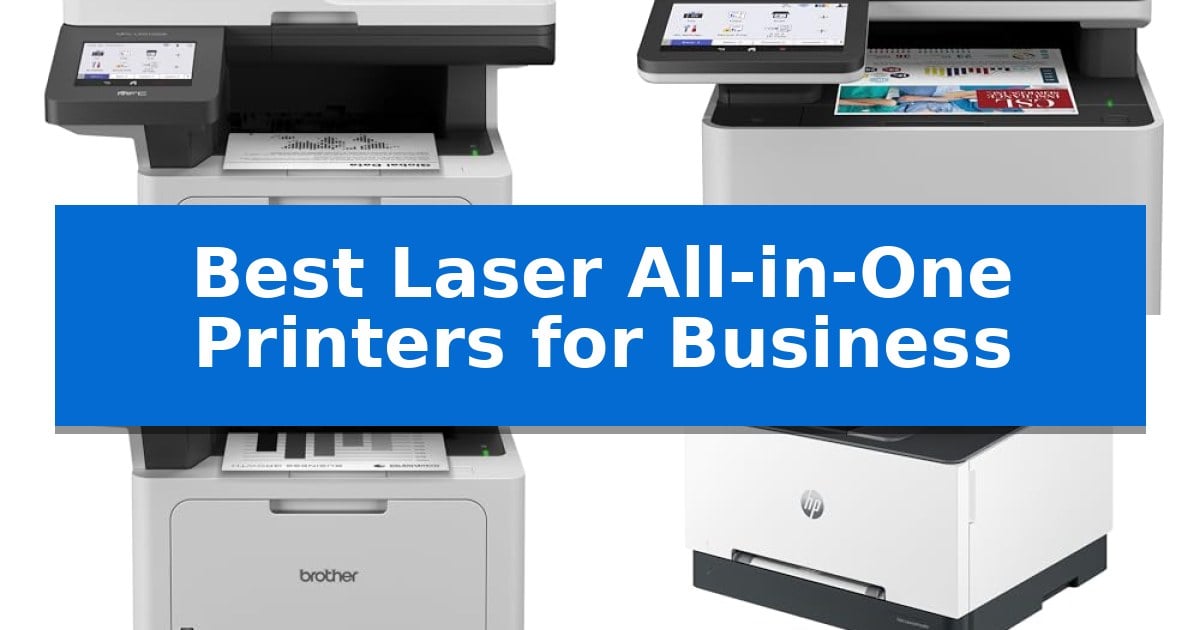
Finding the right hardware for a busy office requires balancing print speed, scanning capabilities, and long-term operating costs. A reliable machine minimizes downtime and keeps your document management processes running smoothly without constant maintenance interruptions.
Our guide evaluates the Best Laser All-in-One Printers for Business to help you identify which features—such as high-speed monochrome output or advanced color document handling—best align with your specific office requirements.
Best Laser All-in-One Printers for Business in 2026
Quick Comparison
| Product | Best For | Key Strength | Score |
|---|---|---|---|
| Brother MFC-L5915DW Laser All-in-One Printer | Best Overall | High-speed output of up to 50ppm for rapid document production. | 4.9 |
| Brother MFC-L8930CDW Color Laser All-in-One | Professional Color for Demanding Workflows | Fast print and scan speeds to improve office productivity. | 4.4 |
| Brother MFC-L5710DW Monochrome Laser All-in-One | Efficient Scanning for Document Management | High-speed printing and copying up to 48ppm for increased productivity. | 4.6 |
| HP Color LaserJet Pro MFP 3301sdw | Vivid Color Prints for Small Teams | Fast print speeds up to 26 ppm for color and black documents. | 4.8 |
| Brother MFC-L2820DW Monochrome Laser All-in-One | Compact Footprint for Small Offices | Compact footprint ideal for small office spaces. | 4.5 |
How We Chose
- Print and copy speed measured in pages per minute (ppm) for high-volume environments.
- Scanning efficiency, specifically regarding auto document feeder (ADF) capacity and duplex scanning speeds.
- Operating cost considerations, including toner yield capacity and compatibility with high-yield cartridges.
- Connectivity and network integration, prioritizing dual-band wireless and Gigabit Ethernet support.
- Security features, such as network protection and authentication protocols for sensitive document handling.
1 Brother MFC-L5915DW Laser All-in-One Printer — Fastest High-Volume Monochrome Output
High-volume document workflows require hardware that minimizes downtime and maximizes throughput. The Brother MFC-L5915DW Laser All-in-One Printer is engineered for these environments, featuring impressive print and copy speeds of up to 50ppm. This capability ensures that large reports and daily administrative documents are processed quickly, helping to maintain productivity in busy office settings.
Beyond raw speed, this machine is built for operational efficiency. It supports the Brother Genuine TN920UXXL ultra high-yield toner cartridge, which is rated for up to 18,000 pages. This high-capacity consumable helps reduce the frequency of replacements and lowers overall operating costs, making it a practical choice for offices with consistent, heavy printing needs.
The scanning functionality is equally robust, utilizing a 70-page capacity auto document feeder that performs single-pass, two-sided scanning at speeds up to 56ipm. The inclusion of a large document glass accommodates items up to legal size, providing flexibility for diverse scanning tasks. Connectivity is handled through built-in Gigabit Ethernet and dual-band wireless networking, allowing for seamless integration into existing wired or wireless office infrastructures.
Measuring 19.5" x 18.6" x 19.1", the device occupies a significant footprint, which is a consideration for smaller workspaces. However, its combination of high-speed monochrome output, efficient scanning, and flexible networking makes it a capable workhorse for professional environments requiring reliable, high-volume document handling.
Best for: Busy professional offices that require high-speed monochrome printing and efficient, high-volume two-sided document scanning.
Skip if: Users with limited desk space or those who primarily require high-resolution color printing for marketing materials.
PROS
- High-speed output of up to 50ppm for rapid document production.
- Ultra high-yield toner support reduces long-term operating costs.
- Single-pass duplex scanning at 56ipm improves workflow efficiency.
- Flexible connectivity including Gigabit Ethernet and dual-band Wi-Fi.
CONS
- Large physical footprint may be unsuitable for compact office desks.
- Monochrome-only printing limits utility for color-dependent documents.
2 Brother MFC-L8930CDW Color Laser All-in-One — Professional Color for Demanding Workflows
Efficient document management requires hardware that balances speed with high-quality output, and the Brother MFC-L8930CDW Color Laser All-in-One is engineered to address these demands. This unit features a compact design that is 25% smaller than its predecessor, making it suitable for professional environments where space is at a premium without sacrificing performance.
Productivity is supported by print and copy speeds up to 33ppm, ensuring that high-volume tasks are completed quickly. The device includes an 80-page auto document feeder capable of high-speed, two-sided scanning at up to 104ipm. Users can streamline workflows by scanning directly to cloud services, email, or SharePoint, or by creating searchable and editable Microsoft Office documents via the 7-inch color touchscreen.
For businesses focused on operational costs, the printer supports super high-yield replacement toner cartridges, which provide up to 7,500 pages for black and 6,500 pages for color. Connectivity is flexible, offering both Gigabit Ethernet and dual-band wireless networking, allowing for seamless integration into existing office infrastructures.
Security and sustainability are integrated into the core design. The Triple Layer Security suite protects documents in transit and safeguards the network, while an integrated NFC card reader facilitates secure badge authentication. The machine is also EPEAT Gold rated and ENERGY STAR certified, utilizing EPS-free packaging and post-consumer recycled materials to support corporate environmental goals.
Best for: Small to medium-sized businesses requiring high-speed, secure color printing and advanced document scanning capabilities.
Skip if: Users who primarily require high-resolution photo printing or those who do not have the office space for a full-sized laser multifunction device.
PROS
- Fast print and scan speeds to improve office productivity.
- Lower printing costs through support for super high-yield toner cartridges.
- Advanced security features including NFC badge authentication.
- Compact footprint that saves 25% more space than previous models.
CONS
- Higher initial investment compared to entry-level or inkjet alternatives.
- Size and weight may require a dedicated, sturdy surface for installation.
3 Brother MFC-L5710DW Monochrome Laser All-in-One — Efficient Scanning for Document Management
Managing high-volume document workflows requires hardware that prioritizes throughput and connectivity, which is precisely where the Brother MFC-L5710DW Business Monochrome Laser All-in-One Printer excels. Designed for demanding office environments, this device supports print and copy speeds up to 48ppm, ensuring that large batches of professional-quality documents are processed without significant downtime.
Beyond raw speed, the printer integrates a 50-page capacity auto document feeder capable of single-pass, two-sided scanning at speeds up to 60ipm. This feature is particularly useful for digitizing multi-page contracts or reports efficiently. Users can route these scans directly to cloud services, email, or SharePoint via the intuitive touchscreen interface, which also supports the creation of searchable and editable Microsoft Office documents.
Operational efficiency is further supported by the use of the Brother Genuine TN920XXL super high-yield toner cartridge, which provides a capacity of up to 11,000 pages to help minimize the frequency of replacements. The unit is built for shared environments, featuring built-in Gigabit Ethernet and dual-band wireless networking, allowing for seamless integration into existing wired or wireless office infrastructures.
The Brother MFC-L5710DW balances its robust feature set with a compact footprint, measuring approximately 16.4 inches wide by 18.1 inches long. While it is a powerful tool for document management, its monochrome-only output means it is best suited for text-heavy business applications rather than graphic-intensive color printing tasks.
Best for: Busy office environments requiring high-speed monochrome printing, efficient duplex scanning, and reliable network connectivity.
Skip if: Users who require color printing capabilities or those with very limited desk space who do not need high-volume document processing features.
PROS
- High-speed printing and copying up to 48ppm for increased productivity.
- Single-pass duplex scanning at 60ipm for rapid document digitization.
- Cost-efficient operation with support for 11,000-page super high-yield toner cartridges.
- Flexible connectivity including Gigabit Ethernet and dual-band wireless networking.
CONS
- Monochrome-only output limits the printer to black-and-white business documents.
- Substantial physical footprint may be too large for small home office desks.
4 HP Color LaserJet Pro MFP 3301sdw — Vivid Color Prints for Small Teams
Efficient document management requires hardware that balances speed with consistent output quality. The HP Color LaserJet Pro MFP 3301sdw is engineered for small teams, featuring print speeds up to 26 ppm for both black and color documents to maintain workflow momentum.
This all-in-one device streamlines office tasks by integrating printing, scanning, and copying into a single footprint. It includes an auto document feeder and auto 2-sided printing to reduce manual intervention during high-volume document processing. The inclusion of a 250-sheet input tray supports sustained output without frequent paper replenishment.
Visual fidelity is managed through the use of next-generation TerraJet toner, which is formulated to produce vivid colors for professional reports and presentations. The unit is designed to operate exclusively with Original HP 218A standard and 218X high yield LaserJet toner cartridges, utilizing integrated chip circuitry to ensure ongoing compatibility and performance.
Measuring 16.46 inches in length and 13.44 inches in width, the printer is built for standard office environments where space is at a premium. It is backed by a one-year limited warranty, providing a baseline of support for the hardware's operational life.
Best for: Small teams requiring a compact, reliable all-in-one color laser printer for professional document production.
Skip if: Users who prefer the flexibility of using third-party or remanufactured toner cartridges, as this model requires Original HP chips.
PROS
- Fast print speeds up to 26 ppm for color and black documents.
- Integrated auto 2-sided printing and automatic document feeder.
- Vivid color output powered by TerraJet toner technology.
- Compact footprint suitable for small office spaces.
CONS
- Strict cartridge compatibility requiring Original HP chips or circuitry.
- Firmware-enforced restrictions on non-HP toner usage.
5 Brother MFC-L2820DW Monochrome Laser All-in-One — Compact Footprint for Small Offices
The Brother MFC-L2820DW Monochrome Laser All-in-One is designed for small offices that require a space-saving footprint without sacrificing multi-functionality. This unit integrates printing, copying, scanning, and faxing capabilities into a compact design, making it a practical choice for environments where desk space is at a premium.
Efficiency is central to its operation, featuring print speeds of up to 36 ppm and a 50-page auto document feeder that streamlines the processing of multi-page documents. Users can manage tasks through an intuitive 2.7" touchscreen, which also provides direct access to cloud-based applications like Google Drive, Dropbox, and OneNote for seamless document workflow.
Connectivity is highly flexible, supporting dual-band wireless (2.4GHz/5GHz), Ethernet, and local USB connections. The Brother Mobile Connect App further extends this utility, allowing for remote printing, scanning, and toner management from mobile devices, ensuring that business operations remain productive even when away from the desk.
To maintain consistent output, the printer utilizes Brother Genuine TN830 or TN830XL toner cartridges. For those looking to manage supply costs, the Refresh EZ Print Subscription Service offers a potential cost-saving model, ensuring that toner is replaced automatically before it runs out.
Best for: Small offices and home-based professionals needing a compact, reliable monochrome laser printer with integrated scanning and faxing capabilities.
Skip if: Users who require high-volume color printing or those who prefer a larger-format printer for tabloid-sized documents will need to look for alternative models.
PROS
- Compact footprint ideal for small office spaces.
- Fast print speeds up to 36 ppm.
- Dual-band wireless and mobile app support for flexible connectivity.
- 50-page auto document feeder for efficient multi-page handling.
CONS
- Monochrome only, limiting output to black and white documents.
- Subscription-based toner service may not be preferred by all users.
Best Laser All-in-One Printers for Business Buying Guide
Evaluating Print Speed and Volume
For businesses with high daily output, print speed is the most critical factor. Machines rated for 40-50 ppm are designed to handle heavy document loads without creating bottlenecks in your workflow.
Consider the duty cycle of the printer. While speed is essential, the machine must also be robust enough to maintain that performance consistently over long periods without overheating or frequent paper jams.
Scanning and Document Management
Modern offices rely heavily on digital archiving. Look for single-pass duplex scanning, which captures both sides of a document simultaneously, significantly increasing efficiency compared to traditional reversing feeders.
The Auto Document Feeder (ADF) capacity determines how many pages you can process at once. A larger ADF reduces the time staff spends manually feeding documents, allowing for more productive multitasking.
Total Cost of Ownership
The initial purchase price is only one part of the equation. Ultra high-yield toner cartridges are essential for reducing the cost per page, which is the primary driver of long-term printing expenses.
Check the availability and cost of genuine replacement toner. While third-party options exist, using manufacturer-certified cartridges often ensures better print quality and prevents potential damage to the drum unit.
Connectivity and Security
In a networked office, Gigabit Ethernet and dual-band Wi-Fi are standard requirements for stable, fast data transfer. These connections ensure that multiple users can print and scan without network congestion.
Advanced security features, such as NFC badge authentication and encrypted network protocols, are vital for businesses handling sensitive or confidential information, providing an extra layer of protection against unauthorized access.
Space and Ergonomics
The physical footprint of an all-in-one printer can impact office layout. While high-performance models are often larger, newer designs have focused on reducing size without compromising paper capacity or functionality.
Consider the touchscreen interface design. An intuitive, customizable display allows users to create shortcuts for frequently used tasks, such as scanning to specific cloud folders or email addresses, which saves time on repetitive operations.
Frequently Asked Questions
What is the benefit of a laser printer over an inkjet for business?
Laser printers generally offer faster print speeds, lower cost-per-page for monochrome text, and more durable output that is resistant to smudging, making them ideal for high-volume business documents.
Do I need a color or monochrome laser printer?
Monochrome printers are more cost-effective if you only print text-based documents like invoices or reports. Color laser printers are necessary if your business requires professional-quality charts, presentations, or marketing materials.
What does 'duplex printing' mean?
Duplex printing refers to the printer's ability to automatically print on both sides of the paper, which helps reduce paper consumption and storage costs.
How do I reduce my office printing costs?
You can reduce costs by using high-yield or ultra-high-yield toner cartridges, implementing duplex printing, and using network management software to track and limit unnecessary print jobs.
Are these printers compatible with mobile devices?
Most modern business laser printers include mobile connectivity features, allowing you to print directly from smartphones or tablets via dedicated apps or standard mobile printing protocols.
Conclusion: Our Top Pick
Selecting the right printer depends on your specific volume and document type requirements. For businesses prioritizing high-speed monochrome output and efficient document management, the Brother MFC-L5915DW Laser All-in-One Printer stands out as a top-tier choice due to its 50 ppm speed and support for ultra high-yield toner.
While other models offer color capabilities or more compact footprints, the MFC-L5915DW provides the most reliable performance for heavy-duty office environments. Ensure your network infrastructure supports the printer's connectivity standards to maximize the efficiency of your new office addition.