
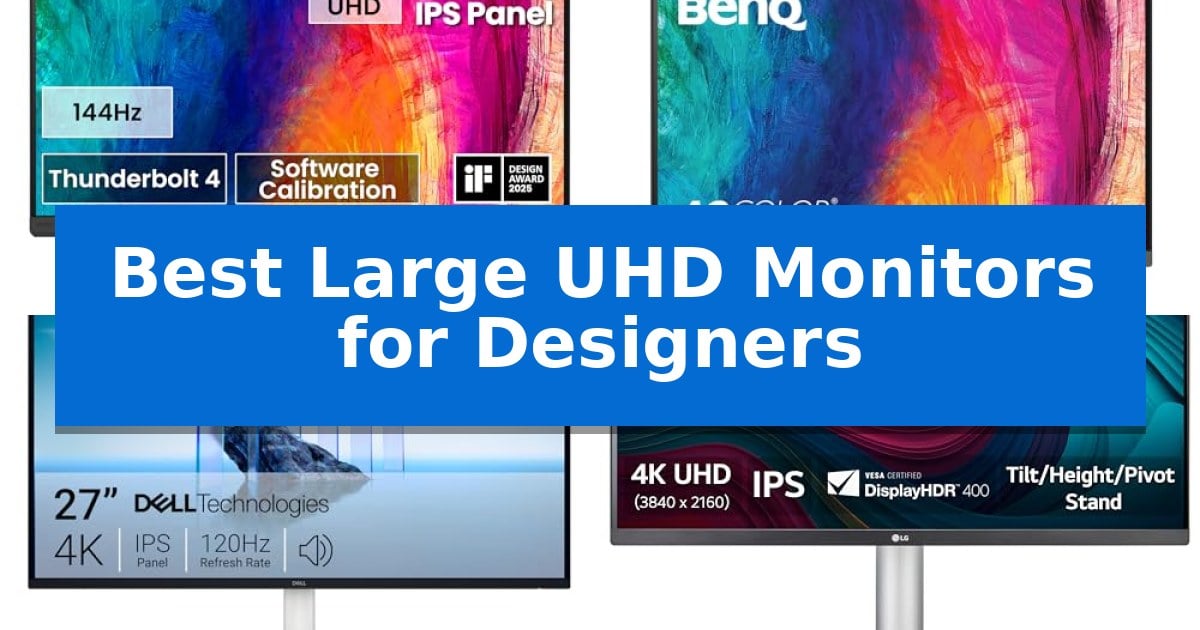
Finding the right display is essential for creative professionals who rely on color precision and screen real estate. The Best Large UHD Monitors for Designers must balance high-resolution clarity with accurate color reproduction to ensure your final output matches your vision.
Whether you are working on motion graphics, complex layouts, or high-end photo editing, the right monitor serves as the foundation of your studio. We have evaluated the latest options to help you identify which display best fits your specific workflow requirements and desk setup.
Best Large UHD Monitors for Designers in 2026
Quick Comparison
| Product | Best For | Key Strength | Score |
|---|---|---|---|
| BenQ PD3226G Monitor | Best Overall | 144Hz refresh rate for smooth motion rendering. | 4.9 |
| BenQ PD2706U Monitor | Optimized for Mac Workflows | 90W USB-C connectivity for seamless power and data transfer | 4.3 |
| Dell S2725QS Monitor | Smooth Visuals for Creative Tasks | 99% sRGB color coverage for reliable color-critical design work. | 4.9 |
| LG 27UP650K-W Monitor | Enhanced HDR for Color Grading | 95% DCI-P3 color gamut for accurate color reproduction. | 4.6 |
| Samsung ViewFinity S7 Monitor | High Pixel Density for Detail | 4K UHD resolution provides exceptional detail for complex design work. | 4.6 |
How We Chose
- Color gamut coverage and factory calibration accuracy
- Connectivity options including Thunderbolt and USB-C power delivery
- Ergonomic adjustability and panel coating for glare reduction
- Integrated productivity features like KVM switches and software calibration support
- Refresh rate and motion handling for video-centric workflows
1 BenQ PD3226G Monitor — High Refresh Rate for Motion Work
Designers who prioritize fluid motion and color accuracy will find the BenQ PD3226G Monitor a specialized tool, featuring a 144Hz refresh rate that provides superior motion clarity for animation and video workflows. This 32-inch 4K UHD display is engineered for color-critical tasks, covering 95% P3 and 100% sRGB/Rec.709 color gamuts with factory-calibrated Delta E ≤ 2 accuracy, ensuring consistent performance across professional projects.
The monitor utilizes a Nano Matte Panel designed to diffuse ambient light, which helps minimize glare during extended design sessions while maintaining visual fidelity. To streamline complex professional setups, it includes a 90W Thunderbolt 4 connection, capable of handling high-speed data transfers at 40Gbps while simultaneously powering connected devices. This interface also supports daisy-chaining for multi-monitor configurations, simplifying cable management.
Efficiency is further bolstered by a built-in KVM switch, allowing users to control two different systems with a single keyboard and mouse. System switching is managed via a dedicated wireless Hotkey Puck, which provides quick access to settings. For those maintaining strict color standards, the monitor supports software calibration through the Palette Master Ultimate software, ensuring long-term compliance with international color standards.
The physical design is optimized for professional environments, featuring an ergonomic height-adjustable stand that allows for precise positioning. By combining high-refresh-rate capabilities with robust connectivity and color management tools, the BenQ PD3226G Monitor serves as a centralized hub for demanding creative workstations.
Best for: Professional designers and motion editors who require high-refresh-rate 4K visuals, precise color accuracy, and efficient multi-system control.
Skip if: Users who do not require high-refresh-rate capabilities or Thunderbolt 4 connectivity may find more cost-effective standard 60Hz 4K displays.
PROS
- 144Hz refresh rate for smooth motion rendering.
- 90W Thunderbolt 4 power delivery and high-speed data transfer.
- Built-in KVM switch with wireless Hotkey Puck for multi-system efficiency.
- Factory-calibrated color accuracy with Delta E ≤ 2.
CONS
- High-refresh-rate and Thunderbolt 4 features may exceed the requirements of basic office or static design tasks.
2 BenQ PD2706U Monitor — Optimized for Mac Workflows
Achieving precise color reproduction is essential for professional design workflows, and the BenQ PD2706U Monitor is built specifically to address this requirement. This 27-inch 4K UHD display utilizes AQCOLOR technology to ensure high-fidelity output, covering 95% of the P3 color gamut and 99% of sRGB/Rec.709 standards. With a factory-calibrated Delta E ≤ 3 accuracy, it provides the consistent color performance designers need for color-critical tasks.
Connectivity is a primary strength of this model, featuring a 90W USB-C port that allows for single-cable power delivery and data synchronization with Mac devices. The inclusion of a built-in KVM switch further enhances productivity by allowing users to control two different computer systems using a single keyboard and mouse setup, effectively streamlining multi-device workspaces.
The monitor is designed with long-term usability in mind, incorporating Eye-Care technology such as flicker-free performance, anti-glare coating, and low blue light settings to mitigate eye strain during extended sessions. The ergonomic stand offers customizable adjustments, and the included HotKey Puck provides a tactile, efficient way to navigate settings and adjust brightness or contrast without digging through on-screen menus.
For those integrating this display into a professional environment, the BenQ Display Pilot software enables rapid ICCsync, allowing color profiles to be matched between the monitor and the connected computer in under a second. This, combined with its Pantone and Calman Verified status, makes it a robust tool for creators who demand reliability and ease of integration in their daily workflows.
Best for: Designers and creative professionals who require high color accuracy and streamlined connectivity for Mac-based multi-device workflows.
Skip if: Users who require a larger screen size than 27 inches or those who do not need built-in KVM and USB-C power delivery features.
PROS
- 90W USB-C connectivity for seamless power and data transfer
- AQCOLOR technology with 95% P3 and 99% sRGB coverage
- Integrated KVM switch for multi-device efficiency
- Factory-calibrated for color accuracy out of the box
CONS
- 27-inch screen size may be limiting for users requiring expansive multi-window layouts
- Fixed resolution at 4K UHD may not suit workflows demanding higher pixel density or larger workspace areas
3 Dell S2725QS Monitor — Smooth Visuals for Creative Tasks
Designers requiring precise color reproduction and fluid motion will find the Dell S2725QS Monitor a compelling choice for their workspace. This 27-inch display utilizes in-plane switching (IPS) technology to deliver consistent, vibrant visuals across a wide viewing angle, ensuring that color accuracy remains stable during detailed creative tasks.
The monitor supports a 99% sRGB color gamut, providing the necessary color depth for professional design workflows. To maintain visual fidelity while prioritizing user well-being, it features Improved ComfortView Plus, which reduces harmful blue light emissions to ≤35% without compromising the integrity of the color output.
For those who integrate gaming or high-frame-rate video editing into their routine, the display offers a refresh rate up to 120Hz paired with AMD FreeSync Premium. This combination minimizes screen tearing and provides a smooth, responsive experience. The inclusion of an ultra-low 0.03ms response time further enhances the clarity of fast-moving content.
The physical design emphasizes a minimalist aesthetic with an ash white finish and ultra-thin bezels, making it suitable for modern, clutter-free desks. Ergonomics are addressed through a height-adjustable stand that also supports swivel and pivot movements, allowing designers to orient the screen to their specific project requirements.
Connectivity is streamlined via HDMI, DisplayPort, and USB-C inputs, ensuring compatibility with a variety of workstations. Additionally, the unit features re-engineered sound quality with integrated speakers, providing a more robust audio output than typical monitor-integrated solutions.
Best for: Designers who require a balance of high-resolution 4K color accuracy and fluid 120Hz motion for both creative work and multimedia tasks.
Skip if: Users who prioritize professional-grade color spaces beyond sRGB, such as Adobe RGB or DCI-P3, may find this monitor's color gamut coverage insufficient for specialized print or cinema workflows.
PROS
- 99% sRGB color coverage for reliable color-critical design work.
- 120Hz refresh rate and FreeSync Premium for smooth motion performance.
- Improved ComfortView Plus reduces blue light while maintaining color accuracy.
- Highly adjustable stand with pivot, swivel, and height customization.
CONS
- Limited to sRGB color space, which may not meet the requirements for high-end wide-gamut professional printing.
4 LG 27UP650K-W Monitor — Enhanced HDR for Color Grading
Achieving precise color accuracy and efficient multitasking is essential for professional design workflows, and the LG 27UP650K-W Monitor addresses these needs with its 27-inch UHD 4K (3840 x 2160) IPS display. This monitor is built to support creators by reproducing vibrant colors with up to 95% DCI-P3 color gamut coverage, ensuring that visual projects are rendered with clarity and depth.
For those working with high-dynamic-range content, the display is compatible with VESA DisplayHDR 400, which provides enhanced brightness and contrast levels beyond standard monitors. The integration of the Switch app further aids productivity, allowing users to split the screen into up to six sections, manage layouts, and toggle between PC and webOS streaming platforms using intuitive hotkeys.
Beyond its visual capabilities, the monitor includes gaming-focused features such as Black Stabilizer to improve visibility in dark areas and Dynamic Action Sync to reduce input lag. The physical design prioritizes user comfort with an ergonomic stand that supports height, tilt, and pivot adjustments, making it adaptable to various desk setups and viewing angles.
While this monitor offers a robust set of tools for designers and multitaskers, it is designed for users who prioritize color accuracy and screen real estate within a standard 27-inch form factor. Its combination of 4K resolution and IPS panel technology makes it a versatile choice for both creative production and general high-definition media consumption.
Best for: Designers and creative professionals who require 4K resolution and wide color gamut coverage for detailed visual work.
Skip if: Users who require a larger screen size, integrated USB-C power delivery, or higher refresh rates than 60Hz for specialized high-motion workflows.
PROS
- 95% DCI-P3 color gamut for accurate color reproduction.
- VESA DisplayHDR 400 compatibility for enhanced dynamic range.
- Ergonomic stand with height, tilt, and pivot adjustments.
- Switch app for efficient multitasking and screen splitting.
CONS
- 60Hz refresh rate may not meet the needs of competitive high-frame-rate gaming.
- Standard 27-inch size may be limiting for those requiring ultra-wide or larger display surfaces.
5 Samsung ViewFinity S7 Monitor — High Pixel Density for Detail
The Samsung 27" ViewFinity S7 (S71H) 4K UHD Monitor provides a high-density visual workspace, utilizing its 3840 x 2160 resolution to reveal intricate details and precise color accuracy for professional design tasks. By offering significant screen real estate, this monitor allows designers to manage complex diagrams and dynamic content with greater clarity.
Equipped with an IPS panel and HDR10 support, the display optimizes contrast to produce a wide gamut of over 1 billion colors, ensuring deep blacks and vibrant highlights. These technical specifications are tailored to support accurate color representation, which is essential for high-fidelity creative workflows.
For connectivity and long-term usability, the monitor includes both HDMI and DP ports, simplifying the integration into existing workstations. To address extended work sessions, the device features Eye Saver Mode, which is certified by TÜV to minimize blue light exposure and reduce screen flickering, helping to mitigate eye strain.
The display also incorporates a dedicated Game Mode that adjusts color and contrast settings to enhance scene clarity. While primarily a productivity-focused tool, these adjustments offer versatility for users who require a high-resolution display that can transition between professional design work and high-detail media viewing.
Best for: Professional designers and creators who require high pixel density and accurate color reproduction for intricate visual tasks.
Skip if: Users who require specialized ergonomic adjustments like height-adjustable stands or pivot functionality, as these features are not specified for this model.
PROS
- 4K UHD resolution provides exceptional detail for complex design work.
- HDR10 support delivers a wide color gamut and improved contrast.
- Eye Saver Mode helps reduce eye strain during long working hours.
- HDMI and DP connectivity ensures a straightforward setup with most workstations.
CONS
- No mention of ergonomic stand adjustments such as height, tilt, or swivel capabilities.
- Limited to standard connectivity without advanced features like USB-C power delivery or integrated hubs.
Best Large UHD Monitors for Designers Buying Guide
Color Accuracy and Gamut Coverage
For designers, the ability to display a wide color gamut is non-negotiable. Look for monitors that support at least 95% of the DCI-P3 color space and 100% of sRGB/Rec.709. These standards ensure that your digital assets look consistent across different platforms and print media.
Factory calibration is another critical factor. Displays that come with a verified Delta E ≤ 2 or Delta E ≤ 3 rating provide reliable color performance right out of the box, saving you time on manual adjustments and ensuring your work remains true to your intent.
Connectivity and Workflow Integration
Modern design setups often involve multiple devices, such as a laptop and a desktop. Monitors with Thunderbolt 4 or USB-C connectivity allow for a single-cable solution that handles video, data, and power delivery simultaneously, keeping your desk clutter-free.
A built-in KVM switch is a highly valuable feature for professionals who need to control two systems with a single keyboard and mouse. This integration streamlines your workflow, allowing you to switch between machines seamlessly without needing extra hardware.
Ergonomics and Eye Comfort
Design sessions can last for hours, making ergonomic design a priority. A monitor with a height-adjustable stand that also supports tilt, swivel, and pivot allows you to position the screen at the optimal eye level, reducing neck and shoulder strain.
Additionally, look for eye-care technology such as flicker-free backlighting and low blue light modes. These features are essential for maintaining comfort during extended periods of intense focus and preventing digital eye fatigue.
Panel Technology and Resolution
4K UHD (3840×2160) resolution is the standard for professional design work, providing the pixel density required for sharp text and detailed image editing. IPS (In-Plane Switching) panels are preferred for their superior viewing angles and color consistency compared to other panel types.
Consider the panel coating as well. A nano matte panel or anti-glare finish is particularly effective at diffusing ambient light in bright office environments, ensuring that reflections do not interfere with your color grading or fine-tuning tasks.
Refresh Rate for Motion Work
While 60Hz is standard for static design, motion designers and video editors benefit significantly from higher refresh rates. A 144Hz or 120Hz display offers smoother motion clarity, which is vital when reviewing frame-by-frame transitions or high-speed video content.
When choosing a high-refresh monitor, ensure your computer's graphics output supports the necessary bandwidth. This feature is a game-changer for those who need to see every detail of their animation work without the blur associated with slower panels.
Frequently Asked Questions
Why is Delta E important for designers?
Delta E measures the difference between the color displayed on the monitor and the target color. A lower number indicates higher accuracy, which is critical for ensuring your work looks exactly as intended.
Do I need a 144Hz monitor for graphic design?
If your work is primarily static, 60Hz is sufficient. However, if you work in motion graphics or video editing, a higher refresh rate provides smoother playback and better motion clarity.
What is a KVM switch and why do I need it?
A KVM switch allows you to use one keyboard and mouse to control two different computers connected to the same monitor, making it easier to manage multi-device workflows.
Is Thunderbolt 4 better than standard USB-C?
Thunderbolt 4 offers higher data transfer speeds (up to 40Gbps) and more robust support for multiple high-resolution displays compared to standard USB-C, which is ideal for complex professional setups.
How does an IPS panel differ from other types?
IPS panels are known for their excellent color reproduction and wide viewing angles, ensuring that colors remain accurate even when you are not looking at the screen head-on.
Conclusion: Our Top Pick
Selecting the right monitor is a long-term investment in your creative output. For designers who require a blend of high-speed motion handling, professional color accuracy, and modern connectivity, the BenQ PD3226G Monitor stands out as the most versatile choice in our lineup.
This display excels by offering a 144Hz refresh rate alongside precise color management, making it suitable for both static design and motion-heavy workflows. While it represents a significant investment, its ability to centralize your workspace with Thunderbolt 4 and KVM functionality provides clear efficiency gains for any professional studio.