
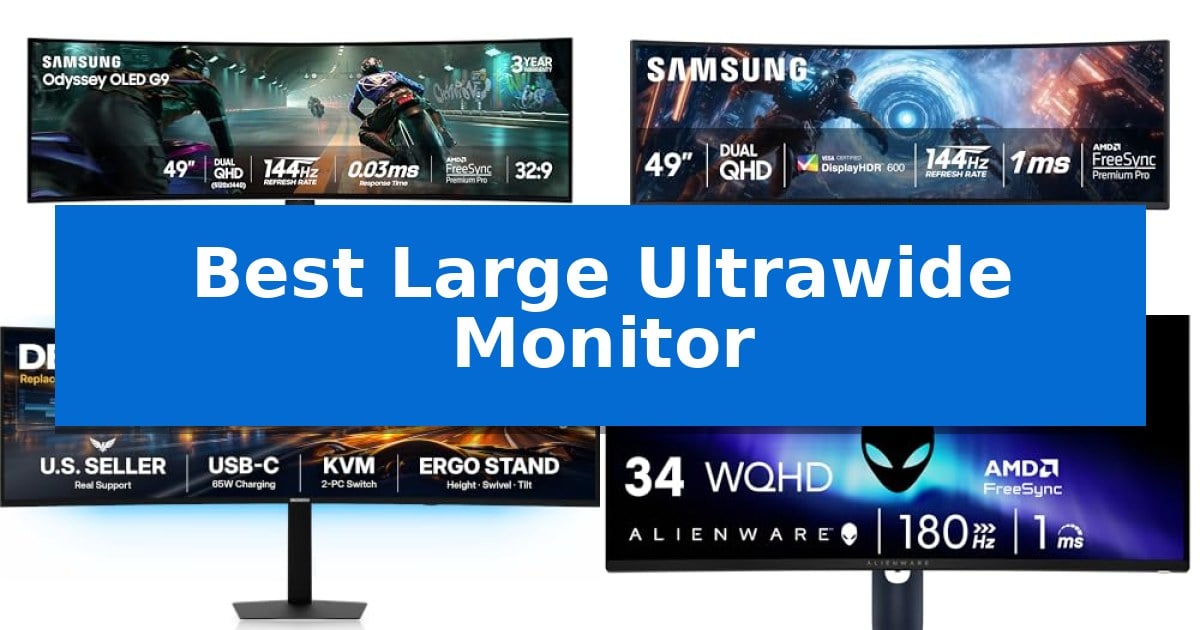
Finding the Best Large Ultrawide Monitor requires balancing screen real estate with the specific technical demands of your workflow or gaming setup. These expansive displays serve as a single-panel alternative to dual-monitor configurations, offering a seamless viewing experience without the distraction of central bezels.
Whether you prioritize high-speed refresh rates for competitive play or color accuracy for creative tasks, the right panel can significantly impact your daily efficiency. We have analyzed the latest 34-inch and 49-inch models to help you identify which display best aligns with your desk space and performance requirements.
Best Large Ultrawide Monitor in 2026
Quick Comparison
| Product | Best For | Key Strength | Score |
|---|---|---|---|
| Samsung Odyssey OLED G9 Gaming Monitor | Best Overall | QD-OLED technology provides vibrant colors and infinite contrast with true black levels. | 4.9 |
| Samsung Odyssey G9 Gaming Monitor | Panoramic immersion for competitive play | 1000R curvature provides deep immersion and a wide field of view. | 4.7 |
| Deco Gear 49-inch Curved Monitor | Productivity powerhouse with KVM | Seamless 49-inch DQHD workspace replaces dual-monitor configurations. | 4.5 |
| Alienware 34 Curved Gaming Monitor | Responsive visuals for marathon sessions | 180Hz refresh rate for fluid motion | 4.4 |
| LG 34-inch UltraWide WQHD Monitor | Ergonomic design for multitasking | USB Type-C connectivity with 65W power delivery for single-cable laptop charging. | 4.9 |
How We Chose
- Panel Technology: Assessing the benefits of QD-OLED versus traditional VA panels for contrast and color depth.
- Resolution and Aspect Ratio: Evaluating the utility of Dual QHD and WQHD resolutions for multitasking and immersion.
- Connectivity and KVM: Checking for USB-C power delivery and integrated KVM switches to streamline multi-device setups.
- Refresh Rate and Sync: Verifying the refresh rate and adaptive sync compatibility for motion clarity.
- Ergonomic Adjustability: Reviewing the range of motion provided by the included stands for optimal viewing angles.
1 Samsung Odyssey OLED G9 Gaming Monitor — Vibrant QD-OLED for elite gaming
The Samsung 49" Odyssey OLED G9 (G91SD) Gaming Monitor utilizes advanced QD-OLED technology to deliver a wide color spectrum and deep black levels, eliminating pixel light bleed for enhanced visual depth. Its expansive 32:9 aspect ratio and Dual QHD (5120 x 1440) resolution provide a high pixel density of 110 pixels per inch, ensuring clarity across the entire 49-inch display.
Designed for competitive performance, this monitor features a 0.03ms response time and a 144Hz refresh rate to maintain smooth motion during fast-paced gameplay. Integration with G-Sync compatibility and AMD FreeSync Premium Pro works to minimize screen tearing and choppiness, keeping the visual output synchronized with the GPU.
To address the specific requirements of OLED panels, the monitor includes a Thermal Modulation System that monitors surface temperatures to regulate brightness. It also incorporates Logo & Taskbar Detection to automatically adjust brightness on static elements, alongside a Screen Saver function that activates after 10 minutes of inactivity to mitigate the risk of burn-in.
Multitasking is supported through a Picture-in-Picture mode, allowing users to display secondary content alongside their primary window without needing a second monitor. The included ergonomic stand provides tilt and height adjustments, enabling users to customize the viewing angle for comfort during extended sessions.
Best for: Gamers and power users who require an immersive, ultra-wide workspace with high-speed response times and advanced OLED display technology.
Skip if: Users who require a standard 16:9 aspect ratio or those who prefer a flat display rather than a curved screen format.
PROS
- QD-OLED technology provides vibrant colors and infinite contrast with true black levels.
- 0.03ms response time and 144Hz refresh rate support fluid motion for gaming.
- Dual QHD resolution on a 32:9 screen offers significant screen real estate for multitasking.
- Integrated thermal and burn-in protection features help maintain panel longevity.
CONS
- The 49-inch ultra-wide form factor requires a large desk footprint.
- Brightness management relies on automated algorithms which may adjust output based on static content.
2 Samsung Odyssey G9 Gaming Monitor — Panoramic immersion for competitive play
The SAMSUNG 49-inch Odyssey G9 (G91F) DQHD transforms desktop immersion with a massive 1000R curved display that mimics the field of view of two side-by-side monitors. This expansive 32:9 ultra-wide screen is engineered to eliminate the need for a dual-monitor setup, providing a continuous, seamless workspace for both gaming and multitasking.
Performance is driven by a 144Hz refresh rate combined with a 1ms response time, which work together to minimize motion blur and lag during fast-paced sequences. To ensure visual fidelity, the monitor utilizes DisplayHDR 600 technology, enhancing contrast to reveal details in both bright highlights and deep shadows. The inclusion of AMD FreeSync Premium Pro and variable refresh rate (VRR) support helps maintain fluid motion by syncing the panel with the GPU to prevent screen tearing.
For productivity and convenience, the monitor features Picture-in-Picture functionality, allowing users to manage multiple content sources simultaneously on the same screen. The Auto Source Switch+ capability further streamlines the experience by automatically detecting and switching to active input signals as connected devices are powered on. The integrated ergonomic stand provides tilt adjustments, ensuring that the expansive display can be positioned for optimal viewing comfort.
While the SAMSUNG 49-inch Odyssey G9 (G91F) DQHD offers significant screen real estate, its physical footprint is substantial, measuring over 45 inches in width. Users should ensure their desk space can accommodate the wide curvature and the weight of the unit before installation.
Best for: Competitive gamers and power users who require a massive, seamless panoramic display for multitasking and immersive gameplay.
Skip if: Users with limited desk width or those who prefer a traditional flat multi-monitor setup for specific professional workflows.
PROS
- 1000R curvature provides deep immersion and a wide field of view.
- 144Hz refresh rate and 1ms response time support smooth motion.
- Picture-in-Picture and Auto Source Switch+ enhance multitasking efficiency.
- DisplayHDR 600 improves contrast and shadow detail.
CONS
- Large physical footprint requires significant desk space.
- 32:9 aspect ratio may not be supported by all software or older games.
3 Deco Gear 49-inch Curved Monitor — Productivity powerhouse with KVM
The Deco Gear 49" Curved Super Ultrawide Monitor acts as a comprehensive replacement for dual-monitor setups, utilizing a 5120×1440 DQHD resolution and a 32:9 aspect ratio to provide a seamless, expansive workspace. This configuration is particularly beneficial for professionals managing complex multitasking, creative editing, or data-heavy workflows, as it eliminates the physical bezel gap found between traditional side-by-side displays.
Engineered with a 1500R curvature, the display is designed to wrap around the user's field of vision, which helps maintain focus and reduces the need for constant head movement during extended work sessions. The VA panel technology supports a 3000:1 contrast ratio, ensuring deep blacks and rich detail, while 100% sRGB color coverage provides the accuracy required for color-sensitive design tasks.
Productivity is further streamlined through a built-in KVM switch and USB-C connectivity with 65W power delivery. This allows users to connect a laptop for both video output and charging while simultaneously controlling multiple devices with a single keyboard and mouse. For those juggling different inputs, the monitor includes Picture-in-Picture (PIP) and Picture-by-Picture (PBP) modes to view multiple sources on the same screen.
For gaming and high-motion content, the 120Hz refresh rate and 1ms MPRT response time, paired with Adaptive Sync, work to minimize screen tearing and provide fluid motion. The monitor includes an adjustable stand that supports height, tilt, and swivel adjustments, allowing users to tailor the ergonomics to their specific desk setup despite the large 46.7-inch width of the unit.
Best for: Professionals and creators who require a massive, seamless workspace and need to manage multiple devices through a single KVM-enabled display.
Skip if: Users who require built-in speakers or those with limited desk space who cannot accommodate a 46.7-inch wide monitor.
PROS
- Seamless 49-inch DQHD workspace replaces dual-monitor configurations.
- Built-in KVM switch and 65W USB-C power delivery for efficient multi-device management.
- 120Hz refresh rate and 1ms MPRT provide fluid motion for gaming and editing.
- 1500R curvature enhances immersion and reduces eye strain.
CONS
- No built-in speakers require external audio solutions.
- Large physical footprint demands significant desk space.
4 Alienware 34 Curved Gaming Monitor — Responsive visuals for marathon sessions
The Alienware 34 Curved Gaming Monitor – AW3425DWM utilizes a 1500R curvature across its 34-inch WQHD ultrawide panel to create a wrap-around field of view. This design is engineered to maintain visual consistency from the center to the edges of the screen, which helps keep detailed landscapes and open-world environments within your peripheral vision during immersive gaming sessions.
Performance is driven by a 180Hz refresh rate and a 1ms gray-to-gray response time, which work together to minimize motion blur during fast-paced gameplay. To prevent screen tearing and stuttering, the monitor features AMD FreeSync Premium and VESA AdaptiveSync technology, ensuring the display's output remains synchronized with your graphics hardware for fluid motion.
Visual fidelity is supported by DCI-P3 95% color coverage and VESA DisplayHDR 400 certification, providing a wide color gamut and brightness levels suitable for varied gaming content. For extended use, the monitor includes a hardware-based low blue light solution that aims to reduce eye strain without shifting the screen's color accuracy, alongside a dedicated console mode for broader device compatibility.
Measuring 31.71 inches in length and weighing 20.97 pounds, the unit requires a substantial amount of desk space. The monitor is backed by a 3-year warranty, reflecting the manufacturer's support for long-term hardware reliability.
Best for: Gamers seeking an immersive, high-refresh-rate ultrawide experience with integrated eye-comfort technology for extended sessions.
Skip if: Users with limited desk space or those requiring a flat panel display for professional color-critical workflows may find the 1500R curve and ultrawide dimensions less suitable.
PROS
- 180Hz refresh rate for fluid motion
- 1500R curvature for immersive viewing
- Hardware-based low blue light solution
- DCI-P3 95% color coverage
CONS
- Large footprint requires significant desk space
5 LG 34-inch UltraWide WQHD Monitor — Ergonomic design for multitasking
The LG 34-inch UltraWide WQHD Monitor serves as a centralized hub for complex digital workflows, utilizing its expansive 21:9 aspect ratio to replace dual-monitor setups with a single, seamless display. By providing a 3440 x 1440 resolution, this monitor offers the horizontal workspace necessary for managing multiple windows, timelines, or spreadsheets simultaneously without the visual interruption of a bezel gap.
Engineered for both productivity and visual fidelity, the display integrates HDR10 support and 99% sRGB color gamut coverage. These specifications ensure that color-sensitive tasks and media consumption benefit from accurate color reproduction and enhanced contrast. For multitasking, the integrated OnScreen Control software allows users to split the display or utilize Picture-by-Picture (PbP) mode, enabling the viewing of content from two separate input sources side-by-side.
Connectivity is streamlined through a versatile port array, including two HDMI inputs, a DisplayPort, and a USB Type-C port. The USB-C connection is particularly useful for professionals, as it supports up to 65W power delivery, allowing for single-cable charging of compatible laptops while simultaneously transmitting display data.
To support long-term comfort, the monitor features a Reader Mode that reduces blue light emission, alongside an ergonomic stand that provides precise height and tilt adjustments. The three-sided virtually borderless design minimizes visual distractions, helping to maintain a clean and focused workspace environment.
Best for: Professionals and creators who require a wide, high-resolution workspace for multitasking and color-accurate work.
Skip if: Users who require a higher refresh rate for competitive gaming or those with limited desk space who cannot accommodate a 34-inch wide display.
PROS
- USB Type-C connectivity with 65W power delivery for single-cable laptop charging.
- 21:9 UltraWide aspect ratio maximizes screen real estate for efficient multitasking.
- Picture-by-Picture (PbP) support allows simultaneous input from two sources.
- Ergonomic stand provides flexible height and tilt adjustments for improved posture.
CONS
- 100Hz refresh rate may not meet the requirements of high-end competitive gamers.
- Large physical footprint requires significant desk space for proper placement.
Best Large Ultrawide Monitor Buying Guide
Understanding Panel Types
The choice between QD-OLED and VA panels is fundamental to your experience. QD-OLED technology offers superior black levels and vibrant color reproduction, making it ideal for high-end gaming and media consumption where contrast is paramount.
Conversely, VA panels often provide a cost-effective balance, delivering deep contrast ratios that are well-suited for office productivity and general creative work where absolute pixel-level light control is less critical.
Resolution and Screen Real Estate
A Dual QHD resolution (5120 x 1440) is the standard for 49-inch displays, effectively providing the workspace of two 27-inch monitors side-by-side. This is essential for users who frequently manage multiple windows or complex timelines.
For 34-inch models, WQHD (3440 x 1440) offers a high pixel density that keeps text sharp and images detailed. Choosing the right resolution depends on your available desk depth and how close you sit to the screen.
Connectivity and KVM Functionality
Modern USB-C connectivity with power delivery is a game-changer for laptop users, allowing for a single-cable solution that handles video, data, and charging. This reduces cable clutter and simplifies your desk setup.
Integrated KVM switches allow you to control multiple computers with a single keyboard and mouse. This feature is indispensable for professionals who switch between a work laptop and a personal desktop throughout the day.
Refresh Rate and Motion Clarity
Higher refresh rates, such as 144Hz or 180Hz, are critical for competitive gaming, as they reduce input lag and provide smoother motion. These specs ensure that fast-paced action remains crisp and responsive.
Adaptive Sync technologies like G-Sync and FreeSync are vital for eliminating screen tearing and stuttering. These features synchronize the monitor's refresh rate with your GPU's output, ensuring a fluid visual experience.
Ergonomics and Mounting
Because large ultrawide monitors are significantly wider than standard displays, an ergonomic stand with tilt, swivel, and height adjustment is necessary to prevent neck strain. Ensure your desk can accommodate the footprint of these wide bases.
If desk space is limited, consider whether the monitor supports VESA mounting. Using a heavy-duty monitor arm can reclaim desk space and provide a greater range of positioning than the included factory stand.
Frequently Asked Questions
Do I need a special graphics card for a 49-inch Dual QHD monitor?
While most modern GPUs can drive these resolutions, ensure your graphics card has a DisplayPort or HDMI version that supports the monitor's full resolution and refresh rate to avoid limitations.
What is the benefit of a curved screen on an ultrawide monitor?
A curved screen, such as a 1000R or 1500R design, helps maintain a consistent viewing distance from your eyes to the edges of the display, which can reduce eye strain and increase immersion.
Can I use a KVM switch with any computer?
KVM functionality typically requires a USB connection between the monitor and the computer. Ensure your devices have available USB ports to take advantage of this feature.
How do I prevent burn-in on an OLED monitor?
Many OLED monitors include features like logo and taskbar detection, as well as automatic screen savers, which dim static elements to protect the panel during extended use.
Is an ultrawide monitor better than two separate monitors?
An ultrawide monitor eliminates the central bezel, providing a seamless workspace. It is often preferred for immersive gaming and continuous multitasking, though dual monitors offer more flexibility in window arrangement.
Conclusion: Our Top Pick
The Samsung Odyssey OLED G9 Gaming Monitor stands out as the premier choice for users seeking the ultimate combination of visual fidelity and performance. Its QD-OLED panel provides exceptional color depth and near-instant response times, making it a standout for both high-end gaming and demanding creative tasks.
While it represents a significant investment, the inclusion of advanced thermal management and protective features like logo detection ensures that this display remains a reliable centerpiece for your setup. For those who require a massive, vibrant, and responsive workspace, this monitor offers a level of immersion that is difficult to surpass.