
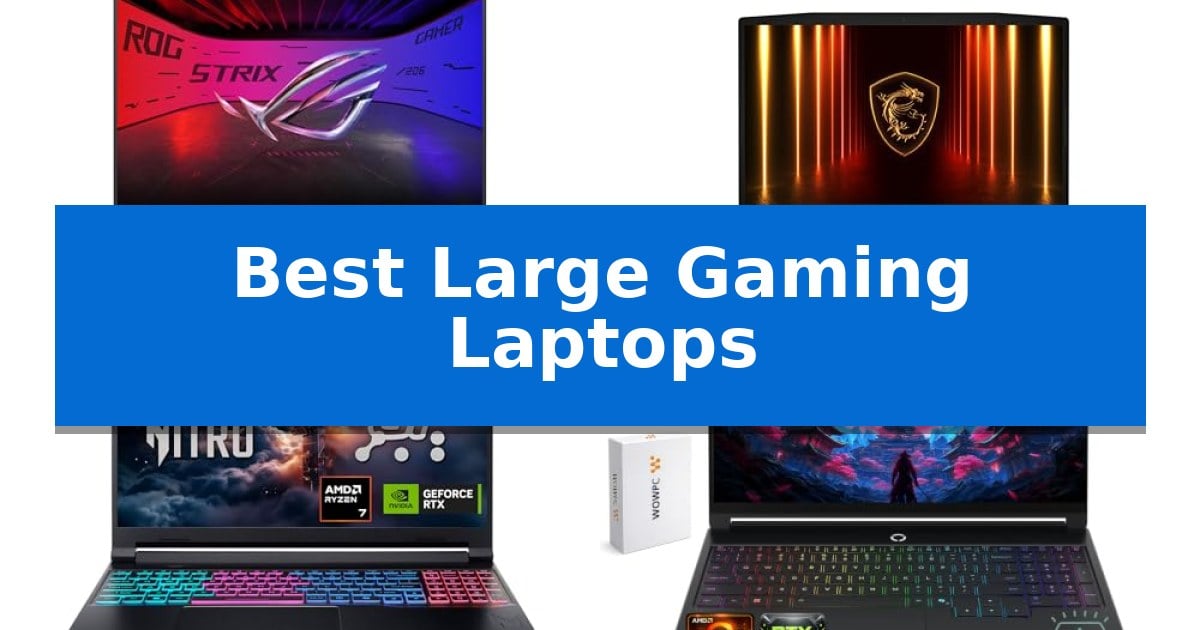
Finding the right machine for immersive play often comes down to balancing raw power with physical size. The Best Large Gaming Laptops offer expansive displays that pull you into the action, but they also require careful consideration of thermal management and portability trade-offs.
Whether you prioritize high-refresh-rate panels for competitive shooters or massive screens for cinematic single-player titles, selecting the right hardware ensures your investment lasts. We have reviewed the latest models to help you identify which device aligns with your specific gaming and productivity needs.
Best Large Gaming Laptops in 2026
Quick Comparison
| Product | Best For | Key Strength | Score |
|---|---|---|---|
| ASUS ROG Strix G16 Gaming Laptop | Best Overall | Tool-free access to internal components for easy upgrades. | 4.9 |
| MSI Katana 15 HX Gaming Laptop | Elite Processing Power | Intel Core i9-14900HX 24-core processor for elite performance. | 4.3 |
| Acer Nitro V 16S Gaming Laptop | AI-Enhanced Performance | NVIDIA Blackwell architecture with 572 AI TOPS for advanced ray tracing and graphics fidelity. | 4.5 |
| Lenovo Legion 5a Gaming Laptop | Vivid OLED Display | 15.3-inch WQXGA OLED display with 100% DCI-P3 coverage. | 4.3 |
| MALLRACE 18.5 Inch Gaming Laptop | Maximum Screen Real Estate | 18.5-inch IPS display provides an expansive, high-clarity workspace. | 4.6 |
How We Chose
- Display quality, including refresh rates, color accuracy, and panel technology.
- Thermal management systems, focusing on cooling capacity and noise levels.
- Internal hardware specifications, specifically CPU and GPU combinations.
- Build design, including port availability and chassis durability.
- Upgradeability, such as tool-free access to RAM and storage components.
1 ASUS ROG Strix G16 Gaming Laptop — Premium HDR Visuals
The ASUS ROG Strix G16 (2026) prioritizes maintenance and customization through its tool-free access design, allowing users to adjust RAM, SSD, and fans by simply sliding a latch on the bottom chassis. This physical design choice eliminates the need for screwdrivers, providing a streamlined approach to hardware management for those who frequently update their internal components.
Engineered for high-demand tasks, the system pairs an Intel Core Ultra 9 290HX processor with an NVIDIA GeForce RTX 5080 GPU. The ROG Intelligent Cooling system supports this hardware through an end-to-end vapor chamber, tri-fan technology, and Conductonaut extreme liquid metal applied directly to the chipset to manage thermal output during intensive sessions.
Visuals are delivered via a 16-inch ROG Nebula HDR display featuring a 300Hz refresh rate and a new AGLR film designed to reduce glare while maintaining contrast. The screen supports Dolby Vision HDR, ensuring color accuracy and brightness across wide viewing angles, which benefits both competitive gaming and content creation workflows.
The device integrates a MUX Switch with Advanced Optimus, which enables the system to route frames directly from the dGPU for a 5-10% performance boost or automatically switch to the iGPU to extend battery life without requiring a system restart. Connectivity is further modernized with Wi-Fi 7 support for high-bandwidth wireless networking.
Aesthetic and functional control is provided by a 360-degree customizable RGB lightbar that syncs with peripherals, though it can be fully disabled via Stealth Mode for professional environments. The package includes 32GB of DDR5-5600MHz memory and a 1TB PCIe Gen 4 SSD, providing a balanced foundation for multitasking and large game libraries.
Best for: Gamers and creators who require high-end thermal management and the ability to perform tool-free hardware upgrades.
Skip if: Users who prioritize a lightweight, ultra-portable form factor, as the robust cooling and 16-inch chassis result in a heavier build.
PROS
- Tool-free access to internal components for easy upgrades.
- Advanced cooling featuring liquid metal and vapor chamber technology.
- High-refresh 300Hz display with anti-glare film and HDR support.
- MUX Switch for optimized dGPU performance and battery efficiency.
CONS
- Heavier chassis design compared to thin-and-light productivity laptops.
2 MSI Katana 15 HX Gaming Laptop — Elite Processing Power
The MSI Katana 15 HX Gaming Laptop centers its performance around the Intel Core i9-14900HX processor, utilizing a 24-core hybrid architecture designed to handle demanding gaming titles and intensive multitasking. This high-end CPU serves as the engine for users who require significant processing power for both competitive gaming and resource-heavy applications.
Visual fidelity is managed by the NVIDIA GeForce RTX 5070 GPU, which leverages the Blackwell architecture to support advanced ray tracing and AI-driven upscaling via DLSS 4. This hardware combination is paired with a QHD 165Hz display that offers 100% DCI-P3 color coverage, providing a balance between high refresh rate fluidity and color accuracy for cinematic gaming experiences.
To maintain stability during extended sessions, the laptop incorporates the Cooler Boost 5 thermal solution. This system utilizes dual fans and a five-heat-pipe configuration to manage heat dissipation from the CPU and GPU. The chassis design also includes a 4-zone RGB keyboard featuring highlighted WASD keys for improved visibility during gameplay.
Connectivity options are comprehensive, featuring USB-C Gen 2, multiple USB-A ports, an RJ45 Ethernet jack, and an HDMI port capable of outputting to 8K displays. The inclusion of Wi-Fi 6E and Hi-Res Audio support ensures that the device is equipped for modern networking standards and high-fidelity sound output.
Best for: Gamers and power users who require a high-performance CPU and modern GPU for demanding titles and creative tasks.
Skip if: Users who prioritize portability or a lightweight form factor, as the high-performance thermal cooling and robust hardware result in a heavier, larger chassis.
PROS
- Intel Core i9-14900HX 24-core processor for elite performance.
- NVIDIA GeForce RTX 5070 with support for ray tracing and DLSS 4.
- QHD 165Hz display with 100% DCI-P3 color gamut.
- Cooler Boost 5 thermal system for sustained load management.
CONS
- Heavy chassis design weighing nearly 5 pounds.
- High power requirements due to the HX-series processor and RTX 5070 GPU.
3 Acer Nitro V 16S Gaming Laptop — AI-Enhanced Performance
The Acer Nitro V 16S Gaming Laptop leverages the power of the NVIDIA Blackwell architecture and the GeForce RTX 5060 Laptop GPU to deliver advanced ray tracing and neural rendering. Designed for those who demand high-fidelity visuals, this machine utilizes 572 AI TOPS to accelerate graphics performance and improve frame rates through DLSS 4 technology.
Equipped with an AMD Ryzen 7 260 processor, this laptop provides up to 38 AI Overall TOPS, ensuring efficient handling of intensive gaming and content creation workflows. The 16-inch WUXGA display features a 180Hz refresh rate and 100% sRGB color coverage, providing fluid motion and color accuracy for fast-paced action and creative tasks.
Memory and storage are configured for high-demand environments, featuring 32GB of DDR5 5600MHz RAM and a 1TB PCIe Gen 4 SSD. The internal layout includes two M.2 slots, with one slot remaining available for future storage expansion, allowing users to scale their capacity as needed.
Measuring 0.79 inches in thickness and weighing 4.63 pounds, the device balances portability with internal cooling requirements. It includes a one-year International Travelers Limited Warranty, providing support for users who require a mobile workstation for both gaming and professional projects.
Best for: Gamers and creators who require AI-accelerated performance and a high-refresh-rate display for demanding visual tasks.
Skip if: Users who require a lightweight, ultra-thin form factor or those who need more than 32GB of RAM for extreme professional workloads.
PROS
- NVIDIA Blackwell architecture with 572 AI TOPS for advanced ray tracing and graphics fidelity.
- 180Hz WUXGA display with 100% sRGB coverage for smooth, color-accurate visuals.
- 32GB DDR5 5600MHz memory provides high-speed multitasking capabilities.
- Expandable storage via an additional available PCIe M.2 slot.
CONS
- Maximum RAM capacity is limited to 32GB.
- Weight of 4.63 pounds may be less portable than dedicated ultrabook gaming alternatives.
4 Lenovo Legion 5a Gaming Laptop — Vivid OLED Display
The Lenovo Legion 5a Gaming Laptop distinguishes itself with a vibrant 15.3-inch WQXGA OLED display, offering a 165Hz refresh rate and DisplayHDR True Black 1000 for high-contrast visuals. This device is engineered for users who prioritize screen fidelity alongside processing power, utilizing an AMD Ryzen 7 250 processor to handle demanding multitasking and creative workflows.
Under the hood, the laptop features NVIDIA GeForce RTX 5060 graphics with 8GB of GDDR7 memory, providing the necessary hardware for modern gaming and graphics-intensive tasks like 3D rendering. The inclusion of integrated AMD Ryzen AI, delivering up to 16 TOPS of NPU performance, supports AI-enhanced applications, while the 115W TGP ensures consistent power delivery to the GPU during sustained workloads.
Designed for versatility, the unit includes 32GB of DDR5 RAM and a 1TB PCIe M.2 SSD, both of which are configurable for those requiring more capacity. Connectivity is robust, featuring Wi-Fi 7, USB4, HDMI 2.1, and an Ethernet port, ensuring stable links for both online gaming and professional environments. The 80Wh battery supports Rapid Charge Pro, balancing the need for portability with the power demands of a high-performance machine.
The chassis incorporates a 1-zone RGB backlit keyboard and a 5MP camera equipped with a privacy shutter, catering to both gaming aesthetics and practical security needs. Weighing approximately 5 lbs, the laptop maintains a balance between a large-screen experience and the mobility required for travel or hybrid work setups.
Best for: Gamers and creators who require a high-resolution, color-accurate OLED display and dedicated AI-processing capabilities for demanding software.
Skip if: Users who prioritize extreme lightweight portability or those who do not require the high-performance cooling and power demands of a 5 lb gaming-focused chassis.
PROS
- 15.3-inch WQXGA OLED display with 100% DCI-P3 coverage.
- Wi-Fi 7 and USB4 support for high-speed connectivity.
- Integrated AMD Ryzen AI for NPU-accelerated tasks.
- Rapid Charge Pro technology for efficient battery management.
CONS
- 5 lb weight may be cumbersome for frequent travelers.
- 1-zone RGB lighting offers less customization than per-key solutions.
5 MALLRACE 18.5 Inch Gaming Laptop — Maximum Screen Real Estate
Maximizing screen real estate for immersive gaming and expansive multitasking is the primary focus of the MALLRACE 18.5 Inch Gaming Laptop. This device centers its design around a massive 18.5-inch IPS display, providing a 1920×1080 Full HD resolution that prioritizes visual clarity for both dynamic gaming scenes and detailed productivity tasks.
Under the hood, the system is powered by an AMD Ryzen 5 7430U processor capable of reaching 4.3GHz, paired with AMD Radeon RX Vega 7 graphics. To handle demanding workflows, it includes 16GB of DDR4 RAM and a 512GB M.2 2280 SSD, ensuring stable performance during complex multitasking sessions such as managing multiple browser tabs or running design software.
Portability meets endurance through a 7000mAh battery equipped with intelligent power consumption adjustment. This feature is engineered to optimize energy usage, scaling output based on the intensity of the task to extend runtime during remote work or extended study sessions without requiring constant access to a power outlet.
Connectivity and communication are addressed with integrated hardware designed for reliability. The inclusion of an RJ45 interface with anti-interference technology supports stable wired networking, while the 1.0-megapixel front camera, DMIC microphone, and dual 8Ω/1W speakers are configured to provide clear audio-visual interaction for video conferencing and media consumption.
The MALLRACE 18.5 Inch Gaming Laptop offers a specialized form factor for users who prioritize screen size over portability. While its dimensions and weight reflect its large-format design, it provides a comprehensive solution for those requiring a dedicated, high-visibility workspace in a single, portable unit.
Best for: Users who prioritize maximum screen real estate for gaming and productivity without needing a compact, lightweight device.
Skip if: Users who require a highly portable, lightweight laptop for frequent travel or small-space environments.
PROS
- 18.5-inch IPS display provides an expansive, high-clarity workspace.
- 7000mAh battery with intelligent power management for extended use.
- RJ45 interface with anti-interference technology for stable wired connections.
- 16GB DDR4 RAM supports smooth multitasking across demanding applications.
CONS
- Large form factor results in a heavier, less portable design.
- 1.0-megapixel camera may be limited for high-definition professional streaming.
Best Large Gaming Laptops Buying Guide
Display Technology and Size
When choosing among the Best Large Gaming Laptops, the screen is your primary interface. Look for high refresh rates, such as 165Hz or 240Hz, which provide smoother motion in fast-paced games. Panel types like OLED or Nebula HDR offer superior contrast and color depth compared to standard IPS displays.
Consider the resolution as well. A 2.5K or WQXGA resolution on a 16-inch or larger screen provides a sharp image without the extreme performance tax of 4K. Ensure the display features anti-glare coatings if you plan to play in well-lit environments.
Thermal Management
Large laptops have more internal volume, which should theoretically allow for better airflow. Look for advanced cooling solutions like vapor chambers, tri-fan technology, and the use of liquid metal on the chipset. These features help maintain high frame rates during extended sessions.
Effective cooling not only prevents thermal throttling but also extends the lifespan of your components. Check if the device offers different performance modes, such as a silent mode for non-gaming tasks, to manage fan noise effectively.
Processing Power and Graphics
The core of your gaming experience is the synergy between the CPU and GPU. Modern laptops featuring Intel Core Ultra or AMD Ryzen 7 processors paired with NVIDIA GeForce RTX 50-series graphics cards provide the necessary horsepower for ray tracing and AI-enhanced rendering.
Ensure your chosen model includes a MUX Switch, which allows the system to route frames directly from the dedicated GPU to the display. This can provide a noticeable boost in gaming performance by bypassing the integrated graphics.
Memory and Storage Expansion
Modern games are increasingly demanding in terms of both RAM and storage space. Aim for at least 32GB of DDR5 memory to ensure smooth multitasking and future-proofing. A 1TB PCIe Gen 4 SSD is a solid baseline for a game library, but check if the laptop offers additional M.2 slots for future upgrades.
Some models feature tool-free access to internal components, allowing you to upgrade RAM or storage without specialized tools. This is a significant advantage if you prefer to maintain or improve your machine over time.
Connectivity and Portability
Even a large gaming laptop needs to connect to peripherals. Look for a comprehensive array of ports, including USB-C Gen 2, HDMI 2.1, and RJ45 Ethernet for stable online play. Wi-Fi 7 support is becoming standard and offers better latency in crowded wireless environments.
While large laptops are less portable than 14-inch models, weight and thickness still matter. Check the dimensions to ensure the device fits in your preferred carrying case, and consider the weight of the power brick, which can add significant bulk to your travel setup.
Frequently Asked Questions
What is the benefit of a MUX Switch?
A MUX Switch allows the laptop to bypass the integrated graphics and connect the display directly to the dedicated GPU. This reduces latency and can improve gaming frame rates by 5-10%.
Is OLED better than IPS for gaming?
OLED displays offer perfect blacks and superior contrast ratios, making them excellent for cinematic games. IPS displays are often preferred for their high refresh rates and resistance to burn-in, making them a reliable choice for competitive gaming.
How much RAM do I need for a gaming laptop in 2026?
For modern gaming, 32GB of DDR5 RAM is recommended. It provides enough headroom for gaming while running background applications like streaming software or web browsers.
Can I upgrade the storage on my gaming laptop?
Many large gaming laptops include extra M.2 slots for additional SSDs. Always check the specific model's specifications to see if it supports user-accessible upgrades.
Why is thermal management important?
Effective thermal management prevents the CPU and GPU from overheating. When components get too hot, the system automatically slows them down to protect itself, which causes frame rate drops during gameplay.
Conclusion: Our Top Pick
Choosing the right machine depends on your specific balance of display quality, thermal performance, and upgradeability. For those seeking the most well-rounded experience, the ASUS ROG Strix G16 Gaming Laptop stands out as our top recommendation.
With its high-performance memory, advanced vapor chamber cooling, and the stunning Nebula HDR display, it provides a premium foundation for any gaming setup. Its tool-free access also makes it a practical choice for users who want to manage their own upgrades over the life of the device.