
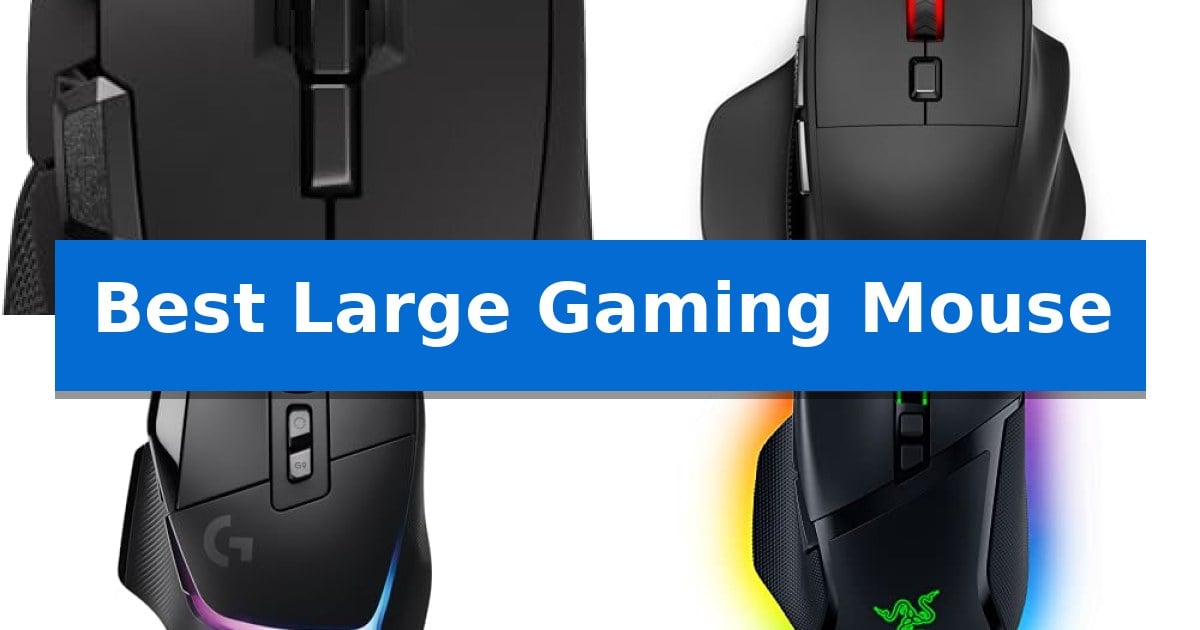
Finding a peripheral that matches your physical dimensions is essential for long-term comfort during intense sessions. A mouse that is too small can lead to cramping and fatigue, whereas the Best Large Gaming Mouse provides the necessary surface area to support a natural palm grip.
Our guide focuses on ergonomic designs, sensor accuracy, and programmable controls to ensure you find a device that fits your hand size and playstyle perfectly. Whether you prioritize wireless freedom or adjustable weight systems, these options offer the stability and control required for competitive performance.
Best Large Gaming Mouse in 2026
Quick Comparison
| Product | Best For | Key Strength | Score |
|---|---|---|---|
| Corsair IRONCLAW Wireless SE Gaming Mouse | Best Overall | Ergonomic asymmetric shape tailored for larger hands and palm grip comfort | 4.9 |
| Redragon BM-2995 Wireless Gaming Mouse | Optimal Fit for Big Hands | Ergonomic contoured shape with finger rests designed for larger hands. | 4.6 |
| Logitech G502 X Plus Wireless Mouse | Customizable Ergonomic Control | 13 programmable controls for extensive customization. | 4.8 |
| Razer Basilisk V3 Wired Gaming Mouse | Supportive Thumb Rest Design | Ergonomic thumb rest design for improved hand support. | 4.6 |
| Logitech G502 Hero Wired Gaming Mouse | Adjustable Weight and Balance | High-precision HERO sensor with up to 25,600 DPI. | 4.9 |
How We Chose
- Ergonomic Shape: Assessing the contour and size to ensure suitability for palm grips and larger hand dimensions.
- Sensor Precision: Evaluating the DPI range and tracking technology for consistent, reliable movement.
- Programmable Controls: Checking the number and placement of buttons for macro assignment and productivity.
- Connectivity Options: Comparing wireless latency and battery life against wired reliability.
- Weight and Balance: Reviewing customization features that allow for personalized handling.
1 Corsair IRONCLAW Wireless SE Gaming Mouse — Ergonomic Shape for Larger Hands
The Corsair IRONCLAW Wireless SE Gaming Mouse is built specifically for larger hands, utilizing an ergonomic asymmetric shape that supports a comfortable palm grip. This design choice aims to reduce wrist strain during extended sessions by providing a substantial, contoured surface that fits naturally in the hand.
Equipped with the 26,000 DPI CORSAIR MARKSMAN sensor, this device offers high-precision tracking that can be calibrated to various surfaces. Users can map keybinds and macros across 10 programmable buttons using the integrated iCUE software, allowing for tailored control schemes across different gaming genres like FPS, MOBA, or MMO titles.
The mouse provides flexible connectivity options, including a 2.4GHz wireless connection and Bluetooth. Power efficiency is a primary focus, with the device rated for up to 285 hours of battery life over 2.4GHz and up to 532 hours via Bluetooth, ensuring minimal downtime during marathon play.
Aesthetic customization is handled through customizable RGB lighting located on the scroll wheel, logo, and front grill. Additionally, the mouse features 3-stage indicators that provide visual cues for current DPI settings and active profiles, keeping the user informed of their configuration at a glance.
Best for: Right-handed gamers with larger hands who prioritize palm grip comfort and extensive macro customization.
Skip if: Users with smaller hands or those who prefer an ambidextrous, lightweight design may find the ergonomic footprint of this mouse too large.
PROS
- Ergonomic asymmetric shape tailored for larger hands and palm grip comfort
- High-precision 26K DPI CORSAIR MARKSMAN sensor with surface calibration
- Extensive 10 programmable buttons for complex macro and keybind mapping
- Exceptional battery life reaching up to 532 hours on Bluetooth
CONS
- Large physical footprint may be uncomfortable for users with smaller hands
2 Redragon BM-2995 Wireless Gaming Mouse — Optimal Fit for Big Hands
Finding a peripheral that accommodates a larger hand size is essential for maintaining comfort during extended gaming sessions. The Redragon BM-2995 Wireless Gaming Mouse is specifically engineered for this purpose, featuring a contoured shape and dedicated finger rests on both sides to provide support for medium to larger hands.
Beyond its ergonomic design, this tri-mode gaming mouse offers versatile connectivity options, including Bluetooth, a 2.4G USB receiver, and a Type-C wired connection. This allows users to switch between up to three devices seamlessly, whether moving from a desktop PC to a laptop or tablet. The inclusion of rubber side grips ensures the mouse remains secure in the hand during intense gameplay.
Performance is supported by a sensor capable of reaching 12800 DPI via driver adjustments, with a 1000Hz polling rate designed to minimize latency. The device is equipped with a 1000mAh rechargeable battery and an ultra-low power chip, complemented by a smart sleep mode that activates after two minutes of inactivity to preserve power. Users can also continue playing while the device is plugged in via the wired connection.
Customization is a core component of the Redragon BM-2995, with programmable buttons that allow for macro mapping and complex key combinations. The mouse features 16.8 million RGB backlight options with six switchable modes, all manageable through dedicated software. With buttons and a scroll wheel tested to 10 million clicks, the hardware is built for consistent use across various platforms, including Windows, iOS, Android, and gaming consoles like the PS4, PS5, and Xbox.
Best for: Gamers with medium to large hands who require multi-device connectivity and ergonomic support.
Skip if: Users who prefer an ultra-lightweight, minimalist mouse or those who rely exclusively on macOS for advanced macro customization.
PROS
- Ergonomic contoured shape with finger rests designed for larger hands.
- Tri-mode connectivity supporting Bluetooth, 2.4G wireless, and wired use.
- High-capacity 1000mAh battery with smart power-saving features.
- Programmable buttons and adjustable DPI up to 12800.
CONS
- Driver software is limited to Windows systems for advanced customization.
- Larger physical footprint may not suit users seeking a compact or travel-friendly design.
3 Logitech G502 X Plus Wireless Mouse — Customizable Ergonomic Control
The Logitech G502 X Plus Wireless Mouse reimagines a legacy design by integrating the latest gaming-grade hardware into a familiar, high-performance chassis. This model is built for users who prioritize extensive input options, featuring 13 programmable controls that allow for complex macro assignments and seamless access during intense sessions.
At the core of its performance is the HERO 44K gaming sensor, which provides sub-micron tracking accuracy without smoothing, filtering, or acceleration. The device utilizes LIGHTFORCE hybrid switches, engineered to deliver the rapid response times of optical technology while maintaining the tactile feedback typically associated with mechanical switches.
Connectivity is handled by LIGHTSPEED wireless technology, which is designed to provide pro-grade responsiveness for a reliable, lag-free experience. The mouse also includes a precise dual-mode scroll wheel that toggles between a free-spin hyper-fast mode and a ratcheting mode, with additional tilt inputs for even more customization.
For aesthetic and functional utility, the mouse features LIGHTSYNC RGB lighting across 8 LEDs. This system is designed to adapt to gameplay and includes active play detection to help manage battery life, which can reach up to 130 hours. The design also incorporates a reversible and removable DPI-shift button, allowing users to adjust the configuration to match their specific grip and thumb reach.
Best for: Gamers and power users who require a high-button-count mouse with advanced sensor precision and wireless flexibility.
Skip if: Users who prefer an ultra-lightweight, minimalist mouse design or those who do not require extensive programmable buttons.
PROS
- 13 programmable controls for extensive customization.
- HERO 44K sensor for high-precision, reliable tracking.
- LIGHTFORCE hybrid switches offering both speed and tactile feel.
- Dual-mode scroll wheel with free-spin and ratcheting options.
CONS
- Heavier build compared to dedicated ultra-lightweight competitive mice.
- Complex button layout may require a learning curve for some users.
4 Razer Basilisk V3 Wired Gaming Mouse — Supportive Thumb Rest Design
The Razer Basilisk V3 Wired Gaming Mouse centers its design around an iconic ergonomic form factor that incorporates a dedicated thumb rest, providing sustained support during extended gaming sessions. This mouse is engineered to accommodate various grip styles while ensuring that all 11 programmable buttons remain within easy reach for rapid execution of macros and secondary functions.
Equipped with the Focus+ 26K DPI Optical Sensor, this device offers high-precision tracking without smoothing, which is essential for maintaining accuracy during fast-paced movements. The HyperScroll Tilt Wheel adds versatility to the hardware, allowing users to toggle between a free-spin mode for rapid navigation and a tactile mode for precise, stepped scrolling when cycling through in-game items.
Durability and responsiveness are addressed through the inclusion of Optical Mouse Switches Gen 2, which are rated for up to 70 million clicks and feature a 0.2ms actuation speed to minimize the risk of unintended inputs. For visual customization, the mouse features 11 Razer Chroma RGB lighting zones that can be synchronized with over 150 integrated game titles.
To achieve optimal performance, users can utilize the Razer Synapse App to fine-tune settings and disable Windows pointer precision. This wired peripheral is built for users who prioritize consistent, low-latency connectivity and a highly customizable button layout for complex gaming tasks.
Best for: Gamers who require a highly customizable, ergonomic mouse with a dedicated thumb rest and extensive macro support.
Skip if: Users who prefer an ultra-lightweight, ambidextrous design or those who require wireless connectivity for their setup.
PROS
- Ergonomic thumb rest design for improved hand support.
- 11 programmable buttons for extensive macro customization.
- HyperScroll Tilt Wheel with dual-mode functionality.
- Optical Mouse Switches Gen 2 for rapid, reliable actuation.
CONS
- Wired-only connection limits desk placement flexibility.
- Heavier build compared to minimalist ultra-light gaming mice.
5 Logitech G502 Hero Wired Gaming Mouse — Adjustable Weight and Balance
Achieving precise control during intense gaming sessions often requires a peripheral that balances physical presence with technical accuracy. The Logitech G502 Hero Wired Gaming Mouse centers its design around a high-performance HERO gaming sensor, which is engineered to deliver tracking up to 25,600 DPI without smoothing, filtering, or acceleration. This sensor is capable of detecting sub-micron movements, providing a high level of fidelity for users who demand consistent input registration.
Customization is a core component of this device, featuring 11 programmable buttons and a dual-mode hyper-fast scroll wheel that allows for varied navigation and command mapping. To accommodate different grip styles and preferences, the mouse includes an adjustable weight system, allowing users to arrange up to five 3.6g weights to modify the balance and feel of the mouse during use.
The physical construction incorporates a mechanical switch button tensioning system that utilizes metal springs and pivot hinges. This design choice is intended to provide a crisp, tactile click feel with rapid feedback. Additionally, the device features LIGHTSYNC RGB lighting, which can be customized and synchronized with other supported hardware through the Logitech Gaming Software.
While this mouse offers extensive configuration options, its wired nature and specific dimensions may not suit every workspace or user preference. The inclusion of on-board memory allows for the storage of custom profiles directly on the device, ensuring that settings remain consistent when moving between different computer systems.
Best for: Gamers who require extensive button mapping, adjustable weight configurations, and high-precision sensor tracking in a wired form factor.
Skip if: Users who prefer a lightweight, minimalist design or those who require a wireless connection for their gaming setup.
PROS
- High-precision HERO sensor with up to 25,600 DPI.
- Adjustable weight system for personalized balance.
- 11 programmable buttons for extensive command customization.
- Mechanical switch tensioning for consistent click feedback.
CONS
- Wired-only connectivity limits desk cable management options.
- Heavier build compared to ultra-lightweight gaming mice.
Best Large Gaming Mouse Buying Guide
Ergonomics and Hand Size
The primary advantage of a large gaming mouse is the ergonomic support it provides for palm-grip users. A larger chassis allows your hand to rest fully on the surface, reducing the strain on your wrist and fingers that often occurs when using smaller, flatter mice.
When selecting a mouse, consider the width and height of the device. Mice with contoured shapes and dedicated finger rests provide extra support, keeping your hand in a neutral, relaxed position during extended gaming sessions.
Sensor Accuracy and DPI
The optical sensor is the heart of your gaming experience. High-DPI sensors, such as the 26K DPI models found in many modern gaming mice, offer sub-micron accuracy and zero smoothing, ensuring that your physical movements translate precisely to the screen.
Look for sensors that support surface calibration, which allows the mouse to adapt to your specific desk or mousepad material. This ensures consistent tracking regardless of your setup, preventing frame skipping or erratic cursor behavior.
Programmable Buttons and Software
For players who rely on complex macros or quick access to abilities, programmable buttons are a necessity. These buttons, often located on the side or near the scroll wheel, can be mapped to specific in-game actions, reducing the need to reach across your keyboard.
High-quality software suites allow you to customize these keybinds, manage profiles, and adjust lighting. Ensure the software is intuitive so you can quickly set up your mouse for different genres, such as MOBA, FPS, or MMO titles.
Connectivity: Wired vs. Wireless
Modern wireless technology has evolved to match the responsiveness of wired connections. Using 2.4GHz receivers, wireless mice provide pro-grade responsiveness without the drag of a cable, which can be a significant advantage in fast-paced games.
If you prefer not to manage battery life, a wired gaming mouse remains a reliable choice. Wired models often feature adjustable weight systems, allowing you to fine-tune the balance of the mouse to match your preferred handling style.
Customization and Aesthetics
Many gaming mice offer customizable RGB lighting, which can be synced with other peripherals. Beyond aesthetics, lighting can serve a functional purpose, such as indicating your current DPI setting or active profile.
Consider features like dual-mode scroll wheels that allow for both hyper-fast scrolling and precise ratcheting. These small additions can significantly improve both your gaming efficiency and your productivity during daily tasks.
Frequently Asked Questions
How do I know if a mouse is large enough for my hand?
A mouse is generally considered suitable for larger hands if it features a length of 5 inches or more and a width that allows your fingers to rest comfortably without hanging off the edges. Look for models specifically marketed with ergonomic, full-size, or palm-grip designs.
Does a higher DPI mean a better gaming mouse?
Not necessarily. While a high DPI allows for faster cursor movement, most professional gamers play at lower DPI settings for better control. The quality of the sensor, specifically its ability to track without smoothing or acceleration, is more important than the maximum DPI number.
Are wireless gaming mice as fast as wired ones?
Yes. Modern wireless technology, such as 2.4GHz proprietary connections, offers latency that is virtually indistinguishable from a wired connection, making them perfectly suitable for competitive gaming.
Can I use a gaming mouse for productivity work?
Absolutely. The programmable buttons on gaming mice are excellent for productivity. You can map them to shortcuts for copy-pasting, switching browser tabs, or launching specific applications, which can significantly speed up your workflow.
What is the benefit of adjustable weights?
Adjustable weights allow you to change the center of gravity and the overall feel of the mouse. A heavier mouse can provide more stability for slow, precise movements, while a lighter mouse is often preferred for fast, twitch-based aiming.
Conclusion: Our Top Pick
Selecting the right peripheral depends on your specific grip style and the type of games you play. For those seeking the best balance of ergonomic support and high-performance features, the Corsair IRONCLAW Wireless SE Gaming Mouse stands out as our top recommendation. Its unique asymmetric shape is specifically engineered for larger hands, ensuring that you can maintain a comfortable palm grip without wrist strain during long sessions.
With its precise 26K DPI sensor, 10 programmable buttons, and massive battery life, this mouse provides the reliability and customization needed for competitive play. While other options offer different benefits like adjustable weights or wired simplicity, the overall comfort and technical capability of this model make it a standout choice for users who need a larger, more supportive device.