
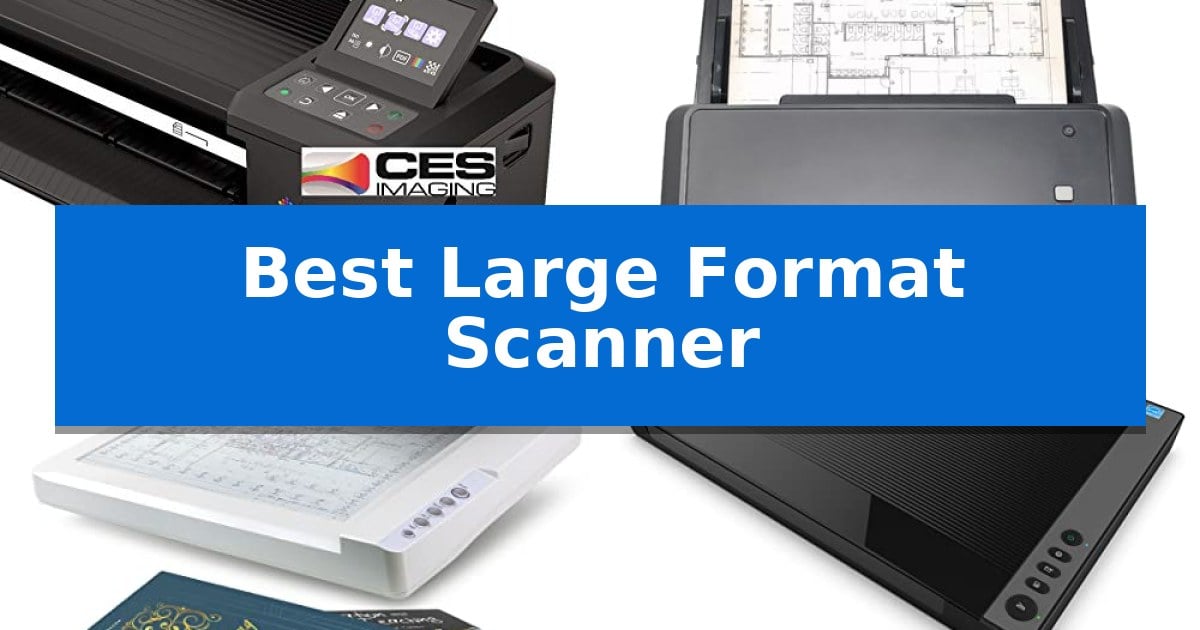
Digitizing oversized documents requires specialized hardware that can handle dimensions far beyond standard office equipment. Whether you are archiving architectural blueprints, preserving historical manuscripts, or scanning high-resolution artwork, selecting the Best Large Format Scanner depends heavily on your specific media type and workflow requirements.
From high-speed sheet-fed systems designed for volume to flatbed and overhead scanners built for delicate originals, the right choice balances scan area, resolution, and ease of use. This guide evaluates five distinct models to help you identify which technology best fits your professional or creative environment.
Best Large Format Scanner in 2026
Quick Comparison
| Product | Best For | Key Strength | Score |
|---|---|---|---|
| Colortrac SmartLF 36-inch Scanner | Best Overall | 36-inch scanning width for oversized documents | 4.9 |
| Plustek S30 Document Scanner | Fastest High-Volume Batch Processing | 12-inch wide scanning path accommodates tabloid, ledger, and A3 documents. | 4.3 |
| Plustek OS1180 A3 Flatbed Scanner | Best Value for Graphic Design | Large format scanning capability up to 11.7" x 17". | 4.7 |
| VIISAN 3120 A3 Flatbed Scanner | Fastest Flatbed for Large Artworks | Large A3 scanning area (11.98" x 16.8") for oversized documents. | 4.3 |
| VIISAN S21 Overhead Scanner | Best for Scanning Bound Books | Large A2 capture area suitable for oversized documents. | 4.5 |
How We Chose
- Scan Area and Media Compatibility: Assessing whether the device handles rigid blueprints, bound books, or flexible large-format sheets.
- Scanning Speed and Throughput: Measuring how quickly the hardware processes documents to support high-volume or time-sensitive projects.
- Optical Resolution and Image Quality: Evaluating the sensor capabilities for capturing fine details in technical drawings or artistic prints.
- Software and Workflow Integration: Reviewing the provided tools for file management, OCR accuracy, and one-touch task automation.
- Physical Footprint and Design: Considering the space requirements and the physical form factor relative to the intended workspace.
1 Colortrac SmartLF 36-inch Scanner — Best for Wide-Format Architectural Plans
Handling oversized architectural plans and technical drawings requires a device built specifically for expansive media. The Colortrac SmartLF 36-inch wide color scanner provides a dedicated solution for digitizing large-format documents, offering a 36-inch scanning width that accommodates blueprints, maps, and technical schematics that standard office scanners cannot process.
Designed for professional environments, this scanner features a robust build with dimensions of 51 inches in length and 9 inches in width. Its physical footprint is optimized for stability, weighing in at 31 pounds, which ensures the unit remains secure during the high-volume scanning of long or heavy paper stock.
The Colortrac SmartLF 36-inch wide color scanner simplifies the transition from physical archives to digital files. By utilizing a specialized wide-format feed, it allows users to capture high-detail imagery across the entire 36-inch span, making it a functional asset for engineering firms, architectural studios, and archival projects that require precise, large-scale document management.
While the unit is purpose-built for large-format tasks, users should ensure their workspace can accommodate its 51-inch length. Its design focuses on the specific requirements of wide-media handling, prioritizing consistent feed accuracy over the compact portability found in smaller document scanners.
Best for: Architectural firms and engineering offices needing to digitize large-format blueprints and technical drawings up to 36 inches wide.
Skip if: Users with limited desk space or those primarily scanning standard letter or legal-sized documents will find this unit unnecessarily large and cumbersome.
PROS
- 36-inch scanning width for oversized documents
- Robust build quality for stable operation
- Specialized design for architectural and technical media
CONS
- Large physical footprint requires significant desk space
- Heavy 31-pound weight limits portability
2 Plustek S30 Document Scanner — Fastest High-Volume Batch Processing
Managing diverse document sizes in a high-volume workspace requires hardware that adapts to the task without constant manual intervention. The Plustek Large Format Document Scanner S30 addresses this by offering a 12-inch wide scanning path, allowing it to process standard letter documents alongside larger tabloid, ledger, and A3 formats in a single batch.
Efficiency is central to the design, featuring a 100-sheet duplex auto document feeder that handles varied paper types, from thin delivery notes to engineering drawings. The device utilizes automatic paper detection, which removes the need to manually configure settings for each sheet, as it optimizes images and discards blank pages during continuous scanning.
For specialized workflows, the scanner includes a job button that can be programmed via the included software to execute frequently used tasks with a single touch. To maintain a clean desk, the unit is designed to be stored upright when not in use, and its footprint is only about 4 inches wider than standard desktop scanners.
Compatibility extends to fragile or non-standard documents through a horizontal mode and the use of carrier sheets. This approach allows users to protect delicate items or combine documents larger than tabloid size into a single digital image, ensuring that the Plustek Large Format Document Scanner S30 remains a versatile tool for varied office requirements.
Best for: High-volume office environments that frequently process a mix of standard letter and wide-format documents like blueprints or ledger sheets.
Skip if: Users who require ultra-compact portability or those who only scan standard letter-sized documents and do not need the extra width capacity.
PROS
- 12-inch wide scanning path accommodates tabloid, ledger, and A3 documents.
- Automatic paper detection streamlines batch processing of mixed document sizes.
- 100-sheet duplex feeder supports high-volume productivity.
- Programmable job button enables one-touch execution of common tasks.
CONS
- Larger physical footprint compared to standard letter-only scanners.
- Requires carrier sheets for fragile or oversized documents.
3 Plustek OS1180 A3 Flatbed Scanner — Best Value for Graphic Design
The Plustek OS1180 A3 Flatbed Scanner simplifies the digitization of oversized materials by offering a generous 11.7" x 17" scan area. This design specifically accommodates tabloid or A3-sized documents, making it a practical tool for environments where standard letter-sized scanners fall short.
Efficiency is central to its operation, utilizing an LED light source that eliminates the need for warm-up time, allowing users to begin scanning immediately. This choice also contributes to energy efficiency during regular use. For high-volume tasks, the device captures images in approximately 9 seconds, helping to maintain workflow momentum in busy offices or schools.
The scanner includes a one-touch button interface for streamlined operation, reducing the steps required to initiate common tasks. It supports high-quality output with 48-bit color and 16-bit gray-scale modes, ensuring detailed captures for both artistic projects and standard documentation.
Software integration is handled through a bundled package that features ABBYY OCR for improved text recognition accuracy and DocAction for simplified file sharing. These tools are designed to bridge the gap between physical paper and digital storage, facilitating better organization for graphic designers and administrative staff alike.
With a slim profile measuring only 2.67 inches in height, the unit fits easily on crowded desks. While its footprint is dictated by the large-format glass, its lightweight build of 9.52 pounds makes it manageable for shared workspaces.
Best for: Graphic designers, libraries, and small offices requiring frequent digitization of A3 or tabloid-sized documents.
Skip if: Users who primarily scan standard letter-sized documents and require a smaller, more compact device for limited desk space.
PROS
- Large format scanning capability up to 11.7" x 17".
- No warm-up time due to the integrated LED light source.
- One-touch button for quick and hassle-free operation.
- Includes powerful software bundle for OCR and file sharing.
CONS
- Large physical footprint required to accommodate A3-sized scanning surface.
4 VIISAN 3120 A3 Flatbed Scanner — Fastest Flatbed for Large Artworks
Capturing large-format documents requires precision and a generous scanning surface, which is exactly what the VIISAN 3120 A3 Flatbed Scanner provides. Designed for versatility, this scanner accommodates items up to 11.98" x 16.8", making it a practical choice for digitizing everything from painting albums and newspapers to CAD drawings and thick books.
The unit is engineered for efficiency, boasting a fast scanning speed of 8 seconds for an A3-sized color document at 200 dpi. It utilizes a CIS sensor to deliver a 48-bit color depth, ensuring vivid, true-to-life images with smooth gradients. With a maximum optical resolution of 1200 x 1200 dpi, users can capture fine details, though high-resolution scanning is best managed through the included ViiScan software.
Usability is enhanced by a frameless and narrow boundary design, which simplifies the placement of oversized or thick media. The Auto-Scan function streamlines workflows by initiating the scan automatically once the lid is closed, while four dedicated panel buttons provide quick access to scan, email, print, and PDF creation tasks.
Compatibility is broad, supporting Windows and macOS via TWAIN, WIA, and ICA drivers. The device includes a universal power adapter (100–240V), ensuring it is ready for use in various international settings without the need for additional converters. Users should note that the CIS sensor is optimized for flat paper media and is not intended for three-dimensional objects.
Best for: Graphic designers, librarians, and SOHO professionals who need to digitize large-format documents, books, and artwork quickly.
Skip if: Users who need to scan three-dimensional objects, as the CIS sensor technology is strictly limited to flat paper media.
PROS
- Large A3 scanning area (11.98" x 16.8") for oversized documents.
- Fast 8-second scan speed at 200 dpi for improved productivity.
- Frameless design allows for easy handling of thick books and albums.
- Universal power compatibility for global use without extra adapters.
CONS
- CIS sensor limitations prevent the scanning of three-dimensional items.
- WIA driver resolution is capped at 600 dpi due to software constraints.
5 VIISAN S21 Overhead Scanner — Best for Scanning Bound Books
The VIISAN S21 Overhead Scanner distinguishes itself with a versatile A2 large format capture area of 594×420 mm, making it a specialized tool for digitizing oversized journals, maps, and newspapers. Its height-adjustable design and 90-degree foldable hinge allow users to switch between A2 and A3 scanning modes, providing physical flexibility for varied document sizes.
Equipped with a 26MP sensor, this scanner delivers high-resolution imagery, with software-enhanced capabilities reaching up to 600 DPI. The device integrates with the bundled OfficeCam software, which provides intelligent processing features such as automatic page flattening, fingerprint removal, and the ability to split double-page spreads into individual files. These tools are designed to streamline the digitization of bound books.
For users requiring text accessibility, the scanner includes embedded OCR functionality to convert images into searchable PDF, Word, Excel, or Epub formats. The unit also features a built-in 3-level LED light to assist in capturing clear images in various lighting conditions, though it is optimized for environments without excessive glare.
The VIISAN S21 Overhead Scanner is UVC/UAC compliant, allowing it to function as a document camera for remote collaboration and video recording. It connects via USB and is compatible with Windows and macOS, though users should note that the software requires x64 or x86 architectures and does not support ARM-based devices.
Best for: Users needing to digitize large-format bound books, maps, or manuscripts with advanced software-based image correction.
Skip if: Users operating on ARM-based hardware or those requiring a traditional flatbed scanner for high-glare, glossy materials.
PROS
- Large A2 capture area suitable for oversized documents.
- Intelligent software for automatic page flattening and OCR conversion.
- Adjustable height design with a foldable hinge for portability.
- UVC/UAC compliance for use as a remote document camera.
CONS
- Incompatible with ARM-based devices such as the Surface Pro X.
- Not recommended for highly reflective or glary paper types.
Best Large Format Scanner Buying Guide
Understanding Scanner Types
The primary distinction in this category is between flatbed, sheet-fed, and overhead scanners. Flatbed scanners provide a stable glass surface, making them ideal for fragile items or artwork that must remain perfectly still. Sheet-fed scanners, by contrast, are built for speed and efficiency, using automated document feeders to process stacks of technical drawings or blueprints quickly.
Overhead scanners represent a specialized category designed for bound books or thick materials that cannot be fed through rollers. These devices use high-resolution cameras mounted above the document, often featuring software to flatten curved pages and remove fingers from the final digital image, which is essential for archival work.
Resolution and Detail Requirements
Optical resolution, measured in DPI (dots per inch), determines the level of detail captured. For technical drawings, CAD files, or architectural plans, a high DPI is necessary to ensure that fine lines and small text remain legible after digitization. Most professional scanners offer at least 600 DPI, with some reaching 1200 DPI for high-fidelity art reproduction.
It is important to note that higher resolution often results in larger file sizes and slower processing times. When choosing your scanner, match the resolution capability to your end-use; archiving for reference may require less detail than preparing files for large-scale printing or professional digital publishing.
Software and Automation Tools
Modern scanners are only as effective as the software that controls them. Look for features like one-touch job buttons, which allow you to pre-configure settings for specific tasks such as scanning to PDF, email, or cloud storage. This significantly reduces the time spent navigating menus between different types of documents.
Advanced software bundles often include OCR (Optical Character Recognition), which converts scanned text into editable formats. For those scanning books or documents, features like automatic page splitting and edge repair are invaluable for maintaining a clean, professional digital library without manual post-processing.
Space and Ergonomics
Large format hardware can occupy significant desk space. Before purchasing, verify the physical dimensions, especially if you have a limited workspace. Some models are designed with a vertical storage capability or a slim profile to minimize their footprint when not in use.
Consider the weight and stability of the unit. While heavier, industrial-grade scanners offer robust durability, lighter overhead models provide portability. Ensure your desk or dedicated scanning station can support the weight and accommodate the necessary clearance for opening lids or loading documents.
Compatibility and Connectivity
Always verify that the scanner is compatible with your operating system, whether you are using Windows or macOS. Some scanners rely on specific drivers like TWAIN or ICA to communicate with your computer, and software compatibility can vary based on the architecture of your system, such as ARM-based versus x64 processors.
Check the connectivity options provided. Most scanners utilize high-speed USB connections to ensure reliable data transfer. If you plan to share the scanner across multiple workstations, consider how the software handles network-based scanning or if the device is intended for a single-user setup.
Frequently Asked Questions
Can I scan 3D objects with these scanners?
Most large format scanners, particularly those using CIS sensors, are designed for flat documents. Attempting to scan 3D objects can lead to blurred images or damage to the scanner glass.
What is the difference between A3 and A2 scanning?
A3 is a standard large format size (11.7 x 16.5 inches), while A2 is significantly larger (16.5 x 23.4 inches). Choose a scanner based on the largest document size you regularly need to digitize.
Do I need special software for OCR?
Many scanners come with bundled software that includes OCR functionality. Always check the product specifications to see if OCR is included or if you will need to purchase third-party software.
How do I keep my scanner clean?
Regularly wipe the glass surface with a lint-free cloth and a non-abrasive cleaner. If you notice white lines appearing on your scans, it is usually a sign that the glass or sensor needs cleaning.
Are these scanners compatible with all computers?
Compatibility varies by model. Always check the manufacturer's system requirements, especially regarding processor architecture (like ARM vs. x64) and supported operating system versions.
Conclusion: Our Top Pick
Selecting the right equipment is essential for maintaining a high-quality digital workflow. For those focused on technical drawings and architectural projects, the Colortrac SmartLF 36-inch Scanner stands out as a specialized tool designed specifically for large-format media.
While other models offer specific benefits for books or graphic design, the Colortrac provides the dedicated capacity required for wide-format architectural plans. Ensure that your chosen model aligns with your specific document dimensions and daily volume requirements to achieve the best results.