
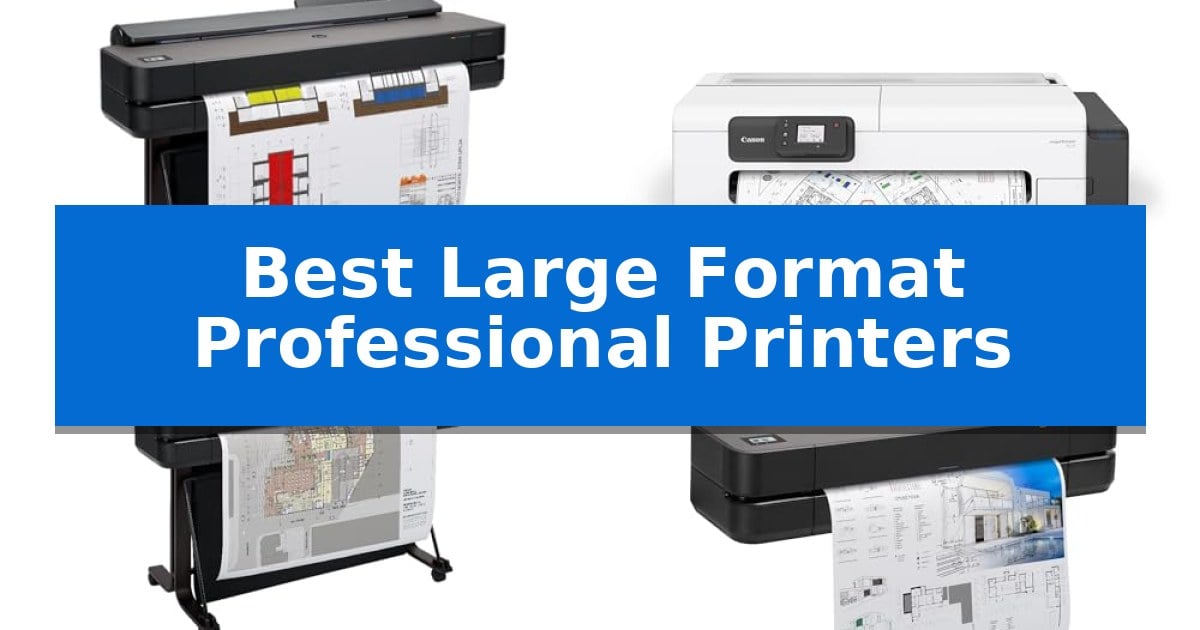
Selecting the right equipment for oversized media requires balancing print resolution, media handling capabilities, and software integration. Whether you are producing technical blueprints for construction or high-fidelity fine art prints, the Best Large Format Professional Printers must deliver consistent, accurate output while fitting into your specific studio or office environment.
Our guide evaluates current industry-leading models based on their core technical strengths, such as automated media switching, connectivity options, and specialized software support. By focusing on these essential features, we help you identify a machine that reduces downtime and enhances the quality of your large-scale projects.
Best Large Format Professional Printers in 2026
Quick Comparison
| Product | Best For | Key Strength | Score |
|---|---|---|---|
| HP DesignJet T650 Plotter Printer | Best Overall | Automatic sheet/roll switching for multi-size project efficiency. | 4.9 |
| Canon imagePROGRAF TC-21 Printer | Easiest Desktop Maintenance | Highest ink capacity in its class with 280 ml included. | 4.8 |
| HP DesignJet T630 Plotter Printer | Reliable Technical Line Accuracy | Automatic sheet/roll switching for seamless workflow transitions. | 4.9 |
| HP DesignJet T210 Plotter Printer | Compact Pick for Small Studios | Compact 24-inch design ideal for small office spaces. | 4.9 |
| Canon imagePROGRAF PRO-2100 Printer | Professional Fine Art Quality | Professional fine art quality output for high-end creative projects. | 4.9 |
How We Chose
- Media Versatility: Evaluating the ability to handle both roll-fed media for long prints and cut-sheet feeders for smaller, specialized tasks.
- Workflow Integration: Assessing the utility of proprietary software like HP Click or intuitive touch-interface controls for managing print jobs.
- Technical Accuracy: Focusing on line-quality precision for CAD applications and color vibrancy for artistic renders.
- Maintenance and Support: Considering the ease of ink replacement and the availability of extended onsite warranty support to minimize operational downtime.
- Connectivity Standards: Verifying support for Gigabit Ethernet, Wi-Fi, and USB interfaces to ensure seamless network integration.
1 HP DesignJet T650 Plotter Printer — Best for Extended Onsite Support
The HP DesignJet T650 Plotter Printer provides a streamlined workflow for technical professionals by integrating an automatic sheet feeder that allows for seamless switching between large-format rolls and smaller sheets. This capability eliminates the need for manual media changes, making it a practical choice for architects and engineers who frequently alternate between large-scale technical drawings and standard-sized documents.
Engineered for efficiency, the device includes HP Click Software, which simplifies the printing process through drag-and-drop functionality for various file types including PDF, TIFF, and DWF. The software also features auto-nesting and error checking to minimize paper waste. With Gigabit Ethernet and Wi-Fi 802.11 connectivity, the printer supports remote management via the HP Smart app, enabling users to initiate prints from mobile devices or desktops.
Performance is supported by 1GB of memory, allowing for print speeds of up to 82 A1/D size prints per hour. The system is designed to be cost-effective, utilizing HP 712 Original Ink cartridges and an automatic horizontal cutter to ensure precise output. The inclusion of a 2-year HP Care Pack with onsite support provides long-term coverage for maintenance needs.
While the unit is well-suited for high-quality line-drawings and posters, it is specifically optimized for technical environments. Users should note that its primary design focus is on professional CAD applications and technical documentation rather than high-volume photo-grade artistic printing.
Best for: Architects, engineers, and construction professionals who require a reliable, automated solution for printing technical line-drawings and large-format renders.
Skip if: Users who primarily require high-volume photo-grade artistic printing or those who do not have the space for a 36-inch wide-format device.
PROS
- Automatic sheet/roll switching for multi-size project efficiency.
- 2-year onsite warranty support included for long-term reliability.
- HP Click Software reduces paper and ink waste through auto-nesting.
- Versatile connectivity including Wi-Fi and mobile app integration.
CONS
- Large physical footprint requires dedicated office space.
- Optimized for technical line-work rather than photographic-grade output.
2 Canon imagePROGRAF TC-21 Printer — Easiest Desktop Maintenance
Managing large-scale printing tasks requires equipment that balances high-capacity media handling with straightforward maintenance. The Canon imagePROGRAF TC-21 Printer simplifies this workflow by offering a 24-inch desktop footprint that supports both roll and cut sheet media through an automatic feeder, making it a practical choice for professional environments where space is at a premium.
This device is engineered for efficiency, shipping with a full set of ink totaling 280 ml, which is the highest capacity in its class. The inclusion of a tiltable touchscreen control panel and animated installation guides ensures that users can navigate setup and daily operations with minimal friction. Maintenance is further streamlined by top and front interior access, allowing for quick ink tank refills and paper roll replacements.
Connectivity options are designed to support diverse office setups, featuring high-speed USB and Ethernet ports for reliable wired networking. For added flexibility, the integrated Wi-Fi allows for wireless printing directly from computers, smartphones, and tablets, catering to modern, mobile-heavy workflows. The printer is also ENERGY STAR and EPEAT Gold rated, reflecting a focus on power efficiency.
While the Canon imagePROGRAF TC-21 Printer excels in ease of use and compact design, it is a 4-color ink system optimized for crisp text and vibrant posters. It is best suited for professional users who prioritize quick, reliable output for signage and technical documents rather than high-end photographic color reproduction.
Best for: Professional offices and small studios requiring a compact, easy-to-maintain 24-inch printer for posters and technical documents.
Skip if: Users who require advanced photographic color accuracy or high-volume production speeds beyond the capabilities of a desktop-class plotter.
PROS
- Highest ink capacity in its class with 280 ml included.
- Automatic roll and cut sheet feeder for versatile media handling.
- Intuitive tiltable touchscreen and animated setup guides.
- Compact 24-inch desktop design saves valuable workspace.
CONS
- 4-color ink system may not meet the needs of high-end photo printing.
3 HP DesignJet T630 Plotter Printer — Reliable Technical Line Accuracy
Precision in technical documentation requires reliable output, and the HP DesignJet T630 Large Format 36-inch Plotter Printer provides this through its specialized ability to handle complex line-drawings, architectural renders, and detailed maps. Designed for professionals who demand crisp text and accurate line quality, this unit integrates seamlessly into engineering and construction workflows.
The printer supports versatile media handling, accommodating 36-inch wide media rolls for large-format projects while utilizing an included automatic sheet feeder for smaller 13-inch by 19-inch documents. Efficiency is managed by an automatic sheet/roll switch and an integrated automatic horizontal cutter, which streamlines the transition between different print tasks without manual intervention.
Connectivity options include Gigabit Ethernet, Hi-Speed USB 2.0, and Wi-Fi 802.11 b/g/n, ensuring compatibility with various office network environments. The system is further enhanced by the HP Click Software, which simplifies the printing process by allowing users to drag and drop files such as PDF, JPEG, TIFF, and DWF directly from common CAD applications, while also providing auto-nesting to reduce paper waste.
Built with a dedicated stand and media bin, the HP DesignJet T630 Plotter Printer is engineered for high-volume technical environments. It balances professional-grade output with a design that prioritizes ease of use, making it a practical addition for teams that require consistent, high-quality technical documentation.
Best for: Architects, engineers, and construction professionals who need a reliable, space-efficient solution for printing technical line drawings and large-format renders.
Skip if: Users requiring high-speed photo-quality color printing or those with limited floor space who do not need 36-inch wide media support.
PROS
- Automatic sheet/roll switching for seamless workflow transitions.
- HP Click Software reduces waste through auto-nesting and PDF error checking.
- Versatile connectivity including Wi-Fi and Gigabit Ethernet.
- Included stand and media bin for organized, high-volume production.
CONS
- Large physical footprint may not be suitable for cramped office spaces.
4 HP DesignJet T210 Plotter Printer — Compact Pick for Small Studios
The HP DesignJet T210 Large Format 24-Inch Plotter Printer distinguishes itself with a compact footprint designed specifically for small studio environments, measuring just 40 inches wide. This printer streamlines professional workflows by integrating HP Click Software, which enables users to drag and drop files including PDF, JPEG, TIFF, and DWF formats for automated printing without manual setting adjustments.
Engineered for precision, the device supports 24-inch wide media rolls and offers an optional automatic sheet feeder for 13-inch by 19-inch sheets. It features an automatic horizontal cutter to manage output efficiently. With a memory capacity of 500MB, it achieves print speeds of up to 45 seconds per A1/D size page, maintaining a throughput of 59 prints per hour.
Connectivity is a primary focus, allowing users to manage printing tasks remotely via the HP Smart app from smartphones, tablets, or desktop computers. The system is designed for cost-effective maintenance, utilizing HP 712 Original Ink cartridges and the HP 713 Printhead, with engineering aimed at reducing ink consumption during routine maintenance cycles.
This model includes a 2-year HP Care Pack with Onsite Support, providing long-term service coverage for professional users. It is well-suited for architects, engineers, and construction professionals who require reliable, high-quality technical line-drawings, blueprints, and indoor signage within a space-constrained office.
Best for: Small architectural or engineering studios requiring a compact, reliable solution for technical line-drawings and blueprints.
Skip if: Users who require high-volume production speeds or support for media wider than 24 inches will find this compact model insufficient for their needs.
PROS
- Compact 24-inch design ideal for small office spaces.
- HP Click Software simplifies multi-format file printing.
- Includes 2-year HP Care Pack for onsite support.
- Remote management via the HP Smart app.
CONS
- Limited to 24-inch media width for large format projects.
- Optional accessory required for automatic sheet feeding.
5 Canon imagePROGRAF PRO-2100 Printer — Professional Fine Art Quality
Producing high-quality prints requires equipment that balances precision with reliable output. The Canon imagePROGRAF PRO-2100 Printer is engineered for professional fine art applications, offering a robust build that measures 49 inches in length and 35 inches in width. This unit is designed to handle demanding workflows, supported by a 1-year on-site warranty by Canon to ensure operational continuity.
The printer is specifically tailored for environments where color accuracy and print integrity are paramount. As a professional-grade device, it integrates into existing studio setups, providing the necessary dimensions and stability for consistent, high-volume production. Its physical footprint is optimized for professional workspaces, balancing a substantial 33-inch height with a design that prioritizes accessibility for the user.
For those integrating this into a professional service or creative business, the Canon imagePROGRAF PRO-2100 Printer benefits from the support of a Canon Platinum Reseller, such as CES Imaging. This partnership provides an additional layer of professional backing for users who require specialized expertise and reliable hardware maintenance for their large-format printing needs.
Choosing this model involves considering its size and specific professional focus. While it is a powerful tool for fine art, its dimensions require a dedicated space within a studio or office. It is a purpose-built machine that avoids unnecessary complexity, focusing instead on the core requirements of professional-grade, wide-format output.
Best for: Professional studios and fine art creators requiring reliable, high-quality, wide-format printing with on-site support.
Skip if: Users with limited floor space or those who do not require professional-grade wide-format output capabilities.
PROS
- Professional fine art quality output for high-end creative projects.
- Includes a 1-year on-site warranty by Canon for reliable maintenance.
- Backed by Canon Platinum Reseller support for professional integration.
CONS
- Large physical footprint requires significant dedicated studio space.
- Heavy-duty design is optimized for professional use rather than portable or casual applications.
Best Large Format Professional Printers Buying Guide
Understanding Media Handling
The primary advantage of a professional large-format printer is its ability to manage multiple media sizes without manual intervention. Look for models that feature automatic roll-to-sheet switching, which allows you to transition between large technical drawings and standard-sized prints seamlessly.
A robust media bin is also essential for keeping long prints organized as they exit the printer. This prevents your work from curling on the floor or sustaining damage, ensuring that high-value prints remain in pristine condition until they are ready for review.
Software and Workflow Efficiency
Modern printers often include specialized software suites designed to reduce paper and ink waste. Features like auto-nesting allow you to group multiple files onto a single roll, maximizing material usage and saving time during high-volume production runs.
Integration with common CAD and design applications is critical for a smooth workflow. Printers that support direct file submission—such as PDF, TIFF, or HP-GL/2 formats—via simple drag-and-drop interfaces significantly lower the barrier to entry for complex printing tasks.
Connectivity and Remote Management
In a busy office or studio, the ability to print from anywhere is a major productivity booster. Printers with built-in Wi-Fi and mobile app support allow team members to send files from tablets or smartphones, which is particularly useful for onsite construction teams or collaborative design sessions.
For stationary setups, Gigabit Ethernet remains the gold standard for reliability and speed. A stable wired connection ensures that large, high-resolution files are transferred quickly without the latency or drop-offs sometimes associated with wireless networks.
Maintenance and Long-Term Reliability
Large-format printers require regular maintenance, including printhead cleaning and ink replenishment. Models that offer front or top access to these components make the process significantly faster and less frustrating, allowing you to get back to work quickly.
Consider the value of extended onsite warranty support. Because these machines are often central to business operations, having a technician available to perform repairs on-site can be the difference between a minor delay and a complete project standstill.
Color Accuracy vs. Line Precision
The intended use of your printer should dictate your choice of technology. If your primary focus is technical line-drawings and blueprints, prioritize printers that emphasize high-contrast, razor-sharp lines and text clarity.
Conversely, if you are producing fine art, posters, or high-end renders, look for models that utilize advanced multi-color ink systems. These printers are engineered to reproduce a wider color gamut, ensuring that gradients and images appear vibrant and true to your digital source files.
Frequently Asked Questions
What is the difference between a plotter and a standard large-format printer?
Historically, a plotter used pens to draw lines, but the term is now commonly used for large-format inkjet printers that specialize in technical drawings, CAD files, and architectural blueprints with high line accuracy.
Can I print on different types of paper with these machines?
Yes, most professional large-format printers support a wide range of media, including bond paper, coated paper, and specialized fine art media. Always check the printer's specifications for maximum roll weight and thickness compatibility.
How do I manage ink costs for large-format printing?
Many modern printers feature efficient ink management systems that use significantly less ink for routine maintenance cycles. Additionally, using software that optimizes print layout (nesting) helps reduce overall material waste.
Do I need a dedicated network for these printers?
While they do not require a dedicated network, they perform best when connected via Gigabit Ethernet or a stable 5GHz Wi-Fi connection to handle the large data packets associated with high-resolution prints.
What should I look for in a warranty for a professional printer?
Prioritize printers that offer onsite support. Because these machines are large and difficult to transport, having a technician come to your location for repairs is essential for maintaining business continuity.
Conclusion: Our Top Pick
For professionals who require a reliable, high-performance solution that balances technical precision with ease of use, the HP DesignJet T650 Plotter Printer is our top recommendation. Its inclusion of a 2-year onsite warranty provides significant peace of mind, while its automated media handling and efficient HP Click software make it an ideal choice for architects and engineers who need to move quickly between different print tasks.
While other models may offer specific advantages for niche fine-art applications, the HP DesignJet T650 stands out for its versatility and robust support structure. It effectively minimizes the time spent on printer maintenance, allowing you to focus your energy on your design work rather than troubleshooting technical issues.