
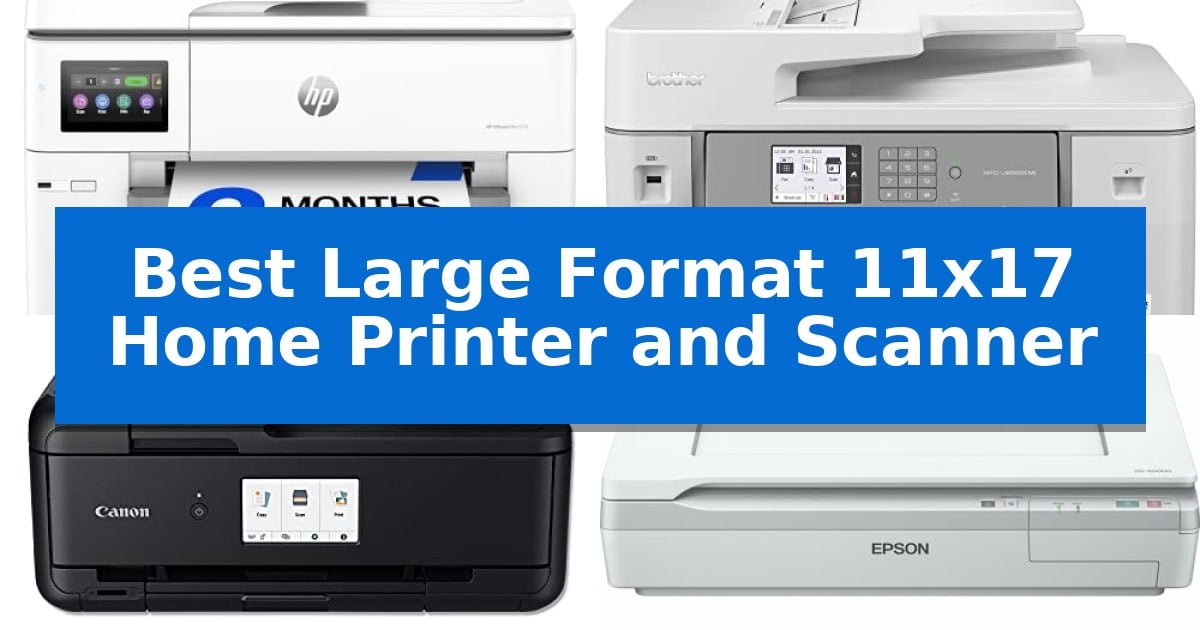
Managing oversized documents like floorplans, spreadsheets, or creative mood boards requires hardware that goes beyond standard letter-size capabilities. Finding the Best Large Format 11×17 Home Printer and Scanner can transform your home office workflow, allowing you to handle ledger-size media without needing to outsource your printing or scanning tasks.
Whether you prioritize high-volume output, color accuracy, or a compact footprint, the right equipment makes a significant difference in your daily efficiency. We have evaluated the latest models on the market to help you identify which device best aligns with your specific professional or creative requirements.
Best Large Format 11×17 Home Printer and Scanner in 2026
Quick Comparison
| Product | Best For | Key Strength | Score |
|---|---|---|---|
| HP OfficeJet Pro 9730 All-in-One Printer | Best Overall | Wide-format 11×17 printing and scanning capability. | 4.9 |
| Brother MFC-J6555DW Inkjet All-in-One Printer | High-volume ledger size productivity | Native 11" x 17" ledger support for printing, scanning, and copying. | 4.3 |
| Canon PIXMA TS9520 Wireless All-in-One Printer | Versatile home office wide-format | Supports 11×17 inch printing and scanning for wide-format needs. | 4.7 |
| Epson DS-50000 Large-Format Document Scanner | Dedicated flatbed for oversized media | Large 11.7" x 17" scanning area for oversized media. | 4.5 |
| Brother MFC-J5620DW Wireless Color Printer | Compact specialty paper handling | Dedicated multipurpose tray for 11"x17" specialty paper | 4.9 |
How We Chose
- Media Handling: We assessed the ability of each unit to reliably feed and process 11×17 ledger-size paper through both printing and scanning paths.
- Connectivity: We prioritized models offering versatile wireless, Ethernet, and mobile app integration for seamless document management.
- Output Quality: We examined color gamut support and text clarity to ensure professional-grade results for complex documents.
- Workflow Efficiency: We evaluated features such as automatic document feeders (ADF), duplexing, and touchscreen interfaces that reduce manual intervention.
- Space and Design: We considered the physical footprint and paper tray configurations to ensure the units fit within typical home office environments.
1 HP OfficeJet Pro 9730 All-in-One Printer — Professional wide-format color accuracy
The HP OfficeJet Pro 9730 All-in-One Printer provides a specialized solution for environments requiring wide-format output, supporting media up to 11×17 inches. This device integrates an auto document feeder with single-pass 2-sided scanning, making it suitable for digitizing large-scale documents like floorplans or mood boards alongside standard office paperwork.
Engineered for color precision, this model is the first wide-format printer to feature P3 color gamut support, which aims for screen-accurate prints compared to standard sRGB. It is powered by a 4.3-inch touchscreen interface and includes dual-band Wi-Fi for reliable network connectivity, while HP Wolf Pro Security is integrated to help protect data from potential cyber threats.
Efficiency is supported through print speeds up to 22 ppm black and 18 ppm color, complemented by two 250-sheet input trays to reduce the frequency of paper refills. The printer also utilizes HP AI to optimize formatting for web pages and emails, helping to minimize wasted paper by removing unwanted content before printing.
Sustainability and maintenance are addressed through a design composed of over 30% recycled plastic and the inclusion of a 3-month trial of the Instant Ink delivery service. This service is designed to automate ink replenishment, ensuring supplies arrive before they are depleted.
Best for: Offices and creative professionals who require wide-format 11×17 printing and high-accuracy color reproduction for documents like floorplans and spreadsheets.
Skip if: Users with limited desk space or those who do not require wide-format printing capabilities, as the unit's 22.9 x 18.4 x 15.2-inch footprint is substantial.
PROS
- Wide-format 11×17 printing and scanning capability.
- P3 color gamut support for improved color accuracy.
- Single-pass 2-sided scanning via the auto document feeder.
- Dual-band Wi-Fi for stable wireless connectivity.
CONS
- Large physical footprint requires significant desk or office space.
- Ongoing subscription costs apply to the Instant Ink service after the trial period.
2 Brother MFC-J6555DW Inkjet All-in-One Printer — High-volume ledger size productivity
Managing large-scale documentation requires hardware capable of handling oversized media without sacrificing efficiency. The Brother MFC-J6555DW Inkjet All-in-One Printer provides native ledger-size print, copy, scan, and fax capabilities, enabling users to process documents up to 11" x 17" directly from their workspace. This large-format support is essential for architectural prints, multi-page ledger reports, and professional-grade layouts that standard letter-sized printers cannot accommodate.
Engineered for high-volume demands, this model utilizes Brother MAXIDRIVE Inkjet Technology, a durable print engine designed for consistent output during heavy project cycles. To minimize maintenance, the unit includes up to 1 year of ink in-box, offering a significant buffer against frequent supply replacements. This feature is particularly beneficial for small businesses that need to maintain productivity without constant oversight of ink levels.
Usability is centered around a 3.5" color touchscreen, which simplifies navigation across complex tasks such as scanning large-format documents or configuring network settings. The device also incorporates duplex printing and dedicated Eco and Ink Save Modes to help manage operational costs and reduce paper waste. These tools allow users to balance high-capacity output with long-term resource management.
Connectivity is handled through a versatile suite of options, including dual-band wireless, Wi-Fi Direct, Ethernet, and USB support, ensuring reliable integration into various office environments. Security is integrated via a triple-layer security system, designed to protect sensitive data whether printing from a mobile app or a networked desktop computer. This combination of connectivity and security makes it a robust choice for professional environments requiring flexible, secure document handling.
Best for: Home offices and small businesses that require frequent, high-volume printing and scanning of 11" x 17" ledger-sized documents.
Skip if: Users with limited desk space should consider a more compact printer, as this unit measures 22.7" in length and weighs 44.5 pounds.
PROS
- Native 11" x 17" ledger support for printing, scanning, and copying.
- Up to 1 year of ink included in the box for reduced initial maintenance.
- Versatile connectivity including dual-band Wi-Fi, Ethernet, and mobile app support.
- Triple-layer security features to safeguard sensitive data.
CONS
- Large physical footprint requires significant desk or shelf space.
- Substantial weight of 44.5 pounds makes it less portable than standard home printers.
3 Canon PIXMA TS9520 Wireless All-in-One Printer — Versatile home office wide-format
Handling oversized documents and high-volume scanning requires equipment that moves beyond standard letter-size limitations. The Canon PIXMA TS9520 Wireless All-in-One Printer addresses this by offering native support for paper sizes up to 11 inches by 17 inches, making it a functional choice for those who need to print or scan larger layouts without relying on external services.
This device utilizes a 5-Color Individual Ink System designed to balance sharp text reproduction with high-quality photo output. Its versatility is further supported by an Auto Document Feeder (ADF), which simplifies the process of digitizing multi-page documents. Whether scanning legal-sized papers via the ADF or flatbed-scanning standard documents, the unit provides a centralized hub for home office administrative tasks.
Connectivity is a primary focus, featuring Wi-Fi, Ethernet, Bluetooth, and USB options. It integrates with mobile workflows through AirPrint and Mopria Print Service, allowing for direct printing from smartphones, tablets, and computers. The inclusion of booklet layout copying and borderless printing up to 11×17 inches provides additional utility for creative projects or professional presentations.
Measuring 18.5 inches in width and 7.6 inches in height, the unit is designed to fit into home workspaces while maintaining a robust feature set. It includes a 1-year limited warranty with an InstantExchange program, providing a baseline of support for its hardware components.
Best for: Home office users who require a compact, versatile printer capable of handling 11×17 inch wide-format printing and multi-page scanning.
Skip if: Users who require high-speed, enterprise-grade laser printing or those who exclusively need to scan documents larger than legal size via a flatbed.
PROS
- Supports 11×17 inch printing and scanning for wide-format needs.
- Integrated Auto Document Feeder for efficient multi-page processing.
- Comprehensive wireless and wired connectivity including AirPrint and Ethernet.
- 5-Color Individual Ink System for versatile document and photo quality.
CONS
- Flatbed scanner is limited to 8.5 x 11.7 inch document sizes.
- Specific paper types like envelopes and T-shirt transfers are not supported for borderless printing.
4 Epson DS-50000 Large-Format Document Scanner — Dedicated flatbed for oversized media
Digitizing oversized media requires a specialized approach that standard letter-sized scanners cannot accommodate. The Epson DS-50000 Large-Format Document Scanner addresses this by providing a spacious 11.7" x 17" flatbed surface, allowing for the direct capture of architectural plans, large-format artwork, and oversized documents without the need for cumbersome digital stitching.
Engineered for high-fidelity image reproduction, the device utilizes a 4-line CCD sensor that processes RGB and black-and-white data to ensure vivid color accuracy and sharp, legible text. This hardware is supported by TWAIN and ISIS driver compatibility, which facilitates seamless integration into existing professional document management systems and scanning software workflows.
For offices that require centralized document processing, the scanner is network capable when paired with an optional Epson Network Scan module. This configuration transforms the unit into a secure workgroup scanner, enabling multiple users to access the device across a network environment.
To ensure long-term operational stability, the unit includes a 3-year limited warranty featuring Advance Exchange with free Next-Business-Day Replacement. This service model is specifically designed to minimize downtime, ensuring that professional scanning tasks remain productive even if hardware issues occur.
Best for: Professional environments and offices requiring high-resolution, large-format scanning for documents up to 11.7" x 17".
Skip if: Users seeking a compact, portable device or those who require an integrated printer alongside their scanning hardware.
PROS
- Large 11.7" x 17" scanning area for oversized media.
- 3-year warranty with next-business-day replacement.
- TWAIN and ISIS driver support for broad software integration.
- 4-line CCD sensor for high-fidelity color and text capture.
CONS
- Network capability requires an optional module purchase.
- Large physical footprint may occupy significant desk space.
5 Brother MFC-J5620DW Wireless Color Printer — Compact specialty paper handling
Managing large-format documents at home requires a specialized approach to paper handling, and the Brother MFC-J5620DW Wireless Color Printer addresses this with a dedicated multipurpose tray. This tray is engineered to accept specialty paper and larger formats, specifically accommodating up to 5 sheets of 11"x17" paper, making it a practical tool for those who occasionally need to print or scan oversized layouts without industrial-grade equipment.
Beyond its large-format capabilities, the unit functions as a versatile all-in-one device. It features a 250-sheet main paper tray for standard 8.5"x11" tasks and an Automatic Document Feeder (ADF) that holds up to 35 sheets, streamlining multi-page scanning and copying. The printer is designed for efficiency, boasting print speeds of up to 22 ppm in black and 20 ppm in color, adhering to ISO/IEC 24734 standards.
Connectivity is a central focus of this model, supporting wireless printing from mobile devices through AirPrint, Google Cloud Print, and Wi-Fi Direct. This allows for flexible placement within a home office environment, as the device does not need to be tethered directly to a computer to function. Additionally, the printer is compatible with Super High yield replacement ink cartridges, which are rated for approximately 2400 pages in black and 1200 pages in color, helping to manage ongoing supply costs.
The Brother MFC-J5620DW Wireless Color Printer balances its compact footprint—measuring 19.3" in length and 9.4" in height—with the ability to handle larger 11"x17" media. This trade-off makes it suitable for home users who prioritize space-saving design but require occasional wide-format functionality. The manufacturer includes a 2-year limited warranty and provides phone support for the life of the product.
Best for: Home users who need occasional 11"x17" printing and scanning capabilities without the bulk of a professional-grade wide-format machine.
Skip if: Users who require high-volume, continuous 11"x17" printing or those who need to scan large-format documents larger than the standard ADF or flatbed capacity.
PROS
- Dedicated multipurpose tray for 11"x17" specialty paper
- Wireless connectivity via AirPrint, Google Cloud Print, and Wi-Fi Direct
- High-yield ink support for reduced replacement frequency
- Compact dimensions suitable for home office setups
CONS
- Limited 5-sheet capacity for 11"x17" media in the multipurpose tray
Best Large Format 11×17 Home Printer and Scanner Buying Guide
Understanding Media Capacity
The primary reason to invest in a large-format device is its ability to handle 11×17 ledger-size paper. When selecting a machine, ensure it supports this size in both the main paper tray and the scanner bed or automatic document feeder.
Some printers feature a multipurpose tray for specialty media, which is useful if you only occasionally print larger documents but want to keep the overall printer footprint smaller.
Connectivity and Mobile Integration
Modern home offices rely on wireless connectivity to print directly from smartphones, tablets, and laptops. Look for models that support dual-band Wi-Fi and dedicated mobile apps for scanning and faxing.
For more robust setups, Ethernet connectivity provides a more stable connection, which is often preferred in environments where multiple users need to access the same printer.
Scanning Versatility
Not all large-format printers include a large-format scanner. If your work involves digitizing oversized physical documents, verify that the scanner bed is at least 11×17 inches.
An automatic document feeder (ADF) with single-pass duplex scanning is a significant time-saver, as it allows you to scan both sides of a document without manually flipping the pages.
Ink and Toner Efficiency
Large-format printing can consume significant ink. Consider models that offer high-yield cartridges or subscription-based ink delivery services to manage long-term operational costs.
Some printers include Eco or Ink Save modes, which help reduce consumption for internal drafts or non-critical documents, extending the life of your ink supply.
Security and Data Protection
Protecting your network is essential when using connected office equipment. Look for printers that feature built-in security protocols to safeguard your data from unauthorized access.
Features like triple-layer security or advanced encryption help ensure that your documents remain private, whether they are stored on the printer or transmitted across your network.
Frequently Asked Questions
Can these printers handle standard letter-size paper as well?
Yes, all the large-format printers listed are designed to handle standard sizes like letter (8.5×11) and legal (8.5×14) in addition to 11×17 ledger paper.
Do I need a dedicated scanner if I have an all-in-one printer?
If your all-in-one printer has an 11×17 scanner bed, you likely do not need a separate scanner. However, a dedicated flatbed scanner like the Epson DS-50000 may offer superior image quality and specialized software for high-volume digitizing.
What is the benefit of P3 color gamut support?
P3 color gamut support allows for a wider range of colors compared to standard sRGB, resulting in more vibrant and screen-accurate prints, which is ideal for design work.
How much space do these large-format printers typically require?
These units are generally larger than standard home printers. You should account for the footprint of the device plus additional clearance for paper trays and the ADF.
Are these printers suitable for high-volume office work?
Yes, many of these models, such as the Brother MFC-J6555DW, are specifically engineered for high-volume productivity with durable print engines and large paper capacities.
Conclusion: Our Top Pick
For those seeking the most reliable and feature-rich solution, the HP OfficeJet Pro 9730 All-in-One Printer stands out as the top choice. Its combination of wide-format printing, P3 color accuracy, and intuitive 4.3-inch touchscreen interface makes it exceptionally well-suited for professional-quality documents like floorplans and mood boards.
While it offers robust performance and advanced security features, ensure your workspace can accommodate its dimensions. The inclusion of a 3-month trial of Instant Ink further adds value for users who want to manage their printing costs effectively from the start.