
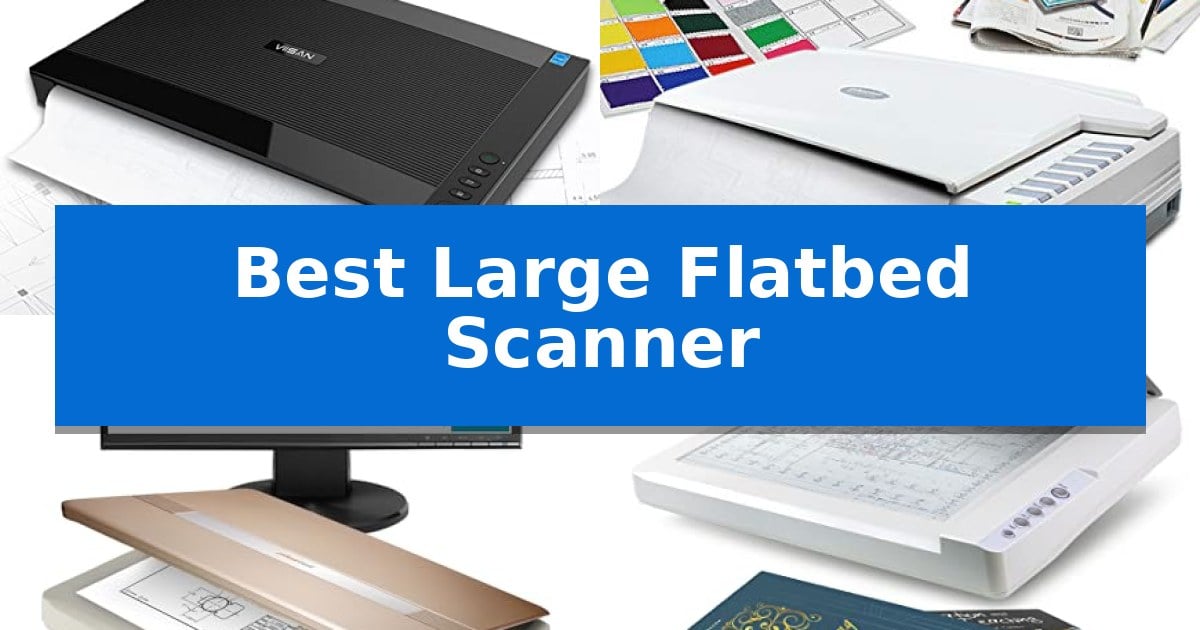
Finding the Best Large Flatbed Scanner requires balancing scan resolution, speed, and the physical dimensions of your workspace. Whether you are digitizing architectural blueprints, historical library archives, or large-format photography, the right hardware must handle tabloid or A3-sized media without compromising image detail.
Our guide focuses on scanners that offer reliable document handling and software compatibility for both Windows and MacOS. By evaluating key technical specifications like optical resolution and scan speed, we help you identify a device that fits your specific digitization workflow.
Best Large Flatbed Scanner in 2026
Quick Comparison
| Product | Best For | Key Strength | Score |
|---|---|---|---|
| VIISAN VF3240 A3 Flatbed Scanner | Best Overall | Frameless design allows for easy edge-to-edge scanning of oversized documents. | 4.9 |
| Plustek OpticPro A320E Flatbed Scanner | CCD sensor for superior color accuracy | 12" x 17" large-format scanning area for A3 documents. | 4.5 |
| Plustek OpticSlim 1680 Flatbed Scanner | High-speed scanning for tabloid formats | Large 11.7×17 inch scanning area for tabloid and A3 documents. | 4.7 |
| Plustek OS1180 A3 Flatbed Scanner | Efficient choice for library archives | Large 11.7" x 17" scanning area accommodates A3 and tabloid formats. | 4.8 |
| VIISAN 3120 A3 Flatbed Scanner | Frameless design for thick books | Large-format scanning capability up to 11.98" x 16.8". | 4.4 |
How We Chose
- Scan Area Capacity: Ensuring the device accommodates A3 or tabloid-sized documents (11.7" x 17" or larger).
- Optical Resolution: Assessing the DPI capabilities for capturing fine details in CAD drawings and high-resolution artwork.
- Operational Efficiency: Comparing scan speeds and the inclusion of automated features like one-touch buttons or auto-scan sensors.
- Software and Driver Compatibility: Verifying support for TWAIN, WIA, and ICA drivers across modern Windows and macOS environments.
- Physical Design: Evaluating the utility of frameless or narrow-boundary designs for scanning thick books or bound materials.
1 VIISAN VF3240 A3 Flatbed Scanner — Fastest scan speeds for large documents
Digitizing oversized documents requires a specialized tool capable of handling large-format media without the limitations of standard office hardware. The VIISAN VF3240 A3 Flatbed Scanner addresses this need with a frameless design that enables edge-to-edge scanning of materials up to A3 size, making it a practical choice for architects, engineers, and archivists.
Performance is centered on high-resolution output, offering up to 2400 x 2400 DPI optical resolution for detailed image capture. For high-volume workflows, the device supports a 4-second scan speed at 200 DPI, allowing for rapid digitization of blueprints, CAD drawings, and large-scale reports. The inclusion of an Intelligent Auto-Scan function further streamlines the process by automatically initiating the scan once the lid is closed.
Usability is enhanced by a dedicated four-button control panel, providing quick access to scan, email, print, and PDF functions. The scanner utilizes a CIS sensor and an LED light source, which eliminates warm-up time and ensures consistent illumination across the flat scanning surface. It is compatible with both Windows and MacOS, though users should note that maximum resolution and driver support can vary by operating system.
Designed specifically for flat media, this scanner is a reliable solution for those needing to archive large-format paper documents. While it is not intended for 3D objects or thick items, its specialized A3 footprint fills a distinct gap for professionals who require precise, high-resolution digital copies of oversized technical or artistic materials.
Best for: Professionals and archivists who need to digitize large-format flat documents like blueprints, CAD drawings, and A3-sized reports.
Skip if: Users who need to scan 3D objects, books with thick spines, or items that are not flat, as the CIS sensor is optimized strictly for paper documents.
PROS
- Frameless design allows for easy edge-to-edge scanning of oversized documents.
- High-resolution output up to 2400 DPI captures fine details in technical drawings.
- Fast 4-second scan speed at 200 DPI improves productivity for high-volume tasks.
- Intelligent Auto-Scan simplifies continuous workflows by triggering automatically when the lid closes.
CONS
- CIS sensor technology is limited to flat materials and is not suitable for 3D objects.
- Driver-dependent resolution means Windows users may require specific software settings for full A3 capability.
2 Plustek OpticPro A320E Flatbed Scanner — CCD sensor for superior color accuracy
Capturing high-resolution detail from oversized documents requires a specialized approach that standard letter-sized hardware cannot accommodate. The Plustek OpticPro A320E Large Format Flatbed Scanner addresses this by providing a generous 12" x 17" scan area, specifically engineered to handle A3-sized maps, architectural drawings, and large bound books without the need for complex stitching.
At the core of its performance is a CCD sensor, which is uniquely suited for color scanning, ensuring that delicate artwork and technical documents are captured with high fidelity. The device is designed for efficiency, boasting a 7.8-second scan speed for a full 12" x 17" document, which helps maintain workflow momentum when digitizing large archives.
Usability is enhanced through the included Doc Action software, which simplifies file management by offering direct paths to email, FTP, and local folders. The scanner also supports OCR functionality, allowing users to convert scanned PDFs into searchable content, a significant benefit for those managing extensive document libraries.
Compatibility is a primary focus, as the unit is ICA and TWAIN compliant, ensuring it integrates smoothly with existing professional software environments. It supports a broad range of operating systems, including Windows 7 through 11 and Mac OS X 10.13 to 13.x, with additional support available for Linux users via SANE drivers.
Best for: Professionals and archivists who need to digitize large-format documents like A3 maps, drawings, or bound books with high color accuracy.
Skip if: Users who only require standard letter-sized scanning or those with limited desk space, as the 31.25-inch length requires a significant footprint.
PROS
- 12" x 17" large-format scanning area for A3 documents.
- CCD sensor technology for superior color reproduction.
- TWAIN and WIA support for broad software compatibility.
- OCR functionality enables searchable PDF creation.
CONS
- Large physical footprint requires substantial dedicated workspace.
- 64-bit Windows only for specific OS versions.
3 Plustek OpticSlim 1680 Flatbed Scanner — High-speed scanning for tabloid formats
Digitizing large-format documents requires a specialized tool capable of capturing expansive surface areas without sacrificing clarity. The Plustek OpticSlim 1680 addresses this by offering a generous 11.7×17 inch scanning area, specifically engineered to accommodate tabloid, ledger, and A3 size papers in a single pass.
Efficiency is central to the design, with the device capable of completing a scan in just 3 seconds for 300dpi grayscale or 5 seconds for color. This performance is managed through an intuitive interface that includes a dual view design, allowing users to preview and verify image adjustments before finalizing the digital file.
Workflow integration is streamlined via one-key operation, featuring four pre-configured buttons that can be customized for specific destinations, file types, and naming conventions. This setup minimizes repetitive manual inputs, enabling users to execute complex tasks with a single touch.
Compatibility is maintained through TWAIN and ICA compliance, ensuring the scanner functions seamlessly with a wide range of software applications on both Windows and macOS systems. Its compact footprint, measuring 23 by 16 inches with a 3-inch height, allows it to fit into professional environments where desk space is a premium consideration.
Best for: Professionals and offices requiring high-speed digitization of large-format documents up to A3 or tabloid size.
Skip if: Users who primarily scan standard letter-sized documents and do not require the specific large-format capability of this unit.
PROS
- Large 11.7×17 inch scanning area for tabloid and A3 documents.
- High-speed performance with 3-second scan times at 300dpi.
- One-key operation with four customizable buttons for workflow efficiency.
- Broad software compatibility via TWAIN and ICA drivers.
CONS
- Specialized large-format design may be unnecessary for users working exclusively with standard letter-sized paper.
4 Plustek OS1180 A3 Flatbed Scanner — Efficient choice for library archives
Digitizing large-format documents requires a specialized approach that standard letter-sized hardware cannot accommodate. The Plustek OS1180 A3 Flatbed Scanner addresses this by providing a generous 11.7" x 17" scan area, specifically engineered for tabloid-sized papers, architectural plans, and oversized graphic prints.
Efficiency is central to its design, utilizing an LED light source that requires no warm-up time. This allows users to begin scanning immediately upon activation, reducing idle time during high-volume archival tasks. The device operates with a one-touch button interface, simplifying the workflow for repetitive document processing in schools or office environments.
The scanner offers high-fidelity capture with 48-bit color and 16-bit gray-scale modes, ensuring that both detailed artwork and text-heavy documents are rendered accurately. To further streamline productivity, the included software bundle features enhanced OCR accuracy via ABBYY and DocAction tools, which facilitate seamless file sharing and digital organization.
Measuring 23.18 inches in width and weighing approximately 9.52 pounds, this unit is built to maintain a stable footprint while handling large media. Its design prioritizes a balance between a wide scanning surface and a manageable form factor, making it a practical addition to workspaces where large-format digitization is a frequent requirement.
Best for: This scanner is best for libraries, schools, and small offices that require frequent digitization of A3 or tabloid-sized documents and graphics.
Skip if: Skip this model if you primarily scan standard letter-sized documents, as its large footprint may occupy unnecessary desk space.
PROS
- Large 11.7" x 17" scanning area accommodates A3 and tabloid formats.
- LED light source eliminates warm-up time for immediate operation.
- One-touch button interface simplifies repetitive scanning tasks.
- Powerful software bundle includes enhanced OCR and file-sharing capabilities.
CONS
- Large physical footprint requires significant desk space compared to standard scanners.
5 VIISAN 3120 A3 Flatbed Scanner — Frameless design for thick books
Digitizing large-format materials requires a device capable of handling expansive dimensions without sacrificing image clarity. The VIISAN 3120 A3 Flatbed Scanner addresses this need with a frameless and narrow boundary design, allowing users to scan oversized documents, painting albums, and thick books up to 11.98" x 16.8" with ease.
Equipped with a CIS sensor, this scanner delivers a maximum optical resolution of 1200 x 1200 dpi and 48-bit color depth, ensuring detailed color gradients for professional graphic and publishing work. Efficiency is prioritized through an Auto-Scan function that triggers the capture process as soon as the lid is closed, eliminating the need for manual button presses during high-volume tasks.
The unit is built for versatility, featuring four-panel buttons that provide quick access to scan, email, print, and PDF creation functions. It is compatible with Windows and macOS, utilizing TWAIN, WIA, and ICA drivers to integrate into existing workflows. The inclusion of a universal power adapter ensures it functions across various voltage standards without requiring additional converters.
While the device excels at flat document capture, it is important to note that the CIS sensor technology is optimized specifically for flat paper media. Users should avoid attempting to scan three-dimensional objects, as this can result in blurred images. With its LED light source requiring no warm-up time, the scanner is ready for immediate use, making it a practical tool for libraries, schools, and design studios.
Best for: Users needing to digitize large-format documents, books, or artwork up to A3 size in a professional or educational setting.
Skip if: Users who need to scan three-dimensional objects or thick items that cannot lie flat against the glass surface.
PROS
- Large-format scanning capability up to 11.98" x 16.8".
- Frameless design facilitates the scanning of thick books and oversized media.
- Auto-Scan functionality increases efficiency for continuous scanning tasks.
- High optical resolution of 1200 x 1200 dpi for detailed image capture.
CONS
- CIS sensor limitations prevent the scanning of three-dimensional objects.
- WIA driver support is capped at 600 dpi due to software constraints.
Best Large Flatbed Scanner Buying Guide
Understanding Scan Area and Format
The primary reason to invest in a large-format scanner is the ability to capture documents larger than standard letter or legal paper. Most models in this category are designed for A3 or tabloid-sized paper, which measures approximately 11.7" x 17".
When selecting a unit, consider the physical footprint of the scanner. These devices are significantly wider than standard office scanners, so ensure your desk or workstation has adequate surface area to accommodate the scanner's base and the necessary clearance for opening the lid.
Resolution and Image Quality
Optical resolution is measured in dots per inch (DPI) and determines the level of detail captured in your digital files. For general document archiving, 300 to 600 DPI is typically sufficient, but high-quality scans of artwork or detailed engineering drawings may require 1200 DPI or higher.
Be aware that some scanners have different resolution limits depending on the driver used (e.g., WIA vs. TWAIN) or the operating system. Always check the manufacturer's specifications to ensure the scanner can achieve your required resolution for the full A3 scan area.
The Importance of Driver Support
Compatibility with your computer's operating system is non-negotiable. Most professional-grade scanners utilize TWAIN or WIA drivers for Windows and ICA drivers for macOS.
Before purchasing, verify that the scanner supports the specific version of your operating system. Some older models may require specific driver updates from the manufacturer's website to function correctly on the latest versions of Windows 11 or macOS.
Sensor Technology: CIS vs. CCD
Large flatbed scanners typically use either Contact Image Sensor (CIS) or Charge-Coupled Device (CCD) technology. CIS sensors are often thinner and more energy-efficient, making them ideal for flat paper documents.
CCD sensors are frequently preferred for applications requiring superior color accuracy and depth, especially when scanning items that are not perfectly flat, such as textured art or pages from thick books.
Workflow Automation Features
To maximize productivity, look for features like Auto-Scan, which triggers the scanning process as soon as the lid is closed. This is particularly useful when digitizing a large stack of documents or multiple pages from a book.
Programmable buttons on the scanner's front panel can also save time by allowing you to send scans directly to specific destinations, such as an email client, a printer, or a designated PDF folder, with a single touch.
Frequently Asked Questions
Can these scanners handle 3D objects?
Most large flatbed scanners, particularly those using CIS sensor technology, are designed specifically for flat paper documents. They are not recommended for scanning 3D objects, clothing, or items that do not lay completely flat against the glass.
Do I need special software to scan at high resolutions?
In some cases, yes. While standard drivers allow for basic scanning, manufacturers often provide proprietary software (like ViiScan) that enables the scanner to reach its maximum optical resolution for full-sized A3 documents.
Are these scanners compatible with both Windows and Mac?
Yes, the models listed are compatible with both platforms, though the specific driver types (TWAIN/WIA for Windows, ICA for macOS) may vary. Always check the product details for specific OS version requirements.
How do I clean the scanner if white lines appear on my images?
White lines on a scan are typically caused by dust or debris on the scanner's glass or the internal sensor. You can usually resolve this by cleaning the scanner glass with a soft, lint-free cloth and following the manufacturer's specific cleaning instructions.
What is the benefit of a frameless design?
A frameless or narrow-boundary design allows you to place large documents or thick books directly on the scanner glass without being obstructed by a raised plastic edge. This makes it much easier to scan edge-to-edge or accommodate bulky items.
Conclusion: Our Top Pick
For users requiring a balance of speed and high-resolution output, the VIISAN VF3240 A3 Flatbed Scanner stands out as the most efficient choice. Its ability to perform a full A3 scan in just 4 seconds at 200 DPI makes it ideal for high-volume environments, while the 2400 DPI resolution ensures that fine details in CAD drawings and blueprints are captured with precision.
While the VIISAN VF3240 A3 Flatbed Scanner is our top recommendation, ensure your specific workflow requirements align with its CIS sensor technology, which is optimized for flat documents. By utilizing the provided software, you can unlock the full potential of this scanner across both Windows and macOS platforms.