
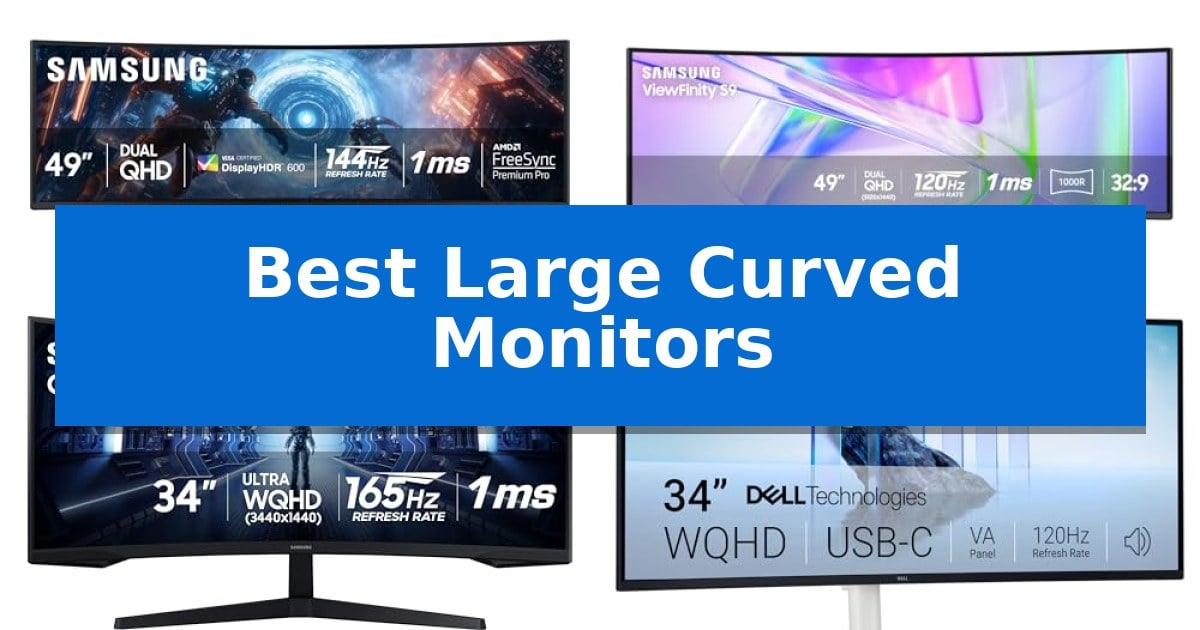
Finding the right display can transform how you interact with your digital environment, especially when you need to manage multiple windows or seek total immersion. The Best Large Curved Monitors offer a panoramic perspective that aligns with the natural curvature of the human eye, reducing the need for constant head movement while expanding your available screen real estate.
Whether you are looking to streamline a complex professional workflow or gain a competitive edge in fast-paced gaming, selecting the correct curvature and resolution is essential. We have analyzed the latest offerings to help you identify which display fits your specific desk setup and functional requirements.
Best Large Curved Monitors in 2026: Upgrade Your Field of View
Quick Comparison
| Product | Best For | Key Strength | Score |
|---|---|---|---|
| Samsung Odyssey G9 Gaming Monitor | Best Overall | 1000R curvature provides a seamless, immersive panoramic view. | 4.9 |
| Samsung Business Curved Monitor | Dual-screen productivity in one | Dual QHD resolution provides an expansive, bezel-free workspace. | 4.8 |
| Samsung Odyssey G5 Gaming Monitor | Peripheral vision for intense gaming | 1000R curvature provides an immersive, eye-friendly peripheral viewing experience. | 4.6 |
| Dell S3425DW Curved Monitor | All-day comfort with USB-C | USB-C 65W power delivery for a clutter-free desk. | 4.6 |
| LG 32MR50C-B Curved Monitor | Accessible entry to curved displays | 100Hz refresh rate for smoother motion and reduced blur. | 4.8 |
How We Chose
- Panel curvature and aspect ratio for optimal field-of-view coverage.
- Refresh rate and response time capabilities for motion clarity.
- Connectivity standards, including USB-C power delivery and port variety.
- Color accuracy and HDR support for professional and entertainment tasks.
- Ergonomic adjustments to ensure long-term viewing comfort.
1 Samsung Odyssey G9 Gaming Monitor — Panoramic view for total immersion
The Samsung 49-inch Odyssey G9 (G91F) is engineered for users who require an expansive, immersive digital workspace, utilizing a 1000R curved display that mimics the field of view of dual 16:9 monitors. This ultra-wide 32:9 screen provides a continuous, bezel-free panoramic experience, making it a functional choice for those who need to manage multiple applications or complex gaming environments simultaneously.
Performance is driven by a 144Hz refresh rate and a 1ms response time, which work together to minimize lag during fast-paced visual transitions. The monitor supports AMD FreeSync Premium Pro and variable refresh rate (VRR) technology, ensuring that the GPU and panel remain synchronized to reduce screen tearing and choppiness. For visual fidelity, DisplayHDR 600 enhances contrast, allowing for deeper blacks and brighter whites in high-contrast scenes.
Multitasking is supported through integrated Picture-in-Picture functionality, enabling users to view chats, videos, or secondary content alongside their primary task without needing a second monitor. The Auto Source Switch+ feature adds convenience by automatically detecting and switching to active input sources, reducing the need for manual menu navigation.
The physical design includes an ergonomic stand that allows for tilt adjustments, ensuring the display can be positioned for optimal viewing comfort. While the unit offers significant screen real estate, its 45.18-inch width requires a substantial desk footprint, making it a specialized choice for dedicated workstations.
Best for: Users who require an ultra-wide, immersive display for professional multitasking or high-performance gaming setups.
Skip if: Users with limited desk space or those who prefer a traditional multi-monitor setup with independent physical screens.
PROS
- 1000R curvature provides a seamless, immersive panoramic view.
- 144Hz refresh rate and 1ms response time support smooth visual performance.
- Picture-in-Picture allows for efficient multitasking on a single panel.
- AMD FreeSync Premium Pro reduces screen tearing and lag.
CONS
- Large 45.18-inch width demands significant desk space.
- Single-panel design lacks the physical separation of dual-monitor setups.
2 Samsung Business Curved Monitor — Dual-screen productivity in one
The Samsung Business Curved Monitor (LS49C954UANXZA) centers your workspace around a massive 49-inch 1000R curved display that utilizes a 32:9 aspect ratio to mimic the natural field of view. This expansive screen provides a Dual QHD resolution, effectively serving as a replacement for dual-monitor setups while eliminating the central bezel gap that often disrupts visual continuity.
Designed for high-demand professional environments, this monitor functions as a comprehensive docking station. It includes a USB-C input capable of 90W charging, alongside DisplayPort and dual HDMI ports, allowing users to consolidate peripheral connections directly into the display. The integration of built-in speakers further reduces desk clutter by removing the need for external audio hardware.
For tasks requiring color accuracy and depth, the monitor supports VESA DisplayHDR 400, which enhances the range of luminous blacks and whites. The 120Hz refresh rate ensures that both professional workflows and casual gaming sessions benefit from smoother motion and reduced lag during rapid scrolling or dynamic on-screen movement.
Ergonomics and eye care are prioritized through an adjustable stand that allows for height customization, ensuring the display aligns with your specific viewing angle. This combination of connectivity, high-refresh-rate performance, and immersive curvature makes it a versatile tool for creators and multitaskers who require a streamlined, high-capacity visual workspace.
Best for: Professionals and creators who need a massive, bezel-free workspace to manage multiple applications simultaneously while maintaining a clean, single-cable desk setup.
Skip if: Users who require a standard 16:9 aspect ratio for specific software compatibility or those with limited desk space who cannot accommodate a 45-inch wide footprint.
PROS
- Dual QHD resolution provides an expansive, bezel-free workspace.
- 90W USB-C charging allows the monitor to act as a central docking hub.
- 120Hz refresh rate ensures smooth visuals for both work and gaming.
- VESA DisplayHDR 400 support improves contrast and color depth.
CONS
- Large 45-inch width requires significant desk surface area.
- Built-in speakers may not match the fidelity of dedicated external audio systems.
3 Samsung Odyssey G5 Gaming Monitor — Peripheral vision for intense gaming
The Samsung 34' Odyssey G5 Ultra-Wide Gaming Monitor utilizes a distinct 1000R curvature designed to match the natural field of view of the human eye, effectively filling the user's peripheral vision for an immersive experience. This design choice aims to reduce eye strain during extended gaming sessions while providing a seamless, ultrawide perspective.
Engineered for competitive play, the monitor features a 165Hz refresh rate and a 1ms (MPRT) response time. These specifications work to minimize motion blur and input latency, providing the fluid visual feedback required for fast-paced titles. AMD FreeSync Premium is integrated to further stabilize performance by reducing screen tearing and stuttering during gameplay.
The display is built around a WQHD resolution panel that supports HDR10, enhancing color accuracy and contrast in both bright and dark scenes. This combination of high resolution and color depth is intended to reveal hidden details in game environments, ensuring that visuals appear as the creators intended.
With a footprint measuring 31.75 inches in width, this monitor is designed to serve as a comprehensive visual hub. It includes multiple ports for connectivity and is supported by a one-year manufacturer warranty, balancing its high-performance gaming features with standard desktop utility.
Best for: Gamers seeking an immersive, ultrawide display with high refresh rates for competitive and atmospheric titles.
Skip if: Users with limited desk space or those requiring a flat panel for professional color-critical design work may prefer a smaller or different display format.
PROS
- 1000R curvature provides an immersive, eye-friendly peripheral viewing experience.
- 165Hz refresh rate and 1ms response time ensure smooth motion for gaming.
- AMD FreeSync Premium support reduces screen tearing and input lag.
- WQHD resolution with HDR10 offers improved color accuracy and detail.
CONS
- Large 34-inch footprint requires significant desk space.
- VA panel technology may have specific viewing angle limitations compared to other panel types.
4 Dell S3425DW Curved Monitor — All-day comfort with USB-C
The Dell 34 Monitor S3425DW centers on a 34-inch curved display designed to minimize desk clutter through its integrated USB-C 65W power delivery capability. This single-cable solution simplifies connectivity for compatible laptops, allowing users to consolidate power, data, and video signals into one streamlined connection.
Engineered for both professional tasks and entertainment, the monitor features a VA panel with a 3,000:1 contrast ratio and 95% DCI-P3 color coverage. These specifications provide depth and color accuracy, while the 120Hz refresh rate combined with AMD FreeSync Premium support aims to deliver smooth, tear-free motion for dynamic content.
Visual comfort is prioritized through the Improved ComfortView Plus technology, which is engineered to limit blue light emissions to 35% or less. This design choice aims to support extended usage periods without compromising the integrity of the color output, making it a practical consideration for long work sessions.
The hardware also includes re-engineered 2x10W speakers intended to offer a broader frequency response and increased decibel range compared to previous iterations. These integrated audio components are designed to provide a more immersive experience without requiring external sound hardware, further supporting a minimalist workspace setup.
Best for: Users seeking a streamlined, single-cable workspace setup with high color accuracy and smooth motion for mixed productivity and entertainment use.
Skip if: Users who require a flat panel display for professional color-critical design work or those who need a higher resolution than WQHD for ultra-sharp text and image detail.
PROS
- USB-C 65W power delivery for a clutter-free desk.
- 120Hz refresh rate with AMD FreeSync Premium for smooth visuals.
- Improved ComfortView Plus for reduced blue light exposure.
- 95% DCI-P3 color coverage for vibrant image quality.
CONS
- VA panel may have different viewing angle characteristics compared to IPS alternatives.
- WQHD resolution may be less sharp than 4K options for users focused on high-density text work.
5 LG 32MR50C-B Curved Monitor — Accessible entry to curved displays
Immersive viewing experiences often require more than just screen real estate; they demand a display that aligns with the natural curvature of the human eye. The LG 32MR50C-B Curved Monitor addresses this by combining a 32-inch form factor with a curved panel, designed to provide a more consistent viewing distance across the entire screen for improved focus during long work sessions or casual entertainment.
Performance is anchored by a 100Hz refresh rate, which facilitates smoother motion compared to standard 60Hz displays. This higher refresh rate reduces stuttering and motion blur, benefiting both fluid desktop navigation and casual gaming. The inclusion of AMD FreeSync further enhances this by synchronizing the monitor's refresh rate with compatible graphics cards to minimize screen tearing during fast-paced sequences.
For users who prioritize visual comfort, the monitor features a dedicated Reader Mode that reduces blue light output, helping to mitigate eye strain during extended use. The display also incorporates Black Stabilizer technology, which selectively brightens dark areas of the image, allowing for better visibility in shadow-heavy content without washing out the rest of the frame.
Practicality is integrated into the design through an ergonomic tilt stand, allowing users to adjust the viewing angle to their specific desk setup. The monitor also includes an OnScreen Control interface, enabling users to split the display or adjust settings directly through their mouse, streamlining workflow management without the need for physical button navigation.
Best for: Users seeking an immersive, comfortable display for mixed-use productivity and casual entertainment.
Skip if: Professional color-critical work or competitive gaming requiring higher resolution or specialized high-speed panel technologies.
PROS
- 100Hz refresh rate for smoother motion and reduced blur.
- AMD FreeSync support for fluid, tear-free visuals.
- Reader Mode to assist with eye comfort during long sessions.
- Black Stabilizer to improve visibility in dark scenes.
CONS
- FHD resolution on a 32-inch panel may result in lower pixel density compared to higher resolution alternatives.
Best Large Curved Monitors Buying Guide
Understanding Curvature and Aspect Ratio
The curvature rating, often expressed as 1000R or 1500R, indicates the radius of the circle the monitor would form if it were a complete ring. A 1000R curve is designed to match the natural field of view of the human eye, which can help reduce eye strain during extended sessions by keeping the edges of the screen at a consistent distance.
Aspect ratios like 32:9 provide an ultra-wide canvas that effectively replaces dual-monitor setups. This eliminates the central bezel gap, allowing for seamless multitasking and a more cohesive visual experience when managing complex data or expansive gaming environments.
Refresh Rates and Motion Handling
For gamers and those who prefer fluid desktop navigation, the refresh rate is a critical specification. Higher refresh rates, such as 144Hz or 165Hz, significantly reduce motion blur and input lag, making cursor movement and fast-action sequences appear much smoother.
When paired with adaptive sync technologies like AMD FreeSync, the monitor can synchronize its refresh rate with the GPU's output. This prevents screen tearing and stuttering, ensuring that your visual output remains consistent even during demanding graphical tasks.
Connectivity and Desk Organization
Modern monitors often double as docking stations, which is a major benefit for laptop users. Features like USB-C power delivery allow you to connect your display, transfer data, and charge your device using a single cable, significantly reducing desk clutter.
Always verify the port selection, including DisplayPort and HDMI inputs, to ensure compatibility with your existing hardware. A well-connected monitor acts as a central hub, simplifying your setup and allowing for quick transitions between different devices.
Color Accuracy and HDR Performance
If your work involves video editing, graphic design, or color-sensitive tasks, look for monitors with high color gamut coverage, such as DCI-P3. Accurate color reproduction ensures that what you see on screen matches your final output.
HDR (High Dynamic Range) support, such as DisplayHDR 400 or 600, enhances the contrast ratio by allowing for deeper blacks and brighter highlights. This creates a more lifelike image, revealing details in shadows that standard monitors might obscure.
Ergonomics and Eye Comfort
Because large monitors occupy a significant portion of your desk, the ability to adjust the stand is vital. Look for models that offer height, tilt, and swivel adjustments to ensure the screen is positioned at eye level, which helps prevent neck and shoulder strain.
Many displays also include eye-care features like blue light reduction modes or anti-glare coatings. These technologies are designed to minimize visual fatigue, allowing you to remain productive or entertained for longer periods without discomfort.
Frequently Asked Questions
What is the main benefit of a 1000R curve?
A 1000R curve is engineered to match the human field of view, which helps maintain a consistent focal distance across the entire screen, reducing eye strain and increasing immersion.
Can I use an ultrawide monitor for office work?
Yes, the 32:9 aspect ratio is excellent for productivity, as it allows you to place multiple windows side-by-side without the physical bezel gap found in dual-monitor setups.
Do I need a high refresh rate for non-gaming tasks?
While not strictly necessary, a higher refresh rate makes scrolling through documents and navigating the operating system feel noticeably smoother and more responsive.
What does USB-C power delivery do?
USB-C power delivery allows the monitor to charge your connected laptop while simultaneously receiving a video signal, effectively turning your monitor into a single-cable docking station.
Is HDR worth it for a curved monitor?
HDR improves contrast and color depth, making images appear more vibrant and detailed, which is particularly beneficial for media consumption and creative design work.
Conclusion: Our Top Pick
Selecting the right display depends heavily on your primary use case, whether it is high-stakes gaming or professional multitasking. After reviewing the available options, the Samsung Odyssey G9 Gaming Monitor stands out for its expansive 32:9 screen and high-performance specifications, making it a versatile choice for those who need both immersion and efficiency.
While this model is an excellent choice for many, ensure your desk has the necessary width to accommodate its footprint, and verify that your hardware supports the high refresh rates to fully utilize its capabilities.