
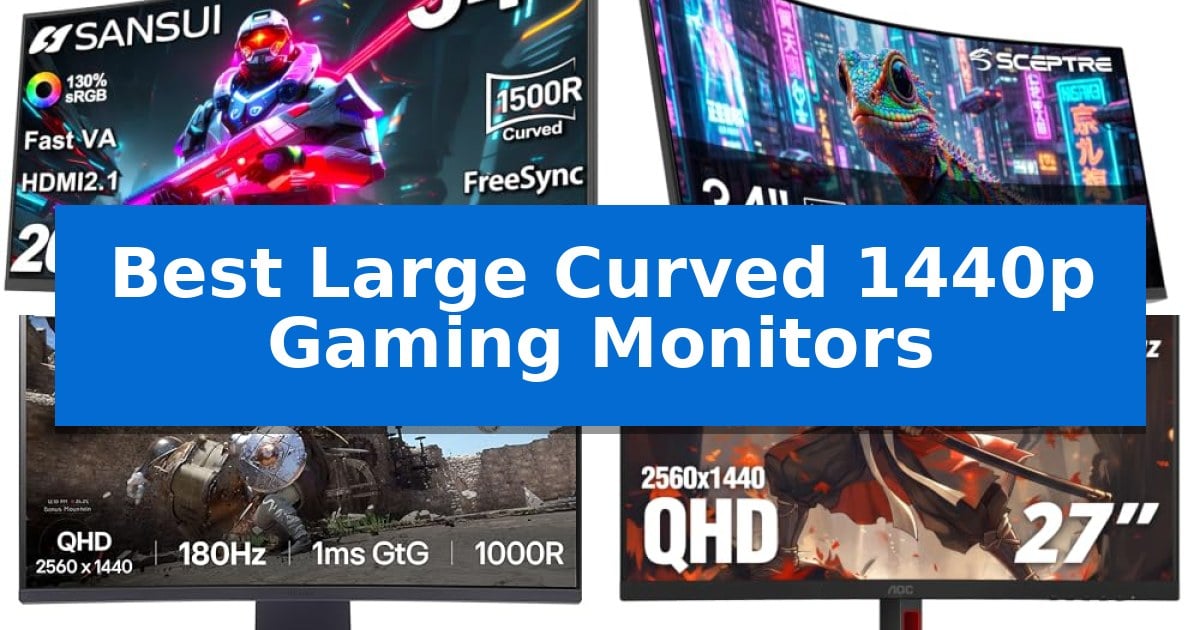
Finding the right display can significantly transform your gaming experience, especially when moving to a more expansive, curved format. The Best Large Curved 1440p Gaming Monitors offer a balance of high-resolution clarity and peripheral immersion that flat screens simply cannot replicate.
Whether you are looking for an ultrawide canvas for simulation games or a high-refresh-rate panel for competitive shooters, choosing the right curvature and panel technology is essential. We have analyzed the latest options to help you navigate these specifications and find a monitor that fits your desk and your playstyle.
Best Large Curved 1440p Gaming Monitors in 2026: Immersive Visuals
Quick Comparison
| Product | Best For | Key Strength | Score |
|---|---|---|---|
| SANSUI 34-Inch Curved Gaming Monitor | Best Overall | High 200Hz refresh rate for fluid motion | 4.9 |
| Sceptre 34-Inch Curved Gaming Monitor | High-speed refresh for competitive play | 240Hz refresh rate for high-speed motion clarity | 4.6 |
| LG UltraGear 32-Inch Curved Gaming Monitor | Deep curvature for total visual wrap | 1000R curvature provides an immersive, wrap-around viewing experience. | 4.7 |
| AOC 27-Inch Curved Gaming Monitor | Rapid response for fast-paced action | 1500R curvature for enhanced visual immersion. | 4.8 |
| SANSUI 27-Inch Curved Gaming Monitor | Balanced refresh rate for smooth visuals | 200Hz refresh rate for fluid motion. | 4.4 |
How We Chose
- Refresh rate and response time capabilities for motion clarity.
- Panel resolution and curvature radius for immersive viewing.
- Connectivity options including DisplayPort and HDMI versions.
- Ergonomic adjustments and VESA mounting compatibility.
- Color gamut coverage and HDR support for image quality.
1 SANSUI 34-Inch Curved Gaming Monitor — Ultrawide immersion for expansive gameplay
The SANSUI 34-Inch Curved Gaming Monitor centers your visual experience on a 1500R curvature that wraps the 34-inch UWQHD (3440 x 1440) display around your field of view. This ultrawide setup is built for immersive gaming, utilizing a Fast VA panel that supports a 200Hz refresh rate and an OD 1ms response time to maintain clarity during rapid motion.
Engineered for competitive and casual play, the monitor integrates several AI-assisted features, including AI Crosshair, AI Blue light reduction, and AI PQ (Picture Quality) optimization. The 21:9 aspect ratio provides significant screen real estate, which can be managed effectively using the PBP (Picture-by-Picture) function for multitasking.
Connectivity is handled through two HDMI 2.1 ports and a DisplayPort 1.4, both capable of supporting the full 200Hz refresh rate. The inclusion of AdaptiveSync and VRR (Variable Refresh Rate) support via HDMI 2.1 helps align the display output with your graphics card to reduce screen tearing.
The physical design includes an ergonomic stand with -5°~15° tilt adjustment and VESA 100 x 100mm compatibility for those preferring wall or arm mounts. While the monitor lacks built-in speakers, it includes an earphone jack for direct audio output. The display covers 130% sRGB and 97% DCI-P3 color gamuts, providing a wide color range for both gaming and general productivity tasks.
Best for: Gamers seeking an immersive ultrawide experience with high refresh rate capabilities and advanced color reproduction.
Skip if: Users who require built-in speakers or a monitor with height-adjustable stand options beyond simple tilt functionality.
PROS
- High 200Hz refresh rate for fluid motion
- Wide DCI-P3 97% color gamut coverage
- Versatile HDMI 2.1 and DP 1.4 connectivity
- Immersive 1500R curved ultrawide display
CONS
- No built-in speakers included
- Limited tilt-only ergonomic stand
2 Sceptre 34-Inch Curved Gaming Monitor — High-speed refresh for competitive play
The Sceptre 34-Inch Curved Gaming Monitor (C345B-QU240T) distinguishes itself through a high-speed 240Hz refresh rate paired with a 3440 x 1440 resolution, providing a wide field of view for immersive gaming and productivity. This combination of speed and screen real estate is designed to deliver fluid motion while maintaining sharp detail across a expansive display.
Engineered for responsiveness, the monitor features a 1ms response time with blur reduction, which helps maintain visual clarity during fast-paced sequences. The 1500R curvature is intended to wrap the display around the user's field of vision, potentially reducing the distance the eye must travel to track content at the edges of the screen.
Color accuracy is supported by a 100% sRGB color gamut, making it suitable for multimedia tasks that require consistent color representation. To assist with extended sessions, the monitor includes Blue-Light Shift technology, which adjusts the screen's output to reduce blue light emissions, aiming to enhance viewing comfort over long periods of use.
Connectivity is handled by two HDMI ports and two DisplayPort inputs, allowing for multiple device connections simultaneously. The inclusion of built-in speakers and an audio out jack provides integrated sound options, helping to maintain a cleaner desk setup by reducing the need for external audio hardware.
Best for: Competitive gamers and power users who require a high-refresh-rate ultrawide display for both gaming and productivity.
Skip if: Users with limited desk space or those who require a monitor with adjustable height or tilt ergonomics beyond the standard design.
PROS
- 240Hz refresh rate for high-speed motion clarity
- 1ms response time with blur reduction
- 100% sRGB color gamut for accurate visuals
- Versatile connectivity with dual HDMI and dual DisplayPort
CONS
- Large 34-inch footprint requires significant desk space
- Integrated speakers may not replace dedicated audio systems
3 LG UltraGear 32-Inch Curved Gaming Monitor — Deep curvature for total visual wrap
The LG UltraGear 32-Inch Curved Gaming Monitor utilizes a steep 1000R curved screen to wrap the display around the user's field of vision, creating an immersive environment that extends the periphery during intense gameplay. This design choice is engineered to draw the player deeper into the action, making it a distinct option for those seeking a large-format display that prioritizes visual depth.
Performance is driven by a 180Hz refresh rate paired with a 1ms GtG response time, which facilitates smooth motion and rapid visual updates. To maintain fluidity, the monitor integrates AMD FreeSync technology, which works to minimize screen tearing and stuttering. The display also features Dynamic Action Sync to assist in reducing input lag, ensuring that on-screen reactions align closely with user inputs.
Visual fidelity is supported by HDR10 and a 99% sRGB color gamut, providing a wide range of color expression that helps game environments appear more vibrant. For competitive utility, the monitor includes a Black Stabilizer to improve visibility in dark scenes and an integrated FPS Counter for real-time performance data. The enhanced gaming GUI allows users to toggle between specific modes, such as FPS or RTS, to optimize the display settings for different genres.
The physical build features a three-side virtually borderless design that maximizes screen real estate while maintaining a clean aesthetic on a desk. Connectivity is handled via two HDMI ports and a DisplayPort, providing flexibility for multiple devices. The display is tilt-adjustable, allowing users to customize the viewing angle to their specific setup requirements.
Best for: Gamers who want an immersive, high-refresh-rate experience with a deep 1000R curve for a wrap-around visual effect.
Skip if: Users who require a flat panel display for professional color-critical creative work or those with limited desk space who cannot accommodate a large 32-inch curved footprint.
PROS
- 1000R curvature provides an immersive, wrap-around viewing experience.
- 180Hz refresh rate and 1ms GtG response time for smooth motion.
- 99% sRGB color gamut ensures vibrant and accurate color reproduction.
- Black Stabilizer enhances visibility in darker game environments.
CONS
- Large 32-inch footprint may be too bulky for smaller gaming desks.
- Tilt-only adjustment limits ergonomic positioning compared to full-motion stands.
4 AOC 27-Inch Curved Gaming Monitor — Rapid response for fast-paced action
The AOC 27-Inch Curved Gaming Monitor centers its design around a pronounced 1500R curvature, which is engineered to provide a wider, more immersive visual field for desktop gaming. By wrapping the display slightly around the user's peripheral vision, this monitor aims to increase viewing comfort during extended sessions while maintaining a consistent distance from the screen surface.
Performance is driven by a 180Hz refresh rate when connected via DisplayPort, ensuring high-frame-rate fluidity for fast-paced titles. The inclusion of a 0.5ms response time is intended to reduce motion blur, while the VA panel technology supports a high dynamic contrast ratio to enhance depth in darker scenes. For users with varied hardware, it also supports 144Hz operation over HDMI 2.0.
Beyond raw speed, the monitor prioritizes ergonomics and setup flexibility. It features built-in eye care technology, specifically flicker-free and low blue light settings, to mitigate strain. The chassis includes a versatile connectivity suite with DisplayPort 1.4 and dual HDMI 2.0 ports, alongside an earphone output and VESA mount compatibility for users looking to integrate the display into custom arm or wall-mount configurations.
This monitor serves as a comprehensive solution for players who value both immersion and responsiveness. While the VA panel provides strong contrast, users should consider their specific desk space, as the 1500R curve is most effective when the viewer is positioned directly at the center of the display.
Best for: Gamers seeking an immersive, high-refresh-rate display with strong contrast for fast-paced titles.
Skip if: Users who require extreme color accuracy for professional creative work or those who prefer flat panels for multi-monitor productivity setups.
PROS
- 1500R curvature for enhanced visual immersion.
- 180Hz refresh rate via DisplayPort for fluid motion.
- 0.5ms response time to minimize motion blur.
- Eye care technology including flicker-free and low blue light modes.
CONS
- HDMI refresh rate limited to 144Hz compared to the 180Hz DisplayPort maximum.
- Curved form factor may not suit all professional productivity workflows.
5 SANSUI 27-Inch Curved Gaming Monitor — Balanced refresh rate for smooth visuals
The SANSUI 27-Inch Curved Gaming Monitor centers its design around a 1500R curvature, which is engineered to provide a more immersive field of view for users engaged in high-speed gaming. By wrapping the display slightly around the user's peripheral vision, it creates a consistent viewing distance across the 27-inch panel, which can help maintain focus during intense, fast-paced sequences.
This WQHD 2560×1440 display balances visual fidelity with performance, utilizing a 200Hz refresh rate and a 1ms MPRT response time. These specifications work together to minimize motion blur and screen tearing, particularly when paired with the integrated FreeSync technology. The monitor supports a 5000:1 contrast ratio and 120% sRGB color gamut, ensuring that dark scenes remain distinct through the use of shadow booster technology and HDR support.
Connectivity is handled by two HDMI 2.0 ports and two DP 1.4 ports, with the DisplayPort interface required to achieve the full 200Hz refresh rate. While the monitor lacks built-in speakers, it includes a dedicated earphone jack for direct audio output. The physical design includes a tilt-adjustable stand (-5° to 15°) and VESA 100 x 100mm compatibility, allowing for flexible placement on standard desks or custom wall mounts.
Choosing this monitor involves considering the trade-off between its high-refresh-rate performance and its specialized ergonomic limitations. Because the stand only offers basic tilt functionality, users who require height adjustment or swivel features may need to utilize a third-party VESA mount to achieve their preferred viewing angle.
Best for: Gamers seeking a high-refresh-rate, curved 1440p display for immersive, fast-paced play.
Skip if: Users who require integrated speakers or a monitor with a wider range of ergonomic adjustments beyond basic tilt.
PROS
- 200Hz refresh rate for fluid motion.
- 1500R curvature for enhanced immersion.
- 5000:1 contrast ratio providing deep blacks.
- 120% sRGB color gamut for vibrant visuals.
CONS
- No built-in speakers requiring external audio.
- Limited ergonomic stand features.
Best Large Curved 1440p Gaming Monitors Buying Guide
Understanding Curvature and Immersion
The curvature rating, such as 1500R or 1000R, indicates the radius of the circle the monitor would form if it were a complete loop. A lower number means a steeper, more pronounced curve, which is often preferred for close-range gaming to keep the edges of the screen within your natural field of view.
Steeper curves like 1000R are particularly effective on larger 32-inch or 34-inch displays, as they reduce the distance your eyes must travel to see the corners of the screen. This design helps minimize distortion and can make expansive, open-world environments feel more enveloping.
Refresh Rates and Motion Handling
For competitive gaming, a high refresh rate is critical for smooth visuals. Monitors offering 180Hz to 240Hz allow for faster frame delivery, which can provide a clearer picture during rapid camera movements or fast-paced action sequences.
Pairing a high refresh rate with a low response time, such as 1ms, is essential to reduce ghosting and motion blur. Look for monitors that support adaptive synchronization technologies to ensure your hardware and display remain perfectly in sync, preventing screen tearing.
Resolution and Aspect Ratio
The 1440p resolution, or QHD, provides a significant step up in sharpness compared to 1080p, especially on screens larger than 27 inches. It offers a balance between high pixel density and manageable GPU performance requirements.
Ultrawide monitors with a 21:9 aspect ratio provide extra horizontal space, which is a major advantage for productivity and simulation games. Ensure your graphics card can handle the increased pixel count of these wider resolutions before committing to an ultrawide setup.
Connectivity and Setup
Modern gaming monitors rely on DisplayPort 1.4 or HDMI 2.1 to support high refresh rates at 1440p resolution. Always verify that your PC or console supports the specific port version required to unlock the monitor's full potential.
Consider the physical footprint of the monitor stand. Many large curved displays feature wide bases that require significant desk space. If your workspace is limited, check for VESA mounting compatibility to free up your desk surface using a monitor arm.
Color Accuracy and HDR
Color gamut coverage, such as sRGB or DCI-P3 percentages, determines how vibrant and accurate the colors on your screen will appear. Higher coverage is beneficial for both gaming and creative tasks like photo or video editing.
HDR support can enhance the contrast between light and dark areas of an image, adding depth to game environments. However, the quality of the HDR experience depends heavily on the monitor's peak brightness and local dimming capabilities.
Frequently Asked Questions
What is the difference between 1500R and 1000R curvature?
A 1000R curve is steeper than a 1500R curve. The 1000R radius is tighter, meaning the screen wraps further around the viewer, which is often preferred for intense, immersive gaming on larger monitors.
Do I need HDMI 2.1 for a 1440p gaming monitor?
HDMI 2.1 is not strictly required for 1440p, but it is recommended if you want to support higher refresh rates and advanced features like Variable Refresh Rate (VRR) on modern consoles or high-end PCs.
Is 1440p resolution enough for a 34-inch monitor?
Yes, 1440p is generally considered the sweet spot for 34-inch ultrawide monitors. It provides enough pixel density to keep images sharp while remaining easier to drive than 4K resolution.
Can I mount a curved monitor on a wall?
Most curved monitors are VESA compatible, allowing them to be mounted on a wall or a monitor arm. Always check the specific VESA pattern (e.g., 100x100mm) of your monitor before purchasing a mount.
What is the benefit of an ultrawide monitor for gaming?
Ultrawide monitors provide a wider field of view, which can be a significant advantage in racing, flight, and open-world games, allowing you to see more of the environment without turning your camera.
Conclusion: Our Top Pick
Selecting the right display depends on balancing your need for immersion with your specific desk setup and hardware capabilities. For those seeking a high-performance ultrawide experience, the SANSUI 34-Inch Curved Gaming Monitor stands out as a top choice due to its expansive 34-inch screen, 200Hz refresh rate, and 1ms response time.
This monitor provides a comprehensive feature set for gamers who want to maximize their field of view. While its size requires a dedicated amount of desk space, the combination of its 1500R curvature and high-speed performance makes it a compelling option for immersive gaming sessions.