
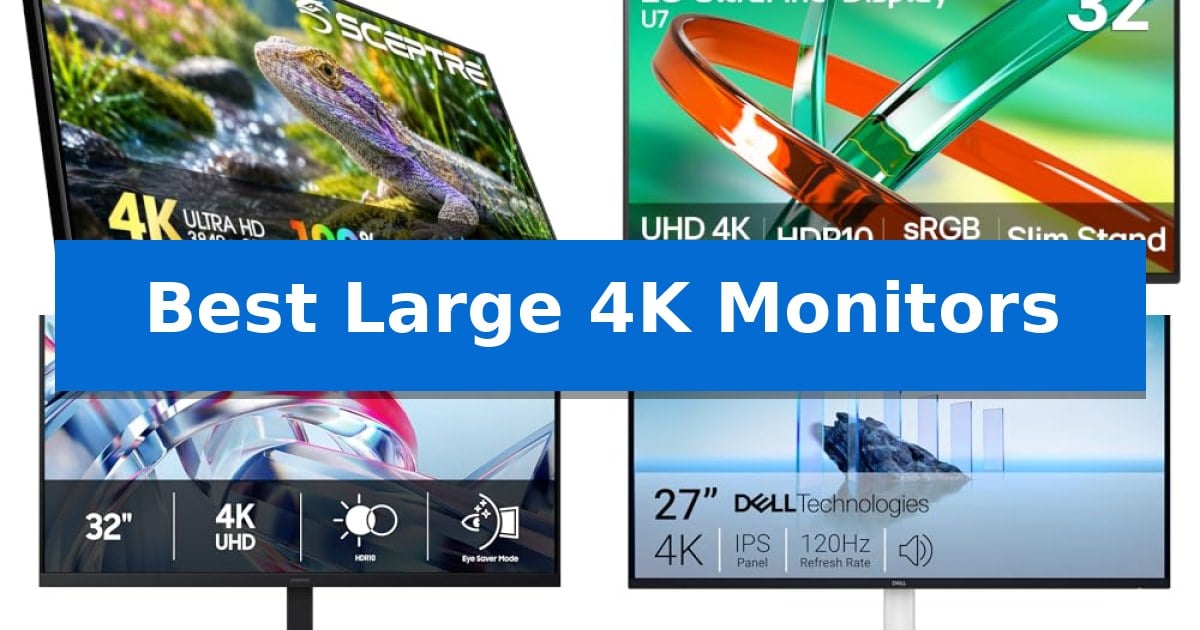
Finding the right display for your desk can transform your daily workflow, especially when you need to manage complex timelines or multiple windows simultaneously. The Best Large 4K Monitors provide the screen real estate and pixel density required to keep your projects sharp and organized without the clutter of a dual-monitor setup.
Whether you are a creative professional needing precise color reproduction or a multitasker looking for seamless screen layouts, selecting the right panel is essential. We have analyzed the latest 4K options to help you identify which display best fits your specific workspace and professional requirements.
Best Large 4K Monitors in 2026: Maximize Your Creative Workspace
Quick Comparison
| Product | Best For | Key Strength | Score |
|---|---|---|---|
| Sceptre U325W-UPT 4K Monitor | Best Overall | Expansive 32-inch display for efficient multi-window workflows. | 4.9 |
| LG 32U701B-B 4K Monitor | Seamless Multi-Layout Productivity | LG Switch software enables efficient multi-window layout management. | 4.9 |
| Samsung ViewFinity S70H 4K Monitor | Consistent Wide-Angle Clarity | 4K UHD resolution provides high pixel density for detailed work. | 4.3 |
| Dell S2725QS 4K Monitor | Smooth 120Hz Visual Fluidity | 120Hz refresh rate with AMD FreeSync Premium for smooth motion. | 4.7 |
| LG 27US500-W 4K Monitor | Vivid HDR Color Accuracy | 90% DCI-P3 color gamut for accurate color reproduction. | 4.7 |
How We Chose
- Resolution and Pixel Density: Assessing the 3840 x 2160 output for visual clarity.
- Connectivity Options: Evaluating the availability of HDMI and DisplayPort interfaces for multi-device setups.
- Ergonomics and Mounting: Checking for VESA compatibility and adjustable stand features.
- Color Accuracy: Reviewing sRGB coverage for professional creative tasks.
- Integrated Features: Identifying built-in tools like speakers, blue light reduction, and software-based screen management.
1 Sceptre U325W-UPT 4K Monitor — Expansive 32-inch Creative Canvas
Maximizing screen real estate for complex workflows requires a display that balances high-density resolution with physical dimensions. The Sceptre 32-inch 4K UHD 3840 x 2160 Monitor provides an expansive 32-inch canvas, enabling users to view multiple windows, large-scale designs, or complex timelines side-by-side without the need for a dual-monitor setup.
Beyond its size, the monitor delivers 4K (3840 x 2160) resolution, offering four times the pixel density of Full HD. This clarity is designed to bring detail to creative work, while the 100% sRGB color gamut provides a wide range of color variation. For those who spend extended periods at their desk, the display includes Blue Light Shift and Flicker-Free technology to assist in reducing eye strain during long editing sessions.
The hardware is built for versatility, featuring multi-port connectivity with both DisplayPort and multiple HDMI inputs. This allows for seamless switching between different devices, such as a primary workstation, a creative laptop, and gaming consoles. Additionally, the unit includes integrated treble speakers, which provide audio for media consumption or video conferencing, helping to minimize desk clutter by removing the need for external speakers.
For users who prefer a specific viewing angle or desk configuration, the monitor is VESA mount ready with a 100mm x 100mm pattern, making it compatible with wall mounts or articulating arms. The panel also supports an overclocked 70Hz refresh rate, which offers smoother image transitions compared to standard 60Hz displays, helping to reduce screen tearing during lite gaming or fast-paced visual tasks.
Best for: Professionals and creators who require a large, high-resolution workspace for multitasking and side-by-side window management.
Skip if: Users who require high-speed gaming performance or specialized color-critical professional calibration beyond the standard sRGB gamut.
PROS
- Expansive 32-inch display for efficient multi-window workflows.
- 4K UHD resolution provides high pixel density for sharp visual detail.
- Multi-port connectivity supports easy switching between multiple devices.
- Integrated speakers reduce the need for external audio equipment.
CONS
- 70Hz refresh rate is limited compared to dedicated high-refresh gaming monitors.
- Large physical footprint may be restrictive for smaller desk spaces.
2 LG 32U701B-B 4K Monitor — Seamless Multi-Layout Productivity
The LG 32U701B-B 4K Monitor prioritizes workflow efficiency through its integrated LG Switch software, which allows users to split the screen into up to 11 distinct layouts. This functionality, combined with hotkey-based settings adjustments, provides a streamlined experience for managing complex multitasking environments directly from the desktop.
Designed with a focus on visual clarity and comfort, this 32-inch display features HDR10 support and 99% sRGB color gamut coverage. These specifications ensure that content appears with depth and nuance, making it suitable for both creative tasks and general media consumption. The inclusion of Reader Mode and Flicker Safe technology further supports users during extended sessions by adjusting brightness and color tones to reduce eye strain.
The physical design emphasizes a clean, modern aesthetic with an ultra-slim bezel that minimizes distractions, particularly in dual-monitor configurations. Connectivity is handled via HDMI and DisplayPort 1.4 inputs, ensuring broad compatibility with various workstations. The included stand offers tilt adjustment, allowing for basic ergonomic positioning to achieve a comfortable viewing angle.
This monitor serves as a practical tool for those requiring a large, high-resolution workspace. By combining versatile connectivity with software-driven layout management, it offers a balanced solution for users who need to organize multiple applications or video calls simultaneously without the clutter of additional hardware.
Best for: Professionals and creators who need a large, high-resolution workspace with advanced window management and color accuracy.
Skip if: Users who require high-refresh-rate gaming features or specialized ergonomic stands beyond basic tilt functionality.
PROS
- LG Switch software enables efficient multi-window layout management.
- 99% sRGB color coverage provides accurate and vibrant visuals.
- Flicker Safe and Reader Mode help reduce eye strain during long work sessions.
- Virtually borderless design is ideal for multi-monitor setups.
CONS
- Tilt-only stand offers limited ergonomic adjustment compared to full-articulating mounts.
- 60Hz refresh rate is optimized for productivity rather than high-speed gaming.
3 Samsung ViewFinity S70H 4K Monitor — Consistent Wide-Angle Clarity
The Samsung 32" ViewFinity S7 (S70H) High-Resolution Monitor is designed for professionals who require a expansive, high-density workspace. By utilizing a 4K UHD (3840×2160) resolution, this display provides the pixel density necessary for detailed creative work and complex multitasking, allowing users to view more content simultaneously without sacrificing clarity.
Visual consistency is maintained through a 178° wide viewing angle, which ensures that colors and brightness remain stable even when viewed from off-center positions. This is particularly useful in collaborative environments or multi-monitor setups where consistent image quality across the entire screen is required. The inclusion of HDR10 support further enhances the display by optimizing contrast, delivering deeper blacks and brighter highlights for supported content.
Productivity is streamlined via the Samsung Display Manager, which provides integrated tools for managing screen real estate. Users can easily configure split-screen layouts, utilize Picture-in-Picture (PIP), or Picture-by-Picture (PBP) modes to handle multiple data sources on the 32-inch panel. Connectivity is managed through standard HDMI and DP ports, facilitating a straightforward integration into most desktop environments.
For users engaged in extended work sessions, the monitor incorporates TUV-certified Eye Comfort technology. This includes an Eye Saver Mode that reduces blue light emissions and minimizes screen flickering, helping to mitigate eye strain during long periods of use. While the monitor excels in static productivity, it maintains a fixed ergonomic design, making it best suited for users who do not require advanced stand adjustments or specialized high-refresh-rate gaming features.
Best for: Professionals and creators who require a large, high-resolution workspace with consistent color and brightness across wide viewing angles.
Skip if: Users who require high-refresh-rate gaming features or advanced ergonomic adjustments like height-adjustable stands, as this model focuses on static productivity.
PROS
- 4K UHD resolution provides high pixel density for detailed work.
- 178° wide viewing angle ensures visual consistency.
- Samsung Display Manager enables efficient multi-source workflows.
- TUV-certified Eye Comfort features reduce eye strain.
CONS
- Limited to standard HDMI and DP connectivity without advanced USB-C docking.
- Fixed ergonomic stand lacks height or tilt flexibility.
4 Dell S2725QS 4K Monitor — Smooth 120Hz Visual Fluidity
Achieving a fluid visual experience for both high-frame-rate gaming and detailed creative work requires a display that balances resolution with responsiveness. The Dell S2725QS 4K Monitor addresses this by pairing a sharp 4K UHD resolution with a 120Hz refresh rate, ensuring that motion remains smooth across the screen.
This monitor utilizes in-plane switching technology to maintain color accuracy, covering 99% of the sRGB color gamut. With a 1,500:1 contrast ratio and HDR readiness, it provides the depth necessary for media consumption and design tasks. The inclusion of AMD FreeSync Premium further supports this performance by minimizing screen tearing during fast-paced activity.
Ergonomics and comfort are prioritized through the integrated ComfortView Plus feature, which limits blue light emissions to 35% without compromising color fidelity. The physical design features an ash white finish and ultra-thin bezels, complemented by a stand that offers height adjustment, swivel, and pivot capabilities for a customized workspace setup.
For audio, the display incorporates re-engineered speakers designed for a broader frequency response and increased decibel range compared to previous iterations. Connectivity is handled via HDMI, DisplayPort, and USB-C, providing versatility for various hardware configurations.
Best for: Users who require a high-resolution 4K display that also supports a 120Hz refresh rate for fluid motion in gaming and professional applications.
Skip if: Users who need a larger screen size beyond 27 inches or those requiring specialized professional color spaces beyond 99% sRGB.
PROS
- 120Hz refresh rate with AMD FreeSync Premium for smooth motion.
- ComfortView Plus reduces blue light while maintaining color accuracy.
- Versatile connectivity including USB-C, HDMI, and DisplayPort.
- Fully adjustable stand supporting height, swivel, and pivot.
CONS
- 27-inch screen size may be restrictive for users prioritizing larger display real estate.
- Integrated audio may not replace dedicated external speaker systems for critical listening.
5 LG 27US500-W 4K Monitor — Vivid HDR Color Accuracy
Achieving precise color accuracy and high-resolution detail is essential for professional digital workflows, and the LG 27US500-W 4K Monitor addresses this with a focus on visual fidelity. This 27-inch display utilizes an IPS panel to provide wide viewing angles, ensuring that color consistency remains stable even when viewed from the side, which is a significant advantage for collaborative creative work.
The monitor supports 4K UHD resolution paired with a 1000:1 contrast ratio, allowing for sharp imagery and distinct separation between dark and light tones. For color-critical tasks, the inclusion of HDR10 and 90% DCI-P3 color gamut coverage provides an expanded spectrum, bringing vibrant, true-to-life color reproduction to high-dynamic-range content.
Usability is enhanced through the integrated Onscreen Control software, which allows users to split the display or adjust settings directly via mouse clicks rather than physical buttons. The included ergonomic stand provides tilt adjustments, helping users find a comfortable viewing angle for extended sessions. The unit also features Reader Mode and Flicker Safe technology to assist in reducing eye strain during long periods of use.
Connectivity is handled through standard HDMI and DisplayPort interfaces, making it compatible with a wide range of desktop and laptop setups. The borderless design minimizes distractions, creating a clean aesthetic that fits well into modern workspaces. With its combination of high-resolution clarity and color-accurate performance, this monitor serves as a reliable tool for those prioritizing visual precision.
Best for: Creative professionals and office users who require high color accuracy and 4K resolution for detailed digital work.
Skip if: Gamers seeking high refresh rates or users requiring integrated USB-C power delivery and advanced daisy-chaining capabilities.
PROS
- 90% DCI-P3 color gamut for accurate color reproduction.
- 4K UHD resolution provides sharp, detailed imagery.
- IPS panel ensures consistent colors across wide viewing angles.
- Onscreen Control software simplifies display management.
CONS
- Tilt-only stand lacks height, swivel, and pivot adjustments.
- Limited port selection compared to premium professional displays.
Best Large 4K Monitors Buying Guide
Understanding Screen Size and Resolution
The primary benefit of choosing a large 4K monitor is the massive increase in usable screen real estate. A 32-inch display allows you to view multiple applications side-by-side, which is ideal for complex multitasking or editing workflows that require large timelines.
With 4K resolution, you get four times the pixels of a standard Full HD display. This high pixel density ensures that text remains sharp and images retain fine detail, which is crucial for reducing eye strain during long hours of work.
Connectivity and Multi-Device Support
Modern monitors should handle more than just one input. Look for models that offer a mix of HDMI and DisplayPort inputs to allow for seamless switching between your desktop workstation, creative laptop, or gaming consoles.
Some displays also include specialized software, such as display managers, which help you organize your screen into specific layouts. This is a significant advantage if you frequently switch between different types of projects throughout the day.
Ergonomics and Workspace Comfort
Your monitor's stand should offer enough flexibility to keep you comfortable. Look for features like tilt adjustment, which allows you to dial in your ideal viewing angle to prevent neck strain.
If you have a limited desk footprint, consider monitors that are VESA mount compatible. Attaching your display to an articulating arm can free up valuable desk space and provide a more customized viewing height.
Color Accuracy for Creative Work
For those involved in photo or video editing, color gamut coverage is a critical specification. Monitors that support a high percentage of the sRGB or DCI-P3 color space ensure that your work looks consistent across different devices.
HDR support is another feature to consider, as it enhances contrast and depth in your visuals. This makes images appear more vibrant and dynamic, which is particularly beneficial for media consumption and high-end creative projects.
Eye Care Technologies
Extended screen time can lead to fatigue, so features like blue light shift and flicker-free technology are essential. These tools adjust the display to warmer tones and minimize invisible screen flicker to help protect your vision.
Many modern monitors include dedicated reader modes that optimize brightness and color temperature. These settings are designed to make reading long documents or browsing the web much more comfortable during marathon sessions.
Frequently Asked Questions
Why choose a 32-inch monitor over a 27-inch model?
A 32-inch monitor provides a larger canvas, which is better for viewing multiple windows or complex timelines without needing a second monitor. A 27-inch model is often preferred for tighter desk spaces where high pixel density is still required.
What is the benefit of VESA mounting?
VESA mounting allows you to attach your monitor to a wall mount or an articulating monitor arm. This is excellent for saving desk space and achieving a more ergonomic viewing position.
Do I need built-in speakers?
Built-in speakers are useful for video conferencing and basic media consumption, helping to reduce desk clutter by eliminating the need for external audio hardware.
What does sRGB coverage mean for my work?
High sRGB coverage indicates that the monitor can reproduce a wide range of colors accurately. This is vital for creative professionals who need their digital imagery to look consistent and vibrant.
How does a 70Hz refresh rate compare to 60Hz?
A 70Hz refresh rate allows images to change slightly faster and smoother than the standard 60Hz, which can help reduce screen tearing and provide a more fluid experience during daily use.
Conclusion: Our Top Pick
When selecting the right display, consider how much screen real estate your specific workflow demands. For those who prioritize a large, expansive workspace that supports complex multitasking, the Sceptre U325W-UPT 4K Monitor stands out as a versatile choice. Its 32-inch panel offers plenty of room for side-by-side windows, and the integrated features like blue light shift and built-in speakers make it a practical, all-in-one solution for creative professionals.
While other models like the Dell S2725QS offer higher refresh rates for those who blend work with gaming, the Sceptre remains our top pick for its focus on providing a massive, high-resolution canvas that maximizes productivity. Ensure your desk can accommodate the 32-inch footprint before finalizing your purchase to guarantee the best fit for your setup.