
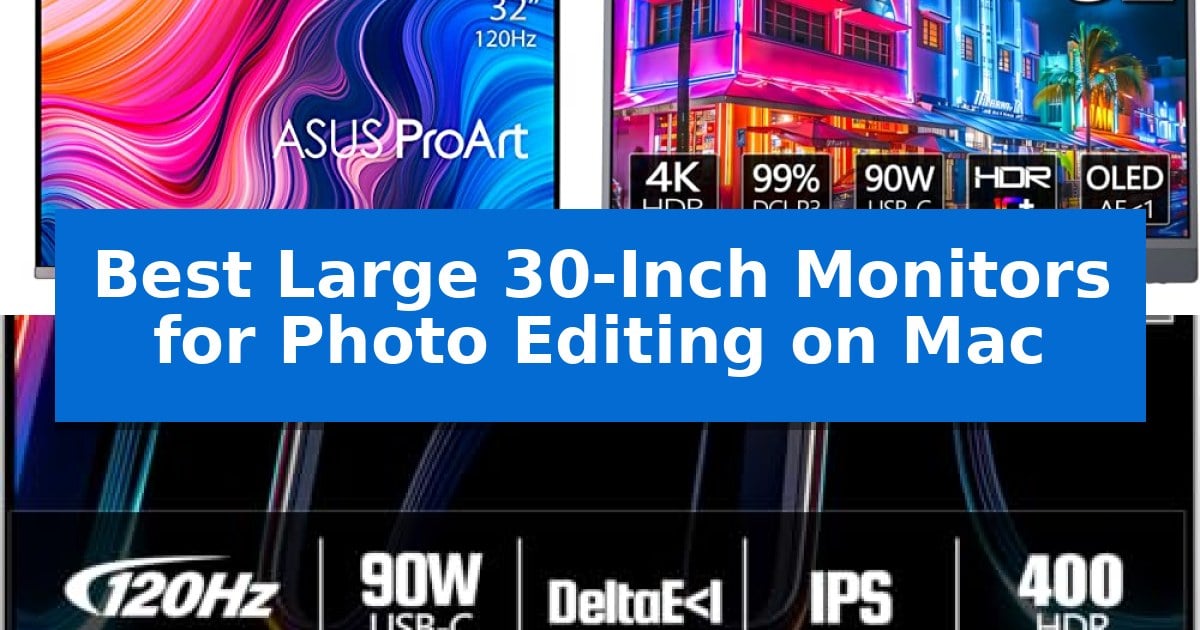
Finding the right display for professional creative work requires balancing high-resolution clarity with precise color reproduction. For photographers and designers working within the Apple ecosystem, the integration between hardware and software is essential to ensure that what you see on screen translates perfectly to your final output.
We have evaluated the Best Large 30-Inch Monitors for Photo Editing on Mac to help you identify which features—such as color gamut coverage, panel technology, and port connectivity—best suit your specific editing requirements. Whether you prioritize deep contrast or high-speed data transfer, these selections offer the technical foundation needed for demanding visual projects.
Best Large 30-Inch Monitors for Photo Editing on Mac in 2026
Quick Comparison
| Product | Best For | Key Strength | Score |
|---|---|---|---|
| ASUS ProArt PA32UCG-K Monitor | Best Overall | 1600 nits peak brightness with 1,152 local dimming zones for superior HDR contrast. | 4.9 |
| INNOCN 32Q1U OLED Monitor | Superior OLED Contrast for Creatives | OLED panel technology with 1M:1 contrast ratio for deep blacks and precise color. | 4.5 |
| INNOCN CB32U1 Monitor | High-Speed Workflow Efficiency | Factory-calibrated Delta E < 1 for professional color accuracy. | 4.3 |
How We Chose
- Color Accuracy: We prioritized displays offering factory-calibrated color performance with low Delta E values to ensure consistent output.
- Mac Connectivity: We evaluated the presence of USB-C and Thunderbolt interfaces to ensure seamless power delivery and data transfer for MacBook users.
- Panel Technology: We assessed the benefits of Mini-LED and OLED technologies in achieving high contrast ratios and deep black levels.
- Ergonomic Adjustability: We considered the flexibility of stands to support long editing sessions through tilt, pivot, and height adjustments.
- Resolution and Refresh Rate: We looked for 4K resolution and high refresh rates to provide sharp detail and smooth navigation during complex editing tasks.
1 ASUS ProArt PA32UCG-K Monitor — Professional Mini-LED Color Precision
Achieving precise color grading and high-dynamic-range editing requires a display that can handle both deep shadows and brilliant highlights simultaneously. The ASUS ProArt Display 32” 4K HDR Computer Monitor (PA32UCG-K) utilizes a Mini-LED backlight with 1,152 zones of local dimming to deliver a peak brightness of 1600 nits, ensuring that professional editors can view their footage with exceptional contrast and clarity.
Designed for color-critical workflows, this monitor supports True 10-bit color and Quantum-dot technology, covering wide color gamuts including DCI-P3, Rec. 2020, Adobe RGB, and sRGB. The integration of ASUS ProArt Hardware Calibration Technology allows for consistent color accuracy, featuring a ∆E < 1 rating that helps maintain uniformity across the entire panel during long editing sessions.
Connectivity is streamlined for modern creative workstations, featuring Thunderbolt 3 and HDMI 2.1 ports to support high-bandwidth data and video signals. For those working in motion graphics or game development, the 48~120 Hz variable-refresh-rate (VRR) support provides smooth motion rendering, while the inclusion of Dolby Vision, HDR-10, and HLG support ensures compatibility with various industry-standard HDR formats.
The monitor includes a 3-year warranty and a built-in calibrator to assist in maintaining performance over time. While the unit is substantial, its design prioritizes the needs of professional creators who require a reliable, high-performance reference display for their Mac-based editing suites.
Best for: Professional photo and video editors who require high-brightness HDR performance and industry-leading color accuracy for complex grading tasks.
Skip if: Users who require a lightweight, portable display or those who do not need professional-grade HDR and wide-gamut color calibration capabilities.
PROS
- 1600 nits peak brightness with 1,152 local dimming zones for superior HDR contrast.
- ∆E < 1 color accuracy ensures professional-grade fidelity for critical editing.
- Thunderbolt 3 and HDMI 2.1 connectivity for high-speed data and video throughput.
- 120Hz variable refresh rate support for smooth motion and game development workflows.
CONS
- Substantial physical footprint and weight may require a sturdy desk setup.
- Premium feature set is specialized for high-end professional use rather than general office tasks.
2 INNOCN 32Q1U OLED Monitor — Superior OLED Contrast for Creatives
The INNOCN 32Q1U OLED Monitor leverages advanced OLED panel technology to provide a high-contrast viewing experience, making it a compelling choice for color-critical tasks. With a 1M:1 contrast ratio and 10-bit color depth, this display is engineered to meet stringent color requirements for professional design and photo editing workflows.
Designed with a focus on color accuracy, the monitor covers 99% of the DCI-P3 and 99% sRGB color gamuts and features a delta E value of less than 1. The inclusion of HDR10 and 6-axis color correction provides users with granular control over color management, which is essential for high-end animation and content creation.
Connectivity is streamlined for modern Mac setups through dual USB Type-C interfaces. These ports support up to 90W of power delivery when a single device is connected, allowing for simultaneous charging and data transfer via a single cable. The monitor also includes a built-in USB Type-C audio jack and integrated 5W stereo speakers.
Ergonomics are addressed through a highly adjustable stand that supports height, tilt, and pivot adjustments. The ability to rotate the screen ±90 degrees offers flexibility for vertical photo editing tasks, while the VESA mount compatibility allows for integration into existing desk setups. The monitor is designed to balance professional performance with the practical needs of a home office or creative studio.
Best for: Creative professionals and photo editors who require high color accuracy and a wide color gamut for Mac-based workflows.
Skip if: Users who require a high refresh rate for competitive gaming or those with limited desk space who cannot accommodate a 32-inch display.
PROS
- OLED panel technology with 1M:1 contrast ratio for deep blacks and precise color.
- 99% DCI-P3 and sRGB coverage with delta E < 1 for professional color accuracy.
- 90W USB Type-C power delivery for convenient single-cable connectivity with Mac devices.
- Highly adjustable ergonomic stand with pivot, tilt, and height options.
CONS
- Limited power delivery of 45W per port when two devices are connected simultaneously.
- 60Hz refresh rate may not satisfy users looking for high-motion fluidity in gaming.
3 INNOCN CB32U1 Monitor — High-Speed Workflow Efficiency
Achieving precise color fidelity for professional imaging requires a display that minimizes variables in the signal chain, and the INNOCN CB32U1 Monitor addresses this with factory-calibrated Delta E < 1 accuracy. This 32-inch IPS panel provides a expansive canvas for detailed photo editing, ensuring that your output remains consistent with your creative intent.
The monitor simplifies the Mac workspace through a single-cable USB-C 90W connection. This interface handles 4K video transmission, data transfer, and power delivery to your MacBook Pro or Mac Mini simultaneously, removing the need for external power bricks and reducing cable clutter on your desk.
For those who prioritize fluid motion during long editing sessions, the 120Hz refresh rate offers a significant upgrade over standard 60Hz panels. This higher frequency results in smoother cursor tracking and window management, which can help reduce visual fatigue during extended work periods.
Connectivity remains versatile with HDMI 2.1 and DP1.4 ports, allowing for high-bandwidth support for modern hardware. The included stand is fully adjustable, supporting height, pivot, swivel, and tilt movements to accommodate various ergonomic setups, whether you are working in landscape or portrait orientation.
Best for: Creative professionals using a Mac who require high color accuracy and a streamlined single-cable desk setup.
Skip if: Users who require a higher pixel density than 4K or those who do not have desk space for a 32-inch display.
PROS
- Factory-calibrated Delta E < 1 for professional color accuracy.
- 90W USB-C power delivery simplifies Mac connectivity.
- 120Hz refresh rate provides a smoother visual experience.
- Fully adjustable ergonomic stand with pivot functionality.
CONS
- Large 32-inch footprint requires significant desk space.
Best Large 30-Inch Monitors for Photo Editing on Mac Buying Guide
Understanding Color Gamut and Accuracy
For photo editing, the ability of a monitor to reproduce a wide range of colors is critical. Look for specifications covering high percentages of DCI-P3 and sRGB color spaces, which are standard in professional photography and video production.
A low Delta E value is the industry benchmark for color accuracy. A monitor with a Delta E of less than 1 indicates that the color deviation is virtually imperceptible to the human eye, ensuring that your edits remain faithful to the source material.
The Importance of Connectivity for Mac Users
Modern Mac workflows benefit significantly from USB-C and Thunderbolt connectivity. These interfaces allow a single cable to handle video signals, data transfer, and power delivery, effectively turning your monitor into a docking station.
When choosing a monitor, verify the power delivery wattage. A monitor capable of providing 90W or more can charge a MacBook Pro while in use, eliminating the need for a separate power brick and reducing cable clutter on your desk.
Panel Technology: Mini-LED vs. OLED
Mini-LED technology utilizes thousands of small LEDs for backlighting, which allows for high peak brightness and precise local dimming. This is particularly useful for HDR content creation where bright highlights and deep shadows must coexist.
OLED panels offer individual pixel illumination, resulting in a near-infinite contrast ratio and true blacks. This technology is often preferred by editors who need absolute black levels and uniform brightness across the entire screen surface.
Ergonomics and Workspace Comfort
Photo editing often involves long hours at the desk, making ergonomic adjustments a necessity rather than a luxury. A monitor with a height-adjustable stand allows you to align the screen with your eye level, reducing neck strain.
Features like pivot and swivel capabilities are also valuable. For example, rotating the screen to a vertical orientation can be highly beneficial for editing portrait-oriented photographs or managing long lists of files in your creative software.
Resolution and Scaling
A 32-inch 4K display provides a high pixel density that is well-suited for macOS scaling. This ensures that text and interface elements remain sharp while providing ample screen real estate for toolbars and image previews.
Ensure your monitor supports the native resolution of your Mac to avoid blurry text or scaling artifacts. High-resolution displays are essential for spotting fine details in high-megapixel images during the retouching process.
Frequently Asked Questions
Do I need a 4K monitor for photo editing on a Mac?
Yes, a 4K resolution on a 32-inch screen provides the pixel density required for sharp image previews and clear text, which is essential for detailed photo retouching.
What is the benefit of USB-C power delivery?
USB-C power delivery allows your monitor to charge your MacBook Pro through the same cable used for video and data, simplifying your workspace and reducing cable clutter.
Why is Delta E important for photographers?
Delta E measures color accuracy. A lower value means the monitor displays colors closer to the actual values in your image file, preventing unexpected color shifts in your final prints or exports.
Can I use a monitor with a high refresh rate for photo editing?
While high refresh rates are often associated with gaming, they also provide a smoother experience when dragging windows, scrolling through image libraries, and navigating complex creative software interfaces.
Is Mini-LED better than standard IPS for editing?
Mini-LED offers superior brightness and contrast control through local dimming zones, making it a better choice for HDR editing compared to standard edge-lit IPS panels.
Conclusion: Our Top Pick
Selecting the right monitor is a foundational step in building a professional creative environment. After reviewing the available options, the ASUS ProArt PA32UCG-K Monitor stands out as the top choice for Mac users who demand uncompromising color precision and high-end HDR performance.
With its advanced Mini-LED backlight, exceptional brightness, and hardware calibration technology, this monitor provides the reliability required for color-critical work. Its robust connectivity options ensure it integrates perfectly into a modern Mac-based workflow, making it a dependable investment for long-term creative projects.