
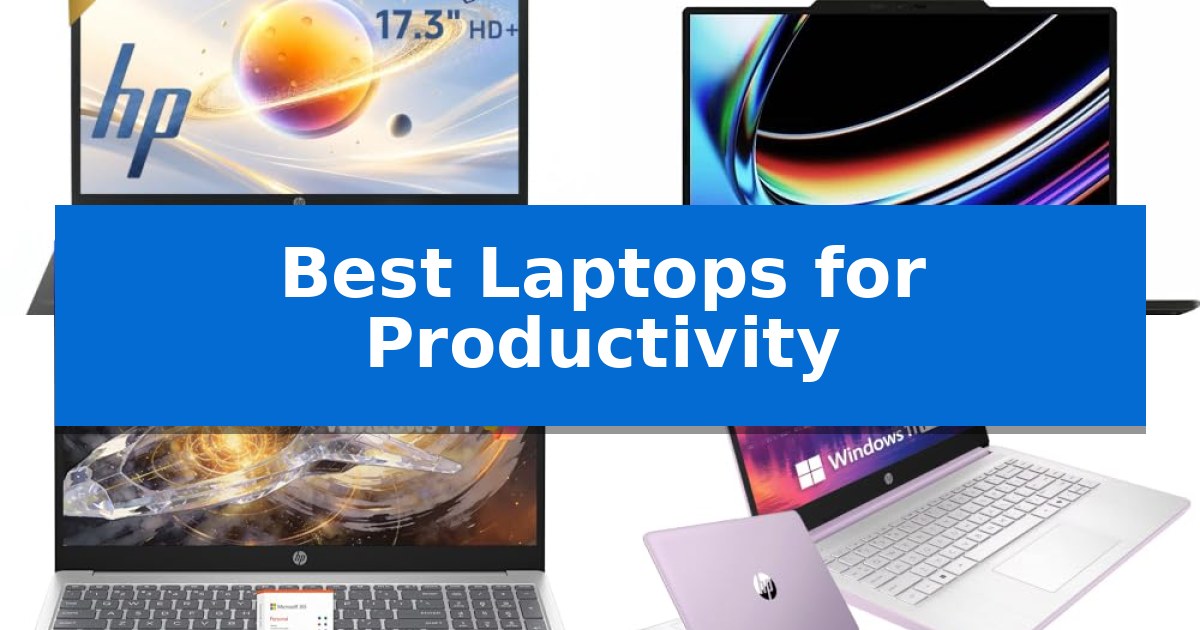
Finding the right hardware is essential when your daily success depends on seamless multitasking and reliable performance. Whether you are managing complex spreadsheets, coordinating remote team meetings, or balancing heavy document workflows, the right machine can significantly reduce friction in your workday.
In this guide, we evaluate the Best Laptops for Productivity currently available, focusing on how specific hardware configurations—such as processor power, memory capacity, and display real estate—directly impact your ability to get things done efficiently.
Best Laptops for Productivity in 2026
Quick Comparison
| Product | Best For | Key Strength | Score |
|---|---|---|---|
| HP 17 Laptop | Best Overall | Spacious 17.3-inch HD+ display for enhanced multitasking and document viewing. | 4.9 |
| MSI VenturePro 16 Notebook | Maximum Power for Demanding Workloads | Intel Core 7-240H provides robust processing power for demanding software. | 4.6 |
| HP 15.6 Laptop | Reliable Daily Multitasking | 16GB of high-speed RAM supports smooth multitasking. | 4.8 |
| HP 14 Laptop | Portable Choice for Students | Comprehensive accessory bundle including wireless mouse, earbuds, and external storage. | 4.4 |
| VIGSENUP 15.6 FHD Laptop | Budget-Friendly Productivity | Ultra-portable design at 21mm thin and 1.7kg weight. | 4.3 |
How We Chose
- Processor capability for handling multitasking and office applications.
- Memory and storage configurations to ensure smooth app switching and fast data access.
- Display size and clarity for comfortable long-term document and spreadsheet viewing.
- Portability and physical design features, such as numeric keypads, for specific workspace needs.
- Connectivity options to support essential peripherals and external displays.
1 HP 17 Laptop — Best for Spreadsheet Data Entry
Managing complex workflows and data-heavy tasks requires a display that minimizes constant window switching. The HP 17 Laptop addresses this by providing a expansive 17.3-inch HD+ screen, offering a significantly larger workspace for side-by-side document comparison, spreadsheet management, and multitasking compared to standard 15-inch alternatives.
Under the hood, this device is equipped with the Intel Core 5 120U processor, featuring 10 cores and 12 threads with speeds up to 5.0 GHz. This configuration is engineered to handle everyday business applications, including Microsoft Office, web-based tools, and video conferencing, ensuring that background processes do not interfere with active work.
For professionals who frequently perform data entry or financial analysis, the inclusion of a full-size numeric keypad is a functional necessity. This layout allows for faster, more accurate input into spreadsheets and accounting software, reducing the time spent on repetitive numerical tasks.
The system is rounded out with a PCIe SSD for quick file access and system responsiveness, paired with Windows 11 to provide a modern interface for daily productivity. With a chassis measuring 0.81 inches in height and weighing 3.75 pounds, it balances the need for a large-format display with a portable design suitable for home office or small business environments.
Best for: Professionals and students who prioritize screen real estate and frequent data entry tasks in a home office setting.
Skip if: Users who require a highly portable, lightweight machine for frequent travel or those who need a high-resolution display for professional photo and video editing.
PROS
- Spacious 17.3-inch HD+ display for enhanced multitasking and document viewing.
- Full-size numeric keypad dedicated to efficient data entry and spreadsheet management.
- 10-core Intel Core 5 120U processor capable of handling demanding everyday business workloads.
- PCIe SSD storage for rapid system responsiveness and file access.
CONS
- Larger physical footprint may not fit in standard-sized laptop bags or small workspaces.
- HD+ resolution may be limiting for users accustomed to higher-density displays.
2 MSI VenturePro 16 Notebook — Maximum Power for Demanding Workloads
The MSI VenturePro 16 Notebook is engineered for demanding professional workflows, centering its performance around the Intel Core 7-240H processor. This high-performance CPU is paired with 32GB of DDR5 memory, providing the necessary overhead for intensive multitasking and complex application management.
Visual clarity and fluid motion are prioritized through the 16-inch QHD+ 240Hz IPS display. This high refresh rate panel is designed to provide smooth navigation and precise detail, which is beneficial for creative tasks and detailed productivity work. The integration of the NVIDIA GeForce RTX 5050 laptop GPU ensures that graphical rendering and demanding visual applications are handled with efficiency.
Storage needs are addressed by a 1TB NVMe SSD, offering substantial capacity for large files and rapid data access. The notebook maintains a functional design with a weight of 7.72 pounds and dimensions of 0.91" x 14.2" x 9.7", suitable for a stationary workstation setup where high-end hardware is required.
This system is built for users who require a balance of processing power and graphical capability in a single chassis. While the unit provides significant internal resources, its physical footprint is substantial, making it best suited for desk-bound professional environments rather than frequent travel.
Best for: Professionals and creators who require high-performance computing and graphical power for intensive multitasking and demanding applications.
Skip if: Users who prioritize portability, lightweight design, or frequent travel will find the 7.72-pound weight and large 16-inch form factor restrictive.
PROS
- Intel Core 7-240H provides robust processing power for demanding software.
- 32GB of DDR5 RAM enables efficient handling of heavy multitasking.
- 240Hz QHD+ display offers smooth and fluid visual performance.
- 1TB NVMe SSD provides ample high-speed storage capacity.
CONS
- Heavy 7.72-pound chassis reduces overall portability.
- Large 16-inch footprint requires significant desk space.
3 HP 15.6 Laptop — Reliable Daily Multitasking
Managing a busy workday requires hardware that balances responsiveness with portability, and the HP 15.6 Laptop is built to address this need through its 16GB of high-speed memory. This substantial RAM allocation allows professionals and students to maintain multiple browser tabs, documents, and communication applications simultaneously without experiencing the typical slowdowns associated with lighter multitasking setups.
Beyond its memory capacity, the device features a hybrid storage approach designed for efficiency. It utilizes 128GB of UFS storage to facilitate rapid boot-up times and quick application loading, complemented by a 512GB SD card that provides ample space for archiving large files, photos, and documents. This dual-storage configuration ensures that essential software remains snappy while providing a dedicated area for long-term file management.
The 15.6-inch HD display offers a broad workspace, which is particularly useful for those who need to view spreadsheets or participate in video calls without constant window switching. Despite the large screen size, the chassis maintains a lightweight, thin design in a Natural Silver finish, making it a practical companion for users who frequently move between home, office, or campus environments.
Out of the box, the system runs Windows 11, which provides a streamlined interface and built-in security features. The inclusion of Copilot AI integration further assists in managing productivity tasks, while the overall hardware architecture is optimized to support standard cloud services and essential office applications, ensuring a reliable experience for daily administrative or academic workflows.
Best for: Students and professionals who require a reliable, portable machine for multitasking across office applications and web-based workflows.
Skip if: Users who require high-performance hardware for intensive tasks like video editing, 3D rendering, or professional-grade gaming.
PROS
- 16GB of high-speed RAM supports smooth multitasking.
- Hybrid storage system combines fast UFS boot speeds with large-capacity SD storage.
- Lightweight and thin design enhances portability for a 15.6-inch laptop.
- Windows 11 and Copilot AI integration provide a modern, productivity-focused software environment.
CONS
- HD resolution may not be sufficient for users requiring high-fidelity visual detail.
- SD card-based storage may offer slower transfer speeds compared to internal NVMe SSDs.
4 HP 14 Laptop — Portable Choice for Students
The HP 14 Laptop provides a specialized, all-in-one solution for students and professionals by bundling essential productivity hardware with a comprehensive accessory suite. Designed for efficiency, this system features a 13th Gen Intel N150 quad-core processor and 4GB of LPDDR5 memory, ensuring responsive handling of everyday office tasks and web-based applications.
Visual clarity is managed through a 14-inch anti-glare display, which maintains sharp detail for presentations and video conferencing. Connectivity for remote collaboration is supported by an integrated HP True Vision 720p HD camera and dual array microphones. The device runs on Windows 11 Pro, offering hardware-based security features including encryption and malware protection to safeguard sensitive business data.
Storage flexibility is a core component of this package, combining an internal 128GB UFS drive with an included 500GB external portable drive. This hybrid approach allows users to manage local files while maintaining significant capacity for backups or large document archives. The system is further enhanced by the HubxcelAddon bundle, which includes a wireless mouse, mouse pad, HDMI cable, USB extension, and wireless earbuds.
This laptop is optimized for users who require a ready-to-use workstation that minimizes the need for additional peripheral purchases. By including both the necessary software environment and physical connectivity tools, it serves as a streamlined choice for those managing small business operations or academic workloads.
Best for: Students and professionals seeking a comprehensive, out-of-the-box productivity workstation with included peripheral accessories.
Skip if: Users requiring high-performance computing for intensive tasks like 3D rendering or heavy video editing, as the 4GB RAM configuration is optimized for general office and academic applications.
PROS
- Comprehensive accessory bundle including wireless mouse, earbuds, and external storage.
- Windows 11 Pro provides advanced security features for business environments.
- Hybrid storage solution offering both internal speed and expandable external capacity.
- Anti-glare display improves visibility in bright working environments.
CONS
- Limited 4GB RAM may restrict multitasking capabilities with memory-intensive applications.
- External drive reliance is necessary to reach the full 628GB storage capacity.
5 VIGSENUP 15.6 FHD Laptop — Budget-Friendly Productivity
The VIGSENUP 15.6 FHD Laptop is built for those who require a reliable, portable machine for daily document handling and multitasking. Featuring a dual-core 6500Y processor with turbo speeds up to 3.4GHz, this device is engineered to maintain smooth performance when switching between email, spreadsheets, and presentations.
Designed with a 15.6-inch FHD IPS display, the laptop provides clear visuals while incorporating a physical privacy shutter on the central front camera for added security. The internal configuration includes 8GB of RAM and a 256GB M.2 SSD, which facilitates quick application loading and efficient file management for students and professionals alike.
Portability is a primary focus, as the chassis measures only 21mm in thickness and weighs 1.7kg. It is equipped with a 38Wh battery to support work sessions in various environments, such as classrooms or cafes. Connectivity options are comprehensive, including 2x USB 3.2 ports, 1x USB 2.0, 1x HDMI 1.4, a TF card reader, and an audio jack, alongside integrated WiFi 5 and Bluetooth 5.0.
This laptop comes pre-installed with office suite software, making it ready for immediate use in business or academic settings. The inclusion of a Kensington lock slot allows for secure placement in shared workspaces, while the 12-month manufacturer warranty provides long-term support for the hardware.
Best for: Students and office professionals needing a lightweight, portable device for document-heavy productivity and general multitasking.
Skip if: Users who require high-performance hardware for intensive video editing, 3D rendering, or modern gaming will find the dual-core processor and integrated graphics insufficient.
PROS
- Ultra-portable design at 21mm thin and 1.7kg weight.
- Physical privacy shutter for enhanced webcam security.
- Comprehensive port selection including USB 3.2 and HDMI.
- Pre-installed office suite for immediate productivity.
CONS
- Dual-core processor limits performance for heavy multitasking or demanding creative software.
- WiFi 5 standard is slower than newer WiFi 6 or 6E protocols.
Best Laptops for Productivity Buying Guide
Processor and Performance
The CPU is the engine of your productivity. For standard office tasks, web-based applications, and video conferencing, a multi-core processor provides the necessary overhead to keep multiple windows open without lag.
Look for processors that offer a balance of high clock speeds and power efficiency. This ensures that your system remains responsive during peak workloads while maintaining reasonable battery life for mobile use.
Memory and Multitasking
RAM is critical for multitasking. Having sufficient memory allows you to keep numerous browser tabs, documents, and communication apps open simultaneously without the system slowing down.
For most professional users, 8GB is a functional baseline, but 16GB or higher is recommended if you frequently work with large datasets, complex spreadsheets, or multiple resource-heavy applications at once.
Display and Workspace
Screen real estate directly affects your workflow efficiency. A larger display allows for easier side-by-side window management, which is essential for comparing documents or referencing data while writing.
Consider the resolution and finish of the display. Anti-glare coatings and high-resolution panels help reduce eye strain during long hours of work, making them a vital consideration for anyone spending their entire day in front of a screen.
Storage Speed and Capacity
Fast storage, such as PCIe SSDs, significantly reduces boot times and the time it takes to launch applications. This responsiveness is a key factor in maintaining a fluid workflow.
While cloud storage is common, having sufficient local capacity ensures that your most important files are always accessible, even without a reliable internet connection.
Ergonomics and Input
The physical interface of your laptop matters. Features like a full-size numeric keypad are indispensable for professionals working in finance, accounting, or data entry, as they drastically speed up numerical input.
Portability is the secondary consideration. If you frequently travel or move between meeting rooms, a thinner, lighter chassis is preferable, provided it does not sacrifice the ports you need for your daily peripherals.
Frequently Asked Questions
How much RAM do I really need for productivity?
For basic office work and web browsing, 8GB is sufficient. However, if you regularly use complex spreadsheets or keep many applications open at once, 16GB is recommended for a smoother experience.
Is a larger screen better for productivity?
Yes, a larger screen provides more space for multitasking, allowing you to view multiple windows side-by-side, which is highly beneficial for document comparison and data management.
Why is a numeric keypad important?
A dedicated numeric keypad significantly speeds up data entry for accounting, bookkeeping, and any task that involves frequent numerical input, reducing the time spent on repetitive tasks.
Does processor speed matter for office work?
Yes, a capable processor ensures that applications launch quickly and that the system remains responsive during video calls or when switching between heavy tasks.
What is the benefit of an SSD over a traditional hard drive?
An SSD provides much faster read and write speeds, resulting in quicker system boot times, faster application loading, and more responsive file access compared to traditional mechanical drives.
Conclusion: Our Top Pick
Choosing the right laptop depends on your specific daily requirements, whether that involves heavy data entry or portable multitasking. For those who prioritize a spacious display and dedicated input tools for data-heavy tasks, the HP 17 Laptop stands out as a highly practical solution.
With its large 17.3-inch display and integrated numeric keypad, the HP 17 Laptop is specifically engineered to streamline spreadsheet management and document workflows, making it an excellent choice for home office environments where screen space and efficiency are paramount.