
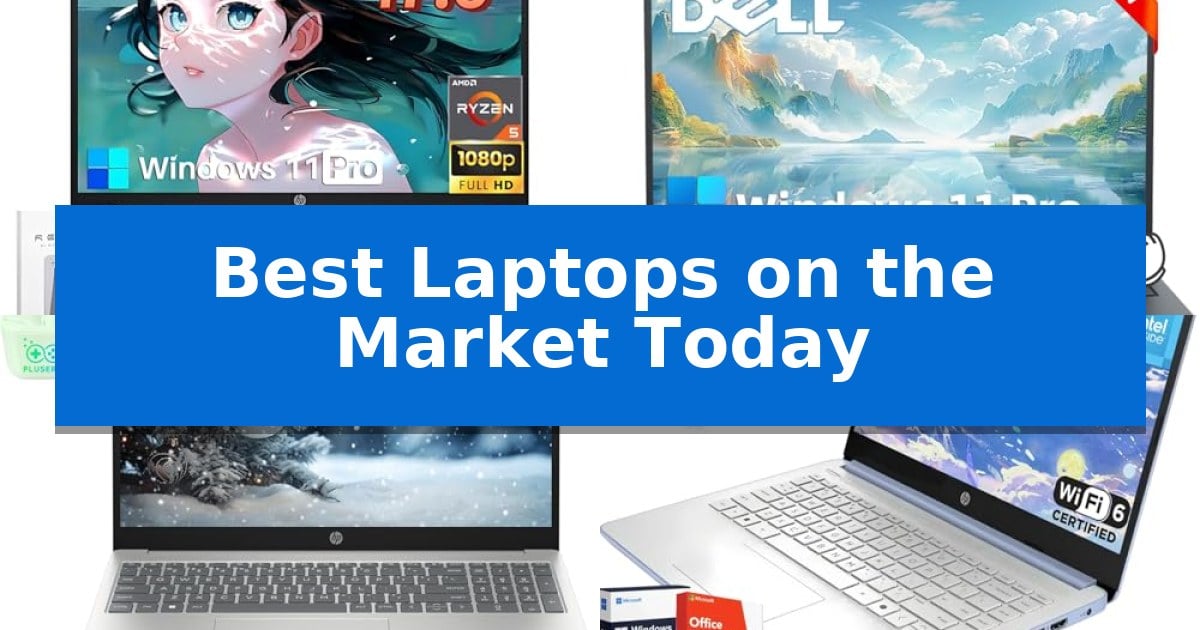
Finding the right computer can feel overwhelming with so many options available. Whether you are a student managing heavy coursework or a professional handling complex business applications, selecting the Best Laptops on the Market Today requires balancing raw performance with your specific daily needs.
Our guide focuses on clear, evidence-based comparisons to help you navigate technical specifications like RAM, storage capacity, and display technology. By understanding how these components impact your workflow, you can make a confident decision that supports your productivity for years to come.

Best Laptops on the Market Today in 2026
Quick Comparison
| Product | Best For | Key Strength | Score |
|---|---|---|---|
| HP 17 Laptop | Best Overall | 20GB of RAM allows for efficient multitasking across multiple applications. | 4.9 |
| Dell Inspiron 15 3535 Laptop | Touchscreen Precision for Productivity | High-capacity 20GB RAM for efficient multitasking. | 4.4 |
| HP 15 Laptop | High-Capacity Storage for Students | High-capacity 32GB RAM for seamless multitasking. | 4.8 |
| HP 14 Laptop | Portable Design for Daily Tasks | 16GB DDR4 RAM ensures smooth multitasking for daily office and student tasks. | 4.6 |
| Acer Chromebook 315 | Reliable Choice for Web Browsing | Large 15.6-inch anti-glare display for an expanded workspace. | 4.6 |
How We Chose
- Processor efficiency and core count for multitasking performance.
- Display resolution, panel type, and anti-glare features for visual comfort.
- Memory and storage configurations to ensure smooth operation and data capacity.
- Connectivity options including port variety and wireless standards.
- Physical design factors such as weight and form factor for portability.
1 HP 17 Laptop — Expansive Screen for Multitasking
The HP 17 Laptop provides a substantial 17.3-inch FHD anti-glare display, making it a practical choice for users who prioritize screen real estate for multitasking and document management. This model is engineered to balance processing power with a large visual workspace, suitable for home office environments or academic settings where multiple windows are frequently open simultaneously.
Under the hood, the device is powered by the AMD Ryzen 5 7430U processor, featuring 6 cores capable of speeds up to 4.3GHz. This hardware configuration is paired with 20GB of DDR4 RAM, which facilitates smooth transitions between office applications and media playback. The inclusion of a 512GB PCIe SSD provides rapid boot times and sufficient storage for standard document and media libraries.
Design-wise, the laptop incorporates a full-size keyboard with a dedicated numeric keypad, enhancing efficiency for data entry tasks. Connectivity is supported through integrated USB-C and HDMI ports, alongside Wi-Fi 6 for wireless networking. The system comes pre-installed with Windows 11 Pro, offering professional-grade security and management features out of the box.
For video conferencing, the integrated HP True Vision 720p HD camera and HD stereo speakers provide the necessary tools for professional communication. The anti-glare coating on the display is specifically intended to reduce eye strain during extended work sessions, ensuring the device remains functional for long-duration use.
Best for: Students and business professionals who require a large display and significant memory for multitasking.
Skip if: Users who prioritize portability or frequent travel, as the 17.3-inch form factor and 4.85-pound weight are designed for stationary desk use.
PROS
- 20GB of RAM allows for efficient multitasking across multiple applications.
- 17.3-inch FHD anti-glare display provides a large, clear workspace.
- Full-size keyboard includes a dedicated numeric keypad for data entry.
- Windows 11 Pro offers advanced security and productivity features.
CONS
- Large physical footprint and weight may limit portability for mobile users.
- 720p camera resolution is standard but may not meet high-end video production requirements.
2 Dell Inspiron 15 3535 Laptop — Touchscreen Precision for Productivity
The Dell Inspiron 15 3535 Laptop prioritizes visual clarity through its 15.6-inch Full HD (1920×1080) WVA touchscreen, which features a slim-bezel, anti-glare design intended to minimize distractions and eye strain during extended use. This model is engineered for those who require a balance of professional-grade software and substantial multitasking capacity in a portable form factor.
Driven by the AMD Ryzen 7 7730U processor, which features 8 cores and 16 threads, this device manages demanding business and creative workloads using integrated Radeon graphics. The system is equipped with 20GB of DDR4 RAM, providing significant overhead for running multiple applications or virtual machines simultaneously. A 1TB PCIe NVMe SSD provides high-speed storage for large media files and professional documents, with additional capacity available via integrated SD card support.
Productivity is further supported by the integration of Windows Copilot, an AI assistant designed to streamline workflows and provide task suggestions. The laptop arrives preloaded with Windows 11 Pro, establishing a secure environment suitable for collaborative projects and data analysis. The inclusion of a numeric keypad enhances efficiency for data entry tasks, while the overall design maintains a weight of 3.59 pounds for portability.
This laptop represents a versatile choice for users who need a responsive, high-capacity machine for daily professional or academic requirements. By combining a high-resolution touchscreen with a robust processor and generous memory, it provides a stable platform for both content creation and administrative duties.
Best for: Business professionals and students who require a high-capacity, touchscreen-enabled laptop for multitasking and productivity tasks.
Skip if: Users seeking a lightweight, ultra-portable device for travel or those who require dedicated high-end discrete graphics for intensive 3D gaming.
PROS
- High-capacity 20GB RAM for efficient multitasking.
- 1TB PCIe NVMe SSD for fast boot times and ample storage.
- 15.6-inch Full HD WVA touchscreen with anti-glare coating.
- Windows 11 Pro pre-installed for professional-grade security.
CONS
- 3.59-pound weight may be less portable than smaller ultrabooks.
- Integrated Radeon graphics are not intended for high-end gaming.
3 HP 15 Laptop — High-Capacity Storage for Students
Managing large datasets and intensive multitasking requires hardware that does not compromise on capacity. The HP 15 Laptop addresses this by offering a substantial 32GB of RAM and a 1TB PCIe Solid State Drive, providing the overhead necessary for demanding student and business workflows.
The device features a 15.6-inch Full HD (1920 x 1080) IPS display with an anti-glare coating, designed to minimize reflections in bright environments. Its micro-edge design maximizes screen real estate, while the 300-nit brightness ensures clear visibility for document editing and media consumption.
Engineered for versatility, this model is powered by a 10-core Intel Core i5 processor, balancing efficiency with the multi-core performance required for modern applications. The chassis maintains a slim profile at 0.78 inches in height, making it a portable solution for users who need a high-capacity workstation on the go.
With its 1TB SSD, users benefit from rapid data access and ample space for extensive file libraries. The system is also designed for longevity, supporting upgrades up to 64GB of DDR4 RAM and 2TB of storage, allowing the machine to scale alongside evolving professional or academic requirements.
Best for: Students and professionals who require high memory capacity and significant storage for multitasking and large file management.
Skip if: Users who prioritize ultra-portability or a dedicated GPU for high-end gaming or professional video rendering will find this general-purpose business laptop insufficient.
PROS
- High-capacity 32GB RAM for seamless multitasking.
- 1TB PCIe SSD provides ample and fast storage.
- 15.6-inch FHD IPS display with anti-glare technology.
- Upgradable memory and storage path up to 64GB RAM and 2TB SSD.
CONS
- Standard DDR4 memory is slower than newer DDR5 alternatives.
- Integrated graphics limit performance in GPU-intensive tasks.
4 HP 14 Laptop — Portable Design for Daily Tasks
Selecting a reliable machine for daily tasks requires balancing portability with functional hardware. The HP 14 Laptop enters the market as a versatile solution for students and professionals, centered around an Intel Processor N150 that delivers four cores and four threads for efficient multitasking.
Designed with a 14-inch HD anti-glare display, this device minimizes distractions through its micro-edge, BrightView design. The integrated HP True Vision 720p HD webcam and dual-array microphones are built to support clear communication during video calls, even in environments with limited lighting.
Performance is supported by 16GB of DDR4 RAM, which facilitates smooth transitions between open applications. Storage is handled by a combination of 128GB universal flash storage and a 256GB Micro SD card, providing a practical approach to managing files and data. The inclusion of Wi-Fi 6 ensures high-speed wireless connectivity for modern home and office networks.
Practicality is a core focus, as evidenced by the inclusion of a USB Type-C port, two USB Type-A ports, and an HDMI output for external displays. The laptop also comes with Microsoft Copilot integrated into Windows 11 Pro, offering AI-assisted project management and productivity tools. Users receive a lifetime license for Office Pro, providing immediate utility for document and spreadsheet creation.
Best for: Students and business users needing a lightweight, portable device for daily productivity, web applications, and document management.
Skip if: Users requiring high-performance hardware for intensive video editing, 3D rendering, or gaming will find the processor and integrated graphics insufficient for those workloads.
PROS
- 16GB DDR4 RAM ensures smooth multitasking for daily office and student tasks.
- Wi-Fi 6 connectivity provides faster, more reliable wireless performance.
- Includes lifetime Microsoft Office Pro license for immediate productivity.
- Versatile port selection including USB Type-C and HDMI for peripheral compatibility.
CONS
- Limited internal storage capacity relies on a combination of UFS and Micro SD card.
- HD resolution (1366 x 768) may feel restrictive for users accustomed to Full HD displays.
5 Acer Chromebook 315 — Reliable Choice for Web Browsing
The acer Chromebook 315 centers its design around a spacious 15.6-inch HD display, featuring an anti-glare coating and narrow 0.37-inch bezels to maximize workspace for productivity. This model integrates a dedicated numeric keypad, making it a practical choice for users who frequently handle data entry or spreadsheet tasks.
Engineered for efficiency, the device is powered by an Intel Celeron N4020 Dual-Core processor capable of reaching speeds up to 2.80 GHz. This hardware configuration is optimized to handle content-rich web browsing and smooth video playback, while the Chrome OS environment provides a streamlined, secure interface for school or professional environments.
Connectivity and portability are balanced through a robust battery life of up to 12.5 hours, allowing for extended use away from power outlets. The laptop includes a versatile selection of ports, including two USB-C 3.1 and two USB-A 3.1 slots, ensuring compatibility with a wide range of modern peripherals and legacy devices.
With 4GB of RAM and 64GB of eMMC storage, the acer Chromebook 315 is built to meet the fundamental requirements of cloud-based computing. Its lightweight 3.59-pound frame and integrated Wi-Fi and Bluetooth connectivity make it a reliable companion for users who prioritize a simple, secure, and long-lasting mobile workstation.
Best for: Students and professionals needing a large-screen, budget-friendly device for web-based tasks and data entry.
Skip if: Users requiring high-performance hardware for video editing, heavy multitasking, or local storage-intensive applications.
PROS
- Large 15.6-inch anti-glare display for an expanded workspace.
- Integrated numeric keypad enhances data entry efficiency.
- Extended 12.5-hour battery life for all-day productivity.
- Versatile port selection including USB-C and USB-A.
CONS
- Limited 64GB eMMC storage capacity.
- 4GB RAM may restrict heavy multitasking performance.
Best Laptops on the Market Today Buying Guide
Processor and Performance
The processor acts as the brain of your laptop, determining how quickly you can switch between applications or handle demanding software. Look for modern multi-core processors that can manage background tasks without slowing down your primary work.
Higher core counts generally provide better responsiveness when running multiple office applications or streaming high-definition content simultaneously. Ensure the CPU matches your typical workload, whether that involves light web browsing or more intensive data processing.
Memory and Storage Capacity
RAM is essential for multitasking; having more memory allows you to keep numerous browser tabs and programs open at once without experiencing lag. For modern productivity, 16GB or more is increasingly recommended to maintain a smooth user experience.
Storage speed and capacity are equally critical. Solid State Drives (SSD) offer significantly faster boot times and file access compared to older mechanical drives. Opting for a larger SSD ensures you have ample space for your documents, media libraries, and professional files.
Display Quality and Ergonomics
A high-quality display is vital for reducing eye strain during long sessions. Look for Full HD (1920×1080) resolutions and anti-glare coatings, which help maintain clarity in various lighting conditions.
Consider the screen size based on your need for portability versus screen real estate. A larger display is often better for multitasking and detailed work, while a compact form factor is more convenient for commuting or travel.
Connectivity and Ports
Modern laptops should offer a versatile selection of ports to connect your peripherals. USB-C and HDMI ports are standard requirements for external monitors, drives, and other accessories.
Check for updated wireless standards like Wi-Fi 6, which provides faster and more stable internet connections. Reliable wireless connectivity is essential for video conferencing and cloud-based collaboration.
Operating System and Software
The operating system dictates your software compatibility and security features. Windows 11 Pro is a common choice for business environments due to its advanced security and management tools.
Some users may prefer lighter operating systems like Chrome OS, which are optimized for web-based tasks and simplicity. Choose the system that aligns with the applications you use most frequently.
Frequently Asked Questions
How much RAM do I really need for daily tasks?
For basic web browsing and document editing, 8GB may suffice, but 16GB or more is recommended for smooth multitasking and future-proofing your device.
Is an anti-glare screen worth it?
Yes, an anti-glare coating is highly beneficial if you work in bright environments or near windows, as it significantly reduces reflections and eye strain.
What is the benefit of an SSD over an HDD?
An SSD provides much faster data transfer speeds, resulting in quicker system boot times, faster application launches, and improved overall system responsiveness.
Does the processor core count matter for students?
Yes, a higher core count allows a laptop to handle multiple applications simultaneously, which is helpful when researching, writing, and attending virtual classes at the same time.
Why choose Windows 11 Pro over the Home version?
Windows 11 Pro includes advanced security, networking, and management features that are often required for professional business environments and enterprise-level tasks.
Conclusion: Our Top Pick
Choosing the right laptop depends on your specific balance of performance and portability. The HP 17 Laptop stands out as a strong candidate for those who prioritize a large, clear display and substantial memory for multitasking, making it an excellent choice for both business and academic environments.
While the expansive screen offers great utility for managing multiple windows, keep in mind that its larger size may be less portable than 14-inch alternatives. If your primary goal is a stationary, high-performance workstation, this model provides the necessary power and storage to keep you productive.