
Selecting the right computer often begins with the fundamental debate between macOS and Windows. Whether you prioritize the seamless integration of the Apple ecosystem or the broad hardware flexibility of the PC market, your choice dictates your daily workflow, software compatibility, and long-term hardware satisfaction.
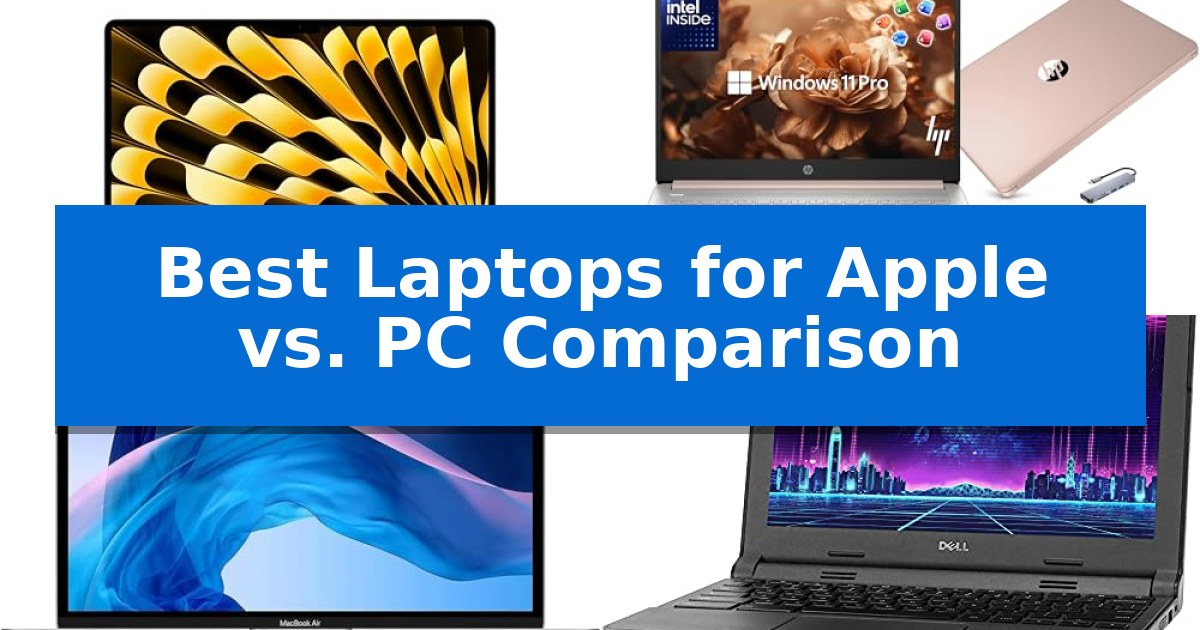
In this Best Laptops for Apple vs. PC Comparison, we examine four distinct devices to help you navigate the landscape of modern computing. By analyzing hardware specifications, display quality, and specialized features, we provide the clarity needed to determine which platform aligns with your specific professional or academic requirements.
Best Laptops for Apple vs. PC Comparison in 2026: Choosing Your OS
Quick Comparison
| Product | Best For | Key Strength | Score |
|---|---|---|---|
| Apple MacBook Air 15-inch Laptop | Best Overall | M5 chip with dedicated AI acceleration and Neural Engine. | 4.9 |
| HP 14 Laptop | Windows Alternative for Students | Comprehensive accessory bundle including a 6-in-1 USB-C docking station and wireless mouse. | 4.6 |
| Apple MacBook Air 13-inch | Compact macOS Experience | Lightweight and compact design for easy portability. | 4.5 |
| Dell Chromebook 3120 | Budget-Friendly PC Computing | Compact and portable design suitable for travel. | 4.7 |
How We Chose
- Processing power and memory efficiency for multitasking.
- Display technology, including resolution and color accuracy.
- Portability and build quality for mobile use cases.
- Software ecosystem integration and native security features.
- Connectivity standards and peripheral support.
1 Apple MacBook Air 15-inch Laptop — Modern Apple Silicon Performance
The Apple MacBook Air 15-inch Laptop distinguishes itself through the integration of the M5 chip, which provides a dedicated platform for AI tasks via its Neural Engine and next-generation GPU with Neural Accelerators. This hardware foundation is designed to handle demanding creative workflows and multitasking while maintaining a thin, portable form factor.
Performance is supported by 24GB of unified memory and a 1TB SSD, ensuring responsiveness across macOS applications. The device features a 15.3-inch Liquid Retina display capable of rendering 1 billion colors, providing high contrast and detail for visual tasks. Connectivity options include two Thunderbolt 4 ports, MagSafe charging, and support for Wi-Fi 7, allowing for integration into modern high-speed network environments.
For communication and collaboration, the laptop includes a 12MP Center Stage camera that automatically adjusts framing during video calls. The audio system consists of a three-mic array and six speakers with Spatial Audio and Dolby Atmos support. The inclusion of Touch ID provides secure authentication, while the ecosystem integration allows for seamless interaction with iPhone features, such as shared clipboards and cross-device task continuity.
The power efficiency of the M5 chip enables up to 18 hours of battery life, facilitating extended use without frequent charging. The design prioritizes a balance between a large display area and portability, weighing approximately 3.33 pounds. This combination of processing power, display quality, and connectivity makes it a versatile tool for both academic and professional environments.
Best for: Users requiring a balance of high-performance AI-ready computing and portability for creative or academic workflows.
Skip if: Users who require specific Windows-only software compatibility or a wider array of legacy physical ports.
PROS
- M5 chip with dedicated AI acceleration and Neural Engine.
- 15.3-inch Liquid Retina display with 1 billion color support.
- Up to 18 hours of battery life for extended portability.
- Wi-Fi 7 and Thunderbolt 4 connectivity for modern networking and peripherals.
CONS
- Limited port selection compared to professional-grade workstations.
- Fixed hardware configuration with no user-upgradeable memory or storage.
2 HP 14 Laptop — Windows Alternative for Students
Choosing between a Windows-based PC and an Apple ecosystem often comes down to specific workflow needs and hardware flexibility. The HP 14 Laptop offers a streamlined solution for students and professionals by integrating a Quad-Core Intel Processor N150 capable of reaching 3.6 GHz, providing a responsive foundation for daily multitasking and web-based applications.
This device emphasizes practical utility through its 4GB of high-bandwidth RAM and a hybrid storage configuration. It includes a 128GB SSD for efficient system performance, supplemented by a 500GB external drive to handle larger file libraries. The 14-inch HD display is designed with a narrow bezel, facilitating a clear workspace that is well-suited for document management and remote communication via the integrated 720p HD camera.
The HP 14 Laptop comes pre-configured with Windows 11 Pro, which provides enterprise-grade security features like hardware-based isolation and encryption. This makes it a viable candidate for users who require a secure environment for school or small business tasks without the complexities of managing a proprietary operating system.
To enhance its value as a complete workstation, the package includes an authorized accessory bundle. This set features a 6-in-1 USB-C docking station with 4K-HDMI support, a wireless mouse, and a mouse pad. With Microsoft Office 2024 pre-installed, the system is ready for immediate productivity, offering a comprehensive alternative for those prioritizing out-of-the-box functionality over modular hardware upgrades.
Best for: Students and professionals seeking an all-in-one, ready-to-use Windows workstation with included accessories and pre-installed office software.
Skip if: Users who require high-performance hardware for intensive video editing, 3D rendering, or gaming, as the 4GB RAM and integrated processor are optimized for basic productivity tasks.
PROS
- Comprehensive accessory bundle including a 6-in-1 USB-C docking station and wireless mouse.
- Pre-installed Microsoft Office 2024 for immediate document and spreadsheet utility.
- Windows 11 Pro provides advanced security features suitable for business and educational environments.
- Hybrid storage solution combining a fast 128GB SSD with a 500GB external drive.
CONS
- Limited 4GB RAM may restrict performance during heavy multitasking or when running many browser tabs simultaneously.
- Non-upgradable memory limits the ability to improve performance as software demands increase over time.
3 Apple MacBook Air 13-inch — Compact macOS Experience
The Apple MacBook Air 13-inch is designed for users who prioritize a streamlined, portable computing experience. At just 0.63 inches thick and weighing 2.8 pounds, this device is built for mobility, fitting easily into bags for travel or daily commutes. It is powered by a 1.1GHz quad-core 10th-generation Intel Core i3 processor, which provides a balance of efficiency and performance for standard productivity tasks.
The system includes 8GB of 3733MHz LPDDR4X memory and a 256GB SSD, offering sufficient capacity for typical office applications and file storage. The user interface is centered around a backlit Magic Keyboard and a Force Touch trackpad, both of which provide precise input control. Security is integrated directly into the hardware with a Touch ID sensor, enabling quick and secure system authentication.
Connectivity is handled by two Thunderbolt 3 ports, which support high-speed data transfer and peripheral expansion. While this interface is compatible with a wide range of modern accessories, users who rely on older hardware may need to utilize adapters to integrate their existing setup. This model serves as a practical, lightweight solution for those who need a reliable macOS environment for general computing tasks.
Best for: Users seeking a compact, lightweight macOS laptop for general productivity and daily computing tasks.
Skip if: Users requiring high-performance computing for intensive creative workloads or those who need a wider variety of legacy ports without using adapters.
PROS
- Lightweight and compact design for easy portability.
- Integrated Touch ID for secure and efficient authentication.
- Responsive Backlit Magic Keyboard and Force Touch trackpad.
- Versatile Thunderbolt 3 connectivity.
CONS
- Limited to two Thunderbolt 3 ports, necessitating adapters for some peripherals.
- Intel Core i3 processor may be a bottleneck for heavy multitasking or professional creative software.
4 Dell Chromebook 3120 — Budget-Friendly PC Computing
Selecting a computer often involves weighing the streamlined ecosystem of macOS against the broad hardware variety found in the Windows landscape. The Dell Chromebook 3120 offers a distinct alternative for those prioritizing a lightweight, browser-centric workflow over traditional desktop operating systems.
The Dell Chromebook 3120 is built around an Intel Dual Core processor, providing sufficient power for web-based tasks, document editing, and media consumption. With 4GB of RAM and a 16GB SSD, this device is optimized for cloud-integrated computing, ensuring that users who rely on web applications can maintain a responsive experience without the overhead of heavy local software.
Designed with portability in mind, this laptop measures approximately 12 inches in width and length, making it a compact choice for users on the move. The inclusion of WiFi and HDMI connectivity ensures that it remains functional in diverse environments, whether you are connecting to a home network or projecting content to an external display.
While this model provides a straightforward computing experience, it is important to note that the 16GB SSD capacity is intended primarily for essential files and system operations, as most data storage is expected to occur in the cloud. This device includes a 90-day limited warranty, providing a baseline of support for its hardware components.
Best for: Students and professionals who primarily use web-based applications and cloud storage for their daily tasks.
Skip if: Users who require extensive local storage capacity or need to run specialized desktop software that is not compatible with the ChromeOS environment.
PROS
- Compact and portable design suitable for travel.
- Intel Dual Core processor provides reliable performance for web browsing.
- Includes HDMI connectivity for easy external display integration.
CONS
- Limited 16GB SSD storage capacity necessitates reliance on cloud services.
- 4GB RAM may limit multitasking capabilities with many browser tabs open.
Best Laptops for Apple vs. PC Comparison Buying Guide
Operating System Ecosystems
The choice between macOS and Windows often comes down to your existing device environment. macOS is renowned for its tight integration with other Apple products, allowing for features like Handoff and shared clipboards. This creates a cohesive experience if you already rely on an iPhone or iPad for your daily tasks.
Windows 11 Pro offers a different advantage, focusing on broad hardware compatibility and a vast library of software. It is often the preferred choice for users who require specific industry-standard applications or those who want the freedom to choose from a wider variety of hardware form factors and price points.
Processor and Memory Architecture
Modern Apple Silicon, such as the M5 chip, utilizes unified memory architecture to deliver high-speed performance and power efficiency. This design allows the CPU, GPU, and Neural Engine to access the same data pool, which is particularly beneficial for creative workflows and AI-driven tasks.
PC laptops often rely on traditional multi-core processors from manufacturers like Intel. These systems provide versatile performance that can be scaled depending on the laptop's cooling and power delivery design. For users who prioritize specific hardware configurations, the PC market offers more granular control over RAM and storage upgrades.
Display Quality and Visuals
A high-quality display is essential for both productivity and media consumption. Apple’s Liquid Retina displays are engineered for color accuracy and sharpness, making them a standard for designers and content creators who require precise visual representation.
Windows laptops vary significantly in display technology, ranging from standard HD panels to high-end OLED screens. When comparing, look for bezel-free designs and high brightness levels if you frequently work in varied lighting conditions or require multi-monitor setups for your workspace.
Portability and Battery Life
For students and professionals on the move, the physical footprint of a laptop is a critical factor. Apple’s MacBook Air series is designed to be thin and light, often featuring fanless designs that prioritize quiet operation without sacrificing significant performance.
PC laptops offer a wider range of sizes, including ultra-portable 14-inch models that are designed for maximum mobility. When evaluating portability, consider the total weight of the device alongside the battery life, as some Windows machines may require more frequent access to power outlets during intensive tasks.
Connectivity and Expansion
Connectivity options determine how easily you can integrate your laptop into a larger workstation. Look for modern standards like Thunderbolt 4 or Wi-Fi 7, which provide high-speed data transfer and reliable wireless performance for demanding network environments.
Many PC laptops include additional ports or come bundled with docking stations, which can be a significant advantage if you frequently connect to external monitors, storage drives, or legacy peripherals. Always verify the native port selection to ensure it meets your specific connectivity needs without requiring excessive adapters.
Frequently Asked Questions
Which operating system is more secure?
Both macOS and Windows include robust, built-in security features. macOS is known for its sandboxed app environment, while Windows 11 Pro utilizes hardware-based isolation and encryption to protect data.
Are Apple laptops better for students?
Apple laptops are popular among students for their battery life and ecosystem integration. However, the best choice depends on the specific software requirements of your major.
Can I upgrade the RAM on these laptops?
Most modern thin-and-light laptops, including the MacBook Air, use soldered memory that cannot be upgraded after purchase. Always choose the configuration that meets your long-term needs.
What is the benefit of unified memory?
Unified memory allows the CPU and GPU to share the same memory pool, reducing latency and increasing efficiency for complex tasks like video editing or AI processing.
Do I need a docking station?
If your laptop has limited ports, a docking station can expand your connectivity for external displays and peripherals. Check your laptop's port specifications to see if a hub is necessary.
Conclusion: Our Top Pick
When deciding between Apple and PC, the right choice depends on your specific needs for software compatibility, ecosystem integration, and hardware preferences. For those seeking a balance of high-end performance, AI capabilities, and portability, the Apple MacBook Air 15-inch Laptop stands out as a highly capable machine for both academic and professional environments.
The Apple MacBook Air 15-inch Laptop is our top recommendation due to its efficient M5 chip and long battery life, which provide a reliable foundation for demanding tasks. While PC alternatives offer different advantages in terms of software flexibility and bundled accessories, the MacBook Air remains a consistent performer for users invested in the macOS platform.