
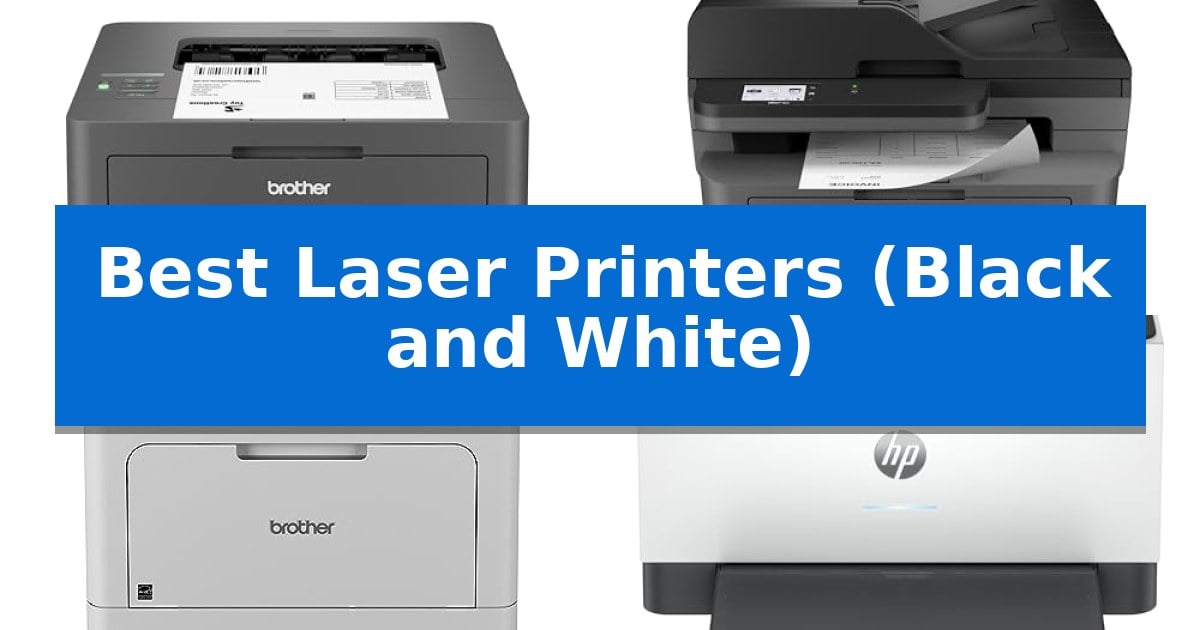
Finding the right monochrome printer can significantly streamline your daily document management. Whether you are handling high-volume business reports or simple home office tasks, the Best Laser Printers (Black and White) offer a reliable, cost-effective solution for producing crisp, professional text without the complexity of color ink systems.
Selecting the right model depends on your specific volume needs, available workspace, and connectivity requirements. This guide evaluates five distinct options to help you identify which printer fits your workflow, focusing on output speed, footprint, and essential features like wireless printing and mobile app integration.
You may also want to compare Best Laser Printers, Best Laser Printer: Brother vs. HP, and Best Laser Printer, Scanner, and Copier.
Best Laser Printers (Black and White)
Quick Comparison
| Product | Best For | Key Strength | Score |
|---|---|---|---|
| Brother HL-L2405W Laser Printer | Best Overall | Fast print speeds up to 30ppm for efficient document processing. | 4.9 |
| Brother MFC-L2820DW All-in-One Printer | Versatile Choice for Small Teams | Compact footprint ideal for small workspaces. | 4.6 |
| Brother HL-6210DW Laser Printer | Best for High-Volume Printing | 50 ppm output speed for rapid document production. | 4.3 |
| HP LaserJet M207dw Laser Printer | Fastest Two-Sided Output | Fastest two-sided printing in its class for efficient document handling. | 4.5 |
| HP LaserJet MFP M140w Printer | Smallest Footprint for Tight Spaces | Extremely compact footprint that fits into tight workspaces. | 4.4 |
How We Chose
- Print Speed: Measured in pages per minute (ppm) to assess efficiency for high-volume tasks.
- Connectivity: Evaluated based on dual-band wireless support, Ethernet options, and mobile app compatibility.
- Physical Footprint: Assessed for suitability in tight home office spaces or shared work areas.
- Paper Handling: Reviewed for tray capacity and the inclusion of manual feed slots for specialty media.
- Multi-functionality: Distinguished between single-function printers and all-in-one units that include scanning and faxing.
1 Brother HL-L2405W Laser Printer — Compact Pick for Home Offices
The Brother HL-L2405W Laser Printer is engineered for home environments that require consistent, high-quality monochrome output without the complexity of larger office machines. This compact unit is designed to handle daily document needs efficiently, featuring print speeds of up to 30ppm for single-sided pages.
Connectivity is a primary focus for this model, offering both a USB interface for direct local printing and dual-band wireless (2.4GHz/5GHz) for integration into home networks. Users can manage print tasks remotely through the Brother Mobile Connect App, which also provides tools to track toner levels and order supplies on the go.
For paper management, the printer includes a 250-sheet paper tray to minimize frequent refills, alongside a manual feed slot that accommodates envelopes and specialty media. The design is notably space-efficient, measuring 14 inches in width and 7.2 inches in height, making it suitable for desks or home office shelves.
Maintenance is streamlined through the Refresh EZ Print Subscription Service, which allows users to automate toner replacements. The device is compatible with Brother Genuine TN830 or TN830XL toner cartridges, ensuring the printer remains ready for high-volume tasks while potentially reducing supply costs.
Best for: Home office users who need a reliable, compact monochrome printer with flexible wireless connectivity and mobile management options.
Skip if: Users who require color printing, scanning, or copying capabilities, as this is a dedicated monochrome laser printer.
PROS
- Fast print speeds up to 30ppm for efficient document processing.
- Dual-band wireless connectivity for stable integration with multiple devices.
- Compact dimensions that fit easily into small home office spaces.
- 250-sheet paper tray reduces the frequency of paper reloading.
CONS
- Monochrome-only output limits the printer to black and white documents.
- Lacks integrated scanning or copying features found in all-in-one models.
2 Brother MFC-L2820DW All-in-One Printer — Versatile Choice for Small Teams
Managing high-volume document tasks in a restricted workspace requires a device that balances a small footprint with robust output capabilities. The Brother MFC-L2820DW All-in-One Printer addresses this by integrating print, copy, scan, and fax functions into a compact chassis, making it a practical solution for small office environments where desk space is at a premium.
Efficiency is central to this model's design, featuring print speeds of up to 36 ppm to keep workflows moving. For multi-page document handling, the 50-page auto document feeder automates scanning and copying tasks, reducing manual intervention. The device also supports duplex printing, which assists in paper conservation during high-volume jobs.
Connectivity is handled through dual-band wireless (2.4GHz / 5GHz), Ethernet, or a direct USB interface, providing flexibility for various network setups. Users can manage operations via the 2.7" touchscreen or the Brother Mobile Connect App, which allows for remote printing and scanning from mobile devices. The interface also supports direct integration with cloud services like Google Drive and Dropbox.
To maintain consistent output quality, the system is designed for use with Brother Genuine TN830 or TN830XL toner. Users can also utilize the Refresh EZ Print Subscription Service to automate toner replenishment, which is intended to prevent supply shortages during critical work periods.
Best for: Small office environments requiring a compact, multi-functional device for high-speed monochrome printing and scanning.
Skip if: Users who require color printing or high-resolution photo reproduction will need a different class of printer.
PROS
- Compact footprint ideal for small workspaces.
- Fast print speeds up to 36 ppm.
- 50-page auto document feeder for efficient multi-page processing.
- Flexible connectivity including dual-band Wi-Fi and Ethernet.
CONS
- Monochrome-only output limits document versatility.
- Requires specific toner for optimal performance and subscription service integration.
3 Brother HL-6210DW Laser Printer — Best for High-Volume Printing
High-volume document workflows require hardware that minimizes downtime and maximizes throughput. The Brother HL-6210DW Laser Printer addresses this need with an impressive 50 ppm output speed, designed to handle demanding office environments where efficiency is the primary metric for success.
Beyond raw speed, this monochrome laser printer offers significant scalability. It features a 520-sheet main tray and a 100-sheet multipurpose tray out of the box, which can be expanded to a total capacity of 1,660 sheets with optional trays. This configuration allows for extended, uninterrupted print runs, reducing the frequency of paper refills during large projects.
Connectivity and security are integrated to support modern business networks. The device includes Gigabit Ethernet and dual-band wireless networking, facilitating flexible placement and shared access across a team. Furthermore, it incorporates Triple Layer Security features to protect data during transmission and printing, ensuring that sensitive documents remain secure within the office infrastructure.
Operational costs are a critical consideration for any business printer. The Brother HL-6210DW Laser Printer is compatible with ultra high-yield replacement toner cartridges capable of producing up to 18,000 pages. This high-capacity consumable model is engineered to lower the cost per page, providing a more economical solution for offices with consistent, high-volume printing requirements.
Best for: Offices and workgroups requiring high-speed, high-capacity monochrome printing with robust network security.
Skip if: Users who require color printing or those with limited desk space who do not need high-volume paper capacity.
PROS
- 50 ppm output speed for rapid document production.
- Expandable paper capacity up to 1,660 sheets.
- Ultra high-yield toner support for up to 18,000 pages.
- Triple Layer Security for network and document protection.
CONS
- Large physical footprint may not suit smaller workstations.
- Monochrome-only output limits utility for color-dependent tasks.
4 HP LaserJet M207dw Laser Printer — Fastest Two-Sided Output
Efficiency in a small office environment often hinges on the ability to handle high-volume document tasks without occupying excessive desk space. The HP LaserJet M207dw Laser Printer addresses this need by offering the fastest two-sided printing speed in its class, ensuring that multipage business documents and presentations are completed with minimal delay.
Designed for workgroups of one to five people, this monochrome laser printer simplifies connectivity through dual-band Wi-Fi with self-reset technology. This feature proactively detects and resolves potential network interruptions, maintaining a stable connection for wireless printing from mobile devices, PCs, tablets, and Chromebooks. For environments preferring a wired connection, an Ethernet port is also included.
Security remains a primary focus, with built-in features integrated to help protect the device from potential unauthorized access. The compact design, measuring approximately 14 inches in width and 8 inches in height, allows it to fit into tight office layouts while providing the robust performance required for professional black-and-white output.
Operating as a dedicated monochrome device, this printer is optimized for clarity and speed in text-heavy workflows. By focusing exclusively on black-and-white printing, it provides a streamlined experience for users who prioritize document throughput and reliable connectivity over color capabilities.
Best for: Small offices or workgroups of 1-5 people requiring fast, reliable monochrome document printing and wireless connectivity.
Skip if: Users who require color printing for graphics or marketing materials will need a different type of printer.
PROS
- Fastest two-sided printing in its class for efficient document handling.
- Dual-band Wi-Fi with self-reset for reliable wireless connectivity.
- Compact footprint suitable for small office spaces.
- Built-in security features to help protect against potential attacks.
CONS
- Monochrome only, limiting output to black-and-white documents.
5 HP LaserJet MFP M140w Printer — Smallest Footprint for Tight Spaces
Efficient document management in a compact office requires hardware that respects limited desk space without sacrificing functionality. The HP LaserJet MFP M140w Printer addresses this by positioning itself as the world's smallest laser printer in its class, measuring just 7.8 inches in height and 10.4 inches in width.
Designed for small teams of one to three people, this device handles printing, scanning, and copying with a focus on professional-quality black and white output. It delivers fast print speeds of up to 21 pages per minute, ensuring that reports and documents are ready when needed. The inclusion of wireless connectivity with self-reset capabilities helps maintain a stable connection, reducing the need for manual troubleshooting.
Usability is enhanced through the HP Smart app, which allows users to scan directly to the cloud or manage print and copy tasks from a smartphone. The printer also features a specialized tool for copying ID cards, enabling users to capture both sides of small documents onto a single sheet of paper. This functionality simplifies administrative tasks that often require multiple steps on larger, more complex machines.
Compatibility is broad, supporting mobile and desktop printing across Microsoft, Mac, AirPrint, Android, and Chromebook environments. It is important to note that this unit is engineered to function exclusively with original HP chips and circuitry; it will block cartridges that utilize non-HP components, and periodic firmware updates are implemented to maintain these security measures.
Best for: Small teams or home offices requiring a compact, reliable monochrome laser printer for basic document tasks.
Skip if: Users who require color printing, high-volume automated document feeding, or the flexibility to use third-party toner cartridges.
PROS
- Extremely compact footprint that fits into tight workspaces.
- Fast print speeds reaching 21 pages per minute.
- Versatile mobile connectivity via the HP Smart app and AirPrint.
- Dedicated ID card copy mode for streamlined document handling.
CONS
- Strict cartridge compatibility requiring original HP chips.
- Monochrome-only output limits use for color-dependent projects.
Best Laser Printers (Black and White) Buying Guide
Understanding Print Speed and Volume
Print speed is a critical factor for users who frequently handle large documents. A higher pages per minute (ppm) rating ensures that long reports or multiple copies are completed quickly, reducing downtime during busy workdays.
For small teams or high-volume users, look for models that offer robust tray capacities. A larger main paper tray minimizes the frequency of refills, allowing for more uninterrupted printing sessions.
Connectivity and Mobile Integration
Modern printers should integrate seamlessly with your existing network. Dual-band wireless (2.4GHz/5GHz) support provides a more stable connection, reducing the likelihood of dropouts during critical print jobs.
Mobile printing capabilities, often managed through dedicated apps, allow users to print documents directly from smartphones or tablets. This feature is essential for remote work and quick, on-the-go document management.
Space Constraints and Design
If your workspace is limited, the physical dimensions of the printer are paramount. Compact designs allow these devices to fit on desks or shelves without cluttering your environment.
Consider whether you need an all-in-one unit that includes scanning and faxing. While these models have a larger footprint, they consolidate multiple office functions into a single, space-saving device.
Toner Efficiency and Costs
Laser printers are generally more cost-efficient than inkjet models for text-heavy documents. Choosing a printer that supports high-yield toner cartridges can significantly lower your cost per page over time.
Some manufacturers offer subscription services for toner replacement, which can help ensure you never run out of supplies while potentially offering savings on genuine replacement parts.
Security Features
Office printers handle sensitive information, making security a vital consideration. Look for models that incorporate built-in security features to protect your network and documents during transmission.
Advanced security protocols help safeguard your data from unauthorized access, providing peace of mind when printing confidential business documents or personal records.
Frequently Asked Questions
Are black and white laser printers better than inkjets for text?
Yes, laser printers are typically superior for text-heavy documents because they use toner, which produces sharper, more smudge-resistant characters than liquid ink.
Do I need an all-in-one printer?
An all-in-one printer is recommended if you need to scan or fax documents frequently. If you only require printing, a single-function laser printer is often more compact and affordable.
What is the benefit of dual-band wireless?
Dual-band wireless (2.4GHz and 5GHz) provides more flexibility and stability, allowing the printer to connect to less congested network channels for a more reliable wireless experience.
Can I print on envelopes with these printers?
Many laser printers include a manual feed slot specifically designed for envelopes and specialty paper, allowing for versatile media handling beyond standard letter-sized paper.
How often should I replace the toner?
Toner replacement frequency depends on your print volume and the yield of the specific cartridge. High-yield cartridges are designed to last for thousands of pages, making them ideal for heavy users.
Conclusion: Our Top Pick
For most home office users, the Brother HL-L2405W Laser Printer stands out as the most balanced choice. Its compact design, reliable print speeds of up to 30ppm, and flexible dual-band wireless connectivity make it an excellent fit for consistent, high-quality monochrome output.
While it lacks the scanning and faxing capabilities of larger all-in-one models, its efficiency and ease of use for standard document printing provide exceptional value. If your primary goal is crisp, professional text without the need for additional office functions, this model is a highly capable and space-efficient solution.