
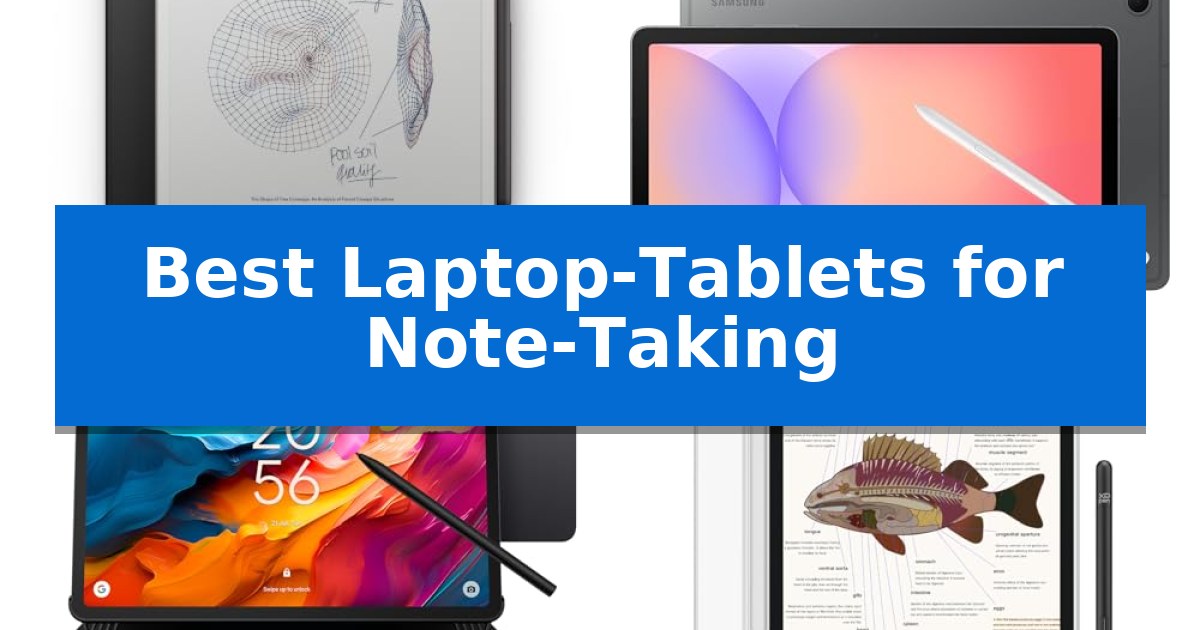
Finding the right device to capture your ideas is essential for maintaining focus during meetings or lectures. The market is filled with options, but identifying the Best Laptop-Tablets for Note-Taking requires balancing screen responsiveness, stylus accuracy, and specialized software features that streamline your productivity.
Whether you prioritize a distraction-free writing experience or need a versatile device that integrates with your existing digital ecosystem, selecting the right hardware can significantly improve how you organize and retrieve information. We have analyzed current models to help you find a tool that matches your specific note-taking habits.
Best Laptop-Tablets for Note-Taking in 2026
Quick Comparison
| Product | Best For | Key Strength | Score |
|---|---|---|---|
| reMarkable Paper Pro | Best Overall | 11.8” Canvas Color display for enhanced note-taking and sketching. | 4.9 |
| Samsung Galaxy Tab S10 Lite | Versatile AI-Powered Note Integration | Responsive S Pen integration for intuitive note-taking and drawing. | 4.8 |
| TCL NXTPAPER 14 | Large Screen Eye-Comfort Display | NXTPAPER 3.0 technology significantly reduces glare and eye strain. | 4.3 |
| XPPen Magic Note Pad | High-Refresh Paper-Like Experience | 16K pressure sensitivity with the X3 Pro Pencil 2 for precise annotation. | 4.6 |
| iflytek AINOTE Air 2 | Advanced AI Meeting Transcription | Permanent free real-time voice-to-text transcription. | 4.4 |
How We Chose
- Stylus precision and pressure sensitivity for realistic handwriting.
- Display technology that minimizes glare and eye strain during extended sessions.
- Software capabilities for handwriting-to-text conversion and organization.
- Battery longevity to ensure reliability throughout long workdays or study sessions.
- Form factor and portability for seamless integration into your daily carry.
1 reMarkable Paper Pro — Unmatched Paper-Like Color Writing
The reMarkable Paper Pro introduces a significant evolution in digital note-taking by incorporating an 11.8” Canvas Color display, allowing users to sketch, annotate, and organize thoughts with a full spectrum of color for the first time. Designed for those who prioritize a tactile experience, this device pairs its color-capable screen with an adjustable reading light and a low-glare surface that mimics the friction and responsiveness of traditional paper.
Beyond its display, the tablet focuses on workflow efficiency through its Marker Plus, which features a built-in eraser and is engineered to work exclusively with the screen to provide a natural writing feel. The hardware is housed in an ultra-slim, portable frame and comes bundled with a premium black leather Book Folio for protection, ensuring the device remains a durable companion for daily use.
Organization is handled through a robust software interface that supports folders and tags, enabling users to manage documents and PDFs effectively. A standout feature is the ability to instantly convert handwriting to typed text, bridging the gap between handwritten notes and digital documentation. The device is powered via USB-C, maintaining a modern standard for connectivity and charging.
While it excels at replicating the focus of a physical notebook, the reMarkable Paper Pro is intentionally specialized. Its low-glare, reflective display is optimized for reading and writing without eye strain, making it a distinct alternative to standard backlit tablets or laptops that may cause fatigue during extended sessions.
Best for: Users who want a dedicated, distraction-free digital notebook that replicates the feel of paper with the added utility of color and handwriting-to-text conversion.
Skip if: Users who require a multi-purpose device for web browsing, video playback, or running complex third-party productivity applications.
PROS
- 11.8” Canvas Color display for enhanced note-taking and sketching.
- Unmatched paper-like writing experience with realistic friction.
- Integrated handwriting-to-text conversion for efficient documentation.
- Low-glare display with an adjustable reading light for comfortable use in any lighting.
CONS
- Specialized functionality limits the device to note-taking and reading tasks.
- Lack of general-purpose app support compared to standard tablets.
2 Samsung Galaxy Tab S10 Lite — Versatile AI-Powered Note Integration
Capturing lecture notes or sketching diagrams requires a device that balances portability with a responsive input experience. The Samsung Galaxy Tab S10 Lite centers its design around the included S Pen, which offers precise, responsive interaction for jotting down notes or solving complex equations directly on the screen.
Beyond its writing capabilities, the tablet features a 10.9-inch display equipped with Vision Booster, which dynamically adjusts brightness based on your surroundings to maintain visibility. Powered by the Exynos 1380 processor, it handles multitasking between note-taking apps and web research, while the AI-integrated tools—such as Circle to Search and note-cleaning features—streamline the organization of your digital documents.
For those who need to keep extensive reference materials on hand, the device supports up to 256GB of internal storage, with the option to expand capacity by up to 2TB using a microSD card. The integration with the broader Galaxy ecosystem allows for seamless transitions, such as finishing a note started on a laptop or answering calls directly from the tablet, making it a versatile hub for productivity.
The hardware is designed for long-term use, featuring a battery capable of lasting up to 16 hours and support for Super Fast Charging to minimize downtime. With SmartThings Map View, you can also manage connected home devices without leaving your workspace, providing a centralized control point for your environment.
Best for: Students and professionals who prioritize a dedicated stylus experience and ecosystem integration for digital note-taking and organization.
Skip if: Users who require a full desktop operating system or a physical keyboard-first workflow for heavy-duty document creation will find a traditional laptop more suitable.
PROS
- Responsive S Pen integration for intuitive note-taking and drawing.
- Expandable storage up to 2TB via microSD card.
- AI-powered tools for searching, translating, and organizing notes.
- Long-lasting battery life rated for up to 16 hours.
CONS
- Fixed 10.9-inch form factor may be restrictive for users needing larger screen real estate.
- Performance relies on the Exynos 1380, which is optimized for mobile multitasking rather than intensive desktop-class computing.
3 TCL NXTPAPER 14 — Large Screen Eye-Comfort Display
The TCL NXTPAPER 14 serves as a specialized tool for those who prioritize eye comfort during long study or creative sessions, thanks to its 14.3-inch 2.4K display utilizing NXTPAPER 3.0 technology. This display architecture specifically reduces glare and filters blue light, providing a paper-like experience that distinguishes it from standard glossy tablet screens.
Designed for versatility, the device functions as a digital notebook, drawing pad, and media player. It includes a 4096-level T-PEN stylus for precise input, making it well-suited for note-taking and sketching. Users can toggle between Standard, Color Paper, and Ink Paper display modes using the dedicated NXTPAPER Key, allowing for a tailored visual experience depending on whether the user is reading text or viewing digital art.
Under the hood, the tablet is powered by a MediaTek Helio G99 processor paired with 8GB of RAM and 256GB of internal storage. The 10,000mAh battery supports 33W fast charging and includes a reverse charging feature, enabling the tablet to act as a power source for smaller peripherals like earbuds or phones.
The hardware is housed in a slim 0.27-inch metal body that weighs 1.67 lbs. It comes with an adjustable flip case that doubles as a stand, facilitating hands-free use for video calls or viewing sheet music. While the system supports multi-window productivity like split-screen and floating windows, it relies exclusively on internal storage, as it does not support microSD expansion.
Best for: Students and creators who prioritize eye comfort and a paper-like writing experience for extended note-taking and drawing sessions.
Skip if: Users who require expandable storage via microSD cards or those who need a high-performance tablet for intensive professional gaming or heavy video editing.
PROS
- NXTPAPER 3.0 technology significantly reduces glare and eye strain.
- Includes a 4096-level T-PEN stylus for immediate note-taking utility.
- Large 14.3-inch display provides ample workspace for multitasking.
- 10,000mAh battery with reverse charging capability.
CONS
- No microSD card support limits storage expansion options.
- Charger not included in the package.
4 XPPen Magic Note Pad — High-Refresh Paper-Like Experience
The XPPen Magic Note Pad distinguishes itself with an AG nano-etched LCD screen that utilizes TCL NXTpaper 3.0 technology, specifically engineered to reduce ambient light interference by up to 95% for a paper-like writing experience. Unlike standard tablets, this 10.95-inch device prioritizes visual comfort with TÜV SÜD Low Blue Light Certification and a flicker-free display, making it a specialized tool for extended study and professional note-taking sessions.
Performance is driven by the X3 Pro Pencil 2, which features 16K pressure sensitivity and a soft pen nib to capture nuanced stroke thickness and color depth. The device operates on an Android 14 system with 128GB of storage, providing a familiar ecosystem for downloading productivity apps. Users can leverage the XPPen Notes application for handwriting-to-text conversion, PDF annotation, and AI-assisted summarization tools when the system is updated to 1PAE.
Designed for portability, the tablet weighs only 495g and measures 7mm in thickness, fitting easily into bags for remote meetings or travel. It includes a 13-megapixel front camera and dual microphones to facilitate video conferencing. The 8000mAh battery supports efficient usage, and the included 20W charger ensures the device remains ready for daily tasks.
The display employs a narrow viewing angle design to minimize diffuse reflection, which provides the best clarity when viewed directly from the front. While it offers a versatile 90Hz refresh rate for smooth page turns, users should avoid running multiple resource-intensive programs simultaneously to maintain optimal system responsiveness during writing or reading tasks.
Best for: Students and professionals who require a dedicated, paper-like digital writing surface with advanced handwriting recognition and AI-assisted note organization.
Skip if: Users who prioritize wide-angle screen visibility for group media consumption or those who require a high-performance tablet for heavy multitasking and gaming.
PROS
- 16K pressure sensitivity with the X3 Pro Pencil 2 for precise annotation.
- AG nano-etched display reduces glare and provides a paper-like texture.
- AI-powered note features including handwriting-to-text and PDF summarization.
- TÜV SÜD certified for reduced blue light and flicker-free viewing.
CONS
- Narrow viewing angles require direct front-facing positioning for optimal clarity.
- Limited multitasking capability compared to high-end general-purpose tablets.
5 iflytek AINOTE Air 2 — Advanced AI Meeting Transcription
Managing complex projects often requires balancing real-time documentation with the need for organized, actionable insights. The iflytek AINOTE Air 2 addresses this by integrating permanent free real-time voice-to-text transcription into a dedicated 8.2-inch digital notebook, allowing users to capture spoken content while simultaneously taking manual notes.
Built for productivity, the device utilizes a Large Language Model to assist in synthesizing meeting summaries and organizing ideas directly on the tablet. The 8.2-inch e-ink screen provides a paper-like writing experience with low latency, supporting handwriting recognition across 133 languages to convert manual input into digital text. This makes the iflytek AINOTE Air 2 a practical tool for professionals who need to bridge the gap between spoken discussions and structured documentation.
The tablet includes AI Schedule Management that identifies to-do items and meeting dates from handwritten notes, automatically generating reminders and weekly reports. For physical document management, the built-in 5MP camera enables OCR scanning, allowing users to digitize paper files and reduce workspace clutter. Connectivity is supported through OneDrive integration, which facilitates document syncing and email management.
Designed for portability and extended use, the device features a 2600mAh battery capable of up to 7 days of continuous operation. With 32GB of local storage and 100GB of cloud space, it provides ample room for notes and documents. The display includes 24 levels of adjustable frontlighting, ensuring readability in various lighting conditions without the eye strain associated with traditional backlit screens.
Best for: Professionals and students who require automated meeting transcription, AI-assisted note organization, and a distraction-free digital writing experience.
Skip if: Users who require a full-featured operating system for running third-party apps, web browsing, or high-performance media consumption.
PROS
- Permanent free real-time voice-to-text transcription.
- AI-powered meeting summaries and automated schedule management.
- Paper-like e-ink display with 24 levels of adjustable frontlighting.
- Built-in 5MP camera for OCR document scanning.
CONS
- Limited to specific file formats for reading and document management.
- E-ink refresh rates are not suitable for video or fast-paced interactive content.
Best Laptop-Tablets for Note-Taking Buying Guide
Understanding Display Technology
The display is the most critical component for any note-taking device. Options range from traditional LCD screens to specialized e-ink displays. E-ink technology is often preferred for its low-glare properties and paper-like appearance, which significantly reduces eye strain during long writing sessions.
Conversely, LCD-based tablets often provide higher refresh rates and color support. If your note-taking involves sketching or viewing media, a high-refresh-rate LCD might be more versatile, though you should look for anti-glare coatings to maintain a comfortable writing experience.
Stylus Performance and Feel
Not all styluses offer the same level of control. Look for devices that support high pressure sensitivity levels, as this allows for varied line thickness and more natural-looking handwriting. The physical friction between the pen tip and the screen surface is also a key factor in how 'natural' the writing feels.
Some manufacturers include specialized pen nibs that mimic the drag of pencil on paper. Consider whether the stylus requires charging or if it is a battery-free design, as the latter offers more convenience for users who frequently move between locations.
Software and AI Integration
Modern note-taking tablets are increasingly equipped with AI-powered tools. Features such as real-time voice-to-text transcription, automated meeting summaries, and handwriting-to-text conversion can save significant time when organizing your thoughts.
Check if the device supports cloud synchronization with services like OneDrive or Google Drive. This ensures your notes are backed up and accessible across your other devices, preventing the loss of critical information.
Portability and Build Quality
Since these devices are intended for meetings, classrooms, or remote work, their physical dimensions matter. A lightweight, slim profile makes it easier to carry the tablet in a bag or portfolio without adding unnecessary bulk.
Durable materials, such as a metal chassis, provide better protection against daily wear and tear. Always verify the weight of the device and whether it includes a protective cover or folio, as these accessories are often necessary for safe transport.
Battery Life and Charging
A reliable tablet should last through your entire workday without needing a mid-day charge. Look for devices with large battery capacities and support for fast charging, which can be a lifesaver when you are in a rush.
Some tablets also offer reverse charging capabilities, allowing you to use the tablet's battery to power smaller accessories like your phone or earbuds, adding another layer of utility to your mobile setup.
Frequently Asked Questions
Is an e-ink tablet better than an LCD tablet for notes?
It depends on your needs. E-ink is generally better for long-term eye comfort and distraction-free writing, while LCD tablets offer better color, faster refresh rates, and more app versatility.
Do I need to buy a separate stylus?
Many note-taking tablets come with a stylus included in the box. Always check the product specifications to confirm if the pen is included or if it must be purchased separately.
Can I convert my handwritten notes into typed text?
Most modern digital notebooks feature handwriting recognition software that can convert your notes into searchable, editable text files.
How do I keep my notes organized across devices?
Look for devices that support cloud synchronization services like OneDrive or Google Drive, which allow you to access your notes from your laptop or phone.
Are these tablets suitable for drawing as well as writing?
Yes, many of these tablets are designed for both. Devices with high pressure sensitivity and high-refresh-rate screens are particularly well-suited for digital sketching and art.
Conclusion: Our Top Pick
Choosing the right device for your notes depends on whether you prioritize a distraction-free, paper-like experience or the versatility of a full-featured tablet. After reviewing the available options, the reMarkable Paper Pro stands out as the most specialized tool for those who want to focus purely on writing and reading.
With its unique color e-ink display and dedicated focus on a natural writing feel, the reMarkable Paper Pro provides a premium experience for users who need to organize their thoughts without the interruptions of traditional apps. While it lacks the general-purpose utility of an Android tablet, its performance in its primary role as a digital notebook is unmatched.