
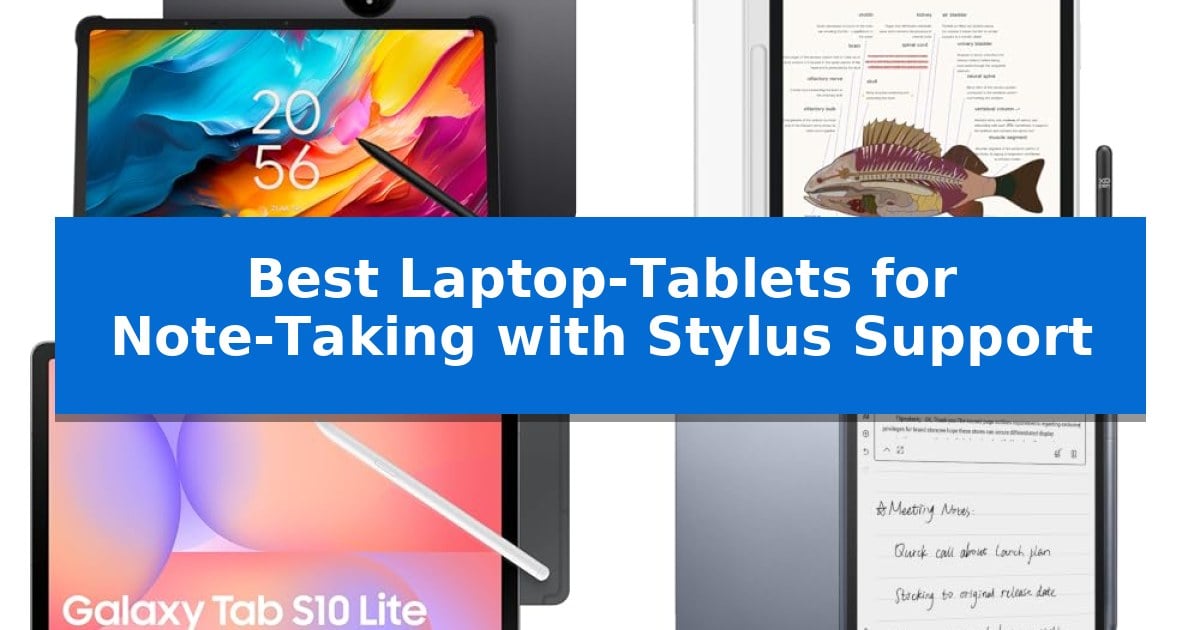
Finding the right device for digital handwriting requires balancing screen texture, stylus precision, and software integration. Whether you are a student digitizing lecture notes or a professional sketching out meeting concepts, the Best Laptop-Tablets for Note-Taking with Stylus Support offer a seamless bridge between traditional writing and modern digital organization.
Our selection focuses on hardware that prioritizes low-latency input and display technologies designed to mimic the tactile feel of paper. By evaluating how these devices handle pressure sensitivity and palm rejection, we help you identify the tool that best fits your specific workflow requirements.
Best Laptop-Tablets for Note-Taking with Stylus Support in 2026
Quick Comparison
| Product | Best For | Key Strength | Score |
|---|---|---|---|
| TCL NXTPAPER 14 Android Tablet | Best Overall | NXTPAPER 3.0 display technology reduces glare and blue light for improved eye comfort. | 4.9 |
| XP-Pen Magic Note Pad | Paper-Like Texture for Writing | 16K pressure sensitivity for precise annotation control. | 4.6 |
| Samsung Galaxy Tab S10 Lite | Versatile Android Productivity Tool | Responsive S Pen integration for precise note-taking and drawing. | 4.7 |
| iFLYTEK AINOTE Air 2 | AI-Powered Meeting Transcription | Real-time voice-to-text transcription with high accuracy. | 4.7 |
| BOOX Go Color 7 | Color E-Ink for Annotations | Kaleido 3 color E-ink screen for reduced eye strain. | 4.4 |
How We Chose
- Stylus precision and pressure sensitivity levels for natural handwriting.
- Display technology, focusing on anti-glare or paper-like surface treatments.
- Software ecosystem support for handwriting-to-text conversion and file management.
- Battery longevity to ensure reliable performance during long study or work sessions.
- Portability and build quality for frequent transport between meetings or classes.
1 TCL NXTPAPER 14 Android Tablet — Large Screen for Creative Work
The TCL NXTPAPER 14 Android Tablet distinguishes itself with a expansive 14.3-inch 2.4K display engineered with NXTPAPER 3.0 technology, specifically designed to minimize glare and blue light for extended note-taking sessions. This device serves as an all-in-one digital notebook, drawing pad, and media player, providing a versatile interface for students and creators who require a paper-like writing experience.
Equipped with a 4096-level T-PEN stylus, the tablet offers precise input for handwriting and sketching. The integrated NXTPAPER Key allows users to toggle between Standard Mode for crisp visuals, Color Paper Mode for digital art, and Ink Paper Mode to simulate the natural feel of reading and writing on paper, directly addressing the needs of those who prioritize eye comfort during long study hours.
Under the hood, the tablet utilizes a MediaTek Helio G99 processor paired with 8GB of RAM and 256GB of internal storage, supporting multi-window productivity features such as split-screen and floating windows. The 10,000mAh battery provides significant capacity for daily tasks, with 33W fast charging capabilities to minimize downtime between sessions.
The hardware is housed in a slim 0.27-inch metal body, weighing 1.67 lbs, and includes an adjustable flip case that functions as a stand for ergonomic viewing or writing angles. While the device offers robust connectivity and audio through its quad stereo speaker system, users should note that it relies exclusively on internal storage, as microSD expansion is not supported.
Best for: Students and creators who prioritize eye comfort and a paper-like writing experience for long-duration note-taking and digital drawing.
Skip if: Users who require expandable storage via microSD cards or those who need a device with a smaller, more portable form factor.
PROS
- NXTPAPER 3.0 display technology reduces glare and blue light for improved eye comfort.
- Includes a 4096-level T-PEN stylus for precise note-taking and drawing.
- Large 14.3-inch 2.4K screen provides ample workspace for multi-window productivity.
- 10,000mAh battery supports long sessions with 33W fast charging and reverse charging.
CONS
- No microSD card support limits storage to the built-in 256GB capacity.
- Charger not included in the package, requiring a separate purchase for fast charging.
2 XP-Pen Magic Note Pad — Paper-Like Texture for Writing
The XP-Pen Magic Note Pad utilizes an AG nano-etched LCD screen with TCL NXTpaper 3.0 technology to provide a paper-like writing experience that minimizes ambient light interference. This 10.95-inch device is designed specifically for digital note-taking, offering a tactile feel that distinguishes it from standard glossy tablets.
Equipped with the X3 Pro smart chip, the included X3 Pro Pencil 2 supports 16K pressure sensitivity, allowing for nuanced stroke thickness and color depth during annotation. The tablet features a 90Hz refresh rate for smooth page turns and supports three distinct color modes—Monochrome, Light Color, and Nature Color—to suit different reading and writing environments.
Running on Android 14, the tablet includes 128GB of storage and an 8000mAh battery. Users can utilize the X-key for quick mode switching and access the XPPen Notes app for handwriting-to-text conversion, PDF editing, and cloud synchronization. For advanced productivity, upgrading the system to 1PAE enables MyScript Notes and MyScript Math for complex equation solving and shape recognition.
Designed for portability, the device weighs 495g and measures 7mm in thickness, making it suitable for travel and remote meetings via its 13-megapixel front camera and dual-microphone setup. The display is TÜV SÜD Low Blue Light certified, prioritizing eye comfort during extended study or work sessions.
Best for: Students and professionals who require a dedicated, paper-like digital writing surface for note-taking, PDF annotation, and mathematical work.
Skip if: Users who require a high-performance tablet for heavy multitasking, gaming, or wide-angle media consumption, as this device is optimized for focused writing and reading.
PROS
- 16K pressure sensitivity for precise annotation control.
- AG nano-etched display reduces glare and provides a paper-like texture.
- Native AI-powered note-taking tools including handwriting-to-text and math recognition.
- Three color modes for versatile reading and writing environments.
CONS
- Narrow viewing angle due to the etched glass technology.
- Limited multitasking capability compared to high-end general-purpose tablets.
3 Samsung Galaxy Tab S10 Lite — Versatile Android Productivity Tool
The Samsung Galaxy Tab S10 Lite is built for those who prioritize precision in digital note-taking, featuring a highly responsive S Pen that integrates directly into the device's interface. Whether you are sketching diagrams or jotting down meeting minutes, the stylus support is designed to feel intuitive, making it a capable companion for students and professionals alike.
Beyond its writing capabilities, the tablet is powered by the Exynos 1380 processor, which handles multitasking and note-taking apps with ease. The 10.9-inch LCD screen utilizes Vision Booster technology to automatically adjust brightness based on your surroundings, ensuring that your notes remain legible whether you are working in a bright office or a dimly lit room.
For users who need to manage large volumes of files, the device offers 128GB of internal storage, which can be expanded by up to 2TB via a microSD card. This flexibility ensures that you have plenty of room for documents, reference materials, and creative projects without needing to delete older files to make space.
The tablet is designed for long-term productivity, boasting a battery life that can last up to 16 hours on a single charge. When you do need a boost, Super Fast Charging capabilities allow you to reach a full charge in approximately two hours, minimizing downtime during busy workdays.
Integration with the broader Galaxy ecosystem is a core design choice, allowing you to answer calls or sync notes seamlessly between your tablet and other connected devices. Additionally, the AI Hot Key on the keyboard provides quick access to intelligent tools, such as Circle to Search and automated note-cleaning features, which help streamline your daily workflow.
Best for: Students and professionals who require a dedicated, stylus-enabled tablet for note-taking and seamless integration with other Samsung devices.
Skip if: Users who require a full desktop operating system or high-end professional-grade creative software may find a dedicated laptop more suitable.
PROS
- Responsive S Pen integration for precise note-taking and drawing.
- Expandable storage up to 2TB via microSD card.
- Long-lasting battery rated for up to 16 hours of use.
- Intelligent AI tools for searching, translating, and organizing notes.
CONS
- LCD display technology may not offer the same contrast levels as higher-end OLED panels.
- 6GB RAM may limit performance in extremely heavy multitasking scenarios.
4 iFLYTEK AINOTE Air 2 — AI-Powered Meeting Transcription
The iFLYTEK AINOTE Air 2 streamlines professional workflows by integrating a 5MP camera for OCR document scanning, allowing users to convert handwritten notes and sketches into crisp digital files instantly. This 8.2-inch e-ink tablet is built for those who require a dedicated, distraction-free environment for capturing meeting minutes and organizing complex study materials.
Equipped with a stylus pen, the device offers a paper-like writing experience with a 23ms ultra-low latency, ensuring that handwriting feels responsive. It supports handwriting recognition in 133 languages, which automatically converts manual notes into editable text. For meeting-heavy environments, the tablet provides permanent free real-time voice-to-text transcription with over 90% accuracy, covering 18 languages.
The iFLYTEK AINOTE Air 2 features a built-in Large Language Model to assist with organizing ideas and drafting polished text. Users can manage their schedules efficiently through AI-driven tools that extract to-do items and reminders from handwritten notes. The device includes 32GB of local storage and 100G of cloud storage, with OneDrive support for document synchronization.
Designed for long-term usability, the tablet features 24 levels of adjustable cold and warm frontlights to reduce eye strain. The 2600mAh battery supports up to 7 days of continuous use, making it a reliable tool for travel or extended work sessions. It also supports various file formats, including PDF, EPUB, and TXT, for versatile reading and listening.
Best for: Professionals and students who need a dedicated, AI-enhanced device for real-time meeting transcription and organized digital note-taking.
Skip if: Users who require a full-featured operating system for running third-party apps, web browsing, or high-performance creative software.
PROS
- Real-time voice-to-text transcription with high accuracy.
- AI-powered organization for schedules and meeting summaries.
- Paper-like writing feel with low-latency stylus input.
- OCR scanning capabilities for digitizing physical documents.
CONS
- Limited to e-ink functionality, lacking the versatility of a general-purpose tablet.
- 8.2-inch display may feel restrictive for complex multitasking or large-scale document editing.
5 BOOX Go Color 7 — Color E-Ink for Annotations
The BOOX Go Color 7 offers a specialized approach to digital note-taking by utilizing a 7-inch Kaleido 3 color E-ink screen. This device is designed for users who prioritize eye comfort and long-term readability, featuring a 1680 x 1264 resolution that provides 300 ppi for black-and-white content and 150 ppi for color, making it a distinct alternative to standard backlit LCD tablets.
Built on an Android 13 operating system with an octa-core processor and 4GB of RAM, this tablet supports a variety of document formats including PDF, EPUB, and DOCX. It includes a front light with CTM (Cold and Warm) settings to adjust for different lighting environments, and the G-sensor enables automatic screen rotation for landscape or portrait note-taking.
For physical navigation, the device features dedicated page-turn buttons and a power button, alongside a USB-C port that supports OTG functionality. It also includes a microSD card slot for storage expansion, a built-in speaker, and a microphone, providing a versatile hardware set for managing digital documents and audio files.
The BOOX Go Color 7 is compatible with the active InkSense stylus, though it is important to note that the stylus is not included in the box and the device does not support EMR stylus technology. Users can manage ghosting through various refresh modes, such as HD Mode for static reading or Ultrafast Mode for dynamic content, allowing for a tailored visual experience.
Best for: Users who prefer the eye-friendly nature of E-ink technology for reading and annotating documents in a compact, portable form factor.
Skip if: Users who require a high-refresh-rate display for video playback or those who specifically need EMR stylus compatibility.
PROS
- Kaleido 3 color E-ink screen for reduced eye strain.
- Dedicated page-turn buttons for easier navigation.
- Expandable storage via microSD card slot.
- Versatile refresh modes to manage ghosting.
CONS
- Does not support EMR stylus technology.
- Stylus not included in the box.
- Inherent E-ink limitations regarding screen darkness compared to LCD.
Best Laptop-Tablets for Note-Taking with Stylus Support Buying Guide
Display Technology and Eye Comfort
The screen is the most critical component of a note-taking tablet. Look for devices that utilize anti-glare or paper-like display technologies, which significantly reduce ambient light interference. These features are essential for extended writing sessions, as they minimize the eye strain often associated with traditional glossy glass screens.
Consider the refresh rate of the display as well. A higher refresh rate, such as 90Hz, ensures that your strokes appear on the screen with minimal lag, creating a more fluid and natural writing experience that feels closer to using pen and paper.
Stylus Performance and Pressure Sensitivity
Not all styluses are created equal. The pressure sensitivity level determines how the tablet interprets your writing force, allowing for varied stroke thickness and depth. Higher levels of sensitivity provide greater control, making your handwritten notes and sketches look more professional and legible.
Check for battery-free stylus designs or magnetic attachment features. A stylus that does not require frequent charging is more convenient for students and professionals who need to jump into note-taking at a moment's notice without worrying about power levels.
Software and AI Integration
Modern tablets for note-taking often include AI-powered features that enhance productivity. Look for native apps that support handwriting-to-text conversion, which allows you to search through your handwritten notes later. Some devices also offer real-time transcription, which is invaluable for capturing meeting points accurately.
Compatibility with cloud services like OneDrive or Google Drive is vital for data security. Ensure the tablet supports automatic syncing so that your notes are backed up and accessible across your other devices, preventing the loss of important information.
Battery Life and Portability
For users on the go, battery capacity is a primary concern. A tablet with a large battery, such as one offering 10,000mAh, can support multiple days of light use or a full day of intensive note-taking. Fast-charging capabilities are a significant bonus, allowing you to top up your device quickly before a lecture or meeting.
Weight and thickness also impact portability. A slim, durable metal body makes it easier to carry your tablet in a bag without adding unnecessary bulk, ensuring that your digital notebook is always available when inspiration strikes.
Storage and Expandability
While cloud storage is helpful, having sufficient local storage is necessary for offline access to your documents and PDFs. Consider the base storage capacity of the device and whether it offers options for expansion, such as a microSD card slot, to keep your files organized and accessible.
Remember that some tablets have limitations regarding expandable memory. Always verify the internal storage specifications before purchasing to ensure you have enough space for your library of notes, textbooks, and meeting files.
Frequently Asked Questions
Are these tablets better than traditional paper notebooks?
Digital tablets offer the advantage of searchable handwriting, cloud backups, and the ability to organize thousands of pages in a single, lightweight device, which is often more efficient for long-term study or work.
Do I need to charge the stylus for these tablets?
It depends on the model. Some tablets use active styluses that require charging, while others utilize battery-free EMR or specialized technology that draws power from the screen, eliminating the need for a separate charger.
Can I use these tablets for tasks other than note-taking?
Yes, most of these devices run on Android or similar operating systems, allowing you to download apps for media consumption, web browsing, and productivity tasks, making them versatile all-in-one tools.
Will the screen feel like real paper?
Many of these tablets use AG nano-etched glass or specialized display layers to mimic the friction and texture of paper, providing a more tactile writing experience than standard smooth glass tablets.
Is handwriting-to-text conversion accurate?
Most modern note-taking tablets feature advanced AI that is highly accurate at recognizing handwriting, even in multiple languages, though performance can vary based on individual penmanship.
Conclusion: Our Top Pick
When choosing the best device for your needs, the TCL NXTPAPER 14 Android Tablet stands out as a top recommendation due to its large 14.3-inch display and advanced NXTPAPER 3.0 technology. This combination provides an expansive canvas for creative work and note-taking while prioritizing eye comfort through reduced glare and blue light filtering.
With its 4096-level pressure-sensitive stylus and versatile 3-in-1 display modes, it effectively serves as a comprehensive digital notebook for students and professionals alike. While it lacks microSD expandability, its generous internal storage and robust battery life make it a highly reliable choice for those seeking a premium, all-in-one productivity solution.