
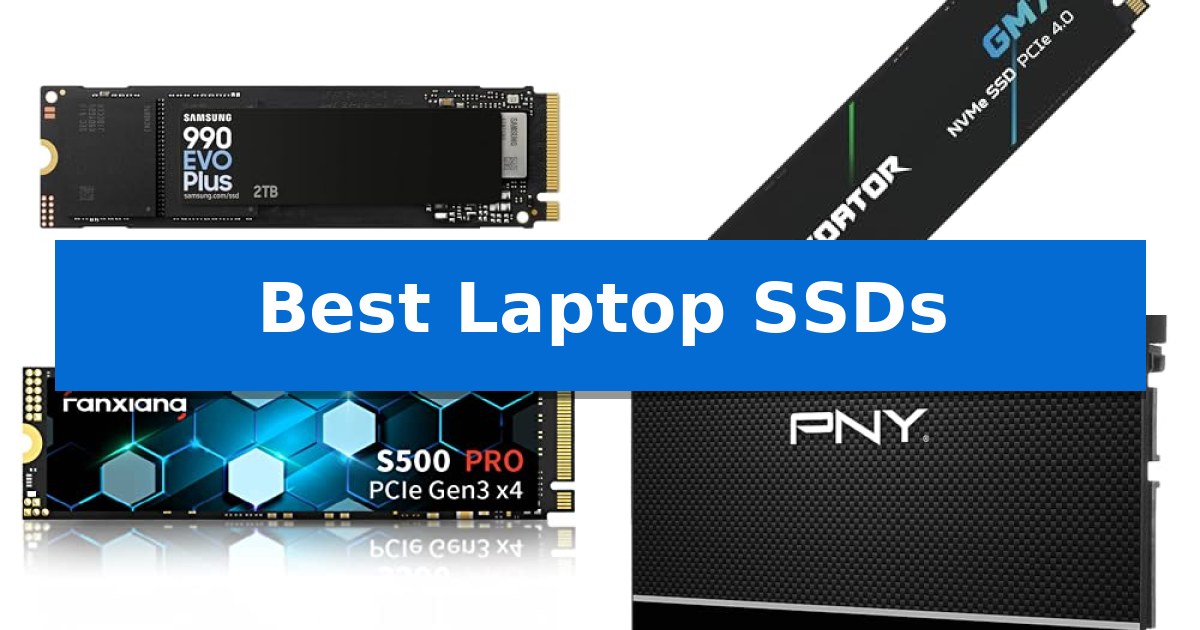
Upgrading your internal storage is one of the most effective ways to revitalize an aging machine or expand the capabilities of a new one. Whether you are dealing with slow boot times or simply running out of space for your growing library of files, selecting the Best Laptop SSDs requires balancing your system's interface limitations with your specific performance needs.
The market offers a wide variety of options, ranging from high-speed NVMe drives designed for intensive creative workflows to reliable SATA replacements for older hardware. By understanding the differences between PCIe generations and form factors, you can ensure a seamless installation that provides a noticeable boost to your daily computing experience.
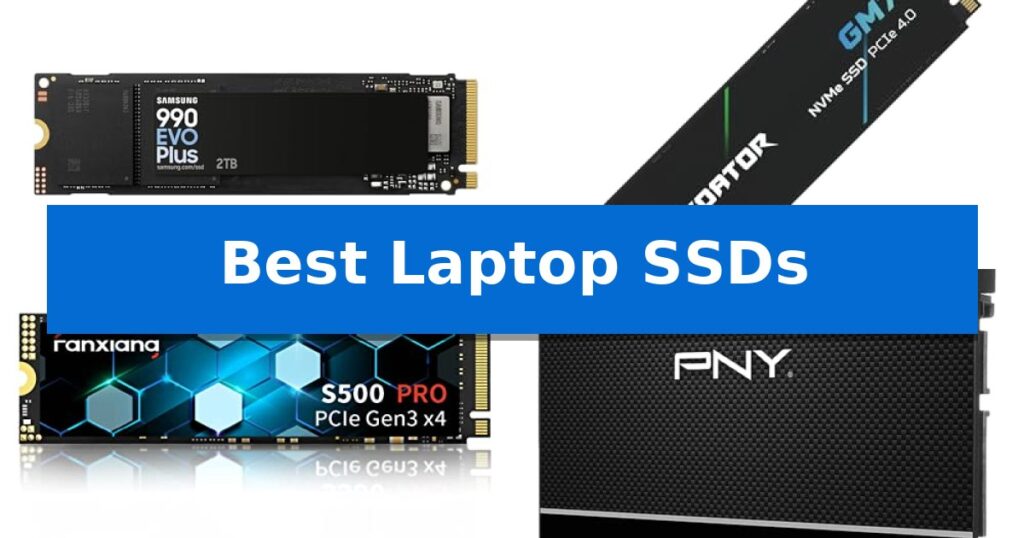
Best Laptop SSDs in 2026: Boost Speed and Storage Efficiency
Quick Comparison
| Product | Best For | Key Strength | Score |
|---|---|---|---|
| Samsung 990 EVO Plus SSD | Best Overall | High-speed sequential read/write performance up to 7,250/6,300 MB/s. | 4.9 |
| Acer Predator GM7 SSD | Maximum PCIe 4.0 Throughput | High-performance PCIe 4.0 Gen4 interface with read speeds up to 7400 MB/s. | 4.3 |
| Fanxiang S500 Pro SSD | Efficient Gen 3 Upgrade | Intelligent SLC cache for faster read and write performance | 4.5 |
| PNY CS900 SATA SSD | Reliable Legacy Drive Replacement | Significant performance improvement over traditional mechanical hard drives. | 4.7 |
| Fikwot FS810 SATA SSD | Budget-Friendly System Refresh | 3D NAND TLC technology for efficient storage density | 4.4 |
How We Chose
- Interface Compatibility: Verifying support for PCIe Gen 4, Gen 3, or SATA III to ensure the drive matches your laptop's motherboard.
- Sequential Read/Write Speeds: Analyzing manufacturer-rated data transfer rates to determine real-world utility for file-heavy tasks.
- Form Factor: Confirming the physical dimensions, such as M.2 2280 or 2.5-inch SATA, to guarantee a proper fit.
- Thermal Management: Assessing the inclusion of heat dissipation features or power-efficient controllers that prevent performance throttling.
- Storage Capacity: Evaluating the available size options to meet various user requirements, from basic system refreshes to high-capacity storage needs.
1 Samsung 990 EVO Plus SSD — High-Speed Gen 4 Performance
Upgrading your machine's storage requires a balance of speed and efficiency, and the Samsung 990 EVO Plus SSD addresses this by utilizing the latest NAND memory technology. This drive is engineered to deliver sequential read and write speeds reaching up to 7,250 MB/s and 6,300 MB/s, respectively, making it a capable choice for handling large file transfers and demanding workloads.
Compatibility is a core strength of this drive, as it supports both PCIe 4.0 x4 and PCIe 5.0 x2 interfaces. This dual-standard support allows the drive to adapt to different system bandwidths, ensuring high data processing performance across various laptop and PC configurations. The inclusion of Intelligent TurboWrite 2.0 further enhances performance when dealing with large-file tasks.
Thermal management is handled by a nickel-coated controller, which is designed to maintain efficient operation and reduce power consumption without sacrificing speed. This focus on efficiency helps in managing heat output, which is a critical factor for maintaining stable performance in compact laptop environments.
Maintenance is streamlined through the Samsung Magician Software, which provides users with tools for firmware updates, drive health monitoring, and data encryption. This software suite ensures the drive remains optimized over time, providing a straightforward way to keep the storage system performing as intended throughout its lifespan.
Best for: Users seeking a high-performance, power-efficient storage upgrade that supports both PCIe 4.0 and PCIe 5.0 interfaces for modern laptops and desktops.
Skip if: Users who require a dedicated heatsink for extreme sustained thermal loads or those whose systems are limited to older PCIe 3.0 interfaces.
PROS
- High-speed sequential read/write performance up to 7,250/6,300 MB/s.
- Versatile compatibility with both PCIe 4.0 x4 and PCIe 5.0 x2 standards.
- Efficient thermal control via a nickel-coated controller to manage power and heat.
- Comprehensive drive management through the included Samsung Magician Software.
CONS
- No integrated heatsink included for heavy-duty thermal management in constrained spaces.
2 Acer Predator GM7 SSD — Maximum PCIe 4.0 Throughput
Upgrading your storage capacity with the Acer Predator GM7 1TB SSD provides a significant boost for demanding workloads, utilizing the PCIe 4.0 Gen4 interface to reach read speeds of up to 7400 MB/s. This M.2 2280 drive is engineered for enthusiasts who require rapid data access, whether for high-end gaming or intensive content creation tasks.
The drive integrates HMB (Host Memory Buffer) and SLC Cache technology, which work in tandem to optimize file transmission and game loading times. By leveraging the latest PCIe controller technology, the Acer Predator GM7 1TB SSD maintains efficient operation, balancing high-performance output with lower power consumption to minimize heat generation.
Thermal management is handled through built-in Thermal Throttling and intelligent power management systems. These features allow the drive to automatically regulate its temperature during heavy workloads, ensuring consistent operation without performance degradation. For maintenance, the Biwin Intelligence software suite provides tools for performance testing, data migration, and drive cloning.
Designed for versatility, this drive is compatible with laptops, desktops, and the PS5. It comes with a 5-year warranty, offering long-term reliability for users looking to expand their system storage with a high-speed NVMe 2.0 solution.
Best for: Enthusiasts and gamers requiring high-speed PCIe 4.0 storage for laptops, desktops, or PS5 consoles.
Skip if: Users whose hardware is restricted to PCIe 3.0 or older interfaces, as they will not be able to utilize the full speed potential of this Gen4 drive.
PROS
- High-performance PCIe 4.0 Gen4 interface with read speeds up to 7400 MB/s.
- Integrated Thermal Throttling for automatic temperature control under load.
- Includes Biwin Intelligence software for drive management and data migration.
- Supported by a 5-year warranty for long-term peace of mind.
CONS
- Requires a PCIe 4.0 compatible slot to achieve advertised maximum speeds.
3 Fanxiang S500 Pro SSD — Efficient Gen 3 Upgrade
Upgrading an older laptop or desktop with the Fanxiang S500 Pro SSD provides an immediate boost to system responsiveness through its use of intelligent SLC cache technology. This M.2 PCIe 3.0 drive is engineered to accelerate boot times, program launches, and file transfers, reaching speeds up to 3000MB/s depending on the host interface.
The drive utilizes 3D NAND technology and high-quality TLC particles to ensure data stability and longevity. To maintain consistent performance during sustained operations, the Fanxiang S500 Pro SSD incorporates graphite heat dissipation stickers, which help manage internal temperatures and protect the drive's integrity over time.
Designed for broad compatibility, this internal drive works with Windows and Mac systems equipped with an M.2 interface. The package includes necessary mounting screws and a screwdriver, simplifying the installation process for users performing their own hardware upgrades. With a 3-year quality assurance period, it offers a reliable path for extending the life of existing computing hardware.
While the drive is highly efficient for general computing and gaming, users should ensure their motherboard supports the PCIe 3.0 x4 interface to realize its full potential. As a 256GB capacity model, it is best suited for primary OS drives or dedicated storage for frequently used applications where high-speed access is prioritized over massive bulk storage.
Best for: Users looking to improve system boot and application load times on laptops or desktops with an available M.2 PCIe 3.0 slot.
Skip if: Users requiring high-capacity storage for large media libraries or those with systems lacking an M.2 interface.
PROS
- Intelligent SLC cache for faster read and write performance
- Graphite heat dissipation stickers for effective thermal management
- 3D NAND TLC technology for improved stability and lifespan
- Included mounting hardware for convenient installation
CONS
- 256GB capacity may be limiting for users with large file storage needs
- PCIe 3.0 interface speed is capped compared to newer Gen 4 or Gen 5 standards
4 PNY CS900 SATA SSD — Reliable Legacy Drive Replacement
Upgrading a legacy computer system often hinges on the storage drive, and the PNY CS900 500GB 2.5" SATA III Internal SSD offers a direct path to improved responsiveness. By replacing a traditional mechanical hard drive, this unit provides a noticeable shift in system behavior, specifically regarding super-fast OS boot times and reduced application loading delays.
Engineered for broad compatibility, this drive utilizes the standard SATA III 6GB/sec interface while maintaining backwards compatibility with SATA II 3GB/sec systems. This flexibility makes it a practical choice for breathing new life into older laptops or desktops that are currently bottlenecked by slower spinning media.
The drive is built for efficiency, featuring ultra-low power consumption which can be beneficial for laptop battery longevity. With sequential read speeds up to 550MB/s and write speeds up to 500MB/s, it delivers the consistent data throughput expected from a modern solid-state upgrade for everyday computing tasks, creative projects, or gaming.
Measuring just 0.275 inches in height, the PNY CS900 SATA SSD fits easily into standard 2.5-inch drive bays. It is backed by a 3-year warranty, providing a reliable foundation for users looking to extend the utility of their existing hardware without the complexity of newer, more expensive interface standards.
Best for: Everyday users and owners of older laptops seeking a cost-effective performance boost over traditional mechanical hard drives.
Skip if: Users requiring the extreme speeds of NVMe M.2 drives or those with systems lacking a 2.5-inch SATA drive bay.
PROS
- Significant performance improvement over traditional mechanical hard drives.
- Ultra-low power consumption helps maintain laptop battery efficiency.
- Broad compatibility with both SATA III and SATA II interfaces.
- Compact 2.5-inch form factor ensures easy installation in most laptops.
CONS
- SATA III interface is slower than modern NVMe alternatives.
- Limited to 500GB capacity in this specific model configuration.
5 Fikwot FS810 SATA SSD — Budget-Friendly System Refresh
Revitalizing an aging computer often begins with replacing a mechanical hard drive, and the Fikwot FS810 SATA SSD is engineered specifically for this purpose. By utilizing 3D NAND TLC technology, this drive provides a practical upgrade path for desktops and laptops that require improved responsiveness and faster application loading times.
The Fikwot FS810 SATA SSD connects via a standard SATA III 6Gb/s interface, which is also backward compatible with SATA Rev. 2.0 systems. It is rated for read speeds up to 560MB/s, designed to help reduce wait times during system startups and data transfers. Its compact 2.5-inch form factor ensures it fits into most standard drive bays.
Compatibility is a primary focus, with the drive supporting Windows 10, 8.1, 8, 7, as well as macOS 10.4 or later and Linux 2.6.33 or later. This broad OS support makes it a versatile choice for users looking to breathe new life into older hardware without complex configuration requirements.
To provide peace of mind, the manufacturer includes a 3-year service warranty. Each unit undergoes testing to maintain quality standards, ensuring the drive is ready for daily use upon installation. This balance of performance, compatibility, and support makes it a straightforward component for system maintenance.
Best for: Users looking to improve system responsiveness and startup times on older laptops or desktops through a simple hardware upgrade.
Skip if: Users who require NVMe speeds or have systems that lack a 2.5-inch SATA drive bay.
PROS
- 3D NAND TLC technology for efficient storage density
- SATA III 6Gb/s interface ensures broad compatibility
- 3-year warranty included for long-term support
- Easy upgrade path for replacing traditional mechanical drives
CONS
- SATA interface limits maximum speeds compared to modern NVMe alternatives
Best Laptop SSDs Buying Guide
Understanding Interface Standards
The most critical step in choosing an SSD is identifying the interface your laptop supports. NVMe PCIe drives are the modern standard, offering significantly higher bandwidth than older technologies. It is essential to check if your motherboard supports PCIe 4.0 or if it is limited to PCIe 3.0, as installing a faster drive in a slower slot will result in performance being capped by the older standard.
For older laptops that lack an M.2 slot, SATA III SSDs remain the primary upgrade path. These drives use the same physical connection as traditional mechanical hard drives, making them a straightforward replacement. While they do not reach the speeds of NVMe drives, they still provide a massive improvement in boot times and system responsiveness compared to spinning disks.
Form Factor and Physical Fit
SSD form factors dictate how the drive physically connects to your computer. The M.2 2280 is the most common size for modern laptops, characterized by its slim, stick-like appearance. Always ensure your laptop has an available M.2 slot and sufficient clearance before purchasing.
If your laptop requires a 2.5-inch SATA SSD, you are dealing with a larger, rectangular drive. These are generally easier to install but require a specific drive bay. Always consult your laptop's service manual to confirm the physical space available, especially if you are considering adding a secondary drive.
Performance and Thermal Control
High-performance drives often generate significant heat during sustained operations, such as large file transfers or gaming. Drives with nickel-coated controllers or integrated graphite heat dissipation stickers are designed to manage these temperatures effectively. Proper thermal management prevents the drive from slowing down to protect itself, ensuring consistent performance over time.
Intelligent caching technologies, such as SLC Cache or Intelligent TurboWrite, are also vital. These features use a portion of the drive's memory to accelerate write operations, making your system feel snappier during everyday tasks like launching applications or opening large documents.
Longevity and Reliability
The endurance of an SSD is often measured in TBW (TeraBytes Written), which indicates the total amount of data that can be written to the drive before it reaches its wear limit. For most users, modern 3D NAND TLC flash provides excellent longevity and stability for years of daily use.
Software support is another factor to consider. Manufacturers often provide proprietary tools, such as Magician Software, which allow you to monitor drive health, perform firmware updates, and manage encryption settings. Keeping your firmware up to date is a simple way to maintain peak performance and security.
Capacity Requirements
Choosing the right capacity depends on your specific workload. A 256GB or 500GB drive is often sufficient for a system boot drive, housing your operating system and essential applications. This keeps your OS fast while allowing you to store bulk files on a secondary drive or cloud service.
If you work with large media files, high-resolution video, or modern games, consider a 1TB, 2TB, or 4TB drive. Moving to a higher capacity not only provides more space but can also improve drive performance, as larger SSDs often have more flash channels available for parallel data processing.
Frequently Asked Questions
Can I install an NVMe SSD in a laptop that only has a SATA slot?
No, NVMe and SATA use different electrical interfaces and physical connectors. You must choose an SSD that matches the slot available on your laptop's motherboard.
What is the difference between PCIe 3.0 and PCIe 4.0?
PCIe 4.0 offers roughly double the bandwidth of PCIe 3.0, allowing for faster data transfer speeds. However, you need a laptop that supports the PCIe 4.0 standard to see these benefits.
Do I need to format my new SSD before using it?
Yes, a new SSD must be initialized and formatted through your operating system's disk management utility before it will appear as a usable drive in your file explorer.
Will an SSD upgrade improve my laptop's battery life?
SSDs are generally more power-efficient than traditional mechanical hard drives because they have no moving parts, which can lead to minor improvements in battery longevity.
What does TBW mean for an SSD?
TBW stands for TeraBytes Written. It is a metric used to estimate the total amount of data that can be written to the drive over its lifespan, serving as a guide for its durability.
Conclusion: Our Top Pick
For users seeking the best balance of speed, thermal efficiency, and modern interface support, the Samsung 990 EVO Plus SSD stands out as the premier choice. Its compatibility with both PCIe 4.0 and PCIe 5.0, combined with advanced NAND memory and intelligent caching, ensures it can handle demanding workloads while maintaining cool operating temperatures.
While other options like the Acer Predator GM7 offer excellent throughput for gaming and the PNY CS900 provides a reliable path for legacy system upgrades, the Samsung drive's overall versatility and software support make it the most robust investment for a wide range of laptop configurations.