
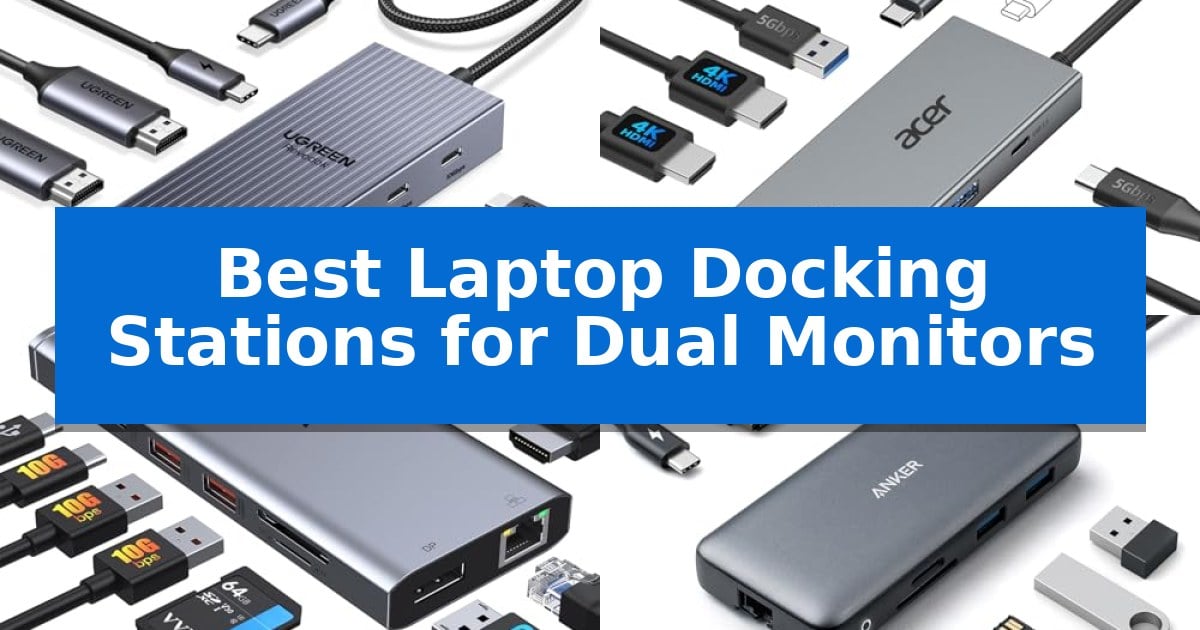
Managing multiple screens is essential for modern productivity, yet finding the right hardware to bridge your laptop and displays can be challenging. The Best Laptop Docking Stations for Dual Monitors serve as the central hub for your workspace, ensuring your peripherals, power, and high-resolution displays work in harmony.
Whether you are a creative professional needing color-accurate displays or a multitasker juggling several applications, selecting the correct dock requires balancing port variety with your laptop's specific interface capabilities. We have analyzed the leading options to help you identify a reliable solution that fits your specific hardware requirements and desk setup.
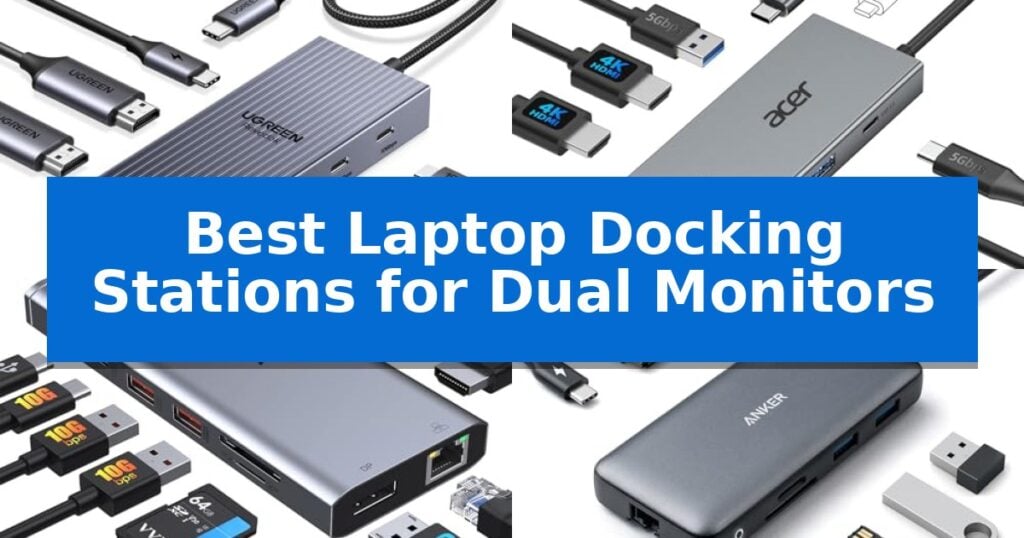
Best Laptop Docking Stations for Dual Monitors in 2026
Quick Comparison
| Product | Best For | Key Strength | Score |
|---|---|---|---|
| UGREEN Revodok Pro Laptop Docking Station | Best Overall | Supports dual 4K@60Hz display output on compatible Windows laptops. | 4.9 |
| Acer USB-C Laptop Docking Station | Crisp 4K 60Hz Dual Display | Supports dual 4K@60Hz resolution for high-clarity external displays. | 4.3 |
| VVB 14-in-1 Laptop Docking Station | Maximum Port Connectivity | 14-in-1 connectivity including dual HDMI and DisplayPort for multi-monitor setups. | 4.5 |
| Anker PowerExpand 8-in-1 Docking Station | Reliable High-Speed Charging | Dual HDMI output for multi-monitor setups. | 4.5 |
| Plugable Universal Laptop Docking Station | Broad Legacy System Support | Hybrid 2-in-1 cable supports both USB 3.0 and USB-C connections. | 4.5 |
How We Chose
- Display Output Standards: We prioritized docks supporting 4K resolution at 60Hz to ensure smooth visual performance across two monitors.
- Power Delivery Capacity: We assessed the wattage provided to the host laptop to ensure the dock can effectively charge your device while in use.
- Interface Compatibility: We examined the required host port standards, such as Thunderbolt or full-function USB-C, to ensure reliable connectivity.
- Data Transfer Versatility: We evaluated the speed and quantity of USB ports to determine how well each dock handles external drives and peripherals.
- Build and Form Factor: We considered the physical design and material quality to ensure durability and a clutter-free desk environment.
1 UGREEN Revodok Pro Laptop Docking Station — Fast 10Gbps Data Transfer
The UGREEN Revodok Pro Laptop Docking Station is a compact 7-in-1 solution designed to expand connectivity for laptops featuring full-function USB-C or Thunderbolt 3/4 ports. Measuring approximately 3.1 by 0.8 inches, this aluminum-housed device provides a streamlined interface for users requiring dual-monitor setups and high-speed data peripherals.
Equipped with two HDMI ports, the dock supports dual 4K@60Hz display configurations when connected to laptops that support DisplayPort 1.4. This capability allows for extended screen real estate on Windows systems, though users should note that macOS devices are limited to mirror mode, where all extended monitors display identical content.
For data-heavy workflows, the unit includes four 10Gbps ports—two USB-A and two USB-C—facilitating fast file transfers when paired with compatible cables. The dock also supports 100W Power Delivery (PD) pass-through charging, which helps keep a connected laptop powered during operation. Please note that the required power adapter and charging cable are not included with the device.
Compatibility is a primary consideration for this docking station. To utilize the full range of features, including dual-monitor output and high-speed data, the host laptop must support the necessary display and data standards. The device is compatible with a range of hardware including ThinkPad X1, ZenBook, Chromebook, and Surface models, provided the host port meets the required specifications.
Best for: Windows laptop users who need a compact, aluminum-housed hub for dual 4K monitor support and high-speed 10Gbps data connectivity.
Skip if: macOS users who require extended (non-mirrored) dual-monitor support or those who do not already own a 100W+ power adapter and compatible charging cable.
PROS
- Supports dual 4K@60Hz display output on compatible Windows laptops.
- Features four 10Gbps data ports for fast peripheral connectivity.
- Provides 100W Power Delivery pass-through charging.
- Durable aluminum construction in a compact 7-in-1 design.
CONS
- Limited to mirror mode on macOS for extended displays.
- Power adapter and charging cable not included in the package.
- 10Gbps ports do not support charging, video, or audio transfer.
2 Acer USB-C Laptop Docking Station — Crisp 4K 60Hz Dual Display
Expanding your workspace with multiple displays requires a reliable connection, and the Acer USB-C Laptop Docking Station provides a streamlined 9-in-1 solution for users needing to manage dual monitor setups. This dock centers on its ability to support dual 4K@60Hz displays via two HDMI ports, allowing for efficient screen extension or mirroring across your workstation.
Beyond its display capabilities, the unit serves as a central hub for peripherals and power management. It features three USB-A 3.0 ports and one USB-C port, all capable of 5Gbps data transfer speeds. For creative professionals or those handling media, the inclusion of dedicated SD and MicroSD card slots offers convenient file access at speeds up to 104Mbps.
Power delivery is a core strength of this device, supporting up to 100W input to provide up to 90W of charging power to your connected laptop. This ensures your computer remains charged during intensive tasks without requiring an additional power brick for the laptop itself. The build quality features an aluminum alloy body and a compact 0.65FT integrated cable, making it a stable addition to a desk setup.
Practical design touches include a security lock button that functions differently depending on the operating system, providing a quick way to manage device access. While the dock is highly versatile, users should note that macOS environments are limited to mirroring the same content across external monitors, whereas Windows systems support extended display configurations. Proper setup requires a host device with a full-featured USB-C port that supports DisplayPort Alt Mode and Power Delivery.
Best for: Users with Windows laptops requiring a high-speed, 9-in-1 connectivity hub to drive dual 4K monitors while simultaneously charging their device.
Skip if: Mac users who require extended (non-mirrored) display support across multiple external monitors, as this device is limited to mirroring on macOS.
PROS
- Supports dual 4K@60Hz resolution for high-clarity external displays.
- Delivers up to 90W of power to the host laptop for efficient charging.
- Includes 9-in-1 connectivity featuring USB-A, USB-C, and dual SD/MicroSD slots.
- Durable aluminum alloy construction with a secure lock button feature.
CONS
- macOS users are restricted to mirroring rather than extending displays.
- Requires a full-featured USB-C port on the host laptop to function.
3 VVB 14-in-1 Laptop Docking Station — Maximum Port Connectivity
The VVB 14-in-1 Laptop Docking Station transforms a single USB-C or Thunderbolt port into a comprehensive workstation hub, providing the necessary connectivity to drive dual or triple monitor setups. This adapter is built to handle high-bandwidth tasks, offering a range of video outputs including two HDMI ports and one DisplayPort to support extended display configurations.
Beyond its display capabilities, the unit acts as a central connectivity point for peripherals. It features high-speed data transfer through two USB-A 3.1 ports and one USB-C port, all capable of speeds up to 10Gbps. For users requiring stable network connections, it includes a Gigabit Ethernet port, while the integrated 3.5mm audio jack supports wired headsets for communication needs.
Power management is handled via a dedicated USB-C Power Delivery port that supports up to 100W input, allowing for pass-through charging to the connected laptop. The device also includes slots for SD and Micro SD cards, facilitating quick media transfers. Its compact design, measuring approximately 6.22 by 3.15 inches, ensures it fits into most desk environments without consuming excessive space.
Compatibility is a key consideration for this hub, as it is designed for laptops equipped with Thunderbolt 3, 4, 5, or USB-C ports that support video output. It is compatible with a wide range of devices from manufacturers such as Dell, HP, Lenovo, and Microsoft. Users should note that the specific display resolution and refresh rate capabilities—such as 4K at 60Hz for single monitor use—depend on the host laptop's hardware and the specific port configuration used.
Best for: Users needing to expand a single USB-C or Thunderbolt port into a multi-monitor workstation with high-speed data and wired networking.
Skip if: Users with laptops that lack USB-C ports supporting video output or those requiring specific proprietary docking protocols.
PROS
- 14-in-1 connectivity including dual HDMI and DisplayPort for multi-monitor setups.
- 10Gbps data transfer speeds via USB 3.1 ports for fast file management.
- 100W Power Delivery support for efficient laptop charging.
- Gigabit Ethernet port for reliable wired internet connectivity.
CONS
- Charging cable and adapter are not included in the package.
- Display output limitations apply depending on the host laptop's specific capabilities.
4 Anker PowerExpand 8-in-1 Docking Station — Reliable High-Speed Charging
The Anker PowerExpand 8-in-1 Docking Station simplifies complex desk setups by consolidating multiple connections into a single USB-C port. This compact hub provides an efficient way to manage peripherals, offering dual HDMI ports for extended display configurations alongside high-speed data and power delivery capabilities.
Designed for versatility, the dock supports 4K@60Hz output for a single display or 4K@30Hz when utilizing both HDMI ports simultaneously. It integrates essential connectivity options, including two USB-A data ports, a 1Gbps Ethernet port, and dedicated slots for microSD and SD cards, ensuring that users can connect external drives, wired internet, and memory cards without needing separate adapters.
Power management is a core feature, as the device supports 85W pass-through charging via its USB-C PD-IN port. This allows users to keep their laptops powered while connected to external monitors and accessories, provided a compatible 100W PD wall charger is used. The unit is compatible with Windows, ChromeOS, and macOS, though users should note that macOS supports mirrored displays on dual external monitors.
Built for modern workflows, the Anker PowerExpand 8-in-1 Docking Station is compatible with USB-C, USB4, and Thunderbolt connections. Its small footprint makes it a practical addition to any workstation, though it requires specific host device support for DP Alt Mode to function as intended.
Best for: Users needing to bridge the gap between a single USB-C laptop port and multiple peripherals, including dual 4K monitors and wired networking.
Skip if: Users requiring extended display support on macOS, as this device only supports mirrored external displays on that operating system.
PROS
- Dual HDMI output for multi-monitor setups.
- 85W Power Delivery pass-through charging.
- Comprehensive port selection including Ethernet and SD card readers.
- Wide compatibility with USB-C, USB4, and Thunderbolt hosts.
CONS
- Mirrored display limitation on macOS.
- Charger not included in the package.
5 Plugable Universal Laptop Docking Station — Broad Legacy System Support
The Plugable Universal Laptop Docking Station provides a versatile solution for expanding workstation connectivity through a single hybrid 2-in-1 USB 3.0 and USB-C cable. This unit is designed to bridge the gap between portable laptops and a dual-monitor setup, offering two HDMI ports capable of supporting resolutions up to 1920×1200 at 60Hz.
Beyond display output, the dock serves as a central hub for peripherals, featuring a wired Gigabit Ethernet port, 3.5 mm headphone and microphone jacks, and a total of six USB ports—two USB 3.0 and four USB 2.0. This configuration allows users to consolidate their mouse, keyboard, and audio devices into one interface.
Compatibility is managed via driver installation, with plug-and-play functionality on Windows 10 and 11, and manual DisplayLink driver requirements for macOS 14 or later. ChromeOS users can utilize the device without additional setup. It is important to note that this dock does not provide power delivery to charge the host laptop, and it is not intended for gaming or HDCP-protected streaming content.
Backed by a 2-year limited parts and labor warranty and lifetime support from a North American-based team, this station is built for productivity and web-based applications. Its TAA-compliant design and broad legacy support make it a practical choice for office environments requiring consistent multi-monitor connectivity.
Best for: Office professionals and home users needing to connect two external monitors and multiple USB peripherals to a laptop without requiring host charging.
Skip if: Users who require laptop power delivery via the docking station or those looking to play games or stream HDCP-protected content.
PROS
- Hybrid 2-in-1 cable supports both USB 3.0 and USB-C connections.
- Extensive peripheral connectivity with six total USB ports and Gigabit Ethernet.
- 2-year warranty and lifetime support included.
- Dual HDMI output for expanded workspace productivity.
CONS
- No power delivery provided to charge the connected laptop.
- Driver installation required for certain operating systems.
- Not suitable for gaming or HDCP-protected streaming services.
Best Laptop Docking Stations for Dual Monitors Buying Guide
Understanding Display Compatibility
The most critical factor when choosing a dock is confirming your laptop's USB-C port capabilities. Not all USB-C ports support video output; you must ensure your machine supports DisplayPort Alt Mode or Thunderbolt 3/4 to drive two external monitors.
Additionally, be aware of operating system limitations. While Windows laptops can typically extend the desktop across two different monitors, many macOS devices are restricted to mirror mode, meaning both external screens will display the same content.
Power Delivery and Charging
A high-quality docking station should act as a single-cable solution for your workspace. Look for Power Delivery (PD) ratings that match or exceed your laptop's original charger requirements to maintain battery health during heavy tasks.
Note that many docks require a separate power adapter to provide this pass-through charging. Always check if the necessary high-wattage power supply is included in the box or if you need to purchase one separately.
Data Transfer and Peripheral Connectivity
Beyond monitors, your dock should handle your daily peripherals with ease. Docks featuring USB 3.2 or 10Gbps ports are ideal for high-speed external storage, while dedicated USB 2.0 ports are perfectly sufficient for keyboards and mice.
If you work with photography or video, look for integrated SD and MicroSD card readers. These slots provide convenient, fast access to media files without requiring additional dongles or adapters.
Network and Audio Integration
For users who require a stable internet connection, a Gigabit Ethernet port is a vital feature. It provides a more reliable and faster connection than standard Wi-Fi, which is essential for large file transfers or video conferencing.
Many docks also include a 3.5mm audio jack, allowing you to connect wired headsets or speakers directly to the dock. This keeps your audio cables organized and away from your laptop's primary workspace.
Build Quality and Desk Organization
The physical design of your dock impacts your desk's aesthetic and longevity. Aluminum alloy bodies are often preferred for their heat dissipation properties, which help keep the device cool during extended use.
Consider the cable length provided with the dock. A short, built-in cable is great for portability, while a longer, detachable cable offers more flexibility in positioning the dock behind your monitors or under your desk.
Frequently Asked Questions
Can I use these docks with any laptop?
No, compatibility depends on your laptop's USB-C port. It must support video output (DisplayPort Alt Mode) and Power Delivery to function as intended.
Why do my monitors show the same image on a Mac?
This is a common limitation of macOS. Many USB-C hubs do not support MST (Multi-Stream Transport) on Apple devices, resulting in mirrored displays.
Do I need a separate power adapter for the dock?
Many docking stations require a separate USB-C power adapter to provide pass-through charging to your laptop. Check the product specifications to see if one is included.
What is the difference between 4K@30Hz and 4K@60Hz?
4K@60Hz provides a smoother visual experience with less motion blur, making it ideal for professional work and video, whereas 30Hz may feel less responsive.
Can I connect a gaming monitor to these docks?
While these docks support high resolutions, they are generally designed for productivity. Always verify the refresh rate and resolution limits of the dock against your monitor's requirements.
Conclusion: Our Top Pick
Choosing the right hardware is essential for a productive multi-monitor setup. After reviewing the available options, the UGREEN Revodok Pro Laptop Docking Station stands out as the most balanced choice for users needing high-speed data transfer and reliable dual 4K display support.
Its robust aluminum design and 10Gbps data ports make it a versatile tool for various professional workflows. While macOS users should be mindful of the mirror-mode limitation, its performance and build quality make it a dependable foundation for any modern desk.