
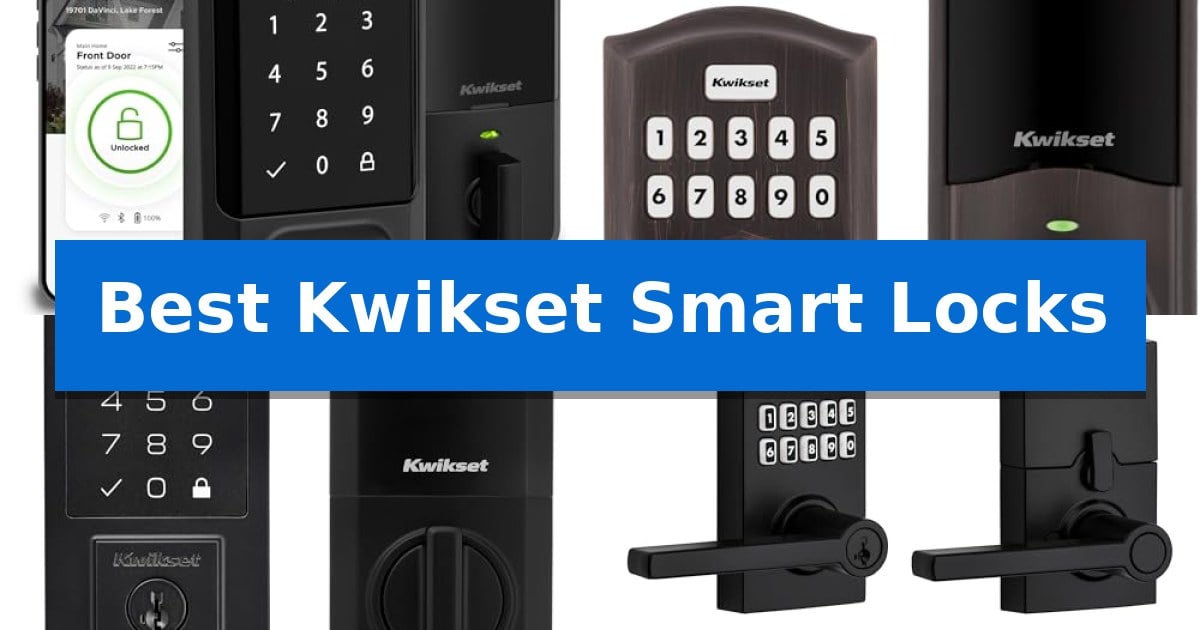
Finding the right balance between convenience and security is essential for any modern entryway. The Best Kwikset Smart Locks offer a variety of ways to manage access, from simple keypad deadbolts to advanced Wi-Fi enabled systems that allow you to monitor your home from anywhere.
Whether you are looking to replace a traditional key system or integrate a lock into your existing smart home hub, these devices provide robust options for homeowners. We have analyzed the leading models to help you identify which features—such as remote app control, Z-Wave compatibility, or high-traffic durability—best suit your daily routine.
Best Kwikset Smart Locks in 2026: Upgrade Your Home Security
Quick Comparison
| Product | Best For | Key Strength | Score |
|---|---|---|---|
| Kwikset Halo Wi-Fi Smart Lock | Best Overall | No hub required for Wi-Fi connectivity. | 4.9 |
| Kwikset HomeConnect 620 Smart Lock | Best for Z-Wave Home Systems | Z-Wave 700 Long Range connectivity for improved signal reach. | 4.3 |
| Kwikset SmartCode 270 Electronic Deadbolt | Best for High-Traffic Entry | Grade 2 BHMA certified for superior strength and durability. | 4.5 |
| Kwikset SmartCode 917 Electronic Deadbolt | Best for Modern Lever Handles | Keyless entry convenience with support for up to 30 programmable user codes. | 4.7 |
| Kwikset Powerbolt 250 Keyless Deadbolt | Best for Simple Keypad Access | SmartKey Security allows for rapid, user-performed re-keying. | 4.4 |
How We Chose
- Connectivity and Ecosystem Integration: Assessing how each lock communicates with smart home hubs, Wi-Fi networks, or Z-Wave systems.
- Access Management: Reviewing the capacity for user codes, one-time access, and the convenience of app-based remote control.
- Physical Security and Durability: Checking for BHMA grade certifications and features like intrusion detection or tamper resistance.
- Installation and Compatibility: Evaluating the ease of setup and whether the hardware fits standard door thicknesses and backsets.
- Battery Life and Maintenance: Considering the expected longevity of power sources and the ease of re-keying the lock.
1 Kwikset Halo Wi-Fi Smart Lock — Best for Remote App Control
Managing home access from a distance is simplified with the Kwikset Halo Wi-Fi Smart Lock, which connects directly to your home network without requiring a separate hub. This deadbolt allows users to lock or unlock their door, monitor activity history, and manage guest access through the Kwikset app, providing a centralized point of control for front door security.
The device offers versatile entry methods, including a backlit touchscreen keypad that supports up to 250 unique access codes. For added convenience, the lock features intelligent geofencing, which can automatically unlock the door as you approach your home. Security is further bolstered by intrusion detection technology, which sends instant notifications to your smartphone if the system detects invalid code attempts or physical tampering.
Installation is designed for a standard DIY approach, requiring only a screwdriver to fit doors between 1-3/8" and 1-3/4" thick. The unit includes an auto-lock feature that can be configured to engage after a set duration, ensuring the door remains secured even if you forget to lock it manually. Integration with Amazon Alexa and Google Home allows for voice-activated control and the creation of automated security routines.
The Kwikset Halo Wi-Fi Smart Lock is backed by a lifetime mechanical and finish warranty, along with a 1-year electronics warranty. While it provides robust remote management, users should ensure their home Wi-Fi signal reaches the front door to maintain consistent connectivity for app-based features.
Best for: Homeowners who prioritize remote access and smart home integration without the need for a dedicated bridge or hub.
Skip if: Users who prefer a purely offline entry system or those whose front door lacks a stable Wi-Fi signal for consistent app connectivity.
PROS
- No hub required for Wi-Fi connectivity.
- Supports up to 250 unique access codes.
- Integrated intrusion detection with instant mobile alerts.
- Geofencing capabilities for automatic unlocking.
CONS
- 1-year limited warranty on electronic components.
- Requires a stable Wi-Fi connection for remote features.
2 Kwikset HomeConnect 620 Smart Lock — Best for Z-Wave Home Systems
Securing your home with a Kwikset HomeConnect 620 Smart Lock offers a streamlined approach to keyless entry, utilizing a responsive touchscreen keypad that eliminates the need for physical keys. This device is specifically engineered for users already invested in Z-Wave ecosystems, providing a direct connection to your compatible hub for centralized control.
The integration capabilities of this lock are a primary benefit, featuring Z-Wave 700 Long Range technology to ensure reliable whole-home coverage. For those utilizing a Ring Alarm system, the lock integrates directly into the Ring app, allowing you to monitor status and manage access remotely when paired with a required Ring Alarm smart hub.
Managing access for family or guests is simplified through the ability to store up to 250 customizable user codes alongside a dedicated programming code. The hardware also includes an auto-lock feature, which can be configured to engage automatically at intervals ranging from 30 seconds to 10 minutes, providing consistent security without manual input.
Designed for longevity and ease of maintenance, the unit operates on 4x AA alkaline batteries, which are included in the package. The system is rated for at least 12 months of battery life, reducing the frequency of maintenance. With its S2 encryption and SmartStart technology, the lock focuses on protecting against unauthorized digital access while simplifying the initial setup process.
Best for: Homeowners who utilize Z-Wave or Ring Alarm smart home systems and require a reliable, keyless entry solution with high-capacity user code management.
Skip if: Users who do not own a compatible Z-Wave hub or Ring Alarm system, as this lock requires an external hub to function as a smart device.
PROS
- Z-Wave 700 Long Range connectivity for improved signal reach.
- Supports up to 250 unique user codes for flexible access control.
- 12-month battery life reduces maintenance frequency.
- S2 encryption provides enhanced security against digital threats.
CONS
- Hub required for smart functionality, which must be purchased separately.
- Limited ecosystem compatibility restricted to Z-Wave and Ring environments.
3 Kwikset SmartCode 270 Electronic Deadbolt — Best for High-Traffic Entry
Securing a home entry point requires a balance of convenience and robust construction, which is exactly what the Kwikset SmartCode 270 Electronic Deadbolt offers. This unit replaces traditional keys with a backlit touchpad, allowing for secure, keyless entry that remains visible even in low-light conditions.
The device is built for longevity and resilience, featuring Grade 2 BHMA certification for security, durability, and finish, which is rated as up to 2.5x stronger than standard Grade 3 lock sets. For added peace of mind, the Auto-Lock feature can be customized to engage automatically after 30 seconds to 10 minutes, ensuring the door never remains unlocked unintentionally.
Managing access is straightforward, as the system supports up to 50 unique user codes and 10 one-time use codes, alongside a dedicated programming code for administrative control. If an unauthorized attempt occurs, the Intrusion Alert triggers an alarm and disables the keypad for one minute after three consecutive incorrect entries.
Installation is designed to be accessible, requiring only a screwdriver and utilizing the BILT 3D interactive app for guided setup. The lock also includes SmartKey Security, which protects against common break-in techniques and allows homeowners to re-key the lock to any KW1 key in seconds, providing a practical solution for managing physical access without replacing the entire hardware.
Best for: Households needing a secure, keyless entry solution that supports multiple user codes and provides high-grade physical durability.
Skip if: Users who require remote smartphone control, Wi-Fi connectivity, or smart home ecosystem integration, as this model operates locally via the keypad.
PROS
- Grade 2 BHMA certified for superior strength and durability.
- Supports up to 50 customizable user codes for flexible access management.
- SmartKey Security allows for quick, DIY re-keying without professional assistance.
- 12-month battery life reduces the frequency of maintenance.
CONS
- No remote connectivity or smartphone app integration for distance monitoring.
- Batteries are not included in the package.
4 Kwikset SmartCode 917 Electronic Deadbolt — Best for Modern Lever Handles
Securing your home entrance with a modern aesthetic, the Kwikset SmartCode 917 Contemporary Electronic Deadbolt with Halifax Handle integrates keyless entry with a sleek, minimalist design. This unit replaces traditional keys with a programmable keypad, allowing for up to 30 unique user access codes to manage entry for family and guests.
The system offers versatile operational modes to suit different household needs. Users can select from Auto Lock for consistent security, Passage mode for frequent entry and exit, or Disable Passage for restricted access. The included Halifax door lever is fully reversible, ensuring compatibility with both left-hand and right-hand door configurations.
Security and maintenance are prioritized through built-in technologies. The SmartKey Security feature provides protection against common break-in techniques and allows homeowners to re-key the lock themselves. Powered by a single 9V battery, the device is designed for longevity, with a rated battery life of up to 3 years.
Installation requires careful measurement of the door's backset, cross bore, and thickness to ensure a proper fit. As a BHMA certified AAA product, this lock meets high standards for residential security and durability, backed by a lifetime mechanical and finish warranty.
Best for: Homeowners seeking a modern, keyless entry solution that combines a contemporary lever handle with customizable access code management.
Skip if: Users who require remote smartphone connectivity, Wi-Fi integration, or voice control features, as this model relies exclusively on physical keypad input.
PROS
- Keyless entry convenience with support for up to 30 programmable user codes.
- SmartKey Security allows for rapid, self-performed re-keying.
- Reversible door handing ensures flexible installation on various door types.
- Long battery life of up to 3 years using a standard 9V battery.
CONS
- No remote connectivity or smart home app integration features.
- Manual keypad entry only requires physical interaction with the device.
5 Kwikset Powerbolt 250 Keyless Deadbolt — Best for Simple Keypad Access
The Kwikset Powerbolt 250 Transitional Keyless Entry Keypad Door Lock simplifies home access by removing the need for physical keys, utilizing a 10-button backlit keypad for secure entry. This electronic deadbolt is designed for those who prioritize convenience, allowing for the management of up to 25 unique user codes, 5 one-time codes, and a dedicated programming code.
Security features are integrated directly into the hardware, including an Intrusion Alert that triggers an alarm and locks the keypad for one minute after three consecutive incorrect entries. For added peace of mind, the device includes a Vacation Mode to disable the keypad entirely when the home is unoccupied. The lock also features SmartKey Security, which protects against advanced break-in techniques and enables users to re-key the lock to any KW1 key in seconds.
Installation is streamlined through the use of the BILT app, which provides 3D interactive instructions with voice and animation guidance, requiring only a standard screwdriver. The unit is powered by 4x AA alkaline batteries, offering a rated 12-month battery life to minimize maintenance frequency. Users can also configure an Auto-Lock feature, which automatically secures the door after a set interval ranging from 30 seconds to 10 minutes.
The Matte Black finish provides a modern aesthetic, while the Easy Low Light Code Entry ensures the keypad remains visible at night with a simple tap. This model balances automated security features with user-friendly management, making it a practical choice for residential door security.
Best for: Homeowners seeking a reliable, keyless entry solution with customizable user codes and straightforward installation.
Skip if: Users who require remote smartphone control, Wi-Fi connectivity, or smart home ecosystem integration will need a more advanced smart lock model.
PROS
- SmartKey Security allows for rapid, user-performed re-keying.
- Customizable Auto-Lock settings provide flexible security timing.
- BILT 3D app support simplifies the installation process.
- Intrusion Alert adds a layer of protection against unauthorized access attempts.
CONS
- No remote connectivity or smart home integration features.
- Batteries not included in the package.
Best Kwikset Smart Locks Buying Guide
Understanding Smart Lock Connectivity
The primary difference between smart locks lies in how they connect to your home. Wi-Fi enabled locks allow for direct control via a smartphone app without needing an extra hub, making them ideal for users who want a straightforward setup. These locks often provide real-time notifications and remote access from anywhere with an internet connection.
Alternatively, Z-Wave locks require a compatible smart home hub to function within a larger ecosystem. This is often the preferred choice for users who already have a robust home automation system, as it allows the lock to trigger other devices, such as lights or security cameras, when a code is entered.
Security Standards and Certifications
When choosing a deadbolt, look for BHMA (Builders Hardware Manufacturers Association) certifications. A Grade 2 or Grade 3 rating indicates the lock has been tested for durability and security. These ratings provide an objective measure of how well the hardware will hold up against physical force or repeated daily use.
Many Kwikset models also include SmartKey Security, a feature that protects against common lock-picking techniques. This technology also allows you to re-key the lock yourself in seconds, which is a significant advantage if you lose a key or need to change access without replacing the entire deadbolt.
Keyless Entry and Code Management
The convenience of a smart lock is largely defined by how you manage entry. Most electronic deadbolts support multiple customizable user codes, allowing you to assign unique pins to family members, guests, or service providers. Some models even offer one-time use codes for temporary access.
Consider the keypad design when selecting your lock. Backlit touchscreens or physical buttons are essential if you frequently arrive home after dark. Additionally, features like Vacation Mode can provide extra peace of mind by temporarily disabling the keypad while you are away from home for extended periods.
Installation and Door Compatibility
Before purchasing, verify that the lock is compatible with your door's dimensions. Most standard residential doors are between 1-3/8" and 1-3/4" thick. You should also measure the backset—the distance from the edge of the door to the center of the borehole—to ensure the deadbolt will align correctly.
Many modern smart locks are designed for DIY installation, requiring only a standard screwdriver. Look for models that offer guided installation, such as those compatible with the BILT 3D app, which provides interactive, step-by-step instructions to ensure the hardware is mounted securely and functions smoothly.
Automated Security Features
Modern smart locks often include Auto-Lock functionality, which can be configured to engage the deadbolt after a set period of time. This ensures your door is never left unlocked by mistake, providing an extra layer of security for busy households.
For added protection, look for Intrusion Detection features. These systems can alert you via a smartphone app if there are multiple invalid code attempts or if the lock detects tampering, allowing you to respond quickly to potential security threats.
Frequently Asked Questions
Do I need a hub for all Kwikset smart locks?
No, it depends on the model. Wi-Fi enabled locks, such as the Halo series, connect directly to your home network without a hub. Z-Wave models, however, require a compatible Z-Wave hub to function.
What is SmartKey Security?
SmartKey Security is a Kwikset feature that protects against advanced break-in techniques and allows you to re-key your lock yourself in seconds using a provided tool.
How long do the batteries typically last?
Battery life varies by usage, but many Kwikset electronic deadbolts are designed to last approximately 12 months on a set of alkaline batteries.
Can I still use a physical key?
Most Kwikset electronic deadbolts are designed with a traditional keyway, allowing you to use a physical key as a backup if the batteries run out or the electronics fail.
Are these locks weather-resistant?
Kwikset smart locks are designed for residential use and are built to withstand standard exterior conditions, though it is always best to check the specific product specifications for environmental ratings.
Conclusion: Our Top Pick
For those seeking the most versatile and user-friendly experience, the Kwikset Halo Wi-Fi Smart Lock stands out as the top choice. Its ability to connect directly to Wi-Fi eliminates the need for extra hubs, while the robust app control allows for seamless remote management, geofencing, and detailed activity history.
While other models in the lineup offer specialized benefits—such as Z-Wave integration for existing smart home systems or high-traffic durability—the Halo provides the best balance of modern features and ease of use for the average homeowner. It is a reliable, secure, and convenient solution for upgrading your home's front door.