
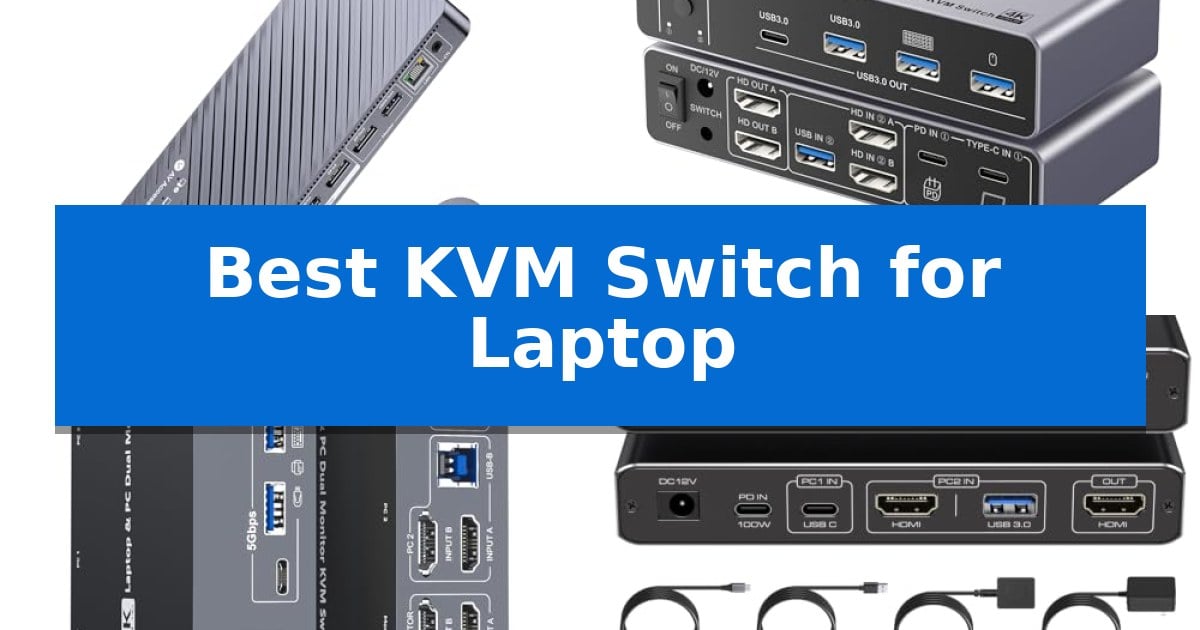
Managing multiple computers at a single desk often leads to a cluttered workspace filled with redundant cables and extra peripherals. Finding the Best KVM Switch for Laptop integration is the most effective way to consolidate your setup, allowing you to share your monitors, keyboard, and mouse between a work laptop and a desktop PC with a single click.
Whether you need high-refresh-rate gaming support, high-speed data transfer for creative work, or simple plug-and-play functionality, the right switch eliminates the need for constant cable swapping. This guide evaluates the top options currently available to help you streamline your desk and improve your daily productivity.
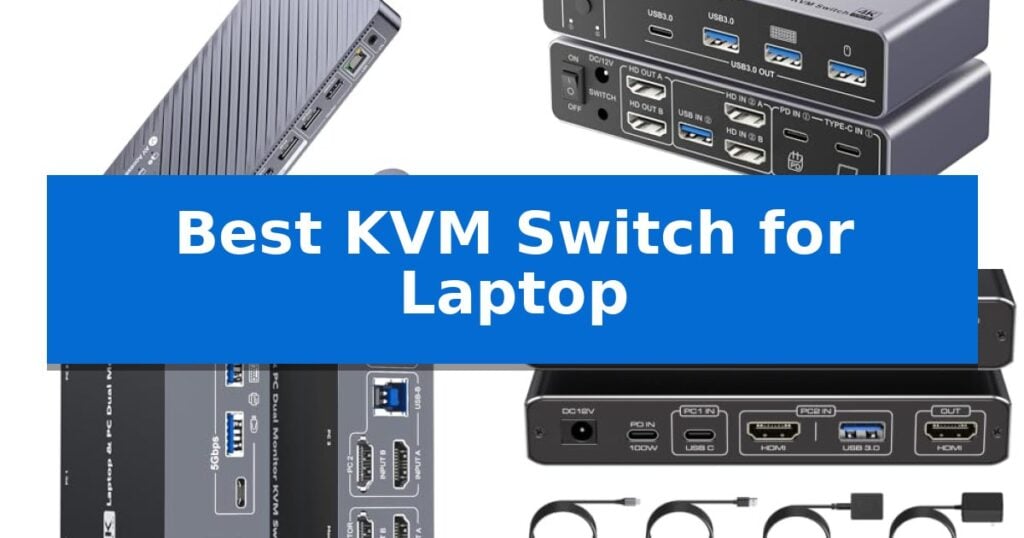
Best KVM Switch for Laptop in 2026: Simplify Multi-Computer Control
Quick Comparison
| Product | Best For | Key Strength | Score |
|---|---|---|---|
| AV Access iDock B10 KVM Switch | Best Overall | 100W Power Delivery via a single USB-C cable for laptops. | 4.9 |
| Ouluoa USB-C Dual Monitor KVM Switch | Best for High-Resolution Dual Displays | 100W PD charging keeps laptops powered during use. | 4.3 |
| DXchip USB-C Dual Monitor KVM Switch | Seamless Laptop and Desktop Integration | 100W Power Delivery keeps laptops charged during use. | 4.7 |
| ATLAHET USB-C HDMI KVM Switch | Reliable Charging for Modern Laptops | 100W Power Delivery enables simultaneous laptop charging and peripheral operation. | 4.8 |
| Hearvo USB 3.0 HDMI KVM Switch | Simple Plug-and-Play Peripheral Sharing | 4K@60Hz resolution support for high-quality display output. | 4.8 |
How We Chose
- Display Resolution and Refresh Rate support for high-fidelity monitors.
- USB-C Power Delivery capacity to ensure consistent laptop charging.
- Peripheral connectivity options including USB 3.0/3.1 ports for data-heavy devices.
- Switching convenience, focusing on physical buttons and included remote controllers.
- Operating system compatibility for seamless transitions between Windows, macOS, and Linux.
1 AV Access iDock B10 KVM Switch — All-in-one Docking for Power Users
Managing a dual-monitor workspace between a laptop and a desktop often requires constant cable swapping, but the AV Access iDock B10 KVM Switch simplifies this by integrating a high-performance docking station with KVM functionality. This device allows you to share two monitors, a keyboard, a mouse, and other peripherals across two computers, switching between them with a single button or the included wired remote.
The AV Access iDock B10 KVM Switch acts as an 11-in-1 hub, supporting up to dual 4K@60Hz video output for laptops via a single USB-C cable. This connection also provides up to 100W power delivery, ensuring your laptop stays charged during use. For desktop users, the unit supports higher resolutions, including dual 8K@60Hz or dual 4K@165Hz, with VRR, FreeSync, and G-Sync compatibility for high-refresh gaming setups.
A standout feature is the Gigabit Ethernet connectivity, which remains active for both computers even when one is not selected, allowing background tasks like updates or remote sessions to continue uninterrupted. With 4x 10Gbps USB ports and additional 5Gbps ports, the device accommodates high-speed SSDs, cameras, and standard peripherals, effectively replacing the need for separate docks or hubs.
While the device is versatile, users should note that on macOS, dual external monitors will mirror rather than extend due to MST limitations. For those requiring independent extended displays on a MacBook, a different model may be necessary. The package includes essential cables, including HDMI 2.1 and DP 1.4a, ensuring a straightforward setup right out of the box.
Best for: Hybrid workers and power users who need to switch peripherals and dual monitors between a USB-C laptop and a desktop PC.
Skip if: Mac users who require two independently extended external displays, as this unit mirrors screens on macOS.
PROS
- 100W Power Delivery via a single USB-C cable for laptops.
- Dual 4K@165Hz support for high-performance gaming.
- Gigabit Ethernet keeps both computers connected simultaneously.
- 11-in-1 docking station functionality reduces desk clutter.
CONS
- Mirroring only for dual displays on macOS.
- Requires specific cable configurations for Mac mini setups.
2 Ouluoa USB-C Dual Monitor KVM Switch — Best for High-Resolution Dual Displays
Managing multiple displays and peripherals across different workstations often leads to cable clutter and constant manual switching. The Ouluoa USB-C Dual Monitor KVM Switch addresses this by enabling seamless control of one desktop and one laptop through a single keyboard and mouse setup, while simultaneously driving two HDMI displays.
This KVM switch is engineered for high-resolution workflows, supporting 8K@60Hz output for desktop connections and 4K@60Hz for laptops. It functions as a comprehensive docking station, featuring three USB 3.0 ports and one USB-C port to share peripherals like printers, webcams, and external hard drives with data transfer speeds up to 5Gbps. The inclusion of a 100W PD charging port ensures your laptop remains powered during operation, eliminating the need for a separate power brick.
Usability is enhanced by the included wired remote, which simplifies switching between connected devices without reaching for the main unit. The device is built with a dedicated 12V power adapter to provide stable, consistent power to connected high-draw devices, ensuring that the KVM does not rely on the host computer's USB bus for energy.
While the unit offers extensive connectivity, users should note that MST display mode requires Windows; macOS systems are limited to SST mode for extended display configurations. To maintain signal integrity, the manufacturer recommends using HDMI cables under 6.56 feet in length.
Best for: Users needing to share dual monitors and multiple USB peripherals between a desktop and a laptop with integrated power delivery.
Skip if: Users requiring MST (Multi-Stream Transport) support on macOS, as this device is limited to SST mode for Apple computers.
PROS
- 100W PD charging keeps laptops powered during use.
- Supports high-resolution 8K@60Hz output for desktop setups.
- Includes a wired remote for convenient input switching.
- Provides three USB 3.0 ports for peripheral expansion.
CONS
- macOS support is limited to SST mode only.
- Requires HDMI cables under 6.56 feet for optimal signal stability.
3 DXchip USB-C Dual Monitor KVM Switch — Seamless Laptop and Desktop Integration
Managing a professional workspace often requires juggling multiple devices, but the DXchip USB-C Dual Monitor KVM Switch simplifies this by acting as both a high-performance video switcher and a full-featured docking station. By consolidating your connections, it allows you to toggle between a laptop and a desktop PC with a single click, maintaining dual 4K displays and peripheral access without the clutter of extra cables.
This device supports dual 4K@60Hz output with 4:4:4 color accuracy, ensuring high-fidelity visuals for demanding tasks like video editing or data analysis. It also provides versatile refresh rate support, including 144Hz at 1080p, catering to both productivity and gaming needs. The integrated 4-port USB 3.0 hub delivers 5Gbps data transfer speeds, ensuring that your mouse, keyboard, and external drives remain responsive and stable.
Power management is a core strength, as the unit features a 100W Power Delivery (PD) port. This allows you to charge your laptop directly through the dock, effectively reducing the number of cables on your desk. For added convenience, the switch includes a wired remote controller alongside the physical panel button, giving you flexible options to switch inputs instantly while keeping the dock tucked away.
Compatibility is broad, spanning Windows, macOS, Linux, and Chrome OS, though users should note that M1/M2 Mac systems are limited to mirror mode or single-extended display due to hardware architecture. The DXchip USB-C Dual Monitor KVM Switch is a robust solution for those looking to unify their hardware, provided their laptop supports DP Alt Mode for video, data, and power delivery.
Best for: Professionals and home office users who need to share dual monitors and peripherals between a USB-C laptop and a desktop PC.
Skip if: Users with M1/M2 Mac systems requiring independent dual-monitor extension, as this model does not support MST on those platforms.
PROS
- 100W Power Delivery keeps laptops charged during use.
- Dual 4K@60Hz output ensures high-resolution display support.
- 4-port USB 3.0 hub provides fast peripheral connectivity.
- Wired remote allows for convenient input switching.
CONS
- MST limitation on M1/M2 Mac chips prevents independent dual-monitor extension.
- Requires DP Alt Mode support on the host laptop's USB-C port.
4 ATLAHET USB-C HDMI KVM Switch — Reliable Charging for Modern Laptops
Managing multiple peripherals across a laptop and a desktop often results in a cluttered workspace, but the ATLAHET USB-C HDMI KVM Switch simplifies this by allowing you to share a single HDMI monitor, keyboard, mouse, and other USB devices between two computers. This device is specifically engineered for modern workflows, featuring a 100W Power Delivery input that charges your laptop while you work, provided your laptop's USB-C port supports Thunderbolt 3 or higher.
The switch supports Ultra HD 4K@60Hz resolution, ensuring that your shared monitor maintains high visual clarity for professional or entertainment tasks. Connectivity is robust, offering three USB-A 3.0 ports and one USB-C 3.0 data port, which provide data transfer speeds up to 5Gbps. This setup allows for the seamless integration of external hard drives, printers, and scanners without the need to constantly unplug and reconnect cables.
Usability is enhanced by a wired extension controller, which lets you hide the main KVM unit out of sight while keeping the switching button within easy reach on your desk. An LED indicator provides immediate feedback on which computer is currently active. Please note that this unit requires a constant external power connection to function and does not support keyboard hotkey switching, requiring manual interaction via the button or controller.
Compatibility is a primary consideration for this device. It is designed for specific laptop series, including models from HP, Dell, Lenovo, Acer, and ASUS that feature Thunderbolt 3, 4, or 5 ports. Because the USB-C 3.0 port is strictly for data, users should ensure their monitor is connected via the dedicated HDMI port to achieve the intended video output.
Best for: Professionals using a Thunderbolt-equipped laptop and a desktop who need to share a single 4K monitor and peripherals while keeping their laptop charged.
Skip if: Users whose laptops lack Thunderbolt 3 or higher ports, or those who require keyboard hotkey switching functionality.
PROS
- 100W Power Delivery enables simultaneous laptop charging and peripheral operation.
- 4K@60Hz video support ensures high-resolution display output.
- Wired extension controller allows for flexible and convenient workspace placement.
- Four high-speed USB 3.0 ports provide ample connectivity for external devices.
CONS
- No keyboard hotkey switching support requires physical button interaction.
- Strict Thunderbolt 3+ compatibility requirement limits use with older or non-Thunderbolt USB-C laptops.
5 Hearvo USB 3.0 HDMI KVM Switch — Simple Plug-and-Play Peripheral Sharing
Managing multiple devices on a single desk often leads to tangled cables and inefficient workspace layouts. The Hearvo USB 3.0 HDMI KVM Switch addresses this by enabling seamless control of two computers through one monitor, keyboard, and mouse setup. Its Adaptive EDID technology ensures stable image transmission by automatically optimizing display settings, allowing for a smooth transition between systems without the need for additional driver software.
Designed for high-performance connectivity, this switch features four USB 3.0 ports, including three USB-A and one USB-C port. These ports support data transfer speeds up to 5Gbps, making it suitable for sharing peripherals like printers, scanners, and external hard drives. The unit is fully compatible with various operating systems, including Windows, Linux, and Mac, ensuring broad utility across different hardware environments.
Visual fidelity is maintained through support for 4K resolution at 60Hz, providing clear and detailed imagery. The device is also HDCP 2.2 compliant, which allows for the playback of protected multimedia content without interruption. Users can choose between two switching methods: the physical button located directly on the KVM unit or the included wired desktop controller, which helps keep the main switch hidden for a cleaner desk aesthetic.
Installation is straightforward with a plug-and-play design that requires no external power supply. The package provides all necessary components, including two high-speed USB 3.0 cables and anti-slip rubber pads to ensure the unit remains secure on your workspace. This comprehensive approach simplifies the integration of dual-computer setups while reducing overall cable clutter.
Best for: Users needing to share a single monitor and high-speed USB 3.0 peripherals between two computers with 4K@60Hz visual support.
Skip if: Users who require support for more than two computers or need advanced features like DisplayPort connectivity or integrated audio switching.
PROS
- 4K@60Hz resolution support for high-quality display output.
- Four USB 3.0 ports with 5Gbps data transfer speeds.
- Wired desktop controller for convenient remote switching.
- Adaptive EDID for automatic display optimization.
CONS
- Limited to two computers and one monitor.
- No integrated audio jack for dedicated headset connectivity.
Best KVM Switch for Laptop Buying Guide
Understanding Display Compatibility
The most critical factor when selecting a switch is ensuring it supports your specific monitor configuration. Many modern switches offer dual-monitor support, which is essential for multitasking, but you must verify if your laptop's USB-C port supports DisplayPort Alt Mode to output video signals correctly.
For users with high-resolution displays, checking the supported refresh rates is vital. Some models prioritize 8K resolution for static tasks, while others are optimized for high-refresh-rate gaming, such as 144Hz or 165Hz, ensuring your visual experience remains fluid during both work and play.
Power Delivery and Charging
A major benefit of a USB-C KVM is the ability to charge your laptop through the same cable that carries your video and data signals. Look for models that offer 100W Power Delivery (PD), as this ensures your laptop remains powered throughout the day without needing its separate power brick.
Keep in mind that some laptops, particularly certain Dell models, may trigger a slow-charging warning due to proprietary protocols. This is usually a harmless notification that can be adjusted in your system settings, provided the switch is delivering sufficient wattage.
Peripheral Connectivity and Data Speed
Beyond monitors, your switch acts as a hub for your keyboard, mouse, webcams, and external storage. Switches featuring USB 3.0 or 3.1 ports provide the necessary bandwidth for fast file transfers, which is crucial if you frequently move large data sets between your computers.
Ensure the switch has enough ports to accommodate your specific gear. Some models include a mix of USB-A and USB-C ports, offering greater flexibility for modern peripherals while maintaining backward compatibility with older devices.
Switching Mechanisms and Desk Organization
The convenience of a switch is defined by how easily you can toggle between systems. Most high-quality units include a wired remote controller, which allows you to hide the main KVM unit behind your monitor or under your desk while keeping the control button within easy reach.
This design choice significantly reduces cable clutter on your desktop surface. When evaluating these, consider the length of the included remote cable to ensure it fits your specific desk layout comfortably.
Operating System Considerations
While most switches are designed for cross-platform use, macOS users should be aware of specific limitations regarding Multi-Stream Transport (MST). On many systems, macOS may mirror displays rather than extending them, which can impact your ability to use two independent external screens.
Always check the manufacturer's notes regarding your specific OS. Windows and Linux users generally have broader support for extended display modes, but verifying compatibility before purchase will save you from potential configuration issues.
Frequently Asked Questions
Do I need a separate power adapter for my KVM switch?
Most high-performance KVM switches require an external power adapter to ensure stable operation of connected USB peripherals and to provide consistent Power Delivery to your laptop.
Will these switches work with my wireless keyboard and mouse?
Yes, most KVM switches treat wireless dongles as standard USB devices, allowing you to share your wireless keyboard and mouse across two computers seamlessly.
Can I use these switches with a MacBook?
Yes, but be aware that macOS often limits dual-monitor setups to mirror mode due to the operating system's architecture. Check the product specifications for specific Mac compatibility notes.
What is the benefit of a wired remote controller?
A wired remote allows you to place the main KVM unit in a discreet location to manage cable clutter while keeping the switching button in a convenient, accessible spot on your desk.
Do I need special cables for 4K or 8K resolution?
Yes, using high-quality HDMI or DisplayPort cables that meet the required bandwidth specifications is essential to ensure stable, high-resolution output without flickering or signal loss.
Conclusion: Our Top Pick
Choosing the right hardware depends on your specific display needs and the number of peripherals you use daily. For most power users, the AV Access iDock B10 KVM Switch stands out as the most versatile solution, offering robust 100W charging, 8K display support, and an 11-in-1 docking station design that effectively replaces multiple hubs.
If your workflow involves high-speed data transfers and a need for consistent, reliable connectivity between a laptop and a desktop, this unit provides the necessary performance and cable management to keep your workspace clean and highly productive.