
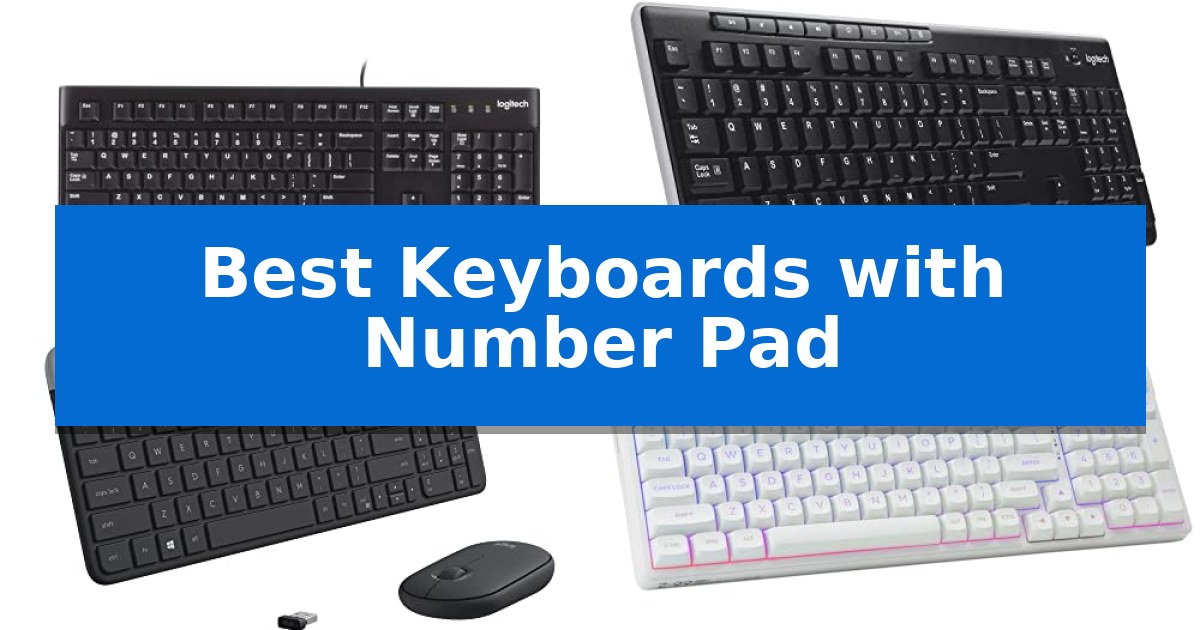
Managing spreadsheets, accounting software, or complex data entry tasks requires a dedicated numeric input area for speed and accuracy. While many modern compact keyboards omit this section to save space, the Best Keyboards with Number Pad remain essential tools for professionals and students who frequently work with numerical data.
Selecting the right model involves balancing your desk space, connectivity preferences, and typing feel. Whether you require a reliable wired connection for a permanent workstation or a wireless setup to keep your desk clutter-free, this guide evaluates five distinct options to help you determine which design aligns with your daily workflow.
Best Keyboards with Number Pad in 2026
Quick Comparison
| Product | Best For | Key Strength | Score |
|---|---|---|---|
| Logitech K120 Wired Keyboard | Best Overall | Full-size layout with a dedicated number pad for efficient data entry. | 4.9 |
| Logitech K270 Wireless Keyboard | Long-Lasting Battery Performance | 24-month battery life reduces maintenance frequency. | 4.8 |
| Logitech MK470 Slim Wireless Combo | Ultra-Quiet Low-Profile Design | Whisper-quiet typing experience with low-profile scissor keys. | 4.8 |
| HUO JI E-Yooso Mechanical Keyboard | Creamy Sounding Custom Experience | 96% layout provides a number pad in a compact form factor. | 4.4 |
| RK ROYAL KLUDGE S108 Mechanical Keyboard | Vintage Style with Tactile Feedback | Full-size layout with dedicated number pad for efficient data entry. | 4.9 |
How We Chose
- Layout Efficiency: Assessing the inclusion of a full-size number pad and dedicated function keys.
- Connectivity Type: Distinguishing between stable wired USB connections and flexible wireless options.
- Build Durability: Reviewing spill-resistant designs and material quality for long-term reliability.
- Typing Experience: Analyzing key profiles, switch types, and ergonomic features like adjustable tilt legs.
- Compatibility: Verifying support for standard operating systems like Windows and macOS.
1 Logitech K120 Wired Keyboard — Reliable Plug-and-Play Essential
The Logitech K120 Wired Keyboard provides a straightforward, full-size layout that includes a dedicated number pad, making it a functional choice for data entry and general office tasks. Its design prioritizes simplicity, allowing users to connect via a standard USB cable for immediate use without the need for additional software installation.
Built for daily utility, this keyboard features deep-profile keys and a spill-resistant design to help protect against minor accidents. The inclusion of sturdy tilt legs allows for adjustable height, enabling users to customize the typing angle to suit their desk setup and personal comfort preferences.
Compatibility is a core strength of this model, as it is designed to work seamlessly with Windows 7, 8, 10, or later versions. The construction incorporates 51% certified post-consumer recycled plastic, reflecting a focus on material sourcing while maintaining a durable, reliable build for both home and professional work environments.
This keyboard is a practical solution for those who require a reliable, corded input device without the complexity of wireless connectivity or programmable macro keys. Its anti-fade keys ensure that the lettering remains legible over extended periods of use, supporting a long-term, low-maintenance typing experience.
Best for: Users seeking a reliable, full-size wired keyboard with a number pad for standard Windows desktop or laptop computing.
Skip if: Users who require wireless connectivity, mechanical switches, or specialized programmable features for gaming or advanced creative workflows.
PROS
- Full-size layout with a dedicated number pad for efficient data entry.
- Plug-and-play USB connectivity requires no software installation.
- Spill-resistant design adds durability for daily office use.
- Adjustable tilt legs allow for customized typing angles.
CONS
- Wired-only connection limits desk placement flexibility.
- Standard membrane switches lack the tactile feedback preferred by some typists.
2 Logitech K270 Wireless Keyboard — Long-Lasting Battery Performance
Maintaining a consistent workflow often requires a reliable input device that prioritizes both ergonomics and efficiency. The Logitech K270 Wireless Keyboard addresses this by integrating a full-size layout, complete with a dedicated number pad, into a streamlined wireless design that minimizes desk clutter.
Designed for long-term utility, this keyboard features a spill-proof design and durable print characters to withstand daily use. It connects via a single USB-A receiver that supports plug-and-play functionality, eliminating the need for complex software installations. The inclusion of 8 multimedia hotkeys provides immediate control over volume, internet access, and media playback, keeping essential functions within reach.
Efficiency extends to power management, as the device is engineered for a 24-month battery life, significantly reducing the frequency of maintenance. The keyboard utilizes a strong, reliable wireless connection with a range of up to 33 feet, ensuring consistent input without the risk of drop-outs or delays. Furthermore, the construction incorporates 38% certified post-consumer recycled plastic, reflecting a focus on material efficiency.
Compatibility is straightforward, as the unit is designed to work seamlessly with Windows 7, 8, 10, or later versions. By combining a familiar, deep-profile key layout with the freedom of wireless connectivity, it serves as a practical solution for both home and office environments where a full-size interface is required.
Best for: Users who require a reliable, full-size keyboard with a number pad and long battery life for Windows-based desktop or laptop setups.
Skip if: Users who prefer a compact, tenkeyless design or require advanced mechanical switches and custom backlighting.
PROS
- 24-month battery life reduces maintenance frequency.
- Full-size layout includes a dedicated number pad and F-keys.
- Spill-proof design enhances durability against accidental liquid exposure.
- Plug-and-play setup via a single USB-A receiver.
CONS
- USB-A receiver requires an available port, which may necessitate an adapter for some modern laptops.
- Non-backlit keys may be difficult to see in low-light environments.
3 Logitech MK470 Slim Wireless Combo — Ultra-Quiet Low-Profile Design
Maintaining a clean, efficient workspace often requires minimizing cable clutter while ensuring full functionality, which is where the Logitech MK470 Slim Wireless Combo excels. This peripheral set pairs an ultra-thin, low-profile keyboard featuring a dedicated number pad with a compact, ambidextrous mouse, specifically engineered for users who need a full-sized layout within a restricted desk footprint.
The keyboard utilizes low-profile scissor keys designed for a whisper-quiet typing experience, making it suitable for shared office environments or home setups where noise reduction is a priority. For added utility, the layout is optimized for Windows and includes 12 customizable FN keys, which can be programmed via Logi Options software to streamline repetitive tasks and enhance personal productivity.
Connectivity is handled by a single plug-and-play USB nano receiver providing a reliable 2.4 GHz wireless connection with a range of up to 10 meters. The included mouse features high-precision optical tracking with a resolution of 1000 DPI and a mechanical scroll wheel, ensuring consistent performance for standard navigation and data entry tasks.
Efficiency extends to power management, as both devices incorporate an auto-sleep feature to conserve energy. This design allows for an impressive battery life of up to 36 months for the keyboard and 18 months for the mouse, depending on usage conditions. The sleek, modern aesthetic is finished in graphite, providing a professional look that fits seamlessly into minimalist setups.
Best for: Users seeking a quiet, space-saving keyboard and mouse set with a dedicated number pad for office or home productivity.
Skip if: Users who require mechanical switches, backlighting, or multi-device Bluetooth connectivity.
PROS
- Whisper-quiet typing experience with low-profile scissor keys.
- Space-saving design that includes a full number pad in a compact footprint.
- Long battery life with auto-sleep functionality for both devices.
- Customizable FN keys for personalized productivity shortcuts.
CONS
- USB receiver required as it lacks Bluetooth connectivity.
- Non-backlit keys which may limit visibility in low-light environments.
4 HUO JI E-Yooso Mechanical Keyboard — Creamy Sounding Custom Experience
Maintaining a full-sized layout while reclaiming valuable desk real estate is the primary advantage of the HUO JI E-Yooso Mechanical Keyboard. By utilizing a 99-key 96% layout, this device retains the essential number pad and full functionality of a standard keyboard within a compact 39×13.5x4cm footprint, making it a practical choice for users who need numerical input without sacrificing workspace.
The typing experience is defined by a gasket structure paired with five layers of sound-absorbing foam and a silicone dampener pad. This design is engineered to minimize hollow sounds and reduce noise by 40%, resulting in a distinctively smooth and consistent feedback profile. The board comes equipped with pre-lubed linear switches that offer a responsive feel suitable for both gaming and daily typing tasks.
Customization is a core feature, as the hot-swappable PCB supports both 3-pin and 5-pin switches, allowing for modifications without the need for soldering. The keyboard includes a pluggable USB-C to USB-A cable for reliable wired connectivity. For visual personalization, the integrated RGB backlighting offers 15 distinct effects and 8 solid colors, with adjustable speed and brightness levels to match different environments.
Reliability during intensive use is supported by 100% anti-ghosting and N-key rollover capabilities, ensuring that every input is registered accurately even during rapid, multi-key sequences. The inclusion of double-shot injection PBT keycaps further ensures that the legends remain clear and durable over time, resisting the wear often seen on standard keycap materials.
Best for: Users who require a dedicated number pad and mechanical switch performance but need to save space on a smaller desk.
Skip if: Users who prefer a wireless connection or a traditional full-sized 104-key layout with dedicated navigation keys.
PROS
- 96% layout provides a number pad in a compact form factor.
- Hot-swappable PCB allows for easy switch customization without soldering.
- Gasket structure and sound-dampening foams create a refined typing sound.
- Double-shot PBT keycaps offer long-term durability for legends.
CONS
- Wired-only connectivity limits placement flexibility.
- Non-standard layout may require an adjustment period for users accustomed to full-sized boards.
5 RK ROYAL KLUDGE S108 Mechanical Keyboard — Vintage Style with Tactile Feedback
The RK ROYAL KLUDGE S108 Mechanical Keyboard features a distinctive vintage aesthetic, utilizing retro round keycaps that mimic the feel and look of a classic typewriter. This full-size layout includes a dedicated number pad, providing a functional solution for users who require efficient data entry alongside their typing or gaming tasks.
Built with a durable aluminum alloy metal panel, this keyboard is designed to withstand heavy use while maintaining a stable typing surface. The inclusion of an ergonomic ABS palm rest helps reduce wrist pressure during extended sessions, while the RK Blue switches provide tactile feedback and an audible click for each keystroke. For those who prefer a different aesthetic, the keycaps are swappable with standard sets.
The keyboard offers extensive customization through its rainbow backlight and software support. Users can adjust lighting effects, remap keys, and create macros to suit specific workflows or gaming configurations. While the hardware is compatible with a wide range of systems including Windows, Mac, and Linux, it is important to note that the dedicated configuration software is exclusively supported on Windows systems.
With 100% full-size anti-ghosting, the RK ROYAL KLUDGE S108 Mechanical Keyboard ensures that every input is registered accurately, even during rapid typing sequences. The unit connects via a wired interface, ensuring a consistent connection without the need for battery management, making it a reliable choice for stationary workstations.
Best for: Users who prioritize a vintage typewriter aesthetic and require a full-size layout with a dedicated number pad for office or gaming tasks.
Skip if: Users who require hot-swappable switches for customization or those who strictly use macOS and need access to the proprietary configuration software.
PROS
- Full-size layout with dedicated number pad for efficient data entry.
- Durable aluminum alloy construction with a scratch-resistant matte finish.
- Tactile RK Blue switches provide clear feedback for precise typing.
- Ergonomic wrist rest included to improve comfort during long sessions.
CONS
- Non-hot-swappable switches limit the ability to change switch types later.
- Software support is restricted to Windows operating systems only.
Best Keyboards with Number Pad Buying Guide
Wired vs. Wireless Connectivity
The choice between a wired keyboard and a wireless keyboard depends on your workspace requirements. Wired models provide a constant, latency-free connection and never require battery replacements, making them ideal for fixed office setups where reliability is paramount.
Wireless keyboards offer greater flexibility, allowing you to move your input device freely or maintain a cleaner, cable-free desk. When choosing wireless, consider the battery life and the type of receiver used, as some models utilize a dedicated USB dongle that occupies a port, while others may offer broader compatibility.
Understanding Switch Types
Keyboards generally feature either membrane or mechanical switches. Membrane keyboards are typically quieter, lower-profile, and more affordable, which suits general office environments where silence is preferred.
Mechanical keyboards provide distinct tactile feedback and an audible click, which many users find more satisfying and precise for high-volume typing. These often feature hot-swappable capabilities or specific switch types like linear or clicky, allowing for a more customized typing experience.
Ergonomics and Layout
A full-size layout includes a dedicated number pad, which is the primary requirement for efficient data entry. Beyond the keys themselves, look for adjustable tilt legs that allow you to change the keyboard angle to reduce wrist strain during long sessions.
Some models include additional features like detachable wrist rests or curved space bars, which contribute to overall comfort. Ensure the keyboard dimensions fit your available desk space, especially if you are considering a 96% layout that compresses keys to save room without sacrificing the number pad.
Durability and Maintenance
Daily use can lead to spills and wear on key characters. A spill-resistant design is a critical feature that protects the internal electronics from accidental liquid exposure, significantly extending the lifespan of your device.
For mechanical keyboards, look for double-shot injection PBT keycaps, which are designed to prevent characters from fading over time. Hot-swappable PCBs also allow you to replace individual switches if they fail, rather than replacing the entire keyboard.
Compatibility and Software
Before purchasing, verify that the keyboard is compatible with your operating system. Most standard keyboards are plug-and-play with Windows, but some models may require specific software to remap function keys or customize RGB lighting effects.
Check if the keyboard supports multi-device connectivity or provides dedicated multimedia hotkeys. These features can significantly streamline your workflow by providing instant access to email, volume controls, or browser navigation.
Frequently Asked Questions
Do all keyboards with a number pad require special software?
Most standard keyboards are plug-and-play, meaning they work immediately upon connection without extra software. However, some mechanical or gaming keyboards offer optional software for remapping keys or customizing lighting.
Are mechanical keyboards better for data entry?
Mechanical keyboards offer tactile feedback that can improve typing accuracy and speed for some users. However, the best choice depends on your preference for switch feel and the noise level acceptable in your workspace.
How do I know if a keyboard is spill-resistant?
Manufacturers typically specify spill-resistance in the product features. This design usually includes drainage channels that allow liquid to pass through the keyboard without damaging the internal circuitry.
Can I use a wireless keyboard with a laptop?
Yes, wireless keyboards are highly compatible with laptops. They usually connect via a small USB receiver or Bluetooth, helping to reduce cable clutter on your desk.
What is a hot-swappable mechanical keyboard?
A hot-swappable keyboard allows you to remove and replace the mechanical switches without soldering. This makes it easy to repair a faulty switch or change the typing feel of the keyboard.
Conclusion: Our Top Pick
When selecting the right tool for data-heavy tasks, the Logitech K120 Wired Keyboard stands out as the most reliable and straightforward solution. Its full-size layout, spill-resistant design, and simple plug-and-play functionality make it an excellent choice for any professional or home office environment where consistent performance is required.
While other models offer wireless freedom or mechanical customization, the K120 provides the essential features needed for efficient numeric input without the complexity of battery management or software configuration. It remains a durable, cost-effective partner for your desk.