
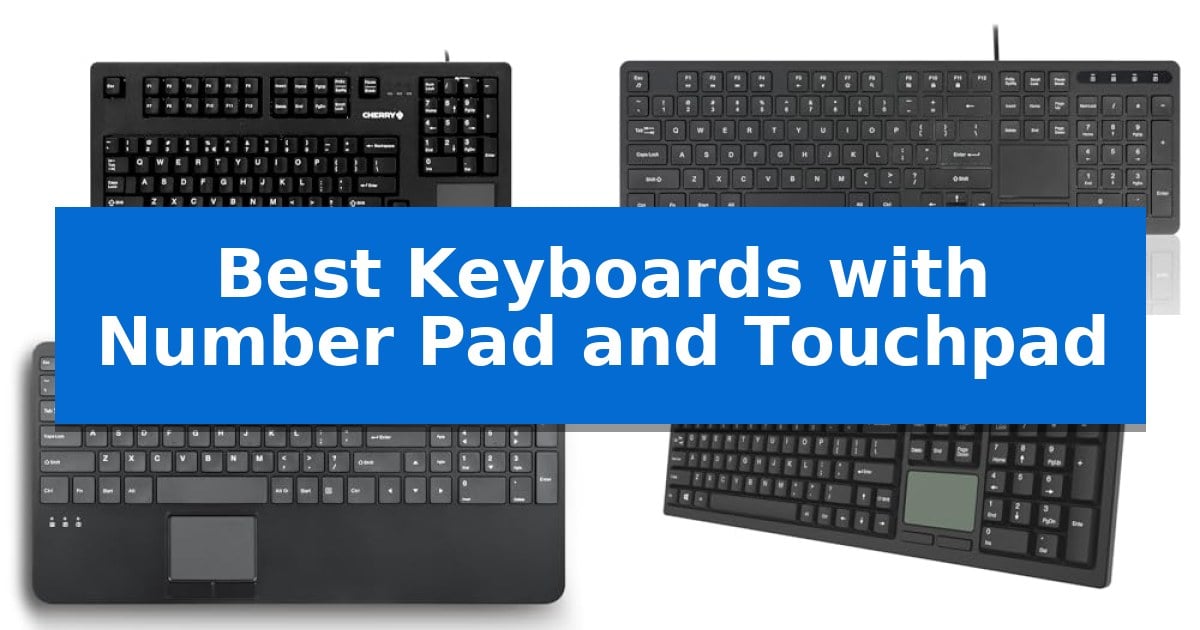
Finding the right input device can transform your daily workflow, especially when space is at a premium. If you frequently switch between data entry and cursor navigation, a keyboard that integrates these functions into a single, compact footprint is an essential upgrade.
We have analyzed the Best Keyboards with Number Pad and Touchpad to help you identify the right tool for your specific environment. Whether you need a robust mechanical board for industrial use or a portable solution for mobile multitasking, these options offer the precision and convenience required for modern productivity.
Best Keyboards with Number Pad and Touchpad in 2026
Quick Comparison
| Product | Best For | Key Strength | Score |
|---|---|---|---|
| Cherry G80-11900 Mechanical Keyboard | Best Overall | Integrated touchpad and mouse buttons save significant desk space. | 4.9 |
| Perixx PERIBOARD-513III Wired Keyboard | Quiet typing with integrated navigation | All-in-one design integrates a numeric keypad and touchpad to save desk space. | 4.4 |
| Perixx PERIBOARD-534 Wired Keyboard | Includes built-in USB hub ports | Integrated 2.48 x 1.85-inch touchpad for all-in-one navigation. | 4.5 |
| Adesso EasyTouch 445 Keyboard | Modern productivity with AI hotkey | Integrated touchpad replaces the need for a separate mouse. | 4.7 |
| MEETION Foldable Bluetooth Keyboard | Portable design for mobile multitasking | Integrated numeric keypad and touchpad for comprehensive control without external accessories. | 4.5 |
How We Chose
- Switch mechanism and typing feel for long-term comfort.
- Touchpad responsiveness and integration of dedicated mouse buttons.
- Connectivity options including wired stability and wireless multi-device support.
- Build quality and physical dimensions for specific workspace constraints.
- Programmability and shortcut accessibility for streamlined workflows.
1 Cherry G80-11900 Mechanical Keyboard — Durable mechanical switches for professionals
The Cherry G80-11900 Mechanical Keyboard provides a specialized solution for constrained workspaces by integrating a numeric keypad, a touchpad, and two mouse buttons into a single, compact unit. This design eliminates the need for a separate mouse, making it suitable for industrial or professional environments where desk space is at a premium.
Built for longevity, the keyboard features CHERRY MX BLACK mechanical switches with gold crosspoint contacts. These switches offer a linear, direct typing feel without a tactile click, rated to handle over 100 million keystrokes per key. This robust construction ensures consistent input quality during continuous, heavy-duty use.
Usability is enhanced through the included KeyM@n software, which allows users to program selected keys at three distinct levels: single press, in combination with 'CTRL', or in combination with 'SHIFT'. This programmability enables custom workflows tailored to specific professional tasks.
Installation is straightforward as the device utilizes standard operating system drivers. Users simply connect the keyboard via the USB-A interface and follow the on-screen prompts to begin operation. The unit measures 17.5 inches in length and 9.75 inches in width, maintaining a footprint designed for efficiency.
Best for: Professional work environments and industrial settings where space is limited and an integrated mouse solution is required.
Skip if: Users who prefer tactile or clicky mechanical switches, or those who require wireless connectivity, will find this wired, linear-switch model unsuitable.
PROS
- Integrated touchpad and mouse buttons save significant desk space.
- CHERRY MX BLACK switches provide a durable, linear typing experience.
- Programmable keys allow for customized input configurations.
- Robust construction rated for over 100 million keystrokes.
CONS
- Wired USB-A connection limits placement flexibility compared to wireless alternatives.
- Linear switch design lacks the tactile feedback preferred by some typists.
2 Perixx PERIBOARD-513III Wired Keyboard — Quiet typing with integrated navigation
The Perixx PERIBOARD-513III Wired Full-Size Keyboard with Integrated Touchpad is engineered for environments where space is at a premium, such as POS systems, kiosks, or crowded workstations. By combining a full-size layout with a dedicated numeric keypad and a built-in multi-touch trackpad, it eliminates the need for an external mouse, providing an all-in-one navigation and data entry solution.
Designed for professional use, this keyboard features quiet scissor-switch keys that offer a stable, low-profile typing experience similar to a laptop. The integrated touchpad measures 2.13 x 1.57 inches and includes dedicated physical left and right click buttons, ensuring precise control for clicking and scrolling tasks.
Functionality is further enhanced by 12 dedicated multimedia hotkeys, which allow for quick system and audio adjustments. The inclusion of an Fn Lock feature ensures that these controls remain accessible without requiring complex key combinations. The device is a true plug-and-play solution, requiring no drivers or additional software to operate on Windows systems.
The unit is built for flexible installation, featuring an extra-long 6 ft USB-A cable that allows for convenient routing in industrial or office setups. A built-in ferrite core is included to help reduce signal interference, supporting reliable operation in professional environments. The keyboard is backed by a 12-month limited warranty.
Best for: Professional and industrial environments like kiosks or POS systems where desk space is limited and an all-in-one input device is required.
Skip if: Users who prefer mechanical switches, wireless connectivity, or a compact tenkeyless layout will find this full-size wired model less suitable.
PROS
- All-in-one design integrates a numeric keypad and touchpad to save desk space.
- Quiet scissor-switch keys provide a stable and comfortable typing feel.
- Plug-and-play functionality requires no driver installation.
- 6 ft wired connection allows for flexible placement in professional setups.
CONS
- Wired-only connection limits mobility compared to wireless alternatives.
- Fixed full-size footprint may be too large for extremely cramped surfaces.
3 Perixx PERIBOARD-534 Wired Keyboard — Includes built-in USB hub ports
The Perixx PERIBOARD-534 Wired Keyboard integrates a dedicated touchpad and a full-sized number pad into a single, compact chassis, making it a functional solution for professional environments where desk space is at a premium. Measuring 15.63 x 7.80 x 1.18 inches, this wired peripheral is designed to consolidate input devices into one footprint.
Equipped with a 2.48 x 1.85-inch precision touchpad, the keyboard supports standard pointing, scrolling, and zooming functions. The typing experience utilizes low-profile scissor keys, which are rated for a 10-million-press life cycle. The keycaps feature high-quality ABS print designed to resist abrasion over time, supporting long-term use in industrial or office settings.
Connectivity is facilitated by a 5.90-foot wired cable, ensuring a stable connection without the need for batteries. The unit also includes two built-in USB 2.0 hubs, allowing users to connect peripheral devices such as a mouse or flash drive directly through the keyboard, which helps manage cable clutter on a workstation.
This keyboard is compatible with Windows 7, 8, 10, and 11. It is a practical choice for users who require a consolidated input interface that combines traditional typing with mouse-like navigation, all while maintaining a streamlined desktop setup.
Best for: Professional and industrial users who need a compact, all-in-one input solution with a built-in touchpad and number pad.
Skip if: Users who require wireless connectivity or a mechanical key feel will find this wired, scissor-switch keyboard unsuitable for their preferences.
PROS
- Integrated 2.48 x 1.85-inch touchpad for all-in-one navigation.
- Two built-in USB 2.0 hubs for connecting additional peripherals.
- Durable scissor-switch keys rated for 10 million presses.
- Compact, low-profile design saves valuable desk space.
CONS
- Wired-only connection limits placement flexibility.
- Fixed cable length of 5.9 feet may not suit all workstation layouts.
4 Adesso EasyTouch 445 Keyboard — Modern productivity with AI hotkey
The Adesso EasyTouch 445 Keyboard simplifies desk management by integrating a dedicated touchpad directly into a full-sized 104-key layout. This design eliminates the need for a separate mouse, providing a consolidated input solution for users who require both a number pad and precise cursor control in a single, wired peripheral.
Engineered for broad compatibility, this keyboard supports Windows 7 and above, MacOS, and Android. It utilizes membrane key switches to provide a quiet, responsive typing experience, while integrated Num Lock, Caps Lock, and Scroll Lock indicators offer immediate visual feedback on system status.
Productivity is further streamlined through a comprehensive suite of 21 hotkeys, including 13 internet navigation keys and 8 multimedia controls. A notable inclusion is the CoPilot AI hotkey, which provides direct access to AI-driven assistance for tasks such as code generation, creative writing, and language processing.
Measuring 19 inches in length and weighing 1.65 pounds, the Adesso EasyTouch 445 Keyboard maintains a stable, full-sized footprint. Its wired connection ensures consistent input, making it a reliable choice for stationary desktop environments where cable management is manageable and a permanent peripheral setup is preferred.
Best for: Users who need a space-saving, all-in-one input solution with integrated cursor control and AI-assisted productivity tools.
Skip if: Users who require a wireless or compact, portable keyboard for travel or minimalist desk setups.
PROS
- Integrated touchpad replaces the need for a separate mouse.
- CoPilot AI hotkey provides quick access to advanced AI assistance.
- Full-sized layout includes a dedicated number pad and 21 total hotkeys.
- Multi-OS compatibility works seamlessly with Windows, MacOS, and Android.
CONS
- Wired connection limits portability and cable management options.
- Large footprint may not be suitable for small or crowded workspaces.
5 MEETION Foldable Bluetooth Keyboard — Portable design for mobile multitasking
The MEETION Foldable Bluetooth Keyboard features a unique design with integrated metal support bars that ensure the device remains rigid and flat during use, preventing the wobbling often associated with portable folding peripherals. This structural stability makes it a practical choice for users who need a full-sized typing experience on unconventional surfaces like a sofa or lap.
Equipped with a built-in numeric keypad and a multi-touch touchpad, this keyboard serves as an all-in-one input solution for mobile productivity. The X-shaped scissor-switch mechanism provides a quiet and precise feel, while the Bluetooth 5.3 technology allows for seamless switching between up to three devices, such as a laptop, tablet, and smartphone.
The device is designed for longevity and portability, featuring a 280mAh rechargeable battery that offers up to 90 days of standby time. It includes an automatic sleep mode after 20 minutes of inactivity to conserve power, with fast charging capabilities via a USB-C port. The exterior is finished in high-quality leather, which provides a non-slip base and resistance to everyday wear.
Measuring 7.87 x 4.84 x 0.67 inches and weighing 0.87 lb, the keyboard balances a compact form factor with the functionality of a standard 96-key QWERTY layout. Its combination of a dedicated number pad and trackpad eliminates the need for external peripherals, making it a streamlined tool for spreadsheet management and general navigation on the go.
Best for: Mobile professionals and multitaskers who require a compact, all-in-one input device with a numeric keypad and trackpad for use across multiple devices.
Skip if: Users who prefer the tactile feedback and travel distance of mechanical switches or those who require a full-sized, non-folding desktop keyboard for stationary office setups.
PROS
- Integrated numeric keypad and touchpad for comprehensive control without external accessories.
- Metal support bars ensure a rigid, flat typing surface that resists folding or deformation.
- Bluetooth 5.3 multi-device connectivity allows for quick switching between three devices.
- Durable leather-wrapped exterior provides a non-slip base and protection against stains and scratches.
CONS
- Folding design may not provide the same ergonomic feel as a traditional, non-folding desktop keyboard.
- Compact 96-key layout requires adjustment for users accustomed to standard full-sized keyboard spacing.
Best Keyboards with Number Pad and Touchpad Buying Guide
Understanding Switch Mechanisms
The underlying switch technology dictates how a keyboard feels and how long it lasts. Mechanical switches, such as the MX Black variety, offer a distinct, linear feel and high durability, making them ideal for heavy-duty professional environments where reliability is paramount.
Alternatively, scissor-switch mechanisms provide a lower profile and quieter typing experience. These are often found in compact designs and are well-suited for office settings where noise reduction is a priority and a laptop-like tactile response is preferred.
Touchpad Integration and Navigation
A built-in touchpad eliminates the need for an external mouse, which is particularly beneficial in cramped workspaces or industrial kiosks. Look for models that include dedicated left and right click buttons, as these provide more tactile feedback and precision than tapping the touchpad surface alone.
Consider the physical size of the touchpad area. A larger surface area generally allows for easier scrolling and multi-touch gestures, though this often increases the overall footprint of the keyboard. Balance your need for navigation space with the available desk area.
Connectivity and Portability
Wired connections, typically via USB-A, offer the most stable and reliable performance without the need for batteries. These are preferred for fixed workstations or integrated systems where latency is a concern and power is readily available.
For those who move between devices, Bluetooth connectivity provides the flexibility to switch between laptops, tablets, and phones. Models with multi-device pairing allow you to toggle between screens with a single button press, significantly enhancing multitasking efficiency.
Layout and Ergonomics
A full-size layout ensures that you have access to a dedicated numeric keypad, which is vital for spreadsheet work and rapid data entry. Ensure the spacing between the main keys and the number pad is comfortable for your specific typing style to avoid accidental inputs.
Ergonomic considerations also extend to the keyboard's height and angle. Some models include adjustable feet or a low-profile design to reduce wrist strain during extended sessions. Always check the dimensions to ensure the unit fits your desk's specific layout.
Programmability and Efficiency
Many modern keyboards include programmable keys or dedicated hotkeys that allow you to assign specific functions or macros. This can save significant time by automating repetitive tasks or providing instant access to system controls and AI assistants.
Look for indicators such as Num Lock, Caps Lock, and Scroll Lock lights to maintain awareness of your keyboard state. These small features prevent input errors and contribute to a more efficient and frustration-free typing experience.
Frequently Asked Questions
Are these keyboards compatible with all operating systems?
Most wired keyboards with standard USB-A connections are plug-and-play with Windows, macOS, and Linux. However, always verify specific OS support for programmable keys or multi-device Bluetooth features.
Can I use these keyboards without an external mouse?
Yes, all models featured here include an integrated touchpad with click buttons, designed specifically to replace the need for a separate computer mouse.
What is the benefit of mechanical switches over scissor switches?
Mechanical switches generally offer a more tactile, consistent typing feel and higher durability, often rated for millions of keystrokes, whereas scissor switches are quieter and lower profile.
Do I need to install drivers for these keyboards?
Most of these keyboards are designed for plug-and-play functionality. Specialized software may be required only if you wish to customize programmable key functions.
Are foldable keyboards as stable as standard desktop keyboards?
High-quality foldable keyboards include metal support bars or locking mechanisms to ensure the surface remains rigid and flat during use, preventing wobbling or accidental folding.
Conclusion: Our Top Pick
Selecting the right keyboard depends on your specific balance of data entry needs and space constraints. For professionals requiring maximum durability and a tactile typing experience, the Cherry G80-11900 Mechanical Keyboard stands out as an exceptional choice. Its industrial-grade construction and mechanical switches ensure it can withstand years of heavy use while providing a consistent, responsive feel.
If your workspace requires a more compact or portable solution, the other options in this guide offer excellent alternatives with features like scissor-switches, Bluetooth connectivity, and integrated USB hubs. By prioritizing the switch type and connectivity that match your daily routine, you can significantly improve your desktop efficiency.