
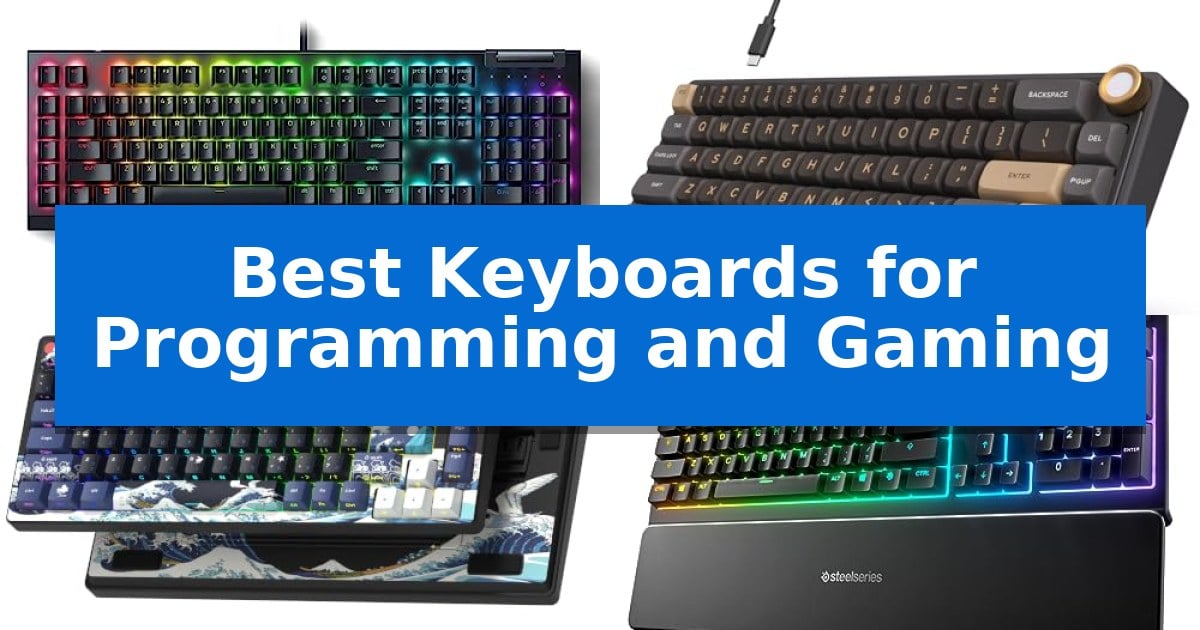
Finding the right hardware for a dual-purpose desk setup requires balancing high-speed responsiveness with long-term typing comfort. Whether you are debugging complex code or climbing the ranks in a competitive match, the Best Keyboards for Programming and Gaming must offer reliable inputs and a layout that supports your specific workflow needs.
Selecting a keyboard that bridges the gap between professional productivity and intense gaming sessions involves evaluating switch types, build quality, and layout efficiency. We have analyzed five distinct models to help you identify which features—from macro keys to compact footprints—will best serve your daily routine and gaming habits.
Best Keyboards for Programming and Gaming in 2026
Quick Comparison
| Product | Best For | Key Strength | Score |
|---|---|---|---|
| Razer BlackWidow V4 X Gaming Keyboard | Best Overall | Yellow Mechanical Linear Switches provide rapid, quiet actuation. | 4.9 |
| RK ROYAL KLUDGE R65 Gaming Keyboard | Gasket mount for premium typing feel | Gasket mount design with five layers of sound-absorbing material for reduced noise. | 4.5 |
| Womier SK80 Gaming Keyboard | Customizable display for workflow control | Integrated multimedia display for real-time system monitoring and custom animations. | 4.8 |
| SteelSeries Apex 3 Gaming Keyboard | Whisper-quiet switches for shared spaces | Whisper quiet switches minimize noise in shared environments. | 4.3 |
| GEODMAER 65% Gaming Keyboard | Compact layout saves desk space | Ultra-compact 65% layout saves significant desk space. | 4.5 |
How We Chose
- Switch responsiveness and actuation feel for both typing and gaming.
- Layout efficiency, including the presence of dedicated macro keys or compact space-saving designs.
- Build quality and acoustic dampening features that influence long-term comfort.
- Connectivity and compatibility with common operating systems like Windows and macOS.
- Customization options such as RGB lighting, programmable software, and hot-swappable components.
1 Razer BlackWidow V4 X Gaming Keyboard — Rapid-fire inputs for competitive play
The Razer BlackWidow V4 X Mechanical Gaming Keyboard is engineered for precision, featuring Yellow Mechanical Linear Switches that provide a 1.2mm actuation point and 45g of force. These switches are built with integrated sound dampeners, making them a suitable choice for environments where quiet, rapid-fire input is required.
For users who balance complex workflows with gaming, the keyboard includes 6 dedicated macro keys that can be programmed to suit specific playstyles or productivity shortcuts. The layout is complemented by a multi-function roller and secondary media keys, allowing for quick adjustments to volume, brightness, or media playback without exiting an application.
Durability and aesthetics are addressed through doubleshot ABS keycaps with thick walls, designed to resist wear during intense use. The Chroma RGB per-key lighting is enhanced by a switch construction that promotes even illumination across the board, supporting customization through over 16.8 million colors.
To refine the typing experience, the chassis incorporates a layer of special foam under the circuit board combined with lubricated stabilizers. This design choice focuses on minimizing noise and providing a consistent acoustic profile, ensuring the keyboard remains stable and quiet during long sessions.
Best for: Programmers and gamers who require a quiet, linear switch feel with dedicated macro keys for custom workflows.
Skip if: Users who prefer tactile or clicky mechanical switches, or those who require a compact tenkeyless or 60% form factor for limited desk space.
PROS
- Yellow Mechanical Linear Switches provide rapid, quiet actuation.
- 6 dedicated macro keys allow for extensive command customization.
- Multi-function roller offers convenient media and system control.
- Doubleshot ABS keycaps ensure long-term label durability.
CONS
- Full-size form factor occupies a significant amount of desk space.
2 RK ROYAL KLUDGE R65 Gaming Keyboard — Gasket mount for premium typing feel
The RK ROYAL KLUDGE R65 Gaming Keyboard utilizes a specialized gasket mount structure integrated with five layers of sound-absorbing material, including poron cotton, to minimize key noise and vibration. This design choice aims to provide a refined typing experience, making it a compelling candidate for those who require both precision for programming and responsiveness for gaming.
Equipped with custom pre-lubed cream switches, this mechanical keyboard offers a smooth linear feel and a distinct acoustic profile. The hot-swappable PCB supports both 3-pin and 5-pin switches, providing flexibility for users to customize their setup without soldering. The inclusion of a high-quality aluminum CNC metal knob allows for quick volume adjustments, while integrated indicator lights provide real-time status updates.
For advanced configuration, the keyboard supports QMK/VIA programming, enabling users to redefine keys and customize the dynamic RGB backlight modes to suit their specific workflow or aesthetic preferences. The MDA profile PBT keycaps are manufactured using double-shot technology, ensuring a matte surface that resists fading over extended use.
Compatibility is a primary focus, with the device functioning across Windows and MacOS environments. Its compact 60% form factor saves desk space, though users should consider the trade-off of a smaller layout compared to full-sized alternatives.
Best for: Programmers and gamers who prioritize a customizable, compact gasket-mounted keyboard with advanced software remapping capabilities.
Skip if: Users who rely heavily on a dedicated number pad or function row for their daily tasks may find the 60% layout restrictive.
PROS
- Gasket mount design with five layers of sound-absorbing material for reduced noise.
- Hot-swappable PCB compatible with 3-pin and 5-pin switches for easy customization.
- QMK/VIA support for advanced key remapping and lighting control.
- Aluminum CNC volume knob for tactile media control.
CONS
- 60% compact layout lacks a dedicated number pad and function keys.
- Wired-only connectivity limits placement flexibility compared to wireless models.
3 Womier SK80 Gaming Keyboard — Customizable display for workflow control
The Womier SK80 Gaming Keyboard integrates a vibrant, 11-degree tilted multimedia display screen directly into its top-right corner, providing immediate visual feedback for system settings, connection modes, and custom GIF animations. This 75% layout mechanical keyboard is engineered with a gasket-mounted structure, utilizing an EVA positioning plate and bottom filling to minimize typing noise while maintaining a responsive, soft feel during intensive gaming or programming sessions.
Designed for versatility, the board features pre-lubed linear switches paired with south-facing transparent light diffusers, ensuring consistent illumination across the keycaps. The hot-swappable PCB supports both 3-pin and 5-pin switches, allowing for personalized tactile preferences without soldering. Its aesthetic is defined by a classic cherry profile art theme, providing a cohesive look that fits into various desk setups.
Customization extends to the software level, where users can adjust RGB lighting effects, macros, and display content. The keyboard offers 19 distinct lighting modes and 9 color options, including a music-syncing feature that reacts to audio input. Connectivity is handled via a detachable Type-C cable, ensuring compatibility with both Mac and Windows operating systems for a streamlined workflow.
This keyboard balances specialized gaming features with the functional requirements of a programmer. The gasket-mount design and pre-lubed stabilizers aim to reduce fatigue and noise, while the dedicated display screen offers a unique interface for monitoring system status at a glance. It serves as a comprehensive tool for users who prioritize both aesthetic customization and mechanical performance.
Best for: Users who want a compact 75% layout with a built-in display for monitoring system status and custom visuals.
Skip if: Users who require wireless connectivity or a full-sized layout with a dedicated number pad.
PROS
- Integrated multimedia display for real-time system monitoring and custom animations.
- Gasket-mounted design provides a soft, stable typing feel with reduced noise.
- Hot-swappable PCB allows for easy switch customization with 3-pin or 5-pin compatibility.
- Pre-lubed linear switches deliver a clean, consistent typing experience out of the box.
CONS
- Wired-only connection limits desk placement flexibility compared to wireless models.
- 75% layout lacks a dedicated number pad, which may be a drawback for data-heavy programming tasks.
4 SteelSeries Apex 3 Gaming Keyboard — Whisper-quiet switches for shared spaces
Maintaining a quiet workspace while ensuring responsive input is essential for both coding sessions and gaming marathons. The SteelSeries Apex 3 Gaming Keyboard addresses this need by utilizing specialized Whisper quiet gaming switches, engineered to provide a nearly silent typing experience for up to 20 million low-friction keypresses.
This full-sized keyboard is designed for durability and convenience, featuring IP32 water resistance to protect against accidental liquid spills during long hours at the desk. The inclusion of a premium magnetic wrist rest offers full palm support, which helps maintain comfort during extended periods of use, whether you are debugging complex code or navigating intense gaming environments.
Customization and control are integrated directly into the hardware. Users can personalize their setup with 10-zone RGB illumination, which supports various color schemes and reactive lighting effects. Additionally, the board includes dedicated multimedia controls, allowing for quick adjustments to volume and media settings without needing to exit your current application.
The SteelSeries Apex 3 Gaming Keyboard offers broad compatibility, functioning seamlessly with Windows, Mac OS X, and modern gaming consoles including the Xbox Series S, Xbox Series X, PS4, and PS5. This versatility makes it a practical choice for users who switch between different computing and gaming platforms.
Best for: Users who require a quiet, spill-resistant keyboard that balances productivity tasks with casual gaming across multiple platforms.
Skip if: Users who prefer the tactile and audible feedback of mechanical switches or those with limited desk space who require a compact or tenkeyless form factor.
PROS
- Whisper quiet switches minimize noise in shared environments.
- IP32 water resistance provides protection against accidental spills.
- Magnetic wrist rest enhances ergonomic comfort during long sessions.
- Dedicated multimedia controls allow for efficient on-the-fly adjustments.
CONS
- Membrane-based switch design lacks the distinct tactile feedback found in mechanical keyboards.
- Full-sized footprint may be too large for minimalist desk setups.
5 GEODMAER 65% Gaming Keyboard — Compact layout saves desk space
Maximizing desk real estate while maintaining full functionality is a common challenge for both developers and gamers, and the GEODMAER 65% Gaming Keyboard addresses this with its ultra-compact 68-key layout. By removing the numpad and utilizing a space-saving design, this keyboard fits easily into a backpack, making it a viable option for those who switch between home and office setups.
The keyboard utilizes a detachable Type-C cable to ensure a stable connection with low input latency, which is essential for responsive gaming. It features 26-key anti-ghosting technology to prevent input conflicts during intense sessions, and includes an FN+Win lockable key feature to avoid accidental interruptions while working or playing.
Durability and aesthetics are balanced through the use of two-color injection molding keycaps that allow for transparent, luminous characters. The integrated LED backlighting offers adjustable brightness and breathing modes, ensuring visibility in low-light conditions. With a rated lifespan of over 10,000,000 keystrokes and UV-coated keys to prevent fading, it is built for consistent daily use.
Designed with ergonomics in mind, the keycap height is shaped to provide comfort during extended typing or gaming sessions. While it uses membrane technology, the keyboard is engineered to provide an imitation mechanical feel, offering a tactile experience without the higher cost or noise associated with traditional mechanical switches.
Best for: Users who need a space-saving, portable keyboard that combines a mechanical-like typing feel with essential gaming features.
Skip if: Users who require a dedicated numeric keypad for data entry or those who strictly prefer the distinct tactile feedback and actuation of genuine mechanical switches.
PROS
- Ultra-compact 65% layout saves significant desk space.
- Detachable Type-C cable for reliable wired connectivity.
- 26-key anti-ghosting prevents input errors during gaming.
- Adjustable LED backlighting enhances visibility in dark environments.
CONS
- Membrane-based switches may not satisfy users seeking authentic mechanical switch feedback.
- Lack of a dedicated numeric keypad limits efficiency for heavy data entry tasks.
Best Keyboards for Programming and Gaming Buying Guide
Understanding Switch Types
Mechanical switches are the industry standard for both programming and gaming due to their distinct tactile or linear feedback. Linear switches are often preferred by gamers for their smooth, consistent travel, while tactile switches provide a physical bump that many programmers find helpful for reducing typing errors during long sessions.
When choosing a switch, consider the actuation force and travel distance. A lighter switch requires less effort, which can reduce fatigue, while a slightly heavier switch may prevent accidental key presses during intense gaming moments.
Layout and Form Factor
The physical size of your keyboard significantly impacts your desk ergonomics. A full-sized keyboard includes a dedicated number pad, which is essential for data entry tasks, while 60% or 75% layouts save valuable desk space and allow for a more natural mouse position during gaming.
Consider whether you need dedicated function keys or media controls. If your workflow relies heavily on shortcuts, a layout that retains dedicated arrow keys and navigation clusters will likely be more efficient than a ultra-compact 60% board.
Connectivity and Compatibility
Most high-performance keyboards utilize a wired USB-C connection to ensure the lowest possible input latency, which is critical for competitive gaming. Ensure the keyboard you choose is compatible with your primary operating system, as some software-driven features like macro programming may be OS-specific.
If you use multiple devices, look for keyboards that offer easy switching or broad compatibility across Windows, macOS, and gaming consoles. Always verify if the keyboard requires specific drivers to unlock its full functionality.
Build Quality and Acoustics
The materials used in the chassis and keycaps affect both the durability and the sound profile of your keyboard. PBT keycaps are generally more resistant to wear and shine over time compared to standard ABS plastic, making them a better long-term investment.
Acoustic dampening, such as gasket mounting or internal foam layers, can significantly improve the typing experience by reducing harsh metallic pings. This is particularly important if you share your workspace with others and need a quieter typing sound.
Customization and Programmability
Software support allows you to remap keys, create complex macros, and customize lighting effects to match your aesthetic or workflow. For programmers, the ability to assign macros to specific keys can automate repetitive tasks, while gamers may prefer custom profiles for different game genres.
Check if the keyboard supports hot-swappable switches, which allow you to change the feel of your keyboard without purchasing a new unit. This feature provides the highest level of future-proofing and customization for your setup.
Frequently Asked Questions
Are mechanical keyboards better for programming than membrane keyboards?
Many users prefer mechanical keyboards for programming because they offer consistent tactile feedback and durability. However, the 'best' choice depends on your personal preference for typing feel and noise levels.
What is a gasket-mounted keyboard?
A gasket-mounted keyboard uses a mounting system where the plate is held in place by gaskets rather than screws. This design provides a softer, more cushioned typing feel and helps dampen sound.
Do I need macro keys for gaming?
Macro keys are not strictly necessary, but they can be very useful for executing complex sequences of commands with a single press, which can provide an advantage in certain strategy or MMO games.
Can I use a gaming keyboard for work?
Absolutely. Many gaming keyboards are excellent for work due to their high build quality and responsiveness. Just ensure the switch type and layout are suitable for your specific professional tasks.
What does hot-swappable mean?
A hot-swappable keyboard allows you to remove and replace the mechanical switches without needing to solder them to the circuit board. This makes it easy to customize the typing feel or replace a faulty switch.
Conclusion: Our Top Pick
For those seeking a balance of rapid-fire performance and professional utility, the Razer BlackWidow V4 X Gaming Keyboard stands out as a top choice. Its linear switches provide the speed required for gaming, while the inclusion of six dedicated macro keys and media controls offers the efficiency needed for complex programming workflows.
The combination of sound-dampening foam and durable doubleshot ABS keycaps ensures that this keyboard remains comfortable and reliable during long hours at the desk. If you prioritize a responsive, feature-rich device that can handle both high-stakes gaming and daily coding tasks, this model provides the necessary tools to elevate your setup.