
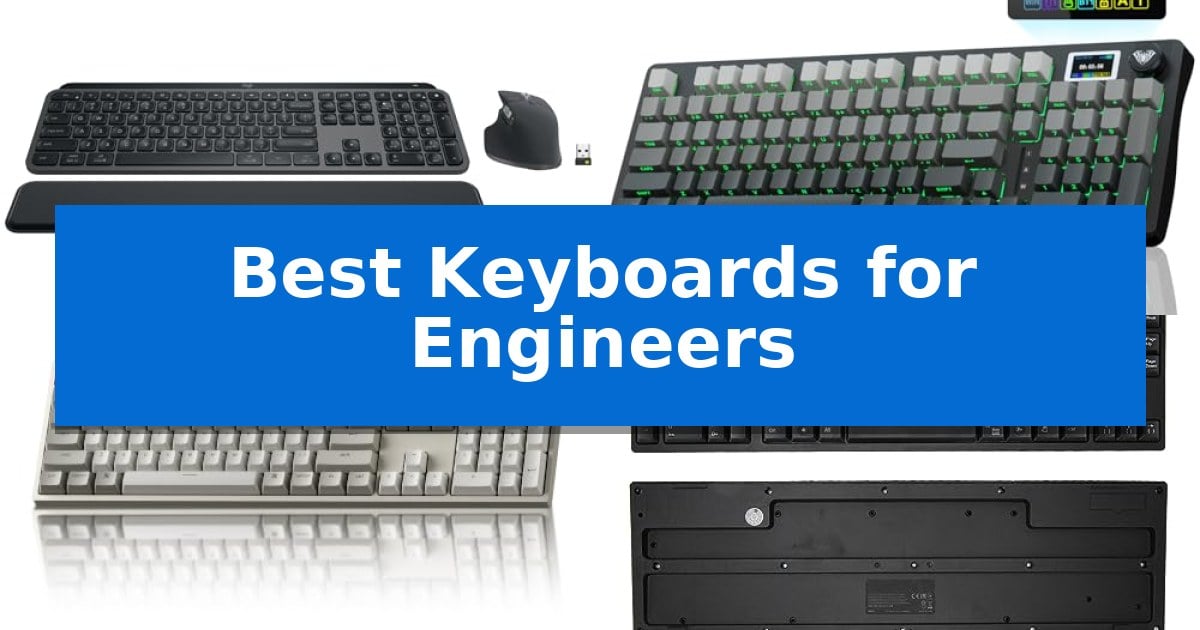
Engineers require hardware that balances rapid input with long-term comfort, especially during extended coding sessions or complex design tasks. Finding the Best Keyboards for Engineers involves evaluating switch responsiveness, layout efficiency, and the ability to handle multi-device workflows without sacrificing desk space.
Whether you prioritize the tactile feedback of mechanical switches or the streamlined connectivity of a wireless setup, the right tool can significantly reduce input fatigue. We have analyzed current market options to help you identify a keyboard that aligns with your specific technical requirements and workspace constraints.
Best Keyboards for Engineers in 2026: Precision for Technical Workflows
Quick Comparison
| Product | Best For | Key Strength | Score |
|---|---|---|---|
| Logitech MX Keys S Combo | Best Overall | Smart Actions automation via Logi Options+ app | 4.9 |
| AULA S98 Pro Mechanical Keyboard | Customizable Tactile Control | Tri-mode connectivity for seamless switching between five devices. | 4.9 |
| Keychron C2 Mechanical Keyboard | Reliable Full-Size Productivity | Full-size layout with a dedicated number pad for efficient data entry. | 4.9 |
| Sanpyl Left-Handed Mechanical Keyboard | Optimized for Left-Handed Engineers | Left-handed layout with numeric keypad on the left side. | 4.6 |
| Guiheng 60% Mechanical Keyboard | Space-Saving Compact Layout | 68-key compact footprint saves valuable desk space. | 4.5 |
How We Chose
- Switch type and tactile feedback quality for high-volume typing.
- Connectivity options including multi-device support and low-latency wireless protocols.
- Layout efficiency, specifically regarding full-size versus compact footprints and programmable keys.
- Build quality and material durability for daily, high-intensity use.
- Operating system compatibility and software-driven customization capabilities.
1 Logitech MX Keys S Combo — Premium Workflow Automation
Engineered for high-intensity workflows, the Logitech MX Keys S Combo integrates a low-profile, stable keyboard with the high-precision MX Master 3S mouse to streamline complex technical tasks. The keyboard features a laptop-like typing experience with spherically-dished keys, while the mouse utilizes an 8K DPI sensor capable of tracking on virtually any surface, including glass.
Efficiency for engineers is driven by the Logitech MX Keys S Combo through its support for the Logi Options+ app. This software allows for the creation of Smart Actions, enabling users to trigger multiple repetitive commands with a single keystroke. The system is designed for multi-device environments, offering connectivity for up to three devices across Windows, macOS, and Linux via Bluetooth or the included Logi Bolt USB receiver.
The hardware design prioritizes long-term comfort and environmental awareness. The keyboard includes smart backlighting that adjusts based on hand proximity and ambient light, while the mouse is sculpted to support natural wrist posture. Both components are constructed using certified post-consumer recycled plastic, with the graphite model containing 27% recycled content in the mouse and 26% in the keyboard.
This combo serves as a comprehensive input solution for those who require precision and multi-system flexibility. By combining a stable, quiet typing platform with a high-performance, fast-scrolling mouse, it minimizes the need for peripheral switching during demanding projects.
Best for: Engineers and power users who need a unified, high-precision input system for multi-device workflows and repetitive task automation.
Skip if: Users who prefer mechanical switches with deep tactile travel or those who require a compact, tenkeyless layout for limited desk space.
PROS
- Smart Actions automation via Logi Options+ app
- MagSpeed scrolling for high-speed navigation
- Multi-device connectivity for up to 3 systems
- 8K DPI sensor tracks on glass surfaces
CONS
- Non-mechanical low-profile key switches
- Full-size layout occupies significant desk space
2 AULA S98 Pro Mechanical Keyboard — Customizable Tactile Control
The AULA S98 Pro Mechanical Keyboard integrates a smart LCD screen and a multi-function knob directly into its chassis, allowing users to monitor system status, battery levels, and connection modes at a glance. This 96-key layout provides a compact footprint while retaining a dedicated number pad, making it a functional choice for engineering workflows that require frequent data entry.
Engineered for versatility, this keyboard features tri-mode connectivity, supporting 2.4GHz wireless, Bluetooth 5.0, and USB-C wired connections. It can store profiles for up to five devices, with quick switching managed via the integrated knob. The hot-swappable PCB supports both 3-pin and 5-pin switches, enabling users to customize their tactile experience without the need for soldering.
The internal construction utilizes an advanced gasket mount design with extended silicone pads and five layers of sound-deadening material. This structure is intended to minimize cavity noise and provide a stable, consistent typing feel. The included PBT keycaps are produced using double-injection molding and heat sublimation, ensuring durability and resistance to wear over extended use.
Powering the device is a 5000mAh high-capacity battery, designed to support long work sessions. While the keyboard is compatible with multiple operating systems, advanced customization—such as uploading custom GIFs to the LCD screen or remapping keys—requires the official software, which is exclusively supported on Windows in wired mode.
Best for: Engineers who require a compact, multi-device mechanical keyboard with tactile customization and integrated system monitoring.
Skip if: Users who rely primarily on macOS or Linux for advanced keyboard customization, as the driver software is limited to Windows.
PROS
- Tri-mode connectivity for seamless switching between five devices.
- Hot-swappable PCB compatible with 3-pin and 5-pin switches.
- Smart LCD screen and knob for real-time system monitoring and control.
- 5000mAh battery for extended wireless operation.
CONS
- Software customization is restricted to Windows in wired mode.
- Complex setup required for advanced features like custom screen images.
3 Keychron C2 Mechanical Keyboard — Reliable Full-Size Productivity
The Keychron C2 Mechanical Keyboard prioritizes a classic, full-size layout that integrates a dedicated number pad, making it a functional choice for engineers who frequently handle data entry or numerical calculations. This wired keyboard features a retro-inspired aesthetic that fits into professional workspaces while maintaining a focus on tactile feedback.
Engineered with Keychron tactile switches, the keyboard is rated for a 50 million keystroke lifespan, ensuring consistent performance during heavy typing sessions. The inclusion of a USB Type-C wired connection with a braided cable provides a reliable, constant power supply, eliminating concerns regarding battery life or wireless latency during intensive work.
The device is designed for versatility across operating systems, offering a layout optimized for Mac while remaining fully compatible with Windows. It includes dedicated multimedia and function keys, along with extra keycaps to customize the board for either platform. The frame is built with an inclined bottom and 2-level adjustable feet (6° and 9°) to support ergonomic positioning during long hours of coding or documentation.
This non-backlit model emphasizes a clean, distraction-free environment. By focusing on essential mechanical typing performance and structural reliability, it provides a straightforward, durable input tool for technical professionals.
Best for: Engineers who require a reliable, full-size wired mechanical keyboard with a number pad and consistent tactile feedback.
Skip if: Users who require wireless connectivity, customizable RGB backlighting, or a compact form factor for limited desk space.
PROS
- Full-size layout with a dedicated number pad for efficient data entry.
- Tactile mechanical switches rated for 50 million keystrokes.
- Wired USB-C connection ensures reliable, constant power.
- Dual-OS compatibility with dedicated keys for Mac and Windows.
CONS
- Non-backlit design may be difficult to use in low-light environments.
- Wired-only connection lacks the flexibility of wireless peripherals.
4 Sanpyl Left-Handed Mechanical Keyboard — Optimized for Left-Handed Engineers
Engineers and software designers who favor a left-handed workflow require specialized hardware that aligns with their specific ergonomic needs. The Sanpyl Left-Handed Mechanical Keyboard addresses this by repositioning the numeric keypad to the left side of the chassis, allowing for a more natural distribution of input tasks for left-handed users.
This 109-key wired keyboard utilizes a scissor key design, which provides a responsive and smooth typing experience intended to reduce hand fatigue during long sessions of coding or data entry. The layout is standard and practical, maintaining the familiar spacing of a full-sized board while shifting the numeric cluster to the left to accommodate left-handed operation.
Connectivity and utility are enhanced through the built-in 2 HUB feature. This integrated hub allows for direct file transfers and the connection of additional peripherals, streamlining the workspace for professional environments. The device is designed for simplicity, featuring a plug and use USB interface that ensures compatibility with Windows 7, 8, and 10 systems without requiring complex driver installations.
By prioritizing a dedicated left-handed layout, this keyboard offers a functional solution for those who find traditional right-handed numeric pads obstructive or inefficient. It balances standard key count with specialized ergonomics, making it a focused tool for technical professionals who require consistent, reliable input hardware.
Best for: Left-handed engineers and software designers who require a numeric keypad on the left side to optimize their professional workflow.
Skip if: Users who prefer mechanical switches with high-profile travel or those who require wireless connectivity for their workspace.
PROS
- Left-handed layout with numeric keypad on the left side.
- Built-in 2 HUB for convenient peripheral expansion.
- Scissor key design for responsive and comfortable typing.
- Plug and use USB wired connectivity for simple setup.
CONS
- Wired-only connection limits desk placement flexibility.
- Scissor switch mechanism may not suit users who prefer traditional mechanical switch feedback.
5 Guiheng 60% Mechanical Keyboard — Space-Saving Compact Layout
The Guiheng 60% Mechanical Keyboard provides a space-efficient solution for engineers who need to maximize desk real estate without sacrificing tactile feedback. Its 68-key compact layout is designed to fit into tight workspaces while maintaining the essential keys required for coding and documentation tasks.
Engineers benefit from the professional mechanical feeling switches that deliver a crisp, audible click and precise tactile response. This feedback is engineered for consistent input, which is essential for high-speed typing and long-duration programming sessions. The inclusion of 10 multimedia keys allows for quick control over system functions, further streamlining the workflow.
Durability and usability are addressed through a splash-proof design and a durable panel that resists scratches. The double-shot injection non-slip suspension keycaps ensure longevity and stability during intensive use. Additionally, the firm, adjustable kickstand feet allow users to set an ergonomic typing angle, reducing strain during extended periods at the desk.
Connectivity is handled via a plug-and-play USB cable, ensuring a reliable connection across various systems including Windows, Mac, Android, and Linux. The conflict-free key technology ensures that multiple inputs are registered simultaneously, which is critical for complex key combinations often used in development environments.
Best for: Engineers and typists who require a compact, tactile mechanical typing experience to save desk space.
Skip if: Users who require a full-sized layout with a dedicated number pad or those who prefer a wireless connection for their setup.
PROS
- 68-key compact footprint saves valuable desk space.
- Tactile mechanical switches provide precise feedback for typing.
- Conflict-free keys ensure reliable input for complex commands.
- Adjustable kickstand feet allow for customizable typing angles.
CONS
- Wired-only connection limits desk placement flexibility.
- Loud click sound may be disruptive in shared office environments.
Best Keyboards for Engineers Buying Guide
Mechanical vs. Membrane Switches
Mechanical switches are often preferred by engineers for their consistent tactile feedback and durability. They provide a distinct physical response that can help reduce errors during rapid typing, though they may be louder than membrane alternatives.
Membrane or scissor-switch keyboards, such as those found in low-profile designs, offer a quieter typing experience and a shorter travel distance. These are often better suited for shared office environments where noise reduction is a priority.
Layout and Form Factor Considerations
A full-size layout includes a dedicated number pad, which is highly beneficial for engineers working with data entry or complex numerical input. However, this increases the physical footprint of the device on your desk.
Compact layouts, such as 60% or 96% designs, save valuable desk space and allow for better mouse placement. The trade-off is the loss of dedicated function keys or a number pad, which may require the use of layers or key combinations.
Connectivity and Multi-Device Support
Modern engineering workflows often involve switching between multiple machines, such as a workstation, a laptop, and a test bench. Keyboards with multi-device pairing via Bluetooth or dedicated USB receivers allow for seamless transitions between systems.
Wired connections remain the standard for reliability and zero-latency performance. If your setup is stationary, a USB-C wired connection ensures you never have to worry about battery life or wireless interference.
Programmability and Customization
Software-driven customization allows you to map macros to specific keys, which can significantly speed up repetitive tasks or IDE commands. Look for keyboards that support custom key mapping or dedicated software suites.
Hot-swappable mechanical keyboards provide the ultimate level of customization, allowing you to change individual switches to match your preferred weight and sound profile without needing to replace the entire unit.
Ergonomics and Wrist Health
Long hours of typing necessitate an ergonomic approach to prevent strain. Features like adjustable tilt legs and a stable, low-profile angle help maintain a neutral wrist position.
Consider the overall build quality and weight of the keyboard. A heavier, stable base prevents the keyboard from sliding during intense typing sessions, contributing to a more focused and comfortable work environment.
Frequently Asked Questions
Why should engineers choose mechanical keyboards?
Mechanical keyboards offer superior durability and tactile feedback, which can improve typing accuracy and reduce fatigue during long coding or documentation sessions.
Is a 60% keyboard practical for engineering work?
A 60% keyboard is excellent for saving space, but it lacks dedicated arrow keys and a number pad. It is best for engineers who prioritize desk space and are comfortable using software layers for missing keys.
What is a hot-swappable keyboard?
A hot-swappable keyboard allows you to pull out and replace mechanical switches without soldering. This is ideal if you want to experiment with different switch types or replace a faulty switch easily.
Do I need a wireless keyboard for my desk?
Wireless keyboards reduce cable clutter and offer flexibility for multi-device setups. However, if you require absolute reliability and zero latency, a wired connection is the most stable choice.
How do I map macros for my engineering software?
Many modern keyboards come with dedicated software (like Logi Options+ or proprietary driver suites) that allows you to assign complex macros or shortcuts to specific keys.
Conclusion: Our Top Pick
Selecting the right keyboard is a personal decision that depends on your specific workspace and input habits. For most professional environments, the Logitech MX Keys S Combo stands out as the most versatile option, offering a balance of fluid typing, multi-device connectivity, and workflow automation tools that cater to the needs of modern engineers.
If you prefer a more tactile, mechanical experience, consider the AULA S98 Pro for its customization options or the Keychron C2 for its reliable, full-size wired performance. Always evaluate your desk space and the necessity of a number pad before making your final selection to ensure the hardware fits your specific technical workflow.