
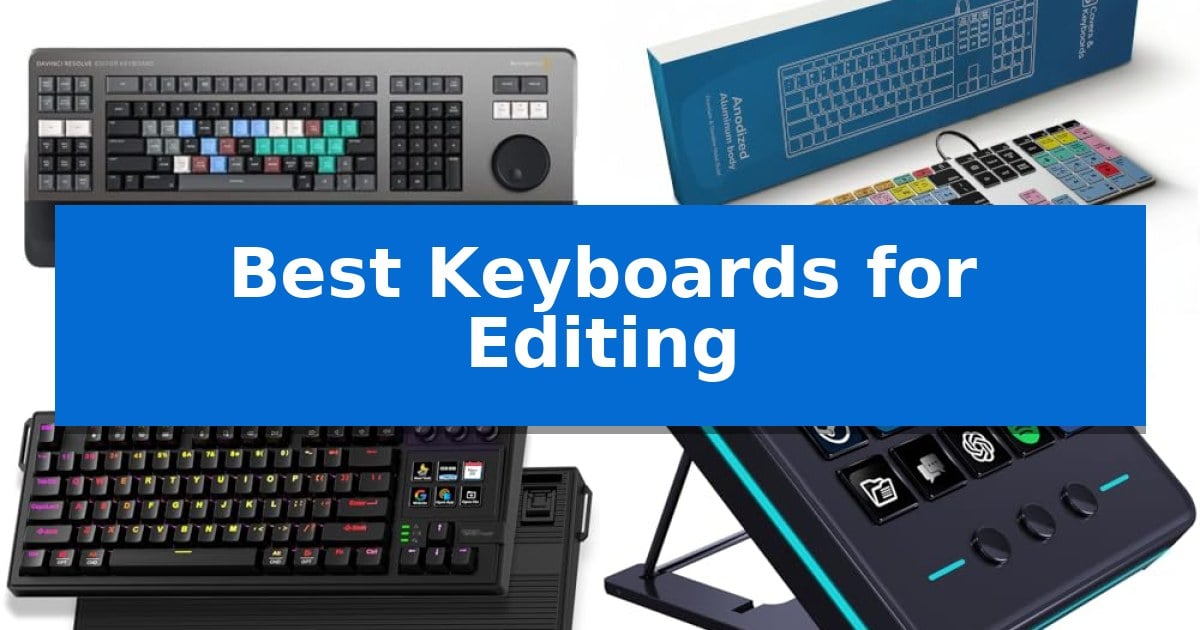
Finding the right input device can significantly impact your creative output, especially when managing complex timelines or long audio sessions. The Best Keyboards for Editing are those that minimize repetitive keystrokes and integrate directly with your preferred software, allowing you to focus on the creative process rather than navigating menus.
Whether you are a video editor requiring a dedicated search wheel or an audio engineer needing color-coded shortcut keys, the right hardware acts as an extension of your software. In this guide, we examine five distinct options that cater to different editing roles, helping you identify which tool best fits your specific studio setup.
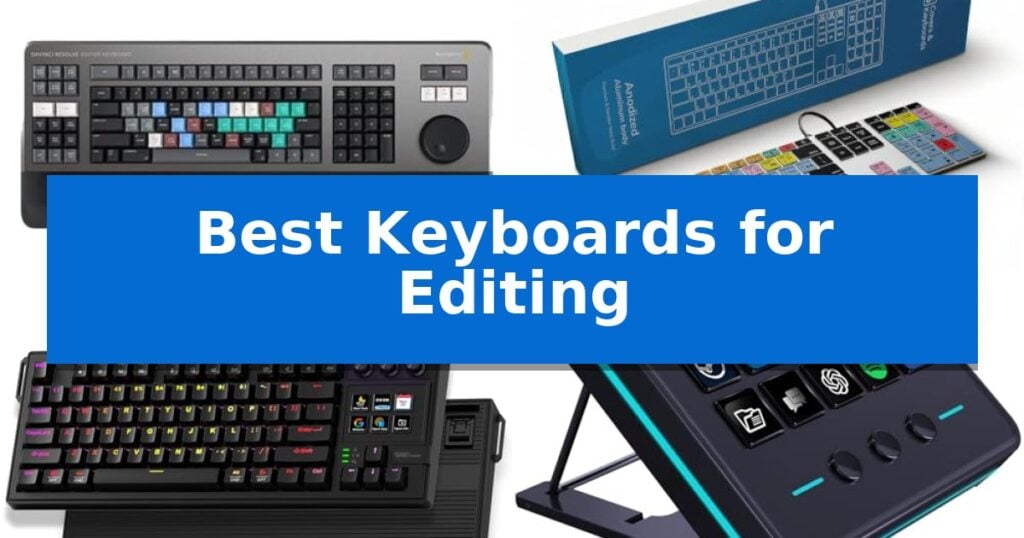
Best Keyboards for Editing in 2026: Optimized Workflow Tools
Quick Comparison
| Product | Best For | Key Strength | Score |
|---|---|---|---|
| Blackmagic Design DaVinci Resolve Editor Keyboard | Best Overall | Integrated search wheel for tactile, high-speed timeline navigation. | 4.9 |
| KB Covers Pro Tools Keyboard | Shortcut Keys for Audio Production | 150+ color-coded shortcuts for Pro Tools. | 4.7 |
| VSD K1 Pro Macro Keyboard | Customizable Controls for Creative Workflows | Programmable LCD keys and knobs for advanced workflow automation. | 4.8 |
| VSD M18 Macro Pad | Compact Shortcut Deck for Editors | 15 customizable LCD keys provide clear visual icons for specific editing functions. | 4.9 |
| KOPJIPPOM Large Print Backlit Keyboard | High-Visibility Keys for Dim Studios | 4X larger font size for superior legibility. | 4.5 |
How We Chose
- Software Integration: We assessed how well each device maps to industry-standard editing suites like DaVinci Resolve or Pro Tools.
- Programmability: We looked for the ability to customize keys, knobs, and macro sequences to reduce manual navigation.
- Build Quality and Ergonomics: We prioritized durable materials and physical designs that support long sessions in the studio.
- Visual Clarity: We evaluated the presence of backlit keys or custom LCD displays that assist in low-light environments.
- Connectivity and Compatibility: We confirmed the interface standards, such as USB-C, to ensure stable, lag-free connections with modern workstations.
1 Blackmagic Design DaVinci Resolve Editor Keyboard — Professional Speed for Video Editing
Professional video editing requires a seamless connection between the editor's intent and the software timeline. The Blackmagic Design USB Davinci Resolve Editor Keyboard is engineered to bridge this gap by integrating dedicated hardware controls directly into the typing interface, specifically to accelerate high-volume post-production workflows.
At the heart of this device is the integrated search wheel, a tactile control that allows for precise navigation through footage. By placing this wheel directly on the keyboard, the design minimizes the need to constantly toggle between a mouse and keyboard, which can significantly streamline the editing process for professionals who need to turn over projects quickly.
The keyboard is purpose-built for the DaVinci Resolve 16 ecosystem, ensuring that every key layout and command is optimized for the software's specific interface. This hardware-software synergy provides a dedicated input method for intensive editing sessions, allowing for a more consistent and rapid workflow compared to standard peripherals.
Given its specialized nature, the device features a substantial physical footprint, measuring approximately 25 inches in length and weighing over 6.6 pounds. This heavy-duty construction makes it a stationary tool, best suited for a permanent studio desk setup rather than a portable or mobile workstation.
Best for: Professional video editors working within the DaVinci Resolve ecosystem who require dedicated hardware controls for rapid timeline navigation.
Skip if: Users who require a compact, lightweight keyboard for general typing or those who do not primarily use DaVinci Resolve software.
PROS
- Integrated search wheel for tactile, high-speed timeline navigation.
- Layout specifically optimized for DaVinci Resolve 16.
- Designed to facilitate professional editing speed and rapid project turnover.
CONS
- Large physical footprint and heavy weight limit portability.
- Specialized design lacks the versatility required for general-purpose computing tasks.
2 KB Covers Pro Tools Keyboard — Shortcut Keys for Audio Production
The KB Covers Pro Tools Keyboard streamlines audio production workflows by featuring over 150 dedicated Pro Tools shortcuts printed directly onto the keys. This color-coded layout allows editors to identify recording, mixing, and editing commands at a glance, reducing the need to memorize complex hotkey combinations during intense sessions.
Designed specifically for the macOS ecosystem, this keyboard utilizes a standard US layout with familiar Command, Option, and Control keys. It connects via a reliable USB-C wired interface, ensuring a stable, lag-free connection that eliminates the need for battery management or Bluetooth pairing. The plug-and-play functionality means it is ready for immediate use with any Mac, including MacBook Pro, iMac, and Mac Studio models.
Constructed with a solid aluminum frame, the device includes backlit keys to maintain visibility in dim studios or during late-night editing sessions. Unlike dedicated control panels, this is a full-featured keyboard that retains standard letter markings alongside the Pro Tools icons, allowing users to switch between professional editing tasks and general typing without hardware changes.
This hardware is tailored for audio engineers, music producers, and post-production sound editors who require a tactile, dedicated interface for their DAW. By integrating command shortcuts directly into the typing surface, it serves as a practical tool for those looking to increase efficiency within the Avid Pro Tools environment.
Best for: Audio engineers and music producers working in Avid Pro Tools on Mac who want dedicated shortcut keys for faster navigation.
Skip if: Users who require a wireless keyboard or those who do not use Avid Pro Tools as their primary digital audio workstation.
PROS
- 150+ color-coded shortcuts for Pro Tools.
- Backlit keys for visibility in low-light environments.
- Stable USB-C wired connection with no battery requirements.
- Solid aluminum build for durability.
CONS
- Wired-only connection limits desk placement flexibility.
- Specific to Pro Tools and may not offer benefits for other software.
3 VSD K1 Pro Macro Keyboard — Customizable Controls for Creative Workflows
The VSD K1 Pro Macro Keyboard streamlines complex creative workflows through its integrated 6 LCD keys and 3 multi-function knobs, providing a tactile interface for managing media, shortcuts, and application-specific commands. By allowing users to assign individual or multi-step operation flows to these dedicated controls, it functions as a specialized stream controller deck that enhances efficiency for video editing and content creation.
Built for customization, this 87-key TKL mechanical keyboard features a hot-swappable PCB that supports 3-pin or 5-pin switches, enabling users to tailor the typing experience without soldering. The internal architecture utilizes a gasket mount design paired with a 5-layer sound-dampening structure, which incorporates silicone pads and PCB slotting to minimize cavity noise and provide a consistent, elastic feel during extended editing sessions.
The device includes a built-in TFT color display that serves as an interactive hub for real-time monitoring and configuration of system settings, including volume, backlighting, and custom GIF animations for the LCD keys. Users can manage these configurations via the VSD Craf software or a web-based interface, ensuring that macros and shortcuts remain accessible for repetitive tasks.
Designed with ergonomics in mind, the keyboard offers adjustable stands with 3°, 6°, and 13° angles to reduce wrist fatigue. The RGB backlighting provides over 16.8 million color options, while the sturdy ABS case and 50-million keystroke rating ensure durability for high-volume use in professional or gaming environments.
Best for: Editors and streamers who require a dedicated, programmable macro interface alongside a high-quality mechanical typing experience.
Skip if: Users who require a wireless connection or a full-sized layout with a dedicated number pad will find this wired TKL model unsuitable.
PROS
- Programmable LCD keys and knobs for advanced workflow automation.
- Hot-swappable PCB allows for easy switch customization.
- Gasket mount structure provides a dampened, consistent typing feel.
- Integrated TFT display for real-time system monitoring and control.
CONS
- Wired-only connection limits desk placement options.
- Software installation is required for full screen and macro customization.
4 VSD M18 Macro Pad — Compact Shortcut Deck for Editors
Streamlining complex creative workflows requires precise control over software shortcuts, and the VSD M18 Macro Pad offers a dedicated interface for this purpose. Featuring 15 customizable LCD keys and 3 physical buttons, this device allows editors to map multi-step sequences or single-tap commands directly to their fingertips, reducing the need for repetitive keyboard navigation.
The VSD M18 Macro Pad integrates seamlessly into professional environments by supporting popular applications like Photoshop, OBS, and media playback software. Each LCD key can be personalized with JPG, PNG, or GIF images, providing a clear visual reference for assigned tasks. This visual feedback is particularly useful for managing complex editing timelines or triggering live streaming scenes without interrupting the primary workspace.
Designed for versatility, the unit includes an adjustable RGB surround light ring that provides ambient lighting for dim work environments. Its compact form factor, measuring 4.6 by 4.1 inches, ensures it fits easily alongside existing hardware setups. The device connects via a standard USB-C cable, ensuring straightforward installation on Windows 11 and macOS 11.0 or newer systems.
Beyond its primary function as a shortcut controller, the VSD M18 Macro Pad includes built-in plugins for productivity, such as a clock, stopwatch, and calendar. While it lacks native plug-and-play support for Linux, the manufacturer provides SDK documentation for users interested in secondary development, making it a flexible tool for custom desktop automation.
Best for: Content creators and video editors who need a dedicated, visual shortcut interface to manage complex software workflows and multi-step macros.
Skip if: Users who require native Linux support or those who prefer a traditional keyboard-only setup without additional desktop peripherals.
PROS
- 15 customizable LCD keys provide clear visual icons for specific editing functions.
- Multi-shortcut macro programming allows for complex, simultaneous task execution.
- Wide software compatibility covers major creative and streaming applications.
- Compact, space-saving design fits easily into crowded professional workstations.
CONS
- No native Linux support out of the box.
- Secondary development required for advanced custom integration beyond provided plugins.
5 KOPJIPPOM Large Print Backlit Keyboard — High-Visibility Keys for Dim Studios
For editors and office professionals working in low-light environments, the KOPJIPPOM Large Print Backlit Keyboard offers a specialized interface designed for maximum legibility. The keys feature fonts 4X larger than standard layouts, which helps reduce eye strain during long-form writing or editing sessions. This full-size, 104-key QWERTY keyboard includes a numeric keypad, ensuring that users do not need to relearn their typing habits to benefit from the enhanced visibility.
The keyboard integrates white LED backlighting with adjustable brightness levels, allowing for precise control when working in dim studio or office conditions. The illumination can be toggled on or off, providing flexibility for varied lighting requirements. Beyond its visual aids, the unit is constructed with a spill-resistant design to protect against accidental liquid exposure, adding a layer of durability to the hardware.
Engineered for long-term reliability, the keys are rated for a life exceeding 50 million presses. The ergonomic layout includes foldable rear feet that allow users to adjust the typing angle, which can help mitigate hand fatigue during intensive editing tasks. The device utilizes a straightforward plug-and-play USB connection, eliminating the need for driver installations or battery management.
Compatibility is broad, supporting Windows systems, Raspberry Pi, and Mac OS. Users should note that while the keyboard functions across these platforms, multimedia key compatibility may be limited on Mac OS systems. This keyboard is a practical tool for those prioritizing high-contrast, accessible input hardware for their daily workflow.
Best for: Users requiring high-visibility, large-print keys and adjustable backlighting for comfortable typing in low-light environments.
Skip if: Users who require specialized multimedia shortcut keys for Mac OS or those seeking a wireless, compact, or low-profile mechanical typing experience.
PROS
- 4X larger font size for superior legibility.
- Adjustable white LED backlighting for dim environments.
- Spill-resistant construction for increased durability.
- Plug-and-play USB connectivity requires no drivers.
CONS
- Multimedia keys may have limited compatibility with Mac OS systems.
Best Keyboards for Editing Buying Guide
Understanding Workflow Integration
The primary advantage of a dedicated editing keyboard is its ability to offload complex commands from software menus to physical keys. Look for devices that offer pre-labeled shortcuts or programmable macro keys that align with your specific software environment, as these features directly reduce the time spent searching for tools.
Consider whether you need a full-sized keyboard or a compact macro pad. A full-sized unit provides a standard typing experience, while a dedicated macro pad acts as a secondary controller, allowing you to keep your primary keyboard for text entry while using the pad exclusively for your editing commands.
The Importance of Physical Controls
For video editors, a search wheel or jog dial is an essential feature that allows for frame-by-frame navigation. These physical controls provide tactile feedback that mouse-based scrubbing cannot match, leading to more precise cuts and faster timeline management.
Knobs and dials are equally useful for audio engineers and colorists. Assigning these to volume control, zoom levels, or color grading parameters allows for smooth, continuous adjustments rather than the incremental steps often required by keyboard shortcuts.
Ergonomics and Studio Environment
Editing sessions can last for hours, making ergonomic design a critical factor. Features like adjustable stands, concave keycaps, and wrist support help reduce fatigue during extended work periods. A stable, non-slip base is also vital to keep your equipment secure during rapid, high-intensity editing.
If you work in a dim studio, backlit keys are not just an aesthetic choice; they are a functional necessity. High-visibility lettering or illuminated icons ensure you can find the correct shortcut without needing to turn on overhead lights, maintaining your focus on the monitor.
Connectivity Standards
In a professional setting, wired connectivity is generally preferred over wireless options. A USB-C connection ensures a stable, lag-free link to your workstation, eliminating the need for battery management or concerns about wireless interference.
Check the compatibility of the device with your operating system. While many keyboards are plug-and-play, some advanced macro controllers require specific software to map keys or update firmware. Ensure your workstation meets these requirements before finalizing your choice.
Durability and Build Quality
Editing equipment is an investment. Look for solid aluminum frames or high-quality ABS plastics that can withstand millions of keystrokes. Hot-swappable switches are an excellent feature to look for, as they allow you to replace individual keys if they wear out, extending the lifespan of your device.
Consider the maintenance requirements of your keyboard. Spill-resistant designs can protect your hardware from accidental liquid damage, which is a common risk in busy studio environments. Simple, removable keycaps also make it easier to clean your device regularly.
Frequently Asked Questions
Do I need special software to use a macro keyboard?
Many programmable keyboards require specific software to map macros and customize LCD keys. Always check the manufacturer's documentation to ensure the software is compatible with your operating system.
Can I use an editing keyboard for regular typing?
Yes, most editing keyboards function as standard QWERTY keyboards. The shortcut labels are typically printed alongside the standard letters, allowing for normal typing alongside your editing workflow.
Are these keyboards compatible with both Mac and Windows?
Compatibility varies by model. Some are designed specifically for macOS, while others are universal. Check the product specifications to confirm if the keyboard supports your specific operating system and port type.
What is the benefit of a jog dial or search wheel?
A jog dial provides tactile, precise control over timeline scrubbing, allowing you to move through video frames or audio waveforms much faster and more accurately than with a mouse.
Why choose a wired keyboard over a wireless one for editing?
Wired keyboards offer a more stable, lag-free connection. In professional editing, even a millisecond of input delay can be disruptive, and wired devices eliminate the need for charging batteries.
Conclusion: Our Top Pick
Selecting the right tool depends on your specific editing needs, whether you require the deep integration of a dedicated video controller or the flexibility of a programmable macro pad. For those seeking a comprehensive solution designed specifically for high-speed video production, the Blackmagic Design DaVinci Resolve Editor Keyboard stands out as the most specialized option.
While it is a significant investment, its integrated search wheel and layout optimized for DaVinci Resolve provide a level of efficiency that is difficult to replicate with standard hardware. If your workflow is centered on this software, this keyboard offers the most direct path to accelerating your editing speed and precision.