
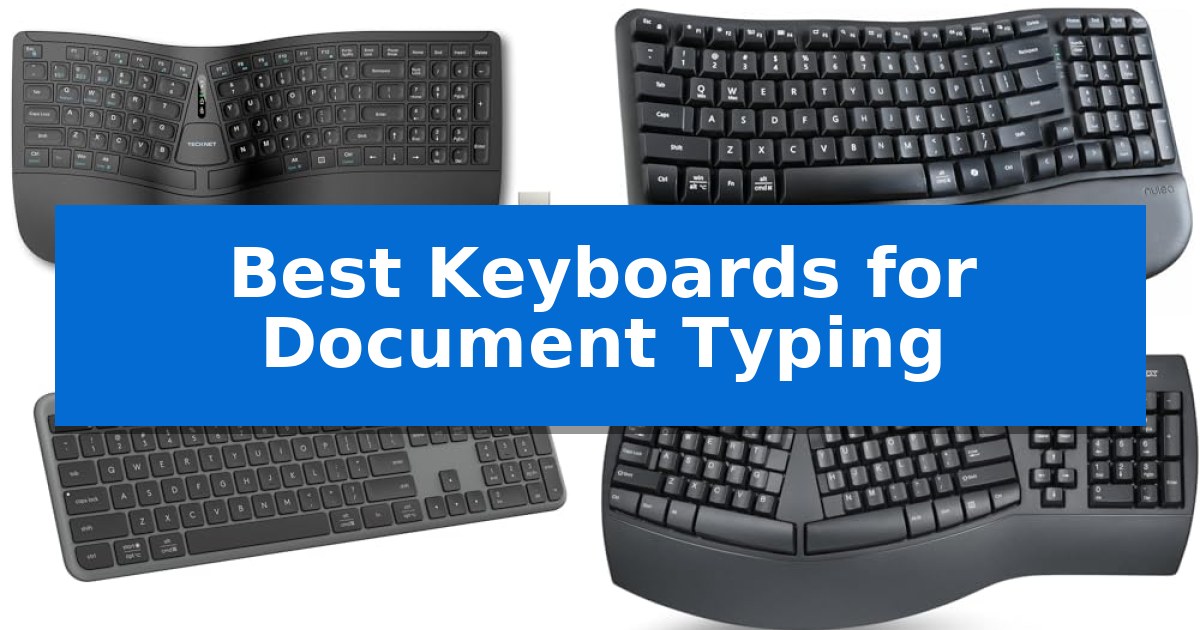
Finding the right tool for long writing sessions can significantly impact your comfort and overall productivity. When you spend hours drafting reports or creative content, the physical design of your input device becomes just as important as the software you use.
Our guide explores the Best Keyboards for Document Typing, focusing on ergonomic layouts, key responsiveness, and connectivity options that cater to different workflows. Whether you prioritize a natural hand position or need seamless multi-device switching, these selections help you maintain focus during extended work periods.
Best Keyboards for Document Typing in 2026
Quick Comparison
| Product | Best For | Key Strength | Score |
|---|---|---|---|
| TECKNET Wireless Ergonomic Keyboard | Best Overall | Split ergonomic layout reduces wrist and shoulder strain. | 4.9 |
| Nulea Wave Keys Ergonomic Keyboard | Comfortable wave design for productivity | Ergonomic wave shape reduces strain during long typing sessions. | 4.6 |
| Logitech Signature Slim K950 Keyboard | Quiet typing for focused work | Multi-device switching allows for seamless transitions between up to three devices. | 4.8 |
| Perixx PERIBOARD-512B Ergonomic Keyboard | Split layout reduces wrist strain | Split-key ergonomic design reduces wrist bending and strain. | 4.4 |
| EDJO Large Print Backlit Keyboard | High visibility for accurate typing | 4X larger font size for improved character visibility. | 4.9 |
How We Chose
- Ergonomic layout and wrist support features
- Key travel distance and tactile feedback consistency
- Connectivity reliability across multiple operating systems
- Visibility and accessibility of key legends
- Battery life and charging convenience for wireless models
1 TECKNET Wireless Ergonomic Keyboard — Natural posture for long sessions
Maintaining a neutral wrist posture during long writing sessions is essential for comfort, and the TECKNET Wireless Ergonomic Keyboard addresses this with a split, curved key layout. By aligning keys with the natural arc of your fingers, this design aims to reduce lateral stretching and minimize the strain often associated with traditional flat keyboards.
The keyboard features an integrated high-density memory foam wrist rest that uses a dual-layer construction. The base provides stable support, while the top layer of slow-rebound foam conforms to the hands to distribute pressure evenly. This focus on physical support is complemented by 4-stage adjustable feet, allowing for tilt angles of 0°, 1.2°, 3°, and 6.2° to accommodate different desk setups and user preferences.
Connectivity is handled through both Bluetooth 5.0 and a 2.4GHz USB wireless dongle, enabling the device to pair with up to four systems simultaneously. Users can switch between connected devices using a dedicated shortcut key, facilitating a streamlined workflow across multiple platforms. The internal 500mAh rechargeable lithium battery provides up to 200 hours of continuous use, and the USB-C port allows for charging while the keyboard remains in operation.
Durability and long-term support are emphasized through a 36-month warranty upon registration. The combination of its ergonomic geometry, multi-device wireless versatility, and rechargeable power system makes this a specialized tool for those prioritizing wrist health and input efficiency during extended document creation.
Best for: Users seeking a split-layout ergonomic keyboard with multi-device wireless connectivity and adjustable tilt options for extended typing sessions.
Skip if: Users who prefer a traditional, non-split keyboard layout or those who require a mechanical switch feel rather than the membrane-style input provided by this model.
PROS
- Split ergonomic layout reduces wrist and shoulder strain.
- Dual-layer memory foam wrist rest provides consistent support.
- Multi-device connectivity via Bluetooth and 2.4GHz wireless.
- 4-stage adjustable tilt for personalized typing angles.
CONS
- Split design requires a learning curve for those accustomed to standard layouts.
2 Nulea Wave Keys Ergonomic Keyboard — Comfortable wave design for productivity
The Nulea Wave Keys Ergonomic Keyboard utilizes a distinctive wave shape design that aligns with the natural curvature of human hands to reduce wrist and finger fatigue during extended typing sessions. By prioritizing a layout that mimics natural hand placement, this keyboard allows for a more comfortable typing experience without requiring the adjustment period often associated with split-style ergonomic alternatives.
Designed for versatility in office environments, the keyboard features a full key layout that includes all necessary function keys for document processing and professional software tasks. The integration of precise crater key positions ensures consistent tactile feedback and a smooth, rhythmic typing feel, which helps prevent jamming and supports efficient input speeds.
Usability is further enhanced by adjustable tilt legs, which provide a customized typing angle to suit individual posture preferences. Whether you prefer a flatter surface or a slight upward tilt to alleviate wrist pressure, the ergonomic rear footrests allow for quick adjustments to maintain comfort throughout the workday.
This wireless keyboard eliminates cable clutter, offering a clean workspace while maintaining reliable connectivity for daily tasks. Its plug-and-play design ensures that users can transition to an ergonomic setup immediately, making it a practical choice for those seeking to improve their document typing workflow without complex installation or software configuration.
Best for: Office professionals and writers seeking an ergonomic, full-sized wireless keyboard that provides comfort without a steep learning curve.
Skip if: Users who require a mechanical switch feel or a compact, tenkeyless footprint for limited desk space will find this full-sized membrane-based keyboard less suitable.
PROS
- Ergonomic wave shape reduces strain during long typing sessions.
- Full key layout maintains familiarity for immediate productivity.
- Adjustable tilt legs allow for personalized wrist and hand positioning.
- Wireless connectivity provides a clutter-free workspace.
CONS
- Full-sized design occupies more desk space than compact alternatives.
- Membrane-based crater keys may not satisfy users who prefer the distinct tactile feedback of mechanical switches.
3 Logitech Signature Slim K950 Keyboard — Quiet typing for focused work
The Logitech Signature Slim K950 Keyboard streamlines your workspace with a full-size layout that includes a dedicated number pad, all housed within a sleek, low-profile design. This keyboard is engineered for those who prefer the tactile feel of laptop-style typing while maintaining a quiet environment, making it suitable for shared offices or focused home work sessions.
Versatility is a core strength of this device, as it allows you to switch typing between three devices with a single tap. Whether you are toggling between a computer, tablet, or phone, the keyboard maintains a reliable connection via Bluetooth or the included Logi Bolt receiver. It is compatible with a wide range of operating systems, including Windows, macOS, Chrome OS, Linux, iPadOS, iOS, and Android.
Beyond basic input, the Logitech Signature Slim K950 Keyboard offers productivity enhancements through the Logi Options+ App, which enables users to customize keys for specific workflows. Out-of-the-box shortcuts provide immediate access to common functions like volume control, media playback, and the snipping tool, helping to save time during daily tasks.
Constructed with sustainability in mind, the keyboard incorporates a minimum of 48% certified post-consumer recycled plastic in its plastic components. Its solid build quality ensures it remains a stable, reliable peripheral for long-term use, backed by a 1-year limited hardware warranty.
Best for: Professionals and students who need a quiet, full-size keyboard that can seamlessly switch between multiple computers, tablets, and phones.
Skip if: Users who require mechanical switches, backlighting, or a wired-only connection for specific high-performance gaming or specialized input needs.
PROS
- Multi-device switching allows for seamless transitions between up to three devices.
- Quiet typing mechanism minimizes noise for a discreet working experience.
- Customizable keys via the Logi Options+ App enhance workflow efficiency.
- Broad compatibility across major operating systems including Windows, macOS, and mobile platforms.
CONS
- No backlighting features for low-light environments.
- Non-mechanical key switches may not suit users who prefer high-travel, clicky tactile feedback.
4 Perixx PERIBOARD-512B Ergonomic Keyboard — Split layout reduces wrist strain
The Perixx PERIBOARD-512B Wired Ergonomic Keyboard utilizes a distinct one-piece split layout designed to separate keys into left and right zones. This configuration encourages a more natural hand position, effectively reducing wrist bending and minimizing strain during extended document typing sessions.
Beyond its split architecture, the keyboard features an old-school curved row design that promotes a natural typing posture. The keys are built with membrane switches providing 4.2 mm of key travel, which delivers tactile feedback and audible confirmation similar to mechanical brown switches. These keys are rated for a durability of up to 20 million keystrokes, ensuring long-term reliability for heavy users.
Usability is enhanced by ergonomic curved keycaps that feature flatter tops and back edges, specifically shaped to fit fingertip contours for improved control. While the unique shape may require a short adjustment period, most users adapt within one to two weeks of consistent use, ultimately benefiting from reduced wrist pressure.
This wired USB keyboard is designed for those who prioritize ergonomic support over wireless mobility. It provides a stable, consistent connection, making it a dependable tool for professional environments or home offices where long-form writing is a daily requirement.
Best for: Typists who spend long hours on document creation and want to reduce wrist strain through an ergonomic split-key layout.
Skip if: Users who prefer a compact, low-profile keyboard or those who require wireless connectivity for a clutter-free desk setup.
PROS
- Split-key ergonomic design reduces wrist bending and strain.
- Long 4.2 mm key travel provides tactile, responsive feedback.
- Durable construction rated for up to 20 million keystrokes.
- Curved keycaps improve fingertip comfort and control.
CONS
- Natural learning curve requires an adjustment period of 1–2 weeks.
- Wired-only connectivity lacks the flexibility of wireless options.
5 EDJO Large Print Backlit Keyboard — High visibility for accurate typing
The EDJO Large Print Backlit Keyboard is engineered for users who require high-visibility input tools, featuring key legends that are 4X larger than those found on standard keyboards. This design choice significantly aids individuals who struggle with character recognition, making it a practical solution for seniors, students, or anyone working in environments where quick, accurate key identification is essential for document productivity.
Beyond its visual clarity, the keyboard integrates 7-color LED backlighting with three adjustable brightness levels. This feature allows users to customize the illumination to match their workspace lighting, ensuring that the keys remain legible during late-night projects or in dimly lit offices. The backlighting is managed through dedicated hotkeys, providing a straightforward way to toggle settings without complex software.
The device utilizes a retro round key design that blends a vintage typewriter aesthetic with a quiet, modern typing mechanism. This focus on silent operation is particularly beneficial for shared workspaces or home offices where minimizing noise is a priority. Additionally, the inclusion of 12 multimedia hotkeys allows for rapid control over volume, email, and playback, helping to streamline repetitive tasks during long typing sessions.
Setup is simplified through a plug-and-play wired USB connection, which eliminates the need for driver installations or battery management. This reliable connection ensures the keyboard is ready for immediate use across various operating systems, including Windows and Mac. The ergonomic key arrangement is specifically intended to reduce wrist fatigue, supporting comfort during extended periods of document creation.
Best for: Users who require high-visibility key legends and quiet operation for extended document typing.
Skip if: Users who require a wireless connection or a traditional low-profile mechanical switch feel.
PROS
- 4X larger font size for improved character visibility.
- 7-color adjustable backlighting for low-light usability.
- Quiet typing keys designed for noise-sensitive environments.
- Plug-and-play USB connectivity requires no drivers or batteries.
CONS
- Wired-only connection limits cable-free desk setups.
- Retro round key shape may require an adjustment period for those accustomed to standard rectangular keycaps.
Best Keyboards for Document Typing Buying Guide
Prioritizing Ergonomic Comfort
The most critical factor for document-heavy workflows is ergonomic support. Keyboards with split layouts or curved key arrangements encourage a more natural wrist posture, which can help reduce the strain associated with repetitive typing. Look for models that offer adjustable tilt legs to customize the typing angle to your specific desk setup.
Integrated wrist rests are another essential component. High-quality rests, particularly those featuring memory foam, provide necessary cushioning that prevents your wrists from sinking or resting against hard surfaces. This support is vital for maintaining comfort during long-form writing sessions.
Connectivity and Multi-Device Workflow
Modern document typing often involves switching between a primary workstation, a tablet, or a smartphone. Keyboards that support Bluetooth 5.0 or 2.4GHz wireless connectivity offer the flexibility to move between devices without the clutter of extra cables.
Look for devices that include pairing memory for multiple devices. This allows you to transition your workflow instantly with a single shortcut key, ensuring that your typing experience remains consistent regardless of the hardware you are currently using.
Typing Mechanics and Key Feel
The feel of a key—often described as tactile feedback—determines how much effort is required to register a stroke. Keyboards with consistent key travel and a responsive rebound help maintain a steady typing rhythm, which is essential for minimizing errors during rapid drafting.
Some users prefer the quiet operation of laptop-style typing, which is ideal for shared office environments. Others may favor the distinct feedback of a more traditional mechanical-style switch, which provides audible confirmation of each keystroke.
Visibility and Accessibility
For users who require high visibility, large print keycaps are a significant advantage. These designs make it easier to locate specific keys at a glance, which is particularly helpful for those with visual impairments or when working in low-light conditions.
Backlit keyboards further enhance accessibility by illuminating the characters. Adjustable brightness levels allow you to tailor the lighting to your environment, ensuring that your keys remain legible whether you are working in a bright office or a dimly lit home studio.
Power Management and Durability
Wireless keyboards rely on efficient power management to remain reliable. Models with rechargeable lithium batteries and USB-C charging offer a sustainable alternative to disposable batteries, allowing you to charge while you work to avoid downtime.
Durability is also a key consideration for high-volume typists. Features like stain-resistant fabric or high-quality ABS construction ensure that your keyboard remains functional and clean even after years of daily use.
Frequently Asked Questions
Why should I choose an ergonomic keyboard over a standard one?
Ergonomic keyboards are designed to align with the natural arc of your hands and wrists, which can help reduce lateral stretching and strain during long typing sessions.
Can I use a wireless keyboard with multiple devices?
Yes, many modern wireless keyboards support Bluetooth pairing for up to three or more devices, allowing you to switch between a computer, tablet, and phone with a simple shortcut.
Are split keyboards difficult to learn?
While split keyboards may require a short adjustment period, many users find that they adapt within one to two weeks, eventually finding the natural layout more comfortable than traditional flat designs.
What is the benefit of a backlit keyboard?
Backlit keyboards provide clear visibility of key legends in low-light environments, making it easier to type accurately without needing external desk lamps.
How do I know if a keyboard is compatible with my operating system?
Most modern keyboards are plug-and-play and support major operating systems like Windows, macOS, and Chrome OS, though it is always best to check the manufacturer's specifications for specific OS requirements.
Conclusion: Our Top Pick
For those seeking the most comprehensive solution for document-heavy tasks, the TECKNET Wireless Ergonomic Keyboard stands out as the top recommendation. Its combination of a split ergonomic layout, memory foam wrist support, and multi-device connectivity provides a balanced approach to long-term typing comfort.
While it offers significant ergonomic benefits, users transitioning from a traditional flat keyboard should anticipate a short adjustment period to fully master the curved key arrangement. Once adapted, the natural hand posture and responsive keys make it a reliable choice for maintaining productivity throughout the workday.