
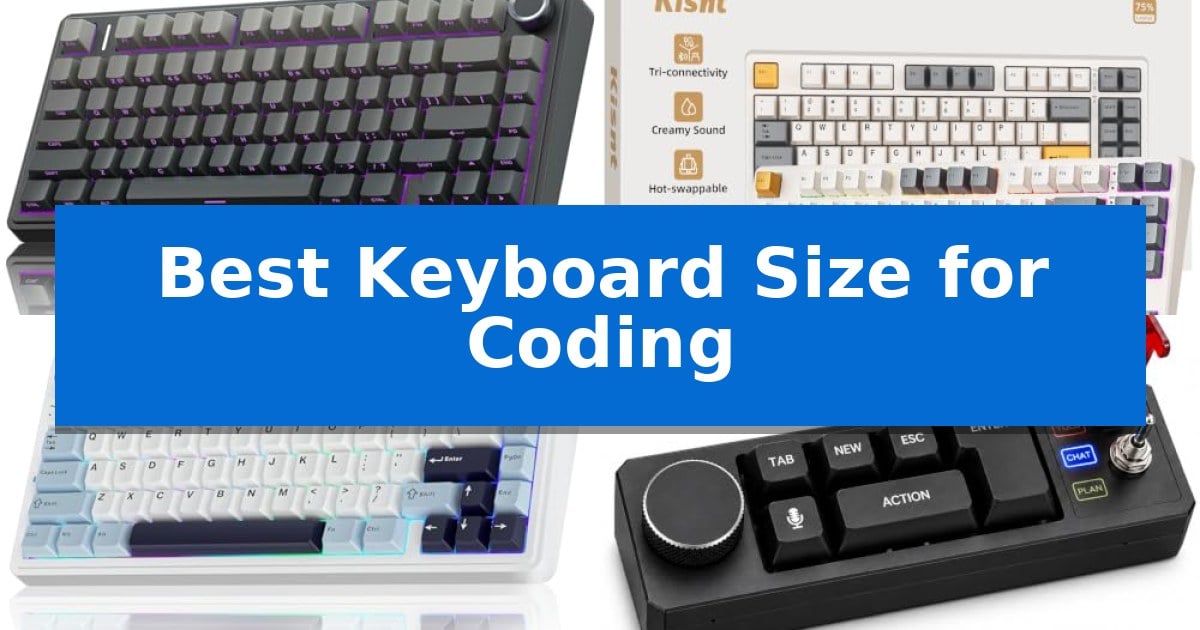
Finding the Best Keyboard Size for Coding is a critical step in building an efficient development environment. While full-sized boards offer every key imaginable, they often force a wider mouse stance that can lead to shoulder strain during long sessions of writing code.
Compact layouts, particularly 75% designs, have become the standard for developers who need to balance desk real estate with the necessity of dedicated arrow keys and function rows. By choosing the right form factor, you can maintain a comfortable ergonomic posture while keeping essential shortcuts within easy reach.
Best Keyboard Size for Coding in 2026
Quick Comparison
| Product | Best For | Key Strength | Score |
|---|---|---|---|
| AULA F75 Pro Mechanical Keyboard | Best Overall | 75% compact layout saves significant desk space while keeping arrow keys. | 4.9 |
| Kisnt KN85 Mechanical Keyboard | Ergonomic 75% Size for Minimalists | 75% space-saving layout keeps essential navigation keys while freeing up desk space. | 4.3 |
| AULA F75 Mechanical Keyboard | Efficient 75% Design for Coders | Compact 75% layout saves significant desk space while keeping arrow keys. | 4.6 |
| KUNQUEST Vibe Coding Keyboard | Macro Pad for AI Coding Workflows | Local speech-to-text ensures privacy by keeping voice data off the cloud. | 4.3 |
| VIBECODER Wireless Macro Keypad | Essential Shortcuts for AI Coding | Compact 3-key footprint saves desk space and reduces hand travel. | 4.6 |
How We Chose
- Layout efficiency and the inclusion of essential navigation keys like arrows and F-keys.
- Connectivity options including wired, 2.4GHz wireless, and Bluetooth for multi-device setups.
- Customization capabilities such as hot-swappable switches and programmable macro support.
- Build quality and structural features that influence typing acoustics and long-term comfort.
- Integration of specialized tools like AI voice input or dedicated macro pads for repetitive tasks.
1 AULA F75 Pro Mechanical Keyboard — Compact 75% Layout Saves Desk Space
The AULA F75 Pro Mechanical Keyboard optimizes desk real estate for developers by utilizing a 75% layout, which retains essential arrow keys and navigation functions while eliminating the bulky number pad. This compact form factor is specifically engineered to keep your mouse closer to the home row, reducing shoulder strain during long coding sessions.
Performance is driven by pre-lubed LEOBOG reaper switches and a hot-swappable PCB that supports both 3-pin and 5-pin switches, allowing for customization without soldering. The internal construction features an extended integrated silicone pad and five layers of filling silencer, which work together to dampen cavity noise and provide a consistent, stable typing feel.
Connectivity is highly versatile, offering tri-mode support via Bluetooth 5.0, 2.4GHz wireless, and USB-C wired connections. The device can pair with up to five devices simultaneously, making it a practical choice for multi-system workflows. A 4000mAh battery provides the necessary power for extended wireless use, while the multi-function knob allows for quick adjustments to volume or lighting modes.
The keyboard features side-printed PBT keycaps created through double injection molding and heat sublimation, ensuring durability and resistance to wear. With 16.8 million RGB lighting options and macro-programmable keys, users can tailor the interface to their specific development environment or aesthetic preferences.
Best for: Developers and power users who need a compact, highly customizable mechanical keyboard that supports multi-device workflows.
Skip if: Users who require a dedicated numeric keypad for frequent data entry or accounting tasks will find the 75% layout restrictive.
PROS
- 75% compact layout saves significant desk space while keeping arrow keys.
- Tri-mode connectivity allows seamless switching between five devices.
- Hot-swappable PCB enables easy switch replacement without soldering.
- Pre-lubed switches and multi-layer silencing provide a refined typing sound.
CONS
- Lack of a dedicated number pad may hinder specific productivity workflows.
- 6-month warranty period is relatively short compared to some industry standards.
2 Kisnt KN85 Mechanical Keyboard — Ergonomic 75% Size for Minimalists
Optimizing your workspace for programming requires balancing functionality with desk real estate, and the Kisnt KN85 Mechanical Keyboard offers a strategic 75% layout that retains essential navigation keys while reclaiming 25% of your desk area. By omitting the number pad, this board provides more room for mouse movement, making it a practical choice for developers working in constrained environments.
The Kisnt KN85 Mechanical Keyboard features a gasket-mounted design that works with the internal foam and PCB to deliver a dampened, marbly typing sound. This construction minimizes hollow echoes, resulting in a consistent, cushioned feel during long coding sessions. The board comes equipped with pre-lubed Bsun linear switches (45-50gf actuation), which are hot-swappable to support both 3-pin and 5-pin switches, allowing you to customize the tactile response without soldering.
Connectivity is handled through a tri-mode system including USB-C, 2.4GHz wireless, and Bluetooth 5.0, supporting up to three devices simultaneously. With a 4000mAh rechargeable battery, it maintains stable performance across Windows, Mac, tablets, and smartphones. For productivity, the Windows-compatible driver enables key remapping and macro creation, allowing you to tailor the input experience to your specific development workflow.
To maintain a clean aesthetic, the keyboard includes RGB backlighting that can be adjusted via shortcuts or the companion software. While the board is designed for efficiency, the manufacturer recommends using a wrist rest during extended use to mitigate fatigue. The package includes a 2-year manufacturer warranty and 24/7 support, providing long-term reliability for your primary input device.
Best for: Developers and minimalists who need a compact, hot-swappable mechanical keyboard that saves desk space without sacrificing essential navigation keys.
Skip if: Users who require a dedicated number pad for frequent numerical data entry should look for a full-size layout instead.
PROS
- 75% space-saving layout keeps essential navigation keys while freeing up desk space.
- Tri-mode connectivity allows seamless switching between multiple devices.
- Hot-swappable PCB supports easy customization with 3-pin and 5-pin switches.
- Gasket-mounted design provides a dampened, consistent typing sound.
CONS
- Windows-only driver limits macro and remapping software functionality for Mac users.
- No dedicated number pad may hinder workflows involving heavy numerical input.
3 AULA F75 Mechanical Keyboard — Efficient 75% Design for Coders
Selecting the Best Keyboard Size for Coding often comes down to balancing desk real estate with the necessity of dedicated navigation keys. The AULA F75 Mechanical Keyboard addresses this by utilizing a compact 75% layout, which retains essential arrow keys and a function row while significantly reducing the footprint compared to a full-sized board.
This keyboard features a tri-mode connection system, supporting Bluetooth 5.0, 2.4GHz wireless, and USB wired options. It allows for seamless switching between up to five devices, making it a versatile tool for developers who manage multiple workstations or tablets. The inclusion of a 4000mAh large-capacity battery ensures extended usage between charges.
Typing comfort is prioritized through an advanced structure that includes an integrated silicone pad and PCB single key slotting. These design choices, combined with five layers of filling silencer, help minimize cavity noise and provide a softer, more elastic feel. The board comes equipped with pre-lubricated LEOBOG reaper switches and stabilizers, offering a smooth, consistent experience right out of the box.
For those who prefer customization, the hot-swappable base supports both 3-pin and 5-pin switches, allowing users to modify their typing feel without soldering. The multi-function control knob adds another layer of utility, enabling quick adjustments to volume or lighting modes. With full-key macro programmability via the AULA driver, users can map complex commands to improve workflow efficiency.
Best for: Developers and power users who need a compact, highly customizable typing experience with multi-device connectivity.
Skip if: Users who require a dedicated number pad for frequent data entry or accounting tasks will find the 75% layout insufficient.
PROS
- Compact 75% layout saves significant desk space while keeping arrow keys.
- Tri-mode connectivity supports up to five devices via Bluetooth, 2.4GHz, and wired connections.
- Hot-swappable PCB allows for easy switch replacement without soldering.
- Advanced sound dampening layers provide a refined, quiet typing experience.
CONS
- Lack of a dedicated number pad may hinder specific productivity workflows.
- 6-month warranty period is relatively short compared to some industry standards.
4 KUNQUEST Vibe Coding Keyboard — Macro Pad for AI Coding Workflows
Optimizing your workspace for programming often requires rethinking the traditional keyboard layout to prioritize efficiency and specialized inputs. The KUNQUEST Vibe Coding Keyboard addresses this by integrating a dual-microphone array for local, privacy-focused speech-to-text, allowing developers to dictate code or documentation directly into editors like VS Code or Cursor without cloud dependency.
Beyond voice input, the device features a CNC aluminum unibody construction that provides a stable, premium feel. It includes a 3-way AI permission lever that allows users to toggle between different levels of AI agent autonomy—CHAT, PLAN, and YOLO—giving you physical control over how your coding assistant interacts with your project.
The keyboard is designed for modularity, featuring 6 remappable mechanical keys and a metal knob that can be customized via a desktop app or open SDK. With USB-C and Bluetooth 5.0 connectivity, it automatically switches between wired and wireless modes, making it a versatile macro pad for complex development workflows.
Choosing the right size for a coding keyboard often comes down to balancing essential keys with desk real estate. This unit serves as a dedicated macro and voice-input companion, allowing you to keep your primary typing surface clean while offloading specialized AI tasks to a dedicated, high-quality hardware interface.
Best for: Developers who want to integrate local AI voice dictation and physical macro controls into their existing coding workflow.
Skip if: Users who require a full-sized keyboard with a dedicated number pad or those who prefer a traditional layout without specialized AI-focused hardware.
PROS
- Local speech-to-text ensures privacy by keeping voice data off the cloud.
- CNC aluminum unibody construction offers high durability and a premium aesthetic.
- 3-way AI permission lever provides a tactile way to manage AI agent behavior.
- Fully remappable keys and knob via open SDK allow for deep workflow customization.
CONS
- Limited key count means it functions as a macro pad rather than a replacement for a full-sized keyboard.
- Requires desktop software or SDK knowledge to fully unlock remapping capabilities.
5 VIBECODER Wireless Macro Keypad — Essential Shortcuts for AI Coding
Optimizing your workspace for coding often requires minimizing hand movement, and the VIBECODER Wireless Macro Keypad addresses this by providing a dedicated, compact interface for your most frequent commands. Measuring just 2.9 by 1.1 by 1.2 inches, this device functions as a specialized peripheral that sits alongside your primary keyboard to handle repetitive tasks without requiring you to reach across a full-sized layout.
The VIBECODER Wireless Macro Keypad features 3 programmable keys that can be mapped to specific AI coding shortcuts, such as starting, canceling, or confirming voice inputs. Beyond coding, the device includes 3 switchable modes controlled by a physical switch: P mode for custom shortcuts, M mode for mobile device control, and R mode for page turning in reading apps. This versatility allows it to serve as a multi-purpose tool for both development workflows and general media navigation.
Connectivity is handled via Bluetooth, ensuring a clean, cable-free desk setup. The keypad is compatible with both Windows and Mac, though full firmware customization requires a Windows 10 or later environment. For personalization, the unit supports swappable MX-style keycaps and adjustable RGB lighting, which can be toggled off by holding a key for 15 seconds.
Power management is designed for longevity, utilizing a 380mAh battery that provides several weeks of use on a single USB-C charge, based on approximately one hour of daily operation. The hardware is built with a focus on portability and efficiency, making it a practical addition for developers who prioritize a streamlined, ergonomic input environment.
Best for: Developers and power users looking to offload repetitive AI coding shortcuts to a dedicated, compact macro device.
Skip if: Users who require a full-sized keyboard layout or those who need more than three physical keys for complex macro-heavy workflows.
PROS
- Compact 3-key footprint saves desk space and reduces hand travel.
- Three switchable modes allow for versatile control across coding, mobile, and reading applications.
- Long-lasting battery life provides several weeks of operation per charge.
- Customizable RGB lighting and support for MX-style keycaps.
CONS
- Firmware customization is limited to Windows 10 or later.
- Three-key limit may be insufficient for users requiring extensive macro sets.
Best Keyboard Size for Coding Buying Guide
Understanding Keyboard Layouts
The 75% layout is widely considered the sweet spot for coders. It retains the function row (F1-F12) and arrow keys while eliminating the bulky number pad, which is rarely used in standard text editing. This reduction in width allows your mouse to sit closer to your body, significantly improving ergonomic alignment.
For specialized AI-driven workflows, macro pads offer a secondary input method. These devices do not replace your primary keyboard but instead act as dedicated controllers for voice-to-text, script execution, or complex IDE shortcuts, allowing you to keep your hands on the home row.
Connectivity and Multi-Device Support
Modern coding setups often involve multiple machines, such as a primary workstation and a laptop. Look for tri-mode connectivity that supports Bluetooth 5.0, 2.4GHz wireless, and USB-C wired connections. This flexibility ensures you can switch between devices instantly without re-pairing.
Wireless stability is paramount for developers. High-quality boards utilize low-latency wireless protocols to ensure that keystrokes are registered immediately, preventing the frustration of input lag during intense debugging or rapid typing sessions.
Switch Customization and Acoustics
Hot-swappable PCBs are a vital feature for long-term keyboard maintenance. They allow you to replace individual switches without soldering, meaning you can experiment with different tactile or linear feels to find what best suits your typing style.
Acoustics play a role in focus. Many modern compact boards include silicone padding and gasket-mounted structures to dampen hollow sounds, resulting in a 'creamy' or 'thocky' typing experience that is less distracting in quiet office or home environments.
Programmability and Macros
The ability to remap keys is essential for optimizing IDE workflows. Software-driven macro programming allows you to bind complex key combinations to a single press, which is particularly useful for triggering build commands, git operations, or AI assistant prompts.
Some keyboards feature multi-function knobs that can be toggled between modes. These knobs provide intuitive control over system volume or lighting in office mode, and can be remapped to scroll through code or adjust brush sizes in creative software.
Keycap Materials and Durability
PBT keycaps are preferred for their durability and resistance to the 'shine' that develops on cheaper ABS plastic over time. Look for double-shot injection molding or heat sublimation processes, which ensure that legends remain crisp and legible even after years of heavy use.
Side-printed keycaps are an emerging trend that keeps the top of the key clean while providing visibility for secondary functions. This design choice offers a minimalist aesthetic while maintaining the utility of a fully labeled keyboard.
Frequently Asked Questions
Why is a 75% layout better for coding than a full-sized keyboard?
A 75% layout removes the number pad, which is rarely used in coding, allowing for a more ergonomic mouse position. It still provides the function row and arrow keys necessary for IDE navigation.
Can I use a macro pad if I already have a full-sized keyboard?
Yes, macro pads are designed to complement your existing setup. They provide dedicated buttons for shortcuts, AI tools, or voice input without requiring you to change your primary typing hardware.
What does 'hot-swappable' mean for a mechanical keyboard?
Hot-swappable means the keyboard's PCB allows you to pull out and replace switches without needing to solder them. This makes it easy to repair or customize the typing feel.
Is wireless connectivity reliable enough for professional coding?
Modern keyboards with 2.4GHz wireless and Bluetooth 5.0 offer very low latency, making them highly reliable for professional tasks. Wired USB-C remains an option if you prefer zero-latency performance.
Do I need special software to program macros?
Most programmable keyboards come with companion software that allows you to remap keys and set macros. Some advanced boards also support open-source firmware for deeper customization.
Conclusion: Our Top Pick
Selecting the right keyboard size is a personal balance between desk space and functional requirements. For most developers, the 75% layout provides the ideal compromise, offering all the necessary keys for navigation and debugging while maintaining a compact, ergonomic footprint.
Our top recommendation is the AULA F75 Pro Mechanical Keyboard. With its versatile tri-mode connectivity, hot-swappable switches, and integrated multi-function knob, it offers the features most requested by modern coders in a space-saving design. While it is a compact unit, its robust construction and programmable macro support make it a reliable centerpiece for any professional development environment.