
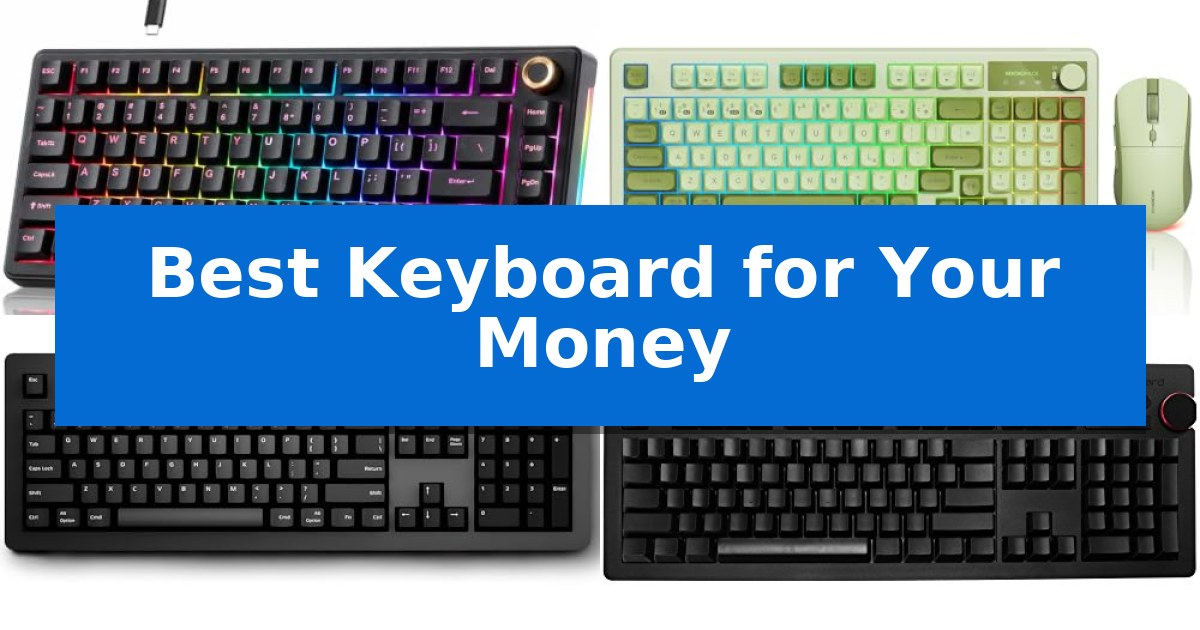
Finding the Best Keyboard for Your Money requires balancing build quality, switch preference, and your specific connectivity needs. Whether you are upgrading a home office or looking for a portable solution, the right hardware can significantly improve your daily interaction with your computer.
Our guide focuses on practical performance and long-term reliability. We have analyzed a range of options, from gasket-mounted mechanical boards to versatile wireless combos, to ensure you can identify the model that matches your workflow without overspending.
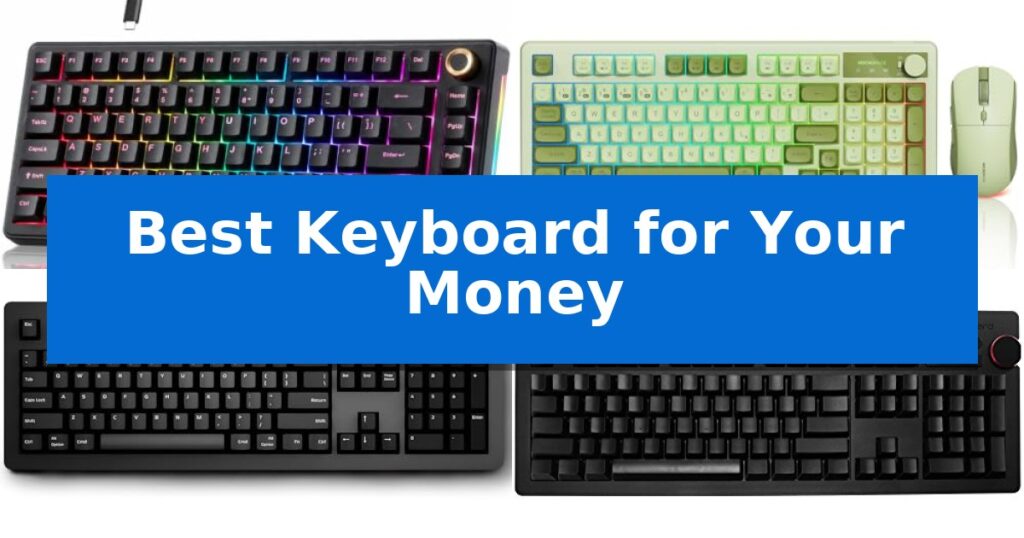
Best Keyboard for Your Money in 2026: Maximize Your Typing Value
Quick Comparison
| Product | Best For | Key Strength | Score |
|---|---|---|---|
| TMKB T81E Mechanical Keyboard | Best Overall | Premium gasket-mount design with 5-layer sound dampening for a cushioned, quiet typing experience. | 4.9 |
| MICROPACK Wireless Keyboard Mouse Combo | Versatile Multi-Device Connectivity | Triple-mode connectivity supports up to 5 devices. | 4.5 |
| Das Keyboard 4 Professional | Premium Tactile Typing Experience | Cherry MX Blue switches provide accurate tactile and audio feedback. | 4.7 |
| Das Keyboard 4 Ultimate | Minimalist Blank Keycap Design | Blank keycap design for a clean, minimalist aesthetic. | 4.6 |
| Fosmon Mini Keyboard | Ultra-Portable Handheld Control | Dual connectivity options via Bluetooth 5.2 and 2.4GHz wireless. | 4.6 |
How We Chose
- Switch and keycap quality for tactile feedback and durability.
- Connectivity options including wired, 2.4GHz, and Bluetooth support.
- System compatibility across Windows, macOS, and mobile platforms.
- Ergonomic features and physical footprint for desk space optimization.
- Customization capabilities such as hot-swappable switches or programmable keys.
1 TMKB T81E Mechanical Keyboard — Customizable Gasket-Mounted Performance
Achieving a refined typing experience often requires balancing tactile feedback with acoustic control, a challenge the TMKB T81E Mechanical Keyboard addresses through its premium gasket-mount construction. By integrating a 5-layer sound-dampening system, this keyboard minimizes hollow resonance and vibration, providing a cushioned feel that benefits both office productivity and competitive gaming sessions.
Customization is a core strength of this model, featuring a fully hot-swappable PCB that accommodates most 3-pin and 5-pin MX-style mechanical switches. This design allows users to modify their tactile profile without the need for soldering, offering long-term flexibility as preferences evolve. The board is further enhanced by a multifunction aluminum knob, which provides immediate control over volume and media playback, streamlining daily workflows.
Aesthetically, the TMKB T81E Mechanical Keyboard includes vibrant RGB backlighting with 20 presets and dynamic side-edge lighting, all of which can be stored via on-board memory. Built with a durable ABS housing and supported by anti-slip silicone feet, the unit ensures a stable typing surface. It maintains broad system compatibility, functioning seamlessly across Windows and macOS environments via a detachable braided USB-C cable.
The 75% layout strikes a balance between desk space efficiency and functional utility, retaining essential keys while offering a compact footprint. While the gasket-mount design provides a distinct typing feel, users should note that the wired-only connection necessitates a direct USB-C link to their host device, prioritizing consistent power and input reliability over wireless portability.
Best for: Users seeking a customizable, gasket-mounted mechanical keyboard that balances acoustic dampening with essential media controls for desktop use.
Skip if: Users who require wireless connectivity or Bluetooth functionality for their workspace setup.
PROS
- Premium gasket-mount design with 5-layer sound dampening for a cushioned, quiet typing experience.
- Hot-swappable PCB allows for easy switch customization without soldering.
- Multifunction aluminum knob provides quick access to volume and media controls.
- Broad system compatibility across Windows and macOS.
CONS
- Wired-only connection limits placement flexibility compared to wireless models.
2 MICROPACK Wireless Keyboard Mouse Combo — Versatile Multi-Device Connectivity
Managing multiple devices across a workspace requires a flexible input solution, and the MICROPACK Wireless Keyboard Mouse Combo addresses this with triple-mode wireless connectivity. This set allows users to toggle between 2.4GHz, three distinct Bluetooth channels, or a Type-C wired connection, supporting up to five devices simultaneously to streamline transitions between a desktop, laptop, and tablet.
The keyboard features a full-size layout with a number pad and a dedicated knob for integrated control, housed in a design that supports both Windows and Mac systems. For comfort during extended use, the unit includes a foldable stand that adjusts the typing angle. The mouse enhances precision with an adjustable DPI range from 800 to 2400, ensuring responsiveness tailored to specific tasks.
Visual customization is provided through 14 RGB lighting effects on the keyboard and 12 effects on the mouse, with direct controls for brightness and speed. While the backlighting illuminates the area around the keys, it does not shine through the keycap characters themselves. The set is rechargeable, eliminating the need for disposable batteries and providing up to 200 hours of keyboard use or 50 hours of mouse use with the backlighting disabled.
Compatibility is broad, covering Windows 7 through 11, iOS, Mac, and Android environments. This makes the combo a versatile choice for users operating across diverse hardware ecosystems, from tablets and smartphones to traditional workstations.
Best for: Users who need to switch between multiple devices like PCs, tablets, and phones using a single, rechargeable input set.
Skip if: Users who require backlit key legends for typing in low-light environments, as this model only features under-key lighting.
PROS
- Triple-mode connectivity supports up to 5 devices.
- Integrated rechargeable battery reduces long-term costs.
- Includes a number pad and control knob for productivity.
- Adjustable DPI settings on the mouse for precise control.
CONS
- Key legends are not backlit, which may hinder visibility in dark rooms.
- Battery life varies significantly depending on RGB usage.
3 Das Keyboard 4 Professional — Premium Tactile Typing Experience
The Das Keyboard 4 Professional distinguishes itself with a unique magnetically detachable footbar ruler that elevates the typing surface to an optimal 4-degree angle, combining practical ergonomics with a functional design element. This wired mechanical keyboard is built for users who prioritize tactile feedback and high-speed data transfer in their daily workflow.
Equipped with Cherry MX Blue mechanical switches, the keyboard provides a distinct tactile and audio response for each keystroke. These switches are factory lubricated on larger keys to ensure smooth operation, while the inclusion of full N-Key Rollover (NKRO) over USB allows for precise input registration during rapid typing sessions. The construction features an aluminum top and laser-etched keycaps designed to withstand up to 50 million keystrokes.
For connectivity and media management, the device integrates a 2-port USB 3.0 hub, enabling data transfer speeds up to 5Gb/second for external drives or peripherals. Users can manage audio output directly via the dedicated media controls and a large, accessible volume knob. The keyboard connects via a single 6.5ft USB cable, ensuring a reliable wired connection for Mac-specific environments.
While the Das Keyboard 4 Professional offers a robust typing experience, its dimensions and wired nature make it a stationary peripheral rather than a portable solution. The clicky nature of the switches provides significant auditory feedback, which is a consideration for shared office environments.
Best for: Productive professionals and fast typists who require a highly tactile, durable wired keyboard with integrated USB 3.0 connectivity for Mac systems.
Skip if: Users who require a silent typing experience, a compact form factor, or a wireless connection for their workspace.
PROS
- Cherry MX Blue switches provide accurate tactile and audio feedback.
- Integrated 2-port USB 3.0 hub for high-speed data transfer.
- Full N-Key Rollover support for precise input.
- Durable aluminum top construction with a 50-million keystroke lifespan.
CONS
- Clicky mechanical switches may be too loud for some shared workspaces.
- Large, wired-only design limits portability and desk space flexibility.
4 Das Keyboard 4 Ultimate — Minimalist Blank Keycap Design
The Das Keyboard 4 Ultimate distinguishes itself with a completely blank keycap design, catering to touch typists and enthusiasts who prioritize a clean, minimalist aesthetic. This mechanical keyboard is built with an aluminum top and features a magnetically detachable footbar ruler that serves as a riser to provide an optimal 4-degree typing angle.
Performance is driven by Cherry MX Brown mechanical switches, which offer a soft tactile experience with audio feedback. These switches are factory lubricated on larger keys to ensure smooth operation and are rated for up to 50 million keystrokes. The inclusion of gold-plated switch contacts is designed to prevent rust and maintain consistent performance over the life of the device.
Functionality is enhanced by a 2-port USB 3.0 hub, allowing for data transfer speeds up to 5Gb/second, which is significantly faster than previous USB standards. The keyboard supports full N-key rollover (NKRO) over USB, which can be toggled via a simple key combination, ensuring that every keystroke is registered accurately during intensive use.
For media management, the unit includes dedicated media controls and a large volume knob, providing tactile adjustments without needing to navigate software menus. The device connects via a 6.5ft USB cable and includes an instant sleep button for added convenience, making it a robust, feature-rich tool for professional and gaming environments.
Best for: Experienced touch typists and minimalists who require a high-performance mechanical keyboard with premium tactile switches and integrated USB 3.0 connectivity.
Skip if: Users who rely on visual legends on their keycaps or those who require specialized macro-programmable keys for complex workflows.
PROS
- Blank keycap design for a clean, minimalist aesthetic.
- Cherry MX Brown switches provide a precise, soft tactile typing feel.
- Integrated 2-port USB 3.0 hub for high-speed data transfer.
- Full N-key rollover ensures accurate input for fast typists and gamers.
- Durable aluminum top construction with a unique magnetic footbar riser.
CONS
- Blank keycaps present a steep learning curve for those who are not proficient touch typists.
- Large footprint may occupy significant desk space compared to compact or tenkeyless models.
5 Fosmon Mini Keyboard — Ultra-Portable Handheld Control
Managing multiple devices from a single, handheld controller is a common challenge for those navigating home entertainment systems or mobile setups. The Fosmon Mini Keyboard addresses this by integrating a QWERTY keypad and a touchpad mouse into a compact, palm-sized design, allowing for seamless cursor navigation and text input without needing a separate mouse or full-sized keyboard.
This device offers versatile connectivity through both 5.2 Bluetooth and a 2.4GHz nano USB dongle, ensuring compatibility with a wide range of hardware including Android TV boxes, PCs, HTPCs, Nvidia Shield, and gaming consoles like the PS4 and PS5. With a working range of approximately 33 feet, it provides the flexibility to control your media from across the room.
Designed for usability in various lighting conditions, the Fosmon Mini Keyboard features a backlit interface, making it easy to identify keys in dark environments. Power management is handled by a built-in 500mAh rechargeable lithium-ion battery, which supports up to 10 days of continuous working time and 50 days of standby time, with convenient charging via the included USB-C cable.
While this controller is highly portable, users should verify the Bluetooth capabilities of their specific smart TVs before purchase, as compatibility can vary. It serves as an efficient tool for those who prioritize a lightweight, all-in-one input solution for their home theater or mobile computing needs.
Best for: Users seeking a compact, all-in-one wireless input device for home theater systems, streaming boxes, and gaming consoles.
Skip if: Users who require a full-sized keyboard for heavy typing or those with devices lacking Bluetooth or USB-A port support.
PROS
- Dual connectivity options via Bluetooth 5.2 and 2.4GHz wireless.
- Integrated touchpad eliminates the need for a separate mouse.
- Backlit keys for improved visibility in low-light environments.
- Long-lasting rechargeable battery with up to 10 days of continuous use.
CONS
- Limited compatibility with certain smart TV models and specific gaming consoles like the Xbox series.
- Small form factor may not be suitable for extended typing sessions.
Best Keyboard for Your Money Buying Guide
Understanding Switch Types
Mechanical keyboards often feature Cherry MX or similar switches that define the tactile feel of every keystroke. Clicky switches provide audible feedback, while tactile switches offer a physical bump without the loud noise, making them better for shared office spaces.
Consider whether you prefer a linear switch for smooth, consistent travel, which is often favored by gamers, or a tactile option for typing accuracy. Always check if the keyboard is hot-swappable, as this allows you to change the feel of your board later without buying a new unit.
Connectivity and Multi-Device Use
If you work across multiple machines, look for multi-device connectivity. Keyboards that support Bluetooth and 2.4GHz wireless allow you to switch between a desktop, laptop, and tablet seamlessly.
Wired connections remain the gold standard for low latency and reliability. Many modern boards offer a detachable USB-C cable, which provides the stability of a wired connection while allowing for easier transport and cable management.
Layout and Form Factor
The physical size of your keyboard impacts your desk ergonomics. A 75% layout retains essential keys like function rows and arrows while saving space, whereas a full-size 104-key layout includes a dedicated number pad for data entry.
Think about your available desk space and whether you need a compact design for travel or a full-sized board for professional financial or administrative tasks. Smaller boards often require using FN layers to access secondary functions.
Build Quality and Acoustics
A gasket-mount design is a premium feature that provides a softer, cushioned typing experience by isolating the plate from the case. This construction often includes sound-dampening layers to reduce hollow noises and vibrations.
Look for durable housing materials like aluminum or high-quality ABS plastic. A solid, heavy frame prevents the keyboard from sliding during intense typing sessions, contributing to a more stable and professional feel.
Customization and Aesthetics
Many modern keyboards feature RGB backlighting with customizable presets and side lighting to match your desktop aesthetic. On-board memory is a useful feature that saves your lighting and macro configurations directly to the device.
For those who prefer a clean look, some boards offer blank keycaps or minimalist designs. Ensure that the software or built-in shortcuts allow you to easily toggle between operating systems like Windows and macOS.
Frequently Asked Questions
What is a hot-swappable keyboard?
A hot-swappable keyboard allows you to remove and replace mechanical switches without soldering. This makes it easy to customize the typing feel or replace a faulty switch.
Is a wireless keyboard better than a wired one?
Wireless keyboards offer a cleaner desk and multi-device convenience, while wired keyboards provide a consistent connection without the need for charging batteries.
What does a 75% layout mean?
A 75% layout is a compact keyboard that keeps the function row and arrow keys but removes the number pad to save space on your desk.
Can I use a Windows keyboard on a Mac?
Yes, most modern keyboards are compatible with both systems. Some models include specific toggles or keycap legends to help you switch between Windows and macOS layouts.
What is the benefit of gasket-mounting?
Gasket-mounting provides a softer, more cushioned typing feel and helps dampen the sound of keystrokes, making the typing experience quieter and more comfortable.
Conclusion: Our Top Pick
When evaluating the options, the TMKB T81E Mechanical Keyboard stands out as the most versatile choice for most users. Its combination of a gasket-mount design, hot-swappable PCB, and multi-system compatibility offers a high-end typing experience that is difficult to match at this price point.
While other models like the Das Keyboard series offer specialized tactile experiences or minimalist designs, the TMKB T81E provides the best balance of modern features, build quality, and customization for your money. It is an excellent investment for anyone looking to upgrade their daily typing setup.