
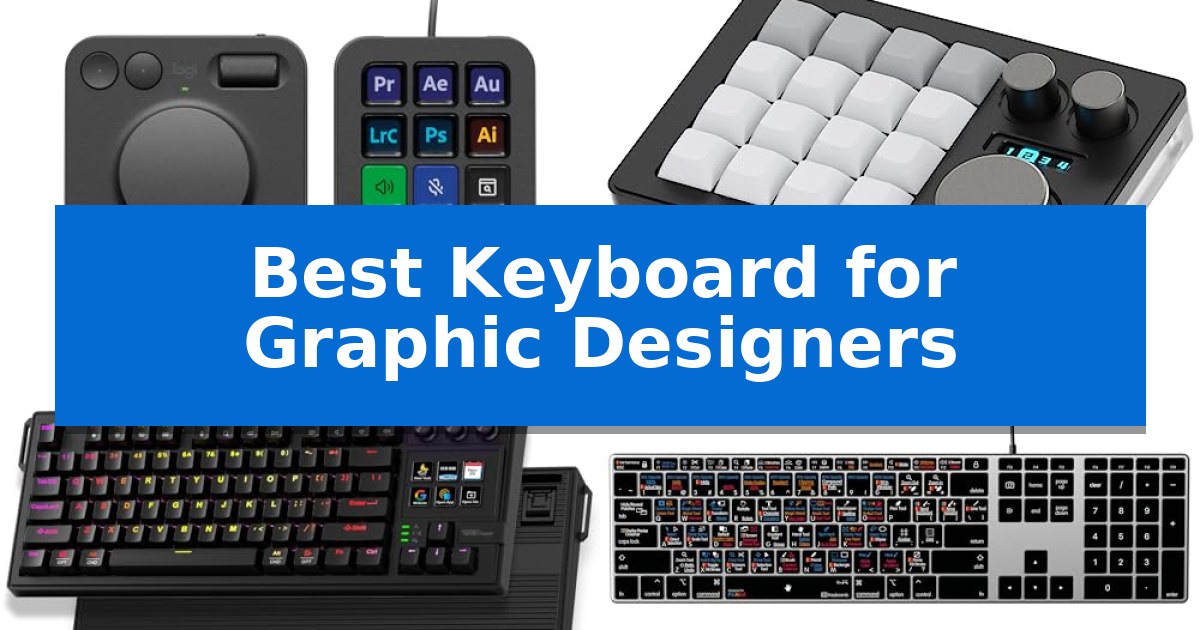
Graphic design requires more than just standard typing; it demands precision, speed, and seamless access to complex software shortcuts. Finding the Best Keyboard for Graphic Designers means identifying hardware that bridges the gap between your creative intent and the digital canvas.
Whether you need dedicated macro keys for Adobe Creative Cloud, tactile mechanical switches for long editing sessions, or specialized control dials, the right equipment can significantly reduce repetitive strain. We have researched the top options currently available to help you optimize your desk setup for maximum efficiency.
Best Keyboard for Graphic Designers in 2026
Quick Comparison
| Product | Best For | Key Strength | Score |
|---|---|---|---|
| Logitech MX Creative Console | Best Overall | Tactile analog control via a low-friction dial and roller for precise adjustments. | 4.9 |
| KEEBMONKEY Megalodon Macro Pad | Triple Knobs for Workflow Control | Three clickable knobs for precise control of brush sizes, zoom, or timeline scrubbing. | 4.3 |
| VSD K1 Pro Macro Keyboard | Customizable LCD Keys and Knobs | Integrated stream controller with 6 LCD keys and 3 knobs for custom workflow automation. | 4.6 |
| KB Covers Adobe Creative Keyboard | Visual Shortcuts for Design Suites | Visual shortcut mapping for Photoshop, Illustrator, and InDesign directly on the keys. | 4.7 |
| Keychron K5 Version 2 Keyboard | Low-Profile Mechanical Precision | QMK/VIA open-source firmware for deep key remapping and layer customization. | 4.8 |
How We Chose
- Software Integration: Compatibility with Adobe Creative Cloud, Figma, and other professional design suites.
- Input Versatility: Presence of programmable macro keys, control dials, or dedicated shortcut layouts.
- Build and Ergonomics: Material quality, switch type, and physical design for long-term comfort.
- Customization: Ability to remap keys, create layers, or store onboard profiles for different applications.
- Connectivity: Reliability of wired versus wireless connections for stable, low-latency performance.
1 Logitech MX Creative Console — Precision Dial for Creative Apps
Streamlining complex creative workflows requires precise, tactile input that goes beyond standard keyboard shortcuts. The Logitech MX Creative Console addresses this by combining a dedicated programmable keypad with a low-friction control dial and roller, allowing designers to navigate timelines and adjust parameters in apps like Adobe Photoshop, Premiere Pro, and Figma with physical precision.
This console is designed for deep integration into professional creative environments. It features 15 customizable LCD display keys that allow users to assign specific tools and actions, which can be further organized into pages based on the active profile. The included stand provides flexible placement, ensuring the controls remain ergonomic during long editing sessions.
Beyond its hardware capabilities, the device offers a practical software ecosystem. It comes with recommended profiles for major creative software and includes a 3-month Adobe Creative Cloud membership, providing immediate access to industry-standard tools. The ability to upload custom icons to the LCD keys helps maintain a visual workflow that matches the user's specific toolset.
While it excels at enhancing efficiency, the console is a specialized peripheral rather than a replacement for a primary input device. It is intended to sit alongside a keyboard and mouse, acting as a dedicated interface for repetitive tasks and fine-tuned adjustments, making it a focused addition for those who spend significant time in professional design software.
Best for: Graphic designers and video editors seeking a dedicated, tactile interface to accelerate repetitive tasks in Adobe Creative Cloud and other professional apps.
Skip if: Users who prefer a minimalist desk setup or those who do not utilize the specific creative applications supported by the console's integration profiles.
PROS
- Tactile analog control via a low-friction dial and roller for precise adjustments.
- 15 customizable LCD keys that allow for personalized tool mapping and visual feedback.
- Includes a 3-month Adobe Creative Cloud membership for immediate creative utility.
- Supports deep app integration with major software like Photoshop, Premiere Pro, and Figma.
CONS
- Requires additional desk space as a dedicated peripheral separate from a standard keyboard.
- Functionality is dependent on software profiles and specific application support.
2 KEEBMONKEY Megalodon Macro Pad — Triple Knobs for Workflow Control
Precision control is essential for complex creative workflows, and the KEEBMONKEY Megalodon Macro Pad provides a dedicated interface to manage those tasks. Featuring three clickable knobs and 16 hot-swappable keys, this device allows designers to map specific shortcuts for software tools, effectively offloading repetitive commands from a primary keyboard. By assigning brush size adjustments, timeline scrubbing, or zoom functions to the physical knobs, users can maintain focus on their canvas without navigating nested menus.
The hardware is built with a durable aluminum alloy and acrylic body, housing a 0.91-inch OLED screen that provides visual feedback on the current configuration. This screen is particularly useful for tracking which of the four distinct layers is currently active, ensuring that users always know which set of shortcuts is mapped to the keys. With VIA compatibility, the device offers deep, user-defined programmability, allowing for a personalized workflow that adapts to specific software requirements.
Aesthetic integration is supported by vibrant RGB lighting powered by 16 LEDs, allowing for a personalized workspace look. The hot-swappable nature of the keys ensures that users can tailor the tactile feel of the macro pad to their preference without soldering, making it a versatile tool for those who prioritize specific switch feedback. The device utilizes wired Type-C connectivity, ensuring a stable connection for intensive design sessions.
While this macro pad offers significant utility for streamlining design processes, it is a specialized peripheral intended to complement rather than replace a standard typing keyboard. Its compact footprint makes it an efficient addition to a desk setup where space is at a premium, though the wired-only connection does limit placement flexibility on larger desks.
Best for: Graphic designers and creative professionals who need to map complex software shortcuts and layer-based controls to a dedicated, tactile macro interface.
Skip if: Users who require a full-sized typing keyboard or those who prefer a wireless setup, as this device is strictly a wired macro pad.
PROS
- Three clickable knobs for precise control of brush sizes, zoom, or timeline scrubbing.
- VIA compatibility for deep, user-defined programmability.
- Hot-swappable keys allow for custom switch selection.
- OLED screen provides clear status indicators for active layers.
CONS
- Wired Type-C only connection limits placement flexibility.
- Short 7-day warranty period compared to standard peripherals.
3 VSD K1 Pro Macro Keyboard — Customizable LCD Keys and Knobs
The VSD K1 Pro Macro Keyboard integrates a specialized stream controller deck directly into a mechanical keyboard layout, featuring 6 customizable LCD keys and 3 multi-function knobs. This design allows graphic designers to map complex multi-step workflows, application shortcuts, and media controls to a dedicated interface, streamlining repetitive tasks without leaving the primary input device.
Built with a hot-swappable PCB, the keyboard supports 3-pin or 5-pin switches, enabling users to tailor the tactile feel to their preference. The internal structure utilizes a gasket mount and a 5-layer sound-dampening system to reduce cavity noise, providing a consistent, elastic typing experience that minimizes fatigue during long design sessions.
The integrated TFT color display serves as an interactive hub for system monitoring and customization. Users can personalize the LCD keys with custom images or GIFs, which aids in visual recognition of assigned macros. The device connects via a wired interface, ensuring stable performance for data-heavy tasks like macro execution and real-time display updates.
Ergonomics are addressed through adjustable stands offering 3°, 6°, and 13° angles, paired with concave keycaps to support natural hand positioning. While the keyboard is compatible with Windows and macOS, the advanced customization of the LCD screen and macro flows requires the installation of the VSD Craf software.
Best for: Graphic designers and content creators who require a unified interface for managing complex software macros, shortcuts, and media controls.
Skip if: Users who prioritize a wireless, clutter-free desk setup or those who do not require programmable macro keys and LCD integration.
PROS
- Integrated stream controller with 6 LCD keys and 3 knobs for custom workflow automation.
- Hot-swappable PCB allows for easy switch customization without soldering.
- Gasket mount structure with 5-layer dampening for a refined, quiet typing feel.
- High-definition TFT display provides real-time feedback and visual macro identification.
CONS
- Wired-only connection limits desk placement flexibility.
- Software dependency required for configuring LCD screen images and advanced macro flows.
4 KB Covers Adobe Creative Keyboard — Visual Shortcuts for Design Suites
Streamlining creative workflows requires tools that minimize the friction between intent and execution. The KB Covers Adobe Creative Keyboard integrates visual shortcuts directly onto the keycaps, allowing designers to identify and trigger commands for Photoshop, Illustrator, and InDesign without relying on memory or complex menu navigation.
Designed specifically for the macOS ecosystem, this keyboard features a standard US layout with dedicated Command, Option, and Control keys. It connects via a USB-C wired interface, ensuring a stable, lag-free connection that eliminates the need for battery management or Bluetooth pairing. The plug-and-play functionality means it is ready for immediate use across various Mac models, including MacBook Pro, MacBook Air, and Mac Studio.
The hardware is built with a solid aluminum frame and includes backlit keys, providing visibility in dim studio environments or during late-night editing sessions. Unlike dedicated control panels that replace standard typing, this device functions as a full-featured keyboard. Each key displays both the Adobe shortcut icon and the standard character, allowing users to switch between creative tasks and general typing seamlessly.
By color-coding shortcuts based on tool groups—such as selection, drawing, and layout—the layout helps users locate commands quickly. This design choice targets graphic designers, illustrators, and students who spend significant time within the Adobe Creative Cloud suite and want to reduce the time spent searching for specific tool functions.
Best for: Graphic designers and Adobe Creative Cloud users on Mac who want integrated visual shortcuts to speed up their workflow.
Skip if: Users who require a wireless connection, a non-Mac layout, or a mechanical switch experience with customizable macro keys.
PROS
- Visual shortcut mapping for Photoshop, Illustrator, and InDesign directly on the keys.
- Backlit aluminum construction for durability and visibility in low-light conditions.
- Stable USB-C wired connection that requires no batteries or software drivers.
- Full-featured keyboard design that supports standard typing alongside creative shortcuts.
CONS
- Wired-only connection limits desk flexibility compared to wireless alternatives.
- Mac-specific layout is not suitable for Windows-based design workstations.
5 Keychron K5 Version 2 Keyboard — Low-Profile Mechanical Precision
Precision and workspace efficiency are vital for design workflows, and the Keychron K5 Version 2 Wireless Bluetooth Low Profile Mechanical Keyboard addresses these needs with a slim, 100% layout that retains a full number pad for data entry. Its low-profile design bridges the gap between the tactile feedback of mechanical switches and the ergonomic convenience of a laptop-style profile, making it a versatile tool for creative desks.
Customization is at the heart of this keyboard's utility, featuring QMK firmware and the Keychron Launcher web app. Designers can remap keys, build custom layers, and manage workflows directly through a browser interface. This level of control allows for the assignment of complex shortcuts to specific keys, streamlining repetitive tasks in creative software.
Connectivity and build quality are tailored for multi-device environments. The keyboard utilizes Broadcom Bluetooth 5.2 to pair with up to three devices, such as a workstation, tablet, and mobile device, with seamless switching. For tasks requiring high precision, the USB-C wired mode provides a 1000 Hz polling rate and ultra-low latency. The inclusion of IXPE, EPDM, and latex acoustic foams ensures that the typing experience remains quiet and refined, minimizing distractions during long creative sessions.
Designed for longevity and consistent performance, the Keychron K5 Version 2 Keyboard includes a 2000 mAh rechargeable battery that supports up to 160 hours of use in lab tests. Its multi-OS support ensures that shortcuts remain consistent whether working on macOS or Windows, providing a reliable interface for designers who switch between different operating systems.
Best for: Graphic designers who require a full-sized, low-profile mechanical keyboard with deep customization options for multi-device workflows.
Skip if: Users who prefer a high-profile mechanical typing experience or those who do not require a full 100% layout with a number pad.
PROS
- QMK/VIA open-source firmware for deep key remapping and layer customization.
- Low-profile mechanical switches provide a responsive, travel-friendly typing feel.
- Tri-device Bluetooth 5.2 connectivity for seamless multitasking.
- Tuned acoustic foams significantly reduce typing noise and ping.
CONS
- Low-profile switch compatibility is more limited than standard mechanical switch options.
- 100% layout occupies more desk space compared to compact or TKL alternatives.
Best Keyboard for Graphic Designers Buying Guide
Understanding Macro Functionality
Macro functionality allows designers to assign complex, multi-step commands to a single key press. This is essential for tasks like exporting assets, switching between tools in Photoshop, or adjusting brush sizes on the fly.
When choosing a device, look for software that allows for onboard macro storage. This ensures your custom shortcuts remain active even if you switch between different workstations or operating systems.
The Role of Tactile Controls
Control dials and rollers offer a level of precision that standard keys cannot match. They are particularly useful for scrubbing through video timelines, zooming into intricate vector paths, or adjusting opacity and brush hardness.
These analog inputs provide physical feedback, allowing you to make adjustments without looking away from your monitor, which helps maintain your creative focus during intense design sessions.
Mechanical Switch Preferences
Mechanical switches are preferred by many designers for their durability and consistent actuation. Tactile switches, often described as having a 'bump,' provide clear feedback that a key has been registered, reducing typing errors.
Consider hot-swappable PCBs if you want the flexibility to change your switch feel later without needing to solder. This allows you to experiment with different resistance levels to find what best suits your hand fatigue levels.
Layout and Desk Space
Graphic designers often have limited desk space due to drawing tablets, secondary monitors, and reference materials. A compact macro pad or a low-profile keyboard can be a better choice than a full-sized 100% layout.
If you rely heavily on numerical input, a full-sized board is necessary. However, for most creative workflows, a tenkeyless (TKL) or dedicated macro console provides more room for your mouse or stylus to move freely.
Connectivity and Latency
While wireless freedom is convenient, wired connectivity remains the gold standard for professional design work. A USB-C wired connection eliminates concerns about battery life and ensures zero input lag during critical project deadlines.
If you prefer a wireless setup, ensure the device supports a high-polling rate and reliable Bluetooth or 2.4GHz technology to avoid the frustration of missed keystrokes or connection drops.
Frequently Asked Questions
Do I need a macro pad if I already have a good keyboard?
A macro pad is a specialized accessory that complements your existing keyboard. It provides dedicated, programmable buttons and dials that are often easier to reach and configure for specific design software than standard keys.
Are mechanical keyboards better for graphic design?
Many designers prefer mechanical keyboards for their tactile feedback and durability. They offer a more consistent typing experience than membrane boards, which can help reduce fatigue during long hours of work.
Can I use these keyboards on both Mac and Windows?
Most modern programmable keyboards and macro pads are cross-platform compatible. However, always check if the configuration software is supported on your specific operating system before purchasing.
What is a hot-swappable keyboard?
A hot-swappable keyboard allows you to pull out and replace the mechanical switches without soldering. This is a great feature if you want to customize the 'feel' of your keys or replace a faulty switch easily.
How do I know if a keyboard is compatible with my design software?
Look for devices that offer programmable layers or software suites like VSD Craf or VIA. These allow you to map specific shortcuts to your design apps, regardless of whether the keyboard is officially 'branded' for that software.
Conclusion: Our Top Pick
For most creative professionals, the Logitech MX Creative Console stands out as the most versatile solution. Its combination of a dedicated control dial, roller, and programmable keypad provides immediate, tactile access to the tools you use most in Adobe Creative Cloud and other professional applications.
While other options like the Keychron K5 or VSD K1 Pro offer excellent mechanical typing or deep customization, the Logitech unit is specifically engineered to integrate into a design-focused workflow. Its inclusion of a 3-month Adobe Creative Cloud membership further adds value for those already invested in the Adobe ecosystem.