
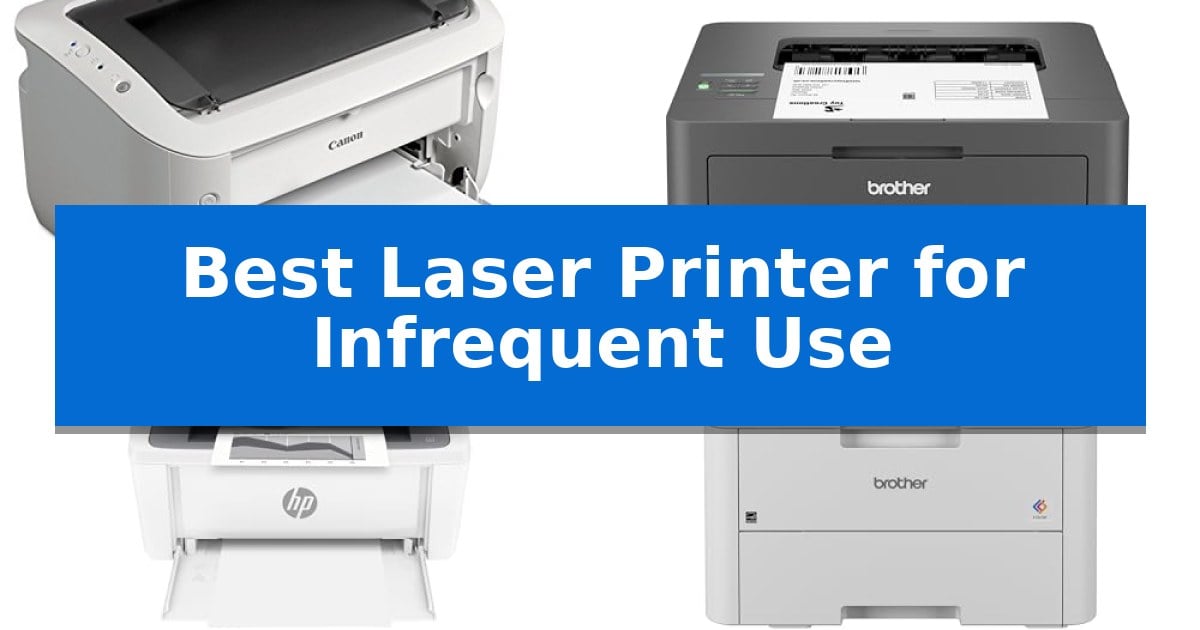
Finding a reliable printer when you only need to print a few documents a month can be a frustrating experience. Traditional inkjet printers often suffer from clogged print heads and wasted ink cartridges if left unused for extended periods. This is why many home users are switching to laser technology, which uses dry toner that remains stable regardless of how long the device sits idle.
The Best Laser Printer for Infrequent Use should prioritize a small physical footprint, reliable wireless connectivity, and low maintenance requirements. By choosing a laser model, you ensure that your printer is ready to work the moment you need it, without the recurring costs or technical headaches associated with dried-out ink nozzles.
Best Laser Printer for Infrequent Use in 2026: Avoiding Dried Ink
Quick Comparison
| Product | Best For | Key Strength | Score |
|---|---|---|---|
| Canon imageCLASS LBP6030w Laser Printer | Best Overall | Compact footprint ideal for small desks. | 4.9 |
| Brother HL-L2405W Wireless Laser Printer | Reliable Monochrome Printing for Homes | Laser technology prevents ink drying during periods of infrequent use. | 4.8 |
| HP LaserJet MFP M140w Laser Printer | Smallest Footprint for Tight Spaces | Extremely compact footprint ideal for small workspaces. | 4.9 |
| Brother HL-L3220CDW Color Laser Printer | Vibrant Color Without Ink Drying | Laser technology eliminates the risk of dried-out ink during periods of inactivity. | 4.9 |
| Canon Color imageCLASS MF662Cdw Printer | Long-Term Reliability for Infrequent Tasks | 3-year limited warranty for extended coverage. | 4.6 |
How We Chose
- Toner stability for long-term storage without degradation.
- Compact dimensions to minimize space consumption in home offices.
- Wireless connectivity options for printing from mobile devices or laptops.
- Ease of maintenance and toner replacement accessibility.
- Energy efficiency during standby modes.
1 Canon imageCLASS LBP6030w Laser Printer — Space-Saving Design for Occasional Use
Maintaining a home office setup often requires a reliable printing solution that remains ready for occasional use without occupying excessive desk space. The Canon imageCLASS LBP6030w addresses this need with a compact design measuring just 14.3 by 9.8 inches, allowing it to fit easily into smaller workspaces or shelves.
Designed for efficiency, this monochrome laser printer delivers fast print speeds of up to 19 pages per minute, ensuring documents are ready quickly when needed. It features wireless connectivity, which enables printing from mobile devices, providing flexibility for users who prefer not to be tethered to a desktop computer.
For those concerned with energy consumption during periods of inactivity, the unit includes an Energy Saver mode that utilizes less than 2 watts. The printer supports a paper capacity of up to 150 sheets, which is sufficient for intermittent tasks, and it operates using the Canon Genuine Toner 125, rated for a 1,600-page yield.
The printer is backed by a 1-year limited warranty, offering peace of mind for the hardware. Given its specific focus on monochrome, single-function output, it serves as a straightforward tool for users who prioritize space-saving dimensions and wireless convenience over multi-function features like scanning or color printing.
Best for: Home office users who require a space-saving, wireless monochrome printer for occasional document printing.
Skip if: Users who require color printing, integrated scanning, or high-volume automatic document feeding capabilities.
PROS
- Compact footprint ideal for small desks.
- Wireless connectivity for mobile printing.
- Energy-efficient operation in standby mode.
- Fast print speeds of 19 pages per minute.
CONS
- Monochrome only output.
- Single-function design lacks scanning or copying.
2 Brother HL-L2405W Wireless Laser Printer — Reliable Monochrome Printing for Homes
Managing occasional document needs requires a device that remains ready without demanding constant maintenance. The Brother HL-L2405W Wireless Compact Monochrome Laser Printer addresses this by utilizing laser technology, which avoids the common drying-out issues associated with inkjet cartridges during periods of inactivity. Its compact 14.2-inch by 14-inch footprint ensures it fits easily into home offices or shared spaces where desk real estate is at a premium.
Performance is centered on efficiency for standard tasks, offering print speeds of up to 30ppm for single-sided documents. The 250-sheet paper tray minimizes the frequency of refills, while a dedicated manual feed slot provides the flexibility to handle envelopes or specialty paper without needing to swap out the main paper supply.
Connectivity options are designed for modern workflows, featuring dual-band wireless (2.4GHz/5GHz) for stable network integration across multiple devices. For those who prefer a direct connection, a standard USB interface is included. Remote management is facilitated through the Brother Mobile Connect App, allowing users to initiate prints, track toner levels, and order supplies from mobile devices.
To support long-term operation, the unit is compatible with the Refresh EZ Print Subscription Service, which automates toner replenishment to help prevent mid-project interruptions. The printer is backed by a 1-year limited warranty, ensuring support is available for the life of the machine.
Best for: Home users who require a reliable, space-saving monochrome printer that can sit idle for extended periods without the maintenance concerns of inkjet technology.
Skip if: Users who require color printing, high-volume photo reproduction, or a built-in scanner for copying and digitizing documents.
PROS
- Laser technology prevents ink drying during periods of infrequent use.
- Compact design fits easily into small home office environments.
- Dual-band wireless connectivity supports reliable printing from multiple devices.
- 250-sheet paper tray reduces the need for frequent paper replenishment.
CONS
- Monochrome-only output limits the printer to black and white documents.
- Lacks integrated scanning or copying capabilities found in all-in-one models.
3 HP LaserJet MFP M140w Laser Printer — Smallest Footprint for Tight Spaces
Maintaining a home office setup often requires a balance between functionality and physical space, especially when printing needs are sporadic. The HP LaserJet MFP M140w Laser Printer addresses this by offering a compact, all-in-one solution that delivers precision laser printing, scanning, and copying without dominating your desk.
Designed for small teams or individual users, this unit provides fast print speeds of up to 21 pages per minute. Its wireless connectivity with self-reset ensures that the device remains ready for use even after periods of inactivity, simplifying the workflow for those who do not print daily.
The printer integrates with the HP Smart app, allowing users to manage tasks, scan documents directly to the cloud, or print from mobile devices and tablets. A notable utility for administrative tasks is the ID card copy feature, which enables users to scan both sides of a small document onto a single sheet of paper with ease.
As the world's smallest laser printer in its class, it fits into tight environments where larger office equipment would be impractical. While it relies on a closed-loop system requiring original HP chips, this design choice ensures consistent operation and compatibility with the brand's firmware updates.
Best for: Small home offices or individual users who need a space-saving, reliable laser printer for occasional document and report printing.
Skip if: Users who require color printing or those who prefer the flexibility of using third-party or non-HP ink and toner cartridges.
PROS
- Extremely compact footprint ideal for small workspaces.
- Fast print speeds of up to 21 pages per minute.
- Wireless connectivity with mobile app integration for cloud scanning.
- Convenient ID card copy functionality for professional documentation.
CONS
- Restricted to original HP cartridges with proprietary chips.
- Monochrome-only output limits document versatility.
4 Brother HL-L3220CDW Color Laser Printer — Vibrant Color Without Ink Drying
Maintaining a reliable printing setup without the frustration of dried-out ink is a primary advantage of the Brother HL-L3220CDW Color Laser Printer. By utilizing laser technology, this device avoids the common maintenance issues associated with inkjet printers that sit idle for extended periods, making it a practical choice for home offices that print intermittently.
The Brother HL-L3220CDW Color Laser Printer is engineered for efficiency, offering a print speed of up to 19 pages per minute. It supports automatic duplex printing, which helps reduce paper waste by handling double-sided documents without manual intervention. The inclusion of a 250-sheet paper tray ensures that you spend less time replenishing paper, while a manual feed slot provides the flexibility to handle envelopes or specialty media when needed.
Connectivity is streamlined through advanced wireless capabilities, allowing for seamless printing from laptops, smartphones, and tablets. The device integrates with major mobile printing platforms and cloud services, ensuring that your documents are ready when you are. Furthermore, built-in security protocols are included to help safeguard sensitive business documents during the transmission process.
With its compact footprint, measuring approximately 15.7 inches in width and length and 9.4 inches in height, this printer fits comfortably in most workspace configurations. While it provides professional-quality text and vibrant graphics, its primary strength lies in its readiness to perform on demand, eliminating the need for frequent head-cleaning cycles common in liquid-ink systems.
Best for: Home office users who require a reliable, low-maintenance printer for occasional but professional-quality color document production.
Skip if: Users who primarily print high-resolution photography or require a compact all-in-one device with integrated scanning and copying capabilities.
PROS
- Laser technology eliminates the risk of dried-out ink during periods of inactivity.
- Automatic duplex printing reduces paper consumption and manual effort.
- Wireless connectivity enables convenient printing from mobile devices and cloud services.
- 250-sheet paper tray minimizes the frequency of paper refills.
CONS
- Single-function design lacks integrated scanning, copying, or faxing features.
5 Canon Color imageCLASS MF662Cdw Printer — Long-Term Reliability for Infrequent Tasks
Reliability is the primary concern when selecting a Best Laser Printer for Infrequent Use, as the device must remain ready for intermittent tasks without requiring constant maintenance. The Canon Color imageCLASS MF662Cdw Printer addresses this need by combining a robust 3-in-1 design with a 3-year limited warranty, providing long-term peace of mind for users who do not print daily.
This model features fast print speeds of up to 26 pages per minute, ensuring that when you do need to print, the task is completed quickly with a first print time of approximately 10.3 seconds. The inclusion of auto 2-sided printing helps manage paper usage efficiently, while the 5-inch color touchscreen provides an intuitive interface for navigating settings and accessing frequently used features via the Application Library.
Connectivity is streamlined through easy wireless setup and support for mobile printing via the Canon PRINT app, Apple AirPrint, and Mopria Print Service. This allows for flexible placement in a home or office environment without the need for a direct wired connection to a computer. The printer is also Chromebook compatible, broadening its utility across various device ecosystems.
To support varied printing volumes, the unit utilizes Canon Genuine Toner 075 or high-capacity options, which are designed to deliver high-quality output and help limit the frequency of toner replacements. With a 250-sheet standard cassette and a 1-sheet multipurpose tray, the paper capacity is well-suited for typical document tasks, and the device meets ENERGY STAR and EPEAT Silver standards for energy efficiency.
Best for: Home or small office users who require a reliable, wireless, multi-function laser printer that can sit idle between tasks without performance degradation.
Skip if: Users who require a compact footprint for extremely tight spaces or those who exclusively need high-volume photo printing, as this is a laser-based document printer.
PROS
- 3-year limited warranty for extended coverage.
- Fast print speeds and quick first-print capability.
- Wireless connectivity with mobile app support.
- Auto 2-sided printing to reduce paper consumption.
CONS
- Large physical footprint may not fit on small desks.
- Single-sheet multipurpose tray limits heavy cardstock batch printing.
Best Laser Printer for Infrequent Use Buying Guide
Why Laser Beats Inkjet for Occasional Printing
The primary advantage of laser technology for low-volume users is the use of dry toner powder instead of liquid ink. Liquid ink is prone to drying out and clogging the print heads if the printer is not used regularly, which often leads to expensive cleaning cycles or the need to replace cartridges prematurely.
Laser printers, by contrast, use a fuser unit to bond toner to the paper. Because the toner is a dry powder, it does not evaporate or clog the internal components during weeks or months of inactivity. This makes laser printers significantly more cost-effective and reliable for households that only print a few pages here and there.
Evaluating Physical Footprint
For many home users, the printer is not a permanent fixture but rather a tool that needs to be tucked away. When selecting a model, consider the item dimensions and weight to ensure it fits on your desk, shelf, or in a closet.
Compact designs, such as those with a space-saving footprint, allow you to maintain a clutter-free environment. Always check the height and width specifications to ensure the unit will fit in your designated storage area while still allowing enough room for the paper tray to extend.
Connectivity and Mobile Integration
Modern printers should offer seamless integration with your existing devices. Look for models that feature wireless connectivity, which allows you to print directly from your smartphone, tablet, or laptop without needing a physical USB connection.
Features like mobile app support or compatibility with standard protocols like AirPrint simplify the process. This is particularly useful for infrequent users who may not want to keep a dedicated computer connected to the printer at all times.
Understanding Toner Yield and Costs
Even if you print infrequently, you should consider the cost of replacement supplies. Check the page yield of the toner cartridges to understand how long a single cartridge will last based on your estimated usage.
Some manufacturers offer high-capacity toner options, which can be a better value over time. While the initial cost of a high-yield cartridge might be higher, the cost-per-page is often lower, and you will have to deal with the maintenance of replacing the cartridge less frequently.
Maintenance and Reliability
Reliability is key when you need a document printed immediately. Look for printers that include a solid limited warranty and have a reputation for straightforward operation.
Features like automatic duplex printing can help you save paper, while energy-saving modes ensure the printer consumes minimal power when it is in standby. A printer that is easy to set up and maintain will serve you better over the long term than a complex, high-maintenance machine.
Frequently Asked Questions
Do laser printers dry out if not used?
No, laser printers use dry toner powder, which does not dry out or clog like liquid ink. They are ideal for users who print infrequently.
Can I print from my phone with these laser printers?
Most modern laser printers listed here support wireless connectivity and mobile printing apps, allowing you to print directly from your smartphone or tablet.
Are laser printers more expensive than inkjet printers?
While the upfront cost of a laser printer can be higher, they are often more economical for infrequent users because you do not have to replace dried-out ink cartridges.
Do I need a color laser printer for occasional use?
If you only print text documents, a monochrome laser printer is sufficient and usually more affordable. If you need to print graphics or charts, a color laser printer is a better choice.
How much space do these printers take up?
Many of the models featured are designed with compact footprints, specifically intended for home offices or tight spaces where desk real estate is limited.
Conclusion: Our Top Pick
When selecting a printer for occasional use, the priority is finding a machine that remains functional without constant attention. The Canon imageCLASS LBP6030w Laser Printer stands out as the most reliable choice for this specific need, thanks to its compact design and efficient monochrome output.
Its ability to fit into tight spaces while providing consistent, wireless printing makes it an excellent addition to any home office. By opting for this laser-based solution, you avoid the common pitfalls of ink evaporation, ensuring your printer is ready to perform whenever you need to produce a high-quality document.