
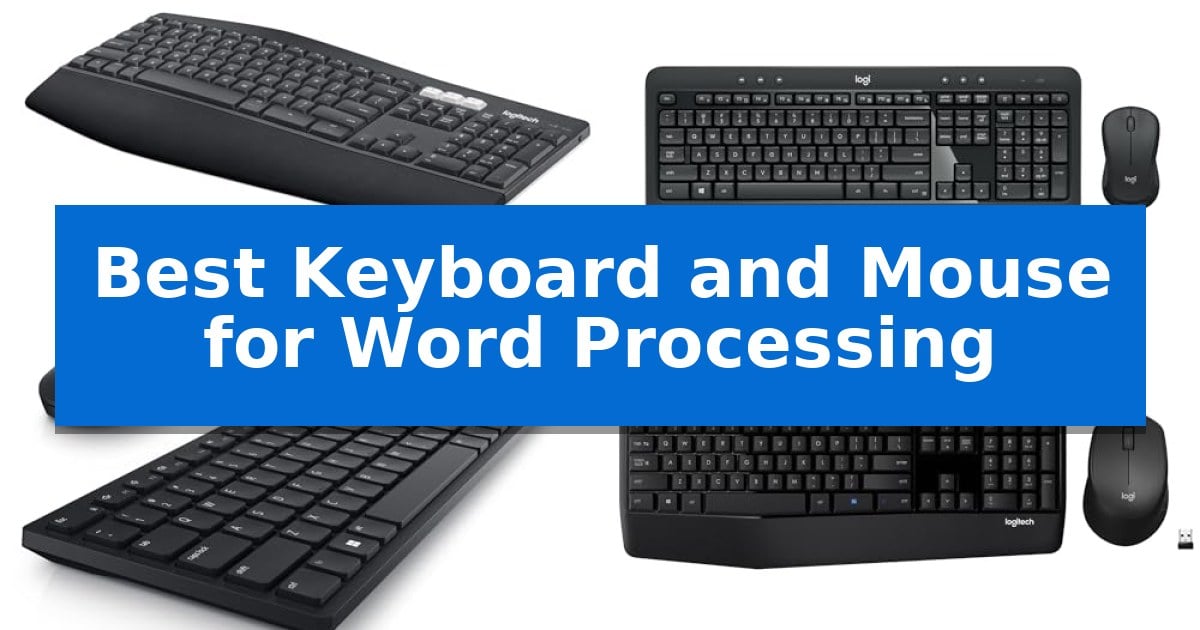
Finding the right input tools is essential when your daily routine involves hours of typing, editing, and document management. The Best Keyboard and Mouse for Word Processing should prioritize ergonomic support, reliable connectivity, and responsive feedback to ensure you can maintain focus without unnecessary strain.
Whether you are drafting long reports or managing complex spreadsheets, the quality of your hardware directly impacts your efficiency. We have evaluated several popular keyboard and mouse combinations to highlight the specific features that cater to long-form writing and office productivity.
Best Keyboard and Mouse for Word Processing in 2026
Quick Comparison
| Product | Best For | Key Strength | Score |
|---|---|---|---|
| Logitech MK850 Performance Wireless Combo | Best Overall | Oversized wave-shaped keyboard with cushioned palm rest for ergonomic comfort. | 4.9 |
| Logitech MK540 Advanced Wireless Combo | Comfortable typing with palm rest | Integrated palm rest for improved typing comfort | 4.7 |
| Dell KM520 Advanced Wireless Combo | Quiet keys for focused environments | Extremely long battery life rated for up to 36 months. | 4.7 |
| Logitech MK345 Wireless Combo | Reliable connection with long battery | Long battery life of up to 3 years for the keyboard and 18 months for the mouse. | 4.3 |
| Logitech MK120 Wired Combo | Simple plug-and-play durability | USB plug-and-play connectivity eliminates battery management. | 4.7 |
How We Chose
- Typing ergonomics including palm rest support and key layout.
- Connectivity options such as Bluetooth or dedicated USB receivers.
- Build quality and durability for high-volume daily usage.
- Multi-device capability for users managing multiple workstations.
- Battery life and power management for consistent uptime.
1 Logitech MK850 Performance Wireless Combo — Multi-device switching for power users
Maintaining a consistent workflow across multiple devices is essential for modern word processing, and the Logitech MK850 Performance Wireless Combo addresses this by integrating a full-size, wave-shaped keyboard with a contoured mouse. The keyboard features a cushioned palm rest and carefully-crafted keys designed to support quiet, comfortable typing during long writing sessions, helping to reduce fatigue when you are working through lengthy documents.
This combo is specifically engineered for multi-device environments, allowing you to switch typing seamlessly between a computer, tablet, or phone. The included mouse is contoured for right-handed use and features a hyper-fast scroll wheel, which is particularly useful for rapid navigation through long manuscripts or extensive web research. By pairing the mouse with up to three screens, you can maintain a fluid transition between different hardware platforms without needing to re-pair your peripherals.
Connectivity is handled through either Bluetooth or the included USB-A receiver, providing flexibility for various workstation setups. For power users, the Logitech DuoLink software enables custom functionality by linking the mouse and keyboard together, unlocking smarter navigation options that can be tailored to your specific writing workflow. This system ensures that your input devices remain as versatile as your project requirements, regardless of the operating system you are using.
Best for: Users who require a comfortable, full-size keyboard and a multi-device mouse for efficient, long-duration word processing across several platforms.
Skip if: Users who prefer a compact or tenkeyless layout, or those who require a left-handed mouse design.
PROS
- Oversized wave-shaped keyboard with cushioned palm rest for ergonomic comfort.
- Multi-device and multi-OS compatibility for switching between up to three screens.
- Hyper-fast scroll wheel on the mouse for rapid document navigation.
- Dual connectivity options via Bluetooth or USB-A receiver.
CONS
- Right-handed mouse design limits usability for left-handed users.
- Full-size footprint requires significant desk space.
2 Logitech MK540 Advanced Wireless Combo — Comfortable typing with palm rest
Maintaining a comfortable typing posture during long writing sessions is essential for productivity, and the Logitech MK540 Advanced Wireless Combo addresses this with an integrated palm rest and a full-size layout. This combination provides a familiar, quiet typing experience that helps reduce strain during extended word processing tasks.
The keyboard features adjustable tilt legs to help find the optimal angle for your workspace, while the spill-resistant design adds a layer of durability against accidental liquid exposure. For navigation, the included full-size ambidextrous mouse utilizes soft rubber side grips and precise tracking to ensure comfort and control throughout the workday.
Connectivity is managed via a single Logitech Unifying USB receiver, which offers a reliable wireless connection up to 33 feet away. This plug-and-play setup simplifies your desk by requiring only one port for both devices, maintaining compatibility with Windows 10 or later, Windows 8, Windows 7, and Chrome OS.
Efficiency is further supported by dedicated hotkeys that provide direct access to media controls, the calculator, and battery status checks. With long-lasting battery life—rated for up to 36 months for the keyboard and 18 months for the mouse—this combo is built for consistent, low-maintenance daily use.
Best for: Users seeking a reliable, full-size wireless keyboard and mouse set with integrated palm support for extended typing tasks.
Skip if: Users who require multi-device switching capabilities or Bluetooth connectivity, as this model relies on a dedicated USB receiver.
PROS
- Integrated palm rest for improved typing comfort
- Spill-resistant design for added durability
- Long-lasting battery life of up to 36 months for the keyboard
- Dedicated hotkeys for quick access to essential functions
CONS
- USB receiver required for connectivity
- No Bluetooth support for mobile devices
3 Dell KM520 Advanced Wireless Combo — Quiet keys for focused environments
Maintaining focus during long writing sessions requires tools that minimize distraction, and the Dell KM520 Advanced Wireless Combo addresses this with a design centered on silent operation. This keyboard and mouse set utilizes an RF 2.4GHz wireless connection via a USB receiver, ensuring a consistent link to your workstation without the clutter of cables.
The keyboard is engineered to be one of the quietest options available, making it a practical choice for shared office spaces or environments where conference calls are frequent. Beyond its acoustic profile, the Dell KM520 Advanced Wireless Combo offers programmable shortcuts, allowing users to map frequently used applications or functions to specific keys to streamline document creation and editing workflows.
Durability and maintenance are key aspects of this peripheral set. It features an industry-leading battery life of up to 36 months, significantly reducing the frequency of maintenance. For IT environments, the system supports the Dell Device Management Console, which enables centralized management of peripheral fleets from a cloud-based interface, simplifying deployment and oversight.
While the combo is designed for reliability and seamless integration with Dell PCs, it is a straightforward, functional toolset. It prioritizes longevity and quiet input over complex mechanical features or advanced gaming-grade sensors, making it a balanced choice for professional word processing and daily administrative tasks.
Best for: Office professionals and writers who require a quiet, low-maintenance, and reliable wireless input solution for daily productivity.
Skip if: Users who prefer mechanical switches, backlighting, or high-DPI gaming-grade sensors will find this standard membrane-based office set too basic for their needs.
PROS
- Extremely long battery life rated for up to 36 months.
- Quiet key switches designed for distraction-free typing.
- Programmable shortcuts to improve workflow efficiency.
- Centralized management via Dell Device Management Console.
CONS
- Standard membrane design lacks the tactile feedback of mechanical alternatives.
- Limited to 2.4GHz connectivity, lacking Bluetooth versatility.
4 Logitech MK345 Wireless Combo — Reliable connection with long battery
Maintaining a consistent workflow requires reliable tools that minimize downtime, and the Logitech MK345 Wireless Combo centers on a full-size keyboard layout that includes an integrated palm rest. This design provides a stable foundation for extended typing sessions, which is essential for users engaged in heavy word processing tasks. By supporting the wrists during long periods of input, the keyboard helps maintain comfort throughout the workday.
Connectivity is handled via a single USB-A Nano Receiver, which utilizes 2.4 GHz wireless technology to maintain a connection up to 10 meters away. This setup simplifies desk management by requiring only one port for both the keyboard and the mouse, ensuring a clean workspace without the clutter of multiple cables. The system is compatible with Windows, macOS, and ChromeOS, offering a straightforward plug-and-play experience across various computing environments.
The included mouse features a contoured right-handed shape designed for all-day comfort, paired with precise tracking capabilities for easier navigation. Both devices prioritize longevity, with the keyboard rated for up to 3 years of battery life and the mouse for up to 18 months, significantly reducing the frequency of maintenance. This extended battery performance is particularly beneficial for professionals who prefer a low-maintenance setup.
Built for practicality, the keyboard includes easy-access media keys and a spill-resistant design to protect against accidental liquid exposure. These features ensure that the hardware remains functional even in busy office settings where beverages are common. By combining ergonomic support with durable, long-lasting components, this combo serves as a reliable input solution for document creation.
Best for: Users seeking a low-maintenance, full-size wireless input solution for long-duration typing and document creation.
Skip if: Users who require multi-device Bluetooth switching or a compact, portable keyboard layout for travel.
PROS
- Long battery life of up to 3 years for the keyboard and 18 months for the mouse.
- Full-size layout with an integrated palm rest for ergonomic support.
- Spill-resistant design adds durability for daily office use.
- Single USB-A Nano Receiver simplifies connectivity for both devices.
CONS
- USB-A receiver requires a compatible port and may not be suitable for devices lacking legacy USB connectivity.
- Right-handed mouse design is not suitable for left-handed users.
5 Logitech MK120 Wired Combo — Simple plug-and-play durability
Reliability in a workspace often comes down to the simplicity of a direct connection, which is exactly what the Logitech MK120 Full Size Wired Keyboard and Mouse Combo provides. This peripheral set removes the need for batteries or wireless pairing, utilizing a straightforward USB plug-and-play interface that works immediately upon connection to any desktop or laptop.
The keyboard is built for endurance, featuring durable keys rated to withstand up to 10 million keystrokes. It includes a spill-resistant design and a curved space bar, paired with adjustable tilt legs to help maintain a comfortable typing angle during long writing sessions. The layout is standard and full-sized, incorporating a dedicated number pad and full-size F-keys for efficient data entry and document navigation.
Complementing the keyboard is a full-size sculpted mouse designed with an ambidextrous shape, making it suitable for both left- and right-handed users. It utilizes high-definition optical tracking to provide consistent cursor movement. The entire combo is constructed with a focus on sustainability, utilizing certified post-consumer recycled plastic in both the mouse and keyboard components.
This combo is a practical choice for those who prefer a permanent, maintenance-free setup. While it lacks the mobility of wireless alternatives, its three-year warranty and robust build quality ensure it remains a dependable tool for daily word processing tasks.
Best for: Users who prioritize a reliable, maintenance-free, and corded connection for consistent daily typing tasks.
Skip if: Users who require wireless freedom, media shortcut keys, or a clutter-free desk environment.
PROS
- USB plug-and-play connectivity eliminates battery management.
- Spill-resistant design and durable keys for long-term use.
- Full-size layout with a dedicated number pad for efficient typing.
- Ambidextrous mouse shape provides comfort for various hand orientations.
CONS
- Wired-only connection limits desk placement flexibility.
- Lacks dedicated media shortcut keys found on wireless models.
Best Keyboard and Mouse for Word Processing Buying Guide
Ergonomics and Comfort
For writers and office professionals, ergonomic design is the most critical factor. A keyboard with a cushioned palm rest helps maintain a neutral wrist position, which is vital for preventing fatigue during extended typing sessions.
Look for a full-size layout that includes a dedicated number pad, as this provides a familiar, spacious experience that reduces the likelihood of input errors when entering data or navigating documents.
Connectivity and Multi-Device Support
Modern workflows often require switching between a primary computer, a tablet, or a secondary laptop. Multi-device connectivity allows you to pair your peripherals with multiple screens or devices simultaneously.
Choosing between Bluetooth and a USB-A receiver depends on your setup. A USB receiver typically offers a stable, plug-and-play connection, while Bluetooth provides greater flexibility for mobile devices and tablets.
Build Quality and Durability
A reliable keyboard should withstand millions of keystrokes without losing responsiveness. Features like a spill-resistant design add a layer of protection against accidental desk mishaps, ensuring your investment lasts.
The mouse should also be built for longevity, featuring durable switches and a scroll wheel that can handle rapid navigation through long manuscripts or web pages.
Battery Life and Power Management
Frequent battery changes can disrupt your workflow. Many advanced wireless combos now offer long-lasting battery life, with some keyboards lasting up to 36 months on a single set of batteries.
Efficient power management ensures that your tools are ready when you are, reducing the need for constant charging or replacement of power cells.
Customization and Productivity
Productivity is enhanced by hardware that supports shortcuts. Look for keyboards with dedicated media keys or hotkeys for quick access to calculators, volume control, and other frequently used applications.
Advanced mouse models may include customizable buttons that allow you to map specific functions, enabling you to navigate through your documents with greater speed and precision.
Frequently Asked Questions
Are wired or wireless combos better for word processing?
Wireless combos offer a cleaner desk space and greater flexibility, while wired options like the Logitech MK120 provide a simple, plug-and-play experience without the need for batteries.
Do I need a palm rest for my keyboard?
A palm rest is highly recommended for long-form writing as it helps keep your wrists in a neutral position, reducing the risk of strain during long hours of typing.
Can I use these combos with a Mac and a PC?
Many modern wireless combos, such as the Logitech MK850, are designed to be multi-OS friendly, allowing them to work seamlessly across Windows, macOS, and other platforms.
How do I connect a wireless keyboard and mouse?
Most wireless combos use either a USB-A nano receiver that plugs into your computer's USB port or Bluetooth technology for a direct wireless connection.
What is the benefit of a full-size keyboard?
A full-size keyboard includes a dedicated number pad and a standard key layout, which is generally more efficient for data entry and document formatting than compact or tenkeyless designs.
Conclusion: Our Top Pick
For those seeking the most versatile and comfortable experience, the Logitech MK850 Performance Wireless Combo stands out as the premier choice. Its combination of a cushioned palm rest, multi-device switching capabilities, and hyper-fast scrolling makes it an ideal companion for heavy-duty word processing tasks.
While other options like the MK540 or the wired MK120 offer excellent reliability and comfort for specific needs, the MK850 provides the most comprehensive feature set for power users who need to manage multiple devices and maintain high productivity throughout the day.