
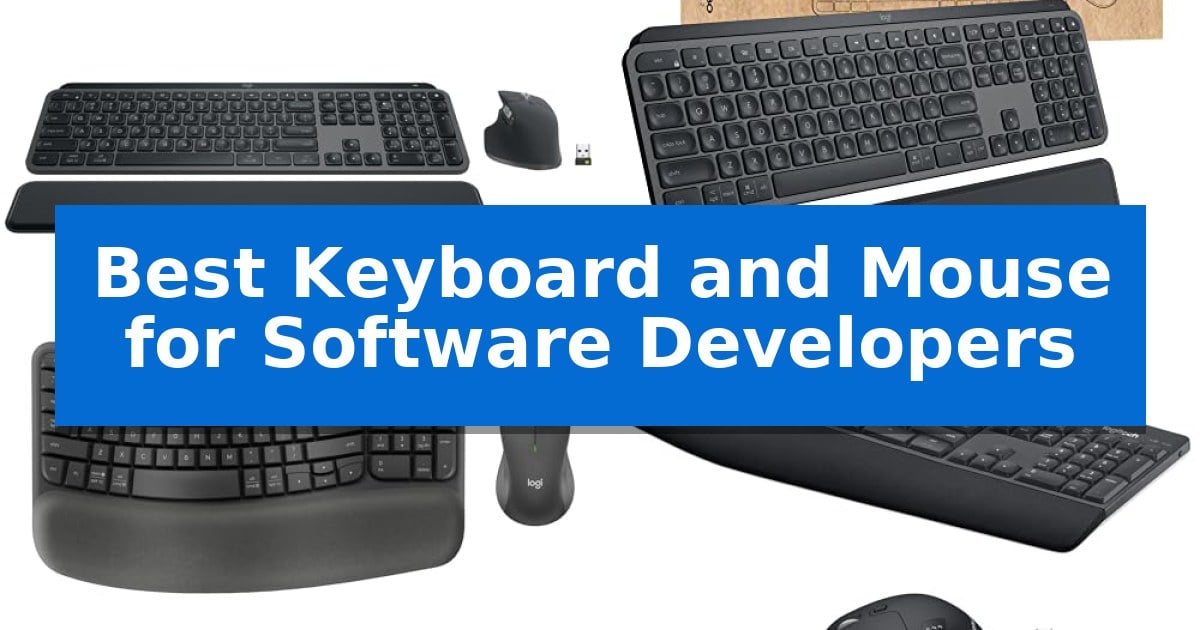
Software development requires long hours of intense focus, making your input devices the most critical tools in your workspace. A reliable setup should minimize physical fatigue while providing the precision needed for rapid navigation through complex codebases and IDEs.
The Best Keyboard and Mouse for Software Developers must balance tactile feedback with seamless multi-device integration. Whether you are managing multiple virtual machines or switching between different operating systems, the right hardware can significantly streamline your daily workflow and reduce repetitive strain.
Best Keyboard and Mouse for Software Developers in 2026
Quick Comparison
| Product | Best For | Key Strength | Score |
|---|---|---|---|
| Logitech MX Keys S Combo | Best Overall | MagSpeed scroll wheel allows for rapid navigation of long files. | 4.9 |
| Logitech MX Keys for Business | Enterprise-Grade Security and Performance | Logi Bolt encrypted wireless for secure enterprise-grade connectivity. | 4.9 |
| Logitech Wave Keys MK670 | Natural Ergonomics for All-Day Comfort | Ergonomic wave-shaped keyframe for natural hand and wrist positioning. | 4.9 |
| Logitech MK850 Performance Combo | Versatile Multi-Device Workflow | Multi-device connectivity allows switching between up to three screens or devices. | 4.5 |
| Rapoo 9010M Combo | Silent Typing for Shared Workspaces | Multi-device support for up to 4 devices simultaneously. | 4.3 |
How We Chose
- Connectivity standards including Bluetooth and dedicated USB receivers for stable, low-latency performance.
- Ergonomic design features such as wrist support, key profile, and mouse shape to mitigate strain during extended sessions.
- Multi-device switching capabilities to support complex development environments and cross-platform workflows.
- Customization options through software to automate repetitive tasks and optimize IDE navigation.
- Build quality and material choices that ensure longevity for high-volume daily input.
1 Logitech MX Keys S Combo — Precision for Long Coding Sessions
Maintaining a high-velocity coding workflow often hinges on the tactile feedback of your input devices and the ability to navigate complex environments without friction. The Logitech MX Keys S Combo addresses these requirements by pairing a low-profile, stable keyboard with a high-precision mouse, specifically engineered to support long hours of development work.
The MX Keys S Wireless Keyboard features a laptop-like profile with spherically-dished keys that provide a fluid, quiet typing experience. To assist with focus, the keyboard includes smarter illumination that detects your hands as they approach and adjusts brightness based on ambient light. For those managing multiple environments, it supports multi-device connectivity across Windows, macOS, and Linux, allowing you to switch between up to three devices seamlessly.
Complementing the keyboard is the MX Master 3S Wireless Mouse, which is sculpted to promote better wrist posture during extended sessions. It utilizes an 8K DPI sensor that tracks accurately on nearly any surface, including glass. Navigation is enhanced by the MagSpeed scroll wheel, capable of scrolling up to 1,000 lines per second, which is particularly useful when scanning through lengthy codebases or documentation.
Efficiency is further bolstered by the Logi Options+ app, which enables the creation of Smart Actions to automate repetitive keystrokes and tasks. The combo offers flexible connectivity via Bluetooth Low Energy or the included Logi Bolt USB receiver, ensuring a reliable connection in busy office environments. Both components are constructed with certified post-consumer recycled plastic, aligning performance with sustainable design choices.
Best for: Software developers who require a high-precision, multi-device setup that balances ergonomic comfort with productivity-focused automation tools.
Skip if: Users who prefer mechanical switches with significant travel distance or those who require a compact, tenkeyless layout for limited desk space.
PROS
- MagSpeed scroll wheel allows for rapid navigation of long files.
- Spherically-dished keys provide a comfortable, fluid typing feel.
- Smart Actions automation via Logi Options+ reduces repetitive tasks.
- 8K DPI sensor ensures precise tracking on diverse surfaces including glass.
CONS
- Non-mechanical key switches may not satisfy users who prefer tactile or clicky feedback.
- Full-size layout occupies a larger footprint on the desk compared to compact alternatives.
2 Logitech MX Keys for Business — Enterprise-Grade Security and Performance
The Logitech MX Keys Combo for Business centers on the Perfect Stroke scissor keys, which are spherically-dished to align with the natural shape of your fingertips, providing tactile reference for precise typing during long coding sessions. This full-size keyboard is paired with a high-performance mouse designed for professional workflows, ensuring that both input devices meet the rigorous demands of software development environments.
Engineered for secure, enterprise-grade connectivity, the set utilizes Logi Bolt wireless technology. This system features a Secured Connections Only mode, providing full encryption to address common IT security concerns. The hardware is widely compatible, offering seamless integration across Windows, macOS, ChromeOS, and Linux, making it a versatile choice for multi-platform development setups.
The included mouse features Darkfield 8000 DPI laser sensor technology, allowing for pixel-perfect tracking on virtually any surface, including glass. For developers navigating large codebases or complex spreadsheets, the MagSpeed Scrolling wheel enables rapid movement through 1000 lines of code in a single second, while maintaining the ability to scroll pixel-by-pixel when precision is required.
To maintain a focused workspace, the mouse incorporates Quiet Click technology, which reduces click noise by 90%. The keyboard further enhances efficiency with smart backlighting that automatically adjusts to ambient light levels and powers down when not in use, optimizing battery consumption for extended periods of productivity.
Best for: Software developers who require high-precision tracking, secure wireless connectivity, and a quiet, ergonomic typing experience across multiple operating systems.
Skip if: Users who prefer mechanical switches with significant travel distance or those who require a compact, tenkeyless layout for limited desk space.
PROS
- Logi Bolt encrypted wireless for secure enterprise-grade connectivity.
- Darkfield 8000 DPI sensor provides precise tracking on difficult surfaces like glass.
- MagSpeed Scrolling allows for rapid navigation through long files and code.
- Quiet Click technology significantly reduces noise in shared or open-plan offices.
CONS
- Full-size layout may be too large for developers with limited desk real estate.
- Non-mechanical key switches may not satisfy users who prefer the specific tactile feedback of mechanical keyboards.
3 Logitech Wave Keys MK670 — Natural Ergonomics for All-Day Comfort
The Logitech Wave Keys MK670 prioritizes physical comfort through a distinct wavy keyframe design that encourages a more natural hand, wrist, and forearm posture during long coding sessions. This ergonomic layout is paired with a cushioned palm rest featuring memory foam, which helps reduce pressure on the wrists throughout the workday.
Designed for efficiency, the keyboard's compact footprint allows for closer mouse placement, promoting a more natural shoulder position. The included Signature M550 L mouse features SilentTouch technology, which reduces click noise by 90% to maintain a quiet workspace. It also incorporates a SmartWheel for precise line-by-line scrolling or rapid navigation through lengthy documentation and codebases.
Connectivity is handled via Bluetooth or the included Logi Bolt USB receiver, providing flexibility for different workstation setups. The keyboard supports Easy-Switch functionality, allowing developers to toggle seamlessly between multiple devices, including PC, tablet, and phone across Windows, macOS, iPadOS, and ChromeOS.
Customization is managed through the Logi Options+ App, where users can assign shortcuts to streamline repetitive tasks. Both the keyboard and mouse are constructed using certified post-consumer recycled plastic, with 61% in the keyboard and 65% in the mouse, offering a functional toolset for those prioritizing ergonomic support and multi-device integration.
Best for: Software developers seeking an ergonomic, compact keyboard and quiet mouse combo that supports multi-device switching.
Skip if: Users who require a full-sized keyboard with a dedicated number pad or those who prefer mechanical switches for tactile feedback.
PROS
- Ergonomic wave-shaped keyframe for natural hand and wrist positioning.
- Cushioned memory foam palm rest provides integrated support.
- SilentTouch technology in the mouse significantly reduces click noise.
- Multi-device connectivity via Bluetooth and Logi Bolt with Easy-Switch.
CONS
- Compact layout lacks a dedicated number pad.
- Signature M550 L mouse does not support the Easy-Switch multi-device toggle.
4 Logitech MK850 Performance Combo — Versatile Multi-Device Workflow
The Logitech MK850 Performance Wireless Keyboard and Mouse Combo streamlines complex development workflows through its multi-device and multi-OS connectivity, allowing developers to transition between a primary workstation, a secondary computer, or a mobile device seamlessly. This capability ensures that your input hardware remains consistent across different environments, reducing the need for multiple peripherals.
Designed for long-term comfort, the full-size keyboard features a cushioned palm rest and a wave-shaped key layout intended to support extended coding sessions. The accompanying contoured right-handed mouse includes a hyper-fast scroll wheel, which assists in navigating extensive documentation or long codebases with minimal effort.
Integration is a core strength of this set, as Logitech DuoLink software links the mouse and keyboard to enable custom functionality and smarter navigation. Users can choose between Bluetooth or the included USB-A receiver for dual connectivity, providing flexibility for various hardware setups and ensuring compatibility with both legacy and modern systems.
The combo is built for productivity, offering 8 customizable buttons on the mouse to map frequently used commands. By supporting up to three screens, this hardware allows for a unified interface that adapts to the specific demands of a software development environment.
Best for: Software developers who require a unified, ergonomic input solution across multiple computers, tablets, or mobile devices.
Skip if: Users who prefer mechanical switches for tactile feedback or those who require a smaller, tenkeyless footprint for limited desk space.
PROS
- Multi-device connectivity allows switching between up to three screens or devices.
- Cushioned palm rest and wave-shaped design support ergonomic comfort.
- Dual connectivity options via Bluetooth or USB-A receiver.
- Customizable buttons on the mouse enhance workflow efficiency.
CONS
- Full-size layout occupies significant desk space compared to compact alternatives.
5 Rapoo 9010M Combo — Silent Typing for Shared Workspaces
Maintaining a quiet, focused development environment requires hardware that minimizes distractions, and the Rapoo 9010M Combo supports this with low-profile chiclet scissor keys engineered for a silent typing experience. This design provides the necessary tactile feedback for long coding sessions without the noise associated with mechanical switches, making it a practical choice for shared workspaces.
The combo offers significant versatility for developers managing multiple environments, featuring multi-device and multi-OS compatibility. Users can toggle between up to 4 devices seamlessly using 2.4GHz or Bluetooth 5.0/4.0 wireless connectivity. This driver-free, plug-and-play setup allows for rapid transitions between a primary workstation, tablet, or secondary machine.
Precision is managed by an optical mouse with adjustable DPI settings ranging from 800 to 2400, allowing users to calibrate cursor sensitivity to match various display resolutions. The latest iteration of this set includes dedicated device and capitalization indicator lights, which help prevent input errors during rapid development cycles by providing clear visual status updates.
Designed for efficiency, the hardware includes dual system hotkeys that grant quick access to 12 common functions across Windows and Mac OS. The USB receiver is conveniently stored within the mouse battery compartment to prevent loss, and the system is powered by name-brand batteries, ensuring reliable, long-term operation.
Best for: Software developers who require a quiet, multi-device input solution that works across Windows, Mac, Linux, and Chrome environments.
Skip if: Users who prefer high-profile mechanical switches with deep travel or those who require a full-sized ergonomic layout with a dedicated number pad and wrist rest.
PROS
- Multi-device support for up to 4 devices simultaneously.
- Silent click and quiet typing mechanism for shared office environments.
- Adjustable DPI mouse (800-2400) for varied display setups.
- Dual system hotkeys for streamlined Windows and Mac OS navigation.
CONS
- Low-profile chiclet design may not suit users who prefer deep mechanical key travel.
- Battery-powered operation requires periodic replacement rather than rechargeable internal cells.
Best Keyboard and Mouse for Software Developers Buying Guide
Connectivity and Multi-Device Support
Developers often work across multiple machines, such as a primary workstation and a secondary laptop or tablet. Prioritize devices that offer multi-device switching, allowing you to toggle between systems with a single button press.
Reliable wireless protocols are essential to avoid input lag. Look for combinations that support both Bluetooth and a dedicated USB receiver (like Logi Bolt), which provides a more secure and stable connection in environments with high wireless interference.
Ergonomics and Typing Comfort
Since coding involves thousands of keystrokes daily, the physical profile of the keyboard matters. Spherically-dished keys or wave-shaped layouts can help guide your fingers into a natural position, reducing the effort required for each stroke.
A cushioned palm rest is a vital addition for long-term comfort. By supporting the wrists at an optimal angle, you can reduce the risk of strain during marathon debugging sessions or intense feature development.
Precision and Navigation
For a mouse, the sensor quality directly impacts your ability to navigate large files and complex UI layouts. High DPI sensors that can track on various surfaces, including glass, offer the versatility needed for different desk setups.
Advanced scroll wheels with hyper-fast or mag-speed scrolling allow you to zip through thousands of lines of code in seconds. This feature is a significant productivity booster when reviewing logs or documentation.
Customization and Automation
Modern development tools often include software suites that allow you to remap keys or create macros. Smart Actions or customizable buttons enable you to trigger complex sequences with a single click, saving time on repetitive tasks.
Look for hardware that supports deep integration with your operating system, ensuring that system-level shortcuts and media controls function exactly as expected without additional configuration.
Build Quality and Sustainability
Professional-grade input devices should be built to withstand years of heavy use. High-quality materials, including certified post-consumer recycled plastic, are increasingly common and offer a balance between durability and environmental responsibility.
Consider the noise profile of your gear, especially in shared office spaces. Quiet click technology and scissor-switch mechanisms provide tactile feedback without the distracting sound levels of traditional mechanical switches.
Frequently Asked Questions
Why is a dedicated USB receiver better than Bluetooth for developers?
A dedicated USB receiver often provides a more stable and secure connection, particularly in office environments crowded with other wireless signals. It also ensures that your keyboard and mouse are recognized before the operating system fully loads, which is useful for BIOS access.
Do I need a full-size keyboard for software development?
While a full-size keyboard provides a dedicated number pad and navigation keys, some developers prefer compact layouts to bring the mouse closer to the body, which improves shoulder posture. Your choice depends on whether you frequently use the number pad for data entry.
How do I know if a mouse will work on my desk surface?
Look for mice featuring high-DPI laser sensors, such as those with Darkfield technology. These are specifically engineered to track accurately on challenging surfaces, including glass and high-gloss wood, without requiring a mousepad.
Can I use the same keyboard for both Windows and macOS?
Yes, many modern multi-device keyboards are designed to be OS-agnostic. They often feature dual-labeled keys or automatic layout detection to ensure that modifier keys like Command, Option, and Windows function correctly on both platforms.
What are Smart Actions in Logitech software?
Smart Actions are programmable shortcuts that allow you to trigger a series of tasks with a single keystroke or button press. For developers, this can mean opening specific apps, launching terminal windows, or executing common system commands instantly.
Conclusion: Our Top Pick
Selecting the right input hardware is an investment in your productivity and physical health. After evaluating the options, the Logitech MX Keys S Combo stands out as the most balanced choice for software developers due to its combination of fluid typing, high-precision scrolling, and robust multi-device integration.
This combo provides the necessary tools to automate repetitive tasks and maintain comfort during long coding sessions. While other options offer specific benefits like enhanced ergonomics or enterprise-grade security, the overall versatility and software support of the MX Keys S Combo make it the most reliable partner for a professional development workflow.